Getting the transcript
Reading the captions from YouTube. A video nobody has opened here before takes 10 to 30 seconds; this page fills in on its own.
Getting the transcript
Reading the captions from YouTube. A video nobody has opened here before takes 10 to 30 seconds; this page fills in on its own.
Reysu · @reysu
Where viewers went back to watch this video again, from YouTube's public Most replayed graph, lined up with what was said at that moment.
Most replayed moment #1
9:545.7x the video's typical replay level
everyone's data, and so this allows you to do something similar without sharing with anybody. The last tab I want to share is probably one of my favorite, and it's called Glance. So, Glance is a dashboard that has a bunch of different modules, and you can arrange them in different pages or in different layouts,
Said at 9:47
Most replayed moment #2
3:584.5x the video's typical replay level
that are in your library. You can make albums. you can even share with different people with a link. So, this is sort of the ultimate photos app. All right, so the next one helped me replace paying for [music] a cloud storage. So, once you set up a self-hosted computer, you can just connect to it by mounting
Said at 3:50
Most replayed moment #3
6:363.9x the video's typical replay level
this app is called Open Web UI and it's basically an identical chat interface to what you're probably [music] used to with LLMs. The main difference is that you can connect it to local models that you run on your computer. Open-source LLMs are getting extremely good and one
Said at 6:30
The graph counts replays. It does not show where viewers stopped watching.
Words
2,826
Runtime
13:11
Speaking pace
214wpm
Reading time
12min
214 words per minute, above the 201 75th percentile of 349 measured videos. That distribution comes from the 349-video hook study.
Opening (first 30 seconds)
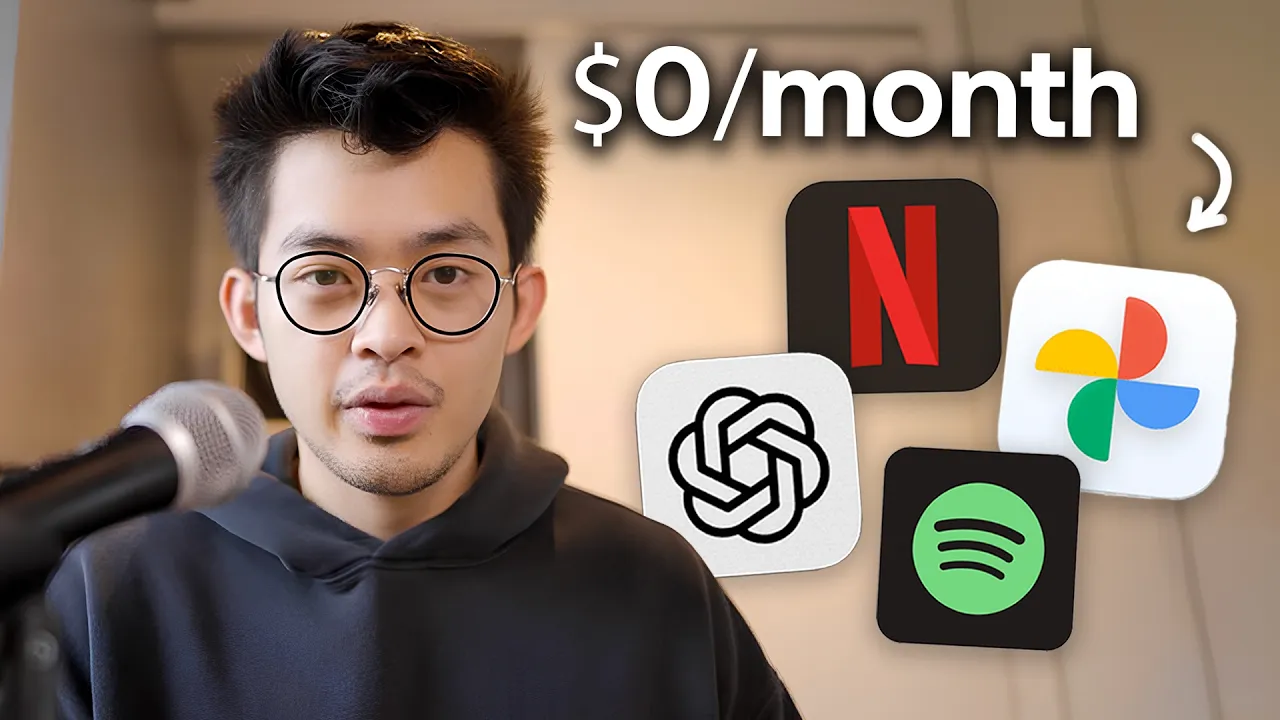
This weird-looking computer replaced my most annoying subscriptions. [music] I downgraded my Netflix, Dropbox, Google Photos, and even ChatGPT, which will save me tens of thousands of dollars in subscription [music] fees into the future. There's more storage here than I can use in my entire lifetime, and I can access it from anywhere in the world. The way I've done this is with something called self-hosting. And in this video, I'm going to explain what self-hosting is and share with you eight [music] really underrated open-source apps that can help you replace your subscriptions. Before you think this video is too nerdy for you because of
107 words, the words spoken in the first 30 seconds at 214 words per minute.
Free, no signup. See how the first 30 seconds hold attention, with rewrites.
Sentence shape
| Measure | This transcript |
|---|---|
| Sentences | 135 |
| Average words per sentence | 20.9 |
| Longest sentence | 71 words |
| Questions asked | 2 |
| Sentences containing a number | 8 |
Most used terms
Filler phrases
63 in total: like 31 · actually 8 · basically 8 · uh 6 · kind of 3 · sort of 3 · literally 2 · right? 1 · you know 1.
A literal whole-word count of the same phrase list the Prepublish browser extension uses, so a phrase inside another word is not counted and a phrase used in its ordinary sense still is. It is a count and not a judgement.
Run the check on the words above: where attention is likely to drop, with a rewrite for each weak line. The free check shows the scores and the one issue costing the most.
What this transcript is
Every word below is the caption track YouTube publishes for this video, pulled from the video itself and reproduced unchanged. It is not Prepublish's writing, not a summary, and not a re-transcription: it is the video's own published captions. English captions, generated automatically by YouTube, in the video’s original language. Source: the video on YouTube. A channel that would rather this page did not exist can ask for its removal through the contact page, and it is removed.
This weird-looking computer replaced my most annoying subscriptions. [music] I downgraded my Netflix, Dropbox, Google Photos, and even ChatGPT, which will save me tens of thousands of dollars in subscription [music] fees into the future. There's more storage here than I can use in my entire lifetime, and I can access it from anywhere in the world. The way I've done this is with something called self-hosting. And in this video, I'm going to explain what self-hosting is and share with you eight [music] really underrated open-source apps that can help you replace your subscriptions.
Before you think this video is too nerdy for you because of the word self-hosting, I also used to be like that. But over the past year, I started to get more curious into it and I spent hundreds of hours learning about it and tinkering with it. Contrary to popular belief, you actually don't need to spend any money to set this up. You don't even have to buy a new computer, and there are no subscription fees, and there are not even one-time payments.
So, to explain what it is simply, when you use apps like Dropbox or Google Photos, you're essentially just connecting your computer or device [music] to another computer in that company's office, kind of like a storage unit. So, obviously, you have to keep paying monthly because they have to do a bunch of stuff with that. Like, they [music] have to pay the electricity, they have to clean it, they have to make sure nothing's broken.
The upside for you is that you don't have to think about it, right? Like, they do all the maintenance, they handle the storage unit, and you put all your files there. [music] But the downside is they can raise their prices whenever they want, they often get hacked, and you have very little control over your own data. And over time, you might have redundant subscriptions. [music] Like, you might have a Google Photos subscription and an Apple Photos subscription if you switch devices.
Or maybe you have a Netflix account and a Disney Plus account just [music] to be able to watch the content that you want to watch. So, self-hosting is basically you owning your own storage unit versus [music] renting one. So, there are photos apps or there are media apps where you can watch movies and TV shows that you have on your computer, and the only thing that you have to do is to keep your computer running. And we're kind of in a unique time now where it used to be really expensive to do something like this to self-host your own services, but now it's cheap enough to self-host your own services.
And also, [music] there are a lot of really good open source apps now. You won't have to worry about apps pivoting [music] or being sold to different companies and your data being lost, which happens a lot, especially in the companies that we see today. Now, there's literally millions of people doing this, [music] so it's one of the best times to try something like this out, especially with tools like Cloud Code. It really lowers [music] the technical barrier to set something like this up, and it's really something that you can do in a single day.
Arguably, this is also more secure than hosting your data on cloud services because if you set it up correctly, only your own devices can access your server. And so, you have a bigger risk of someone breaking into your house and stealing your hard drives than you have of somebody hacking into your computer. But yeah, that's basically all you need to know about self-hosting, and at the end, I'm going to share with you my exact setup and what that looks like.
For context, all of these are accessible by all of my devices, even on iOS, and there is not a single thing here that requires a subscription or any money at all. Okay, the first is [music] to replace Google Photos. So, this is an app called Immich, and it's basically a Google Photos clone that works exactly as you would expect. So, you just drag photos into here, it auto-organizes it, and you can browse it in the same way that you would browse Google Photos.
They also have an iOS app, and it works [music] really smoothly. And it's also really helpful for my YouTube channel. So, for example, I have a separate account here where I have it connected to my media folder, and so I can see my different thumbnails, different B-rolls that I filmed, and also edited videos, and so it makes it easy for me to find stuff because it's just in [music] this format versus in a bunch of different folders.
This app is surprisingly robust. There's nearly 100,000 stars on GitHub, and there are a ton of features. Like, for example, there are machine learning features where you can search for things just by typing in a natural language. >> [music] >> Uh it can auto-sort by different faces that are in your library. You can make albums. you can even share with different people with a link. So, this is sort of the ultimate photos app.
All right, so the next one helped me replace paying for [music] a cloud storage. So, once you set up a self-hosted computer, you can just connect to it by mounting it as a drive on your Mac. So, on a Mac, I just click go, connect to server, and I type my IP address, and it shows up as a drive that I can access. It doesn't take up any storage on my computer, and I'm literally [music] accessing the computer. So, there's not even syncing required.
On iOS, I also do something similar in [music] the default files app, I just typed in my IP address and logged in, and I can easily view all my files straight from my phone. And the one app that [music] I do use for this is called Tailscale. This just makes it so that even if I'm outside, I'm using my phone outside, I'm connected to some random internet connection, I can still connect to my home server at home, and I can view my photos, and [music] I can access my files.
Yeah, after setting this up and being able to access all my files from anywhere, >> [music] >> I realized it's kind of scary if you store a lot of photos or data in the cloud at some random companies' servers. Like, >> [music] >> at any time they can increase the price, they might get hacked, their stuff might be leaked, and this stuff has happened a bunch of times throughout history, but [music] we basically had no choice and had to keep paying.
A lot of times they'll even bait you in with like a free offer or a very low tier offer, and then they will just drastically increase the price over time. Another subscription that's similar to that that I'm glad I canceled is Netflix. So, Netflix used to be pretty cool as a service. Like, you can watch all your movies one spot, uh no matter where you are, but then over time, as they became bigger as a company, you started needing VPNs just to access the same content because of copyright law, and you started seeing ads when you actually are paying for it, and you started to need multiple different subscriptions just to watch uh different things that you wanted to watch.
So, there is a better solution. If you actually own your content, you can watch it forever with no subscription fees. So, this is an open-source app called Jellyfin and it lets you create your own personal Netflix if you have a library of content. So, you can put any content that you have in a folder and then it will automatically categorize it, it will find the metadata, and you can watch it in a format that looks like this.
Uh this is a demo, this is not my library, by the way. So, obviously you should only do this with content that you own and DRM-free content that you can find the public domain. And so, this is going to vary country to country, so you should look into it if you're considering setting something like this up. But, the next app I'm going to show helped me cancel ChatGPT and replace it with a private LLM that runs locally on my computer.
So, >> [music] >> nothing gets sent to any servers. So, this app is called Open Web UI and it's basically an identical chat interface to what you're probably [music] used to with LLMs. The main difference is that you can connect it to local models that you run on your computer. Open-source LLMs are getting extremely good and one of my favorite ones right now is called Qwen [music] 3.5 35 billion. This open-source app is also really powerful because you can build your own custom bots.
Like, for example, I built a clone of myself just for fun that is connected to my calendar, my to-do's, and I can ask about it. And I also built one that is for Japanese. I can ask it questions and it knows the best way to answer me and has context about where I am in regards to [music] my learning history. If you're interested in running your own local models, you can check out the app called LM Studio and you can see what models you can run on your computer.
You can also connect it to an API, so if you wanted to, you can run >> [music] >> frontier models in this app like Claude models and ChatGPT models. So, I also have my API keys connected when I do want to use those models. And of course, I can also connect to this on my phone and use it even when I'm not home. The next app [music] saves me from having to pay for a password manager. So, this is called Bitwarden. [music] So, previously I was using LastPass, which I was paying like $1 to $3 a month for.
But, in reality, they actually got hacked multiple times, and then they ended up leaking everyone's databases [music] out onto the public internet. And so, I was like, "What what the hell am I even doing?" So, Bitwarden is a password manager that they give you the option to self-host your own database. And if you self-host your own database, it's actually more secure because only your own devices can have access to it, and you can revoke permissions [music] at any time.
And they're also encrypted on your own hard drive. So, there's very little chance of anything getting hacked or leaked. [music] The next app saved me from hidden trackers and ads across all of my devices. >> [music] >> So, it's this app called Pi-hole. Normally, if you wanted to block random trackers and ads, you have to install ad blockers on each of your devices and maybe each of your different browsers. So, Pi-hole is a network-wide [music] ad blocking for all of your connected devices.
And you only have to do it once, and all of your devices will have >> [music] >> the same security and blocking. And you can see, it's blocked hundreds of thousands of queries of just random apps and services trying to track me. [music] There are a bunch of pre-made lists for trackers and ads that you can just add and block. And you can also block unproductive sites that you never want to go to, and they will be activated on all of your devices.
So, it's useful for tabloid news, news sites, and other unproductive websites that you can probably think of. The next app [music] is sort of a fun app that I wanted to share, but this is a location tracking app called Dawa Rich. Basically, you know how there are apps that track your location all the time, and they they send it to their servers. This app essentially does this, but it's sending it to your own server. And the benefit of installing something like this is that it creates a heat map of your local city that you can go back and look at.
This is sort of similar to Google Timelines, which was a feature built into Google Maps, [music] where it tracks you and shows you a detailed uh history of everywhere that you've been to, but they ended up just deleting everyone's data, and so this allows you to do something similar without sharing with anybody. The last tab I want to share is probably one of my favorite, and it's called Glance. So, Glance is a dashboard that has a bunch of different modules, and you can arrange them in different pages or in different layouts, however you like.
So, I have my YouTube subscriptions, I have some blogs that I'm subscribed to, uh some subreddits, stock market, the weather, where I'm at, the weather in different time zones. So, this second tab is services, and here I can just get a quick view of all the different apps that have installed and whether or not they're running correctly. And so, you can really make this anything that you like, and especially with Cloud Code now, it's very easy to make changes.
But yeah, now let me share with you what my setup actually looks like. And for context, my setup is not the ultimate setup or anything like that. It just makes sense [music] for the amount of storage space that I need and the apps I want to run on it. So, I have a Synology NAS [music] DSM . It has four bays that you can fit 24 terabytes into each slot, so up to 100 terabytes. Right now, I have two slots filled, so I have 50 terabytes.
This computer is called a NAS, [music] and they call it a NAS because it's specifically made for self-hosting. So, it stands for network attached storage. But it's essentially just a computer. For me, this made the most sense because I needed to be expandable up to 100 terabytes. This is a massive upgrade from when I first [music] got interested in self-hosting. So, if you saw the video that I made nearly a year ago, at first I was just running on the same computer that I'm using, and then I >> [music] >> switched to using like a MacBook Air, and then eventually I realized I actually wanted to get a dedicated computer to do this self-hosting thing, and so that's when I got this one.
If you're interested in trying out some of these apps, I would highly recommend you just to install it on any other device or even just the computer that you're using and to test it out first and see if you actually need something better or something with more storage. If you did want to try this out, there are a few things that you probably should know [music] first. So, the first is a lot of the hardware right now is at a very elevated price because of basically like the AI bubble.
And so, it's probably not a good time to invest in [music] RAM or anything like that. The second thing is if you get a server that has a hard drive, you'll basically hear scratching discs all the time. And the third thing is because this computer is always plugged in and it's always running, the discs are only rated for 8 to 10 years before they have a high chance of failing. So, it's likely that in 10 years, I'll probably have to switch out the drive and buy a new one.
But, [music] by then the technology will maybe better. But, overall I'd say that the benefits of doing this greatly outweigh the things that I just mentioned. Like, this has encouraged me in general to just have more ownership over my data. For the tools I'm using and that I'm investing time into, I want them to be able to last for a lifetime. I don't want them to keep changing and pivoting and having to figure out the next best thing to use.
Anyway, that's it for this video. Let me know what you guys think and if you have any questions about self-hosting. And if you have any recommended open-source apps that you use, if you do something [music] like this, definitely let me know in the comments below. I would love to try it. And I'll see you in the next video. Let's get it. >> [music]
The words are the caption track's own and nothing is reworded or re-transcribed. Paragraph breaks are placed between sentences so the text reads as prose.
Free tools for your own script: paste a draft and see where it stands before you record it.
Paste your draft and see where viewers are likely to drop off, with a rewrite for each weak line.
Paste the first 30 seconds of your own draft for a hook score and rewrites.
Check your draft against YouTube's advertiser-friendly guidelines before you record it.
Read this channel's public videos and transcripts, and download a writing brief for it.