Getting the transcript
Reading the captions from YouTube. A video nobody has opened here before takes 10 to 30 seconds; this page fills in on its own.
Getting the transcript
Reading the captions from YouTube. A video nobody has opened here before takes 10 to 30 seconds; this page fills in on its own.
AI Search · @theAIsearch
This video has no Most replayed graph yet: YouTube shows one only once a video has enough views. These are the moments viewers replayed most in AI Search's most watched videos.
Most replayed moment at 10:28
3.1x that video's typical replay level
and then fix any errors that it sees. And so afterwards, it rendered the video successfully and that's pretty much it. In just one prompt, I didn't even need to prompt it further. Here's our final result. >> Four companies, one quarter, and a half-trillion-dollar bet on artificial
Said at 10:22
Most replayed moment at 15:21
4.1x that video's typical replay level
and deep agent for only $10 a month. This is way cheaper than if you paid for each tool separately. Definitely check out chat.llm that comes with deep agent in the description below. You can think of the residual connections not as a simple pipe carrying the signal forward,
Said at 15:15
Most replayed moment at 12:41
6.0x that video's typical replay level
other content, Higgs Field is a game changer that will supercharge your production workflow. Try it today using the link in the description below. Now, if we dive deeper, here's how it works in technical terms. They used something called a Markov head. In probability theory, a Markov process assumes that
Said at 12:33
The graph counts replays. It does not show where viewers stopped watching.
Words
3,373
Runtime
24:36
Speaking pace
137wpm
Reading time
14min
137 words per minute, below the 160 25th percentile of 349 measured videos. That distribution comes from the 349-video hook study.
Opening (first 30 seconds)
This is currently the best open-source music generator you can use. You can run this with 4 GB of VRAM or less, plus you can even do cover songs and edit existing songs. And according to some benchmarks, this even beats Suno V3, which is pretty crazy. So, this is called U A 2, and first of all, here are some demos. So, on the left is the prompt
69 words, the words spoken in the first 30 seconds at 137 words per minute.
Free, no signup. See how the first 30 seconds hold attention, with rewrites.
Sentence shape
| Measure | This transcript |
|---|---|
| Sentences | 221 |
| Average words per sentence | 15.3 |
| Longest sentence | 56 words |
| Questions asked | 7 |
| Sentences containing a number | 22 |
Most used terms
Filler phrases
39 in total: like 18 · basically 11 · actually 7 · literally 2 · kind of 1.
A literal whole-word count of the same phrase list the Prepublish browser extension uses, so a phrase inside another word is not counted and a phrase used in its ordinary sense still is. It is a count and not a judgement.
Run the check on the words above: where attention is likely to drop, with a rewrite for each weak line. The free check shows the scores and the one issue costing the most.
What this transcript is
Every word below is the caption track YouTube publishes for this video, pulled from the video itself and reproduced unchanged. It is not Prepublish's writing, not a summary, and not a re-transcription: it is the video's own published captions. English captions, generated automatically by YouTube, in the video’s original language. Source: the video on YouTube. A channel that would rather this page did not exist can ask for its removal through the contact page, and it is removed.
This is currently the best open-source music generator you can use. You can run this with 4 GB of VRAM or less, plus you can even do cover songs and edit existing songs. And according to some benchmarks, this even beats Suno V3, which is pretty crazy. So, this is called U A 2, and first of all, here are some demos. So, on the left is the prompt dictating the style and genre of the song, and on the right are the lyrics.
First, here's a demo of a smoky jazz song. >> [music] [music] >> Her glass is clanking a quiet tune [singing] >> [music] >> under the hum of a fading moon. >> [music] >> Lights flicker low, whispers in blue. >> [music] >> Neon smiles and a quiet laugh. >> [music] >> Friendships built [singing] on a fragile draft. Before I sleep, I'll keep this [music] bar a glowing memory [singing] in the dark. >> [music] >> Or here's another demo of a boogie-woogie style of the 1930s. >> Hey John, can you hear it?
That shuffle through the [music] door. Old shoes on a new floor. My feet itch [singing] for more. Hey, John. Can you hear it? Boogie woogie. This rhythm [singing] turns me on. Let's go dancing [music] soon. I'm ready. I can't stand still. Come on. Hey, John. Can you hear it? Boogie [music and singing] woogie. Heart beating like the tune. Spin me round this crowded room. Let's go dancing soon. >> [music] [music] >> Now, this also supports different languages.
So, here's a flamenco example in Spanish. >> [singing] [music] [singing] [music] [music and singing] [singing] [music] [singing] [music] >> Or here's a folktronica example in Russian. >> [music and singing] [music] >> Or here's an emo example in Korean. >> [music] [singing] [music] [singing] [singing and music] >> Now, the really cool part about this is you can also input another song as a reference. So, for example, it can use the melody of an existing song, but you can change up the style.
For example, here is Auld Lang Syne, but we are going to turn this into a groovy jazz funk style instead. >> [music] [music] >> Should old acquaintance [music] be forgot and never brought [music] to [singing] mind? Should old acquaintance [music] be forgot and days of old [music] lang syne? For old lang syne. >> Or here's an even crazier example where we can input this Beethoven track. Once I play it, you'll probably recognize the melody.
Here, we are going to turn this into a theatrical hard rock, and then the lyrics are just going to be where's my wallet? >> [singing] [music] >> Or here's another example where we can input the Jingle Bells song as the reference audio, but instead, let's turn this into a minor version. >> [music] [music] >> Dashing through the snow in a one-horse open sleigh. [music] Over the fields we go, laughing all the way. Bells on bobtails ring, [music] making spirits bright.
What fun it is [singing] to ride and sing a sleighing song tonight. >> Jingle bells, [music] jingle bells, jingle all the way. Oh, what fun it is to ride in a one-horse [music] open sleigh. Hey! >> So, this is a very flexible tool and the only open source one so far that can generate some good-sounding covers. Or, here's another cool thing you can do. You can even just link this to an AI agent like GPT Astra or JLM and it can do the music generating or editing for you.
So, for example, let's start with this pop song. Let me play this for you first. >> [music] [music] >> And then afterwards, you can iterate this further. For example, we can tell it to keep the melody and lyrics, but make it more jazzy through reharmonization. But, it still doesn't really sound jazzy enough. So, let's tell it to remove the guitar. >> [music and singing] >> All right. So, this is just a really quick and simple example of how you can get an agent to generate and then iteratively edit the song just with text prompts.
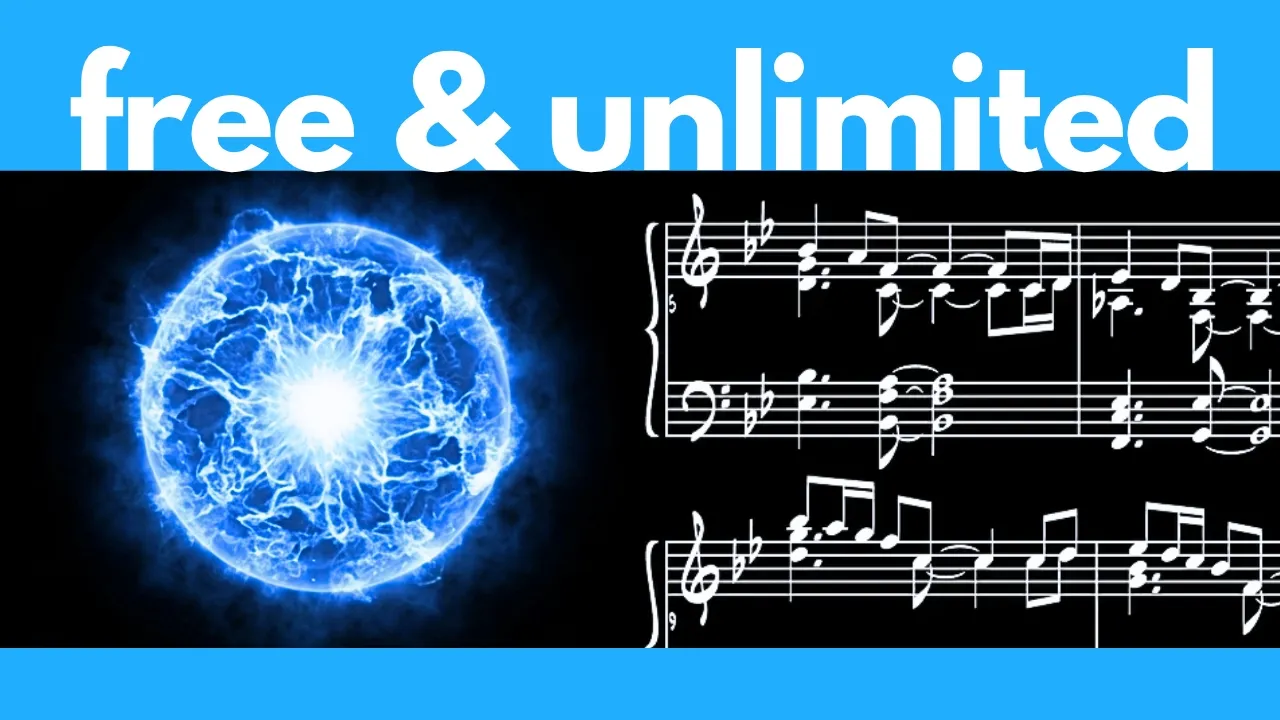
Now, before we go over the installation, it's worth noting how this actually works. So, instead of just turning your text prompt into a complete finished song, what it does is it actually writes out an editable score first. So, here's an example where it writes out the notes of both the vocal track and the instrumental track. Plus, of course, the key and tempo. This is essentially a basic sheet music for the song. And then it uses this as the backbone to actually generate the full song.
And because of this, it gives you some very flexible editing capabilities. That's why it's very easy to generate cover songs from this or to change up the lyrics or even change the key from major to minor. And get this, if you look at these benchmarks in terms of this song quality index, not only does it beat the other open-source models out there like Mini Max Music and A Step 1.5, but it even beats some close models like Suno V6 and Suno 5.5, which is pretty crazy.
However, it does perform slightly under Suno V5, which interestingly, at least according to this benchmark, sounds better than version 5.5 and version 6. If you do any kind of content creation, definitely check out Luma, the sponsor of this video. Think of it as an agentic AI workspace that can work alongside you through your entire creative process, instead of just giving you the result of a single prompt. For example, let's say I want to create an entire marketing campaign for a new product.
Instead of jumping between a bunch of different AI tools, I can just get Luma agents to autonomously do everything. It can develop the concept, generate the visuals, and shape the project all within the same workspace. What makes it especially interesting is that its Luma agents understands things like motion, physics, and 3D space. Rather than completely taking over the creative process, you can continuously guide the agent, change direction, and refine the results as you work.
And one of the most powerful features is Luma's skills. You can basically create reusable skills for workflows you do all the time. Basically, you give Luma a set of instructions once, and then you can run that same workflow on different assets whenever you want. For example, I can create a skill where I input any product photo and it'll output some UGC videos of an influencer talking about the product. Or here's another example of a skill where I can upload the product photo and it'll drop it into water like this.
Luma basically gives you an intelligent creative co-pilot that can consolidate all your creative workflows into one place. Whether you're creating marketing campaigns, branded content, product visuals, or social media content, Luma is one of the best platforms you can use. Try Luma today using the link in the description below or by scanning the QR code here. If you're interested in trying this out, next let's go over how to install this.
Now, if you click on this GitHub link at the top and you scroll down a bit, here it does contain all the instructions on how you can run this, but the default code is like this where you need to work with some Python code, which might not be intuitive for everyone. So, instead, we are going to run this in a visual interface called ComfyUI. This is the most popular platform for running open-source image, video, and audio generators locally on your computer.
In fact, if you're not familiar with ComfyUI, I highly recommend you watch this video first where I go over how to install and use it. Now, assuming you do have ComfyUI, the first thing you should do is update it to the latest version. So, in your root ComfyUI folder, simply click into this update folder and then double-click on update comfyui.bat. So, this will proceed to update your comfy to the latest version. Afterwards, let's press any key to continue to exit the window, and then next let's start up a fresh session of ComfyUI.
All right, after loading up ComfyUI, what you need to do is drag the U2 workflow onto your interface. So, I will link to this page in the description below where you can download the full workflow. Simply click on this link so that it will download this JSON file. Now, you can save this wherever you want. I'm just going to save it in my ComfyUI root folder. Afterwards, simply drag this U2 workflow onto your ComfyUI interface and it should magically open this pre-built workflow for you.
So, you don't have to build out anything yourself from scratch. Now, when you first load this, you might see this error message involving missing models. So, let's proceed to download the missing models. So, I'm I'm to link to this page in the description below. You need to download the audio encoder and the checkpoint for this. Let's first click into the audio encoders folder and we need to download this file which is 1.4 GB in size.
Let's click download and this goes in comfyUI in models and then in audio encoders. Let's click save and then afterwards we also need to click into the checkpoints folder and here you can choose to download either the full BF16 version which is 7.8 GB in size or if you have less than 4 GB of VRAM then you can download this smaller quantized version which is only 3.96 GB. For me since I do have enough VRAM, I'm going to download this full version which should be able to fit in like 8 GB of VRAM.
So this goes in comfyUI in models and then in checkpoints. Let's click save. Now back to our comfyUI interface, simply press R to refresh your model list and then for this load checkpoint node, simply open the drop down and select the model you just downloaded. In my case, I'm going to click on this BF16 model and that should get rid of all the errors that you see. Now this workflow has two components. The first component at the top here is just turning a text prompt into a full song and then at the bottom here you have the option of inputting an audio for reference.
So you can make cover songs with this feature. Let's go over the text to music workflow first. At the top here is where you would enter the style prompt. So basically this would describe the genre, the style, the pacing, the instruments or other things that you want to specify about the song. For example, let's do something like future bass, modern, energetic, inspiring and then at the bottom here is where we would enter the lyrics.
Note that this takes in meta tags so you can specify like verse one, verse two, intro, outro, bridge, chorus, pre-chorus, etc. For me, let me just show you a simple example with one verse and one chorus. Next this would be fed through this generate ABC node which basically generates the notation of the song. After I press generate, you can actually see a preview of this notation over here. It's basically sheet music like this, which dictates the vocal melody as well as the instrumental melody throughout the song.
And then afterwards, this notation would be plugged through this node along with your style prompt and lyrics to actually generate the music. Here is where you can specify the maximum duration of your song in seconds. So right now it's set at 360 seconds, which is 6 minutes. Now this is just the maximum duration. If your lyrics are shorter than that, then it's just going to generate a shorter song. And then next it gets plugged through this K sampler to actually generate the music.
Note that the seed is basically the unique ID of every song. Right now it's set at seven and fixed. That means if you use the exact same prompts and the exact same settings as before, you're going to get the exact same song as before. So if you want to generate a completely different song while keeping the same lyrics and the same style prompt, then you need to change the seed to another value or you can also set this to randomize afterwards.
And then the number of steps is like how many steps it takes to generate the song. In general, the more steps you have, the higher quality the song will be, but it's going to take slower. And then if you use fewer steps, it's going to generate faster. I just tend to leave it at the default of 32 steps. The CFG is like how literally you want the AI to follow your prompts. So if you get a song that doesn't really follow your style prompt or if it has some errors with the lyrics, then you could set this CFG to a slightly higher value to follow your prompt more literally.
And then the sampler and scheduler are basically the algorithms used to generate the song. I just tend to leave it at the default values. And then afterwards, this goes through the decoding step. Now if you look at this note here, it says if your GPU has enough VRAM, so I would assume like over 12 GB of VRAM, then you can just use this regular decode method, which is a lot faster. If you have less than 12 GB, then it's best to use this tiled version.
So since I do have over 12 GB, I'm going to connect this one instead. So, first I need to take this input and connect it over here. So, what I'm going to do is hold down shift and then click on this connection and drag it over here. And then afterwards, I just need to connect this audio output over here. And then for this one, I can just press control B to bypass or disable it. And then finally, it will generate my song over here.
So, let's press run. All right, afterwards, let me pull up the stats for you. So, this was pretty quick. I'm using just my laptop with an RTX 5000, which has 16 GB of VRAM, and this took just over 2 minutes to generate. Next, let me actually drag the style prompt and the lyrics over here so you can see them, and let me play the generation for you. >> [music and singing] [music and singing] [music] [music and singing] [singing] [music] >> Now, it kept generating much longer than what I inputted here.
So, what I should have done instead is reduced the max duration to something that fits these lyrics a bit better. But, there you go. In a nutshell, that is how you can run this text-to-music workflow. All right. Now, if we go back here to this preview ABC section, you can see a preview of the notation that it generated over here. So, these are basically like the notes of the vocal and the instrumental. Now, some of you are wondering if this can do instrumental only, and the answer is yes.
So, for example, here's my style prompt, epic cinematic orchestral music for a battle scene, instrumental only. And then for the lyrics, I do need to enter something, so usually I just enter what I want the instruments to sound like within square brackets. So, for example, here I put steady build-up of staccato strings and ethnic drums. And here's my generation. >> [music] [music] >> All right, so that covers text to music, but what if you want to input an audio clip to use as reference or to generate cover songs?
Well, that's what this part is for. So, let me hold down control to drag across these purple notes, and then press control B to un-bypass these notes. Basically, this allows you to upload a reference audio to generate the ABC notation to be plugged through the song generator. And this step basically replaces this generate ABC node over here. So, first of all, let me select this top generate ABC node plus the preview node that's connected to it.
I'm going to select both of them and then press control B to bypass these nodes. And what we would do instead is connect the output from this node into the generate music node. So, what I'm going to do is connect the output over to here. All right, so this generate music node should now be connected to this bottom section over here. And then what we need to do is for this load audio encoder, click on this drop down and select the audio encoder that you just downloaded.
And then here is where we can upload a reference audio clip. For example, let me upload this segment from a song. >> Everything I need [music and singing] to say. Watching as you walk away >> [singing and music] >> while my heart breaks today. >> All right, so that was the song. Next, over here we can choose to either use the melody of this as the reference or the full song as reference. It's a really subtle difference, but if you want to do a cover song or copy just the melody of a song over, then I would select melody only.
Now, over here is where you would enter the new style that you want for this song as well as the lyrics for the song. For this example, I'm just going to enter the same lyrics as my reference audio. And then for the style prompt, let's try jazz with casual piano, saxophone, double bass, and brushed drums. Let's press run. All right, here's our result. >> Everything I [singing] need to say. Watching as you walk away while my heart breaks today. >> [music] >> It's as simple as that.
So, that's how you can use this audio reference feature. Of course, you don't have to use the same lyrics. You can also change the lyrics to something else. For example, you can make the person sing another language. So, a super flexible tool. So, that covers all the components of this Ue2 workflow in comfyui. This is currently the best open-source music generator you can use right now. So, definitely try this out. Finally, I also want to mention the license of this.
So, the code and the documentation of Ue2 are under the Apache 2 license, which has very minimal restrictions, but the model weights are separately licensed under this Creative Commons non-commercial license. So, in this clause, it specifically says not primarily intended or directed towards commercial advantage or monetary compensation. So, that's something to be aware of. I'm not sure if you can like post a generation on Spotify and profit from it.
Anyway, that sums up my tutorial and review of Ue2. This is definitely the best open-source music generator available right now. So, definitely give it a try and let me know what you think of it. And if you run into any errors during the installation, welcome to copy and paste the exact error message in the comments below and I'll try to help you troubleshoot as much as possible. As always, I will be on the lookout for the top AI news and tools to share with you.
So, if you enjoyed this video, remember to like, share, subscribe, and stay tuned for more content. Also, there's just so much happening in the world of AI every week. I can't possibly cover everything on my YouTube channel. So, to really stay up-to-date with all that's going on in AI, be sure to subscribe to my free weekly newsletter. The link to that will be in the description below. Thanks for watching and I'll see you in the next one.
The words are the caption track's own and nothing is reworded or re-transcribed. Paragraph breaks are placed between sentences so the text reads as prose.
Free tools for your own script: paste a draft and see where it stands before you record it.
Paste your draft and see where viewers are likely to drop off, with a rewrite for each weak line.
Paste the first 30 seconds of your own draft for a hook score and rewrites.
Check your draft against YouTube's advertiser-friendly guidelines before you record it.
Read this channel's public videos and transcripts, and download a writing brief for it.