Getting the transcript
Reading the captions from YouTube. A video nobody has opened here before takes 10 to 30 seconds; this page fills in on its own.
Getting the transcript
Reading the captions from YouTube. A video nobody has opened here before takes 10 to 30 seconds; this page fills in on its own.
AI Demo & Learn · @AIDemoLearn
Words
9,070
Runtime
52:48
Speaking pace
172wpm
Reading time
38min
172 words per minute, between the 160 25th percentile and the 181 median of 349 measured videos. That distribution comes from the 349-video hook study.
Opening (first 30 seconds)
history. >> Okay. All right. Oh, so yes, guys, just a little bit more history behind this. We started off as a group that were on different parts of our career journey. Some of us were going from corporate to consulting worlds. We were all just trying to understand, you know, how do we keep up with all of this, right? H how there are literally tools coming out every single day and it was too much to take in. uh we were all kind of
86 words, the words spoken in the first 30 seconds at 172 words per minute.
Free, no signup. See how the first 30 seconds hold attention, with rewrites.
Sentence shape
| Measure | This transcript |
|---|---|
| Sentences | 716 |
| Average words per sentence | 12.7 |
| Longest sentence | 105 words |
| Questions asked | 74 |
| Sentences containing a number | 29 |
Most used terms
Filler phrases
625 in total: like 241 · um 135 · uh 114 · kind of 37 · actually 36 · you know 32 · right? 15 · I mean 5 · sort of 4 · basically 3 · literally 3.
A literal whole-word count of the same phrase list the Prepublish browser extension uses, so a phrase inside another word is not counted and a phrase used in its ordinary sense still is. It is a count and not a judgement.
Run the check on the words above: where attention is likely to drop, with a rewrite for each weak line. The free check shows the scores and the one issue costing the most.
What this transcript is
Every word below is the caption track YouTube publishes for this video, pulled from the video itself and reproduced unchanged. It is not Prepublish's writing, not a summary, and not a re-transcription: it is the video's own published captions. English captions, generated automatically by YouTube, in the video’s original language. Source: the video on YouTube. A channel that would rather this page did not exist can ask for its removal through the contact page, and it is removed.
No Script X-ray for this video: YouTube shows a Most replayed graph only once a video has enough views.
history. >> Okay. All right. Oh, so yes, guys, just a little bit more history behind this. We started off as a group that were on different parts of our career journey. Some of us were going from corporate to consulting worlds. We were all just trying to understand, you know, how do we keep up with all of this, right? H how there are literally tools coming out every single day and it was too much to take in. uh we were all kind of AI curious and different levels of curiosity even and and understanding and even acceptance.
Um but the the the idea here was that we come together, we share what we learn, we understand by doing and we continue that along. It's like Elliot said, we've been doing this for six, seven months and it I it has grown my own personal skill set exponentially like 10x. Um I've never been a coder. Um I've worked in the product management space for the majority of of my time in the tech world. Um, and and I've been able to do things and create things that I never thought that I could uh not easily anyway.
And so, yeah, just a little bit here, some some quick uh intros, some people around the room that are co-founders to our group. I'll just name you off if you want to say hi or wave at the camera here. We've got Amanda Underer. Uh we've got Yasmin Muhammad. Uh we've got Ben Faustst. Uh Jenna Adams Valadez. Um we also have I'm looking for everybody in the room here. Uh who's here. We've got Shoden Cornelio. she's in there.
Uh Katie McCoy, thank you guys all for for being here. Um this is such an extraordinary uh thing to share with the world and kind of perpetuate what we've started here. So um just want to uh thank you for for everything you've done to get to this point. So I'll kick it back over to Elliot to talk a little bit more about uh what we have to offer today. >> Awesome. Okay, cool guys. So uh we're about to dive in like really really fast.
Um the first thing is that we have a sponsor uh which like this is the first one we like kind of shocked that that this kind of came together. Uh Mike was like instrumental in this but he introduced us to uh Billy Cow of uh Synthetic uh Synthetic Labs. And so Rob, if you want to drop the link into the chat. So um Synthetic has actually given everyone here um a pro subscription. You have to redeem it today. It goes away at like midnight.
So, um, use this link. Uh, it is a $60 value. Um, you get it for a month. So, um, you click on the link, you create an account. Um, and you're creating it through the AI demo and learn like page. Uh, when you're done, it will be like, hey, put in your credit card. That means that you're you're set up. Um, you can then click and you'll be able to access your API keys. Your API key is really important because today uh Mike is gonna go through a demo of Code Puppy.
Um Mike is an very talented engineer. He's at Walmart. Uh Codeuppy has been adopted internally at Walmart. Um it sounds like a lot of their engineers are like Cloud Code's nice, but Code Puppy is where it's at. Um, so if you have not like done code puppy, if you haven't used like aentic AI in a terminal, uh, this you're like you're going to do that today. Um, and in fact, what uh, Mike's going to walk you through a demo where you're all going to wind up creating a portfolio website.
Um, it's actually like it's going to be really cool. Uh, I was the the guinea pig when we when we did this with our small little group. Um, and like with just like two prompts, uh, we we created like a little video game. It was absolutely mind-blowing how cool it is. Um, and so today, Amanda, who's also one of our co-founders, uh, she wasn't able to join us, uh, when we when we did the small little group with uh, with Mike.
Um, and so she's going to be our guinea pig. Uh, she's a product manager, is not really like an engineer. Uh so hopefully uh the pace that Mike has her move at uh will be the right pace for the rest of you. Um and if not, you know, this is a like we're pretty open. Like you got questions, you know, put in the chat or just be like, "Hey, hold on guys. I'm like trying to figure this out." Um and yeah, I think that that's all I was going to say.
So with that, oh uh we have a Discord. Please hop in the Discord. we continue the conversations there. Um, and the link is now in the chat. So, Rob, thank you for that. Uh, and with that, uh, we're going to be quiet. We're going to hand this off to Mike. Um, and then we'll wrap up towards the end. But, uh, thanks everyone for joining. And, uh, we look forward to hearing your questions. Awesome. Uh, I'm so happy to be here, everybody.
Thank you so much for having me, Elliot, Rob, and the rest of the AI demo and learn crew. And again, I'm going to give a big shout out to Synthetic. Um, I've been one of the people who like goes and spends a lot of money on tokens. Uh, because I I was creating a vibe coding agent and I like to test it against a lot of different providers. I randomly stumbled across Synthetic after being kind of disappointed with other providers like Fireworks and uh, Together.ai um, based on like their speed and kind of like lack of transparency about their privacy policies.
Synthetic has the best privacy policy of any provider I've ever come across. And Billy and Matthew are the founders and they run a Discord where like if you if there's like something wrong with the end the model endpoint and you ping them, they will respond within like 10 seconds. Um, so I just I really am a huge fan of what they're doing. Um, you know, and like they're they're just getting started. They're they're super small.
They're a startup. So like the model endpoint might have some instability at times, but again, you like kind of ping them and they just like fix it in 10 seconds. Um, so and I think we do have Amanda Unterriner is that I hope I said that correctly as our guinea pig. Do you do you want to get started? >> Uh, sure. I'm excited to jump in. Um, I've not used code puppy at all. So hopefully >> this is a great opportunity >> benchmark and others can follow along.
And you can actually do this like in you don't just have to watch me do it. I think everyone should kind of >> Yeah, I I would encourage everybody to follow along and then like if you get stuck somewhere like ask questions and like interrupt me and ask questions or interrupt Amanda. >> But yeah, really quick actually. Amanda, do you just want to give everybody like a little bit about your your background? Like you're are you are you technical or are you kind of like uh you know >> I like dabble, but I'm not super technical by any means.
So, I think I'm a good like all-around person that many of us here can relate to. I think Elliot summed it up pretty well. My background is primarily product management. Um, but I've been in a lot of small companies, so I've done a lot of things and sometimes that's stepped into the technical territory, but not not much and not recently. I certainly haven't like used Codeuppy or set up something like that recently. You haven't you haven't vibe coded at all? >> I've vibe coded.
I've I mean I've used like all the product tools. Um I've used I haven't used code puppy. We'll just put it that way. >> Yeah, that's that's fine. Yeah. But you So you're vibe coding a little bit and I mean I so I think like what Rob was saying about enabling us to do more even as an engineer my entire career. >> Uh I I can now like do all the side projects that I never had time for because of this technology. though it's not just kind of like um it's not just like non-technical people who are benefiting from this.
It's everybody. But I do think it's super special. I think it's super incredible that um folks who are kind of like adjacent to technology or like near it like product managers or or program technical program managers and stuff like that. These people are now becoming engineers and devs. >> And it's so incredible to see especially inside of a company like Walmart. All right, let's do this. >> A little bit of evangelism.
Anyway, um, do you want to share your screen, Amanda? >> Sure. >> What kind of machine do you have? Do you have a Mac or a Windows PC? >> I have a Mac. >> That's good. >> Picking the right screen to share here. >> By the way, anybody who's on Windows, it doesn't matter what operating system you have, Code Puppy will run on anything pretty much. I even have a user running it on a phone. It was not designed to run on a phone, but he is succeeding in running it on a phone. >> Can you open the synthetic URL? >> Yeah.
Well, you can you can have have this open, but um why don't you go to codepuppy.dev really quick. >> Okay. >> And one one quick note on security. So, Amanda, just be conscious when we are asking you for your API key if you can like stop sharing your screen. Um, right. >> And that way anyone who is watching the video doesn't get your credentials. Um, and for those of you that may have questions is like, "What is security and what are credentials and API keys?" Uh, we're happy to chat about that in the Discord.
Um, the intention here is that this demo will have the guard rails to protect you. Um, but if you don't fully understand them, then ask. It's it's better to get those questions answered. Um, but we we won't dig into that in this moment. Thanks. Yes, there's a lot of us who are in the background. So, if you want to just even ask your question in the chat, there's a good chance one of us uh will answer it for you while we continue with the demo. >> Cool.
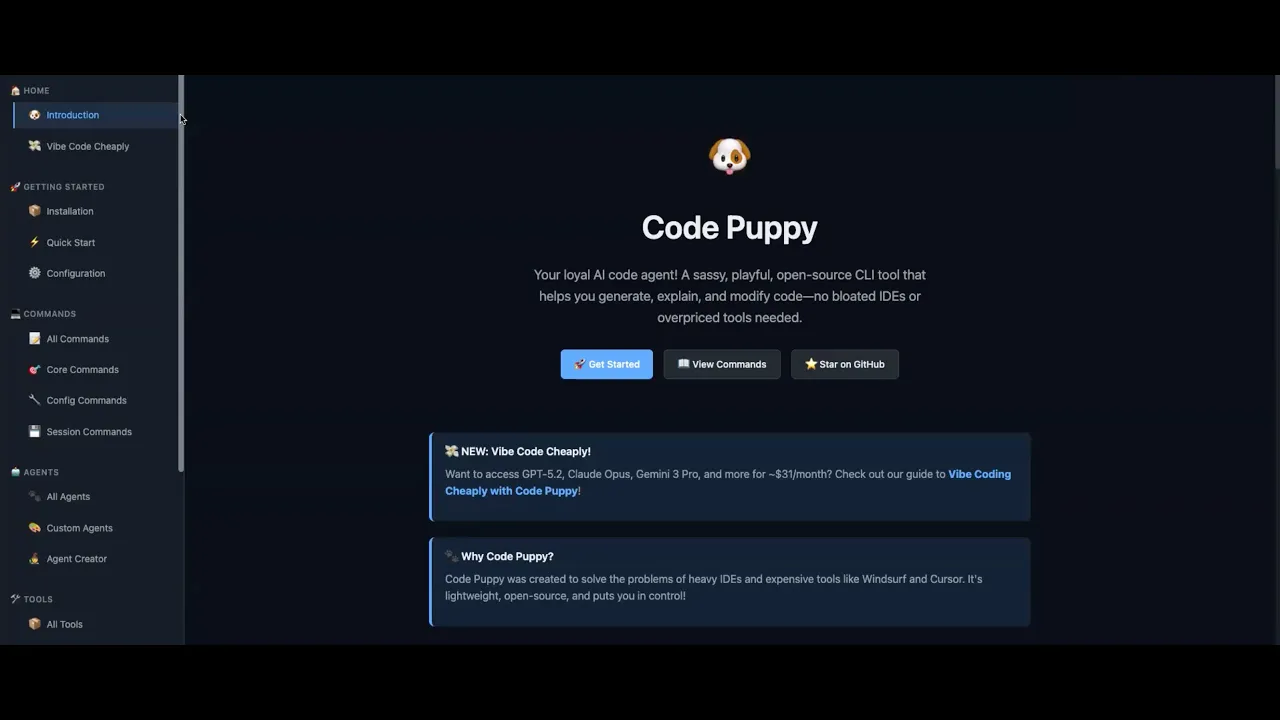
So, you're on codep.dev. I vibecoded this site in like 15 minutes. It's not very It's not very thorough there. Some of the docs are actually pretty accurate, but uh this whole thing was vibecoded. Um, the thing that I want you to click on really quick is that get started button. You should be able to run it on your work laptop pretty. Uh, but I think just be careful that like you know your infosc your infosc team may not want you to do that.
So just get permission first. Okay. Yeah. So the first thing you're going to do is install UV. UV is a Python package manager. So you can click on docs right there at the top. and click on UV. Perfect. Now, scroll down and there's there should be a Mac install. Uh, go a little bit back up. A little bit back up. Copy that that line where it says install UV with our official standalone installer. Yeah, copy that little line.
And now open your open your Mac terminal. >> Okay. You can do that by hitting command space to bring up your little finder search thing and then typing terminal. And uh it's very similar on Windows. On Windows, you would hit the start button and type terminal and bring up the same thing. And yeah, perfect. So, paste that in there and that'll install Astral. Um, and then you can from this point on you can open another terminal.
Um, or you can you can run that little source command, right? I think it's usually easier to open another terminal. And now you can type uvx space code puppy. >> And this will this will download and and run code puppy on your machine. So, one one thing for those that aren't familiar or haven't done this before, it's running in your main directory. So, you can move to where you want um for having code puppy like execute.
So, I just want to because I think Mike went when we first did it, that was my first question. It's like, oh, where is this downloading the file? >> I wish we had done this this a dry run of this demo because we do we do seem to have a little problem here. Can you um really quick can you Amanda can you type python- version python space- version? >> Oh gosh, you have a very old Do you have an old Mac by chance? >> Yeah, maybe >> little bit of an old Mac. >> Yeah.
H okay. Let me let me actually this is I don't think most people in the audience are going to have to do this but could I get you to actually like go to Google and and search for like Python Mac install and download like a more recent version of Python. I think that will get you unstuck and I don't think most of the people in the audience will have to do that. I think most of them will just be able to load Code Puppy. >> Let me ask Hey Amanda do you are you currently using Python for anything? >> No.
Okay. I just want to double check that because that version could be material if you are. So Mike, I'm guessing you're you're looking for Python 3 and above. >> Yeah. Yeah. Yeah. 2.7 was actually end of life in like I think 2015. So like almost a decade ago, more than a decade ago. So just click on that first link. Python releases for Mac OS. >> So for >> Go ahead. >> Go ahead. I I I was just going to say that that that for for those that that are uh trying to follow along um when we do these sort of things like we are very much just like we test this stuff out.
So this is intended to be like a place where it's like safe to fail, right? We're going to try something. It's like, oh wait, hold on. >> We got the wrong version of something like that. Like this this happens. You're going to run into this as you play with these tools. >> This happens all the time. >> Yeah. So just you know just know that this is like not abnormal. Um so >> and and something to consider while Amanda does this problem solving with AI is almost a different set of skills because you are able to ask it questions now and screenshot.
So, if none of us had been here, one, Amanda could have put a screenshot up in the Discord community because generally we answer each other's questions or we we run stuff by each other. Or she could have taken a screenshot of the error, put it into most AI models of choice, depending on what she's got and what she is more comfortable using or maybe what she's already paying for a license for, and ask it, "What should I do?
I'm seeing this error. What are my next steps?" >> Yeah. And you know, Rob, you know, because we're not used to thinking about problem solving with AI this way. Uh even me, that's my whole field is problem solving. I was like, oh, oh, we've just never had that level of assistance from the tech we're trying to work with before. So, leverage that. >> Amanda, can you can you actually now that you've installed I just saw you I believe you completed the installation for Python 3, right? >> Yes.
Could you go ahead and do a new terminal? Like could you open like a new terminal really quick and then type pip 3 or Python actually type Python 3- version with a space between the three and the dash dash. Yeah. Okay, great. You so you have Python 314 now. Okay. So now I think you can do I think you can do pip 3 space install uh space code puppy. >> What what is it? P >> pip3 space install space code puppy. >> One word puppy.
Sorry. >> I think this will get you going. Hopefully. >> And I guess one one thing so that you guys know, right? So like last time when we did this, um I I was the guinea pig, right? And we ran into I can't remember what the issue was, right, Mike? But we ran into some issue and so I had to go like download something. Um and then I started like just banging on my keyboard and playing with Codeuppy and and just like hitting Mike straight up and just be like, "Hey man, like what about this?
What about this? What about this?" And he kept adding new things to the Code Peppy website. So, uh, this is actually one of the cool things about like what we've been doing is like because you're talking to the person who's like built it like you know Mike has actually been amazingly accessible with us and loves to hear feedback and love product. >> Um, so you know as you're playing with this if you run into stuff like you know that that's what the Discord is for.
Hit him up and uh uh you know what he was talking about with the website of like vibe coding it. Like I gave him a few different pieces of like, "Hey man, like what about this or what about that?" And he was like, "Oh, let me add it to the website." And then like an hour later it would be on the website and I was like, "That's amazing." Um, so yeah. >> All right, Amanda, I think you have Code Puppy installed. Can you give it a shot?
Type code puppy and hit enter. Let's see if we're lucky. Not quite. We're not quite good to go. Um, hey, I was wondering, do you guys want like another guinea pig to try out? I would I would love to like pull Amanda to the side and kind of s figure out what went wrong. Um, but I'm not sure I'll be able to debug this in in real time on the presentation. Although I do have one more thing we could try really quick is now that you have a new a new uh Python version and you've got a new terminal open, you could try uvxcode hyphen puppy again. >> So if this doesn't work, Jenna, are you uh you you in a spot where you could share your screen and try it out and try? >> Yes, I have synthetic downloaded and I'm in the GitHub page for Code Puppy.
My apologies, Amanda. >> No worries. >> I'd love to know what kind of machine you have. Like, is it an old Intel Mac by chance? >> It's a MacBook Pro from probably 2022. >> Oh, that's not that old. Interesting. Okay. >> But do >> you mind if actually do you mind like one really one really quick thing we could do is do you mind if I were to like take control really quick of your screen and just like poke around? >> Let's do that.
And uh Nandita, I think that's probably a great idea as far as like the installable script. I do think a lot of this already gets set up and Mike can give a more complete answer. Um the the the reality is when you're when you're building stuff in the terminal, um you know, if you have one package, one library that is out of sync, um all of a sudden it can just kind of spiral and and cause you challenges. Um, and so this, you know, I I can almost guarantee you Mike's head mind's already spinning on like what's the uh um improvement to the documentation to, you know, what are the prerequisites that we need to check.
Um >> I think that I I probably just broke something recently. I'm checking it. Let's see. We got all right. I'm Oh, I am able to control your screen. Awesome. Yeah, >> I just granted it. >> Okay. And let's let's try this one. Oops. Did I type it wrong? You mind if I make your your uh font size a little bit bigger? >> Yeah. Yeah. Do do whatever you need to do. Don't don't feel bad if you don't know what this is everyone because I don't either.
Um, and this is where we have found with our group, Vive coding is great, but ultimately when you really want something that you want customer ready or you want something that's very secure and solid, you do end up leaning on people with this experience. So even if you don't have a coding background, you can use these tools, you can create something, you can vibe code, but to really make sure it's a solid foundation.
It's best to have someone you can go to to basically like just kind of double check, does this look right? Did I go about this the right way? Is there any holes that I'm not thinking about maybe in information security-wise or uh just stabilitywise so that uh I don't like set myself up for failure down the road? And I think what I'm looking at here and and uh Mike, you can chime in, but I know your your head's down. It seems like the uh directory for Python may not be in the place that it was expecting. >> I'm not really sure, actually. >> Okay. >> Yeah, I saw something about like the path, but um >> I got you going.
Okay. And if anybody if anybody else had similar problems, let me know. Um, if like nobody has a if nobody's able to use code puppyuppy right now, I probably broke something. But the very if you get to this point, the very first thing you can do is name your puppy. So, you get to pick a name. >> I'm open to feedback from the audience. >> Well, I always I always tell people that carbohydrates are good puppy names. So, >> okay.
Noodle and pancake and waffle. >> I don't know. Also, nugget. It's not really >> brownie. Brownie. >> Yeah, brownie is probably Yeah, that's a good point. >> Okay. And then you can you can give it your name. >> Cool. And then there's a little bit of like a little intro tutorial here that you can kind of like step through. You can um the you know it basically use left and right arrows to navigate and so if you hit the right arrow it'll tell you you can pick your model provider um and you can you can kind of like use the down arrow if you have a cloud code or a chatgpt plus subscription um you can totally you can totally use that but I think you can just hit skip for now if you want um cuz we'll set up synthetic and And this is a little note about MCP servers.
We can get to that later. You can skip this as well. Um there's a little bit of like a little bit of instructions on how to use it. Uh but you know, you can just for now you can just hit jump right in. >> Hit enter and start. >> Perfect. Perfect. Now you I would what I want you to do is I want you to run a command slash set space sycore API key and then space and then equals and then another space and I want you to unshare your screen and paste in your synthetic API key and then hit enter and like um make sure it's not visible.
Make sure that like that command wasn't visible uh when you when you reshare your screen. >> And where do I get the synthetic API key? >> Oh, my apologies. Go back to your browser. >> Okay. >> And then if you go to the the synthetic site, >> Yeah. You can click that sign up button and get a free month of synthetic. >> Okay, >> there's a little confusing here. You're good to go cuz I just downloaded it. So you should be able to just start from there. >> So now in the upper leftand corner, click the the hamburger, the three lines.
Yep. And then click API settings. Okay. So now don't touch anything. >> Yeah. >> Actually, you could just click the copy icon, but click the copy icon and then paste that into your terminal. And then make sure that the API keys are no longer visible. Um, so while while we're doing this little interlude, right, we got a little music going on. Uh, is everyone able to follow along? Everyone like is anyone having issues?
Anyone else have like, you know, something where the machine wasn't working? >> Cuz like >> Yeah. Did anybody have like an issue like Amanda did where like Code Puppy wouldn't run when you typed UVX Code Puppy? >> Because like honestly, we're like halfway through the demo already. Once you get it set up like it it's >> magical if you haven't used it before like >> all the hard part is done. Yeah. >> Yeah. >> So Mike, I pasted it in uh >> Okay, sweet. >> But it's obviously still like visible in this window.
So tell me what I should do. >> What I would do is just hit enter a bunch of times if that makes a bunch of white space. >> Yeah. >> All right, we're good. Now I'll return. Robert, you may not need admin credentials to install any of it, but I I'd be happy to connect with you um if you want. So, awesome. I think Amanda, really quick, just try um clicking on that command prompt right there and say hi to your puppy really quick and see if it works.
Let's just make sure you're good to go. >> Just say hi. >> Yeah. And hit enter. Yeah. >> Okay. A couple things you're going to see here. So, first of all, um it gave you like a pretty there was a lot of text that was emitted. The first little block that got emitted was a thinking block. Um and then the second one was like the response. Thinking blocks allow you to kind of see the LLM and what it's thinking and like what's going through its mind.
But that that isn't necessarily meant to be consumed as a user. It's just meant to be like an interesting way to show how the LLM is reasoning. So, and you can see that, you know, it's not really playing the role of the puppy when it's thinking. It says, "I should respond in a friendly, playful way as Brownie, the code puppy." And then it gives you the the cute response. So, this model that we have by default is hosted by Synthetic.
It is called GLM 4.7. GLM 4.7 was created by ZAI and they're a Chinese company. Um, right now the best the best open-source models are coming from China. And I actually want to switch us over to an even better one that just came out yesterday. Um, and Synthetic got it running yesterday. So, um, Amanda, I would like you to type slashmodel and hit enter. And for anybody who's sort of like, okay, what are these slash things?
If you type slash, you get a bunch of you'll get a bunch of different options of how to control and configure Code Puppy without actually prompting it. Um the model that I Oh, okay. The model that I want you to use is synthetic Kimmy K2 thinking. So select that one. And so yeah, Kimmy K2 thinking is a is a really good model. Um and what we are going to do now is I would like I would like you to vibe code a portfolio site for yourself.
So, Amanda, I'm wondering if you have like um if you have some kind of like documentation about projects that you've worked on or maybe like a resume stored somewhere or if you I mean maybe even you could just like type up a short paragraph of what you would want in your portfolio site and you could you could send that straight to your code puppy. >> Okay, I'll start typing something. Can I feed it a PDF resume? >> Uh, you should be able to.
Yeah. And I think I think what's going to happen is that it will it will install a a like PDF parsing library and extract the the content from that PDF. So, yeah, give it a shot. >> A PDF but not an image. Um we could do we could actually do images as well. Um this particular model does not support image input but um there are models that do >> Mike because I'm just curious that does the 2.5 model >> it does. The reason the 2.5 model isn't available is because I had to downgrade Amanda.
Yeah, it's >> I could try I could actually try upgrading her again, but uh >> we can do that afterwards. But to Mike's point, because I I saw it on mine, the model that he was referring to earlier of the new one is a Kimmy 2.5. >> It is Kimmy 2.5. Yeah. >> For that, it sounds like you'd be able to get images like >> you can Yeah, you could just like paste in images. Yeah. >> So, for attaching the PDF, how should I go about that? >> Um, that's a good that's a great question.
I So what you would want to do is drag it to the terminal. >> Okay. >> And it doesn't really actually quite attach it per se necessarily, but it it like injects the path into it. Perfect. Yeah. All right. And then you Yeah, perfect. Let's just run with that. And just for the parallel, if you guys have used like uh cl uh cloud code, it's the exact same thing. You're literally taking the file and you're dropping it into the terminal.
And like it that's what like to me makes code puppy so magical is that Mike has built this open source tool uh that has created this um that >> I think it's pretty interesting because I've used like all of the product specific ones where you don't get to choose models and I've also used cursor where now there's there's more flexibility there. But I don't know, this is sort of an interesting hybrid. I have not used claude code, so Elliot, I know you can speak to that a lot better than I can, but just interesting how all these tools intertwine and what the differences are. >> This is the only learn that. >> Well, and and I mean, and that that's what's kind of cool about this is that if you haven't used those, like this is great because this will actually like this there's so many similarities with what Codeuppy does versus cloud code.
In fact, what I find with cloud uh with claude code is it doesn't explain things as well as code puppy. Like code puppy I feel like goes through this experience where it just like steps through everything and it kind of tells you what it's thinking and why it's executing certain things. And so you can actually follow a narrative that kind of makes sense. Uh whereas with cloud code it sometimes just jumps and you don't know how that connection was made.
Um so >> we have a great opportunity here. Do you see how um Amanda do you see how it says 429 received? This means that the model is getting slammed by users and we're getting rate limited. So actually this is a great opportunity. You can hit control C and that will interrupt this prompt and if you if you hit control C >> it's giving me like a little beep sound. >> Command C. Oh, we can just we can just let it run. Oh, it looks like you got it.
Okay, perfect. Now, so you hit control C and cancel that prompt. And now, actually, what I'm going to get you to do is swap back to GLM4.7 because I think that'll be faster for the demo. >> Okay, so how do I >> Yeah, type slashmodel. >> Yeah, >> and hit enter. And then um you can just press enter again because you're already you already have it selected or you did. Perfect. And then actually like because you you had already typed your prompt and it was already kind of halfway through processing.
Um when you interrupt it, your conversation history isn't lost at all. You can just type continue and um Code Puppy will understand that it's kind of been temporarily interrupted. With all of these little tips and tricks, do you keep it on the website so that people can see how to best use Code Puppy? >> Uh, like a lot of these are a lot of these are definitely on the site. Yeah. So there's like recorded demos people could >> I wouldn't think >> this is a recorded demo but >> well this might actually be the first recorded demo but there I guess there was like >> we had a lot of technical difficulties up front so I might not want to put this one on the site but >> um it looks like it's been able to extract your the text of your uh >> yes yeah >> we we can always edit that if uh >> true if that helps like for what like for what you want but I think for our purposes.
This is actually amazing because uh we again we're just community that like likes to play with stuff and the way I always like to frame it is that if we're going to fail like let's fail here um because you're going to run into things that don't make sense and that are confusing, right? Like hey the Python version was not like in sync. Uh Corey mentioned something about using Docker like if you were to set if we set up a Docker container and ran Code puppy within there then you could control that environment a lot uh cleaner.
So like yeah like and maybe Corey that's something that you know we talk with Mike and we figure out how to just create a doc a docker file or even a GitHub like repo that automatically just use that repo and then you can use that docker with a code puppy instance uh already ready to go. Um so that's like kind of the cool thing about open source um is that you have a lot of options for this. >> Cool. So, it's built you a bunch of HTML code and >> uh you can kind of like see a little bit of it.
Um I will I will have a comment about um terminals at the end of the demo, but I think fairly soon it will kind of like be viewable. It's now making you a stylesheet file it looks like. >> I have one question about like tokens and usage. So like all these different tools >> you get a little bit for free and then it's often like you can't get very far. So just understanding like how this works especially since you can actually pick the model. >> Yeah. >> Well, okay.
So yeah, Codeuppy supports a ton of different providers. So you're using synthetic right now. So, um, the synthetic pro plan has an just completely absurd amount of usage before you get rate limited or or stopped permanently. Um, and then it resets after 5 hours if you manage to if you manage to kind of like um >> Oh, here. Look, your site is ready. >> Okay, cool. >> Oh, this is so cool. >> Very nice. different jobs I've had. >> Amanda, you created a great website. >> Absolutely. >> I'm very impressed with your site.
Yeah, I'm very impressed with your coding skills. >> Cool. So, and like from here, you can kind of like just tweak it, right? Like, you know, um >> if you wanted to make it like a dark a dark mode theme or something like that, you could do that. Uh let me I will finish answering your question about the uh the uh providers. Um so like typically one of the main reasons I created code puppy is if you go straight from your from your your vibe coding agent straight to a foundation model provider um and you cut the middleman out, you are going to get a lot more usage for your money.
Like a lot more. So ex for example if you if you go and buy a you know $20 a month subscription from cursor uh they cursor is not a model provider. You are paying some of that money for the model and you are paying some of it for cursor. >> So if you are able to cut the middleman out you can get a lot more for your money. And then the other thing I'll say is like these synthetic pro subscriptions, I think you could you could like have like 10 instances of Code Puppy running the entire time and still not run out of of uh tokens. >> So let's say like this we tweak it, we get it to where I want it and I wanted to actually deploy it.
Like what does that process look like? I think you should go to CodePuppy and let's talk about that with Codeuppy really quick. >> Okay. >> And one of the things that I would probably typically recommend is something like GitHub pages. Why don't you see if Code Puppy would be willing to host your your site on a GitHub page? >> Actually, hold on. Before you do that, just read above. >> Oh, it literally says that. Yes.
Yeah. >> Interesting. So, so >> should I like I have a GitHub account. >> Nice. >> So, should I tell it that and then >> Yes. >> Okay. >> For those who are not familiar, what is GitHub and why is this helpful uh when you work with AI? >> Yeah, that's a wonderful question. So, GitHub, GitHub is the world's most famous code repository where people post their open- source and closed source projects and they have a feature called GitHub pages where you can host like very simple single page apps that are like non-interactive.
They're kind of just like information pages, right? Just flat HTML type stuff like what Amanda just built. Um, this is really, really, really important for AI because if you're vibe coding something, it's great to be able to run code on your desktop. Um, but eventually you're going to want to share it with somebody and have a URL that you can point to. GitHub pages will give that to you. It says, I've got your portfolio ready.
Okay. What's your GitHub username? It wants to know that. >> As is thinking, another question for people. What is the difference between open and closed source and why does open source uh matter if you're working with AI? >> Um the difference between open and closed source is basically like you can if closed source means the actual code the actual like computer program that you're using uh the code that created it is not visible at all. um it cannot be seen by the general public.
It is it is a hidden asset or a trade secret of whatever company created that software. And um the advantage of open-sourced is that everything is completely transparent. So if you if you were kind of like a security expert or a privacy expert, you could actually vet every single line of code in Codeuppy and you could know that Code Puppy is not ever going to spy on you or collect telemetry on you or sell your data or anything like that.
And to my knowledge, there is no other tool like that. Every other tool that's available that has funding from venture capitalists will inevitably make the decision to collect data on its users because they are the product. So that's one of the biggest differences and I think no matter what you do you are you are communicating with a foundation model provider. So like synthetic is going to get your data or like if you use cloud code, anthropic is going to get your data and you kind of just have to accept that.
Um in the case of synthetic, I believe they have a wonderful privacy policy. So Amanda, you can click create repository. >> Should I leave? >> Yeah, you don't need any of those. You don't need like a git ignore or a particular license. >> Yep. >> For now. But this code base here is really just front end. There are no environment variables. So I do want to just mention for from a security perspective. If you start actually building something and code puppy or any of these tools tell you, hey, you need like you need to put an API key into this code repo, right?
Like you need to be very careful with that, >> right? >> Because Amanda's API key that we just used within Codeuppy that stays in Codeuppy, right? It does not go into GitHub right now, but there is a a scenario where Amanda builds something with Codeuppy and it says, "Hey, as a part of this code, you know, we're going to build a chatbot so people can talk to you, but it's going to be an AI chatbot and we're going to use synthetic to power this chatbot." Now, Amanda needs that API key in in her codebase.
If you put that in your codebase and you don't use like get ignore and you don't protect things, then that API key can be exposed and anyone can use it and then all of a sudden what you're paying for other people get to take advantage of. >> So if what I just said confused you, no problem. That's okay. All I would say is is that that is a level of security that if you start using something that you are paying for and it is going to be used in your codebase.
Have a conversation with your preferred AI tool and talk to it about security and ask it am I secure? Because if you don't have a git ignore file and that git ignore file doesn't say to ignore the.env you have a you have a potential like issue on your hands. Just a heads up. >> Yeah, that's a great call out, Elliot. Yeah, you don't want to you don't want to stick your API key in uh >> in GitHub because somebody could steal it and then use all your tokens.
Okay, cool. So, Amanda, what you're going to do next is copy the URL of this repo. And so, this is called a repository. It's meant to house a the code base of a project. Now give yeah give Code puppy that repository. Okay, so it says it failed to push. Looks like it created a default readme. And the cool thing about this stuff is that like um whenever it fails to do something, it analyzes the error message that came out and uh and it actually like will correct itself and try again.
It says wait 30 to 60 seconds and your portfolio will be live at that hyperlink right there. >> And I think Amanda, I believe you can hold the command key and click on that hyperlink if I'm not mistaken. Is that working for it? Otherwise, you can just copy it. Or you can just right click and do open link. Now, take it to your browser and let's see if it works. Not quite yet. >> You need the Jeopardy music. >> Yeah. >> Let's say someone Mike already has a web page that do they need GitHub?
Can they just create a new page onto their website that they have to >> they could do that? Typically, I would recommend always using a source control system like Git because it will be able to have versions and like when you're when you're developing software and you are or you're vibe coding or something like that. Uh you might you might get to a place where things are working pretty good and you're you're kind of happy with it and then you you decide you want to do something else. you want to add a new feature or something like that.
Um, and and then you accidentally break something, you're going to you're going to want the ability to move back to a previous checkpoint in your in your code where uh where things were working correctly. And that's that's what the source control git can do for you. That's what version control can do for you. So really quick, Amanda, I think what what I would do in this case is I would tell Code Puppy, hey, I'm not sure this got pushed correctly.
It's giving me a 404. >> Yep. >> Should I have been more mean to it? No, I think you should always be nice to your puppy. >> That was a a topic of our like small group session earlier this week was >> That's funny. >> If you're have some it performs. >> Yeah, there's >> some prompt experts say that if you are more mean to the AI, it gives you better results. Uh you will have to experiment with that yourself. I for one do not want to piss off future Skynets. >> Yeah, right.
Why don't we follow the instructions that it spat out? I think we may have missed a step. Scroll up a tiny bit, Amanda. So, it says navigate to your settings pages. >> Okay. >> Oh, I think I think you have to like enable pages or something like that. Let's do that really quick. So, so that you guys know, so GitHub does allow you to create and host one website on GitHub. Um, you have to follow like a couple specific steps in your settings.
The website also has to be like a static site or I guess a reacton site. You can't really have like a database um and other components to it. So um just just be aware. >> What did the what did the puppy say that we were supposed to do? Amanda. >> Um >> yeah, I think you were supposed to add >> pages. You should see build and deployment with a branch. We are not seeing that. Tell it that it's asking you to add a domain. >> Yeah. >> Because I think it assumes right now that you have a domain. >> That might be it.
Yeah. >> Okay. Just ignore the custom domain. Go under build and deployment. Um was there a specific link that that it gave you up above? If you scroll up a little bit, >> specific link. >> Yeah, scroll up a tiny bit more and click on the link where it's got um Right. Yeah, right there. Right there. You You've got it. Click on that link and open that. Perfect. This may take you to the exact same place that you just were.
That's >> why we're doing this. >> There you go. Build and deployment. Okay. So, deploy from a branch. Um, what were we what are we exactly are we supposed to do now? >> Let's go back. >> Deploy from a branch. >> You want to select main. Okay. >> I think you want to select main if there is one. Yeah, there's main. Okay. And then hit save. >> Okay. Okay. So, give it a minute and it should be >> Did we have to give it a folder, too? >> Oh, let le let's go back and just double check. >> Yes. >> Want to go back to that really quick and see what folder is?
Yeah. Okay, it's perfect. Yeah. Okay, never mind. You're good. It said wait 30 to 60 seconds and then try your your your uh site again. So, let's give it a shot. >> And there it is. All right. >> Magic. a portfolio page. Amanda, congrats. >> Thank you. >> Now, I think I think we have like five more minutes. I don't Elliot, do you think we have time to make some tweaks? >> So, I think we're gonna we're gonna wrap up and then if people want to like stick around, they're welcome to.
Um, but this was we like we we did what we hope to set out to accomplish, which is to go from having nothing. Um, and like as you guys can tell, we didn't really prompt Amanda very much at all ahead of time. She came in with the way her machine was set up. Uh, and Mike was able to kind of walk her through uh, you know, using Code Puppy, taking a resume, building a portfolio site, and then getting this actually launched.
Like you guys could actually go to uh, Amanda's site um, and and see this yourself. >> This is awesome. Can you post the link for us in >> uh >> so this is amazing. Thank you. Um >> I think and honestly I think it it picked like really good default styling too. Like it looks really good. Very clean. >> Yeah, it definitely is very clean. >> I mean the reason why this was the sort of prompt category we picked was because it's something we all probably need if we don't have one.
So this is a good opportunity to kind of play and learn a new tool while also doing something that you actually should have in your life anyway. >> And and and the beauty of this is that you like if you start doing this like this is not the end, right? Like you just keep like iterating until you get it to the place that you want it. Um like I've built a portfolio site. I know several people in here have have been playing with like products and building stuff.
Um, so this is, you know, this is really just like the starting point. Um, so I think we're gonna we're going to go ahead and wrap it uh here. Uh, I think a few of us are going to stay on after. Um, so if you want to keep talking, but we're going to we're going to stop the recording in a second. Um, but thank you so much, uh, Mike. Thank you, Amanda. Uh, thank you, Synthetic. Uh this I hope everyone uh found this really useful and educational and uh I hope several of you were following along and and were trying this at home.
Um or at least you know we'll we'll have a recording sent out uh at some point. Um and you know you can fast forward through the parts where uh we were debugging a couple couple things at the beginning. But again, that's kind of what we do, right? Like you're going to run into this stuff, you know, like we're playing with live ammo. Um, yep. >> You know, doesn't always go the way you planned. >> So, Rob, do you want to you want to have the last word and send us out? >> Excellent, guys.
You know, just want to appreciate everybody here. Michael, uh, really want to appreciate you, our sponsor, everybody who has made this possible today. So, just thank you so much and I really do hope uh to see you guys in the Discord server. I've got the links to everything that we've seen here um in the chat and and you know that is just the best place that we can go and just be collaborative and and and proactive with all of these things.
We uh as as a group of founders and co-founders love to talk about this stuff obviously uh we love to hear the questions. We love to think through it on our own right too because we don't have all the answers but we definitely want to help you find them and we want to find them for ourselves too. So um very good. So like like Elliot said I'm going to stop the recording now. Um, anybody that wants to hang on and ask questions, we're going to open it up for Q&A.
So, again, appreciate you guys. Thank you.
The words are the caption track's own and nothing is reworded or re-transcribed. Paragraph breaks are placed between sentences so the text reads as prose.
Free tools for your own script: paste a draft and see where it stands before you record it.
Paste your draft and see where viewers are likely to drop off, with a rewrite for each weak line.
Paste the first 30 seconds of your own draft for a hook score and rewrites.
Check your draft against YouTube's advertiser-friendly guidelines before you record it.
Read this channel's public videos and transcripts, and download a writing brief for it.