Getting the transcript
Reading the captions from YouTube. A video nobody has opened here before takes 10 to 30 seconds; this page fills in on its own.
Getting the transcript
Reading the captions from YouTube. A video nobody has opened here before takes 10 to 30 seconds; this page fills in on its own.
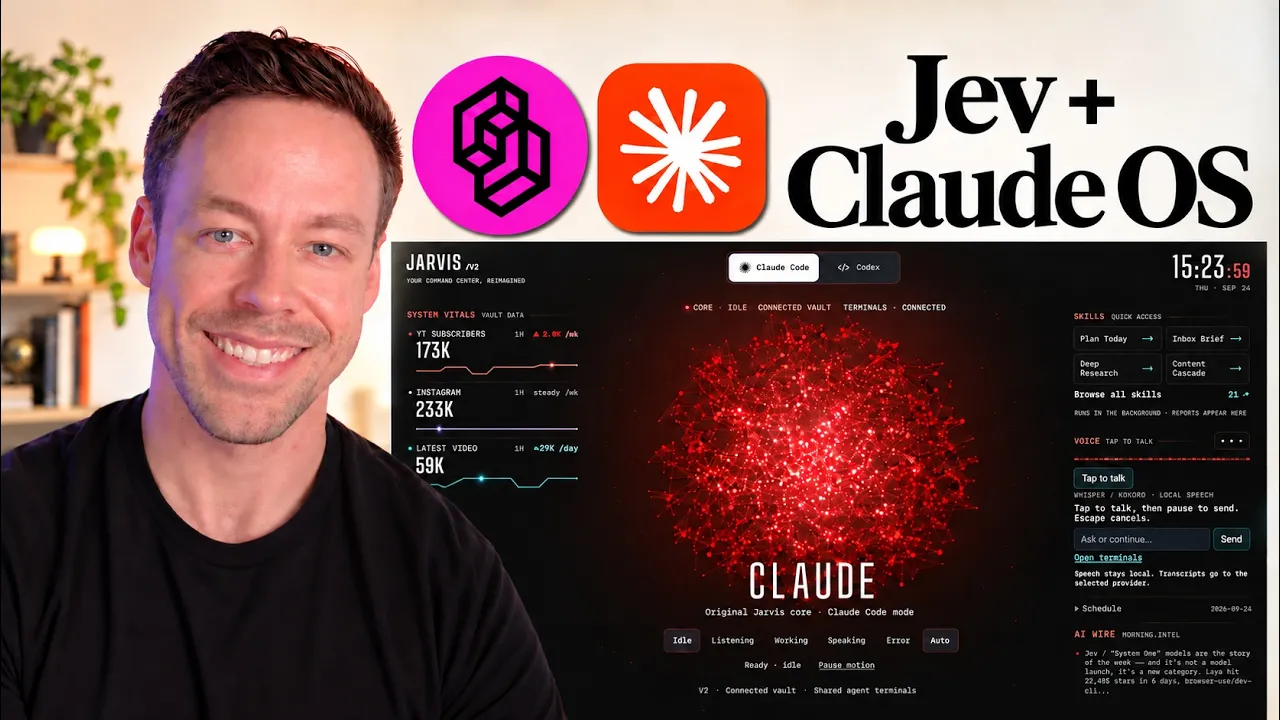
Chase AI · @Chase-H-AI
Words
4,627
Runtime
22:16
Speaking pace
208wpm
Reading time
19min
208 words per minute, above the 201 75th percentile of 349 measured videos. That distribution comes from the 349-video hook study.
Opening (first 30 seconds)
you need an Aentic OS, but it's not for the reasons you think. It's not because you need fancy dashboards like this or visual interfaces like this one, even though I'll show you how to create them. It's instead about building a custom system that takes the best of all the AI tools at your disposal, whether that's GPT6 Astra or Claude Opus 5.5 or Jev, and builds it around you and your work in a way you just can't get inside the terminal. That is what this Ontic OS does. And today, I'm going to show you not only how it works, but
104 words, the words spoken in the first 30 seconds at 208 words per minute.
Free, no signup. See how the first 30 seconds hold attention, with rewrites.
Sentence shape
| Measure | This transcript |
|---|---|
| Sentences | 262 |
| Average words per sentence | 17.7 |
| Longest sentence | 85 words |
| Questions asked | 27 |
| Sentences containing a number | 17 |
Most used terms
Filler phrases
112 in total: like 55 · sort of 22 · actually 12 · kind of 11 · right? 5 · you know 5 · literally 2.
A literal whole-word count of the same phrase list the Prepublish browser extension uses, so a phrase inside another word is not counted and a phrase used in its ordinary sense still is. It is a count and not a judgement.
Run the check on the words above: where attention is likely to drop, with a rewrite for each weak line. The free check shows the scores and the one issue costing the most.
What this transcript is
Every word below is the caption track YouTube publishes for this video, pulled from the video itself and reproduced unchanged. It is not Prepublish's writing, not a summary, and not a re-transcription: it is the video's own published captions. English captions, generated automatically by YouTube, in the video’s original language. Source: the video on YouTube. A channel that would rather this page did not exist can ask for its removal through the contact page, and it is removed.
No Script X-ray for this video: YouTube shows a Most replayed graph only once a video has enough views.
you need an Aentic OS, but it's not for the reasons you think. It's not because you need fancy dashboards like this or visual interfaces like this one, even though I'll show you how to create them. It's instead about building a custom system that takes the best of all the AI tools at your disposal, whether that's GPT6 Astra or Claude Opus 5.5 or Jev, and builds it around you and your work in a way you just can't get inside the terminal.
That is what this Ontic OS does. And today, I'm going to show you not only how it works, but how you can build something like this for yourself. And along the way, I'm going to show you how to create a fully local voice system. How to integrate Jev as a virtually free, virtually instant model router, how to create a customized skill backbone that is built around how you actually work in your day-to-day. We'll also talk about how to use Obsidian as a memory layer that actually provides value.
And at the end, I'll even show you how you can package something like this, not just for you, but for teammates and even sell to clients. This is going to be all about showing you how to create an Aentic OS that provides real value beyond the visual spectacle. So, let's get started. So, let's begin by talking about what an Aentic OS, what a clawed OS even is. So, it is a three layer system. And the first layer is the visual layer, and that's what we're looking at here.
For me, this has a lot of stuff to do with my social media, what's going on on my different accounts. I have it hooked up to my calendar. I can look at all my different skills and automations and run them from here. And speaking of running it, I can run it either on Cloud Code or Codeex. Now, this is all happening inside of my browser. This is a web app, but there are no rules here. This doesn't have to be a web app.
In fact, as you see here, I've ported it over to Obsidian. This is also an Obsidian plugin that just like you saw can run on cloud code or codeex, but I get all the advantages of being inside the Obsidian desktop app. I still have access to a terminal here. I can click on any of these buttons which are linked to different skills and automations. I have different tabs that dive deeper into what's going on with my audience, what's going on in AI in general, right?
I have a whole research tab that takes a look at like the GitHub trending outliers on YouTube as well as things like Hacker News. The big thing with the visual side is this is ultimately 100% custom and you can edit this so it makes sense for you and your work or your team's work or your client's work. Now the second layer is the memory system and for that I use Obsidian and the value here is not these knowledge graphs.
Like these knowledge graphs look cool but that's about where the functionality ends because this is not a rag system. What the memory layer is really about is creating a file and folder structure that makes sense for you the human being and for your AIOS so that you can get answers quickly and accurately even we're talking about thousands and thousands and thousands of files and this is going to be based on the Carpathy Obsidian rag system and we will dive into that in much more detail later.
And last but not least for the third layer we have the skill architecture. This is the backbone of everything we do. If you get nothing else from this video, if you ignore the memory layer stuff, you ignore the visual layer stuff, I want you to listen to this section when we dive into it in more detail. And that is how do we go from somebody who just uses AI to sort of help us in our day-to-day task and offload virtually all of it to AI in a way that makes sense because you have things you do every single day, week to week in your life, in your business that we should not only be turning into skills, but then turning into automations.
And from those automations and from those skills, we get certain deliverables and outputs. Those deliverables and outputs are what is fed back into the AIOS. All the reports you see here, all these graphics, all of these are driven by the different skills we run. So, not only understanding that in a theoretical sense, but having the practical know-how of how to create something like this from scratch is what we're going to talk about.
But before we do that, a quick word from today's sponsor, me. So, inside of Chase AI plus, you not only can get my exact Claude OS setup, but you also get access to my Claude code and Codeex masterass. And these are the best and easiest way to go from zero to AI dev, no matter your technical background. We focus on real use cases. It gets updated every single week. So, if you want to get more serious about this stuff, definitely check us out.
There is a link to it down in the pin comment. So, the Cloud OS has three layers: visual, memory, and skills. But how does this thing actually work? How do all these pieces come together? Well, let's go through the architecture. So, let's do some examples. So, let's say I tell my cla OS, which also works with voice, go ahead and bring up the morning intel brief, it instantly brings it up. But if I say something like, "What was the biggest news in AI today?" >> From today's morning brief, a model that can't write a sentence is beating models that can.
Jev from type safer I went into early access step 15. >> We get a response like that and I cut it off. But now if I ask it for a more complex task, something like, can you create me some sort of report or explainer that kind of illustrates the difference between Jev, that new AI system everyone's talking about, and your standard large language models like Babel or Astra. >> Okay, I'll get to work. >> It'll do something like that.
You will see with this more complex task, it actually pulled up the terminal. So what was actually going on under the hood there? And why did I show three different seemingly random examples? Well, it sort of illustrates how this AIOS routes your different requests to different models depending on the nature of your task. And this is where stuff like Jev kind of comes into play, which we see right here. So let's focus on that third example where I asked our cla OS, hey, come with like this visual explainer sort of illustrating the difference between Jev and stuff like Fable.
Well, we started over here. I simply gave it an audio request. Now, this then went to our Obsidian plugin, but this just as easily could have gone to our Jarvis hood. Everything you just saw in that Obsidian plugin also works exactly the same here. This also is able to pull up a terminal. That request then went to the bridge. And the bridge does two things. One, it takes our request and it records all this inside of Obsidian.
Two, it then starts engaging our local voice system. So all that speech you heard, all the transcription, all the actual audio is done locally on your machine. So we use an open- source program called Whisper, which essentially acts as the ears of our model. So when I said, "Hey, give me that explainer, you know, Jeb versus the LLM's," it took the audio and it transcribed that into text using whisper. Now the audio you heard back with that sort of like Jarvis voice that also was a local model that was Coakoro, totally open source.
You could change that voice to be whatever you want. That transcription then got sent to Jev. And we'll do a little Jev explainer here in a second. Jev is amazing when it acts as a classifier. And what we want to do with Jev is we want it to sort our requests. And there's really three tiers of requests we can handle. Now, tier number one are for extremely simple requests that we want pretty much instant responses to.
So when I asked it to bring up that morning report, that morning intel brief, this was a tier one request that Jev classified. AI isn't even brought into the system if it's tier one, which is why it's able to be so fast. We're talking about hundreds of a millisecond to bring up these things. And this could be something like you saw where I say, "Hey, bring up a report." Or these can even be commands inside of Obsidian itself where I say like, "Hey, bring up the terminal." Or something to that effect.
Then we have tier number two. These are for non-complex tasks, but they aren't so simple that we put it into tier one. So when I ask it something like, hey, what was the biggest news in AI today? I want some thinking involved. So Jev then calls on the smallest models available to us. This is Haiku or Luna depending on if I'm using the Astra version or the cloud code version. This is cheap. This is fast. And if you really wanted to go into a full local setup, you could swap these out for something that's just running on your machine.
And then third, we have more complex real work, which is what you saw when I asked it to like create that explainer. This is actually going to then pull up clawed code or codecs inside of your terminal like you just saw. This gives you the ability if you're inside whether the Obsidian plugin or the web app to actually interact with the terminal in those spaces if you want to. So the idea is your tasks require different models and Jev is really really good at classifying them appropriately.
From there, all the deliverables, all the conversations, everything you do with your AIOS is then logged back in Obsidian. Now, a real quick explanation for why we have Jev in there if you're not familiar with how Jeb works because it's still new to a lot of people. And unfortunately, a lot of sort of the discourse around it is kind of confusing because it's an AI system, but it's not an LLM, but people are saying it's a replacement in some cases for cloud code or Codex, which is sort of true in certain situations, but in general is not true whatsoever.
So this is like the 90second explanation for Jev and why it makes sense in our AIOS. So the big thing with Jev is it allows you to ask this AI model fuzzy questions and get specific numbers in response. Get probabilities in response. So here's an example. Imagine you are using this in some sort of customer service situation and you have a customer that says, "I canceled my subscription last month, but you charge me again." And you want to know which team should handle this.
So, normally if we sent this to large language models and they can handle this just fine, it would say something like, "Hey, this is a billing issue. Route the sticks to billing." And that would be the correct answer. Jev also does something similar, but it doesn't give us a sentence in response. There's no back and forth with chat with Jeff. It instead gives us the probability that there's a 92% chance this should go to billing, which is also the correct answer.
So, if we both get the correct answers, why the heck should we care? Well, we should care because Jev does this extremely quickly and way cheaper. We're talking like 200x, like faster and cheaper. That's why we love Jev. Cheap, fast, perfect for these situations where you're handling what should I do in this scenario where there are predefined choices like in our model routing scenario, right? What are the predefined choices?
One, two, three. Could I put Haiku here? Could I put Luna here? Sure, but there's no point in doing that anymore with Jev, which is why it's been integrated. So, that is how all of this works from an architecture point of view. Now, let's dive a little bit deeper into each of those three layers, the visual, the memory, and the skills so you understand how you could create something like this on your own. So, let's go from the ground up, beginning with the skill backbone.
This is the most important thing of the entire video. And if you do nothing else but what I'm about to show you here, you're going to be ahead of like 99% of the people who use Claude Code or Codeex. Now, the idea is simple. We are going to take all the tasks you do in your day-to-day in your week to week, whether it's in your personal life or your business, and turn them into skills. And if it makes sense, turn those skills into automations.
The value of doing that seems obvious, yet most people don't do that at all. They do it with a few of the things they do in their day-to-day and they certainly don't systematically go through everything they do and break it down in this manner. Because while this looks kind of crazy, you probably have something similar if it was actually written out. You do things related to productivity research. Maybe it's not content in a community, but you certainly have stuff related to clients and sales and finance in some manner in your business life.
So, why haven't we codified this into something Claude can help us with? And the answer is it just seems like too much damn work. It seems like it would take too much time and you don't even know where to begin. Well, luckily creating something like this, breaking them all down into skills, is actually relatively easy. And there's just two things you have to do. The first thing we're going to do is have your AI system of choice simply look at your logs.
Claude Code and Codeex keep a written history of every single conversation you have with it over the last 30 plus days. So instead of us guessing about how Claude or CODC should help us in our day-to-day, why don't we just have them look at how we actually use them in reality and ask, "Hey, based on everything I've done over the last 30 days, are there any skills we could create?" That is literally the entirety of the prompt you have to give it.
There's no special thing. There's no crazy sort of workflow. It's literally just look at how I've used you for the last 30 days. Can we turn those into skills? The second thing we are going to do is we are going to sort of just take that idea a step further and instead of giving it a log, we are just going to sit in front of claw code, sit in front of codeex, open up our microphone and you are going to talk non-stop for like 10 to 20 minutes and all you're going to do is you are going to explain what you do in your day-to-day or your week to week.
After you dump all that information into claudin doesn't have to be coherent again stream of consciousness it can get through your inability to talk correctly. You are then going to ask it, hey, based on everything I just told you, what are some ways where we could create some skills or automations to take some work off my plate? How could we take all these tasks I've talked about and give them to you, this AI system, to execute in mystead?
Simply by doing that, and neither of these scenarios require you to have the answers beforehand. you don't have to know what you want to turn into skills will get you pretty much 90% of the way here of creating these skills that will make your life infinitely better. Now the question of which ones should be turned into automations should be relatively straightforward and when it comes to turning them into automations you simply ask cla to do that.
We can always do that manually through things like routines or schedule tasks inside of codeex but these systems also have the ability to turn those into automations that are triggered like by your machine itself. So, we have a lot of flexibility here. And again, like so many of these things, you don't even have to have the answer when you walk into the space. You just have to ask Claude or Codex to do it. Now, how does this whole skill backbone tie into the AIOS at large?
Well, like I talked about earlier, the idea is we've created all these systems with the skills and with the automations to create things for us. Many times they are going to be reports and they're going to be deliverables. Instead of having them spread in a million different places, why don't we just consolidate them into one place? This is where a lot of the value from the dashboard and the visual side is actually harnessed.
For me, that's metrics. That's a look at my schedule. That's breaking it down into tasks. That's the morning headlines. That's audience metrics. That's deeper research into things that are relevant for me. Again, this has to be 100% customized because you're not going to care about your YouTube subs, right? But you undoubtedly have a lot of metrics and a lot of deliverables that you would like all in one place that are easy to access and ask questions about and that sort of thing can be a little bit difficult to do even inside of the desktop applications and definitely kind of a pain inside of the terminal.
Even if you want to argue about the value of having that all in one sort of visual dashboard that you can customize, I don't think there's any argument about creating some sort of skill backbone in your greater Clauder Codeex ecosystem like this. Now let's talk about the second layer of our system which is the Obsidian memory system. When we talked about the highle architecture, you could tell everything kind of touches this layer.
Whatever goes in, whatever comes out gets recorded inside of our vault. Now, if you've never used Obsidian before, it is a completely free, simpletouse desktop application that gives you insights into your markdown files. Essentially helps with organization. Now, Obsidian and things like Claude Code and Codex are often used together to create what is called a second brain. And the second brain is the idea that there's all these files and folders that have to do with you or your business.
We put them in these series of files that we have called the Obsidian Vault. We run Claude code inside of those folders and it has access to all this information about us. Now, this Obsidian second brain has kind of gotten a bad rap as of late because people have sort of overhyped what it is Obsidian does in the structure and like what the second brain even means. The reality is Obsidian isn't giving Claude Carter Codex any sort of like magic upgrade.
Just because this AIOS system uses Obsidian, that doesn't mean it gets like a better memory jump or remembers things better. That's that's not what Obsidian does. The Obsidian desktop app just makes it very easy to navigate those files and folders that we have designated the vault. And that's a subtle but important difference because it means the power of an Obsidian second brain, the power of bringing Obsidian in the memory layer is not in Obsidian itself.
The power [snorts] of the system depends 100% on simply how you organize your files and folders. Right? If I just have one folder called the vault and I put 10 million just random files in this one folder and it's completely unorganized but it's Obsidian, does that help me at all? The answer is no. Absolutely not. So what we have to do is we need to set up some sort of folder structure that makes sense and that's what you see here.
This all comes from Carpathy. Carpathy is an AI researcher who works with anthropic now I believe and he sort of coined this structure with obsidian cloud code and this like obsidian rag idea. And the idea is relatively simple. You have this folder that you have designated as the vault in your system where everything's going to live. It's just a folder on your computer. Underneath that folder, we have three subfolders.
We have raw, we have wiki, and we have outputs. And the idea is raw data goes in the raw folder. The wiki subfolder is where we sort of organize that raw data and create, you know, like Wikipedia style articles about them. And then three is the outputs. You know, let's say I wanted to make a slide deck about something that was a Wikipedia article. So, for example, let's say I wanted our AIOS to find information about AI agents, right?
Do a bunch of research on AI agents. So, it does that and it creates a bunch of information or downloads a bunch of information about AI agents which goes in the raw folder. Then, let's imagine we have this AI agents folder in the raw section and I want to turn it into some sort of organized data. Well, then it creates an AI agent subfolder down here with all the information about AI agents, including things about autonomous coding and tool use patterns.
And then let's say I told our cloud OS, create a PowerPoint slide deck about this. Well, then it makes the AI agents slide deck. Okay? And that would go into the outputs. Simple enough. That's sort of the idea. And the cell here is that because it's set up in this way where it's very organized and I know where everything goes. When I ask Claude something about anything that's inside of my vault, it has a clear map, a clear path of where to find that information.
So, it finds it quickly and it finds it efficiently. You know, it doesn't have to go through 10 million folders and subfolders to get there. There's a clear path. And the other side of the equation is because it's organized in that way, it's easy for me, the human being, to find it if I want to. So with that being said, how should you set up your folder system with your AIOS, your cloud OS inside of Eva? Does it have to be like this where it's raw, where it's wiki, where it's outputs?
The answer is absolutely not. You can kind of set it up any way you want to. It just needs to be organized in some manner that makes sense so that you, the human being, can navigate it and Claude or Codeex can navigate it. Now, like so many of these things, you don't need to have the answer. It is as simple as telling your AIOS, hey, this is the folder I'm using as my vault. Help me come up with some sort of organizational structure, and it will map it out and move files and folders as it sees fit.
The only other thing I would add to this is in whatever folder you designate as the vault, I highly suggest, and whether it's a claw.md or agents MD, you tell it what the vault structure looks like. So, you give it instructions of how to add new files and content to your system so it never kind of gets out of whack or drifts. And that's really all there is to the memory layer. It just needs to be structured. It just needs to be organized.
It just needs to make sense for you. And lastly, we have the visual piece, which we've kind of already hit on a lot here, where the big cell for the visual piece is all these skills have deliverables. We have a bunch of metrics that you need to be in charge of, and we're going to put them all in one dashboard that we customize. A lot of the value of sort of these custom dashboard setups as well though is seen when we bring different team members and clients into the equation because there definitely is a subset of people watching this who are like hey I could probably generate something like this myself even if it's some like you know mashed up thing inside of the desktop app.
Why would I need to do this? Well, if you're someone who's working with team members or you're someone who wants to bring this to clients, it's not as easy to bring something you've built inside the terminal specifically to them. On the other hand, I can create something like this that is custommade for anybody and set it up extremely easily. On top of that, I can even port in a lot of my workflows, a lot of my skills, a lot of my automations.
And if I put them inside of the dashboard like you see here, where they are simply a button one person has to press. Well, the way this works is in the background, it's simply calling a headless version of Cloud Coder Codeex to execute those tasks. So, I could have someone sit in this chair right here in front of my dashboard, whether that's the Obsidian plugin or the web app version, and I can start having them just running all sorts of skills that do a lot of work and they're pretty much harnessing 90 95% of the power of Cloud Coder Codeex without even knowing how to open it up.
So, on top of all the information consolidation, when we talk about selling this and bringing other members of our team into the fold, the visual dashboard can actually help them a ton, which can't be undersold, even if you're someone who's technical enough to kind of do this on your own. And a lot of that has to do with the custom nature of it. This is not a one-sizefitsall thing, which is why it's so powerful. No matter what you need to be listed here, no matter what you need access to all in one place, you can build it that way.
So, that's the rundown on this Claw OS. I hope I was able to give you a better understanding of how you could build something like this for yourself. If you want to get my exact setup, whether it's the web app version or the Obsidian plugin, you can find that inside of Chase AI Plus. I'll put a link to that down in the description. But besides that, I'll see you
The words are the caption track's own and nothing is reworded or re-transcribed. Paragraph breaks are placed between sentences so the text reads as prose.
Free tools for your own script: paste a draft and see where it stands before you record it.
Paste your draft and see where viewers are likely to drop off, with a rewrite for each weak line.
Paste the first 30 seconds of your own draft for a hook score and rewrites.
Check your draft against YouTube's advertiser-friendly guidelines before you record it.
Read this channel's public videos and transcripts, and download a writing brief for it.