Getting the transcript
Reading the captions from YouTube. A video nobody has opened here before takes 10 to 30 seconds; this page fills in on its own.
Getting the transcript
Reading the captions from YouTube. A video nobody has opened here before takes 10 to 30 seconds; this page fills in on its own.
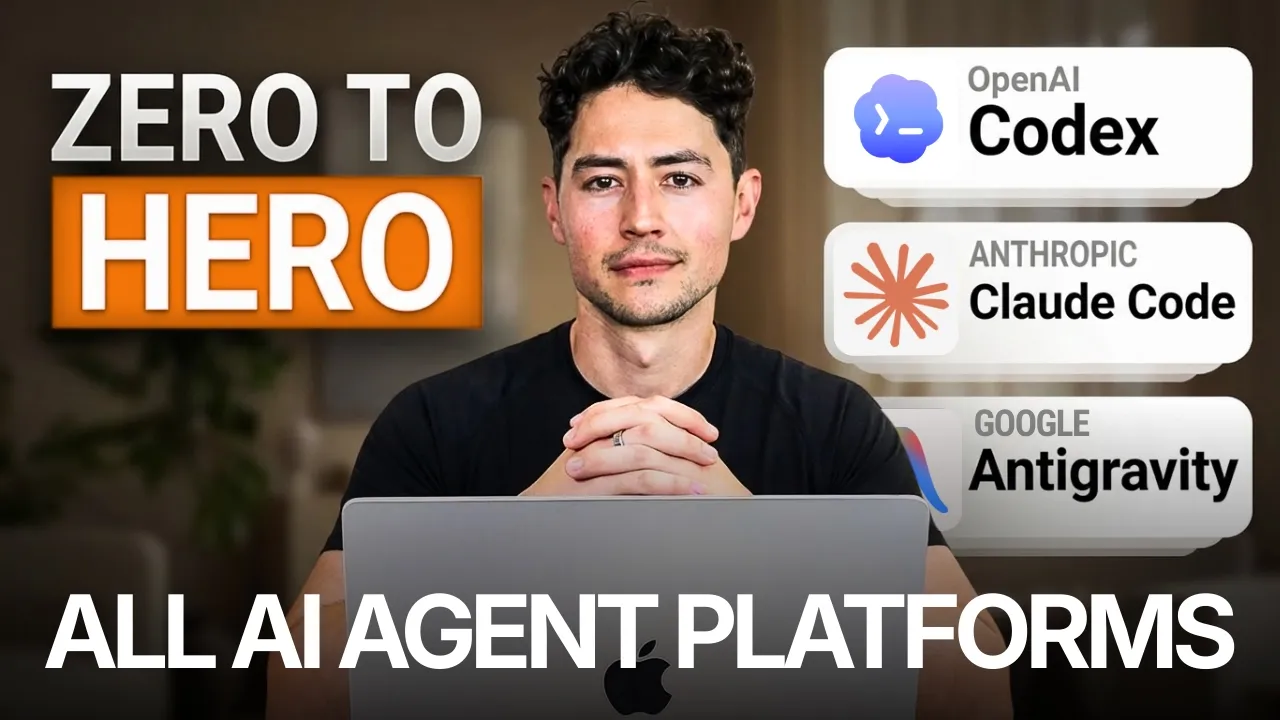
Nick Saraev · @nicksaraev
Where viewers went back to watch this video again, from YouTube's public Most replayed graph, lined up with what was said at that moment.
Most replayed moment #1
34:393.8x the video's typical replay level
section in a moment. But in that way you can collapse a ton of context and a ton of sort of functionality into very few tokens, which is important because your bill both per token and then the quality of the models tend to degrade the longer the token context windows get. Next up I want to talk a little bit about agent
Said at 34:32
Most replayed moment #2
26:393.1x the video's typical replay level
Basically, what's occurring is this file is being prepended to the very top of a conversation chain. And so if I open up this file right now, you see how it's empty, there's nothing in it. Well, when I started this conversation and said, "Hey, what's up?" Okay, it knows that my
Said at 26:32
Most replayed moment #3
13:203.1x the video's typical replay level
which is owned, managed, and run by OpenAI. The second is Claude Code, which is owned, managed, and run by Anthropic. And the third is Google's Antigravity, which as I'm sure you can imagine is owned, managed, and run by Google. In order to start with Codex, what you first have to do is sign up to an Open
Said at 13:12
The graph counts replays. It does not show where viewers stopped watching.
Words
20,637
Runtime
2:13:14
Speaking pace
155wpm
Reading time
86min
155 words per minute, below the 160 25th percentile of 349 measured videos. That distribution comes from the 349-video hook study.
Opening (first 30 seconds)
Hey, this is the definitive course on AI agents. I currently teach over 2,000 people how to use AI agents in both their personal and business lives and run a business that does over $4 million a year using AI agents. So, you don't need any programming or pre-existing computer experience in order to make this course work for you. I myself don't have a formal computer science degree. I've learned everything that I know watching free resources
78 words, the words spoken in the first 30 seconds at 155 words per minute.
Free, no signup. See how the first 30 seconds hold attention, with rewrites.
Sentence shape
| Measure | This transcript |
|---|---|
| Sentences | 1,123 |
| Average words per sentence | 18.4 |
| Longest sentence | 78 words |
| Questions asked | 86 |
| Sentences containing a number | 62 |
Most used terms
Filler phrases
715 in total: like 263 · you know 116 · actually 85 · uh 53 · um 53 · basically 46 · sort of 36 · right? 26 · kind of 17 · I mean 10 · literally 10.
A literal whole-word count of the same phrase list the Prepublish browser extension uses, so a phrase inside another word is not counted and a phrase used in its ordinary sense still is. It is a count and not a judgement.
Run the check on the words above: where attention is likely to drop, with a rewrite for each weak line. The free check shows the scores and the one issue costing the most.
What this transcript is
Every word below is the caption track YouTube publishes for this video, pulled from the video itself and reproduced unchanged. It is not Prepublish's writing, not a summary, and not a re-transcription: it is the video's own published captions. English captions, generated automatically by YouTube, in the video’s original language. Source: the video on YouTube. A channel that would rather this page did not exist can ask for its removal through the contact page, and it is removed.
Hey, this is the definitive course on AI agents. I currently teach over 2,000 people how to use AI agents in both their personal and business lives and run a business that does over $4 million a year using AI agents. So, you don't need any programming or pre-existing computer experience in order to make this course work for you. I myself don't have a formal computer science degree. I've learned everything that I know watching free resources like you doing now.
This is also a general AI agents course, so you don't need to know any specific platform. This isn't just on Codex or Claude Code or Anti-Gravity, but rather on all of them. So, wherever you guys are starting, you'll end up at the same place. No fluff, here's what you're going to learn in this course. First, I'll show you guys a demo where I'm controlling five AI agents, each with their own Chrome browsers as they interact with the web and perform economically valuable activities for me.
I wanted to front-load this course with a demo so you guys could see what we're working up to. And just a few months ago, what I'm doing here would have been considered absurd. Then, I'm going to cover the core AI agent workflow loop, which works independent of which platform you're using. After that, I'm actually going to talk about and then sign up to the three major AI agent platforms right now. So, I'll sign up to Codex, to Anti-Gravity, and then Claude Code.
And then after I'll cover what each platform is at the moment the best or the worst at. Then, we're going to dive into foundational AI agent prompting techniques. So, self-modifying agent instructions where the agent will rewrite its own rules to minimize the number of errors made. Multi-agent MCP orchestration, which is where we'll register Codex, Gemini, and Claude as MCP servers so you can manage multiple agents within a single conversation thread.
Video-to-action pipelines where we'll teach agents to learn from YouTube videos instead of plain text alone. Stochastic multi-agent consensus where we'll spawn agents with the same prompt and then use their statistical spread in order to ideate and improve things about. Agent chat rooms where you'll build centralized places for agents to debate ideas, pushing them to much higher quality answers than before. Sub-agent verification loops where your agents will actually review each other's work in real time to catch things that one of them might have missed.
We'll talk prompt contracts. I'll show you guys reverse prompting and a bunch of other techniques as well. And finally, we'll chat about context management and improving the agent output quality before closing out by discussing how to optimize AI agent and then token pricing. So far, I haven't seen anybody on YouTube discuss most of what I cover in this course. So for all intents and purposes, you guys consider this the sauce.
Please bookmark this video, subscribe to the channel, and let's get into it. First, I want to show you how powerful these agents can be when you learn how to distribute work across multiple Chrome instances and give each sub-agent their own workspace. What I have here is a simple list of leads from, let's just say, a conference. Now, we have fields like their websites, their LinkedIn description, their first name, their last name, but one thing is missing: their email address.
Now, just a year ago or so, that would have invalidated my ability to reach out to these leads. But now, because I possess their websites, I can actually spawn a bunch of Claude code agents, have them go to the websites, then have them interactively and dynamically fill out their contact forms. So what just happened as I was talking was Claude went ahead and then opened up a bunch of different Chrome browsers for me.
I'm going to rearrange these to make it really easy to see. And so, this might be a little bit tough to see, but what these agents are all doing is they're independently navigating over to the contact fields of each of these websites. They're then dynamically filling out fields like the first name, the last name, the email address, and so on and so forth. And then they're putting in a little bit of outreach that's templated, but then changes depending on who they're reaching out to.
These agents, through a combination of both research and then communication between each other in a shared chat room, are capable of doing things that any one agent might have taken many, many hours to do before. This is what I'm going to work up to with you guys over the course of the rest of the next couple of hours. The main strength of AI agents is really their ability to parallelize, which is to run multiple instances of each of them simultaneously while they accomplish a task.
Now, right now, I would say most AI agents aren't as intelligent or as capable as a human being for any given need. But, what they are much better at us than is being fast. And so, despite the fact that their accuracy might be a little bit lower than a human, their ability to one-shot stuff is worse than ours at the moment, they can run multiple instances of themselves simultaneously and try multiple approaches over and over and over and over again in order to ultimately achieve much better results than we can.
The key is you need to know a little bit about how they work under the hood. Then, you need to be able to combine them using elaborate prompt architecture like I'm going to show you in this course. So, why don't we start with one of the simplest, most foundational concepts before I actually guide you guys through signing up and setting up these different agents. And I call this the core agent loop. To make a long story short, I think most of you probably have intuition about how agents do things, but really what they're doing at the end of the day is they're going through a loop over and over and over again.
And this loop is composed of three major functions. The first is the observation step. And so, here the agent is basically reading through all of its context. We're going to chat a little bit more about how to optimize and manage that later. That includes things like its files, its previous tool calls, it includes all of the system prompts, the Claude, Gemini, and agents.mds that you provide. If it does research in a previous step, it'll include the research from the internet.
Uh if you're feeding in multimodal data like vision data, camera data, uh you know, audio files, and so on and so forth, it'll include all of that. And so, this agent, okay, is just in an environment and it's just always observing what's going around it, at least to start, in the observation step. From there, it'll reason. And so, this is the think step. Here, it'll consider, based off of all of this context and based off of, you know, the user's high-level goal, what do I do next?
How should I plan my approach? And nowadays, most agentic coding platforms make use of like a dedicated reasoning step that you can actually click into and see, which I'll show you guys a little bit more of. And this provides a tremendous amount of interpretability, accountability, and then steerability, which is really important that I think most people sleep on. After it's thought about things and basically wrote its own mini plan, it's time to actually act, right?
And so here's where it'll call tools. It'll edit the files that it decided to uh do so earlier in the plan. Or maybe it'll run a command using command line interfaces, CLIs. After the action step is done, what it does is it gets the result of the tool call, and then it feeds all of that stuff back in to the observe step. So now we're basically running through that loop again, just with a little bit more context. And so what occurs essentially is we just tend to grow bigger and bigger and bigger and bigger.
If our initial context was a certain size, our you know, second loop, it's a little bit bigger. Our third loop, it's a little bit bigger. And fourth loop and so on and so forth. And what this is doing is this is basically stacking uh more and more tokens into the context that the model can then use to plan its next step. What occurs after you go through this loop, you know, usually three or four times, is eventually the model reaches a point called the definition of done.
And what the definition of done is, which I think a lot of people leave out of their agent prompts, which is probably why they're always underwhelmed by what happens, is it's the series of constraints and technical specifications required for the model to conclude that it no longer needs to do this loop. Once it reaches this definition of done, okay, over and over and over and over again, it notices and then it changes routes.
So now it goes to the task complete route, where it generates a quick little final response for the user. Usually involves a nicely formatted answer, as I'm sure you guys know. Hey Nick, just finished your new thumbnail app build. And before outputting it in a window, either in antigravity or Codex or maybe Claude code, in a packaged way that you guys are familiar with. And so, obviously, if you have any intuition about how AI works at this point, if you've ever communicated with ChatGPT or, you know, Claude or some other sort of desktop AI that's nestled into another application that you guys use, you'll probably know some of this stuff um just as like the foundation.
But I wanted to make it really explicit at the beginning of this course because we're going to return to each of these steps over and over and over again. And it turns out that you can heavily optimize all three of these. You can optimize the hell out of the observe step. You can optimize the hell out of the think step. And understandably, you can optimize the hell out of the act step as well. That's what we're going to learn.
Another point I'm going to make in this course is that AI agents aren't just the large language models themselves. You know, I think neural networks and transformers are obviously super inherently interesting because they're these massive statistical things and these beings that can that can do things. They can reason. They're very far removed from traditional computer programs just 5 or 10 years ago. So a lot of interest goes to the LLM.
But I want you guys to know that the LLM really is just a very small part of what most people consider AI agents these days. The LLM is of course your reasoning engine, right? Of course it understands language and of course it makes decisions. But it's kind of like a human being from like 20,000 years ago with like a spear in its hands, right? Without all of the infrastructure around human beings, without like your your house and your fireplace and your hearth and a place to sleep at the end of the night and a a society where people farm and produce resources and you have cars that you can get in and traverse a lot of distance.
Without all the tools and the architecture around the intelligence, the intelligence is actually quite limited in what it can do. And that's where the rest of these sections come into play. So, tools, much like human beings, have the ability to read files, run code, search the web, call APIs, and edit files, okay? So, too, does this AI agent. Much like human beings have the ability to set a high-level goal and keep going until that task or goal is reached, you know, so, too, can agents.
And much like human beings have some sort of persistent memory where we can keep track of things that we've done and then realize that some of those things didn't work, so we got to take a slightly different tack the next time, so, too, agents have things like agents.md, claw.md, gemini.md, access to their conversation history, access to auto memory files, and skills. And so, it's not actually just the LLM, for instance, that makes an agent work.
It's really all of these things multiplied by the fact that, you know, the LLM provides us like the ability to be a little bit flexible. And that's the really big different from just, you know, a chatbot and then an AI agent. A chatbot might just be the LLM, okay? But, an agent takes that that LLM and then it adds on tools, a reasoning loop, memory, and so on, and so on, and so forth. So, as a brief example, I'll use an agent coding platform called Codex.
And down here, I have a simple prompt where basically, I just want this to do a bunch of research for me on creatine supplementation in men. And what I'm doing is I'm giving it a brief definition of done where I'm saying it once you've compiled 10 plus empirical sources, return a structured report. And I'm doing this cuz I want to demonstrate this loop to you. And so, there are a bunch of other things that are popping up here.
We have the actual chat window up at the top, we have its response, but you'll notice that in between, we have this sort of like grayed-out section here. Okay, in this grayed-out section is the thinking that the model is doing before it gets back to us. And so, basically, you know, if this was ChatGPT back from 2022 or so, all we would have gotten is this. But because I'm telling it to take actions in the real world, it's capable of one, observing.
And so, it observes all of this text and all of its reply as context. Two, thinking. So, it's capable of doing a bunch of thinking on what to do next. And then three, acting. And so then it's capable of saying, "Hmm, the user probably wants me to do some research. I have access to a few tools available. One of the tools lets me search the web. Let me pump in a search term." It then compiled all of this information, and then it just repeated the same thing.
It then with all this context said, "Okay, I'm observing. Not only do I have these messages, but I also now have a bunch of research. Let me think about what to do next. Have I achieved the goal of the user compiling 10 plus empirical sources?" And you know, after it's made its sort of observation and thought on the reasoned about it, then it's deciding to act. And what it's ended up doing after 58 seconds is giving me this structured evidence report.
So, this is an example of something that might have looped two times, three times, but the more intelligent and capable these models are getting, um the longer that they're running autonomously without us. Hopefully, this isn't rocket science to anybody here, but in a nutshell, this is more or less what's always occurring non-stop every time you talk to a model. With all that being said, let's really quickly cover how to set these different models up.
I'm going to be using Codex, Claude Code, and Antigravity. You don't need to know anything about any of these platforms in order to run these examples. And if you're already very familiar with, let's say, I don't know, Claude Code, and you've chosen to use that as your main agentic coding platform moving forward, you can skip over to the next section of the video. But I want to make sure that we all have an equal playing ground here, and we all understand how each of these platforms work under the hood.
So, there are three major platforms. The first is Codex, which is owned, managed, and run by OpenAI. The second is Claude Code, which is owned, managed, and run by Anthropic. And the third is Google's Antigravity, which as I'm sure you can imagine is owned, managed, and run by Google. In order to start with Codex, what you first have to do is sign up to an Open AI account. The way you do so is just look up Open AI on Google, get to a page that looks anything like this, and then just go to the top right-hand corner where it says try Chat GPT.
After that, you'll be taken to a page that looks something like this. You can continue with Google, your phone, or whatever you want. And if you choose to chat with the model and then come back at any point in time, just head to the top right-hand corner for that model again. So, I'm going to pretend that I haven't made an account before and I'll continue with Google. After some brief onboarding instructions, you'll have access to a page like this.
But, this is just Chat GPT, which is more akin to a chatbot than anything else. We want to take this to the AI agent world. And so, in order to do that, we need to use their dedicated AI agentic coding platform Codex. So, Googling Open AI's Codex or something like that will take you to a page that looks like this, and then you can just click download for macOS. By the way, I'm on a Mac, so that button's automatically going to pop up for me.
But, the Codex app is now also available on Windows starting March 2024th and beyond. The way you install things on a Mac is you just take this window, drag Codex over to applications, and then you're done. Once you're inside, if you wanted to build a website or something, just head over to this middle, create a new folder, call it whatever you want. So, I'll just go to downloads and then go a new folder, example. Open it within it, and now you're inside of this folder.
Here, you can ask the model to do whatever you want. And so, what I'm going to say is make a brief portfolio site about Nick Surive. Keep it super simple and minimal. It'll now do some thinking. In our case, I actually have a design taste front-end skill, which improves its ability to create like sleek, high-quality looking designs. And now, it's looking through my own workspace to put together this cool, sexy site for me.
I'm also going to ask it to open it. Uh and the way that all AI agent platforms work now is you have the ability to put a queued message in, which you can also choose to send immediately via steer. In In case, I'll just wait until it's done. It'll consume this open it message and then it'll just open it for me in a new tab. Once it's done, the open it message will be fed in and it's just going to open this for me in a new tab.
Now, I'm kind of zoomed in here, so if I zoom in a little bit more, you'll see that this is just a a simple one-page site that says Nick Sarif builds clear modern digital work. Here's some information about me and here's a contact page. Not rocket science, but this is how easy it is to like build web stuff. Claude is pretty similar. Just Google Claude sign up or something like that and you'll be taken to a page that looks like this.
Here, you just enter your email address or in my case, continue with Google. In Claude's case, in order to use Claude code, you do have to pay for it. And so, there is a pro plan here that's $17 per month with an annual subscription or 20 bucks if billed monthly. I'm not working for Claude or anything like that. I don't have any sort of affiliation with Anthropic in that way, but I will say that I received probably a 100 to 200 x return on my investment with an agent coding platform, whether it's Claude or whether it's Gemini or whether it's Codex.
So, my recommendation for you, if this seems a little bit steep, is bite the bullet, pay it and learn whatever you can to make a return on investment with that money in the first month because this stuff is really quite powerful. Assuming you're done, just type Claude code desktop download or something like that. You'll be taken to a page that looks like this, which allow you to download it for Mac OS, Windows or even Windows ARM 64.
So, I'm going to give my Mac OS thing a quick click. Then I'll go to the top right-hand corner. I'll just open Claude up just like I did with Codex. That'll take me to a page like this and then I just drag this over to the right. And then once you're done, you'll be taken to a chat page that looks something like this. What we really want is we want this code button, so I'm going to give that a click. Then here, all we need to do is just choose a folder to work in and then we can put in a quick request.
So, I'm just going to choose a general folder Nick Sarif. Then I'm going to say bypass permissions, which might seem a little bit scary to you, but it just makes the model act independently. Then finally, I'm going to say, "Hey, make a brief portfolio site about Nick Sheraif. Super simple and minimal." And so, just like Codex designed it a moment ago with its various UX uh features, we have the same thing here with Claude Code.
It's going to ask to access some files in my folder. And in addition to having the message box, we also have this sort of grayed out shining uh decal here, which is sort of it's like sinking, if you think about it, as well as its tool calls. And what it's going to do now is actually build me a brief little site. And then just like I did before, I'll just say, "Open it." That's going to queue it, and now I can have a conversation with Claude.
And now we have the actual portfolio, which as you guys can see here is done in significantly more minimal fashion, okay? So, this is Nick Sheraif, builder automation expert software engineer. Now, unlike with ChatGPT and then Claude for Anti-Gravity, odds are you probably already have like a Google or a Gmail account set up. So, all you have to do is just look up Google Anti-Gravity download, then click download for Mac OS.
In my case, I have Apple silicon on Mac. If you guys don't know what you have, just type about this Mac, and then if it says Intel up here and chip, you're an Intel. If it's a M something, then you're Apple silicon. And you can do something similar for Windows and Linux, as well. And once I give that a click, we'll be taken to a very similar-looking page here, and then I can just drag Anti-Gravity over to applications.
The very first time you open up Anti-Gravity, it'll look something like this. In your case, maybe it'll be dark mode, or maybe it'll be entirely light. I just have some styling settings, which is why mine might look a little different from yours. You may also have to log in, unless Google logged you in automatically. In my case, it logged me in automatically because I've used it before. Assuming that you've done that though, on the right-hand side, you'll see an agent model.
And this agent model is very similar to what we saw with Codex and then Claude Code. All we have to do is just ask it to make a brief portfolio site about Nick Sheraif. You'll see here that the UX is just a little bit different, right? We have a little generating tab down here. Obviously, we have uh multiple settings with fast and Gemini 3.1 Pro. We have this little thinking tab. Uh it tells you how long it's been doing it.
If it has to do any web searches, it does so over here. Hopefully you guys are seeing these are all just flavors that are slightly different, but ultimately are the same thing. I'm just going to write open it. That'll be added as a pending message, and then it'll open this up in a browser tab. As you see here, Gemini produced what I would probably consider to be the sexiest of all websites, which makes sense. Uh one thing I'll talk about in a moment is how much better it is at front-end design and so on and so forth.
And yeah, we have a very simple and and straightforward site here. So, um this links to all of my resources, left click, YouTube, and so on and so forth. I probably like this one the best. From here on out, most of the conversations and the user experiences are going to be really similar between the agent coding platforms. So, while I am going to use multiple just to show you guys how some of their quirks interact, uh for the most part, I want you guys to know that the UXs are are very very similar these days.
Like the thinking tabs, they're going to be the same. Some people will probably say that there are slight differences between them and so on and so forth. For instance, I'm a big fan of the little Space Invader icon in that Claude Code has. Uh but for all intents and purposes, I'm just going to assume that you're picking up the UX here as you use these models, and focus less on like the tiny little stuff and more on how to orchestrate and then prompt these for higher quality responses.
If you guys want to see like step-by-step walk-throughs of these platforms, I'm going to put some little links up above my left shoulder here, and you can uh click on them anytime to go learn that sort of stuff. Next up, I want to talk about what makes these AI coding platforms different from one another. Not on a user experience um angle, but from an intelligence angle, from a what they could do angle as well. So, as you saw there, there were three different models.
There was Claude, which was wrapped around Claude Code, Gemini, which was wrapped around antigravity, and then GPT, in my case 5.4, which is wrapped around Codex. And I think that each of these models are really similar at this point in intelligence-wise, but there are some pros and cons to each that basically like improve how they perform by a few percentage points. So, Claude might be, you know, 2% better at these, you know, Gemini might be 5% better at these, GPT might be 1% better than these.
I'm just pulling out numbers out of my butt. But, I'm making them really small because I do want to really drive home the point that these models are so gosh darn intelligent these days that these minor differences only make sense at the bleeding edge and at the frontier. For most purposes, either of these are going to be sufficient. So, Claude has the most interpretable reasoning. You remember how I could click open that little reasoning tab a moment ago?
Well, at least as of the time of this recording, Claude is incredible at making that reasoning tab really, really interpretable. You know exactly what Claude is doing at basically every step of the process when you use Claude code to visualize that reasoning. And that makes it really good for orchestration and then agentic workflows because you can see the decisions of the model is making in real time. And in doing so, you can also steer the model, stop the model, pause it, or give it new resources halfway through.
I can't say the same about both Gemini and GPT. I think they're a lot less interpretable and it's a lot less accountable. You know, Claude is sort of a partner that you build things with along the way, whereas Gemini and GPT are almost just like, I don't know, they're missiles. You set your target, you click the button, and then they go. Now, there are some cons. Claude is a little bit slower unless you use fast mode, which is what I tend to use, although keep in mind that'll burn a ton of credits.
And then I find that it's weaker at front end or design than a model like Gemini. Gemini is really good at design and front ends. As you guys just saw a moment ago, Claude picked a really minimalistic sleek theme. Gemini did some upscale stuff that still looked sleek, clean, but had like that isomorphic glass. And then GPT, maybe because of my design taste scale or something else, was kind of like more complex and had uh a little bit clunkier of a design.
Well, in general, I find that this pattern remains the same. Anytime I want to design a really clean front end, I'm going to use Gemini for that. It's also got superior multimodal abilities. That just means there's actual like endpoints using the Gemini API um where it can understand video. Right now, Claude and GPT both really struggle with this, although you can build custom pipelines to do that, which I should have showed you guys about.
It also has the ability to use a fast output, which means it writes really, really quickly if need be, um but they don't have access to a dedicated fast mode where you could pay more money to use them really quick. I think it's the least interpretable of the models, and personally I find the quality is quite inconsistent. There's some days when I'll prompt it and it'll do quite incredible, then other days where I'll prompt it and it will just absolutely crap the bed.
You know, at least Claude's quite consistent in that way, despite the fact that maybe it's a little bit worse at a few things. Finally, there's GPT. There's the Codex series of models, the 5.4 series of models now. These are the best at back-end programming. I think they're also the best at like um absolute mathematics, which probably feeds into that. They're really great at test-driven development, and you know how I mentioned earlier Gemini and GPT are more like rockets that you point at a at a at a place and then they go.
Um well, these test-driven development approaches essentially mean you just outline that definition of done, and then it fires and just goes autonomously until it reaches that. There's also quite a big ecosystem of different apps, and you know, there's a lot of um documentation online about how to use various GPT workflows and stuff like that, because this was the first major player to the AI agent market. I'd give it sort of like a uh you know, two out of three on the rest of these.
I think Claude is much better at its interpretability, it's much better at orchestration and stuff like that. But GPT, being a model that just came out quite recently, a 5.4 anyway, is obviously sort of like topping the charts right now on a lot of stuff. Just some caveats there, a lot of people treat this as like >> [snorts] >> anathema for you to claim that, you know, Claude is better than GPT at this thing, and Gemini is better than than Claude at that thing.
The reality is, as I mentioned and alluded to at the beginning, there are very minor differences between these models at this point. All of them are basically trained on the entirety of the internet as is. And so because of this, the slight differences in capabilities in the model tend to have more to do with like when they were trained and how recent it is versus, you know, some inherent like cool new design technique.
Really, they're just training these galaxy-sized brains on the entire internet at this point. So because we're talking about the LLM intelligences, you know, if like GPT was trained after Claude, GPT's probably going to be a little bit better in certain circumstances. If Gemini's trained after GPT, it'll be better. But all that stuff resets with the next generation. So though I am going to be showing you guys some cool multi-MCP orchestration uh techniques later on, I want you to know that you don't have to treat all this super seriously.
You can also just pick one model and then use that. Okay, next up I want to chat agents.md and then how to build a self-modifying and self-correcting system prompt that significantly minimizes the number of errors that you get as you build things with these AI agents. So for the purposes of this demonstration, I'm going to be using antigravity and through it the Gemini series of models. When you open up antigravity, you have a little window that looks like this.
Generally, I divide this into three panes. You have your explorer on the left-hand side, your file editor in the middle, and then you have your agent on the right. What I'm going to do for the purposes of this demo is I'll just click open folder and then I'm going to go to antigravity example and just open this up. Okay, and what I want to do here is I just want to show you how all of this stuff works to start. As you guys could see on the left-hand side, we have a file called Gemini.md.
Now what occurs is when you talk to this model over here, hey, what's up? Basically, what's occurring is this file is being prepended to the very top of a conversation chain. And so if I open up this file right now, you see how it's empty, there's nothing in it. Well, when I started this conversation and said, "Hey, what's up?" Okay, it knows that my name is Nick, but it does it knows this because of the fact that I'm signed in as Nick Surave.
Now I want you to see what happens if I paste in my name is Antonio Banderas, refer to me as such, always always also always sign off super kawaii desu. So, I'm going to go here to the top right hand corner and I'll say, "Hey, what's up?" And after initializing a new model, notice how it's now going to return something quite different to what we had a moment ago. The reason why is of course this gemini.md is just a templated structured prompt that is basically always inserted into the beginning.
Okay? The same thing applies with Codex, the same thing applies with Claude Code. But the names of the files are a little bit different. So, if I was in, let's say, Codex for instance, I wouldn't call this a gemini.md, I'd call this an agents.md. If I was in Claude Code, I wouldn't call this an agents.md, I'd call this a Claude.md. Whatever file you use here doesn't really change the idea. The idea is that at the very top of any prompt, you just have this file prepended to it.
The reason why this is so powerful is because you now have the ability to statically template out the same prompt over and over and over again on every independent session. This may seem like, well, why don't you just copy and paste the same thing in instead of having to use this elaborate file system structure? And the reason why is because what you can do is at the very beginning of this file, you can actually contain within it like a list of lessons or learnings from previous instances.
Then you can build in a like a meta prompt structure where before a model signs off, before it finishes whatever it's doing, it always updates that file with more and more and more knowledge. In that way, okay, you can build a high-quality list of like memories, preferences, and rules, not to mention things to avoid, that significantly improves your agent's ability to operate over a long time scale. And just to show you guys what I mean, let me show you a diagram.
In this hypothetical instance, we're going to be using gemini.md. And basically what will occur every time is a new session is going to start over here. The agent will first read Gemini.md. You'll then give it a task like, "Hey, build me a website that does whatever." Now, it'll return the website for me, and then I'll say, "I don't like this. No dark mode." After I give it its feedback of no dark mode, rather than just correcting the build, it'll actually write that to my Gemini.md for next time, which allow the agent to continue working with the rule applied.
When the session ends and a new session starts, now the agent will read the Gemini MD, but the Gemini.md will have an additional rule placed, okay? This is my file over here. It'll say, "No dark mode." And that means the next time I ask it to build me a website or any sort of web property, it'll see no dark mode, and then it won't make that mistake again. This lets your knowledge accumulate over sessions. The first time that you use, you know, Gemini or Claude Code or or Codex or whatever, you know, you're only going to have, let's say, one rule or one preference stored.
And so, the number of errors that the model makes, errors relative like your preferences, will be pretty high. The second time that you use it, though, the number of errors or issues that it makes that don't line up with your preferences will go down. The third time, they'll go down further. The fourth time, it'll go down further. And the fifth time, it'll go really, really low, to the point where it maybe it makes zero errors at all.
You can see that um sort of diagrammatically over here, with when you start, your thing has zero rules, okay? As it grows longer and longer and longer, you're writing more and more and more and more rules. Um the agents get better and better and better at understanding and then um anticipating as well your preferences. So, what does this actually look like in practice? Well, it's not all that difficult, and you can just append or prepend this to any Gemini, Claude, or agent's MD, however you like.
It also doesn't need to be this long, although I did want to go into a fair amount of detail here with you. So, you can absolutely just turn this into like a I don't know, a three or four-line snippet. Essentially, before we start any task, read this entire file. This file contains a growing rule set that improves over time. At session start, I want you to read the entire learned rule section before doing anything. How it works.
When the user corrects you or you make a mistake, immediately append a new rule to the learned rule section at the bottom of this file. Rules are numbered sequentially and written as clear imperative instructions. The format is category never or always do X because Y, and then here's some more formatting instructions. When do you add a rule? Add a rule when the user explicitly corrects your output. When the user rejects a file approach or pattern.
When you hit a bug caused by a wrong assumption or when the user states a preference. Okay, and then it'll give some examples here of different rules and code. Then we have the learned rules down here. So, what I'll do, just to show you guys what this looks like, is I'll say, "Build me a simple portfolio site for Nick Saraf." And I'm going to have it go accomplish a task for me. And then, I'm inherently and intentionally going to give it some instructions.
You see, the very first thing it did was analyze the gemini.md. And so, now it actually has this entire file as context inside of its thread. You can't see that context here because obviously they don't want to just muck up your your conversation thread, but it is literally like if you just pasted this entire thing directly in, okay? So, it's going to be reading that constantly as it's building up the rest of our website.
And you can see that it's like it's built some cool terminal display here. It's using a library called Vit, which is probably like the best front-end library. Let's see what it does. Okay, this website is looking really, really sexy, super clean, and it clearly went above and beyond with my spec. However, I don't like how it's dark mode. So, what I'm going to do is go back here and then give it some instructions. "Quit doing things in dark mode." And the idea here is, when I give it an instruction like quit doing things in dark mode, what it's going to do is it's going to take my message and then say, "Hey, let's update our gemini.md to never create applications in dark mode.
It's a user preference." If I scroll down here now, you can actually see that this style has been added. And so, if the next time I run a model and instantiate anti-gravity, I say, "Hey, I'd like you to build me a website." You'll actually have this up at the very, very top of its prompt. Meaning that I'm never, ever going to have a dark mode website again. In this way, this will continuously get closer and closer to my preferences until the number of rules becomes so exhaustive that, you know, it'd actually be counterproductive.
In practice, I haven't actually hit this limit yet. I think this just gets better and better and better over time, but I could hypothetically see if you were to get to a point where there's a thousand independent rules, some of them would probably start stepping on its its toes. Um this sort of self-modifying Claude agents or Gemini.md is a very, very high ROI design pattern. So, whatever you're building with an AI agent, whether you're using them for business, personal, or programming tasks, I would always recommend to have something like this in your directory.
And as you can see, it's now modified the site. We don't actually have that anymore. A lot cleaner, and it also fixed up the images and made it look really sexy. The way this works is at the very top level, we have a global Claude agents or Gemini.md. And these are user-wide rules that apply to all of the projects that you start. And so, the very top, you'll have this sort of injected, and you can set this using a variety of different formatting conventions and stuff.
You could look it up for the specific uh agent platform that you're using. And if you're doing Claude or something like that, it's going to be stored in a a tilde. dot Claude {slash} and then there are a variety of other conventions regardless of whatever platform you're using that you guys can also After it's injected the global agents.md, it'll then inject the local Claude.md. And so, what you could do is you could have a global Claude.md, okay, that has wide-ranging user preferences updated, and then a local project.md that has specific project preferences updated.
And then underneath, you also have uh skills, and then you're finally in-line prompt. And I'll touch on the skill section in a moment. But in that way you can collapse a ton of context and a ton of sort of functionality into very few tokens, which is important because your bill both per token and then the quality of the models tend to degrade the longer the token context windows get. Next up I want to talk a little bit about agent skills.
And this isn't going to be an exhaustive resource. If you guys want a super in-depth way to look at skills, definitely just check out my full end-to-end Claude code skills course. But agent skills, for those of you guys that don't know, is just a simple repeatable way that you can standardize workflows. Now, this is important because large language models are very flexible. So, if you give them a non-super tightly scoped task, they'll tend to produce a variety of different results for you.
Well, skills are just a way of basically turning that whole, you know, vagueness, that whole statistical variance into like a really straight-line deterministic path where it just does the same thing over and over and over and over and over again. And so, skills are offered now on all major platforms. We've all adopted them. So, you have Codex skills, you have Gemini skills, and then you also have Claude code skills.
And they have very particular specs and they look really, really similar to one another. So, it's worth me at least going over to high-level what they look like. To make a long story short, these are just files that will exist somewhere within our workspace. These files will have sort of this little title section up here, which you know is a title because there'll be three hyphens at the top and three hyphens at the bottom.
Inside of the file you can give it a name like PDF processing, a description like extract text and tables from PDFs, and then you can even do licenses and metadata and so on and so forth. I don't actually do any of this stuff. My skills are almost always just name, description, and then maybe some optional tools that it could use as well. Okay, so I just want to give you guys a couple of brief examples. I'm just going to go over to Anthropic skills because they have a a bunch of simple ones here that we can use just to gain some context.
I'm going to go over to the skills folder here and then click on I don't know let's do algorithmic art. We'll go skill.md cuz that's the file and as you guys could see here we have if I click on the raw you guys will see we have the exact same format that I showed you guys earlier. So this is a skill that creates algorithmic art using a particular library and what's cool is it basically guides the model through the same thing every time to get very very similar algorithmic art generated.
You can see this is a pretty long skill there's a lot going on right? So what I'm going to do is I'm just going to copy this whole thing and show you guys how this works. In this way we can copy and paste different standard operating procedures to different models and then get high quality results. So I'm going to go over here and then you know just because this is a one-shot prompt I'm just going to feed all this in and then I'm going to have this model actually create things according to the skill spec.
So it's doing some thinking and now it's asking me what do we want to do with it and I'm going to say yes save as skill then run. And then I'm going to actually have this like produce some sort of cool algorithmic art. Now there's no template file or anything like that so it's actually going to go through the whole process. It's going to create both the skill directory which we can find right over here now called algorithmic art and then it's also going to create like templates and a bunch of other stuff as well.
Okay and our algorithmic art flow is just finished up so I'm actually just going to open this so I can take a look at it myself. And we have it. There it is. This is now creating algorithmic art as you guys could see we have particles and so on and so forth. I'm just going to significantly decrease the number of particles maybe change the noise scale and the turbulence. Actually move this around and as you guys can see we we we are actually producing a tremendous number of particles here.
This is this is actually like rendering them directly in my browser which is nuts. Um so this is indeed algorithmic art. It's it's really cool super sexy. I'm a big fan. I don't know I mean it looks kind of like hair but what are you going to do? I'm just going to regenerate a bunch maybe change the accent colors. Okay maybe we'll have this as my accent now blue and then the background will be kind of this and I don't know my cool accent will be kind of like this.
There you go. That looks pretty nice. We can now kind of just create new ones as we want and then we can also just completely randomize them over and over and over and over and over again. And you can see it's actually still doing some design in the background as we go. So I'm just going to change the number of particles to really low and then I'll just redesign this over and over and over and over again. And I should note that like this is not like a you know, it's not a piece of software I downloaded.
We actually just built this. It's just we built this in a much more standardized and you know, consistent way which is really cool. So obviously that's that's what I want. I want the ability to share like repeatable workflows where my agent can build things that other people have validated without me necessarily having just to like copy and paste a piece of software into my computer. Now remember earlier how I said some models are better at things than others and these few percentage point differences can make a lot of impact at the bleeding edge or the frontier.
Assuming you guys are at the bleeding edge and the frontier and those percentage point differences stack up, then multi-agent MCP orchestration is the pattern for you. Basically here what happens is you let one model type be the manager or the orchestrator. And that orchestrator will take a task and then dole it out, okay, and delegate sub chunks of that task to different models. And so what's occurring here is in this hypothetical example we're using Claude code to be our manager.
We then give it some task like, "Hey, make me [snorts] a SaaS app that does X, Y, and Z." And then what it's doing is it's taking my command and then splitting it into a variety of different functions. There's a front end task which is delegating to Gemini to build the UI. There's a back end task which is delegating to Codex to build the API. There'll be some testing that we need to occur that we need to do which it'll delegate to Codex to do the testing.
Then finally at the end we have Claude which will collect and then validate the results. And then if there are any discrepancies or issues there, you know, we can loop that back around hypothetically to different models as we will. And so this is a little bit more of an advanced design pattern, and I don't necessarily recommend you guys sign up to a bajillion patterns and waste your tokens that way unless you have to, but I wanted to cover it because this is sort of like the next generation of model intelligence.
It's where instead of just sticking with one, you're constantly querying different models for things that they're a little bit better at. All of this depends on this idea of a router. And so this router is more or less like a decision hub or like a nexus. When you give it a task or you give it some sort of input, what it'll do is it'll just divide it into different subtasks that different models are better than other models at.
So for instance, if we have like a high-level task that has to do with replicating a specific SaaS app, you know, and the the model has decided that there's some footage on the internet out there that talks about how to build it, it'll actually go delegate the video watching step over to Gemini cuz Gemini's better at multimodality and their endpoints have built-in video understanding. You know, if it identifies that we need something with a lot of complex reasoning, it'll route that over to Claude.
And if it identifies that we need some form of sandboxed cloud code execution, it'll do that in Codex cuz they include that built-in. And maybe, you know, I just wanted to show you guys what an example would look like if you had something that was outside of the three. If you need real-time web data, it might do that with Perplexity or Perplexity's computer or something. And what happens is, you know, we build it all by parallelizing this big sweep, and then at the very end we combine it again with this router, which is probably, you know, at least in my case almost always going to be Claude Opus 4.6, 4.7 by the time you guys are reading it, and then that's what ultimately unifies it before maybe doing some additional Q&A, bug fixes, and agent review, which I'll talk about later.
Now all of this sounds pretty abstract, and you're like, "Okay, why don't I just have all of this done in one thread?" So let me show you a practical way to actually do it. By the way, all the files for this course you can find in the top link in the description below. What I'm going to do is go back to Claude Code and open up a new session. And then I'm going to select this folder that I've actually already created for this purpose called multi-platform orchestration.
As mentioned, you guys will get everything in the description if you want it, and I'll also run you through how to create it. >> [gasps] >> But for now, what I want to do, let's say just hide this, is say something along the lines of, "Hey, build me a full-stack app that lets users enter a desired image to generate, and then it generates said image. We'll make this really simple because I don't actually want this to take forever.
I'm kind of a time crunch today. And I just want you guys to see how this deals with that problem. Keep in mind in this case, Claude, which is the model that we're currently talking to, cuz it's Claude Code, is going to be our top-level orchestrator. Okay? Now, this is going to plan things out for us, which is why it's entering this plan mode. Next, what we're going to do is we're going to delegate all difficult tasks, um, like back-end tasks to Codex, as well as testing tasks.
Then down at the very bottom here, you know, for anything related to front-end, we're going to delegate that to Gemini. And so we're going to build basically an ecosystem here where Claude is shuttling information back and forth between, uh, you know, Codex and Gemini for various things. And as you can see here, it's already starting to ask me, "Hey, which image generation API would you like to use?" I'm actually just going to say, um, Nano Banana Pro 2.
It's a Google product. Okay, I'm going to submit that. And now what it's going to do is it's going to decide, "Hey, how am I going to delegate this work?" At the end of it, Claude will give me a plan, and you can see here that it's decided on back-end, front-end, and so on and so forth. And what it'll do now is it'll actually dispatch work to Gemini, Codex, and then itself to fix a various integration issues. So, I'm just going to say plan approved, and now it's going to start doing the coding.
The way that Claude Code does this is it uses the execute task path for Codex. And so, what is occurring right now is it's just sent this big request in to Codex's best model. Okay, and now just clicking the button in the top right-hand corner, we now have a preview. And um in this case, Claude is now reviewing the generated application and doing some self-testing. And so, we built this image generator app. We've asked for a cute cat wearing sunglasses on a beach.
This is now passing through to an API that Claude Code set up with a Gemini for the front-end and then Codex for the back-end's help. It's actually doing the the generation right now. And we've generated the cute picture of the cat on the beach. Looks great to me. The reason why you might want to do this is because well, it's kind of twofold. One, you get to parallelize your work as mentioned. And so, you get to build the front-end um using a model for which the front-end builder is the best.
You get to build a back-end simultaneously using model by which the back-end builder is the best. And then you get to use an orchestrator, which basically eeks out a few percentage points increased like reasoning and decision-making and stuff like that because it's able to evaluate the code from both of these things independently without being polluted by the context window. And we're going to talk more about that specific review pattern later.
But um this allows you to eke out, you know, more quality. The downside of this um prompt approach is it usually costs more because now you're splitting your tokens across multiple models just one provider. And usually providers will subsidize your token usage like Claude will subsidize most of its usage on the max plan for instance. Um the $200 a month that you spend on it is actually equivalent to like $5,000 a month in usage.
Whereas when you build via API, it's usually a little bit more standardized. And then as a result of that, you end up building way more. You don't you don't get that cool subsidization. However, this is something that people are increasingly using for more complicated infrastructural projects, especially when as mentioned a minor percentage point or two difference in terms of quality is very important to you. And so, this is me just doing this in Claude, but you can obviously use, I don't know, Codex as the orchestrator if you wanted to build this in Codex.
You could use Gemini as the orchestrator if you wanted to do this in, you know, entirely Gemini. Right now, this is the stack that seems to make the most sense, what people are talking about the most. If you guys are interested, the way that all of this stuff works under the hood is we basically set up a bunch of different servers that call Codex and Gemini inside of Claude. And so, that's why we see this using the Claude formatting above.
It's because that Claude is the orchestrator that's sort of setting it up initially. And there's also a Claude.md, which describes how it's the manager. You know, you plan, reason, delegate, validate, and fix integration issues. When you break tasks down, break them into front and back end and test subtasks, and then delegate things as required. I'm going to include this prompt as well as everything else you need in order to do the same thing I'm down below in the description.
But in order for this to work, you will, of course, need API keys for various platforms. And in order to get those, you do have to sign up to typically something a little bit different what we signed up to before. And in order to sign up to those, you do typically need to go directly to the platform, create an account, and then set up an API key. So, you can see over here, that's what I've done for Claude. And you can also do the same thing for OpenAI and then Gemini.
Once you have those keys, you would just give it to whatever model you want to use to be the orchestrator, and then it would set this whole thing up for you, and then I'd be able to reason and then communicate with different models on your behalf. The next advanced prompting technique is the video to action pipeline. To make a long story short, up until quite recently, AI agents were forced to learn entirely through text descriptions of stuff.
And the reason why is because multimodality, like vision, usually, at least in the context of video, was sort of out of bounds. There was just no way that we could feasibly take videos, which were millions upon millions of tokens when stitched together, you know, into some text format that an agent would understand. Well, now agents can learn from the same medium humans learn from. And we do so by combining a little bit about what I showed you guys earlier, okay?
Multi-agent MCP orchestration with this idea of passing requests through the Gemini API cuz Gemini has built-in support for video now. Basically, uh you know how videos are a certain number of frames per second, like this video for instance is 30 frames a second. You can tell if you find a way to to slow it down to like 0.03. I'll go literally one frame every 0.03 seconds or something like that. Well, what this model does is it divides videos into one frame per second instead.
It then analyzes the images in succession and then uses a form of descriptive prompting to break that down into very, very clear steps. So, basically what occurs is you'll feed in something like a YouTube tutorial URL. Claude will receive the URL but cannot watch the video natively. So, instead it'll call the Gemini API. Gemini will watch the full video. Gemini will then extract the step-by-step instructions formatted as like a numbered list that's hyper-precise and hyper-specific.
The structured steps will return to Claude via a very similar flow to what I showed you guys with the design. And then Claude will execute each using hyper-specific tools. Maybe if you're teaching somebody how to build something on Blender or Figma or something like that, you just give it access to the toolkit and it does it. Then the final result is the agent will have replicated the tutorial end-to-end. And in that way they can learn from the exact same medium that that we learn.
So, I'll show you number one where I got inspiration from this and then number two how to do this for an actual task which in my case is going to be building a simple flow out in a no-code tool called N8N. So, first the inspiration was Spencer Sterling's post on X. He said he built an agentic system that taught itself the Blender donut tutorial by watching it on YouTube. It watched the tutorials, extracted the steps, filled in the gaps in its own tooling, and completed the entire thing autonomously.
And it's quite impressive to be honest. Um anybody that's done any sort of 3D design, myself included, will know that like the uh way you learn how to build things in Blender is you watch this one specific tutorial that shows you how to build a donut. And through this process of building the donut, you learn about like textures, you learn about various shapes, you learn about how to modify them and sculpt and paint and do all this stuff.
So, I made my own donut personally a few years ago. I showed it to all my friends, but I probably never touch Blender again. Well, the issue with knowledge like this is it's obviously extraordinarily visual, right? In order to really learn something, you have to watch a video. You can't really break all that down into like hyper-specific text instructions unless, you know, somebody were to just like literally go step-by-step.
Step one, click this button. Step two, rotate 0.283° to the left. Step three, do this. So, there's a fair amount of nuance and flexibility there. And that's where video learning comes in handy. Human beings learn through video, obviously, but models have a tough time doing it. And so, what we do is we convert all of this into a sequence of steps. We leave some steps a little bit more vague, a little bit more general, let the model have its own kind of interpretability, and then give it some way to like screenshot its results to match it up to, you know, like the frames in the video.
And so, this fellow here built this cool like workflow building studio. It's sort of like his own main operating system, I suppose. That's what this is. It's not like an app that he downloaded. It's something that he built. And then he fed in this along with the workflow I'm about to show you to have it actually like build the freaking thing. And it's communicating with this app, Blender, using what's called MCP, Model Context Protocol, which is the same thing that we use to communicate with the various models like Gemini and the Codex earlier.
And you can get all that stuff in the description down below as well. So, I have this stored as a Claude skill in video to action over here. So, if I open this up and read the skill, you could see here that it actually says, "Extract actionable steps from YouTube videos using Gemini video understanding. Use when the user provides a YouTube link it wants to learn procedures, extract steps, understand visual tutorials, or turn video content into executable instructions." And so, what's occurring is it'll basically take a video, it'll download it for me, so then I'll just be able to feed in a YouTube URL, and then it'll convert that into like a highly optimized series of steps that, you know you would only really know or be able to use through the context of like an actual video.
And so to demonstrate what I've done here is instead of using Gemini within Antigravity, which is sort of the usual design pattern, I thought I'd show you guys my actual stack like what I personally use. I think it's much easier if you just use the models inside of the tools inside of the companies that made them. But in my case I'm a very big fan of this Antigravity kind of container. Then inside of it I use Claude code.
And so in a way I'm actually using a Google wrapper around a Claude code or Anthropic extension and that's communicating with a Claude or an Anthropic model. If you guys want to replicate the setup is as simple as just opening up Antigravity, heading to the left-hand side where it says extensions, downloading the Claude code for VS code plugin. I know it says VS code, don't be confused this is very similar to Antigravity, installing it and then you also have to log in here.
After you're done you will have the exact same functionality that you have in the Claude desktop app that I just showed you guys earlier when we built out that little full stack app. Uh it's just you'll have it within Antigravity which also allows you to do things like you know organize your files and stuff on the left-hand side. So that's my personal stack. You don't have to use it. Some people judge me for it. Whatever, I like it, it works for me.
Okay, so what I'm going to do is I'm going to find a YouTube video that I like and then I'm just going to feed it in these instructions. So I'll say I want you to use the video to action pipeline on and then I'm going to go grab an image. Now what I've done is I've found a flow that I built forever ago. It's a short video about 21 minutes that shows you how to scrape leads without paying for a few APIs. I'm going to bring that back into my Antigravity instance and then I'm going to do this.
And what this is going to do is it'll start by invoking the skill and this is the UX for skill invocation. I think that's what it's called in English. Holy crap, that better be what it's called in English. And then it's now going to send that over to Gemini then receive back a list of highly specific instructions that you know understand UX I don't know highlight the colors of buttons and stuff like that and so on and so forth before actually running it locally on my computer.
At the end of it, you'll get a super in-depth analysis that looks like this. So, you can actually see down over here, it says, "Here's the hyper detailed breakdown with literally every single step." I mean, like, "Hey, navigate over to this thing at 17 seconds. Here's how to do this thing on that." And and so on and so on. So, like, it'll it'll literally it'll go visually as well and actually tell us what the end-to-end flow is going to look like, but then we'll also have just a tremendous amount of context about everything.
Um so, what we're going to do now is we're going to feed that in and actually have this control my browser. So, I'm going to open up a new Claude code instance by clicking that little button above. We'll go bypass permissions. Then I'll say, "Use G Maps Scraper deep analysis.md to build out the same end-to-end flow for me." It's now going to open up a Chrome DevTools MCP server. It's then going to link that up to the end-to-end account.
Now, it's actually thinking through everything that it's going to do using this file as a reference. And now it'll go through and actually control my browser to do the build. For simplicity, I'm just going to move this over to the right. Okay, and as we see, it just laid out the entire thing from left to right. So, it went through. It then identified what all of the steps were. It then created it inside of its own little conversation thread.
And then it essentially generated what's called workflow JSON and then pasted it in. Now, this can obviously interact with my my browser as well. That's what it just did. So, it just went to the top and then basically imported this. What it's going to do now is just make some finer final minor changes. I'm going to configure the Google Sheets node and then we'll be on our way. So, what I'll do is I'll just take a screenshot of this and then paste it in.
Then I'll say, "You're connected." Now, it's just going through and then it's selecting various elements. So, in this case, it's selecting that little search button. It's uh mapping the the fields and stuff like that. And then it'll just continue testing this nonstop until I have a working flow. You could see, you know, just kind of I mean, I should be moving this around cuz it's going to get confused. But you could see that it's um actually gone through and then pumped in like a specific search term.
It's It's gone gone and basically done everything for me. Really, the only thing left is to do some sort of testing. You can see that uh if we actually click execute workflow, I'm just going to stop it here so I don't consume anything else. It's actually gone through and literally like scraped Google Maps for us, which is sweet. And it's just done so entirely by watching the video. So, it's entirely like native video understanding.
And then it's extraordinarily detailed because we're we're dumping it all into a file, and then it can just constantly reference that file. It's then doing kind of a combination of like, I don't know, like ASCII or or text-based markup to uh you know, understand both the structure at like a micro level and then also like a macro level. Next, I want to chat this idea of stochastic multi-agent consensus. In case you guys didn't know, if you were to take one model, let's say Gemini 3.1 Pro High, and if you were to ask it like an idea question, "A, give me 10 ideas to do X, Y, and Z." Every time you ask Gemini 3.1 Pro the same thing, it'll return a slightly different answer.
Now, this property, some call it randomness, but I think the correct technical term is stochasticity, which is just where, due to minor statistical variations in the input or in the way that the models work, the output is going to be slightly different every time. The reason why this is so valuable is because you can exploit this tendency to get much, much better answers. For instance, let's say I run three times. One, two, and three.
The reality is, if I run a query that at the very beginning says, "Give me three ideas for X." Okay? On the very first time, okay, we might get idea A, idea B, and idea C. If we were to hypothetically run this again, we'd probably get idea A, idea B, but just due to statistical variation, there is a chance that on the second run, it won't deliver us idea C at all. It'll actually deliver us idea D. And on the third run, maybe we do B, Maybe we do C, and then maybe we also do E.
What stochastic multi-agent consensus is, you basically automate the process of spawning multiple agents, giving them slightly varied input prompts to take advantage of stochasticity, and then instead of just getting, let's say, three ideas, A, B, and C, you get to exploit stats to get all of the possibilities, including ones that might be a little rarer the model is less likely to actually answer with. And so in this way, you get A, you get B, you can get C, but you can also get D, and then you can get E.
And so, you know, if you compare it to just one naive search, what we've done is we basically almost doubled the scope of the ideation. Now, mathematically, this is termed traversing the search space. I want you to pretend hypothetically that this like little pie chart here represents all possible answers to a question. Maybe the question is, I don't know, "What's the simplest way to get to 1 million subscribers?" Right?
This is something that I asked uh my my model a little while ago, because I'm interested in getting to 1 million subscribers. Now, obviously, I'm not just doing what the thing tells me, right? A lot of its ideas are stupid. But if you think about it, if I can parallelize a thousand agents all coming up with their own ideas, even if on net, the average reply or idea is a little bit worse than something I'd be able to do, I still get to run it a thousand times, right?
It's like running like uh I don't know, like a 90 Q uh you know, it's like it's like Einstein versus 10,000 95 IQ researchers. It's like, well, the 10,000 95 IQ researchers, despite lacking the brilliance of Einstein, they'll probably statistically figure it out eventually, right? So, um if this whole pie chart, to go back to things, is all possible responses, if you just run one search, basically what you're doing is you're only actually getting like a small chunk of all of the possibilities.
And so instead, what we're doing is we're actually running multiple searches, you know, one search is going to get this, another search is going to get that, another search is going to get that, another search is going to get that, and and and so on and so forth. And then in this way, what we do next is we take the answers and then the replies of the model that should be red, and this one should be blue. And then in doing so, we get to traverse significantly more of that search space without actually necessarily consuming any more of our time.
So, this is going to be kind of difficult to understand, and I think I've run out of colors here uh unless you've done something like this before, but I'll make it really simple by actually giving you guys a brief demonstration on, I don't know, some use case or problem that uh I think we probably all be able to relate to. Another final benefit is you get to do all this in parallel. So, like, you know, if you think about it, if you were to do one search and then do another search afterwards, and then do another search.
So, for instance, let's say you have a query, "Give me three ideas for X." And then it gives you three ideas, and you're like, "Yeah, I want another three ideas." And it gives you another three ideas, and you're like, "Yeah, I want another three ideas." Well, at the end of it, you may have, I don't know, nine ideas or something, but it will have taken a certain amount of time. If the first search is 5 minutes, the second search is 5 minutes, and the third search is 5 minutes, well, you just consumed 15 minutes, right?
So, instead, what this does is this just copies the idea, okay? But then it paralyzes it. So, "Hey, give me three ideas for X." And then what we do is we do one, two, and three, and in total this takes 5 minutes. Then we just combine those three answers back over here. The formal way to do stochastic multi-agent consensus, at least the way that I'm doing it here, is we'll provide a single question or prompt, then we'll do slight framing variations of every prompt that we're feeding into the model, and then we'll feed in, I don't know, I'll probably feed in like three or four or five or maybe 10 simultaneously.
Depends on how deep you want it to go. And then um what will happen is these will be instantiated into what are called sub-agents, okay? Which are similar to the main agent, but they operate in their own defined context window. And then all of these will just report back their answers to the parent agent. So, this parent over here is basically going to work with a whole fleet of sub-agents, and then once they're all done their work, it'll synthesize the answers.
And then because what we're looking for is we're looking for like statistical variation, it'll calculate um what's called the mode, which is the frequency of each answer, and then the median, which is like the average of each answer, before ultimately combining all this to give you much better results. One final idea there is this idea of consensus. A lot of models are going to say the same things, obviously. Some models are going to say things that are quite different.
And then finally, there will be outliers, which are wild cards. These wild cards here potentially brilliant, but they might only appear like 5 or 10% of the time, which is why we spawn so many of these agents that we can actually like farm these wild cards. We can we can milk them like cows. And then in that way, you can up your best ideas coming from these these fleets of agents. Um and then also save a lot of time in things like product ideation.
I don't know, man, keyword search, titles for for for content, at least that's what I'm using it for, or a variety of other things. How research inventions. I'm sure Anthropic and and Google and OpenAI probably have fleets of models that are doing basically this exact same thing behind the scenes constantly. So, let me actually show you guys what this looks like in practice. I'm just going to zoom way out of this and close a bunch of these so you don't have to look at them anymore.
Then I'm going to spawn a new Claude code tab over here on the right. And what I'm going to do is I'm going to use this skill that I've set up called stochastic multi-agent consensus. So, opening this up so you guys can read it. What we're doing is responding N agents, where N is just the number that you specify, with slight framing variations to independently analyze a problem, then aggregate results by consensus. We use this for decision making, ranking things, strategic analysis, or any problems where you want to filter hallucinations and surface high variance ideas.
So, hypothetically, let's just say "Hey, I've struggled a lot with finding any traction on TikTok whatsoever. I've built up a bunch of accounts, and I can't seem to get more than like 1,000 views per TikTok account. I'd like you to use stochastic multi-agent consensus to help me come up with possible candidate ideas to solve this. I'm going to feed this idea in, okay?" And this is a real idea, actually. We are struggling to get traction on TikTok.
For whatever reason, we got 450k followers on Instagram, no problem, but, you know, the second we move things over to TikTok, we're just not really getting too many views. So, what it's going to start with is it will spawn 10 agents, all independently analyzing my TikTok problem. And every one of them will get slightly different analytical framing to maximize the diversity of ideas. Just going to zoom in here so you guys could see this, but we now have a conservative analysis.
So, Nick Suriya has 287K YouTube subscribers. You know, his YouTube audience is primarily professionals. Here's a bunch of information about him. He has a small team. Here's how he's doing things and and so on and so forth. This agent over here says, "Hey, I want you to assume limited time and budget." This agent over here, "I want you to only focus on what is measurable and provable." This agent over here, you know, I want you to think about it from the end user and viewer perspective.
And so, what we're doing is we're basically taking advantage of the parallelizability of models, not necessarily the base intelligence, though the intelligence is obviously important, but like we care more about like scanning and searching through space of all possible solutions really quickly. And then at the end, we're going to converge all this back with our parent agent. Now, once all these agents have turned green here, if I open up this thinking tab, you could see that it's now combining all of the information from each individual one.
So, there's a bunch of suggestions saying, "Hey, you should try fresh account. You should try a device reset. You should try clean fingerprinting. Hey, you should try TikTok native hook reformatting. Hey, you should do duets with existing creators. Take advantage of the fact that you're probably bigger. Hey, you should do a series format, high posting frequency, and so on and so forth." Then you have some disagreements here as well.
And these disagreements might be paid TikTok spark ads. Only one of the 10 agents suggested something. You know, in this one, they recommend using shorts, but then in this one, they recommend using a micro topic focus to build authority and audience clarity. You know, I'm not going to sit here and pretend like all these ideas are the bee's knees. Not all of them are capturing lightning in a bottle, but you run this thing long enough and you'll see eventually you will get some pretty good ideas.
And the ideas will be consensus ideas, like the idea of a fresh account, but it'll also be kind of like outlier ideas with pain point framing, paid TikTok spark ads, niching down your account identity, cross-posting your Instagram Reels to YouTube Shorts first. I mean, there there there are a lot of possible ideas, right? >> [gasps] >> Now, it's opened up this consensus report, which I can visualize for you guys by clicking this button.
And you can see here it's now saying, "Hey, here is the context. TikTok growth stalled at 1K views per account across multiple accounts despite this massive YouTube subs and 450,000 followers with almost 5 million Reels views a month." And then here, this orchestrator now summarizes it and says, "Hey, every agent independently identified TikTok native hook reformatting is really critical." You know, Instagram is a little bit different from TikTok hooks.
Content optimized for Instagram will systematically fail TikTok's cold start test. So, you actually have to restructure it if you really want to crush. Same thing here, fresh account, clean device fingerprint. I mean, there is just so much context here, it's not even funny. And so, the reality is I would have come up with these ideas at some point, but I basically got to put, you know, a genie in a bottle and then have 500 genies simultaneously solve my wishes at 100x speed, and then aggregate all results for um, you know, I don't know, probably like three or four dollars realistically in terms of tokens.
You also had a couple agents that said, "Is TikTok even worth it?" And uh, I think that's a really good question to ask because up until now, I really didn't think it was worth it. And so, in general, anytime that I recommend you have a strategic decision that you need, you can make a quick one-time trade-off of money for analysis by spawning a bunch of agents all with slight prompt variations, and then collecting the rankings reasoning to build this consensus map document.
And from here, you can figure out your consensus items, your divergent items, and then your outliers. And you know, if they're consensus items, well, odds are probably because a lot of models have thought it's a good idea, you should probably do it. If there's some divergent items, well, you should probably like reason about these quite a bit before deciding whether it makes sense. And if it's like an outlier item, if there's only one out of 10 agents doing it, well, it can either be a brilliant idea, in which case maybe you should give it a try, or it might just be a hallucination or some BS, in which case you don't.
And so, what this allows you to do is execute with high confidence. Thank you very much, AI, for drawing that cute little That is a huge fist. That thing would be terrifying in real life. Um you know, this lets you scan a large portion of the search space in a very short period of time. And uh yeah, the actual way that you build it is very straightforward, and I'll run you guys through what all that stuff looks like I'm down below in the project description.
So, just like stochastic multi-agent consensus allowed us to scan large amounts of search space in a short period of time. What we did is we independently delegated work over to agents and had them uh do things for us. So too can we take advantage of the same idea, but in my opinion get even higher quality results through this idea of agent chat rooms. What agent chat rooms are are where instead of, you know, parallelizing all the work and having all these agents try and independently solve problems, what you do is you give all of them slightly different personalities, and then you have them all debate with each other about these problems.
And in doing so, they tend to deliver much higher quality responses because they're just like they're they're a little bit spikier, you know what I mean? They're not just like a generalized idea, which I'll visualize with like this interface, but you know, because they're they're butting heads with another, um eventually they ideas get really nuanced and really high quality. And so, um whether or not you visualize things in that way, that's personally how I think about things.
You really get to carve out all the tiny little nooks and crannies of an idea when you debate. And so, here's a brief little visualization. We start with a problem or a prompt. We feed it in to, let's say, three agents here, agent A, agent B, and agent C. All three are given the same document called chat.json. And then what occurs is they basically cycle through a debate sequence where agent A says something, agent B says something, and agent C says something.
And you know, if you do this naively, the results will probably be pretty low. But if you, I don't know, force a little bit of a spark where every agent has a slightly different opinion and they're not afraid to like state their opinion, um they'll challenge each other's assumptions. They will significantly improve the probability that you catch errors. And then this chat.json ends up being quite a valuable resource because it also shows like problem solving and stuff like that.
You can then give that to an orchestrator and ultimately receive higher quality output at the end. And so it's sort of similar to what we had earlier, right? It's just instead of this operating um in parallel lanes, what these agents are doing is actually talking back and forth with each other. And so they're actually capable of having these conversations. >> [sighs and gasps] >> And I mean like I I just want you to pretend we actually spawn 10 agents.
Agent one would be able to communicate with agent two, but also agent three, and also agent four, and also agent five, and also agent six. So like the total number of paths and um potential like communication, I don't really know what you want to call them, like like vectors, um goes up like crazy. And these agents, ultimately, assuming that the idea is an absolute BS, do end up at the end of it like quite quite differentiated um in their ideas and their opinions.
So to show you guys what this looks like, I have another skill, which is just a repeatable workflow, to be clear, where I have this model chat. The description here is to spawn five cloud instances on a shared conversation room where they debate, disagree, and converge on solutions. They use round robin turns with parallel execution within each round for simplicity, and they trigger on the model chat multi-model debate or something else.
So I have a bunch of context down over here, and you guys can grab this file for yourselves. What I'll do is I'll actually just pipe this into model chat. Okay, great. Use model chat for a similar to really work through this idea. And now it'll spark this model chat skill, which will then have them all dump shared context into a little chat.json, which I'll show you guys when it's done. Okay, so the debate has now concluded after these five agents had this conversation.
Okay, we can actually see the the the chat conversation as well by going down here to this model chat. Uh, let's go latest and I'll go conversation. Um, basically what's occurred is we've given it a topic to talk about and then we've assigned a systems thinker, a pragmatist, an edge case finder, a user advocate, and then a contrarian to the task. So, first of all, the systems thinker begins, the pragmatist replies, the edge case finder goes, the user advocate goes, and so on and so forth.
And you can see each of them are um, pretty pretty interestingly suggesting uh, various approaches. So, these advocates says, "Let me push back on something that challenges the consensus has glossed over, which is the clean device plus fresh account fixes seems fingerprinting is the problem. There's a separate explanation nobody has stress tested. Next content format is fundamentally mismatched to TikTok's cold start algo.
And so, these are sort of arriving at similar conclusions despite the fact that uh, you know, we instantiated this separately. And then if we check out the synthesis, you can see that all of them have agreed that we need to run some diagnostics, that hook reformatting is necessary but sufficient. The high volume posting blitz two to five a day is wrong, and then fixing the IG YouTube pipeline immediately is important regardless the TikTok decision.
This is something that I guess it got context out from one of my other files because um, basically despite the fact that I have 450k Instagram followers, very few of them are converting to YouTube subscribers and a lot of people, a lot of models as well, are suggesting that the reason for that is because Instagram is really blocking outbound links, which I think is actually fair. But then uh, there are a lot of, you know, disagreements as well.
So, a lot of people say, "Nope, stitch duet stupid. TikTok versus IG pipeline is an either or. Device fingerprinting might not be the issue, maybe it's content mismatch, right?" And uh, there are a lot of insights that because we were able to sharpen our opinions via debate, these agents got that the previous model runs through stochastic multi-agent consensus did not. So, maybe we're looking for saves, not completions.
Maybe there's just no category online yet. And although this not true. If they had the ability to research, they probably would have figured this out. Maybe it has to do with emotional moments. And then here it even gave a recommended execution plan. So as mentioned, you know, I wouldn't rely on agents for strategic advice at the moment, but I would certainly not be opposed to trading a little bit of my money for a bunch of my time back and at least ideating through the lower hanging fruit.
If you run enough of these cycles, you will find pretty intriguing and interesting outlier ideas. That's just how statistics works. So you guys can get all this down below in that document. The next idea I want to talk about is this idea of sub-agent verification loops. To make a long story short, where previously we took advantage of parallelization, we're going to take a step back now to sort of serial processing. But when an agent works really hard to accomplish a task for you, it usually gets pretty biased in that it believes that its path was the best.
And the reason why is because, you know, it just spent God knows how much time, energy, and compute cycles building your app or putting together your workflow or doing your taxes or whatever the hell. And because of that, you know, series of like design decisions and then issues and bug fixes, it's just very consolidated in its opinion that the way that it did what it did was the best. So if you were to ask that same agent, "Hey, can you make this better?" A lot of the time it'll look at it and be like, "Well, no, I did a pretty good job.
I don't think there's any way to do it better." However, instead of just giving that agent back the entire context and saying, "Can you do it better?" a much smarter thing to do is to take all of the outputs, not the reasoning, then give the output, aka your code or your workflow or the results of your your accounting, to another agent and then say, "Hey, is this right?" Because now that second agent can evaluate purely based off output.
It doesn't actually have to deal with evaluating things based off the reasoning or the intent. And so your work can end up being a lot higher quality as a result. So here's a quick example using like a coding thing where we wanted to build a rate limiter. What will happen is our first agent will implement and write the first draft of the code. This code output will pass to a reviewer agent. Now the reviewer agent is spawned with fresh context, meaning there's no tokens that are polluting its window.
It has zero bias. And what it does is just like objectively speaking, you ask it, is this thing correct? Are there any issues here at first glance? Any ways you could simplify this? Now because it's treating this just like it's treating random snippet of code it finds on the internet, you know, it has no opinions. It has no inherent like desire to claim, well, this is the best way because I spent all this time, energy, and research figuring it out.
And it'll be able to to look at things with, you know, those fresh eyes. From there, if it finds issues, the idea behind sub-agent verification loops is it'll list those issues and then pass the suggestions to a third agent called a resolver, which has zero context about any of this stuff as well. And so in this way an implementer, reviewer, resolver loop can get significantly higher quality results than just one agent doing everything simultaneously.
If there are no issues, everything's approved, we're good to go. Otherwise, it resolves, we do some testing, and then we get the final verified code output. Are you guys noticing a trend here? Basically, all of these like advanced agent foundation advanced agent product techniques ultimately circle back to having multiple agents working in parallel. And it's really interesting because like the way that agents work themselves is they already do work in parallel.
You know, a few years ago, um agents were basically just one statistical model, and you would ask the statistical model to help you complete the the the sentence or whatever, and then it would give you the most likely next token, and then it would rerun over and over and over again until it did that. Well, a few years back, um people started introducing this idea called a mixture of experts, which is instead of just having one model, what you do is you actually send the same thing to like three or four models, you average out the statistical probabilities of every word, and then you just pick what they all converged on.
Very similar to what I did there with stochastic multi-agent consensus. And so this mixture of experts is sort of like the base foundation that resulted in a really big improvement in large language model accuracy, among other things like post-training and RLHF and and and stuff like that. But what's really cool is all of these frameworks basically do the same idea. You know, we we treat these mixture of experts now as themselves models, and then we prompt them with each other.
We do them in parallel and then integrate their answers like stochastic multi-agent consensus. We have them debate against each other like with model chats. And now what we're doing is we're basically having them correct each other's work like with sub-agent verification loops. So all of these are just try trading off the same core foundational like features of models, which is that at the end of the day they're statistical machines.
And so the more of these statistics that you can, I don't know, average out, the closer you get to the reality. Another way of thinking about this is if the implementer agent has already spent 200,000 tokens accumulating all that context, it'll literally remember every wrong turn and every dead end. It'll have a sunk cost bias. It'll say, "Well, I wrote this, so it must be right." And in a way it'll be blind to its own mistakes.
But you pass it off to the super nerdy-looking reviewer agent, it has a fresh empty context. It'll only see the output, not the journey that we took to get there. No emotional attachment, although I think this is unnecessary anthropomorphization, and it'll catch what the reviewer missed. So uh let me show you guys how this actually looks like in practice. Here I have this app that I developed a while back for uh video on vibe coding, and you guys can check that out in the description if you're interested.
It's where I basically put together a full end-to-end system that allowed you to um design and then syndicate a bunch of content. So, you know, this is just some app, right? This app, I don't even know if it's fully functional. Okay, no, it isn't because I had to turn it off. But, hypothetically, there's a big code base here, right? And so, what I want to do is I want to use this app to show you guys how an un biased code reviewer would take a look at the code that a previous agent had written, in this case Gemini, and and improve it.
So, what I'm going to do is I'm going to go find this repo. Okay, and I found it over here. It's in the Splinter repository. Uh makes sense. I'm just going to open up a new Claude code instance. And then down over here, I'm going to say, "I'd like you to use And I just need to make sure I know what the skill is called. Agent review on the Splinter repo. It's Let's just say folder. It's in the parent folder. So, that it knows where this is.
Now, that way I can still execute it within this business workspace, which I found a much better way of organizing things. And while it's doing that, I'm going to open up the skill.md. So, what the skill.md does is it spawns sub-agents to review, simplify, and verify output. It uses after completing any non-trivial implementation task, and it triggers on the words review this, agent review, self-review, or, you know, {slash} agent-review.
And you can see it's already doing this. It's spun up a sub-agent called review Splinter codebase. And what this does is it reviews it for four things: correctness, edge cases, simplification, and then security. Now, like, do I know how to do all this programming under the hood? No, I don't. But, these agents certainly do. And so, we can take advantage of that by having an agent with zero context, this one here, review that entire workspace sort of independently and objectively.
And now it's doing a bunch of reading, and it's going to integrate that with the suggestions of this model to give us a much higher quality output. All right, the Splinter code review just finished up, and we found 22 issues across the codebase. There's some critical ones here, some high issues here, some medium issues here, and then some low issues over there. Now, it's asking me if I want me to start fixing any of these, and I'll say, "Absolutely." And the whole idea behind this now is we're we're capable of looking at this completely objectively.
You know, like I asked the initial model Gemini when I made the the app in the course like multiple times, "Hey, are there any issues here? Hey, are there any ways to make this better? Hey, what do you suspect is a problem?" And it just couldn't find it because it was so polluted by its own biases. Now, another model can. And it's very similar to like peer review in like academic um circles. It's not that like, you know, you're dumb for coming up with this code base.
Like, how dare you? It's just that as you work on things more and more and more, you tend to see things a little more narrow and more narrow because you've explored a bunch of other possible paths. And the reality is the fact that you explored those paths and those don't work don't necessarily mean that if somebody else explored one of those paths, it wouldn't work either. And so, this is just a way of remaining as objective as humanly possible, which is obviously a very valuable thing to do when you're doing things like creating applications, code, um you know, sales, marketing, and all the various things that AI agents allow us to do.
Next up, I want to talk a little bit about prompt contracts. For those of you guys that don't know, earlier on we chatted a little bit about a definition of done, right? Well, vague tasks, aka tasks that don't have clearly defined definitions of done, are basically the number one problem nowadays with what I would consider to be people's like disillusion with AI agents. Like, when a total novice starts using AI and then they dive into some agent to coding platform and then they just say, "Hey, build me a Netflix 2.0.
Make me a million dollars. Make no mistakes." Um because of their extraordinarily poorly defined definition of done, because of the poorly defined goals, because they don't give it any constraints, because they don't give it any failure conditions, uh that model is just not going to do any any get anywhere near as high quality end-end result as if they did just follow a simple little uh step-by-step process. And so, the step-by-step process obviously you could learn, but you could also just like hard code it as a skill somewhere in your workspace or as uh you know, something in your cloud and MD and they just force your model to always have this information before you proceed.
And so, for instance, if you give it a vague task like build a rate limiter, okay, it'll do pretty poorly. But, the whole idea behind a prompt contract is you basically make the user who puts in a request like this sign a mini contract and just say, "Okay, cool. The contract is, you know, here's what your goal is. Here what your constraints are. Here's what your format is and here's what your failure is. Are you good to go?" If the answer to that question is yes, now the model has actually gone through the step of defining your goal, your constraints, your format, and your failure.
And so, all of your definitions are done. All of the various kind of technical spec requirements here are much more laid out. And then, the model sort of has a lot easier of a way of going about things. And so, this is very similar, if you guys are aware, to like this idea of scopes. Now, I, you know, I run like a freelance education platform, like an AI automation agency education platform. And so, scopes are a really big part of like a successful project.
And so, I teach people how to define like really precise and concrete scopes, whether you're doing, you know, a small project for a client or working with some large enterprise businesses or something like that. And like a real real common issue is scopes just tend to either to be way too vague. And so, people don't actually clearly define them. Or, they end up way too restrictive. And so far that people, you know, in a in an attempt to counterbalance the vagueness, they end up going like way too specific and then the scope ends up being like so restrictive that it's like, you know, you're a slave to it and you can't change anything.
And so, prompt contracts sort of help you navigate the thin line between too vague and too restrictive. And that's very similar in nature to like giving a contractor a task and then the contractor clarifying with you before they actually do the task, which I think, you know, is clearly a consequence of agents pushing all of us more towards like management style positions, where we just manage the inputs and the outputs of these things.
So, I'm a big fan of defining these clearly. So, what does this actually mean in practice? Well, there's obviously a million and one different ways you can define prompt contracts. The way that I've decided to do so in this demonstration is through a skill called prompt-contract. And so basically before implementing any non-trivial task, this skill forces you to generate a structured prompt contract with goals, constraints, the format of output, and then failure.
So the idea here is you're treating it just like a spec or a scope of work. Any task that produces code or some configuration settings or something like that needs to go through this process. And then this model will sort of self-analyze the request before drafting a four-section contract and then presenting it for approval. This is almost similar in nature to like the plan mode that a lot of these agent platforms now have.
Like in Claude code for instance, it can enter plan mode and give you a brief little plan and have you approve the plan before it proceeds. It's just this formalizes it as a contract. And no, you're not signing your life away with Claude code when you do this. But you know, it's a simple and easy way to make sure that you get more repeatable and consistent and accurate outputs every time. So why don't I actually do this?
Use prompt contracts to define this task. And then I'm just going to pretend that I'm giving it a really simple query. I'm just going to say I want you to build me a beautiful site for leftclick.ai. That's my agency. So what it's going to do is it'll begin by invoking the skill prompt contract. And I mean beautiful site is such a subjective term, right? I mean like what the heck does that even mean? And so the model is going to be essentially forced to ask me for more context on what constitutes a beautiful site to me.
And in this way I will get a much higher quality site or app or whatever the hell at the end of it. Likewise, you could do this with any business task as well. It doesn't just have to be like a design task. You could set up a prompt contract for hey, email these 45 people and it could ask you like oh like what spec, you know, specifications do you do you want to confirm that they're emailed? And uh what do you want the emails to say?
And what's the goal of a successful thing? And like do you have any failure parameters? If we only email 44, is that okay with you? Right? It basically forces it to be a lot more clear and then concise. So, what's happening now is it's gone through and it's actually accessed leftclick.ai. That's my current website, and then it's getting a bunch of screenshots and stuff like that. And the reason why is because it's attempting to build a context for the prompt contract.
So, its first step was to analyze the request, right? What it's going to do is it'll identify what Don looks like. It'll identify some implicit assumptions. So, what am I about to force the model to assume without being told? Well, obviously an assumption is I already have a website, right? And so, it's going to go through, take pictures of my website, and see, well, if Nick wants something different from this, why? And then it's going to sort of make its own judgment to that end.
And now it's actually giving me the contract. So, the goal is a single-page marketing site for Left Click. Here's some constraints. You know, we want smooth scroll animations under 500 lines of HTML. The format is this. There should be these sections. Subtle animations fade in on scroll hover states. A failure is if it looks like a generic Bootstrap template. A failure is if it's broken on mobile. A failure is if the animations are janky.
The failure is if the file exceeds 500 lines. So, I actually really like this prompt contract. It's really simple and straightforward. So, I'm actually going to say go ahead and build it. But what's cool is, you know, we're now actually having a a conversation about this. We're actually agreeing on, you know, what the end result is going to be. And this is actually really similar in nature to the other thing that I want to talk to you guys about, which is um kind of related and orthogonal to prompt contracts, although it is a little bit different.
And this is called a reverse prompting. Now, reverse prompting is in a similar vein, a mechanism used to clarify the quality of a prompt and improve the probability that it ends up okay. And basically the way that this works is instead of just like forcing the model to give you this contract and you having you sign off on it, it it takes it one step further, actually forces the model to ask you some clarifying questions ahead of time.
So, rather than just give you a spec sheet and say, "Okay, we're good to go." what reverse prompting does is it has the model ask you a bunch of questions that you maybe didn't even think that you had to answer. The model then takes all that context and then feeds that into a prompt contract later on. Okay, so step one is when the user gives a task to an AI agent. So I don't know, this is like a website, right? Step two is the agent asks five clarifying questions back to the user before starting.
Step three is when we answer and then the agent builds the correct thing on the first try. So significantly improves one-shot potential. And then if we didn't have reverse prompting, there'd be a lot of like wrong implicit assumptions here, which would result in, you know, the probability of a one-shot, which is just when the agent does it in literally one request, going down quite a bit. And so similarly, I also have a reverse prompt skill over here.
And so if I go to this reverse prompt skill, you can see the way that this is set up is before implementing any non-trivial build, ask the user five dynamically generated clarifying questions to surface non-obvious preferences, assumptions, and constraints. So when to trigger before starting implementation, step one, analyze the request, figure out some stated requirements, implicit assumptions, some decision points, failure modes, and taste-dependent choices, right?
And so likewise, if I instead wanted to build, let's say, something for build a beautiful site for One Second Copy, which is my old content writing company, which we just had to shut down a few days ago. Uh as you guys can imagine, content isn't super in these days. Oh, and then um use the reverse prompt skill and chain it together with prompt contracts after. What you could see is we're now engaged significantly more than we were before.
Before, I just say, "Build me a beautiful site." Probability that it gets what I want right on the first try, pretty damn low. What it's doing now is it's asking a bunch of clarifying questions to confirm whether or not, you know, this site is as I want it to be. And then after I feed it back that information, it'll then take that and use that to construct essentially that that prompt contract that we had before. So here's what the conversation looks like.
What's the primary goal of the site? Brand credibility, sales funnel, lead gen? You know, what I want is just brand credibility. Should it be a single static page site or should I build it in some other framework? No, I wanted a simple site. What's the vibe? You know, it's AI content writing. You know, should I do a clean modern SaaS aesthetic like linear versus L? Do I want something different? Yeah, I want like linear but white.
You know, should I generate the copy from context or use some placeholder content? No, you're cool. You can generate it from here. Now, once we've clarified everything, what this model is going to do is use all this information to outline the prompt contract using the prompt contract skill. And now you can see it's invoking the skill as well. And here we have a contract. It'll be a single page static site for one second copy linear white aesthetic five sections to play ready.
Here's some constraints. Here's the format. Maybe I don't like the format. Maybe I don't want it inside of active. You know, I want it somewhere else. Uh but anyway, in in this case, maybe I want to look good and and build it. Now, just to show you guys an example of how much higher quality we can get when we actually do this. This is the um website that uh it just built for us. I'm just going to refresh this puppy and take it to a new window because it gets cut off on that window.
This is here we have those cool sexy animations. As we scroll down, we also have some information. Um it's it's light theme, right? We have these really minimalistic requirements here. Information about myself, some services page, words from happy clients, and then ultimately like a CTA. And so, you know, the reason why it was able to get much closer to what I wanted, which was a minimalistic white high-end aesthetic, is just because like, you know, I I had it outlined in a contract.
As I'm sure you guys can imagine, you can employ the same approach for whatever the heck you want, whether you're building a site or you are you know, selling to people or you are doing some sort of bookkeeping or accounting. It's all just about uh building out a very strong definition of done. And the model can assist you with this. You don't actually have to sit down and laboriously write it all out yourself. And that takes us to the initial demo that we started with, which was the multi-agent Chrome MCP manager.
Now, basically, at the very beginning of this course, you didn't understand how, you know, one agent could spawn a bunch of other agents. You didn't understand a lot of like the parallelization plays. He also didn't understand that uh you know, you could have agents actually chat with each other and communicate. He didn't understand the idea behind using one agent to verify the work of another. He didn't understand the idea behind delegating to multiple different types of models.
What's really cool is the multi-agent Chrome setup that I showed you guys where we had, you know, five or 10 agents all operating independently in their own browsers in their own workspaces. All of that just feeds off of this this idea or this concept um of you know, agents increasing their level of communication with other agents. And so, essentially, if you think about this logically, you know, if I were to do this uh with like a single agent.
So, let's just say one agent. You know, it's not actually rocket science to have one agent use a browser these days. There are built-in skills called MCPs, model context protocols basically, that you can just pipe in and immediately connect to and it can do everything for you, okay? It can It can launch Chrome and then it can control things on the page and and whatnot. It can do that. >> [gasps] >> So, you know, the issue is it just takes a lot of time.
We'll receive the target URL. We'll launch Chrome by the dev tools MCP. We'll navigate to the website. We'll take a screenshot. And you know, in my case, this over here was like um specific for me, which was just page or rather form fills. After that, we'll identify the form, extract the form fields, generate a personalized message, fill the fields, and then click submit. Um but you know, this is still something that's occurring linearly.
And because of linear constraints, you know, unless you are using uh I don't know, like a a Gemini flash model or you're using fast mode and burning through your claw token uh usage limits, this is going to take a fair amount of time. This process over here, literally to just like launch the browser, could take 5 seconds. This process to navigate to the website could take 5 seconds. Taking a page screenshot could take 15 seconds.
Identifying the contact form could take a minute. You know, if you stack it all up, basically what's occurring is this whole process here might take literally 2 to 3 minutes per form if you're operating naively using a slower model. And if you're operating non-naively, if you're using a smarter model, then obviously you have to weigh that against cost and and and token usage and stuff like that. So, I don't know. Let's hypothetically say, in my case, I wanted to reach out to you know, 1,000 people.
Well, if it takes me two to three minutes a form, that's 1,000 * 2. That's 2,000 minutes, which divided by 60 is like 30 hours or something like that, right? That's a very long time. It's going to take me a whole day. So, instead of just doing one agent,
The words are the caption track's own and nothing is reworded or re-transcribed. Paragraph breaks are placed between sentences so the text reads as prose.
Free tools for your own script: paste a draft and see where it stands before you record it.
Paste your draft and see where viewers are likely to drop off, with a rewrite for each weak line.
Paste the first 30 seconds of your own draft for a hook score and rewrites.
Check your draft against YouTube's advertiser-friendly guidelines before you record it.
Read this channel's public videos and transcripts, and download a writing brief for it.