Getting the transcript
Reading the captions from YouTube. A video nobody has opened here before takes 10 to 30 seconds; this page fills in on its own.
Getting the transcript
Reading the captions from YouTube. A video nobody has opened here before takes 10 to 30 seconds; this page fills in on its own.
Grobs · @grobsXO
Words
2,404
Runtime
11:41
Speaking pace
206wpm
Reading time
10min
206 words per minute, above the 201 75th percentile of 349 measured videos. That distribution comes from the 349-video hook study.
Opening (first 30 seconds)
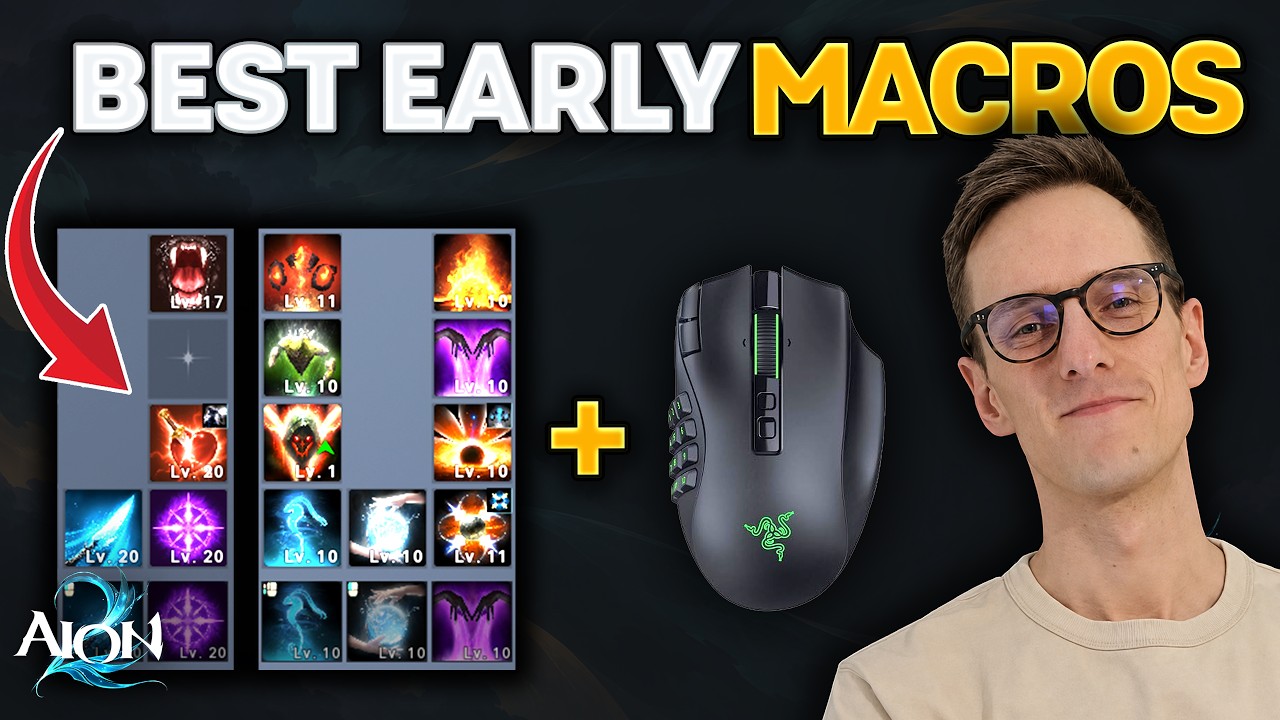
Maybe you like marros, maybe you don't, but in AO2, how you set them up and how you use them will make a huge difference to your damage. And with that, welcome to episode eight of my complete beginner guide series for AON 2. In today's video, we will first take a detailed look at how macros work and how to use them properly. Then I will give you an early game macro setup for every single class in the game. And on top of that, I will explain how to set up a mouse macro. We have a lot to talk about,
103 words, the words spoken in the first 30 seconds at 206 words per minute.
Free, no signup. See how the first 30 seconds hold attention, with rewrites.
Sentence shape
| Measure | This transcript |
|---|---|
| Sentences | 178 |
| Average words per sentence | 13.5 |
| Longest sentence | 36 words |
| Questions asked | 0 |
| Sentences containing a number | 9 |
Most used terms
Filler phrases
23 in total: actually 12 · like 6 · kind of 2 · basically 1 · sort of 1 · you know 1.
A literal whole-word count of the same phrase list the Prepublish browser extension uses, so a phrase inside another word is not counted and a phrase used in its ordinary sense still is. It is a count and not a judgement.
Run the check on the words above: where attention is likely to drop, with a rewrite for each weak line. The free check shows the scores and the one issue costing the most.
What this transcript is
Every word below is the caption track YouTube publishes for this video, pulled from the video itself and reproduced unchanged. It is not Prepublish's writing, not a summary, and not a re-transcription: it is the video's own published captions. English captions, generated automatically by YouTube, in the video’s original language. Source: the video on YouTube. A channel that would rather this page did not exist can ask for its removal through the contact page, and it is removed.
No Script X-ray for this video: YouTube shows a Most replayed graph only once a video has enough views.
Maybe you like marros, maybe you don't, but in AO2, how you set them up and how you use them will make a huge difference to your damage. And with that, welcome to episode eight of my complete beginner guide series for AON 2. In today's video, we will first take a detailed look at how macros work and how to use them properly. Then I will give you an early game macro setup for every single class in the game. And on top of that, I will explain how to set up a mouse macro.
We have a lot to talk about, but if you still have any questions after watching this video, feel free to ask me live on Twitch or here in the comments. Let's go. So, before we talk about macros and animation cancelling, weaving and all those kind of fancy stuff, we first have to understand how our action bar here works. Now, what you will notice here is that you can assign multiple abilities to the same keybind. Here, for example, we have assigned four abilities to the hotkey Q.
This allows us to just spam this keybind and use those abilities in a row. The first time we press Q, it will use ambush. The second time it will use hardcore. The third time it will use exia explosion. And then it will use savage [music] roar. Now, here is important. I can't just hold my Q key. I actually need to press Q multiple times. I need to spam it non-stop. But it's of course very easy because I can just spam this one keybind now and it would use all those abilities always in a row.
Okay, so we understood the structure of our action bar. Now let's understand the macros. Okay, so the first thing that we have to do is set a macro key. So you go escape settings, key settings, general, then you scroll a little bit down and then you will see here under gameplay macro. By default, there is no keybind set. Now most people use something like right click or some other button on the mouse. Use whatever fits you.
Okay, now we can set our macro. You click at the top right on macro. You click add macro. Now you click on the symbol here. And now you will see you can select actually one hotkey. Here's important to understand. This is not an ability that you select. This is actually one hotkey line. So for example, we could use here our Q hotkey that we just set up. And the big difference is using this Q line in the macro is that we don't have to press each individual input anymore.
We don't have to press [music] Q four times to use all those abilities. What we can do now is just hold right click. So we hold right click and it just goes through all those abilities. We don't have to click multiple times. We can just hold the button. It just cycles through them. But the marker could even go beyond those four abilities. We could assign multiple additional hotkeys. So for example, we also take our left mouse button into the macro.
And of course, we do could do more and more. And now we just have to hold right click and the character would perform all those attacks. Okay, but we understood now also how the basics of the macro work. Now let's understand how skill weaving and animation cancels work. Now in AON 2, you can cancel most of the abilities in the game with your LMB. So in my case here was quick slice which is called weaving. And this you simply do by holding your left click and using the macro at the same time.
So in my case I just hold LMB and R&B at the same time. And then you will see that the character is automatically weaving those LMB attacks into your rotation. And the animation cancels will always be signaled from this black silhouette, this black shadow. Every shadow is an animation cancel. As soon as you see the shadow, you know you're doing it correctly. On top of that, you want to see that your LMB is correctly cycled in here.
So, I hold both buttons and he's actually cycling through those abilities. Besides that, there's one more important thing. Some guides will tell you that you should put your LMB into your macro so that you actually only have to hold your macro button. And yes, it is totally possible to play like this, but you will lose a bunch of damage because the game will animation cancel less abilities with the LMB. So, with my quick slice here, the game just does a better job of animation cancelling if you don't put that into the macro.
So, you always want to hold your LMB and your macro button at the same time. Okay, so we understood that we can assign multiple skills to one keybind. Then we understood how the macro feature works and we understood that we can weave our LMB into our rotation by cancelling the animations from those abilities. And the only thing we have to do for that is pressing our LMB and our macro key at the same time. Okay, now let me quickly explain how I usually build my macros.
Now, of course, the efficiency of your macro is depending on a lot of things. your cooldown speed, your combat speed, the level of your skills. There are a bunch of variables that are important for your macro. But in general, macros are always built in the same way and you always follow the same rules. Of course, you can optimize and tweak a little bit your macros later on, but at the beginning, most macros will be set up in the same way.
Okay, let me quickly explain how I would set up my macro in the beginning as an assassin. As you can see, we have only one line in our macro. And this is what most classes will do. Most classes will not put all their abilities into the mark. You will only have the abilities in that you spam non-stop. So in my case that is insignia explosion, hardcore and savage raw. And he will want to put the ability with the highest priority in the bottom.
So in my case that is insignia explosion. I want him to use this ability always first. Now at the beginning those two abilities here will have a high cooldown. So, I will most of the time just use LMB and Savage RAW because those two abilities you have zero cooldown and that will be the same for pretty much every class. You will deal most of your damage just with those two abilities. Then later on, if you leveled your abilities more, you will unlock a bunch of specialties.
For example, here for hardcore, the level 16 specialty allows us to reset hardcore on every crit that we are doing. That of course allows us to spam hardcore much more and we will use less savage raw. But at the beginning, most of our damage will just come from those two abilities. Now, besides that, I would not put anything into my macro. Of course, we have a bunch of mobility spells, which you of course don't want to put into your macro, but then I also don't like to put in my self buffs.
Now, every class will get from their stigma abilities some sort of self buffs or some abilities that will give them for a short duration a lot of damage. I think you should never put them into the macro, at least not in season 1. Some guides will tell you that, but they are of course not based on season 1. We will have way less coolown speed and utilizing those buffs in the right moment will be very, very important. For example, as an assassin, using your elusive clone on some trash mobs or right before a mechanic of a boss will lose you so much damage.
And because we don't have so much cooldown speed, you never want to put those abilities into your macro. And then I also think it's important to not put too many abilities into your macro, at least in the beginning, to actually learn your class. As soon as you understand, hey, I can use that non-stop, it doesn't matter. Let me put it into the macro. That is totally fine. But then you understood your class. I think at the beginning you should have as little as possible in your macro and then later on you can adapt it.
And that is kind of the logic that you will see in all of the macros that I show you in a second. I usually only have my bread and butter combo in my macro and nothing else. Now you can of course adapt this, but my suggestion only put the abilities into your macro that you want to spam nonstop. All right, here you have a macro for every single class for the early game. Now, of course, those markers will change later on and you will have to adapt them, but I think for the beginning, those are very, very good starting points.
They will be perfect for the leveling phase, and even in the early max level stage, those macros will just give you a very, very good basis. If you have any questions to the macros, ask me in the comments. I will try to answer all of the questions that you have. Now, before we come to the setup of the mouse macro, if you enjoyed the video so far and you want to support me, maybe consider giving the video a like and subscribing to the channel. that cost you nothing and it helps me a lot.
Okay. Then you might have heard that a lot of people use actually additionally mouse macros. Now why people do this is because they don't want to press LMB and R&B all the time. Now what people do now is they create a mouse macro that presses LMB and R&B for them. So they have a macro that just toggles that. So they press one time their macro button. Then the character automatically presses their LMB and R&B. And if they press it another time, he actually stops.
And even though I'm currently not using it, a lot of people asked me to do a guide on it. So I thought that this is a perfect video to actually explain that. Now I will explain that here in Razer Syninnapse. But I think it will work pretty similarly in all the other mouse softers. Okay, but let's start. First you click on the macro tab. Then you click new macro. And here before we actually start recording our macro, think about two keys that you usually never press.
Can be anything on your keyboard. For me, I will use u and e the two German letters. After you have that, press record. And now you press both those buttons at the same time. And then you release them again. And of course, press also stop. Now you can see that the macro recorded the pressing and also the releasing of the button. The releasing we will actually delete for both of these keys. The next step, of course, we don't want to have a 4 secondond delay.
So you change the delay just to 0 seconds. and then you save your macro. Now the macro records now only the pressing of the keys. Now of course we need to assign that macro to our mouse or our keyboard. So we click on keybinds assign to your device. Now we want to assign that to our mouse. And now I want to have that on my mouse button 4. Now here's important the playback option. You want to set that to toggle continuous playback.
So this gives us the toggle option. So if we press our macro it will press those buttons down. And if we press the macro button again, it will release that again. Then we click save. Then when we are back in the game, we have to assign those two new keys of course onto our LMB and our macro. So here we have our LMB skill quick slot quick use one. Here we assign our U. Then we go to general. We search for our macro key again and we assign here A.
So you assign the buttons that you used in your macro software. And now if I use my mouse macro key, it will automatically press my LMB and my R&B at the same time. Now my hands are off. I don't have to do anything. It just does everything for me. If I press now a second time my mouse macro, then of course he will stop that. Now the cool thing is how we set it up. Now we can actually still use our LMB and R&B at the same time.
If we want to do it manually, or we can just use our macro. Okay, but that's basically all you need to know about mouse macros. Now, they are not really allowed, but they're also not forbidden. Pretty much everyone that is playing in Tavan is using mouse maros, so you will not get banned for that. Of course, if you just turn on your mouse marco and let your character farm in the open world or something, you will hopefully get banned.
But besides that, if you use that in dungeons because you don't want to press all the time LMB and R&B, hey, I totally understand that. I still usually like to be responsible for my input, but I totally get it. It is very convenient to use a mouse marker. That's it for this episode. I hope everything was easy to understand. As mentioned, if you still have any questions, feel free to ask me live on Twitch or here in the comments.
If you enjoyed the video, maybe consider liking it and subscribing to the channel. Thanks for watching and I will see you in the next
The words are the caption track's own and nothing is reworded or re-transcribed. Paragraph breaks are placed between sentences so the text reads as prose.
Free tools for your own script: paste a draft and see where it stands before you record it.
Paste your draft and see where viewers are likely to drop off, with a rewrite for each weak line.
Paste the first 30 seconds of your own draft for a hook score and rewrites.
Check your draft against YouTube's advertiser-friendly guidelines before you record it.
Read this channel's public videos and transcripts, and download a writing brief for it.