Getting the transcript
Reading the captions from YouTube. A video nobody has opened here before takes 10 to 30 seconds; this page fills in on its own.
Getting the transcript
Reading the captions from YouTube. A video nobody has opened here before takes 10 to 30 seconds; this page fills in on its own.
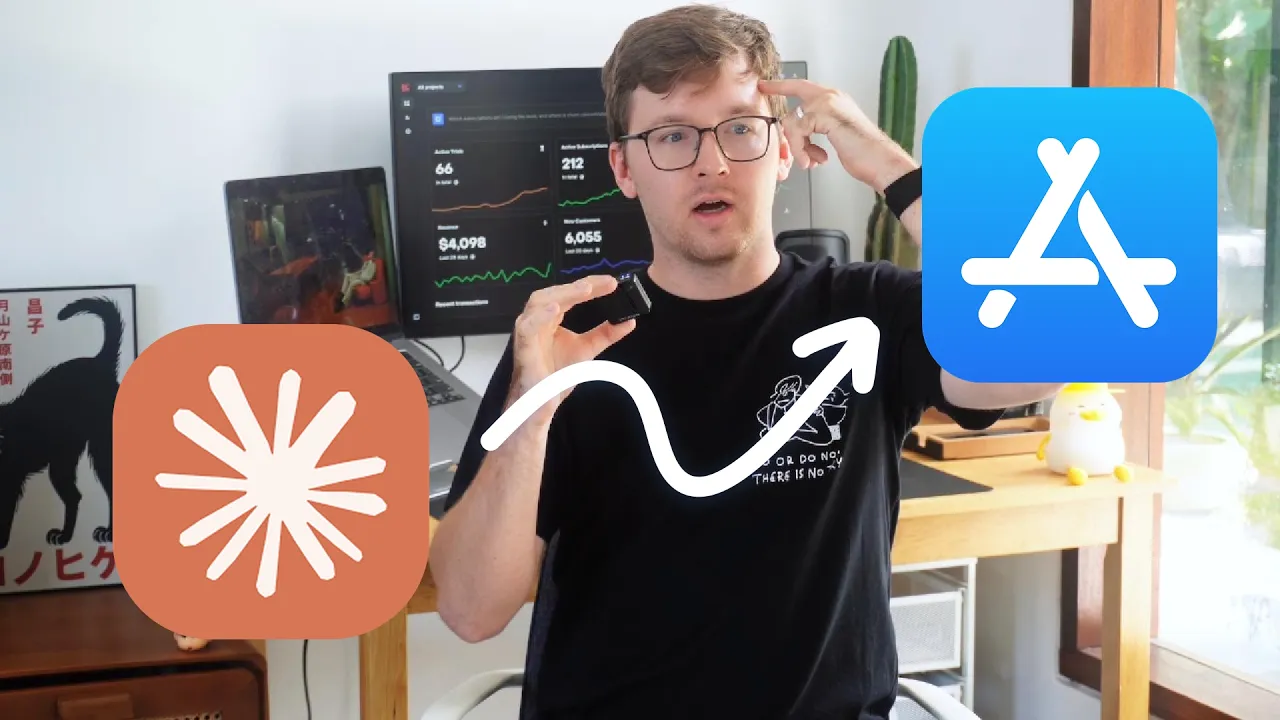
Dan Kulkov · @dankulkov
Words
5,684
Runtime
32:30
Speaking pace
175wpm
Reading time
24min
175 words per minute, between the 160 25th percentile and the 181 median of 349 measured videos. That distribution comes from the 349-video hook study.
Opening (first 30 seconds)
App Store optimization changed my life. I know that's a bold statement, but hear me out. I went from $0 to $4,000 with my iOS apps only focusing on ASO. And in this video, I'm going to share everything I know about this and I'm going to tell you how to use my cloud code skill for free to do apps optimization on your apps. So, we'll start with a quick introduction. Should you even care about this video? Should you care about appimization? And if you build
88 words, the words spoken in the first 30 seconds at 175 words per minute.
Free, no signup. See how the first 30 seconds hold attention, with rewrites.
Sentence shape
| Measure | This transcript |
|---|---|
| Sentences | 392 |
| Average words per sentence | 14.5 |
| Longest sentence | 121 words |
| Questions asked | 12 |
| Sentences containing a number | 38 |
Most used terms
Filler phrases
230 in total: um 56 · uh 50 · like 46 · you know 43 · kind of 24 · basically 5 · right? 3 · actually 2 · literally 1.
A literal whole-word count of the same phrase list the Prepublish browser extension uses, so a phrase inside another word is not counted and a phrase used in its ordinary sense still is. It is a count and not a judgement.
Run the check on the words above: where attention is likely to drop, with a rewrite for each weak line. The free check shows the scores and the one issue costing the most.
What this transcript is
Every word below is the caption track YouTube publishes for this video, pulled from the video itself and reproduced unchanged. It is not Prepublish's writing, not a summary, and not a re-transcription: it is the video's own published captions. English captions, generated automatically by YouTube, in the video’s original language. Source: the video on YouTube. A channel that would rather this page did not exist can ask for its removal through the contact page, and it is removed.
No Script X-ray for this video: YouTube shows a Most replayed graph only once a video has enough views.
App Store optimization changed my life. I know that's a bold statement, but hear me out. I went from $0 to $4,000 with my iOS apps only focusing on ASO. And in this video, I'm going to share everything I know about this and I'm going to tell you how to use my cloud code skill for free to do apps optimization on your apps. So, we'll start with a quick introduction. Should you even care about this video? Should you care about appimization?
And if you build apps in 95% of cases, yes, you should. This is a free marketing channel that works for you, your own work 24/7 to get new installs. You mostly do the job once and then you get more installs from different countries in the world. The only case that I can think when you should not care about app store if you are really focused on ads or for example some viral content and you expect a lot of people to go and search your specific name in app store and in that case you don't really care.
Um the next thing is when do we think about app store what key things you know you should really have in mind. So I think there are four key ideas. So first is app store connect page data. So name subtitle keywords promo description all of these data must be localized and properly written. Second is definitely screenshots. um you know this will be something that 100% of people look at and actually you know make a decision based on your screenshots.
Then we have app localization and I would say that building localization comes u on the last place. So four things and I built a cloud code skill that I personally use that will help you to finish all of these tasks not leaving your terminal. It's a free skill. You can download it from GitHub. There is a very simple installation process. I highly recommend downloading it and kind of making your own copy so you can fine-tune for your so you are not restricted to the things that are currently in the skill.
But throughout the video I will reference this skill and will tell you how cloud code or any other agent can do the things that you need to do. So just install it ask cloud to make a copy of it and you know just follow along. So we kind of established the foundation that you should focus on uh ASO and you should focus on those four things. Now let's talk a little bit more uh specific about each thing. So first is app store connect page.
This is probably one of the most important things because it impacts the key idea of ASO. Will you be shown to a user? So let's think about this situation. We have a user that wants to install a calorie tracker app. They don't have any preference in their head. So they just kind of want to solve this problem. They go into app store and usually they just go to search and they literally type calorie tracker. This is a pattern that a lot of people you know uh follow.
Again some people might see your ad and they will go directly to your page or maybe see a viral content and like yeah you know I need a color tracker. But again most of the people will go with this idea. So now they have a list of apps. So first they see kind of suggestions that's the first you know um moment they see recommended apps and they then they see a list of apps with screenshots. Basically ASO will help you to win in both but we'll try to talk a little bit more about the list with screenshots.
So same with SEO most people will click on the apps in the top five. Even after top three the percentage the CTR drops dramatically. So you always want to be in the top three, but realistically for many competitive keywords, you want to be in top 10. That's a good number. Top 10 can be good because you know easy to scroll on uh iPhone some apps will not uh really resonate with people. Maybe the screenshots something.
So you want to be in top 10. And here is the most important part. So obviously app store has some algorithm how they decide what apps to be shown. And this is like a black box. Nobody obviously knows same as SEO. But we have some ideas and there are a few important things to have in mind. First is some people will use calorie tracker term, some people will use a calorie tracker, some people will use maybe a protein tracker, some people will say like u logging food app and a lot of people will use their native language.
So we obviously think about English but most of the world doesn't use English as their language to find apps and they will use Spanish, French, Indonesian, any other language to find the app and you obviously want to have proper keywords in your app store connect page to be shown and sometimes the having keyword is not enough. You also need to have a very good reputation, a lot of reviews, a lot of user metrics. But in a lot of times, you just need to have a keyword because for example, not a lot of companies focus on let's say you know um French uh meal logging app keyword.
Maybe not a lot of people focus on it and maybe you should and just having this keyword will put you in the top 10 position. So in app store connect there are a lot of inputs uh but for us the most important are name subtitle and the keywords. There are promo and description and my cloud code skill will give you them but realistically they are not that impactful. First of all let's be honest nobody reads description before downloading apps.
Maybe just like a very tiny percentage of people. Secondly, um it's like it's just lower level of impact on um the whole thing. So we mostly should be laser focused on three inputs. It's name, subtitle and keywords. And those three inputs and others they can be localized in 50 locals. So different languages and different variations. So for example, you have Spanish for um you know Spain, you have Spanish for Argentine.
I think you have uh different variations of English, UK English, Australian English and all of those locals you can see in the app store page and you will need to have a unique copy for each and one of them to maximize your chances to being shown in this version of app store. Right? So here are a few tips for everything. First, the name is obviously the most important one. This is like I guess the number one factor, number one keyword and number one tip is to start with a keyword.
That's a very simple thing. Start with the main keyword you have calorie tracker, water reminder, I don't know, app blocker, whatever. You start with a keyword and then you follow up with uh name or maybe secondary keyword, right? For example, water reminder, stay hydrated. I'm not sure if that will be under 30 characters, but you get the idea. or you know water reminder and then some name like waterly. So why start with keyword?
The idea is very simple. When people go and search water reminder, you will have higher chances showing in that suggestion list. So not the result page but suggestion list if your keyword is in the beginning of your name because if it's in the second part, you just have lower chances. um you know very simple tip again uh I think it's easy thing to do the so I definitely don't recommend having just a very short name just you know watery again it works for example you only care about ads completely understood and no worries but if you want to maximize organic traffic have the keyword same for the subtitle less important still very important here I try to have secondary keywords it's not always possible um because Maybe you know there is a better way to so here is the thing for example we have a water reminder and maybe I think that there is a very significant case of people who will need this for their Apple watch.
Apple actually is very against for you to have Apple watch in the metadata uh especially in the subtitle and name. So I would have something like reminder for phone and watch subtitle kind of have this combination of reminder watch reminder phone. So they also kind of good. Use subtitle properly. Don't waste it. Don't write anything like oh just have fun and stay hydrated. No, just just use again for the keyword. Find relevant secondary keywords.
Use them in your subtitle. And then we have a keyword field. This is like 100 characters. You have keywords comma separated. Here are a few key tips from me. First, don't repeat the keyword from the name. So if your name starts water reminder, don't start the keyword with water reminder. You can have a variation, for example, AI water reminder. If that's your thing and you think a lot of people will search for AI, so I would I would tend to use AI water reminder and not just AI.
I'm not sure. I don't have any empirical data which one is better, but I try to be with keywords specific as possible. So if I see that the keyword has popularity, I just use the same keyword, not a variation of this. Have multiple keywords. Try to have super relevant keywords to your app. So for example, u let's say we have um a calorie tracker. I would not have the keyword for example like um you know muscle gain or they are relevant somewhat to the niche but like I try to think will the person who searches for this kind of you know be my target audience maybe but maybe not and I try to get more relevant so for example meal logging that's a good because that's what a person wants they want a calorie tracker with u you know meal logging we understand the intent really well but like with some keywords.
I think the intent might be somewhere else and you will just you will you might be shown but you will not get installs. So try not to add very generic. Sometimes cloud code can give you generic ones uh when searching Astro. My recommendation is to you know double check them. So how to decide which keywords to put? The best tip is to use a keyword research tool. Not your own judgment but some empirical data. I personally use Astro.
It's really good. There are some limitations. For example, their popularity metric as any other keyword tool is somewhat a proxy to a real number because Apple kind of uh made this number non-public uh a few months or years ago. So, it's kind of a proxy. Everything is a proxy in keyword research. But I think Astro is really good. They have a MCP and I personally use it. I tried to build my own version without Astro that uh reverse engineers a lot of things and um generates different popularities.
Maybe I will release them this. Let me know if you are interested. It kind of turned out not bad but I'm not sure I'm willing to rely on this. So use Astro your AA agent can use it with MCP. You can use it yourself. The key idea is to understand the five, seven main keywords that you're going to use. And my own preference, I understand them in English and I try to just have their versions in other languages. So I I'm not spending weeks to understand what German versions are.
I just get the US versions, the English versions, and I try to just localize them uh in any other language. Maybe it's not the best approach but you know I don't have all time of the world to understand what will be the best phrase in the polish to search for water reminders. Um cloud code does really well uh with translation and that's a very simple task. So name subtitle keywords uh focus on this pro and description they are okay have some decent text there but don't expect too much.
So this goes with app store connect copy page. Next one is screenshots. This is very important and I can't stress enough how important the visuals are. People scan visuals way faster than text and this impacts their decision way more than many indie hackers. Um, you know, kind of thing. I tend to open different uh app pages of inter hackers that build iOS apps and then I see some horrendous absolutely terrible AI generated screenshots which just scream of low quality and then these people complain they don't get installs.
Of course you don't get installs. Your screenshots they look garbage and yes maybe some people will not care. some, you know, 60-year-old people that do not find the difference. But if you try to sell even to millennials, they can pretty well, you know, understand the difference between good screenshot and a generated screenshot. So, please never never generate those AI screenshots from scratch when uh cloud when you basically like get the full page with everything generated, the phone, the interface, the text.
Don't do this. It works terribly. I know that you saved 30 minutes of your time, but it's not worth it because it impacts so much. So, I found a way better approach with screenshots and it I think is very smart. I'm going to tell you all about. So, first what you need to do is to make let's say I try to maybe three to six screenshots of your app on the phone. the most important screen, something that really impacts if you have a water reminder app, um you know, the main screen, maybe the notifications, maybe the um some customization, if you have some mascot, different versions.
Okay, so you made six screenshots. Then what we will do is we will paste them to a Figma template that I created and it's very simple. is just, you know, um, a canvas with an iPhone mockup. You paste the screenshot to it and select a background color. It can be a color of your app. You have some main primary color. It can be white, can be black, whatever. Something that works properly. And you will have a bunch of screenshots that um, you know, are finished but without the text.
And this is what we want. We want just the background and the uh iPhone mockup with screenshot. One thing here is some people will come and say, "Oh, your screenshots look too basic." Sure, you can have more advanced screenshot. You can have the screenshots that you know kind of like cropped in half and starting next screenshot. Whatever works for you. This is the best approach. And I think the simplicity here is really what user want.
Not a single user asked, you know, oh, I want 10 screenshots and all of them should be so sophisticated and that's why I will install the app. No, they want simplicity. They want understanding what your app is about. Just getting this, you know, I understand it. I want it. That's it. If you think that you need 10 screenshots for this, fine, but I don't think so. So then what you will do, you will download these screenshots, put them in the folder, and tell AI to localize them.
Again, this is a subs skill in the skill that I provide. Here's what will happen next. You will decide with AI agents on the headings that you will burn in on those screenshots. For example, stay hydrated uh every day, simple and fun tracking, uh like non-intrusive reminders. You will think that those are your headings. And then it will burn in the text just like it will look like in the Figma. And then it will localize the headings in 50 locals and burn them too.
So you will not spend hours doing this manually in Figma and creating a a huge number of images. AI agent will do everything and it's really simple and it works flawlessly. You can um work with some style. I think the fonts that I picked are really good. They work good in English. They work good in either like curillic, Arabic languages or for example like u Chinese, Japanese and I try to pick a phone that works really well.
I highly recommend having alternative backgrounds every image. So it kind of a little bit creates a contrast for example red, white, red, white and in that case you will want for example on the red to have a white heading and on the uh white background to have a black heading. Again a agent will walk you through what data it needs from you. for example, it will align on the colors. It will align on the headings and you will have 50 localized screenshots.
And again, we maybe in just 3 minutes of your time. A few tips here. For most apps, for all of my apps, I create iPad version. I don't think it's that popular, but it kind of takes me maybe 15 more minutes. You just need to ask cloud code to uh enable some settings. Make sure the layout on iPad is not um screwed and then you just need to create screenshots for iPad. Use um simulator to just uh build them because you probably don't have iPad.
One thing is what I struggle with is on iPad uh if you in the simulator at least that's a tip for me. I couldn't make the inapp purchases work because it doesn't log in in the Apple account to make those sandbox purchases. So for all of my apps, I have a debug button that like give pro access. So in that case and I also have add sample data. So just two buttons to make the screenshots um process way easier. I just build the simulator, click give pro access, add sample data and then create screenshots.
And again the whole process just takes maybe 5 minutes total. So for all apps I have iPhone version, iPad version and if your app supports watch version, you should upload uh Apple Watch screenshots. For them you don't need any localization because there is no text. You just basically screenshot the Apple Watch interface. That's it. And it's the same screenshot for all locals. Should you upload um localized screenshots?
I would personally not do this because it's too much work. It's kind of like it's just I I don't think it's worth the effort. If you think you have, let's say, um, 10 really popular locals, maybe do it. I I personally didn't do this and cloud code skill doesn't cover it, but you can probably do this. So, this is screenshots. Uh, very important thing. Invest time in your screenshots. They are the most important thing on your page that impacts the conversion.
So, name, subtitle, keyword impacts your discoverability. Screenshots impact your conversion. also app icon but you don't localize app icon it's one for all locals my tip would be don't create an atrocious AI version just you know from one prompt you can create AI images and I created AI images but you kind of need to maybe create them kind of separately and then assemble in the Figma um yeah my tip would be if you're still creating AI images of your icons maybe rethink that part too because they you can tell when they look AI Okay, very fast.
So the second thing is done. The third thing, let's uh finish with the app store page is billing. Billing is kind of um optional step. You don't need to localize billing. But let's think with your water reminder app. It's a simple app only local uh data. We have no servers. It everything happens on the device. You just ship it. You don't have any recurring costs, right? So it's only revenue minus Apple cut. Ask yourself a question.
Let's say you price the app whatever $19 US yearly. Would all of our localization make sense? If you make, for example, a Thai person to download your app, you made the Thai app store connect p uh metadata, Thai screenshots, Thai language in the app, and then they see $20 and they just can't afford this. Of course, rich Thai people can afford this, but again, the average Thai person will have struggle because $20 for them and $20 for US is just too different $20 and some of them will afford this better than US.
But let's be honest here, most won't. And for you, there is no no disadvantage to localize the pricing to make it not $20, but $10 or even with St. I would probably even make it like maybe $6 or $7. And um yeah, it makes no sense to skip this step. If your app has zero cost localized the pricing, you will get more conversions from those countries. So here's how I think about localization. Um there are different approaches.
You can have a custom parity pricing, Netflix, Netflix, Big Max, GNI. I personally in my latest iteration discovered this GNI approach which is a little bit custom. So I have the first tier. It's all the rich countries, US, Europe, you know, maybe some rich Asian countries. This is they get the full price of everything. Then we have um 40% discount which is like Eastern Europe, Latin America, some Asian countries which is above average but not that above.
So they you would not compare these countries with US or Germany or UK or Australia. And then we have a big discount which is 70% discount which is basically like everyone else like Africa uh more u developing countries in Asia and Latin America. And this update worked really well for me. Again you should not expect that suddenly Thailand will be number one revenue country but it will change the situation from getting zero sales from Thailand to getting some sales of Thailand.
And I think that you know what matters. It's a simple change. It doesn't cost you anything. I highly recommend doing this. If your app has some, for example, AI costs, here's the thing. Be honest with yourself. Um, like you probably have a fat margin on every user. AI costs nowadays are so low because there are so many cheap models that are really good for simple tasks. You probably have a very, very fat margins. And my recommendation would be keep fat margins on rich countries and make them a little bit thinner on developing countries.
But get the sales. If you struggle with sales, you can always update them in the future. But if your goal is to go from, you know, $0 or 1k to being ramen profitable and focusing full-time, localize your pricing. Yep. Uh the pricing is pretty much done. You do it in the app store. So you create like a subscription and then AA agent just updates the pricing. Uh it's very tedious job if you want to do it manually in the page.
So I highly recommend doing everything from terminal and my skill will help you with it. One thing is for other skills too but like this is kind of uh the thing that you will need to give agent some access to your app store connect. So it can't upload things without it. But again it's your skill stays locally. I don't get access to your fir connect. Uh I definitely don't recommend communicating discount in the pay wall.
You got a discount to us. That can be slightly controversial to review team. You know that's a great zone for sure. If you just say t people get $7 um you know annual plan that will be fine. Um the billing is pretty much done here. Optional step but highly recommended. Yeah, be careful with some Big Mac and Netflix. They sometime tend to for example make the price smaller for rich countries like Taiwan because Taiwan there is like some tricky thing that their currency is weak.
So they get more profit from export and when I did first the Big Mac index, I was surprised the discount that they got compared to what I would probably give them. So yeah, the final thing is app localization and that's you know um a very important thing too because if you got discovered got uh converted the user to download and maybe even your pricing looks good but your app is not localized in their language and they expected because of all of this that it will be localized.
You at best will get a confused user at worst you will lose a sale at the very last moment. And again I all my apps uh all of the websites I you know discover and uh browse in English and for me it's native at this point but for a lot of people it's not and they will have better time interacting with your app in their local language. Some of the apps are really complicated maybe obviously what reminder is a simple app but if your app is a little bit more complex a little bit more technical terms they might have easier times.
I highly recommend localizing your app in many languages but not all. So here's the thing about languages. First of all, do a simple search. Open revenue cat or whatever you use and find the most installs the most revenue that you got from different countries. Find like top 20 countries. That's your focus on number one. I personally have list of 28 countries that from my experience have the best conversion um like in installs.
So they like active. Maybe something is missing. Maybe something I will add. You know, it's always like a choice. Uh just a little bit extra effort for the portfolio. But I have 28. I would recommend starting maybe 15 20 if that's your first batch of work just to not get overwhelmed. The most tricky part about app localization is to find all the strings to localize. So obviously some things are easy. Welcome to water reminder app.
And you know you just localize it. Done. And for example like track your daily hydration level. you find the string, you localize. But there are a lot of strings that are kind of hidden and if you vip code your app, you might not even um know about this because they're kind of not a string but a return and it generated. I spend a lot of time perfecting my um audit skill that find all the strings. But I heavily recommend for you to double check that.
And the skill is for Swift uh native. If you use something else, it likely will not work um out of the box and you will need to do some improvements to it, some polishment. Double check the first localization of your app because maybe you have something else. Maybe the apps that I built are not as complex as yours. Double check this. A lot of strings can be, you know, not localized. So the task is pretty simple. you put every string in your app in uh basically like localization function and then it references the dictionary um and it shows the uh translated version.
A few tricky parts. First, don't forget to add a setting to pick a language because by default you will have like a system uh language selected but maybe for the user they don't like it. Uh maybe they default is Spanish but they are more comfortable in English. So in the setting, pick an option to select an English version. I think my skill already does that for you. Second thing, um it can be slightly tricky if you have Apple Watch for example and iPhone.
Um you kind of need double dictionaries or maybe app group. So it's a little bit tricky and I would definitely recommend paying attention to this. Third thing is um when you localize the app, not everything should be localized. So obviously if you want some basic phrases sure but maybe some terms some u names should not be localized and especially like uh in the sport can be some terms that just are used in other languages too pay attention to this um especially on the few runs in my skill I think agent builds a dictionary per app so it's very convenient but it's not bulletproof and definitely when you localize the app test it because things can get wrong.
This is like the hardest part because there are so many variables here. Localize your app. I have 28 languages. Um you but definitely localize it. Yeah. So that's four horsemen of app store optimization. Um a few things that might get you maybe you are confused about them and I will um give you like a you know just just a blitz answers. First, what to use to translate things? I personally have a setup in which I use DeepSseek API because it's dirt cheap.
There is no other word. They announced the price increase but there are no still specific things. You can use any other uh recently OpenAI reduced API pricing on Luna, Gemini, maybe Grog. um use a cheap model because that's a fairly simple task to localize a bunch of strings, a bunch of text in other languages. The only thing that matters on the quality is how much context you provide about the app. So for example, if you have a watch reminder app AI agent just needs to understand the context of the app some terms that they should not touch whatever use a cheap API.
If you don't want to use API for example you are on the max plan you have a lot of free usage use sub agents in my skill the I think there is like default approach that um AI will ask you I most of the time use API because it's just you know doesn't it my usage and it's again it's so cheap to localize the app in 28 languages is like less than a dollar so you know it's next thing you did everything you localized app store connect you localized screenshots what to do next how to submit them.
I don't think you want to do it manually. My go-to approach is to do it from um terminal. I used fast lane and something else. Um when I shared that a lot of people said, "Oh, why you use fast lane and not other skill?" Look, you can probably adapt the skill. I use fast lane just because that was the first thing. I'm not um getting anything from them sadly. Again, I just use it because it was the first thing and it does its job.
There are no disadvantages for me. It helps me to um upload builds and upload app store metadata. So definitely use terminal but whatever you like. The localization stays from version to version. You don't need to do it every time except when you add new version. Pay attention. Um there was a bug previously that promo text in app store gone missing. So in my skill I think that kind of uh is paying attention but I'm not sure 100%.
So just when you add new version your promo text will be gone but you can access it from the previous version. Maybe it will be fixed in the new versions of app store connect. One more thing I definitely recommend creating um you know a contact us button in the settings. A lot of times things can get really weird when you have so many localizations and um yeah add it. Don't be surprised when people contact you in the native language.
Germans love to do it. They everyone when they write emails think I speak German. At some point I might even learn it just to it's it's a business expense at this point. But that's pretty much it for this video. I think this is the ultimate guide. All you need to know about apps optimization. Obviously, the most important part is to build good apps that people use, that people pay for. And that that kind of goes without saying, maybe that should be in the introduction of the video.
If you build absolutely crap apps, no amount of app optimization will put them in number one. But a lot of times you can definitely improve your number of installs uh and amount of revenue by doing apps optimization. Again, the skill is absolutely free. install it, duplicate it so it's your own, improve it, polish it, and do everything from your terminal. And this is the closest to marketing on autopilot that I felt with iOS apps because it just requires me to do the task once and then I get installs for 15% of revenue from um Apple.
So yeah, let me know if you like this video, if you have any questions about apps optimization, maybe you have some topics that you don't fully understand. um and I will try to cover them in the next
The words are the caption track's own and nothing is reworded or re-transcribed. Paragraph breaks are placed between sentences so the text reads as prose.
Free tools for your own script: paste a draft and see where it stands before you record it.
Paste your draft and see where viewers are likely to drop off, with a rewrite for each weak line.
Paste the first 30 seconds of your own draft for a hook score and rewrites.
Check your draft against YouTube's advertiser-friendly guidelines before you record it.
Read this channel's public videos and transcripts, and download a writing brief for it.