Getting the transcript
Reading the captions from YouTube. A video nobody has opened here before takes 10 to 30 seconds; this page fills in on its own.
Getting the transcript
Reading the captions from YouTube. A video nobody has opened here before takes 10 to 30 seconds; this page fills in on its own.
vidIQ · @vidIQ
This video has no Most replayed graph yet: YouTube shows one only once a video has enough views. These are the moments viewers replayed most in vidIQ's most watched videos.
Most replayed moment at 23:09
3.7x that video's typical replay level
opens up a web app tool from VidIQ all about the search terms related to your channel where there are opportunities. This is high search terms on YouTube with low video supply and that means that you can create content that fills
Said at 23:01
The graph counts replays. It does not show where viewers stopped watching.
Words
2,238
Runtime
11:22
Speaking pace
197wpm
Reading time
9min
197 words per minute, between the 181 median and the 201 75th percentile of 349 measured videos. That distribution comes from the 349-video hook study.
Opening (first 30 seconds)
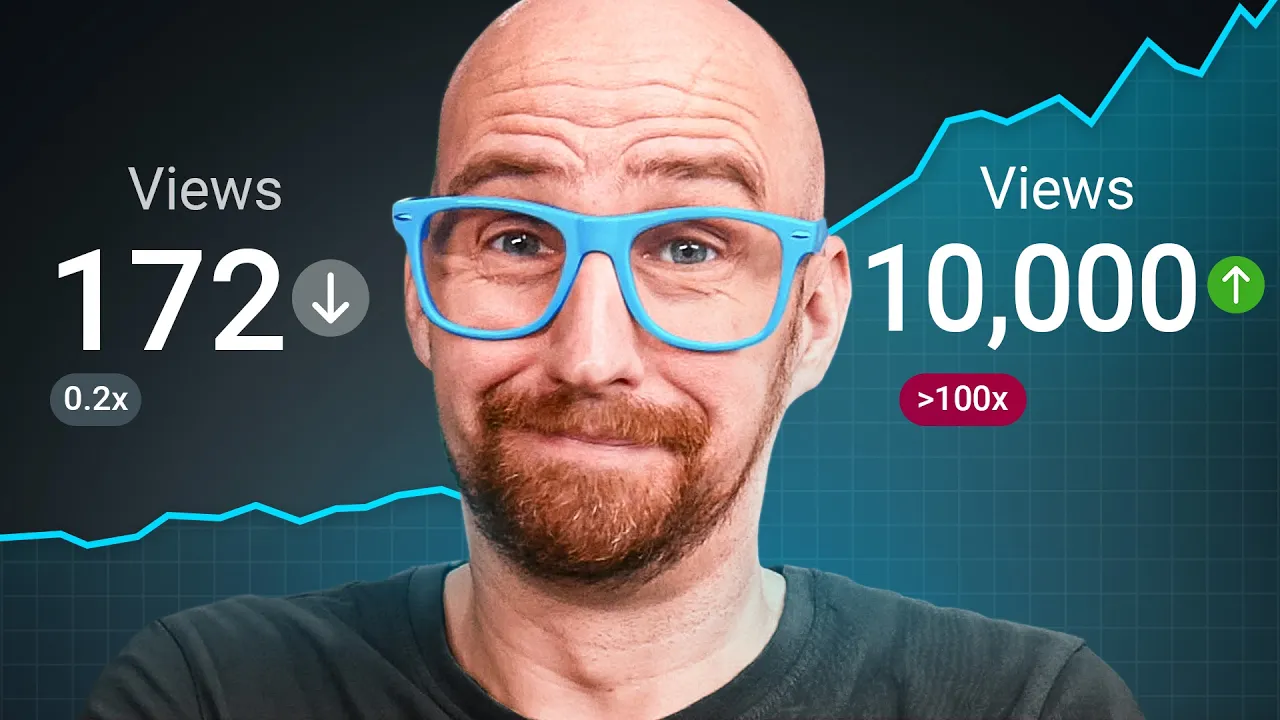
Being a small YouTube channel looking to hit your first 10,000 views can feel like a traumatic experience every time you check your analytics. So, it might be time to try a different strategy. One that specifically helps new creators just like you. And this strategy is proven to work because there are tons of small channels doing it right now getting exceptional results without extreme thumbnails, clickbait titles, nor crazy editing. So, what are these channels doing so differently that seems to work so well? They're targeting YouTube search traffic using [music] YouTube SEO. The homepage is about
99 words, the words spoken in the first 30 seconds at 197 words per minute.
Free, no signup. See how the first 30 seconds hold attention, with rewrites.
Sentence shape
| Measure | This transcript |
|---|---|
| Sentences | 138 |
| Average words per sentence | 16.2 |
| Longest sentence | 49 words |
| Questions asked | 6 |
| Sentences containing a number | 11 |
Most used terms
Filler phrases
15 in total: like 7 · actually 5 · basically 1 · kind of 1 · you know 1.
A literal whole-word count of the same phrase list the Prepublish browser extension uses, so a phrase inside another word is not counted and a phrase used in its ordinary sense still is. It is a count and not a judgement.
Run the check on the words above: where attention is likely to drop, with a rewrite for each weak line. The free check shows the scores and the one issue costing the most.
What this transcript is
Every word below is the caption track YouTube publishes for this video, pulled from the video itself and reproduced unchanged. It is not Prepublish's writing, not a summary, and not a re-transcription: it is the video's own published captions. English captions, generated automatically by YouTube, in the video’s original language. Source: the video on YouTube. A channel that would rather this page did not exist can ask for its removal through the contact page, and it is removed.
Being a small YouTube channel looking to hit your first 10,000 views can feel like a traumatic experience every time you check your analytics. So, it might be time to try a different strategy. One that specifically helps new creators just like you. And this strategy is proven to work because there are tons of small channels doing it right now getting exceptional results without extreme thumbnails, clickbait titles, nor crazy editing.
So, what are these channels doing so differently that seems to work so well? They're targeting YouTube search traffic using [music] YouTube SEO. The homepage is about being the most interesting thing on the internet for the next 10 seconds. But, the search game is about finding the correct answer indefinitely. So, my goal here is to make you a bit more of a YouTube SEO expert using these exact strategies to rank your videos higher, get more views on YouTube, and grow your channel from zero.
And it's not just tutorial channels that can pull this off. By the end, I'll show you how to use this same YouTube SEO strategy on any channel for any topic. So, the first thing we need to do is to understand what these SEO pros know that most creators get wrong. And it's all down to the YouTube discovery system, commonly known as the algorithm or the algo or that bloody thing that keeps killing my channel. Most creators think about the algorithm backwards.
You upload a video and YouTube pushes it out to people like a traditional television channel broadcasting a program it determines the viewing audience will watch. But, here is how it actually works from the guy who tinkers with the YouTube algorithm every single day. >> The main job of the algorithm is to serve the user when they show up. For the most part, recommendations and search don't get pushed out. They get kind of pulled from viewers. >> Did you hear that key and contrasting word?
Pulled, not pushed. YouTube looks at what a viewer has already watched and finds the next thing for them. Not what's trending on the YouTube charts, so to speak. Think of it like a personalized blockbuster. And the algorithm is a way that the store is laid out just for you, the individual viewer. Now, if you're a brand new channel, there's no viewer watch history to infer from yet. So, you're invisible to the recommendation engine because it doesn't have much context to go on. >> When we have absolutely no behavioral data, we're [music] going to probably rely more on the metadata, the data that we have in terms of the title and the description.
And I would say search is probably the first place for fresh videos. >> Mhm. Search is the first place for fresh videos and fresh channels. The title and description are some of the main signals YouTube has on a channel with no track record. So, what we're going to teach you will get you found with a zero audience. We went on a bit of a hunt looking for what actually separates the channels ranking at the top of search from everyone else getting buried deep down in the results, under the fold, way beyond what any normal person would scroll to.
And what we actually found was that the channels who made it to the top did the same things over and over. Look at the titles. There's not any click-baity word play, and they didn't put emotional at the end of the title, although I am seriously considering doing it on this video just for the lols. They're exactly word for word what somebody would type into the search bar when they are trying to solve a problem or make a decision.
Now, that should tell you something important. If you're stuck wondering how to phrase your title, stop brainstorming clever angles. The beauty of SEO is that there are tools that will tell you exactly what people are typing and how often. So, you don't have to guess. Now, you can go to trends.google.com and look at topics and switch to filter to specifically YouTube searches. It'll show you relative interest against a historical baseline.
That, however, is the beginner level one approach, and remember, we want to turn you into a pro. So, using vidIQ's keyword tool lets you search topics, and it gives you exact volume and related queries people are interested in. And these words are exactly your title. Look at this video. It's just the results we found from the keyword tool plus a little bit of extra context and bam, a massive success for the channel. And from the title, we should probably briefly inspect these couple of lines of text here as well.
Their descriptions are just a dumping ground for links, hashtags, and a bunch of unrelated tags. They read like an actual two-sentence summary of the video with the exact phrase or keywords people are searching for. So, it shows it right there in the first couple of lines. Now, that matters more than it looks like it should do on the surface those opening lines are frequently what shows up directly under your video in the search results before anyone even clicks.
So, think of your first line of your description as your elevator pitch to the stranger scrolling by on YouTube. This next move is a bit technical and a bit subtle, but when a viewer is intent to get answers to questions fast, it's a very smart move. So, every one of these videos has timestamps, which YouTube automatically turns into chapters on the player. Now, these chapters don't just help viewers navigate the video once they're watching it.
They can surface in search results for very specific narrow questions or topics buried inside a longer video. This video, for example, talks about the best PC games as of 2024. And now, since it has timestamps, it helps surface this video to all of the 25 games covered when people are searching on YouTube, which means that a single 5-minute video can end up ranking for three or four different games or topics or keywords instead of just one.
That's maybe 2 minutes of extra work at upload for a genuinely outsized return. So, go to the description of your video and add timestamps for the different sections and topics. Make sure to start the first timestamp at 0 seconds, 0 minutes so YouTube knows to turn it into chapters. And here's an important distinction. Be specific. Don't give your timestamps game number one or the beginning. Name your timestamps the specific term that people would actually be searching for on YouTube.
We've also got a cool tool that automatically does this for you if you have the vidIQ browser extension installed. You can even change how many chapters it creates to suit the length or complexity of a video. The link is here to get you started. That is, of course, if you want to become a YouTube SEO pro. >> [snorts] >> Don't you know? Now then, when it comes to this strategy, here's a mistake I see small creators make more than any other.
The title and description's job is to have the SEO search phrase, but the thumbnail's job is to give somebody a reason to click once they found you in search. Think of it this way. The title and description tells a stranger what the video is about. The thumbnail tells them why they should watch it right now. Instead of all of the other results around yours. I want you to take a look at this video as an example. The title has low calorie, high protein, and breakfast search terms in the title, which is pretty straightforward.
But look at that thumbnail. This looks like a tempting yet sinful thing to put in front of a viewer who's clearly focusing on their health. But look at how few calories it's going to cost. If it just repeated the title, low calorie breakfast, in the thumbnail, you wouldn't have that extra context of the calorie count that gets healthy conscious viewers to click. And it doesn't half create a curious contrast, doesn't it?
The instant thought in the viewer's mind is, I can't eat this type of food anymore. Only 239 calories, you say? At the very minimum, you're clicking the video to find out if the claim in the thumbnail is true. Now then, here's a trick that all of the SEO YouTube pros do that small creators don't know about, at least consciously anyway. YouTube doesn't just read your title and description. It reads your transcript, and it basically watches the video.
Every single frame of it. So, let's watch some of the opening of that low calorie, high protein breakfast video we talked about earlier. Today, I'm going to show you one of my secret weapon. How to take your boring breakfast and turn them into four low-calorie, high-protein [music] breakfasts you'll crave every morning. >> Mhm, aside from me being really hungry [clears throat] right now, this creator knows that it's important to include the keywords in the intro.
As it affirms to YouTube that I've told you what my video is about in the title and description, and I'm now delivering on that promise in the video as well. So, say some of the main phrases of your video out loud in the first 30 seconds, potentially more than once. But, it doesn't stop there. You want to be saying the related terms, too. The ones people are searching for right alongside your main phrase. That related terms list in vidIQ's keyword research tool isn't just there for picking a title.
Scan through it before you script your intro and work in two or three of the closely related terms naturally. Say your video is about removing a watermark from a video. Your main phrase gets you found, but for free or in Canva are searches in their own right. So, if you include those keywords in your opening hook, you'll be more likely to show up in those searches, too. Now, I did promise you earlier that all of these tactics aren't just for tutorials, reviews, comparisons, roundups, opinion videos, whatever you make, any of it can be search-led if you start in the right place.
Remember what Todd said earlier, videos on YouTube are pulled, not pushed. So, if your channel is small, there's no watch history for the viewer to pull videos from yet, which is exactly why your title and description carries so much weight. They are a key discovery signal for brand new videos. So, how do you include search terms naturally in a video that's not a how-to piece of content people are directly searching for on YouTube?
Well, the first step is to start from a question, not a topic. For example, Minecraft is a topic or a category, but does Minecraft end at the world border or what are the best Minecraft mods are questions. And these two creators answered those questions. They both had under 1,000 subscribers at the time of recording and found massive success with these videos. You can also look for common questions asked across different topics.
For reviews, the easiest template might be is blank worth it. And then drop in a product, a tool, a subscription, or a course, and you've got a phrase people are almost definitely querying the internet with. Here are some more templates you can use that come up in all of the common searches across all types of niches. Feel free to screenshot this because it ain't staying on screen for long. Now, this is not a comprehensive list by any stretch of the imagination.
There's loads more. So, when you are perusing YouTube, put yourself in creator mode for a moment and look at the questions being asked in completely different niches and think about how you could use these for your own channel. Now, then, it is time for one of those honest and frank conversations about YouTube. A search-led video, even with the best YouTube SEO, is not going to spike right out of the gate. You're not going to get tons of views.
Over the first few weeks, there is a very good chance that this video will underperform versus your expectations and probably for the channel. You'll think it's flopped, but hopefully it hasn't. [music] It just takes time for search traffic to grow because it takes time for people to actually search for that topic over a long period of time. And that doesn't happen all at once right after you've hit upload. And that is just the search side of this YouTube puzzle box.
Most of your other uploads are still going to live or die on a completely different clock, which tends to be the first 48 hours. And there is a specific, fixable reason most of them go flat right on schedule, whether or not they're built around search phrases at all. So, what we decided to do is break down exactly why videos die after 48 hours using the same YouTube data we've been using right here. Take it. I'll see you in there.
Right now, it's a good one, well worth watching.
The words are the caption track's own and nothing is reworded or re-transcribed. Paragraph breaks are placed between sentences so the text reads as prose.
Free tools for your own script: paste a draft and see where it stands before you record it.
Paste your draft and see where viewers are likely to drop off, with a rewrite for each weak line.
Paste the first 30 seconds of your own draft for a hook score and rewrites.
Check your draft against YouTube's advertiser-friendly guidelines before you record it.
Read this channel's public videos and transcripts, and download a writing brief for it.