Getting the transcript
Reading the captions from YouTube. A video nobody has opened here before takes 10 to 30 seconds; this page fills in on its own.
Getting the transcript
Reading the captions from YouTube. A video nobody has opened here before takes 10 to 30 seconds; this page fills in on its own.
Duff · @duffy_bag
Words
5,464
Runtime
27:17
Speaking pace
200wpm
Reading time
23min
200 words per minute, between the 181 median and the 201 75th percentile of 349 measured videos. That distribution comes from the 349-video hook study.
Opening (first 30 seconds)
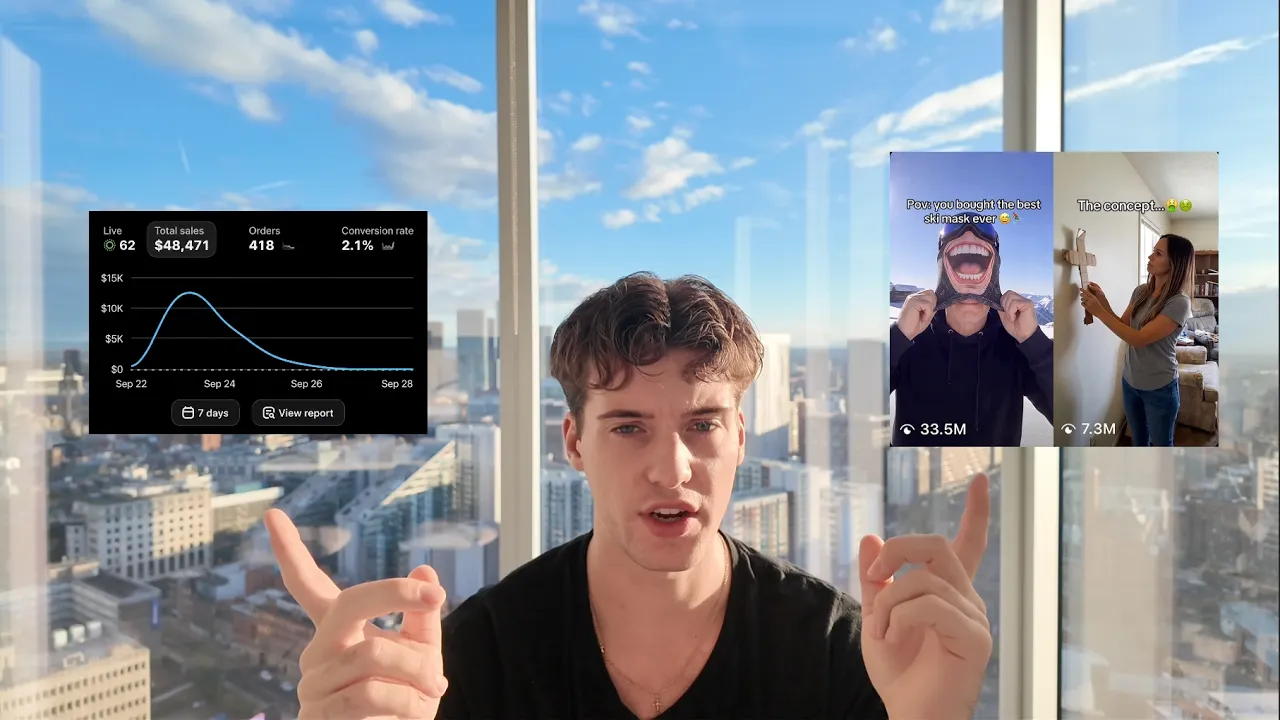
What's going on, boys? Today's video is insane. I'm just going to leak everything I know on how to make the highest quality AI videos on the platform. Just to prove to you guys that I know what I'm talking about, I'm just going to throw up some screenshots here and here. I'm doing about $6 to $7,000 a day right now. Um and I have a creator army of around 50 creators. So, I know a lot of you are probably wondering, why would I leak this info? Well, I have insane leverage over the entire market, so I
100 words, the words spoken in the first 30 seconds at 200 words per minute.
Free, no signup. See how the first 30 seconds hold attention, with rewrites.
Sentence shape
| Measure | This transcript |
|---|---|
| Sentences | 349 |
| Average words per sentence | 15.7 |
| Longest sentence | 53 words |
| Questions asked | 32 |
| Sentences containing a number | 28 |
Most used terms
Filler phrases
223 in total: like 68 · um 57 · actually 24 · right? 24 · you know 14 · uh 10 · kind of 9 · I mean 8 · basically 8 · sort of 1.
A literal whole-word count of the same phrase list the Prepublish browser extension uses, so a phrase inside another word is not counted and a phrase used in its ordinary sense still is. It is a count and not a judgement.
Run the check on the words above: where attention is likely to drop, with a rewrite for each weak line. The free check shows the scores and the one issue costing the most.
What this transcript is
Every word below is the caption track YouTube publishes for this video, pulled from the video itself and reproduced unchanged. It is not Prepublish's writing, not a summary, and not a re-transcription: it is the video's own published captions. English captions, generated automatically by YouTube, in the video’s original language. Source: the video on YouTube. A channel that would rather this page did not exist can ask for its removal through the contact page, and it is removed.
No Script X-ray for this video: YouTube shows a Most replayed graph only once a video has enough views.
What's going on, boys? Today's video is insane. I'm just going to leak everything I know on how to make the highest quality AI videos on the platform. Just to prove to you guys that I know what I'm talking about, I'm just going to throw up some screenshots here and here. I'm doing about $6 to $7,000 a day right now. Um and I have a creator army of around 50 creators. So, I know a lot of you are probably wondering, why would I leak this info?
Well, I have insane leverage over the entire market, so I can get away with sharing details like this because most of you guys don't have 100 videos going out a day, right? So, that's the difference. Shout out to y'all for the support on the last video. Uh I think the video's at like 25K or something. I'm going to keep making bangers for you guys and dropping at least like two to three videos a week. It's funny, I actually get hundreds of comments on my product accounts from different burners or other product accounts are always just like, "Yo, I'll pay you.
Just tell me how you make your videos so good." And so, I'm going to leak the exact thing here. Obviously, I'm not selling any course, no like that. This is just straight value for you guys because I get this question so much and a lot of you guys struggle with the quality of your videos and that's like the main thing holding you back. Obviously, you need a good product. Obviously, you need to have a good concept, but I promise you if you lock in the quality of your videos, you will exponentially go viral.
Not only that, higher quality AI videos will actually convert more. If a human cannot detect it's AI, of course it's going to convert much higher. So, I'm about to pull up my laptop and we'll get straight into it, but make sure you stay till the end of the video cuz again, I'll have a crazy opportunity if you make it till the end. And for the sake of this video, I'm not going to choose some like slop AI organic product that's just like recycling another variant.
I'm going to show you guys like how I would actually use a brandable product to make like millions of dollars. So, this is extremely valuable. I'm sure this will open up a lot of you guys's minds to what is possible, especially like building a brand with AI. And so, for the sake of this video, I'm going to making a video for the Marshmallow Comforter from the brand Mellow. If you guys haven't heard of Mellow, I mean they're crushing it.
Doing like 2 million monthly visitors. They're doing like 8 to 10 million a month. Um and so I'm going to make a video for this product and then walk you guys through that process. Okay, so first and most important thing is that you want to add high-quality images of your product into either Claude or ChatGPT. Now, for sake of this video, I'm going to use ChatGPT just because um it the new model GPT-6 can actually edit your own videos as well as it can visually understand videos unlike any other model.
So, um I'll kind of go into this more throughout the video, but GPT-6 makes a lot of sense for products that won't run into a lot of copyright issues. So, if you have something to say, uh you know, I don't know, anything that would have IP errors or restrictions, definitely use Claude. You can use um you know, like older models, but if you have something that won't run into these issues, GPT-6 will be your best friend.
So, as you can see here, I put three high-quality images of my product. And the key thing here is at different angles. The reason being is you need AI to understand how your product looks, you know, depth, width, everything, right? So, the main thing here is it needs to be super high-quality of your product, right? So, say you don't have a product. Say you're bringing a product to the market, you would then have Claude, for example, or ChatGPT create your high-quality product mock-ups, right?
And so, make sure that they're just at different angles. And then what I'm telling now here in the prompt below is I'm telling GPT to essentially um master lock my product um with these images. So, anytime I refer to this product in the future, I don't have to upload new images of the product. It will just remember these three different uh angled images and use these in every single prompt. Now, I'm going to go ahead and make the first clip or the first image.
For those of you who don't know, you start off making an image and then the image gets turned into a video. And the main issue that I see in this is if you remember one thing, please let it be this. When making an image, you need to get high-quality reference images. And so, what does that mean? So, say I want to get a background for my image. You can see here that I already uploaded. This is going to be the background that, uh, you know, the image is going to take place.
And so, the biggest thing is you need to find a background that is super high-quality. You guys can't have AI create a background for you. You can't say, "Hey Claude, uh, create me an aesthetic bedroom." Right? Because it's going to look AI. So, you need to find, for example, an image from Pinterest or from TikTok or Instagram and actually screenshot, you know, an environment that already exists and is super high-quality.
So, you basically need every single object in your image to already be high-quality and already exist in real life. Hopefully, that makes sense. So, now I'm going to choose the avatar for my video. This is just the model that is going to be, you know, the human in my videos. And so, like I just mentioned, this needs to be real hyperrealistic human. It can't just You can't just say, "Claude, have a older white mom in my video." Right?
It's going to look so AI. So, here's an example of something I would do. So, you see this image here, right? Most of you guys would see this image and think, "Okay, she's pretty high-quality, right? Like this looks pretty good. I'll go with this." But if you actually zoom into this image, I don't know if I actually can here. Hopefully, you guys can see. It is blurry. Right? Like it is slightly blurry. And this slight blurriness will actually ruin the entire, um, AI generation of the model.
And so, you need the base reference image of your avatar from Pinterest to be crystal-clear quality, okay? This is the most important step. So, you can see here, this is the image I chose from Pinterest. You zoom in, you You see like the quality's pretty good, right? It's much better than the last one. It's not perfect. I probably could have found a better one. But for sake of this video, this is good enough. Essentially, I'm going for an unboxing concept for this video.
And so, um I added a picture here of how the actual packaging will look. Again, make sure it's realistic, high quality. So, now I'm going to walk you guys through exactly how I would just talk to ChatGPT to actually prompt this. Okay? Because I have my background that's super high quality here. As you guys can see, I have my avatar that's super high quality. And then I also have the packaging here that I'm going to be using to show off the product.
This isn't a sponsor, but I would say use WhisperFlow. Um it just lets you talk to ChatGPT instead of typing. Obviously, you can talk much faster than you can type. So, it's just much more efficient. I'm going to show you guys now kind of how I prompt. You're going to remake the exact first image attached, keeping everything the same. You're just going to remove the overlaid white text on the image and any emojis and any other overlays in the image.
Then what you're going to do is replace the woman in the first image attached with the woman in the third image attached and have her standing about the same direction at the foot of the bed. Just instead, have about half of her face showing um instead of none of her face showing like in the first image attached. Lastly, I want you to remove this brown blanket that is on the bed in the first image attached. And instead, I want you to add the packaging that is in the second image attached, the cardboard box.
I want you to have that laying upright on the bed, and the new woman is holding this with both of her hands upright on the bed in front of her. Please make sure to generate four variations and use GPT image two model in 4K quality. Boom. So, as you guys can see there, um it just obviously super simple. I'm just explaining what I want. I'm stacking the first reference image and then adding what I want changed to it, right?
Fairly simple. So, I'm going to generate this and I'll be right back. Okay, cool. So, we got the generations here. So, as you can see, I mean you guys can see the quality for yourself in this, like insane quality, right? Obviously, nobody's going to know this is AI. And so, what I'm actually going to do now, also, is I like to upscale the images even further. Um so, you guys noticed I used the GPT-2 model to create this image.
What I'm going to do now is actually do the rest of the images with Nano Banana Pro. What I've seen in some sources is that I'll create the first image with GPT-2 and then say I'm reference I'm referencing this image to create more, I'll then use Nano Banana Pro. And I'll I'll explain that a little bit more later, but I'm really just looking here for like the obviously like the best-looking image, which is either going to be the second one here or this this one right here.
Um they are kind of far away from the camera, but like this is pretty good right here, to be honest. All right. And I'm going to say upscale this image with ByteDance in 2K quality. Boom, just like that. And then that's going to go ahead and uh upscale that a little bit further. And as you guys can see, here's the finished upscaled image. I mean, as you guys can see I don't think there's a single person that would ever think this is AI.
Um but this is just the start. Obviously, this is going to get way crazier. So, make sure you guys stay throughout the video. Like, now that I finished this first image here, as you guys can see, I'm going to reference and tell ChatGPT that this is the finished image one. So, then, as I create all these images, I'm going to name them like image one, image two, image three, image four. And then, when it comes to turn this into a video, what I'm going to do is um just speak into ChatGPT, going through every single image in one prompt, and explain what I want for that video, and then it's going to go ahead and create all these videos all at once.
So, hopefully that makes sense. If that doesn't make sense, just keep watching, you'll understand. Now for the second image, we're going to show the next part of the unboxing clip for the video. So, as you guys can see here, I uploaded this image here, which just shows basically how like the inner part of the packaging looks because for this next um video clip, we're going to have the woman essentially pulling this out of the cardboard box here.
And so, all I'm going to do is now that you can see it's locked this in as finished image one. I'm going to tell it to upload this image one into the next prompt, and we're going to refer the entire background and everything off of this image one. So, what I'm going to do just to keep the video more engaging is I want to switch camera angles. Obviously, if you're doing a video, you don't want every single camera angle to be the same.
Obviously, you're going to lose retention, and we want to maximize retention as much as possible. So, um just thinking in my head, I'm thinking like, "Okay, I want the camera angle to be closer up for the second part of the unboxing. Um you know, maybe on the long side of the bed." So, I'm going to show you guys now like how I how I would just talk to GPT to make this next image. Okay, so you're going to essentially be remaking a new image, but based off of the finished image one.
So, you're going to upload finished image one into this new prompt, and what you're going to do instead is create the next image for a different unboxing scene. So, what's going to happen is first the camera angle is going to be completely different from image one. It's going to instead be from the long side of the bed and closer up to the woman. So, instead the background of this image is going to show the wall in the background of image one that has the painting, okay?
So, none of the headboard of the bed is going to be showing in this new camera angle, and instead you're going to see all of the woman's face um from this new camera angle. Make sure to upload the reference image of the woman with the baby so you can understand how the woman's face looks entirely, not just from the image one reference. Then, what you're going to do is you're going to have this cardboard box opened up.
Um and instead, and make sure to keep the cardboard box in the same position standing upright. It's just going to be opened. And instead, you're going to have this woman pulling out the mellow white cylinder packaging that is in the reference image uploaded in this prompt. She's going to be pulling that out from the cardboard box. Um make sure obviously the woman is looking down at where she's pulling the object out of the box.
And please generate this with Nano Banana Pro in 4K quality with four variations. Lastly, make sure to keep all the hyperrealistic details in the woman's appearance and keep all the imperfections. Boom. So as you guys can see there, pretty self-explanatory. I'm just thinking in my head like how do I want this to look visually? And I'm just explaining that. You guys can see at the end the little bit of sauce is like make sure you tell it to keep all the imperfections in their appearance.
Right? Because we don't want them to smooth out the model's skin um or anything like that. Also, I should quickly mention if you guys are confused on how I'm actually using ChatGPT to generate my images and videos, you just use a connection from Higgsfield. Obviously, all the images and videos are generated on Higgsfield. Um you just use this little ChatGPT plugin here or you can obviously go to the MCP feature here where you can just connect Higgsfield to your Claude or Higgsfield to ChatGPT.
All right, cool. So here are the generations. As you guys can see, I mean these are this one right here is perfect. If you guys see like here, the box isn't correct. This one, it's the same camera angle, right? So I'm just looking for which one looks the best aesthetically to my eye. And of course, this one here is for sure the winner. Um this is perfect. So now I'm just going to upscale this image as well. Okay, cool.
So here's the upscaled image. I mean, as you guys can tell, insane quality. So now what I'm going to do is we have the first two images that we're going to turn into videos. So, it's the first clip um where I showed you guys the box was on the bed. Essentially, thought process is that the start of the video is going to be the woman having the box on the ground and like throwing it up on the bed, right? That's like the first visual hook that I thought of.
And then for this, of course, she's just taking the packaging out. So, next, instead of doing more packaging, right? Like we want to get closer to the point of the video, right? Like by this point, it'll be like two to three seconds into the video. Um so, I want to actually show the product. So, what I'm going to do now is essentially tell the next prompt to remove the comforter from the bed, obviously because we want my comforter on the bed.
And so, I'm going to have our comforter on the bed, and I'm going to have some sort of movement now where it's like placing the comforter on the bed, like aesthetically, right? That's kind of my thought process for this next clip. Um and what I'm going to do is actually use an existing video from TikTok or Instagram, and it'll replicate the exact movement using this reference image with CeeDee's. And I'll walk you guys through this process.
But this is some crazy sauce. I've actually known about this for like four months. Um I've only recently seen kids start to post YouTube videos on how you can do this. Oh yeah, I've made like six figures plus just from doing this. I mean, just think about it. You guys can take any movement or any video and just recreate it exactly just with your own image. So, I'm uploading the image here of the new camera angle that I want to copy.
So, as you guys can see, this is just from Instagram, actually, I believe. Um and I'm basically adding this as a reference so it can understand the exact angle that I want this next clip to be at. Obviously, we're just going to tell it to use my exact bed in my exact bedroom, just keeping this camera angle and having my avatar um holding the product the same way and bending the same exact way. So, I want you to remake this exact image attached.
What you're going to do from this though is make sure to remove the overlaid text and emojis on the image. The main thing here is you're going to be copying the exact camera angle that this image is at and the exact angle that the woman is in. The only difference is you're going to swap out the background because the bed you're going to take all the background from image one. The finished image one is our locked [snorts] background in our locked bedroom.
So, the scenery is going to be the same as final image one, but the camera angle is going to be the exact same as this reference image attached. Also, make sure to replace the woman in this reference image that is seen kind of bending holding the comforter with our woman that we have before in the finished image one. Lastly, keep the comforter the exact same shape and size. You're just going to change the color from white to our color of brown that you that I originally uploaded to you that was in our reference image, the locked master image of our product.
That is the color you're going to change this comforter to. Please generate four variations with Nano Banana Pro. Cool. So, again, super simple here. As you can see, just speaking through what I want changed. Okay, so as you guys can see here, these turned out really good. Honestly, this one is my favorite by far. Like, this is really good. The issue is that like these pillows and these uh picture frames weren't in the initial image one.
So, like the background is slightly different. Um, so I'm going to go with uh I believe this one here. You guys can see the product looks super high quality. Um, everything is perfect. I'm just going to go ahead and um also upscale this image. Before I actually turn this image into a video using a reference video like I talked about, I'm going to actually create a remake of another image part of the same video. So then essentially I can just use and I'll I'll kind of explain this is a little bit confusing to to explain.
But if you guys see in this video that I'm I'm taking from, this is the clip that this is the image that I screenshotted from this video, right? So I'm going to have you know, I'm going to upload this video so it understands the exact movement to recreate. And then the issue is that if you do this with say C-Dance 2.5 in Higgsfield, you need a video that is 4 seconds long. And so as you guys can see here, that clip of her putting it down is like maybe a second and a half.
And so what I'm going to do is actually you see this clip here, I'm going to remake this again, just screenshot this, replace it with my background and my product. This way the clip will be about 4 seconds long and will actually be able to work inside of C-Dance so I can just recreate, you see here how she's like snuggles into the blanket, I'm going to be able to just recreate both of these two clips together. I'll just copy the movement just with my images that I've made here that have my background.
Okay, so now we have here the remade image of that. As you guys can see this is like crazy good quality as well. I didn't show the prompting here but it was the exact same as the the last one that I did where I basically just gave it that reference image and then had it create it for my background. So now I'm going to show you guys how you would do this manually. Of course, I'm going to have ChatGPT turn these into videos, but say you were you know, in Higgsfield, you'd go here under video.
You guys can see C-Dance 2.5. And what you're going to do here is you're of course going to upload your images into this image box here. But then you're also going to upload the video. So, this video that I showed you guys here, so this is where I'd cut the clip to there. So, that part of the video is what I would then download and put into here and upload that reference video. And then in the prompt here, which I'll show you guys, I'm just going to basically explain like remake the exact reference video just splitting the two scenes of that reference video with my two images, if that makes sense.
Okay, now I'm going to prompt this. As you guys can see, I uploaded the video here that it's going to use as a reference video in Seden 2.5. Okay, now you're going to actually make a video with Seden 2.5. What you're going to do is you're going to upload the finished image three that was upscaled and the finished image four that was upscaled into the prompt for Seden 2.5. Then you're also going to upload the attached video as the reference video that is going to be copied.
Okay, this is going to be a 4-second video and what you're going to do is um tell in the prompt of Seden that you're going to be remaking the exact movement the exact movements of the reference video that's attached. So, um there's two different clips in this reference video. So, it's it's cut into two short clips. The first clip of the reference video is where you're remaking the exact movement, but instead using the background in the in the exact image from the finished image three that is uploaded into the prompt.
Then the second half, the last clip that is in the reference video, you are going to copy the exact movements of that video just for my finished image four that is also uploaded in this Seden prompt. Does that make sense? So, make sure to generate this in 1080p quality with S dance 2.5 and upload the image 3 and image 4 into S dance 2.5 along with the reference video, making sure this is 4 seconds long. All right, so we'll see how this turns out.
Um, should be perfect like first try. It's super good when you use reference videos like that because it just copies it so you can pretty much first shot any video. All right, so let's see how this video turned out here. Let me full screen this for you guys. As you guys can see, this is this is obviously insane. I mean, look at the quality. It doesn't get any better. Um, I mean, bro, this is this is so valuable, it's insane.
Um, you guys are getting this all for free. But, as you guys can tell, you can just remake any video that exists. Any uh, winning visual hook for any competitor, any brands, whatever it may be, you can just rip it directly just with your own product, right? So, you guys can see that here. It's insane quality video. Um, so this is what I'm going to use for two of the clips. So, it's going to have that first unboxing clip where the mom puts it on top of the bed.
She then takes it out. Um, and then she's going to do this clip here where she's basically laying the product down. Then she lays on it. Now, I'm going to add like two probably two [clears throat] more clips um, showcasing more of the product. So, whether that's like um, you know, her hand pressing into the comforter to show, you know, how thick it is. And then maybe one more um, either like wrapping in it or showing herself just like sleeping.
What whatever it may be, I'll probably add two more clips. And then um, maybe I'll I'll quickly show you guys those and then I'm just going to edit the video manually myself. Just for sake of this video, um, but I actually do have GPT edit all my videos. And so, what you guys can do is create an entire video, I'll edit the video myself, and then you can upload this finished video into GPT, so it understands exactly how to edit your future videos.
So, once it has a template of how to edit your kind of style of videos for your brand, your product, it can then just recreate that exactly. It can understand the pacing of each clip throughout the video. It can understand and add its own music in your video. It can also add your text overlays on the video and throughout the video, which is insane. I've really never heard anybody on here talk about that, but that's some crazy sauce for you guys.
Just so you guys can see here, all I did was I basically told it that now I wanted to go back, and if you guys remember the first two images I made of the unboxing, I said, "Okay, you know, you guys can read this prompt here." You guys can actually pause the video if you guys want to like read this and see what I said. But, I basically just described how I wanted each of these images to be turned into a video. Um, and as you guys can see here, it generated them both at the same time.
Took like 2 minutes. And you can see here. This was the clip. Boom. Perfect, right? Obviously, this looks kind of staged where she's looking at the camera. So, the part that I would cut is like, boom, flipping onto the bed, super viral, super visually appealing and scroll-stopping. So, that is perfect, right? First take, first try. Here's the second one. As you can see, she just pulls it out of the box. That's perfect.
What I would do post-editing, which I'll show you, is just speed this up to like 1.2, 1.3x speed. That way it's, you know, not this slow, right? But, perfect clip, super high-quality. Um, so what I'm going to do for the sakes of this video, I actually went ahead and generated, um, three different clips, um, that were super simple. It was just show showcasing the, uh, comforter up close. So, whether it's like running the hand through it, right?
Super simple stuff. Um, hopefully you guys kind of understood enough based on me prompting the other clips so I don't have to show you that. It's just repetitive for this video. But what I'm going to do now is just edit this video up and I will show you guys the finished video and it's going to be insane. Okay, the video is completely finished and edited here. Now, I will say one thing >> [clears throat and cough] >> before I go ahead and play this video.
I pretty much gave you guys everything I know. There's a few tips and tricks that I left out um and to be honest those are for my creators and people who work closer with me. Um, but I know a lot of you guys are going to want to work with me personally um as a creator or learn from me, you know, as a mentor. At the moment I'm only accepting a few more creators. Um, but keep in mind I'm not taking on any beginners so you have to have some prior knowledge with AI.
But all of my creators are ripping, bro, like insane numbers. Obviously, like I showed you guys, this month is going to be like at least 300k but shooting for at least 500. you essentially want a free one-on-one mentorship to work with me, learn everything from me, get handed winning products, have my brain onto your videos, and earn a ton of commission at the same time, just fill out that little typeform, the first link in the description to apply to become a creator.
But I think you guys see where I'm going with Q4 and Q1 building a crazy brand with creators and these creators, bro, I'm going to build something next level. Enough about that. I'm going to go ahead and play this video. Um, you guys are going to see this is this is crazy. >> One day you'll [music] never see me again. >> Got the music in you, baby. Tell me why. >> Oh my god. I'm going to play it one more time just so you guys can see this. >> One day you'll never see me again. >> Got the music in you, baby.
Tell >> [music] >> me why. >> So I don't think if there's any of you guys that could sit here and tell me that this is AI, um, I would probably give you like a thousand dollars. Like I said, this is my exact process of how I'm ripping 50k a week creating these high quality AI videos. And the good thing is once you've trained up your Claude or ChatGPT for a product, you can rip these videos in 30 minutes very easily. But this video did take a little minute just to record everything and get everything step by step for you guys.
So if you guys enjoyed and you got some value from this, all I ask in return from all this sauce, just give a like on this video and drop a sub and I'll see y'all boys in the next one. Here.
The words are the caption track's own and nothing is reworded or re-transcribed. Paragraph breaks are placed between sentences so the text reads as prose.
Free tools for your own script: paste a draft and see where it stands before you record it.
Paste your draft and see where viewers are likely to drop off, with a rewrite for each weak line.
Paste the first 30 seconds of your own draft for a hook score and rewrites.
Check your draft against YouTube's advertiser-friendly guidelines before you record it.
Read this channel's public videos and transcripts, and download a writing brief for it.