Getting the transcript
Reading the captions from YouTube. A video nobody has opened here before takes 10 to 30 seconds; this page fills in on its own.
Getting the transcript
Reading the captions from YouTube. A video nobody has opened here before takes 10 to 30 seconds; this page fills in on its own.
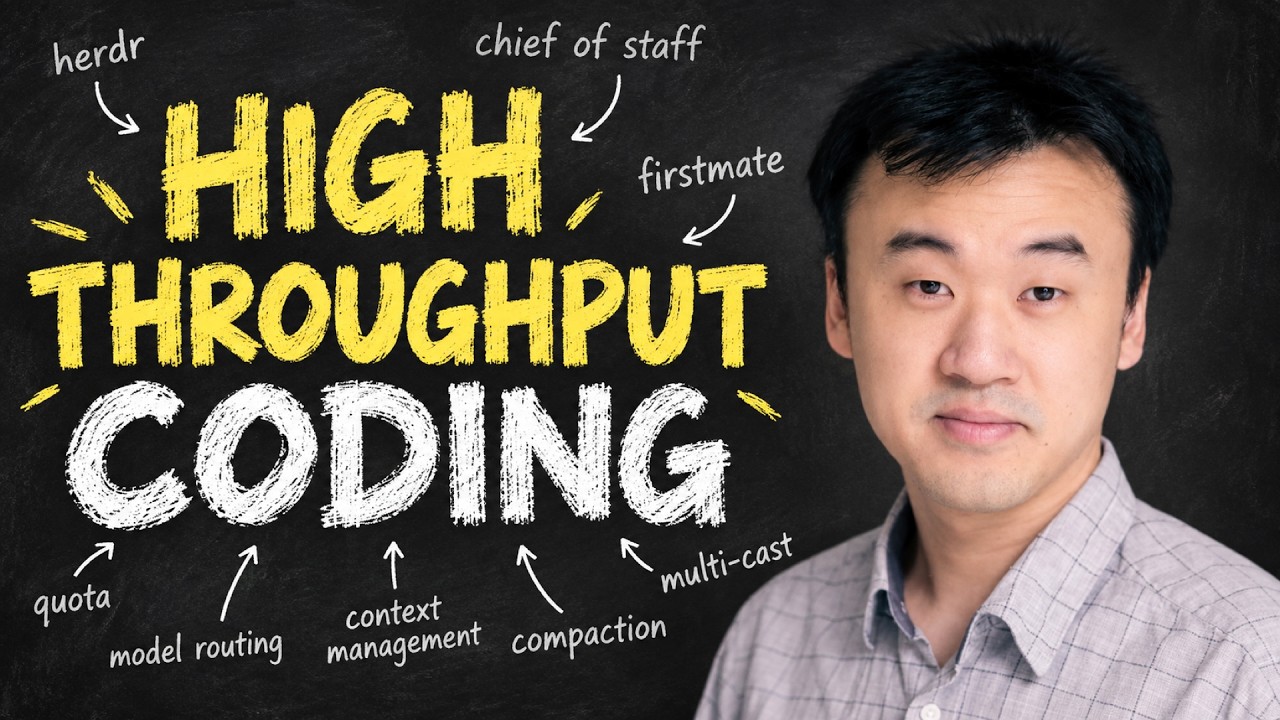
Kun Chen · @kunchenguid
This video has no Most replayed graph yet: YouTube shows one only once a video has enough views. These are the moments viewers replayed most in Kun Chen's most watched videos.
Most replayed moment at 11:27
3.3x that video's typical replay level
and should be applicable regardless of which model or harness you use. The problem with this crewmates is that they are fresh recruits, and they have no idea how we run our ship or how we like to work. We need a proper onboarding process
Said at 11:20
Most replayed moment at 1:47
2.2x that video's typical replay level
declarative and reproducible configuration system primarily designed for Nyx OS, which is an operating system based on Linux. But you don't have to use Linux to use Nyx. People
Said at 1:42
Most replayed moment at 7:15
4.7x that video's typical replay level
AI can do their job. This is AI becoming a more important strategic priority, and not everyone has the right skill sets to contribute to it. But do we also see people who are actually replaced by AI? Yes, we do. This was a real story from
Said at 7:08
The graph counts replays. It does not show where viewers stopped watching.
Words
9,682
Runtime
53:57
Speaking pace
179wpm
Reading time
40min
179 words per minute, just under the 181 median of 349 measured videos. That distribution comes from the 349-video hook study.
Opening (first 30 seconds)
Hi everyone, or should I say hi captains. Many of you might have already watched my previous videos because they got more than a million views. If you haven't yet, my name is Kun. I was an L8 principal engineer previously at Meta, Microsoft, and Atlassian. My previous videos shared a lot of the basics about agentic engineering. So this time I'm hoping to share a more advanced workflow focusing on high throughput multitasking through a large number of agents. I'll walk through it by just showing you how I
90 words, the words spoken in the first 30 seconds at 179 words per minute.
Free, no signup. See how the first 30 seconds hold attention, with rewrites.
Sentence shape
| Measure | This transcript |
|---|---|
| Sentences | 733 |
| Average words per sentence | 13.2 |
| Longest sentence | 126 words |
| Questions asked | 51 |
| Sentences containing a number | 21 |
Most used terms
Filler phrases
1,290 in total: uh 798 · um 254 · like 102 · actually 61 · basically 28 · right? 27 · kind of 15 · I mean 2 · literally 2 · you know 1.
A literal whole-word count of the same phrase list the Prepublish browser extension uses, so a phrase inside another word is not counted and a phrase used in its ordinary sense still is. It is a count and not a judgement.
What this transcript is
Every word below is the caption track YouTube publishes for this video, pulled from the video itself and reproduced unchanged. It is not Prepublish's writing, not a summary, and not a re-transcription: it is the video's own published captions. English captions, generated automatically by YouTube, in the video’s original language. Source: the video on YouTube. A channel that would rather this page did not exist can ask for its removal through the contact page, and it is removed.
Hi everyone, or should I say hi captains. Many of you might have already watched my previous videos because they got more than a million views. If you haven't yet, my name is Kun. I was an L8 principal engineer previously at Meta, Microsoft, and Atlassian. My previous videos shared a lot of the basics about agentic engineering. So this time I'm hoping to share a more advanced workflow focusing on high throughput multitasking through a large number of agents.
I'll walk through it by just showing you how I get some real work done. Let's jump in. As always, we will start with a clean terminal. And the first thing I'm going to launch is Herder. Herder is basically my new T-Max. Uh it's a multiplexer. It manages all my agent sessions and allows me to easily navigate between the sessions. You will see that in a bit in this video. And then I'm going to go into my first mate directory.
Uh if you haven't heard of first mate yet uh it is a open source project that I created uh it's got quite some popularity uh a lot of people are using this. This is basically my workflow. First mate is the essence of my workflow and uh the core idea is that uh I only talk to one agent which is the first mate and the first mate will orchestrate all the other agents for me so that I don't have to juggle between all the sessions and context switch all the time. uh is first mate doing that and you will see that in a bit.
Um the way to set up first mate is super easy. You just just clone this repo and launch your agent in this repo. Uh so now that I'm in the first mate directory, I just launch my agent. Uh I use pi. Um I I use both pi and cloud code. Uh I basically use cloud code for whenever I want to use an anthropic model uh like opus and fable. And I use pi for everything else because pi uh basically it can use any other model. Uh allows me to switch between models very easily as well.
Uh I actually um right now I'm using grock 4.5. Um right now uh as of this day um Grock 4.6 is already available but I actually like 4.5 better because Grock 4.5 is uh faster and more efficient and more straight to the point. Uh 4.6 is a little bit like Opus 5. uh it's got uh this weird uh personality where it doesn't quite speak uh like a human. Um so I like 4.5 better. Uh and that's something I recommend in general that when the new model comes out, don't assume the new model is always better than the last.
Uh just use it for a bit and get a sense for how the model behaves uh by yourself and uh look at how other people have summarized their learnings as well. Uh so yeah, this is first mate and this agent session is where I literally do everything. All my projects, all my tasks, I just use this single agent session to do it. And maybe to show you what that looks like, I'll just ask first mate list all the projects that we manage through this fleet.
Um yeah, and you notice that I use voice input by default. Uh and that's how I work. uh voice input is just faster than uh typing uh most of the time like this kind of natural language prompts. Uh the only case where I don't use voice is when I have to um type a URL or something like that. Yeah. And you can see first mate has already listed all the projects that I currently manage through first mate. Uh it's a lot of projects.
Uh right uh this is like how many 36 projects in total. Um so this is uh I do everything uh across these 36 projects. I do a lot of tasks. Uh most of these are open source projects that I uh published. Some of them are private projects as well. And I do everything just through first mates. And to show you how I do that, uh maybe I just like walk through some real tasks. Uh the first thing I probably want to do is u this project called backpass.
Um backpass is a um tool that you can use to help you improve your agent um agents.mmd or cloth.md. The way this tool works is that it will analyze all your agent sessions in the past and use that to detect what can we improve about your agents.mmd and cloud.md so that your agents can work better next time. Um, and this tool uh I'll probably do a dedicated video about this in the future. Uh, but right now I just want to do one improvement which is uh something I'll just tell first mate.
Hey first mate, previously we planned an idea for backpass which is to allow backpass to collect agent sessions across multiple remote machines. Um uh I think the plan is already there. Can we pull that out and then dispatch a crew mate to work on that? All right. Uh so that's how I uh ask first mate to do one task. Uh and first mate will look into um the projects uh and figure out which project this is about and how to uh find the previously um already made plan and use that to delegate to another implement uh agent to do it.
Um you will notice that um first made agent is already working. Um but we don't see any tool calls. We don't see anything in in this uh pi agent terminal, right? Um and the uh and the only thing we see is this little boat uh that is like floating around and sometimes the agent uh chain of thoughts is showing up as well but it quickly get dismissed. Um this is done by a custom PI extension that I built. Uh uh it's uh it comes with a first mate repo.
Um and the reason I do this is that I really don't need to look at what's the agent is doing. It's making all those tool calls. It's reading files. It's doing this and that. um I don't actually need to know that most of the time those things are distractions and noise. Uh so I built this uh little custom uh extension called com uh com um and this calm uh command in pi will basically allow me to hide all those noise and just show this little boat that I uh can allow me to know the agent is working.
It's not stuck. Um, if I do want to see uh what's kind of tool calls were being made, I can just type uh com uh slashcom to toggle uh this uh details. So now I can see, oh, it's making this tool call. It's uh spawning a crew mate, right? Um so yeah, that's what the agent is doing. But most of the time I just turn on com mode and I just uh uh don't need to look at all those noise. Um and then that allows me to focus. that allows me to actually think about what do I actually need to do next, right?
Uh so that's what's important in not looking at the tool cost and everything. Um so one thing I do want to uh show here um okay uh first mate said uh it's found uh the plan and dispatched it. Um so now we can see there is a crew mate here uh right uh in the left hand side panel uh where we can look at all the uh sessions all the agents. Uh we can see here there is a backpass SSH u this is basically another terminal tab uh where u another agent has spawn up uh and it's running opus 5 uh it's got the requirements and it's now building the thing uh it's building uh what we uh what I asked this is basically a crew mate uh that's spun up by first mate earlier um and the reason uh we're using opus 5 here is that uh if we look uh if we toggle com mode off uh and Let's see if we can find the uh previous uh tool calls.
Um we can probably see that um before first mate decided to um launch the crewmate, it caught a few things. It called this quotota axi uh and it used a skill called quotota array dispatch. Uh this is something that's really important. Uh and uh that's why I want to talk through this. Um, first mate, uh, when first mate is about to dispatch a crewmate to do something, it will look at a bunch of rules to decide which agent and which LLM to use for that crewmate.
Um, so let me uh turn this back off and uh let me show you and let me go find the config file. Uh, it's a config file in the config directory called crew dispatch.json. Um, this is my dis uh dispatch rules. You can configure yours. Um, and I actually don't write this rule file by by hand. I ask first mate to uh do this. I just tell firstmate what my preferences are and first mate will configure this file for me. Um, and the rules uh we can look through this for new feature development work on uh this iOS app that I I have always use Fable.
Um, Fable is like really good at building good UI. Um, and this iOS app actually uh is a paid app. I really want to make sure it's taken good care of. Uh so I use Fable for that. Um and the task requires uh generating images. Uh if it needs images then I use codeex as the harness and then GPT 5.6 soul. Um codeex has a native tool for generating images because openai has the uh image generation model right. Uh so I use codeex to do that.
Um there is also uh when the task is technical product design architecture um or planning work that is like genuinely very difficult. Uh so it's a difficult planning work. I use fable I use uh Kim K3 I use Astra. Uh so I basically allow these three models to do this kind of very complex and ambiguous planning for me. Uh and there's like Y as well. Uh so it helps the model uh make the decisions. uh and then if the task is a simple bug fix uh whose root cause and expected behavior is already well defined then I use Luna I use Sonnet I use uh cursor uh Gro 4.6 um and then the default if uh a task doesn't fall under any of those rules then the default is uh claude opus and uh this uh cursor and gro 4.6 six high.
Uh so that's basically my uh rules for how I dispatch uh the crewmates and uh when you see I have multiple models defined here right so when uh this rule matches there is three models that's uh available and when this happens uh the first mate will look at which uh model has the most quotota available and choose the one that has the most quotota. So I'll show you um how I look at my quota as well. I use this tool called quota axi.
That's another project I built. Uh it can give us um this data uh where I can just easily monitor how my quota is doing. I have a subscription from cloud. I have a codeex. I have a cursor. I have a gro as well. Uh and this is where they uh sit currently. Uh I actually took a vacation right before this and I have a ton of kota available uh which is awesome. Uh so I can build a lot of stuff and this quotota axi is actually um this TUI is for human but uh the default COI is for agent to use.
Uh so first mate will call quota axi to get access to all my quota information and use the model that has the most quota available so that I don't waste any quota. Uh so this is like really useful because otherwise I have to constantly look at this myself. Um and with like people like Tibo constantly resetting codeex quota it's really hard to keep track of that right uh so that's why uh I use uh this um way uh left first mate to manage all this dispatching for me uh and first mate for this case uh it decided to use an opus 5 uh so that's why uh it launches uh this opus 5 crewmates uh under this uh first mate structure um so I yeah I don't actually look at the the um crewmates um most of the uh I just think about what I want to do next.
Uh there is another project um that I want to uh make some improvements on. Uh I'll show you. There is a project I recently built. I really uh find quite interesting. Uh it's called Fry with Me. Uh and this project uh is a uh it's a game basically. Um and let me show you. Uh I'll launch a new seed. Uh it's basically a game, but it's kind of uh it's something to help me relax. I I I usually put this on my uh second monitor uh when I'm coding and it's just like uh I'll turn off sound.
Uh it's just like a really relaxing uh bird that is flying across the world. Uh and this whole world is u procedurally generated. Uh so it's always different. Uh and I can just put this on a second monitor and like uh keep focusing on my work. Um, so the thing I want to do with this uh with this game right now uh is that I want to improve some of the visuals uh in this game. Uh so I'll just go back to um my first mate and say uh tell first mate some of the ideas.
Hey um I want to make some uh improvements to uh fry with me. Uh I have three ideas. One is that I want to prototype uh some better looking snowy mountains. Uh so when there's a mountain with snow uh right now it doesn't look as good. Uh I want to prototype a few really goodlooking uh mountains um that we can uh render. Uh so that's one. Another idea I have is that uh at night right now uh we just show a uh night sky.
We have the Milky Way which is good. Uh but I also want to have northern lights. Um they should show up kind of rand randomly. uh not always uh but uh they should look like uh realistic northern lights. Um the third idea is that right now there's only one bird and we cannot choose between different kind of birds. Uh I want to prototype uh a few different kind of birds that people can choose. Um so yeah for each of these ideas I want you to um prototype three different variants.
Uh so I can choose uh which one uh I like. Um and uh once the prototypes are ready, uh ask the crew mates to give me uh that in lavish for me to review. And each idea should be done by a fable crew mate uh in parallel. All right. Uh so basically I gave a long ramble of uh ideas that I have. Uh I like to do this a lot. Um and you can see I asked for prototypes. Um and I asked the prototypes to be given to me uh through lavish which we'll look at uh in a bit.
Uh it's a really good way to visually validate uh the ideas and just pick uh very easily and give feedback as well. Um and I specifically asked for fable uh because uh the reason uh was like uh I was looking at the quota, right? We have a whole bunch of fable quota available. Uh so why not uh use that? Uh so I use fable uh to do this prototypes uh and uh they usually uh can give really good results. Yeah. So um this is basically uh while the previous backpass uh task is still ongoing uh the crew mate is still working on that. uh I just keep giving more and more ideas to first mate and first mate uh is not uh because first mate is not the one that's actually doing the work uh it's always available to talk to me uh and whenever there is some more work uh first mate will just spin up more crew mates to do that and then come back to me uh and I can talk to it as well um if I have more like more ideas although first mate is working like this boat is still moving uh that's saying like first mate is working I can just keep typing more ideas here I can just talk to first mate type more and more prompts and kill those prompts.
All right, so I don't actually have to wait for first mate to uh finish up or anything. Uh I just keep giving more and more prompts. Um and that's how I uh work with first mate uh to like get a lot of tasks spun up in parallel. Um something else that I also uh like to do is um when I work through so many projects, there's usually a lot of decisions that were previously discussed but haven't been made. Uh right. Um and and sometimes it's really easy to like lose track of which things we talk about that have been done versus have not been done yet.
Um in first mate there is a built-in skill called bearings that can do this. Uh this will basically allow first mate to collect a snapshot of all the uh active tasks across the fleet and give me a snapshot. Um but uh the default bearings will give me that uh in the terminal. Uh which sometimes is like a little bit hard to read. Uh so I actually have a variant of that called bearings lavish which will get first mate to give me that report in lavish.
Uh so I'll just show you. Um I used the follow-up prompt to cue this uh right u behind the current actions. Uh so first mate will not run this yet. Uh it's queued as a follow-up. So only when first mate has done the current set of actions then it will uh do the follow-up prompt. Uh so this is a good way to make sure first mate is not being distracted uh it's actually doing things one by one. Um if I need to uh actually steer first mate uh to do something I can also steer instead of follow-up.
Uh so followup I think is alt enter and steer is just enter. So if I type a prompt and enter it will become a steer that will immediately send to first mate. Um that's a PI feature actually. Um and uh it's very handy to have a distinction between follow-up and steer. Um so we can see here first mate has spun up uh backpass this crew mates um and [clears throat] three uh other fly something crew mates right these are the three ideas uh that I asked um just now and first mate is just finishing up uh dispatching all the crew mates uh and we can check right it's using fable uh so just as we asked u that is something that's very useful is like I can specifically ask for a certain uh agent harness or a certain model to be used uh for the task task that I uh am about to do.
Um this is useful when I have some opinion or judgment on what is the right model. Um and um yeah uh for different tasks I can just easily uh get the right model to work on them. Uh and right right now uh first mate said all those three um fly with me prototypes uh underway. Uh and now the follow-up prompt bearing stavish uh just uh got sent right. Uh so that's how a follow-up prompt work. All right. First May just brought up this uh lavish uh report um this uh bearings report in lavish um and it's a really uh nicely structured um like uh interactive HTML that has uh what's uh what's charted next uh what is currently underway.
Uh these are the things that's already happening and uh what's recently landed at the top there's like all these captain's call these are the decisions I have to make. Uh so let me look through this. These were usually like things that were previously discussed uh and haven't been done. So uh it's good to u make a decision on. So there's a workaround for lavish onboard. Uh this one yeah I remember this one but I don't want to do that right now.
Uh I just decide claude exit confirm dialogue. Uh this is for first mate. Uh and uh Claude recently introduced a new dialogue where um when you try to exit claude when some background tasks are running uh it will show up a dialogue that blocks the exit which is really annoying. Uh so I think we actually have to do this uh treat as non uh non wedge. Yep. Uh this le props up sub uh yeah this one I remember I I don't want to do that right now.
Um uh and I'll just look through like all these decisions. These were usually like things that we previously discovered. Uh herder missing end points recreate. Yep, that's a bug. Uh keep refuse escalate. Um yep, that's the right behavior. Uh URL wrap. Uh this is for the ship app. Um and this is a bug uh will uh we'll fix now. Uh ship a follow-up. Um this is a another improvement for ship uh for a uh first-time user experience uh to teach user about the multiplexer.
Uh this is quite complex. Uh so I'm going to keep that held uh and discuss that a little bit deeper. Uh this is the diaglide banner. Um yeah, this one I actually want to build now. Uh so I'll do that. Uh design kit mock removal. Yep, I remember this one needs to be done. Uh I'll decide as well. Um yeah, you can see there are quite some decisions, right? Uh because I'm walking through a lot of different projects and uh these projects as I walk through them uh I usually have like a lot of discussions with first mate and some of the decisions I just haven't made.
Um so uh it's good to have this like first mate keeping track of that for me. Um dial nested fan editor. Yep, I need that now. Um what else? Drag into group. Uh yeah, this is uh where like um users can customize uh the dial in the ship app. Um I will do that later. Um so okay, so all the decisions uh we have recorded uh the follow-up. Uh so I'll just send this back. Yeah, we can see here this working spinner. That means uh the feedback uh was sent back to first mate.
Uh and uh I can actually just end the session now. Uh if I go back to first mate, yep, first mate is now um having a boat. uh which means first mate is working. Um so it's likely that first mate just received the feedback and is now acting on them. Uh we'll give first mate a bit of time to see uh what first mate does. Okay, here we can see uh first mate just got back to us. Uh it said um the uh the four uh decisions about first mate uh is listed here.
Uh actually there's like nothing needed. Uh the one thing I decided to build was actually already released. It's already in the codebase. Um so uh ship uh we decided to um build this now build this now and fix that and prioritize this. Uh so there's a lot of work on this ship project and we can see um the work is actually being routed to this uh second mate. We can see there's a crew mate under here that's uh currently running.
Um second mate is basically a way to scale up uh first mate's charter. Um so you can see as we give more and more tasks to first mate uh we already have four tasks right um if we keep giving more and more tasks um to first mate at some point you will realize oh first mate is like way too busy uh because it's always orchestrating those tasks and have no time to even talk to me um so at some point you will have to scale up and this is uh what I did I basically created a whole bunch of second mates to own different domains um of the charter so these second mates uh ship uh owns everything related to this ship app.
So every uh piece of work that's on this ship app will get routed to this second mate. So first mate doesn't have to orchestrate all that. Uh it can just send the ask to this second mate and the second mate will do it. Um and we can see here first this second mate is already has already spun up this crew mate uh for the URL rep bug fix. Uh there's a few more that will likely be spun up soon as well. Um, every second mate is actually a first mate by itself.
Um, so I can actually just go into this second mate and see what it's doing. Uh, I can talk to it just like a normal first mate. Um, and uh, maybe uh, let me show one example. Uh, this is uh, a second mate for the Edis wallets app. Uh, this app was the app I built in my last video. This app is actually already released in the app store. U, but I actually forgot uh, which features got in versus not. So, I'll just ask uh which features have already landed that's not released to the app store yet, right?
Um so I can just talk to this second mate. Every second mate is also a first mate. Uh so it will manage its own crew mates. Uh it has its own memory and uh instructions and everything. Um so I can just talk to it. Uh I can also talk to it through first mate, right? I can ask first mates the same question here and first mate will route the question to that second mate uh whenever appropriate. Most of the time uh I actually go with the easy route where I just talk to first mate.
Yeah. So this second mate is now uh trying to answer our question uh and we can let it do its work. Um and you can see here um there is a local versus mini. Uh this is a herder feature. So Herder has the ability to manage all the agent sessions across multiple machines. Um so this mini is my Mac Mini uh which is uh uh actually on my shelf right now. Um it's running headlessly. Uh so I don't connect any monitors or mouse or keyboard to the Mac Mini.
I just let it run uh headlessly. And this mini actually manages a lot of uh have a lot of second mates running on it. Uh so um the mini has the second mate for first mate development for ship for Eddie's wallet for axi for uh there's a default one as well. Um so the mini uh has uh basically more hardware resources than my MacBook. This current local machine is a MacBook. Uh it has uh a little bit less power uh than what my mini has.
Uh so I assigned a lot of domains uh to the Mac Mini uh so it can do more work. Okay. Uh there's actually a lavish board that's just brought up to me. Um and we can see it's the bird kinds for fly with me. Uh this is what I asked earlier, right? Uh and it's done by Fable. Uh so now it's ready for review. Um it's really nice to have this lavish uh interactive artifact. You will see um the current bird, right? This is the current bird.
It took screenshots so that I can see what's the current bird looks like. Uh and board soaring raptor. Okay, this is the prototype, right? So, this is a new kind of bird. Uh, and it's giving me this preview. Uh, this is really nice. Uh, I I really like um looking at this previews. Um, so I actually like this one. Uh, this this is okay. Uh, what is this slender swallow? Uh, what is a what is a slender swallow? I I don't know either of those words.
Um, but uh it it looks nice. Uh, it's okay. This one I probably will also keep. Uh there is a large ocean glider. Okay, this is just like the current one, right? Like it's uh a little bit different but very similar. Okay, there's a long necked crane. Oh, cranes. I like cranes. Uh they are good. What is this soft night owl? Wow, it has so many prototypes. It's done a lot of work for us. Um so, okay. Uh so there's an owl.
I kind of like this owl as well. It's like round and cute. Um, so, uh, what do we need to look at here? Each kind closer. Okay, closer. Uh, okay, that's closer. Um, it actually explained, uh, like the key features, um, of each, um, bird. Uh, that's really nice. Uh, but I think I already like have seen enough about these birds to know what I like. Uh, usually at the bottom it will list uh, the decisions for me to make, right?
So, recommendations. Uh, carry forward, carry forward. Uh oh, it actually um it actually recommended to iterate before deciding um okay so uh let's pick right um current bird uh current birds we don't need to do anything right um broad this raptor yes uh the swallow I uh I I like it um the glider uh the glider is kind of like uh the same as the current one so I'm not going uh want it. Uh I need the crane. I need the owl.
Okay. Uh so yeah, these are our decisions. And we'll just kill this uh and send it back. Uh I'll just say like uh let's build uh the birds we decided. Okay. And send it an end. And that's it. That's my feedback back to Fable. and Fable um that crewmate who uh prototyped this should uh receive my feedback about which birds that we wanted to forward. Um and uh that's it. Uh so that's the um only thing we had to do with that prototype.
Um we can see here uh ship has already spun up three ship crew mates, right? Uh working on three things in parallel. So right now how many do we have? We have one, two, three, four, uh five, six, seven. We have seven crew mates working in parallel. Um, and we can keep giving more. Like first mate is idle right now, right? First mate is not doing anything. We can just keep giving more ideas. Um, I uh that's what I will typically do.
I just keep giving more and more. Um, and this edi wallet just answered our question as well. The second mate, uh, it landed since this not released. Uh, there's a few Okay, there's a few new userfacing features that's landed but not released. Uh, auto pay local. Oh, these are not released yet. Okay. Uh yeah. So now I can decide uh do I want to like release those features. Uh but I'll probably put that aside for now.
Uh we have enough uh to like work through here. Yeah. So while we wait for these current uh work items to uh finish, uh something I want to show you that's really cool uh is that uh I have a Discord channel here uh built with We actually have a lot of cool people uh in this server now. Uh there's a lot of people online and uh I think there's like more than a thousand 2,000 people now uh in the server. Um so um we have um like constant discussions about first made about uh models and harnesses uh as well.
Uh it's a really cool community um and if you uh want to build with agents uh you enjoy discussing like tips and tricks with others uh this discord server is a really good place. Uh but the thing I want to show you is like uh I have this bug reports channel uh that I usually come here uh to look at what things uh I should be fixing. Um let me see uh what I haven't looked at yet. Um I think this one I um probably haven't looked at yet.
So this one uh what is this? Um [clears throat] uh it's a treehouse. Okay. Treehouse is another project I have. Uh and uh it's a bug report saying this uh hook is not firing. Okay. So uh it seems there's a lot of debug information already available. So something I will show you here is that I can actually add my first mate. Uh so I can just uh there's a bot here. Uh that's my first mate. I can just ask my first mate uh to uh investigate this, right?
Uh so I can just uh add my first mate here. And this bot is actually relay uh relaying this uh message back to my actual first mate here running this local session. Uh so this uh boat that's moving is likely uh from that mention. So u I can just like basically summon my first mate uh this single agent session that I have from different places. Uh I can right now it supports discord and uh x as well. Uh maybe I can also show you that.
Uh so on X uh I also sometimes uh when people report problems uh right so this uh uh a person reporting something uh saying confused by settings send feedback uh in this ship app uh okay so here I can also just uh add my first mate uh right and say uh let's improve uh this confusing uh message. All right. Um, [clears throat] yeah. So, this at uh this mention will also get relayed to my first mate session. Yeah. So, now if we come back to this Discord thread, uh we should see first mate reply uh very soon.
Now, yeah, it just replied uh I captain looking into the treehouse predestroy hook uh not firing on destroy. Uh we'll report back. Yeah. So now if we come back to this X thread, uh first mate also replied uh saying I captain clarifying that send feedback version message. Uh right. So uh that's really good. Uh this is just like how I uh work across different surfaces. It's so nice to have all these messages from all these different channels and surfaces all funneled into this single agent session.
Right? So this first made agent session literally holds all my intent and all the context across every project that we have. Uh so it can play a really good role in coordinating across everything and orchestrating all the crew uh to get things done for us. Okay, while we wait for um the other crew mates to come back to us, uh maybe one thing that I want to uh quickly talk through here is the context window. Um so here you can see um the Gro 4.5 uh the default context window limits is 500k tokens.
So here it says we already used more than 40% of that. Um and a lot of people ask me um whether uh they should u manually manage this context window and when they should compact when they should reset uh and everything to keep uh the context window uh efficient and optimized. Um so my take on this is that there's a lot of things you can do uh to manage this context window and optimize that and get some savings. Um, sometimes you can get the agent to use less context to do the same things uh and get things done with less cost.
Uh, sometimes you can also um uh optimize this uh so that the agent is a little bit smarter because uh if you have a lot of context loaded, it can degrade your agent's performance as well. Um, so there's a lot of things you can do. Um, but my take is that I actually advise against uh managing that yourself manually. The reason is that our most precious resource right now, the biggest bottleneck across everything we do with agents is our attention and time.
Uh our human attention and time. So uh if you use your mental bandwidth to deal with this like little optimizations here and there, then you don't have enough time and enough uh energy to think about what should we build and that is actually the most important thing. Um so I actually think you can just waste a little bit. It's okay to not be optimal about everything, right? Um there's um there's going to be tools, there's going to be things that will help us manage that automatically.
Um and uh eventually things will just catch up and those features will get built into the harness and we don't have to worry about that anymore. So right now uh I actually suggest what you do is that you set a constant threshold. Um so 500k for grock is actually a very reasonable threshold. Um for codeex uh for cloud uh cloud code may be a little bit different uh because cloud code uh has a default of 1 million tokens as the context window limit.
That is a little bit too high I would say. Um so uh cloud code uh there's different settings. I think there's a environment variable you can set to uh limit your context window size. Uh let me see if I can find it actually. Um I have that in my dot files. uh files uh if I search for auto compaction uh yeah so this is the environment variable you can set cloud code autoco compact window uh and I have that set to 500k um so that means every time the session reaches 500k tokens it will automatically compact um and that's all I suggest right now um you just set a threshold that allows the agent to automatically compact uh the session so it doesn't become too expensive and too uh inefficient.
Um otherwise just forget about it. Don't think about the context window too much. If your brain is thinking about the context window all the time, you don't have enough time to think about what to build. Um so I want you to optimize your time and attention on what is the right thing to build because that is the most important thing. If you do that right, you will get back much much more value than what you can save with this little tricks.
Uh I hope that makes sense. Oh, and here uh actually first mate reported uh the treehouse finding right. So uh treehouse investigation is done. Finding is here not a destroy bug. Uh real defect is hooks uh intentionally discarded for safety. What? Uh and that drop is silent. We dropped hooks. Uh okay. Oh, so hooks in the repo is being discarded. Uh destroy never run. Keep ignoring repo hooks. Uh I now remembered that is a security thing.
Yes. Um so emit a one-time warning. Um okay. Uh yes. Uh let's ship the warning fix and also reply uh to that Discord thread uh for what is happening here. Um yeah so uh we'll do that uh and that is the closure for the treehouse uh buck report. Um so there there's a lot of bug reports coming in discord uh in GitHub issues. Uh I just funnel them all into my agent session uh here in the first mates and that first mate helped me do the investigations uh and all the stuff.
Uh I didn't even have to look into the crew mates that did the investigation here right uh so that is the benefit of first mate. I just talk to first mate and first mate will orchestrate everything for me. Uh I don't have to like actually juggle between all these sessions. uh how many sessions like we had like uh I think at some point we had nine sessions or 10 sessions and most of the time I don't really look at any of them.
Oh, first mate gave another update. Uh so um there is this uh treehouse warning fix is dispatched. Uh discord update is posted. Um fry with [clears throat] me bird clients merged. Okay. Uh if you missed it, I did miss it. Uh so there's a PR and we can see uh this PR didn't even ask for my review. Uh and I'll show you why. um is because uh I told first mate to do do that. Uh I'll show you the rules. Uh so in first mate uh I think it's in config uh config or in data in data um projects uh MD.
Uh so in this project MD there is a policy being set on every single project. Uh so if I search for fly with me uh this is uh policy that I set is called direct PR plus yolo. Um so this basically says first mate you make your judgment calls on this uh and every change should raise a PR um without going through no mistakes uh and just yolo merge if it looks good. Um so this is for projects where uh I don't think uh an a problem will actually cause any harm uh because this fly with me uh project is just like a toy u no one is actually depending on it.
So yeah so you can see every project has a different policy here uh for most of the project I have uh I have no mistakes on uh and uh some of them have yolo some of them don't have yolo. The ones that have YOLO on is usually the projects where a code change will not get released immediately. Um and we have a chance to test them out before we uh release them. Uh so yeah, this is where um the policies are being managed and you can tell your first mate as well which projects actually need no mistakes, which projects actually uh need your eyes before merging a PR.
Um so this is very um helpful for managing different levels of uh guardrails. Uh not everything need no mistakes. Not everything need uh a uh human review. Uh depending on how high stake that is. Uh and for no mistakes uh for those of you who are already familiar with that no mistakes uh is a very strong validation pipeline that will do adversarial review and uh make sure the code change is really safe to merge. Uh that takes a long time and use a lot of tokens.
So I don't actually always use no mistakes uh for every change I do. A good way to think about this is like for this code change, would you have asked a another human to review this code? Uh if you would not have have another code reviewer, then you probably don't need no mistakes. Um if the code change is risky and high stake enough that you would otherwise ask a human peer to review, then it's probably worth uh activating no mistakes to make sure that's really good.
Um, and I'll probably like show you an example of a PR that's merged through no mistakes for you to see what that looks like. Um, there's actually another uh ship uh change that's landed as well. Uh, the design kit mock removal. Uh, good. That's good. Um, I think we just had another uh lavish artifact ready for review as well. This is the snow capped mountains uh that I asked for. Uh, I'm very excited to look at what this looks like.
Uh, what the snow does today. Okay. Yeah, I don't need to know that. Uh yeah, today uh it's good to uh for you to see that it's uh like this and it's not like very mountain uh looking, right? That's the reason I asked for a better snowy mountain. Uh Fable Fable is like really uh careful here. It's like done some calculations and everything. Uh and it's it's got a good like climate model. Uh interesting. um three shading studies.
I did a lot of studies. That's why it took so much time. So there is this like painted alpine. Okay. There's this uh story book cap. Okay. Ah interesting. Uh uh there's this glacial jade. Uh how's this different from the other ones? It looks like kind of similar. Uh and uh what's this? Carved peaks. The terrain study. Oh. Okay. Uh oh, this looks good. Uh this is uh like it'll go above the cloud. Uh that is also nice.
Uh compare. We can actually um preview these different uh variants. This is so nice. like um uh it's just really good to have this visual uh validation for what this is actually going to look like. Uh it's a really good way to discuss prototypes. Um I actually quite like uh these curved peaks. Uh this uh look pretty nice. Um but I don't uh want to accept this just yet. Um I think I actually want this uh the mountain peaks to look more like Mount Everest. that kind of mountain if you know what I mean.
Um so I will uh give some feedback here. Uh this is mostly good. This is a good improvements. Uh but I actually want the mountain peaks to look more like Mount Everest. Uh can you go like find some uh photos of Mount Everest uh and K2 um those mountain peaks and try to get our uh mountains to be closer to that looking All right. Uh, so that feedback goes back to the fable crew mates. Uh, so that's my feedback. Um, and let's, uh, come back here and we can see, uh, treehouse warning fix, uh, is also underway.
Maybe one thing I'll show you is like, uh, you can see like we went to the lavish artifact to review stuff, right? Uh, and while we are reviewing, uh, the first mate has already like printed a lot of information. Uh, right? It's got so many things. uh and across this whole session, did I miss something, right? Did I actually look through everything First Mate told me? It's really unclear. And this is where the chat UX is a little bit limiting.
Um so what I have here is like in First Mate repo, there is a built-in skill called AOY. It's just a really good way to catch up on things. Um so a Hoy basically tells First Mate to summarize what First Mate has told you since your last message. and uh also pull out any open decisions that you haven't made yet. Right? So uh here we can see uh it uh told us uh it's landed uh this bird kinds uh this uh mock removal uh there's a bunch of things still underway uh and there's still some things waiting for me.
Uh and these things uh I actually directly gave feedback uh to the crew mate. So uh it should be okay. Uh there's an open call uh snowy mountains. Yep. Uh so um the uh the reason uh first mate doesn't know we already made a decision on snowy mountains uh I already gave feedback uh to uh the crew mates is because I gave that directly through lavish and that goes straight to the crew mates and doesn't uh go through first mate uh so first mate thinks uh it's still open uh which is okay um and uh very soon the crewmate will give an update and first mate will catch up as well.
Uh so this is basically a good way for uh me to get a sense uh did I miss something? Is everything okay? Uh just a hoy and I can just keep spamming a hoy. It's a very cheap uh call. It's this skill doesn't cost too many tokens. Uh it's basically a summarization across the previous session. Just uh make it a lot easier uh for me to um keep uh getting a very clear sense of what is the next step. Yeah, I think for now I just want to wait for at least one PR that went through no mistakes pipeline so I can show you what does a PR that went through no mistakes uh and has done the more rigorous validation looks like.
Uh it's very different from the YOLO PR that we merged earlier. Oh, here we can see something interesting is happening. the treehouse warning fix. Uh it's already validated uh pushed to this commit but we couldn't create a PR because GitHub seems to be returning internal server error. Um so first mate received this update and it basically authorized a retry asking the crew mates to just try again. Uh it seems it's healthy now.
Um and gave me this updates and I didn't have to do anything. Um I didn't uh I may not even be looking at this message right now. So this is one of the values that you can get from firstmates which is that it's an orchestrator that will take care of these things for you. So you don't have to worry about oh there's a GitHub error and uh I need to retry. You don't need to think about that. First mate will just take care of it.
Okay we have a new lavish board to review. Uh let's take a look. Um five kinds. This is a followup uh on the five birds. Um I think yeah so it's figuring out how do we let people choose the birds uh and it proposed uh all these different colors as well. Uh so each kind of bird can have many many different kind of colors. This is pretty cool. Um okay. Yeah. Looks nice, right? Looks really nice. Um okay. So this is pretty straightforward.
I would say we just do it. Um the word opens. Uh oh. How how does it open? Okay. Um I think that's pretty straightforward. Yeah. Um let's see what decisions do we have. Oh, it's even made sure um the UI will work well on the phone. Um that's very thorough. Uh cool. So decisions, recommendations, uh decisions for the captain. What does the corner word do? Uh, opens the strip. Yeah. Uh, grouped by kind on colors first.
Keep cycling kinds. Yeah, I think we should do a Yeah, just a straightforward chooser. Whose colors fly when nobody chooses? Each kind has its own color. Yeah, that's good. Uh, what should be promoted from this scout? Uh we want uh I want to build this um and together with the list under Yeah. everything. Okay. Uh send it back. Let's build it. Uh oh, another board, the Snowy Mountains. Okay. Uh that's also ready for review.
Okay. So, it looked at some real photos of uh Mount Everest, right? Uh that's what I asked. And it's got these reference images. Uh it like this made sure the agent actually understood what I mean by like goodlooking mountains. Um so this is um good. Uh so uh okay. Uh oh yeah, this is starting to look better because it's got like the rocks and um the snow. Um Oh yeah. Um okay. What else do we need to review? Um, okay.
So, these are the previous variants, right? And I think, uh, the agent just introduced this new variants D, uh, here. Uh, okay, cool. I think this is better. Um, so let's probably make a decision on this as well. Um, compare. Uh, okay. Let's see. Uh, I think the variant D is the new one. Um, and yeah, I think it's like better than the other ones. Um, so let's do it. Uh, let's do it. Let's do it. Um, D. Wait. Uh, yeah, it's just straightforward D, right?
Uh, okay. Let's just choose D. Should the mountains themselves change? Uh what? How does the mountain change? Pyramid peaks as shown. Uh taller. Yeah, I do want the shapes to change. Uh taller and sharper. Um okay, cool. That's it as well. So yeah, this is basically how I make decisions. uh the agents will bring these decisions to me with a lot of context with a lot of the um uh the homework that I can see um and the visuals the prototypes as well.
This process really helps me understand what the agent has done what we are actually choosing between and also helps the agent get to a good implementation that I will be happy with as well. Uh so let's get back to this. Um yeah the choices are locked in. I think I might have made a mistake in the beginning and I didn't actually get the northern lights uh prototype to start uh because there's no crew mates that's doing the northern lights.
Uh yeah, I guess that's okay. I'll do that later. Uh for now uh we'll just ignore that. Okay, we just have two more PRs landed. Uh the bird varants uh selector and the treehouse warning fix. Uh let's look at the treehouse one. Um because I think this one went through no mistakes. Uh and I also let um first mate do yolo merge for this one because treehouse does not automatically release. Uh every time I create a new release I will test things out as well.
Um but even at this PR level um no mistakes does a lot of heavy lifting for us. Uh so I'll just walk through the PR structure here. The intent was basically my requirements uh for this task. Um and what changed there's a quick summary uh uh the duplicated uh warning. Yep. Uh that's what we asked. Uh and there's a risk assessment. This is very helpful because um usually when the PR is having a uh big blast radius or having some kind of unresolved uh problem, it will have a medium or high uh risk assessment for me.
When I see this is low, I already know like I don't I probably don't need to take too much look. Um and there's a testing section. Uh these are the live validation that um no mistakes the agents in the no mistakes pipeline did. Uh so it did uh nine out of 10 scenarios. Uh and these scenarios are basically the things that prove this change does work according to our intent. Right? So uh it said get this um uh this lease will wants on std error um repository level hooks remain untrusted uh not executed.
Yeah. So it basically like validated everything that we care about this live with the product end to end. Uh and there's evidence as well. Um and I think there's like yeah there is further like uh logs that we can look at to uh understand uh what was really tested. There was one scenario skipped uh and this one is untested uh repository config configuration documentation directs user to places. Oh documentation okay yeah documentation does not need a live testing.
So uh that's probably it. Yeah. So this risk assessment and testing uh this validation is basically how I develop uh confidence in a code change without having to look through every single line of the code. Usually when the risk assessment is not low then I will go take a look at the code as well. Uh but when it's low and it's well tested I don't even look at the code. Uh it's usually just good. Okay. We are probably not going to wait for every single uh crew mate to finish.
Hopefully this video so far has already given you a look into how I work, how I direct a large number of agents to work in parallel without going insane. I will drop a link to everything I mentioned in the description of this video. And if you have any questions, please just leave a comment or join my Discord server and I'll try to get back to you. Thank you for watching and see you next time.
The words are the caption track's own and nothing is reworded or re-transcribed. Paragraph breaks are placed between sentences so the text reads as prose.
Free tools for your own script. No signup, no login.
Paste your draft and see where viewers are likely to drop off, with a rewrite for each weak line.
Paste the first 30 seconds of your own draft for a hook score and rewrites.
Check your draft against YouTube's advertiser-friendly guidelines before you record it.
Read this channel's public videos and transcripts, and download a writing brief for it.