Getting the transcript
Reading the captions from YouTube. A video nobody has opened here before takes 10 to 30 seconds; this page fills in on its own.
Getting the transcript
Reading the captions from YouTube. A video nobody has opened here before takes 10 to 30 seconds; this page fills in on its own.
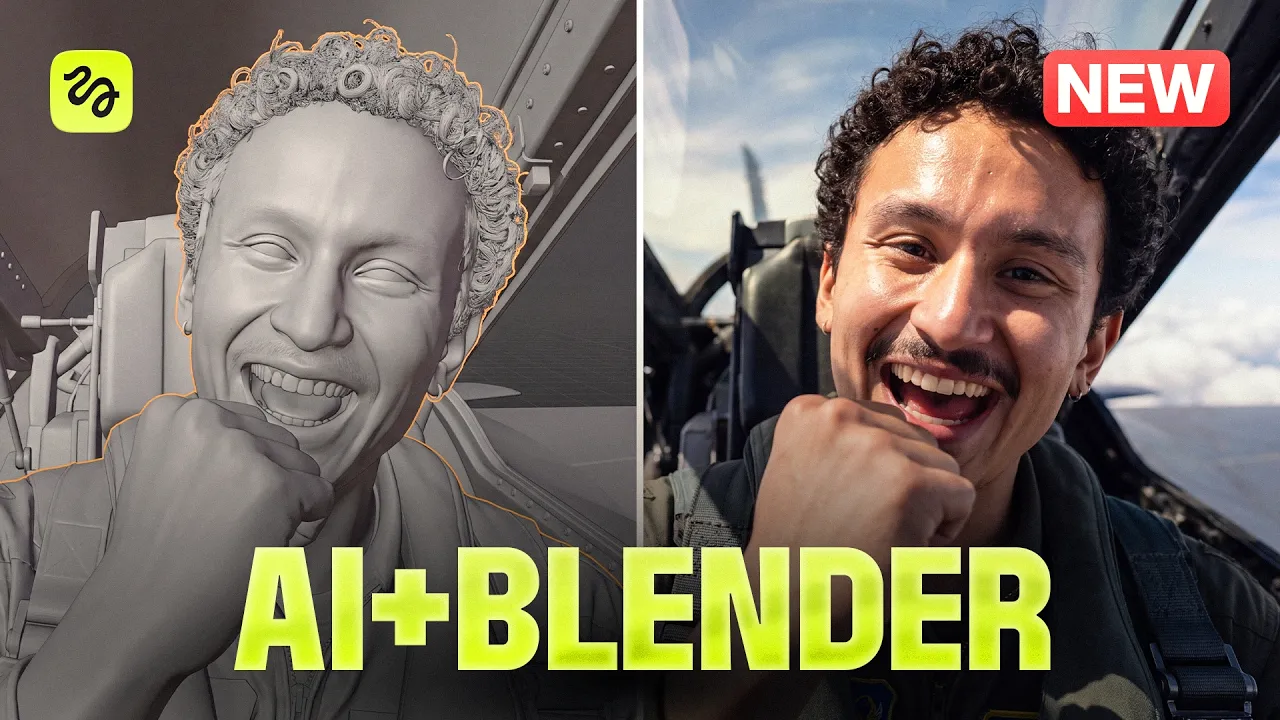
Higgsfield AI · @HiggsfieldAI
This video has no Most replayed graph yet: YouTube shows one only once a video has enough views. These are the moments viewers replayed most in Higgsfield AI's most watched videos.
Most replayed moment at 18:26
5.8x that video's typical replay level
who's this one? >> Alfred Brics. [music] He was a college kid. Forgot to turn off the gas stove. Three dead. >> How? >> Nobody caught the smell of gas. One
Said at 18:23
The graph counts replays. It does not show where viewers stopped watching.
Words
2,963
Runtime
19:48
Speaking pace
150wpm
Reading time
12min
150 words per minute, below the 160 25th percentile of 349 measured videos. That distribution comes from the 349-video hook study.
Opening (first 30 seconds)
[music] >> Hi, I'm a director. Everything you just saw, I directed. Camera path, [music] the actors, the timing, all of it locked down before I spent a single credit. This is the new AI video workflow of 2026. The Kixlab plugin right inside Blender. Full cinematic control, no more burning credits. And don't worry about Blender, you don't need to be a 3D artist or a VFX specialist because today I'm going to walk
75 words, the words spoken in the first 30 seconds at 150 words per minute.
Free, no signup. See how the first 30 seconds hold attention, with rewrites.
Sentence shape
| Measure | This transcript |
|---|---|
| Sentences | 307 |
| Average words per sentence | 9.7 |
| Longest sentence | 38 words |
| Questions asked | 6 |
| Sentences containing a number | 32 |
Most used terms
Filler phrases
20 in total: like 12 · actually 5 · you know 2 · basically 1.
A literal whole-word count of the same phrase list the Prepublish browser extension uses, so a phrase inside another word is not counted and a phrase used in its ordinary sense still is. It is a count and not a judgement.
Run the check on the words above: where attention is likely to drop, with a rewrite for each weak line. The free check shows the scores and the one issue costing the most.
What this transcript is
Every word below is the caption track YouTube publishes for this video, pulled from the video itself and reproduced unchanged. It is not Prepublish's writing, not a summary, and not a re-transcription: it is the video's own published captions. English captions, generated automatically by YouTube, in the video’s original language. Source: the video on YouTube. A channel that would rather this page did not exist can ask for its removal through the contact page, and it is removed.
[music] >> Hi, I'm a director. Everything you just saw, I directed. Camera path, [music] the actors, the timing, all of it locked down before I spent a single credit. This is the new AI video workflow of 2026. The Kixlab plugin right inside Blender. Full cinematic control, no more burning credits. And don't worry about Blender, you don't need to be a 3D artist or a VFX specialist because today I'm going to walk you through five craziest use cases that will completely change your AI video creation process.
And the last one is where the real credit saving kicks in. The plugin is free, link's in the description. Let's get into it. All right, let's get the setup out of the way. Don't skip this, it's what makes this whole thing actually work. First, head over to Kixlab, download the plugin, and copy the bridge URL. >> [music] >> Then open Cloud, go to Connectors, and paste in that link. Next, open Blender, drag the Kixlab plugin right in, and log into your account. >> [music] >> And once you're signed in, the Kixlab toolbar pops up right in your viewport.
Oh, and see this panel? It's basically Kixlab inside Blender. You can drop in assets, build 3D models, or generate a full scene right here. It's super handy. We're driving everything through Cloud today, but definitely test it out later. And that's it. Cloud, Blender, and Kixlab are fully synced and ready to go. So I've got a cinematic one continuous shot in my head. Sure, I could just write a prompt, hit generate, and hope for the best.
But that's how you burn a ton of credits. Today, we're doing the smart version. We built the entire scene first [music] in Blender, every camera angle, every move, every second, completely locked down before spending a single credit. Watch this. I'm just going to tell Cloud what I want. A corridor, >> [music] >> a person walking down it, camera following behind. Let's see what happens. Oh, and one thing before you hit enter, and this one matters, switch to cool work mode and set fable five [music] to high.
It runs a build like this a lot more efficiently. All right, Claude's thinking, grabbing his tools, and boom, we're connected. While it builds, let's look under the hood. Keexel Bridge links Claude straight to Blender via one connector. You describe the scene and camera moves and Claude builds real editable 3D objects, [music] and it doesn't break. The bridge does all the heavy lifting, forcing Claude to follow solid 3D character rules.
Okay, back to Blender. The blocking's ready. All right, let's look around. We've got our corridor and our object. Now, I'm going to press zero on the keyboard. That's the camera view. And [music] play. Well, for a first pass, not bad. But, it's too simple. It definitely needs more detail and way more interesting camera moves. Let's fix that. So, back to Claude, I'll type, "Now, make it more interesting, add texture to the walls, >> [music] >> use different framings, and animate the lens." Now, let me show you what we got.
Let's see the camera view again. Yeah, that's much better. It flows very smoothly from >> [music] >> half an orbit around his back to a full body profile, and right into a top-down establishing shot, all in one continuous [music] move. Plugin even animated the lens on its own, and it actually looks pretty decent. [music] Now, we turn this blocking into a video file. So, go to output properties, pick a folder, [music] name the file, media type video, resolution 1920 by 1080, that's your standard [music] 16 by 9.
For the frame rate, let's go 24, encoding MPEG-4, then the view menu, viewport render, press play blast. That's it. 15 seconds of rendering, and we've got a reference. And now, the whole reason we did this, back to Claude, I drop my assets into the chat, and here's the twist. [music] I'm going to ask write a 30-second C dance prompt based on this video blocking. Read the input video and write out the prompt second by second to match the camera moves in the clip.
Now, we'll space this [music] prompt into Kick field, choose C dance 2.5, set the [music] time to 30 seconds to match our blocking, and hit generate. >> [groaning and screaming] [groaning] >> And look at that. That's the exact same shot. The tilt up hits right on [music] cue. The camera sweeps behind him and reveals the guards at the perfect moment. And that side profile tracking shot stays locked the entire time. I promise you you could not get this result with just a text prompt.
Trust me, I've tried. You burn way more time, waste way more credits, and the camera still drifts around. Look at what happens with the exact same prompt and assets, but without the 3D blocking. That's the real difference right there. If you're a beginner, you can pull this off in minutes with a simple prompt to Claude. And if you already know Blender, your own key frames are now directly steering the AI model. All right, let's move forward. >> Nobody's human at 6:00.
Make it 7:00. We skip the traffic. It's not a vote. Told you you'd say that. >> Dialogue, easily the hardest thing to pull off any AI video. Every model struggles with spatial orientation. The room breaks, positions flip, and to get one clean result you batch a ton, burning credits, and usually it's still not perfect. But Blender plugin completely changes the game. So, to show what it can really do, I built a dialogue scene using Blender that's hard on purpose.
Six people at a table, four cuts, 30 seconds. Every single cut has to match. Who's sitting where, who's talking, where everyone's looking. But at the end, I'm going to run the exact same scene with just a raw prompt, no Blender at all. >> [music] >> You'll see them side by side, so don't skip. First up, blocking. I'll ask for a new project, one round table, six [music] people around it, no faces or bodies yet. By the way, in film this is called pre-vis.
Real directors do this before touching a single light, figuring out camera spots, shoulder frames, and eye lines. >> [music] >> Studios hire entire teams just for this, and you can get it all done with a single request. Okay. Everyone's in position, but I don't want a boring static camera here. Let's add a slow camera movement. Now, I'm not going to just ask for a cinematic camera movement. That's how you end up with AI slop.
I'm giving Claude an actual shot list, just like >> [music] >> briefing a camera operator, got your rails, targets, and in this case four specific cuts. Now, let's look at what we have in Blender. Okay. This is looking clean, but that might be the problem. It's too smooth. There's no weight to it, no handheld feel at all. Let's fix that. So, again, in Claude, I'm just going to ask for some more natural handheld movement.
I want to keep it subtle. Let's run it. Yeah, now it's alive. Look at the orbit. It sways [music] slightly like someone's actually carrying the rig. Blocking is locked. The camera feels pretty natural. Now, these gray boxes just need [music] faces and the dialogue. This is my favorite part. I don't even have to write the dialogue. Claude does. Think about it. Claude built the camera setup, so it knows every shot inside and out.
I'm just going to attach my blocking render and ask for the prompt. And it hands back this. With this, I'm off to Cinema Studio again. Let's run it. >> 6:00 a.m. sharp, the van leaves with or without you. >> Nobody's human at 6:00. Make it 7:00. We skip the traffic. It's not a vote. Told you he'd say that. Kid, you got the keys? >> Yeah, yeah. >> 6:00 works. >> Doors locked, engine warm, phones off. We do this once. And if the gate's shut, then we wait.
Quietly. I know. >> [snorts] >> Fine. 6:00, but I'm not carrying anybody's coffee. >> 5:30. I'll warm her up myself. >> Look at that. Six people and zero seat swaps. And every single line lands on the right face. This is studio-level consistency built in [music] three quick iterations. But, don't take my word for it. Here's the test. The exact same prompt, same references, but without the Blender blockout. Let's see what happens.
Look at this. [music] People swap seats every take. Here, the purple guy is next to yellow. Now, he's next to blue. >> [music] >> We can't edit a scene together like this. The 180° rule, gone. And you know what? I never got the right shot and burned almost 5,000 credits trying. A quick pause before we see the next craziest [music] use case. About 70% of you watching right now are unsubscribed. Can you please do me one favor?
Hit the button. It [music] takes a second, costs you nothing, and every subscriber means we get to go way bigger on the next build. Deal? Okay, back to work. All right. The dialogue proved the control works. Now, let's have some fun. This section is all about high-end camera moves. Three of the most vital tricks used in music videos, action films, and these normally take a full crew, heavy cranes, or hours of painful manual key framing.
We're skipping all of that and just [music] describing what we want. Same workflow, I'm just asking Claude for the move like I'm talking to a real DOP. And let's see what we got. Ooh. Check this out. Three scenes, one continuous orbit, >> [music] >> wraps around the crew by the car, loops around the basketball play mid shot, and lands on the hero while the car drifts around him. Next up, the floor rise. You see this everywhere in music videos, and even [music] films.
The camera rockets up through a building, revealing a brand new world on every floor. Usually, that's a week of stitching takes together in post, but here's how I did it. This is my request to Claude. Let's see what we got in the blender. Ooh, love the shot. The perspective is spot on. And look at that camera move. So smooth. Now, for the last camera movement, the robo [music] arm. This mimics those crazy commercial rigs that whip to a frame and instantly lock into place.
Here's my request to Claude. Let's send it and see what we get. Now, check out the blender video. The camera shoots right up through the floor. Look at this. [music] It's running along a path with control points along the way. Now, if I want to tweak an angle, I can just grab a point and drag it. Zero re-prompting needed. And one more nice touch, it's not locked on the head. The camera follows a separate target moving next to it.
That small offset is what makes this feel super realistic. Okay, now if you claw the gray box render, the character sheet, and all the assets. Simple rule here, the gray box handles camera timing and the references handle visuals. Let's run the prompt in Cinema Studio and see what we get. >> [laughter] >> Oh. Come on now. Every single camera move landed exactly where I set it. Text prompts alone could never pull this off.
To prove it yet again, [music] let's do a test. Same prompt but no blocking. We'll let the AI handle the camera all on its own. Total slob. >> [music] >> The camera spins a full 180 on its own axis like it completely missed the point. And for some reason it's shooting [music] the character top down right over the head. The character's shrunk between shots, too. The far move is okay, but that final robot arm shot totally lost.
The 3D version worked on the very first try, and honestly, this is the whole point. Blender locks the motion and Cidence builds the world around it. The camera doesn't have to guess because every position is already mapped, but now let's move on to the next one. So, we've done movies, dialogues, music videos. Now, let's make an ad that sells. >> [music] >> You know the style. Can explodes into slices, fruit cracks open, ice floats, and everything freezes midair.
That's hypermotion, and it's usually the most expensive shot you can make. But, the real nightmare on these projects isn't rendering, it's the client changes. Every single node means starting over from scratch, and that's where Blender saves the day. Plus, this is the easiest workflow in the whole video. The can is just a cylinder, the ice is just cubes, and the lemons are just spheres. No faces, no hands to mess up.
It's pure camera work and timing. And it all starts with just one quick message to Clock. Let's see what we got. Yeah, just like that. The 10-scene skeleton is built. And now, let's generate the whole ad. Okay, let's say I want to show this to a client and send this version. The client might come back and say, "The opening is boring, the can just pops up, we can't tell the flavors apart, and where's the logo?" Anyone who's done client work knows the pain.
But, instead of batching and rewriting the prompt, I'm just going to go back into Blender and recut the story. Next, I'm about to edit line by line what the camera does, how the can moves, and where the fruit flies. [music] That's my request. Notice that scene seven is completely blank. I don't bother blocking liquid. Keep it black in the blockout and let the AI fill it in later. Now, it feels like a totally different commercial.
The opening is an actual event. Lime hits the water like bullet. The [music] can shoots up, freezes, and splits open like sliced fruit. The extra cans use colors to show different flavors. One line of text tells the model which flavor goes where. We've got the glass shot, the levitating ring, and the logo popping up one letter at a time. So, for now, every cut hits right on time, but the movement feels a bit too smooth for me.
Real commercials don't run at just one speed. I'm going to try to fix this for changing the blocking a little bit. So, soda ads need fast, snappy motion. The camera slams in, pauses for a beat, and accelerates into the next cut. That's the speed ramp. That's exactly what we wanted. Watch right in the middle, he slows down, and that cut hits right on the speed ramp. No hard cuts or anything, it just glides right into the next shot.
So, I'm running this prompt in Cinema Studio, and this is what we have on the first try. All right, onto the final shot. >> [music] >> LET'S GO! >> [laughter] >> YOU CRAZY! >> 19 SHOTS IN 30 SECONDS, and all of it was blocked in Blender [music] first. Okay, here's our project, the location and the car right where we animated it. Here's the rig, and around it are all the cameras from the shot. Switch lenses with just one click.
That's the whole setup. Same workflow as before, just on a massive scale. I won't bore you by walking through 19 separate shots. The full [snorts] blocking master file is down [music] in the description. Go grab it and try it yourself. But, here's my setup. Four simple assets, two characters, the car, and the location. I'll also attach the video render and just >> [music] >> define what the gray boxes are and the characters acting.
Look at how the performance translated. His manic energy comes through, and her body actually reacts to the lateral G-forces of every drift. Now, here's the real secret. That blocking file doesn't just belong to the specific night chase. It belongs to you. Every prompt has [music] two halves. Half one is the structural log. That's your reference video, the cuts, the camera, the timing. That part never changes. Half two is the style layer, what the world actually looks like.
So, [music] to change the genre, you don't rewrite the movie. You just change the look. Watch. Same edit, three different worlds. First, 2.5D, which is [music] an in-between 2D and 3D. New style, new characters, but the exact same camera movement. Or, [music] full 2D ink on paper. Or, 3D toy box style. Every cut and every drift matches [music] frame for frame across all three. Now, if you run a studio or pitch to clients, this is the whole game.
You can pitch three visual worlds in a single day. The client picks their favorite, and the edit is already approved because the foundation hasn't changed. So, grab the master file in the description, turn it into your world I'd never think of, and drop it in [music] our Discord. In the next video, I'll break down the best community renders. That's the whole framework. Block it in 3D, lock the camera, and make the AI execute your shot instead of rolling the dice.
This workflow is brand new, so get in early before everyone else catches on. Grab the master file in the description, and as always, if you find this video helpful, hit the like button, subscribe, and I'll see you guys in the next one.
The words are the caption track's own and nothing is reworded or re-transcribed. Paragraph breaks are placed between sentences so the text reads as prose.
Free tools for your own script: paste a draft and see where it stands before you record it.
Paste your draft and see where viewers are likely to drop off, with a rewrite for each weak line.
Paste the first 30 seconds of your own draft for a hook score and rewrites.
Check your draft against YouTube's advertiser-friendly guidelines before you record it.
Read this channel's public videos and transcripts, and download a writing brief for it.