Getting the transcript
Reading the captions from YouTube. A video nobody has opened here before takes 10 to 30 seconds; this page fills in on its own.
Getting the transcript
Reading the captions from YouTube. A video nobody has opened here before takes 10 to 30 seconds; this page fills in on its own.
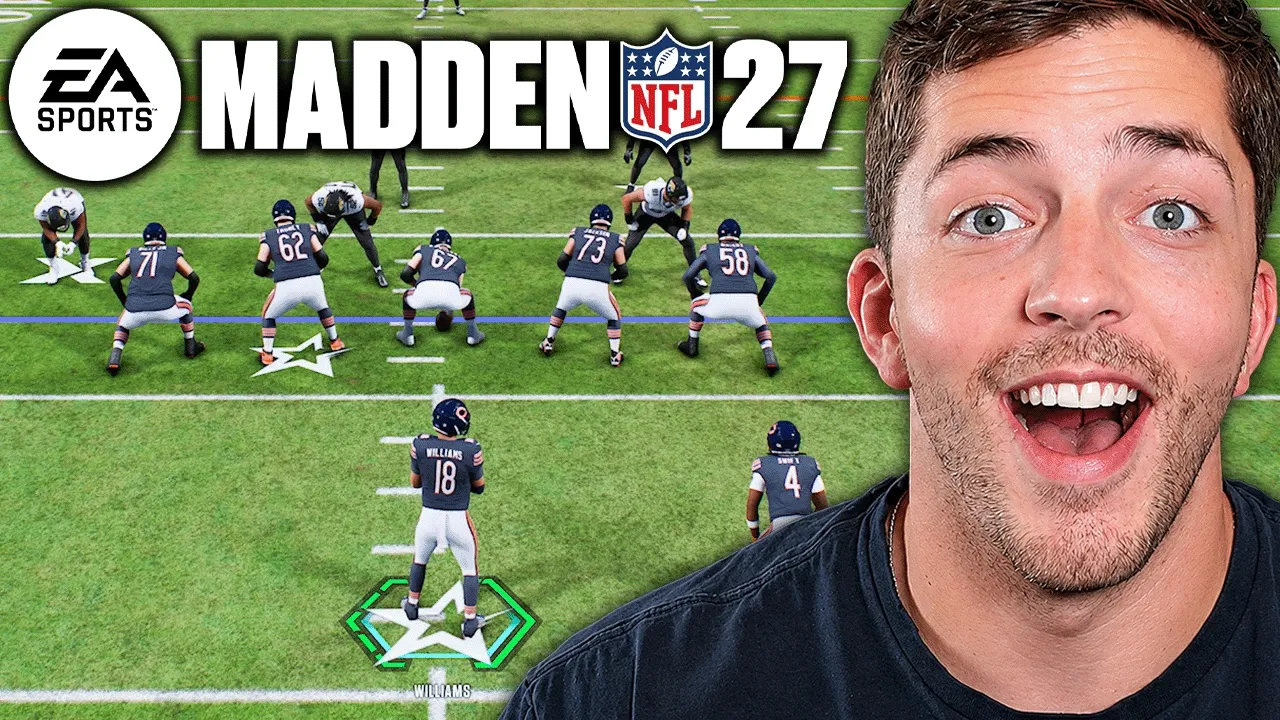
CivilGG · @CivilGG
Where viewers went back to watch this video again, from YouTube's public Most replayed graph, lined up with what was said at that moment.
Most replayed moment #1
16:534.6x the video's typical replay level
adjustments that we can use to counter these things? On defense, all you need to do is tap LB or L1, and it's going to open up these preset custom adjustments. So, first, I just want to show you what my play looks like stock. This was a random play I selected. I'm going to tap left bumper, and dude,
Said at 16:46
Most replayed moment #2
4:463.4x the video's typical replay level
like, "Man, I always want my safeties to be 32 yards back and I want them to be wide." This would be a crazy alignment. You can have that and we'll start every single game like this. This makes our lives so much easier and it is is a huge quality of life improvement. EA is calling this the biggest overhaul of
Said at 4:39
Most replayed moment #3
5:583.2x the video's typical replay level
would just let him cross his face, but instead what happens here is we see the hook curl widen out a little bit. Now, that by itself doesn't seem crazy, but look what happens. Basically, the zones because they're looking for work, which is the name of the feature, they are now going to pass off players to each other.
Said at 5:51
The graph counts replays. It does not show where viewers stopped watching.
Words
4,521
Runtime
19:52
Speaking pace
228wpm
Reading time
19min
228 words per minute, above the 201 75th percentile of 349 measured videos. That distribution comes from the 349-video hook study.
Opening (first 30 seconds)
EA just launched a ton of Madden 27 news, and I got early access to the game. So, I went and tested all the changes that Madden said they made to the game this year, and I can immediately tell that defense got a massive overhaul. So, in this video, I'm going to break down every major gameplay change in Madden 27, and break down what they mean for you. Starting with the feature that I think will change the way offense is played forever. And a quick reminder that this version of Madden 27 is a work in progress, and you may see things that are a little bit different come launch day.
114 words, the words spoken in the first 30 seconds at 228 words per minute.
Free, no signup. See how the first 30 seconds hold attention, with rewrites.
Sentence shape
| Measure | This transcript |
|---|---|
| Sentences | 274 |
| Average words per sentence | 16.5 |
| Longest sentence | 60 words |
| Questions asked | 19 |
| Sentences containing a number | 21 |
Most used terms
Filler phrases
73 in total: actually 33 · like 28 · right? 4 · basically 2 · kind of 2 · literally 2 · you know 2.
A literal whole-word count of the same phrase list the Prepublish browser extension uses, so a phrase inside another word is not counted and a phrase used in its ordinary sense still is. It is a count and not a judgement.
Run the check on the words above: where attention is likely to drop, with a rewrite for each weak line. The free check shows the scores and the one issue costing the most.
What this transcript is
Every word below is the caption track YouTube publishes for this video, pulled from the video itself and reproduced unchanged. It is not Prepublish's writing, not a summary, and not a re-transcription: it is the video's own published captions. English captions, generated automatically by YouTube, in the video’s original language. Source: the video on YouTube. A channel that would rather this page did not exist can ask for its removal through the contact page, and it is removed.
EA just launched a ton of Madden 27 news, and I got early access to the game. So, I went and tested all the changes that Madden said they made to the game this year, and I can immediately tell that defense got a massive overhaul. So, in this video, I'm going to break down every major gameplay change in Madden 27, and break down what they mean for you. Starting with the feature that I think will change the way offense is played forever.
And a quick reminder that this version of Madden 27 is a work in progress, and you may see things that are a little bit different come launch day. EA added timing-based catching to Madden 27, which allows you to green any catch. this works is that when you go to throw the ball, you will see a meter pop up above your receiver's head, allowing you to green it. If we watch this back in slow motion, you'll see there's three different areas of the meter, and I'm trying to time it to get right into the green.
Now, to do this, you would just hold down the catch type that you want, and let go of the button when it gets into that green area. So, if you wanted aggressive catch, you just hold Y or triangle, then try to let it go right when it's inside the green. Now, there's three different types of catch feedback you can get when going for a time-based catch. The first one's going to be the green, which, like we talked about, is the perfect catch.
The only way the defense can counter this is if they get a perfect hit stick on you, or they literally just get their hands on the ball first, cuz your receiver never actually gets the chance to catch it, right? The second one is going to be the red. The red happens if you hold the icon for too long, and it's going to get dropped every single time. So, simply by if I try holding the red catch, but I never let go of it, I just hold it the entire time, I'm going to get a red, and I'm going to drop it.
Now, the fun one is the yellow, because the yellow feedback is a dice roll. This is how every catch has been determined up until this year. It takes into account things like ratings, things like your catch type, the situation, the defense, the leverage, all those things. This is where ratings matter a ton, because if you're wide open, yes, a yellow dice roll, you're prob- you're probably going to catch every single time, just cuz it's wide open.
But, when you get contested, well, that's where a yellow gets interesting and really plays into a factor, your pass lead, your ratings, all those other things. So, all the three feedbacks, two of them are not bad, right? Cuz one's a green and one's a yellow, which both are catchable. The bad one is when you hold this icon for too long and get that red because you are literally never going to catch it. And by the way, if you don't press anything, the receiver will catch it for you.
Well, as long as you have this setting on, which is brand new this Madden 27. With all the changes to catches this year, EA also added in brand new settings to let's customize our experience and kind of determine how we want to play. If we go into our game options, we can scroll down and last year you'd see a pass mechanic screen like this. Underneath it is now catching with four different options. First is AI wide receiver for user teams.
This means if you did not select a catch type, if you have this off, the player just won't go for a catch. So, you actually want this on in case you don't select anything. So, the CPU will try catching the ball if you don't. The next two are timing-based catching, minimum throw distances for offense and defense. Right now, I think you want this at 10 yards. Basically, this is where the timing-based catching mechanic activates.
So, if you have it at zero yards, this will activate on pretty much every single throw and you'll have to time that catch. At 10 yards, it's only throws past 10 yards. The same idea goes for defense as well. Honestly, for defense, I might go zero yards for this and on offense, I think 10 is really, really good cuz I just don't want to time drags. The UI feedback on means that you'll actually get the meter, whereas if you go feedback only, it'll just simply tell you if you were early, late, or perfect.
Just to show you, this is what feedback only would look like as I go to throw this and notice there was no meter until I had already made the catch. This screen is also, of course, where you could turn these off if you just don't want to play this feature at all. There is now a QB sneak meter and how well you time this determines whether or not you get the crucial first down or get stuffed like we just did there. The way this works is you want to tap A or X to snap the ball right when this meter is in the green.
And honestly I've seen this be pretty tough but right here we're able to nail it. Bobby Alice, that was a hard one to nail. And depending on the defensive front, this can be easier or harder to do. Right now we're going QB sneak against man up three deep. Obviously this green area is pretty big. Everyone going to pick up a yard or so which is exactly what we're looking for. To begin every single game you used to have to click the right stick in and manually go through and set up each and every one of your coaching adjustments.
So let's say you wanted to always have your zone drop hook curls to let's say 15 yards, you'd have to do that before the ball was ever snapped to begin every single game. This is thankfully no longer as we can go into our coach adjustments and set up all of them in the main menu and they will be there when we start the game. Now we can of course change them mid game but if we want to say something like, "Man, I always want my safeties to be 32 yards back and I want them to be wide." This would be a crazy alignment.
You can have that and we'll start every single game like this. This makes our lives so much easier and it is is a huge quality of life improvement. EA is calling this the biggest overhaul of defensive coverage ever. And honestly from playing the game early, I think they're right. That's because this isn't just one specific solution they added but instead they have changed nearly everything about defense to give us way more tools at our disposal and make coverage and movement way smoother.
With different changes to zone coverage, our coaching adjustments, how man coverage plays and how zone moves, these are all things EA has done to shore up one of the biggest weaknesses in their game over the past few years. And one of the biggest examples of this is zone coverage which we're going to talk about here next. Zone defenders are finally just no longer sitting around and doing nothing. Instead they're actually looking for work and trying to get active taking taking away routes that are getting open.
Let me show you the awesome example of this. In my inside slant route from B is going to cross the face of a hook curl in the middle of the field. Now keep in mind that years prior this guy would the hook curl would kind of let him cross his So, he snapped his ball, and what would happen a lot of times is that hook curl would just let him cross his face, but instead what happens here is we see the hook curl widen out a little bit.
Now, that by itself doesn't seem crazy, but look what happens. Basically, the zones because they're looking for work, which is the name of the feature, they are now going to pass off players to each other. So, Buchanan, look how he's going to take this slant and then almost pass him off to the curl flat, creating an incredibly small window to throw the slant. Look, cover cover covered, then we uncover him, but look, now the slant is there, or I'm sorry, the curl flat is there to play him.
This hook curl is no longer flat-footed. He backpedals, then he's looking for work, and he's even anticipating where the route's going, creating and taking away this big pocket. Then we even see it from this guy, who now he's going to react inside and go make a play, whereas in years prior, he may widen out a little bit more, or he just wouldn't help close this gap at all. The fact that zones look for work and will actively seek out places to go play defense and defend somebody while still potentially getting agg'd improves defense incredibly, and this brand new feature that EA Well, they actually brought this back is going to be a game-changer for you, as well.
EA added this feature back in Madden 27 after getting rid of it a few years ago, and let me tell you something, it is generational and can totally change your defense when it comes to stopping annoying routes like posts and crossers. So, I want you to look at this crosser route from my point wide receiver or RB, and as you know, this crosser is incredibly annoying. Like, he just always seems to find a way to get open, and that's frustrating as a defensive player.
So, now on offense, I have a crosser from my point wide receiver, and on defense, I'm in a cover two. But, I'm going to take someone on the opposite side of the field. Let's go to the slot corner right here named Baron, and I'm going to tap A or X on him to open up his individual coverage adjustments, and then tap the receiver icon of who I want to man him up to. In previous years, you could only man someone up who was a corner on the same side of the field, right?
So, I could man up Baron under the tight end or halfback. Now, I can do a cross man. This was in the game I think as recent as Madden 17. That's the last time. But, watch and just think about what's going to happen here. If Wise on a crosser and his man is coming from across the field, that cross man is actually going to slow down this crosser a ton. Notice how that cross man was all over him right there and we can show this again.
So, here we go. We have this cross man set up. We have the crosser. Let me put the crosser on the field. Let's snap the ball and let's see what happens here. We go. And look, that guy is yet again bagged from the defender underneath and the ball gets deflected. This is a great way to defend things like drags, posts, crossers, anything that's crossing the field. Cross man is dominant against. EA give us a brand new feature on defense to give us control like we've never had before.
This is called your zone coverage strategy and you can actually pull this up by clicking in the right stick on defense, going over to the coverage strategy, and you see zone strategy. Now, you can also do this from the main menu and you'll never have to open up your coach adjustment mid game again. This has a massive impact on how your zones play. There's five different options here. Ultra aggressive, ultra conservative, default, aggressive, conservative.
The more aggressive you get, the more your players are going to sell out to defend routes underneath and the more conservative you get, the more they're going to sell out to defend routes that are over top. Now, with this it's going to affect both your deep blues and your hook curls. And then I said both, but also your flats. So, it's going to affect every zone on the field. Let's go zone strategy ultra aggressive and let's go to a cover three sky.
I want to showcase this and how big of an impact it makes. So, we're in cover three sky right now. No other adjustments have been made. No zone drops, no shading, no anything. The route combo is going to be a simple mesh underneath with a post route over top. Ultra aggressive, here's the defensive coverage. Watch what happens here. Watch how the drags are not open at all. I don't even want to throw them, okay? I don't even want to take the chance to throw them.
But, I want to point out another thing that's happening on ultra-aggressive that we'll see a big change with. Let's go here again. And I, for the sake of this for a moment, am going to spy my middle linebackers, okay? Because I want you to pay attention to what happens to this post route and the deep middle blue, the deep zone in the middle. Ultra-aggressive right now. We're going to snap it. On ultra-aggressive, that deep blue, he actually intercepts me.
That's a big deal. He just picked off that post route cuz it's going to be a big difference in a moment. Let's go the exact same play on offense. Let's go into our zone strategy and let's go ultra-conservative and back to the cover three sky. First, before I show off that deep blue, I just want to show you what happens with our drag routes because, as you imagine, these drag routes now are going to get wide open. Like they the hook curls, they're going to drop back super far.
See? Wide open, easy peasy. But, civil. What happens to the deep blue? Let me see if that deep blue actually even changes at all. Well, to showcase this the best, I'm just going to spy both these guys just so we have no more traffic in the middle and we'll run the same exact route combo. But, now remember we're on ultra-conservative. First time we ran we threw this post route against ultra-aggressive, deep blue played it.
This time guess who's not there to play it? That deep blue. That deep middle third was not there at all. Actually, almost got played by the other guy who is running into. This idea applies across the board now for zone coverage based on which you choose. And you can imagine how you can change a lot of things in how a specific defense plays just by tweaking this. Cover three changes entirely from aggressive to conservative and that applies to everything.
Red zone defensive coverage has gotten a huge overhaul where defenders are now aware that they are actually in the red zone and are going to change the way they play based on how close they are to the goal line and the back of the end zone. If we're being honest with ourselves, everyone knows that inside the red zone, zone coverage is always played a little bit weird, whether it's just defenders not getting all the way to the sideline, or they're just giving up easy wide open players, whatever it might be.
But now we actually have these players knowing the sidelines, respecting the end zone, and making one of the toughest and most important areas of the field that much harder to score. Watch this right here. We're going to try forcing this out route, but the cloud flat is actually going to recognize it as he should, by the way, and get an interception. Then he slips cuz it's raining. Everyone knows that the best defenses start with lockdown run D, and this is something that EA has given us a lot more control over this year.
What we're going to do and what we're going to see is that we actually have two options to affect how our run defense plays. So let's go to I form and we'll select something like a halfback stretch, and on defense let's click the right stick in to go into our coaching adjustments. This will be in the general area, and there's two I want to talk about: defender aggression and gap integrity. These two. So gap integrity, if we go conservative, we'll see that we're going to focus on protecting the gap and less focus on making big plays.
I'll explain how you can see the gap in a moment. On aggressive, our defense is purely focused on making the big play. They don't care about their assignment, they're going to try to make that tackle. Defender aggression is how much energy they're actually exerting on a given play. You see right here, defenders will use will I will not use effort on defensive moves, conserving stamina, and on aggressive, they will use more defensive moves trying to win.
So we'll keep this on balanced right now cuz I don't know which one I like more. So right here though, check this out. If I hold right trigger and push X or B, I can see run fits on each side of the field. Now, the big deal with this is that if I'm on aggressive gap integrity, the defense doesn't actually entirely care about all of these run fits, right? They're going to try making a play, so they might shed to the wrong area.
This could be awesome for helping us do a good job of blowing up a run, but we could have a defender blow his assignment because he's trying to get greedy and make a big play. Also, my safety's so far back right now cuz I have my safety depth set to 32. I shouldn't, I just put it there. But right here we go to the left, you could shed in any direction because we have gap integrity set to aggressive. So just note that while when you change this, you might get better sheds, you could also shed the wrong way and let up a big run.
This is incredibly helpful for defense, but on offense EA actually added something that's going to help us out a lot too. If you want a great offense, you need a great run game, and EA's added in a feature that allows us to improve our run game a ton because we actually know where people are going and blocking. When you get to the line of scrimmage and you select any run, just simply hold left trigger and this is going to bring up our run blocking.
This is massive because you can actually see who's responsible for who, allowing you to better hit gaps and also know if maybe you need to flip the run cuz there's situations where oh man, we're actually outnumbered this way. Let me flip my run the other time or actually check into an entirely new play call as a whole. Right here, I'm going to look to the right and you know what? I actually don't like this a ton. Let me then flip my run using the right stick, go to the left, and I like this a lot more now.
We go, we get outside, that fullback chips a little bit, and we're able to get off to the races. Get a nice gain of 15 or so. Third and three, this looks like a mighty fine time to call something from I form. Shift shift. Just kidding. We're actually shifting into a brand new formation cuz that's a brand new feature here. We're in the gun now. Let's not have this ball a little play action. Leak out to the flat. Can we get this first down one on one ball?
First down, we move them. Formation shifting is something that is added to the game this year. You select it in the play call screen with the right stick, and then at the line of scrimmage you'll see this shift above your quarterback. You snap the ball or you tap the button which will snap the ball, and that's what's going to trigger the shift. From here you're able to call more audibles, make hot routes, whatever you want.
And if you're in your shift formation like the formation you first came out in, and you're like, "Actually, you want to snap the ball from there." You can do that just by audibly. So, if you select a shift, you don't have to. But, this has been an awesome add, and it's incredibly cool to see cuz a lot of times it'll catch the defense off guard. If you've played in previous years, you've seen this defense before. I'm in mid blitz right now, and I'm hovering with my user, and what's going to happen here is that the offensive line is going to get manipulated, and they're going to think my user's blitzing.
He's not going to, I'm just going to bail deep, and guess what happens? We get a free sack on the quarterback. This is one of the most popular defenses constantly. But, EA actually added in a feature to combat this, and it's on offense. All you do is click that right stick in to go into your coaching adjustments, and we're going to scroll down to the untarget user defender. Think about this. If we turn this on, blockers will not focus on the defender the user is controlling.
So, if someone tries to go here and manipulate your offensive line by standing down here, well, guess what? They won't. You're actually You're actually going to see a flame icon over my user. And so, when the ball snapped, everyone's going to get blocked, and you're able to call whatever you want to. Then you just need to call a good route combo. Last year you were able to do this by untargeting the user defender manually before the snap, but now we're actually able to have this set up so we never have to worry about it.
One of the most annoying things in the game is knowing what someone is going to do to you, yet they still do it anyways. A great example of this is people who run around with their quarterbacks like Lamar Jackson. But, what if I told you this year EA's built-in custom adjustments that we can use to counter these things? On defense, all you need to do is tap LB or L1, and it's going to open up these preset custom adjustments.
So, first, I just want to show you what my play looks like stock. This was a random play I selected. I'm going to tap left bumper, and dude, QB keeps scrambling all over me. I need to play the QB scramble. So, let's tap A here, and look what happens. We actually spread the defensive line. We contain the defensive ends, and we get a QB spy on the top left. So, now, if they drop back and they try to roll outside like that, well, guess what?
We have somebody waiting for the quarterback because we played play the QB contain or play the QB scramble. This also works for things like play short routes, play deep passes. We could fake the pressure. Watch this right here. I just now showed blitz, but we're not actually showing blitz, we're faking the pressure. So, that looks like, "Oh, blitz, blitz. Oh, not really." And now I need to be aware of that. Now, in this case, we have beaten the man, but a bad throw from Lamar.
These custom adjustments allow you to make quick on-the-fly changes to your defense that are preset from EA to tackle the most common and annoying things in the game. Customization and user control is the name of the game on defense. And this is something that EA once again gave us a huge boost in, which is how our outside corners align. First of all, do you see how far back my safeties are right now? This is actually on purpose.
I have my coach adjustments set to have my safety depth be 32 yd. Now, when would you ever do that? Maybe at the end of half. But, now we're able to change our outside corner alignment. So, to give context, in previous years to change this, all you could really do is either press your defensive backs, you could then back them off as well, and sometimes they would change their coverage or their alignment based on the play call or if you show blitz.
But, now we could do something way more customizable, which is awesome. On defense, if we click that right stick in and we scroll down, we're going to see something called cornerback depth and cornerback width. Now, notice safety depth and width, I say, "I want to press. I want 3 yd of depth. I want 5 yd of depth. 7, 9, 12, 20." Let's go 20 here. Let's actually have some fun. Let's go safety depth to five. And we can also say we want them tight or we want them wide.
Right here, I want my corners tight. Now, would you ever probably do this? No. But, I think it could be funny right here. So, let's do it. And look at how my defense aligns. My corners are back are are very far up. Look, this is my outside corner. Like this is crazy. And my safeties are in close. See my deep half over here and my deep half right here. Now, you might be wondering, well, who's this guy? This is my slot corner who's also like that because changing your cornerback depth, your slot corner's going to be affected, too.
This is another example of EA giving us a significant amount of improvement in just what we're able to do on defense to be able to run the defense that we actually want to run, not a preset defense that we are forced to call. If you enjoyed that video, make sure you check out this one right here because we have live college football 27 gameplay played from just this past week. So, if you want to check that out and see what these games are going to play like, that's the video for you.
The words are the caption track's own and nothing is reworded or re-transcribed. Paragraph breaks are placed between sentences so the text reads as prose.
Free tools for your own script: paste a draft and see where it stands before you record it.
Paste your draft and see where viewers are likely to drop off, with a rewrite for each weak line.
Paste the first 30 seconds of your own draft for a hook score and rewrites.
Check your draft against YouTube's advertiser-friendly guidelines before you record it.
Read this channel's public videos and transcripts, and download a writing brief for it.