Getting the transcript
Reading the captions from YouTube. A video nobody has opened here before takes 10 to 30 seconds; this page fills in on its own.
Getting the transcript
Reading the captions from YouTube. A video nobody has opened here before takes 10 to 30 seconds; this page fills in on its own.
CoderOne · @CoderOne
Where viewers went back to watch this video again, from YouTube's public Most replayed graph, lined up with what was said at that moment.
Most replayed moment #1
6:297.4x the video's typical replay level
for us going to choose SS in here and give it the endpoint the Fig mcpu so you simply can go ahead and do MPX figma developer mCP and you give it D- figma D API key and here you like paste your figma API key pretty much so once you do
Said at 6:24
Most replayed moment #2
5:516.3x the video's typical replay level
an API key it's free so and it's of course related to your account so once you do that you go back to cursor in here and you head out to the settings so you can go to the top in here open cursor settings and I had to zoom in a little in here so for you guys to check it out so I have the pro I don't think
Said at 5:44
Most replayed moment #3
8:424.9x the video's typical replay level
let's go and give it a try I've tested two before they worked somewhat good including the minimal one that I've just shown you at the start of the video works absolutely incredible but I'm going to go ahead and try this one so I'm going to go to home copy as copy link to selection I'm going to go back
Said at 8:34
The graph counts replays. It does not show where viewers stopped watching.
Words
3,297
Runtime
15:48
Speaking pace
209wpm
Reading time
14min
209 words per minute, above the 201 75th percentile of 349 measured videos. That distribution comes from the 349-video hook study.
Opening (first 30 seconds)
so this beautiful minimal lending page that you see in front of you here was completely created by cursor plus mCP which means completely created with AI and all I had to give it is a link to this figma source so I just did go ahead into this the design in here the frame right click go ahead and copy link to selection and went back to cursor in here and it said oh can you please go and convert this figment design exactly as it looks and it pasted the link in there clicks enter just went out to to you know grab
105 words, the words spoken in the first 30 seconds at 209 words per minute.
Free, no signup. See how the first 30 seconds hold attention, with rewrites.
Sentence shape
| Measure | This transcript |
|---|---|
| Sentences | 3 |
| Average words per sentence | 1099.0 |
| Longest sentence | 2,284 words |
| Questions asked | 0 |
| Sentences containing a number | 2 |
Most used terms
Filler phrases
139 in total: like 73 · uh 17 · I mean 14 · actually 12 · um 8 · you know 6 · kind of 4 · literally 3 · basically 2.
A literal whole-word count of the same phrase list the Prepublish browser extension uses, so a phrase inside another word is not counted and a phrase used in its ordinary sense still is. It is a count and not a judgement.
Run the check on the words above: where attention is likely to drop, with a rewrite for each weak line. The free check shows the scores and the one issue costing the most.
What this transcript is
Every word below is the caption track YouTube publishes for this video, pulled from the video itself and reproduced unchanged. It is not Prepublish's writing, not a summary, and not a re-transcription: it is the video's own published captions. English captions, generated automatically by YouTube, in the video’s original language. Source: the video on YouTube. A channel that would rather this page did not exist can ask for its removal through the contact page, and it is removed.
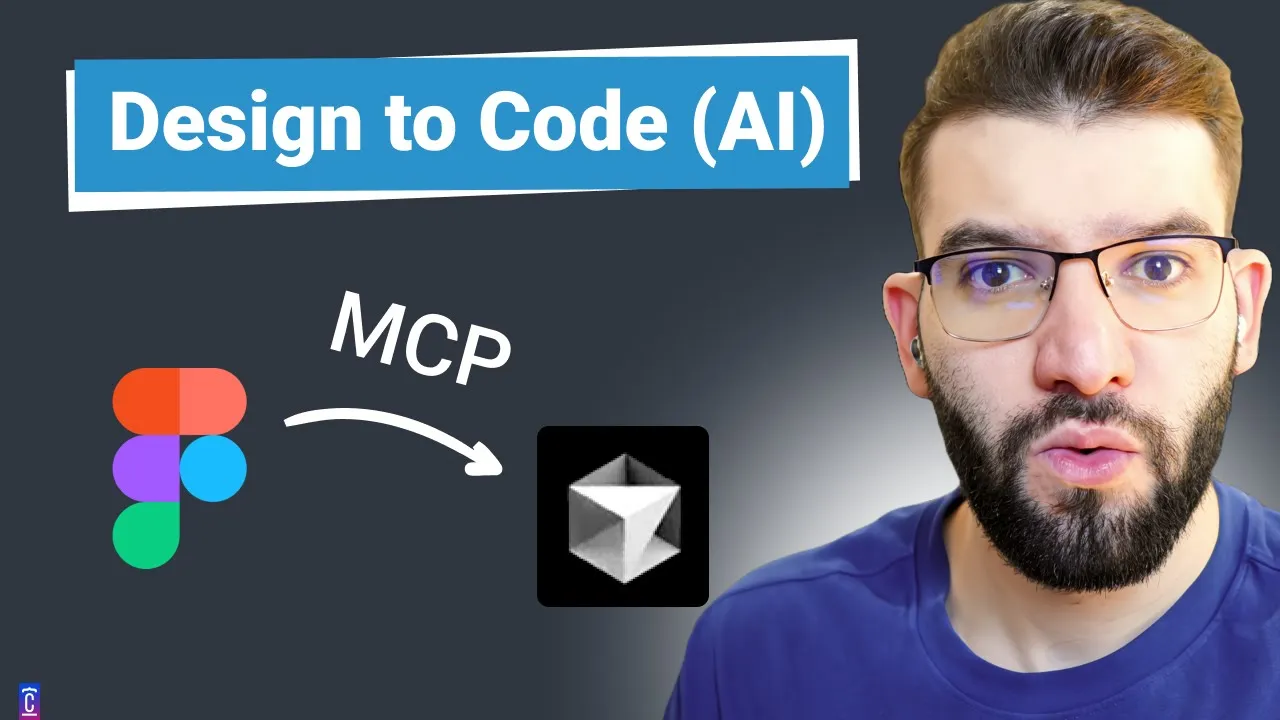
so this beautiful minimal lending page that you see in front of you here was completely created by cursor plus mCP which means completely created with AI and all I had to give it is a link to this figma source so I just did go ahead into this the design in here the frame right click go ahead and copy link to selection and went back to cursor in here and it said oh can you please go and convert this figment design exactly as it looks and it pasted the link in there clicks enter just went out to to you know grab my coffee came back in here and I found that I actually created the whole thing in here it's not like a static image it's clear in here it's an actual text the button is hoverable in here you can click the button everything is there even downloaded the images for me automatically so yeah I mean both of this has been created using cursor plus mCP and I'm pretty sure if you guys have heard about mCP quite a lot especially if you've been around Twitter this past couple of days or weeks it's been trending thing a lot of people have been going crazy about mCP and how cool it is well if you're not familiar with mCP I'm just going to give you a quick quick intro of what mCP is and how it does work so the official webs for mcps model context protocol. and you can go there to learn more about introduction the different sdks that are available and y y y and it was originally created by the guys behind Cloud 3.5 Signet which is anthropic which is absolutely great it's open source as well so you can check it out on GitHub in here um like you know the I don't think it's actually Open Source by open source but they have all the sdks open source so this even the specification is open source so I guess yeah everything is open source so mCP in here stands for model context protocol or shortcut of an mCP and I love the explanation they gave in here which is great so mCP is like a protocol that standardizes how applications provide context to llms which is very very important if you're not familiar with like how llms work providing the right context to llms allows them to do or whether Make It or Break It so if you want to like for example convert a design from figma into a react code and make it into your project providing the right context into the llm will actually either going to give you the perfect cool design or just going to make you really bad results or give you really bad results and as they explain it in here mCP is like USB type-c and who doesn't like USB typc I mean you can plug it anywhere everywhere and you can just carry on one cable with you and you can just like charge and use it with all your peripherals with all your like phones and stuff like that which is great and that's exactly what mCP is it can be integrated and used with any kind of ANM it's kind of like a standardized protocol that allows you to transfer context or data into those llms and the architecture of mCP is pretty simple you can even develop your own mcps so they consist of like mCP host mCP clients mCP servers and there's like the local data sources and remote services and all of those like they all revolve around just like mCP servers and client so if you take for example a cloth desktop or idees like cursor which we're going to use today they are mainly like host and clients at the same time which allows them to interact with mCP servers and mCP servers are going to be like the ones they going to interact with the underlining llms to provide context or execute different actions like tools for example if want to calculate like 1 plus one and the llm doesn't know to do that so you can provide the tool through MC p and you can do the calculations on the server for like using JavaScript doing 1+ one and returning the result simple as that but of course it's a lot more complicated you can do way way much better from this there are plenty of examples you can read more about it but that's pretty much all you need to know about mCP it's pretty simple you can imagine rest API but for llms to communicate and of course there are plenty of different mcps but made by people which are mainly mCP servers for example like the mCP that we just used to convert the figma design into a react code that runs into our in our like project which called the figma context mCP in here which is like open source on getop in here you can go an acent out you can try it you can use it uh it can be us like with cursor wind surf Klein any like client that supports the mCP protocol which most of them are nowadays and all you simply need to do is just run this command in here to run a local host server that going to interact with the mCP providing it your figment API key and that's all you need so we're going to do that in a second after checking out this really cool directory in here of different mcps that could be used through like curser and other IDs as well so shout out to my colleague and friend Sean for showing me this really awesome website in here uh he sent it to me like the other day and it was like oh my God this this is really good I got to I got to use this so yeah if you go to cursor. directory in here if you go to mcps you're going to find an awesome list of mcps that you could use from like using Google gcp to Google Drive Puppeteer to-do wi Docker and many many more and I'm pretty sure you're going to find a lot more added into this there actually figma postgress GitHub as well like you can even give cursor and the AI llm like interaction with your GitHub to create pquest even go ahead and review pquest it is crazy absolutely so this is the Fig mCP if you click on it it's going to show you how to install and everything I'm going to walk you through the installation steps in here but it is very simple so I'm going to go back into to the figma mCP in here well this one is actually very straightforward because it's hosted in npm so all you have to do is run this command in here providing your figma API key so you can grab your figma API key from your figma account if you go to security tab you can generate an API key it's free so and it's of course related to your account so once you do that you go back to cursor in here and you head out to the settings so you can go to the top in here open cursor settings and I had to zoom in a little in here so for you guys to check it out so I have the pro I don't think if it work works for the others obviously is going to be with a pro one so I already have the mCP added but the gist of it in here is you go ahead and add new mCP server it's going to ask you for the server name in here you can name it whatever you want and there are two types a command in here or SS which for which stands for a server sense events that is just basically a local host server or remote server that has SS so for us going to choose SS in here and give it the endpoint the Fig mcpu so you simply can go ahead and do MPX figma developer mCP and you give it D- figma D API key and here you like paste your figma API key pretty much so once you do that you're going to have a server starting for you on Port 3333 43s with the Fig API key is going to start with initializing the mCP server it's going to start the ssse endpoint available at the local host and that's exactly what we need so just go ahead and copy this one it should be always standardized the same way it's always going to be like for/ SSE in here so we go back in here and go to the command we paste that one in here it's going to automatically an S and you can give it just like a name as igma something okay and you hit add as simple as that and because we've already done that for you know here I just need to like refresh the service cing here like there's new SSD connection established and you should see that as soon as like you add this to cursor that means the connection has been successfully established and the server is working and apparently in here for the different tools that are available through this mCP there are actually two m CP figma data and download figma images okay so it will be able to like breathe the data from your figma designs like when you give it a link and it will be able to actually download all the images on that design for you on your project which is amazing all right so once you set up this one you're good to go um I recommend for different models in here if you have the pro version to use cloud 3.7 Sonet thinking 3.7 Sonet or 3.5 Sonet I have tried 3.5 Sonet thinking and I found it's the best among the Sonet family but of course it varies from time to time um so let's goad and back in here I don't need this one so I'm trying to put this one in here so let just go ahead and do I'm going to copy this one you know I don't want to recreate the same thing I'm going to do a new chat I'm going to paste the same thing in here so let's go back to Chrome and I have this other um lending page that I found on figma it looks pretty complicated though I'm not going to lie I mean it's pretty big uh it has a lot of images and stuff so I'm I'm assuming this will take some time to process so let's go and give it a try I've tested two before they worked somewhat good including the minimal one that I've just shown you at the start of the video works absolutely incredible but I'm going to go ahead and try this one so I'm going to go to home copy as copy link to selection I'm going to go back in here click enter and let it start working okay um so I going to start thinking I'm using 3.7 Sonet thinking to start thinking it's going to actually whenever it tries to call to for example get figma data it's going to ask you for that to give it permission to do so which is great so I'm going to click run tool in here and it's going to go ahead and run the tool in here or basically just going to fetch the data from that so if you check out your logs for your mCP server there's successfully fetched file you know the file name in here and uh now I need to download some images from the figma design to use in our implementation and it's going to actually call the other images download tool for you and it's going to ask you of course your permission here you click run to in here and it's going to start downloading mg so I'm going to skip through this part of the video until it finishes because of course it's going to take some time for LM to think and do all that kind of stuff all right so cursor is done after like I don't know what 5 minutes of working and thinking uh of course it's a pretty long and pretty big uh figment design but I just want to show you guys the results first in here without doing or making any adjustments so this is actually where I've got but just one shot command and just like one shot literally uh we've got the logo in here the butons in here are like working this is being taken as a button in here missing images but the layout is still there so it's not a biger problem everything in here from a layout perspective is there those like literally everything the color in here is perfect uh the image in here is being got the section is perfect here almost perfect just a little pad in all of these are perfect like this one and it works like the accordion in here if you click on it expands and it collapses and am in as well the team section great I mean it looks exactly like the design right I mean look at this this team oh no sorry not exactly haven't checked this team section well they missing this they missing the Creative Touch into it I mean you're still working with like a an AI llm right uh I mean getting these getting into this stage that's just perfect with one shot command dude that's um mind-blowing that's that's going to change quite a lot of stuff I mean you could start with this and you could fix a lot of issues of course but you can end up with a design like you can finish everything in one day like the whole landing page instead of spending a week or two weeks crazy right the foot in here has some adjustments that needs to be done but all that just like simple layout stuff but I mean I love this I I am like wow I remember like 2 years ago or even 3 years ago I've tried this figma tool that allows you to like convert figma designs into react code it was absolutely ridiculous like the code looked nowhere near this nowhere as a clean code as this with this perfect everything almost everything with the components in here pretty well made the states it was absolutely AA code to look at and the designs weren't even close to something like this they were absolutely rubbish so yeah I am like this is amazing okay so looking back at the images in here it looks like they are in the public folder but some of them like some of is vgs are like binary I don't know exactly what's going on though but yeah so I'm going to go ahead and accept in here I am going to accept all uh so it should be good but I got to go ahead and check out or at least tell it to go ahead and fix the images so the images are missing and not correctly placed can you please double check with figment sign and make sure the images are are downloaded and placed correct locations okay I'm going to click enter in here and uh let's hope it's proactive and it's going to it's going to fix that for us oh yeah why it's doing this job uh well just go ahead and look into like the components in here I mean the components are pretty well made like forther inherit it's own components yeah I have this bug in cursor which is awful but sorry for that uh again so gives the process there's Services yeah I love the Cod structuring in here and everything put together uh up TSX in here is going to use bunch of component together just again I love that I love the single responsibility principle in here from our solid principles but yeah it's asking me for a tool download Imes let me just give it the right to do so all right so it's done making the changes looking back at this um well it tried to grab the image in here that looks like this I think this because an SVG struggling so it couldn't do that perfectly uh it brought the brand images in here like Zoom dribble good those are images are still missing yeah struggles with svgs quite a lot um yeah those those are good I believe so yeah again svgs are like struggles absolutely even the footer uh oh I think those are are these images yeah they're images not sure why they didn't place them but yeah I mean for me even if it were without images cuz images could be easy plac right and they are you know you could you could have the human Creative Touch into it but most of the stuff in here like input Fields look at this the colors literally everything like the layout the whole webscience layout the Cur cells in here everything is really well put cuz the layout is the the one that's actually going to make your life harder whenever you design a website or landing page like this images are easy you can spend 3 hours and fix the images so this is lovely I mean I Really voice go ahead and try this out by yourself you're going to be absolutely amazed oh yeah I actually was experimenting with hero sections at landing page before I tried for example this food page in here and uh the results were this I mean it's not perfect layout it's taking the main image as a background but still looks pretty great and the layout is perfect the images in here are put together as well really well the text is missing this red thing but I mean if I were to take this it would be a great way to start your website if you want to like quickly move your figma designs into code you could just like do do it the first time make sure to ask cursor as many questions and as many like adjustments as you want and get into like a a decent place then you can just have the human touch into it the Creative Touch into it fixing images fixing some bugs in here and there and making it perfect of course and of course again you can also ask cursor to make it responsive I tried this before it works pretty well all right so thank you guys for watching hope you guys enjoyed this mCP kind of video tutorial explanation quick explanation of mCP how it works it's not a big of a deal it may seem it is but it's quite simple if you're familiar with rust you're familiar with mCP or you should be familiar with mCP have the same pretty much client server context and if you want more videos like this exploring different mcps and trying it with cursor and AI let me know guys but anyway think El for watching hope you guys enjoyed see you all hopefully in the next one
The words are the caption track's own and nothing is reworded or re-transcribed. Paragraph breaks are placed between sentences so the text reads as prose.
Free tools for your own script: paste a draft and see where it stands before you record it.
Paste your draft and see where viewers are likely to drop off, with a rewrite for each weak line.
Paste the first 30 seconds of your own draft for a hook score and rewrites.
Check your draft against YouTube's advertiser-friendly guidelines before you record it.
Read this channel's public videos and transcripts, and download a writing brief for it.