Getting the transcript
Reading the captions from YouTube. A video nobody has opened here before takes 10 to 30 seconds; this page fills in on its own.
Getting the transcript
Reading the captions from YouTube. A video nobody has opened here before takes 10 to 30 seconds; this page fills in on its own.
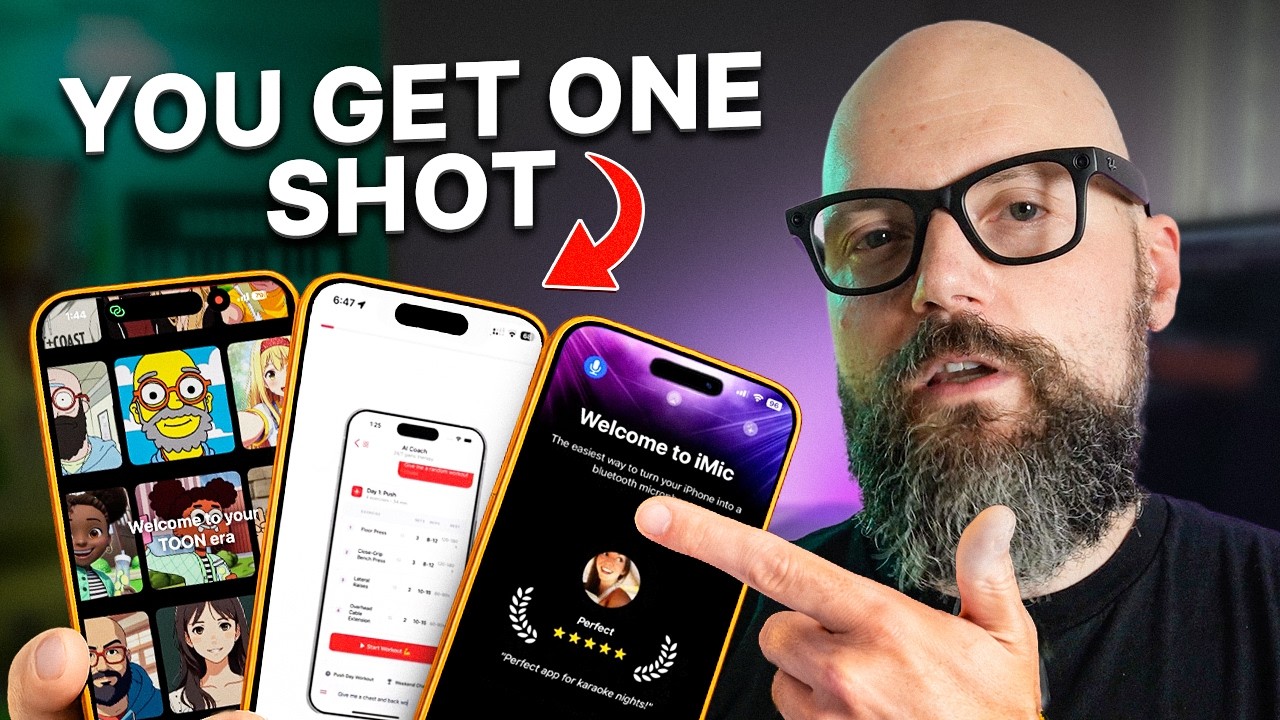
Adam Lyttle · @adamlyttleapps
Words
877
Runtime
5:20
Speaking pace
164wpm
Reading time
4min
164 words per minute, between the 160 25th percentile and the 181 median of 349 measured videos. That distribution comes from the 349-video hook study.
Opening (first 30 seconds)
Most app developers spend months building their app and only 20 minutes on the onboarding flow. But that 20 minutes is costing them thousands of dollars every month because it turns out one in four people who download your app will only open it once and never come back. One in four gone forever. And the reason almost every time is the onboarding flow. There's no definitive video explaining onboarding, how it works, why it works, and how to pick the right
82 words, the words spoken in the first 30 seconds at 164 words per minute.
Free, no signup. See how the first 30 seconds hold attention, with rewrites.
Sentence shape
| Measure | This transcript |
|---|---|
| Sentences | 70 |
| Average words per sentence | 12.5 |
| Longest sentence | 35 words |
| Questions asked | 0 |
| Sentences containing a number | 6 |
Most used terms
Filler phrases
11 in total: kind of 4 · like 3 · sort of 2 · actually 1 · literally 1.
A literal whole-word count of the same phrase list the Prepublish browser extension uses, so a phrase inside another word is not counted and a phrase used in its ordinary sense still is. It is a count and not a judgement.
Run the check on the words above: where attention is likely to drop, with a rewrite for each weak line. The free check shows the scores and the one issue costing the most.
What this transcript is
Every word below is the caption track YouTube publishes for this video, pulled from the video itself and reproduced unchanged. It is not Prepublish's writing, not a summary, and not a re-transcription: it is the video's own published captions. English captions, generated automatically by YouTube, in the video’s original language. Source: the video on YouTube. A channel that would rather this page did not exist can ask for its removal through the contact page, and it is removed.
No Script X-ray for this video: YouTube shows a Most replayed graph only once a video has enough views.
Most app developers spend months building their app and only 20 minutes on the onboarding flow. But that 20 minutes is costing them thousands of dollars every month because it turns out one in four people who download your app will only open it once and never come back. One in four gone forever. And the reason almost every time is the onboarding flow. There's no definitive video explaining onboarding, how it works, why it works, and how to pick the right strategy for your app.
So, I decided to make one. Most onboarding flows fit into three main categories and most developers are using the wrong one. First, we have the educational flow. This is the simplest type of onboarding. It's got one screen, it shows the user what the app does, and it gets out of their way. You can see this a lot with Apple's own apps. It's familiar, it's fast, and for the right kind of an app, it is perfect. This is the onboarding I use for my own currency converter app.
It's literally a single sheet and it's intentionally modeled after the default iOS upgrade screen you see when you update an app. It's pragmatic, it's familiar, and it gets the job done. And before anyone tells me a simple onboarding won't ever work, this app generated over $2,000 last month. So, yeah, it kind of does work. But here's the thing, this flow has no sales messaging, no benefits, doesn't have any sort of transformation.
If you pair this with a hard paywall and throw the user straight into the subscription prompt, it's going to fail. The user has no idea why they should even use your app. This type of onboarding works best when paired with a soft paywall where you let the user try the app first. You let the product sell itself. Then there's the benefit-driven flow. This is the most common onboarding flow you'll see around right now and it's being used extensively the last few years.
The user is walked through the benefits and features of the app in a controlled and deliberate sequence. Now, you're not limited to text. You can add full motion graphics, animations, social proof, anything you feel like. But, here's the mistake I see indie developers making constantly. They treat this like a feature list. Screen one, here's feature A. Screen two, here's feature B. Screen three, by the way, it does feature C.
That's not onboarding. That's a spec sheet, and nobody cares. Nobody's going to read it. This flow performs best when you stop showing features and start showing a transformation. For that split second, for the moment that they're in your app, you have the user's full attention. The onboarding is the hook, and in some cases, it's more important than the app itself. A habit tracker doesn't just track your habits. It keeps you accountable.
It makes you better every single day. So, that's what you sell on this onboarding flow. Identify the problem, show the transformation, remove all doubt, and you will substantially increase the number of subscriptions, especially if you follow this type of flow directly with a paywall. But, be warned. A hard paywall here can get mixed results, and Apple can even reject it. You need to give users a bit more time in your app first, which is where the third type of onboarding flow really shines.
The questionnaire flow. The app walks the user through a series of questions, like a survey, asking them how they want to use the app, what their goals are, what their problem actually is. Then, and this is the part that really matters, it calculates a personalized experience based on their answers. Hey presto, the app is built just for them. Well, kind of. These flows work best when paired with a hard paywall at the end.
And here's why I think it works so well. If a user has already invested 5 to 7 minutes answering a bunch of questions, if they've seen a personalized plan calculated for them, and they think that this benefits them directly, it's a no-brainer. They're going to start free trial. And the data kind of backs this up. Users who opt in for a free trial via hard paywall are more likely to do so on the first session. The investment here creates a commitment.
This type of onboarding works best for goal-oriented apps. Think fitness trackers, calorie trackers, sleep trackers, that sort of thing. And I have a theory that a hard paywall here is less likely to get rejected by Apple review because the reviewer gets bored before they even make it through the entire flow. Each of these onboarding flows serves a different purpose. These are tools in our toolkit, not a sledgehammer.
What works in one niche won't automatically work in yours. The key is to stop treating onboarding as an afterthought. It's the first screen most users will see and maybe even the last. And the data is brutal. 90% of users churn without one. One in four never even come back after a second session. And strong onboarding drives three times more conversions and 65% higher renewals, all according to Claude.
The words are the caption track's own and nothing is reworded or re-transcribed. Paragraph breaks are placed between sentences so the text reads as prose.
Free tools for your own script: paste a draft and see where it stands before you record it.
Paste your draft and see where viewers are likely to drop off, with a rewrite for each weak line.
Paste the first 30 seconds of your own draft for a hook score and rewrites.
Check your draft against YouTube's advertiser-friendly guidelines before you record it.
Read this channel's public videos and transcripts, and download a writing brief for it.