Getting the transcript
Reading the captions from YouTube. A video nobody has opened here before takes 10 to 30 seconds; this page fills in on its own.
Getting the transcript
Reading the captions from YouTube. A video nobody has opened here before takes 10 to 30 seconds; this page fills in on its own.
Zoetry AI · @ZoetryAI
Words
2,886
Runtime
18:49
Speaking pace
153wpm
Reading time
12min
153 words per minute, below the 160 25th percentile of 349 measured videos. That distribution comes from the 349-video hook study.
Opening (first 30 seconds)
What if you never had to bounce between Chat GPT, Midjourney, Claude, automation tools, and a dozen other apps just to finish one project? What if you could describe one goal and an AI team would automatically split the work, verify the results, remember your preferences, and even keep working while you're away from your computer? That's exactly what I wanted to find out. Over the past few days, I've been testing Minimax Code, an AI-native workspace
77 words, the words spoken in the first 30 seconds at 153 words per minute.
Free, no signup. See how the first 30 seconds hold attention, with rewrites.
Sentence shape
| Measure | This transcript |
|---|---|
| Sentences | 179 |
| Average words per sentence | 16.1 |
| Longest sentence | 51 words |
| Questions asked | 10 |
| Sentences containing a number | 7 |
Most used terms
Filler phrases
27 in total: like 14 · actually 12 · kind of 1.
A literal whole-word count of the same phrase list the Prepublish browser extension uses, so a phrase inside another word is not counted and a phrase used in its ordinary sense still is. It is a count and not a judgement.
Run the check on the words above: where attention is likely to drop, with a rewrite for each weak line. The free check shows the scores and the one issue costing the most.
What this transcript is
Every word below is the caption track YouTube publishes for this video, pulled from the video itself and reproduced unchanged. It is not Prepublish's writing, not a summary, and not a re-transcription: it is the video's own published captions. English captions, generated automatically by YouTube, in the video’s original language. Source: the video on YouTube. A channel that would rather this page did not exist can ask for its removal through the contact page, and it is removed.
No Script X-ray for this video: YouTube shows a Most replayed graph only once a video has enough views.
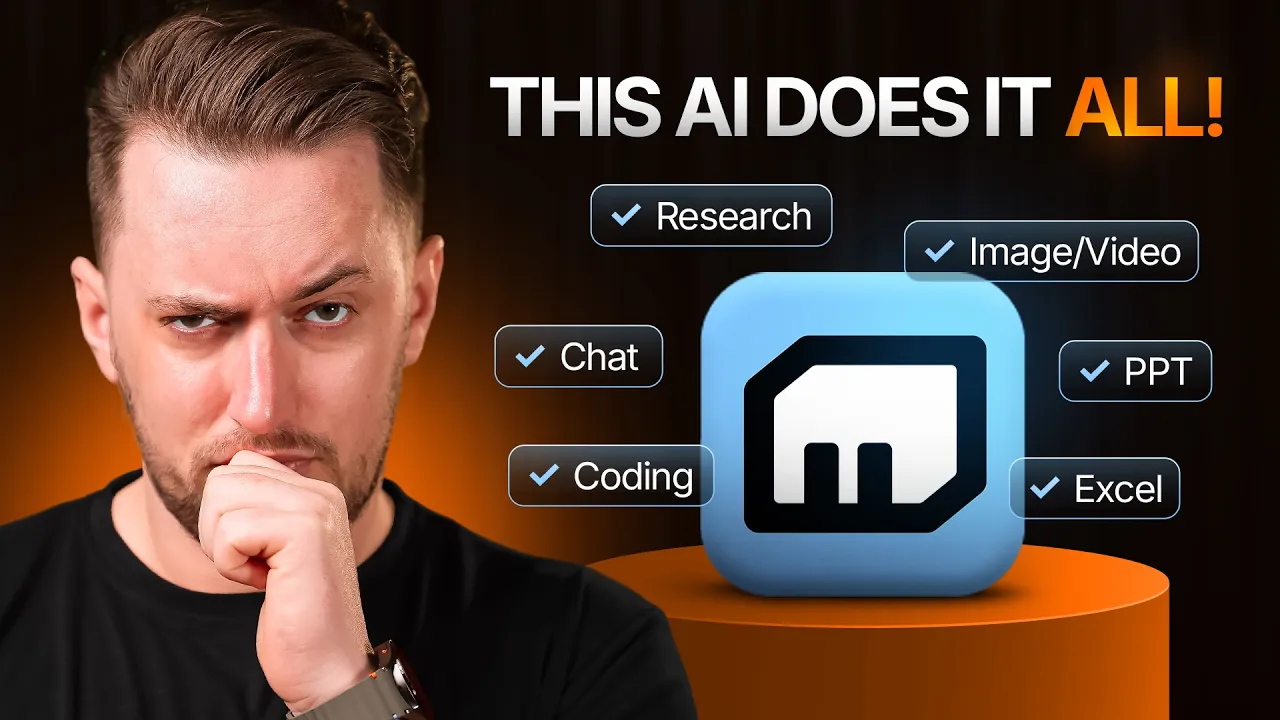
What if you never had to bounce between Chat GPT, Midjourney, Claude, automation tools, and a dozen other apps just to finish one project? What if you could describe one goal and an AI team would automatically split the work, verify the results, remember your preferences, and even keep working while you're away from your computer? That's exactly what I wanted to find out. Over the past few days, I've been testing Minimax Code, an AI-native workspace built around autonomous AI agents instead of a single chatbot.
So, I decided to challenge it. For 24 hours, I used Minimax Code to handle real workflows, from research and presentations to automation and content creation, to see if it could actually replace the collection of AI tools I normally rely on. And honestly, some of the things it did surprise me. Let's dive in. Here we break down powerful AI tools into simple steps that help you automate work, think creatively, and get more done faster without confusion daily.
Before we start, if you decide to try Minimax Code after watching this video, viewers using my link can get 12% off the new token plan, which gives you access to coding, image generation, video generation, speech, music, and more under a single subscription instead of paying for separate AI services. But today's video isn't about the pricing. I want to answer a much more interesting question. Can one AI workspace actually replace an entire workflow?
Because that's exactly what Minimax Code is trying to do. Instead of giving you another chatbot to ask questions, it lets you create teams of AI agents that can plan, execute, verify, and automate complex tasks together. So, rather than reviewing feature lists, I'm going to show you exactly how I used it in three real-world workflows and whether it actually changed the way I work. The biggest problem with AI today isn't the quality of the models, it's the workflow.
Think about how most of us actually work. You open ChatGPT to brainstorm ideas, then you copy everything into another tool to create images, then maybe another tool for presentations, another for automation, another for voice generation, another for coding. Every task means switching tabs, copying information between platforms, and constantly repeating context because each tool knows nothing about what happened in the previous one.
You're not just doing your work anymore. You're managing an entire collection of AI tools. That's the problem MiniMax Code is trying to solve. Instead of being another standalone assistant, it's designed as an AI native workspace where multiple specialized agents collaborate inside a single environment. When you give it a large objective, it doesn't simply generate one long response. It first plans the task, decides whether multiple agents are needed, assigns specialized roles, and lets those agents work in parallel before combining everything into one final result.
And unlike most AI assistants, the workflow doesn't necessarily end there. Completed tasks can be independently verified, remembered for future projects, or even scheduled to continue running automatically while you're offline. So, instead of asking, "What can this AI answer?" the better question becomes, "What can this AI team accomplish while I'm doing something else?" That's exactly what I wanted to test. So, for my first workflow, I challenged MiniMax Code with something that normally requires multiple AI tools and several hours of work, building an entire product launch strategy from scratch.
For my first test, I wanted to give MiniMax Code something that would normally require several different AI tools. So, I started with a realistic challenge. Imagine you're launching a brand new AI note-taking app for university students. Normally, I'd have to research the market, analyze competitors, identify target users, write a launch strategy, and then organize everything into a presentation. That's easily a few hours of work.
Inside Minimax Code, I clicked new task and simply described my objective. Create a complete launch strategy for an AI note-taking app targeting university students. Include market research, competitor analysis, positioning, pricing suggestions, marketing ideas, and a presentation-ready summary. Instead of immediately generating one long answer, something different happened. Minimax Code first analyzed the request and decided it was too large for a single agent.
Within a few seconds, I could see it creating an agent team. On screen, each agent was assigned a different responsibility. One agent focused entirely on researching the education and productivity market. Another started gathering information about competing products and comparing their pricing, features, and positioning. A third agent organized customer pain points and identified potential opportunities. Meanwhile, another agent began turning all of that information into a structured launch strategy.
The interesting part wasn't just seeing multiple responses. It was watching everything happen at the same time. Instead of waiting for research to finish before starting competitor analysis, the agents worked in parallel, constantly updating their progress until every task was completed. As each agent finished, Minimax Code combined all of the outputs into one organized project instead of leaving me with disconnected conversations.
That parallel workflow is probably one of the biggest differences compared to using a traditional chatbot. With most AI assistants, every step depends on the previous one. Here, multiple specialists work simultaneously, which makes large projects feel much faster and much more organized. And according to Minimax, that's exactly the idea behind agent teams. Each agent can have its own role, tools, memory, and responsibilities while collaborating automatically to complete one objective.
Once the launch strategy was finished, I expected the workflow to end there. Instead, MiniMax Code launched something called the Verifier agent. This isn't just another summary, it's a completely separate review process. The Verifier doesn't inherit the conversation history from the agents that created the work. Instead, it starts from scratch and independently reviews the finished output. On screen, I could see the verification stage begin after the project had already been completed.
Rather than asking the same AI to check its own work, MiniMax Code assigns the review to a different agent that approaches the task with fresh context. Think about how software teams work. A developer writes the code, someone else reviews it before it gets merged. MiniMax Code applies that same idea to AI workflows. In my case, the Verifier checked whether the market research supported the recommendations, looked for missing information, and reviewed the overall consistency before the final result was presented.
That may sound like a small feature, but it's actually solving one of the biggest problems with current AI tools. Most AI assistants generate an answer and then review that same answer themselves. If the original reasoning was flawed, the review often repeats the same mistake. MiniMax Code's adversarial review process is designed to avoid exactly that by keeping the reviewer independent from the creator, making the final output much more reliable for larger projects.
After seeing that workflow in action, I started to understand why MiniMax Code isn't really trying to compete as another chatbot. It's trying to function more like a real project team where different people, or in this case different AI agents, are responsible for different parts of the job. That immediately made me curious about something else. If these agents can work together on one project, can they also keep working after I stop using the platform?
So, for the second test, I focused on automation and whether MiniMax Code could actually become a 24/7 assistant instead of something that only works when I'm actively chatting with it. The second thing I wanted to test wasn't content creation, it was automation because generating one good response is useful, but having AI continue working after you close your laptop is a completely different level of productivity. So, instead of asking MiniMax Code to perform a simple recurring task, I wanted to see if it could manage something much more complex.
Imagine you're preparing to launch an AI product into a market that's changing every single day. Competitors release new features, pricing changes overnight, new startups appear, funding announcements, partnerships, and product launches happen constantly. Keeping up with all of that manually can easily become a full-time job. So, I asked MiniMax Code to build an autonomous competitive intelligence system. Inside MiniMax Code, I created a new task and gave it a detailed objective.
Every weekday at 8:00 a.m., monitor the top AI competitors in this space, track product updates, pricing changes, newly released features, funding announcements, and major industry news. Compare everything with previous reports, identify meaningful trends, verify the information, and generate an executive summary highlighting what deserves immediate attention. Instead of treating it like a one-time prompt, I switched the task to a recurring schedule.
That's where MiniMax Code started to feel less like a chatbot and more like an operations team. Rather than relying on a single AI, different agents could take responsibility for different parts of the workflow. One agent focused on monitoring competitors, another collected product announcements and feature releases, another analyzed pricing and subscription changes, another looked for funding news and market developments.
Once everything had been gathered, the verifier agent reviewed the findings before the final executive report was assembled. Because the workflow is scheduled, none of this depends on me being online. Every morning, the entire process can run automatically in the background, keeping the project continuously updated without needing to restart the conversation or manually repeat the task. One feature I found especially interesting is that Minimax Code isn't limited to its own interface.
The platform can also work through Telegram. So, if I suddenly decide I want to monitor another competitor, change the report format, or adjust the schedule, I don't have to log back into the workspace. I can simply send like "Add OpenAI and Anthropic to the monitoring list." or "Only notify me when there's a major pricing change or a new model release." Minimax Code routes that request to the appropriate agent, updates the workflow, and continues running automatically.
That makes the whole system feel much more natural. You're not just asking AI to complete a task anymore. You're building an autonomous workflow that keeps gathering information, adapting to new instructions, and delivering useful results long after you've stopped interacting with it. For creators, startups, marketing teams, and businesses that need to stay ahead of rapidly changing markets, this kind of always-on competitive intelligence could save hours of manual research every single week.
While testing these workflows, I noticed something else. I wasn't repeating myself nearly as often. Normally, every time you open a new AI conversation, you're starting from zero. You explain your audience, you explain your preferred writing style, you explain your goals, then you do it all over again in the next chat. Minimax code approaches memory very differently. To see how it worked, I intentionally gave the platform a few preferences during my first project.
I told it that I preferred concise reports, that I liked bullet point summaries before detailed explanations, and that my audience mainly consists of people interested in AI tools and productivity. Then I started an entirely different workflow. Without asking me again, Minimax code automatically applied those same preferences to the new project. That's because it uses a three-layer memory system. The first layer is session memory, which keeps track of everything happening in your current conversation.
The second is agent memory, which remembers information that's specific to the task you're working on. And finally, global memory stores long-term preferences that can be reused across future projects. Another detail I appreciate is that these memory files stay local and remain under your control, rather than simply becoming hidden chat history. So, instead of remembering random conversations, Minimax code extracts useful information, organizes it, and gradually builds context around how you actually work.
It's a subtle feature, but after using it across multiple workflows, it makes the platform feel much less like a chatbot, and much more like an assistant that's learning alongside you. And honestly, after seeing the automation and memory features working together, I started wondering something else. What happens if I ask Minimax code to do more than research and reports? Can it actually help me build things inside the same workspace?
That's exactly what I tested next. By this point, Minimax code had already helped me research a product launch, automate recurring tasks, and remember my preferences. So, for the final test, I wanted to push it a little further. Instead of asking it to answer questions, I wanted to see if it could actually help me build something from start to finish. I went back to the launch strategy we created earlier and gave it another instruction.
Turn this research into a professional presentation. Create slides that explain the market opportunity, competitor analysis, positioning, pricing strategy, and launch plan. Instead of asking me to upload files or copy information into another app, MiniMax Code reused the work we'd already done. Within the same workspace, it began organizing the research into a structured presentation. The content wasn't being recreated from scratch.
It was building directly on the context that already existed. That might sound simple, but it saves a surprising amount of time. Normally, I'd be jumping between ChatGPT, PowerPoint, Google Slides, and maybe another tool to polish everything. Here, the workflow stayed connected from beginning to end. And it doesn't stop at presentations. MiniMax Code includes built-in experts for everyday office work. Whether it's creating Word documents, analyzing Excel spreadsheets, generating PowerPoint presentations, or extracting information from PDFs, those capabilities are already part of the workspace rather than separate tools.
What surprised me even more is how broad the platform actually is. You can generate images, create videos, produce speech, generate music, analyze audio and video files, even build websites and applications using natural language, all from the same workspace. One example that caught my attention was the computer use feature. Instead of only generating text, MiniMax Code can actually interact with your computer. It can understand what's happening on your screen, click buttons, type into applications, switch between windows, handle pop-ups, and even perform operating system tasks based on simple instructions.
So, rather than saying, "Tell me how to create a new note in Obsidian." you could simply ask, "Open Obsidian and create a new meeting note for today's client call." The platform carries out those actions for you instead of just explaining the steps. That starts to blur the line between an AI assistant and an actual digital co-worker. Another feature I think deserves attention is the skills hub. MiniMax Code comes with access to more than 100 ready-made skills covering coding, office work, learning, automation, and content creation.
Instead of building every workflow from scratch, you can add existing skills to your agents with a single click. That means your AI team becomes more specialized over time without needing complicated setup or programming. For people who constantly repeat similar tasks, that's a huge time-saver. One thing the platform recently introduced is its new token plan. Rather than subscribing to a separate service for every type of AI task, the token plan combines everything into one ecosystem.
It includes access to the latest MiniMax M3 model along with image generation, video generation, speech, music, and coding capabilities under a single subscription. If you go beyond your monthly allowance, additional usage simply falls back to credits instead of interrupting your workflow. The idea is simple. Instead of paying for one AI to write, another to generate images, another for voice, another for music, and another for coding, you're managing everything from one place.
After spending the last few days with MiniMax Code, I don't think the biggest takeaway is any single feature. It's how all of the the work together. The agent team handles large projects by splitting work across multiple specialists. The verifier agent independently reviews completed work before it's delivered. The memory system remembers how you like to work instead of making you repeat yourself every session. Automation keeps your workflows running even when you're offline.
And features like computer use, office tools, and multimodal generation mean you spend less time switching between apps and more time actually getting work done. I also like that MiniMax Code isn't trying to replace just one tool. It's trying to replace the constant back and forth between dozens of AI tools that most of us use every day. Is it going to replace every application overnight? Probably not. But after testing it with real workflows, I can absolutely see why MiniMax positions it as an AI native workspace instead of another chatbot.
And honestly, that feels like a much more interesting direction for AI. If you'd like to try MiniMax Code yourself, I'll leave my link in the description below. If you subscribe through that link, you'll also get 12% off the new token plan, which gives you access to coding, image generation, video generation, speech, music, and more under one subscription. I'd also love to hear your thoughts. If you could build your own AI team, what's the very first workflow you'd automate?
Let me know in the comments. If you enjoyed this video, don't forget to leave a like, subscribe for more AI tool reviews every week, and I'll see you in the next one. Thanks for watching.
The words are the caption track's own and nothing is reworded or re-transcribed. Paragraph breaks are placed between sentences so the text reads as prose.
Free tools for your own script: paste a draft and see where it stands before you record it.
Paste your draft and see where viewers are likely to drop off, with a rewrite for each weak line.
Paste the first 30 seconds of your own draft for a hook score and rewrites.
Check your draft against YouTube's advertiser-friendly guidelines before you record it.
Read this channel's public videos and transcripts, and download a writing brief for it.