Getting the transcript
Reading the captions from YouTube. A video nobody has opened here before takes 10 to 30 seconds; this page fills in on its own.
Getting the transcript
Reading the captions from YouTube. A video nobody has opened here before takes 10 to 30 seconds; this page fills in on its own.
Zubair Trabzada | AI Workshop · @AI-GPTWorkshop
Where viewers went back to watch this video again, from YouTube's public Most replayed graph, lined up with what was said at that moment.
Most replayed moment #1
12:043.5x the video's typical replay level
So therefore it already detects that and it will automatically utilize the sites website right here. So, one cool thing about building these cinematic websites is the more you build, the better skill set and the more options and folders and files will live inside your local folder. So, for instance, I've built a
Said at 11:57
Most replayed moment #2
7:333.2x the video's typical replay level
in order to start building amazing websites with one prompt. So I'm going to go ahead and start a completely new chat so that way it's nice and fresh. So everything is good to go. 5.6 soul, extra high. So the next step is now grabbing the prompt pack here. Again, I've compiled all of these different uh
Said at 7:27
Most replayed moment #3
12:272.6x the video's typical replay level
just quickly. Hands-free engage, sir. Say, Jarvis, and I shall answer. >> Hey, Jarvis, can you pull up my cinematic scroll uh skills, please? >> I've pulled up all the information, sir. You can read it yourself or if you'd like say read it out loud and I shall.
Said at 12:20
The graph counts replays. It does not show where viewers stopped watching.
Words
4,030
Runtime
18:52
Speaking pace
214wpm
Reading time
17min
214 words per minute, above the 201 75th percentile of 349 measured videos. That distribution comes from the 349-video hook study.
Opening (first 30 seconds)
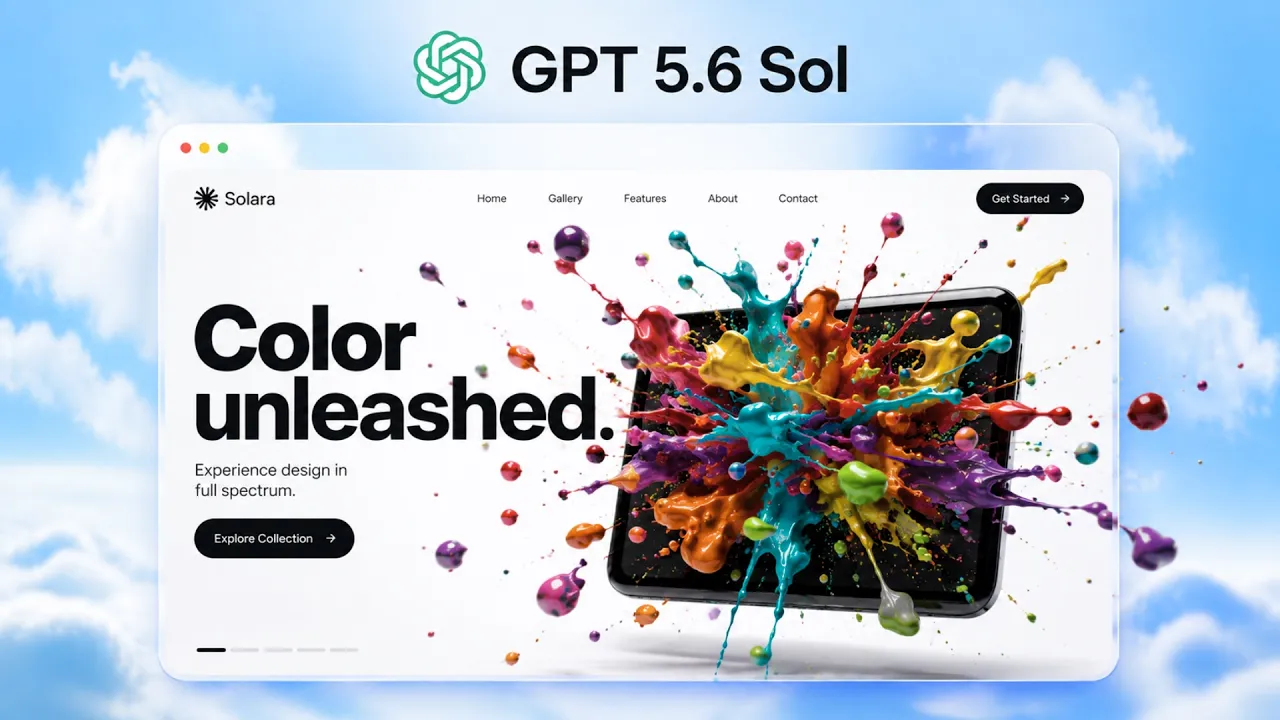
also kind of spins as you scroll there. Oh, that is beautiful. Oh, wow. That is nice. I love that color explosion. [music] Wow, that is gorgeous. Oh, cool. That's pretty cool, too. As you kind of scroll, I am shocked. I love this color explosion. I'm shocked that this was made with one prompt. This is crazy. All right, let's take a look at another one. This is the camera. Oh, that is cool. Look at this. Beautiful. Wow, that is nice. I like this close-up right there as you scroll in this camera. I mean, again, it's kind of shocking that this is one prompt.
107 words, the words spoken in the first 30 seconds at 214 words per minute.
Free, no signup. See how the first 30 seconds hold attention, with rewrites.
Sentence shape
| Measure | This transcript |
|---|---|
| Sentences | 281 |
| Average words per sentence | 14.3 |
| Longest sentence | 138 words |
| Questions asked | 20 |
| Sentences containing a number | 24 |
Most used terms
Filler phrases
177 in total: uh 54 · kind of 34 · like 34 · right? 19 · um 10 · actually 9 · basically 9 · you know 6 · I mean 2.
A literal whole-word count of the same phrase list the Prepublish browser extension uses, so a phrase inside another word is not counted and a phrase used in its ordinary sense still is. It is a count and not a judgement.
Run the check on the words above: where attention is likely to drop, with a rewrite for each weak line. The free check shows the scores and the one issue costing the most.
What this transcript is
Every word below is the caption track YouTube publishes for this video, pulled from the video itself and reproduced unchanged. It is not Prepublish's writing, not a summary, and not a re-transcription: it is the video's own published captions. English captions, generated automatically by YouTube, in the video’s original language. Source: the video on YouTube. A channel that would rather this page did not exist can ask for its removal through the contact page, and it is removed.
also kind of spins as you scroll there. Oh, that is beautiful. Oh, wow. That is nice. I love that color explosion. [music] Wow, that is gorgeous. Oh, cool. That's pretty cool, too. As you kind of scroll, I am shocked. I love this color explosion. I'm shocked that this was made with one prompt. This is crazy. All right, let's take a look at another one. This is the camera. Oh, that is cool. Look at this. Beautiful. Wow, that is nice.
I like this close-up right there as you scroll in this camera. I mean, again, it's kind of shocking that this is one prompt. So, I thought I would never say this, but GPT 5.6 Soul might be the best model for designing website, even better than Cloud Fable 5, and it's a lot cheaper than Fable 5. So, in this video, I'm going to show you step by step how to design incredible website with the GPT 5.6 Soul. And on top of that, I'm going to give you this entire prompt pack completely for free.
So you can just basically copy paste any of these different website designs that you prefer for your personal use or if you have a agency that builds website. This will be perfect for you. So a couple of weeks ago I did a similar video about designing these type of websites with Claude Fable 5. And Claude Fable 5 is absolutely incredible at designing websites, especially these 3D scroll animations that are super popular.
But a lot of people kept mentioning that it's very expensive. And it makes sense, right? Fable 5 is expensive and it's also going away from your cloth subscription uh today actually and the date today. So then I've been testing the GPT 5.6 sold that got recently released by OpenAI their new model to see if it comes close to Fable 5. And honestly I've been absolutely impressed because not only is it really good but on top of that in some particular instances it's actually better than Fable 5, especially when you consider the cost.
So, let me go ahead and show you step by step how to create incredible websites with the GPT 5.6 soul model. And of course, for building websites like this, you need some kind of a AI model that's really good at generating images and videos as well. So, I'm also going to be using Hicksfield MCP inside Chat GPT. So, that way we can generate all of those resources all within our chat GPT uh desktop app here. But don't worry, I'm going to show you all of this step by step.
I'm using Hicksfield, but if you're planning to use something else, feel free to do it. I'm just going to show you this method, but you can apply this to any method you want. All right, so the first thing you need to do is I would suggest downloading the chatpodax app or the chat GPT desktop app essentially. So head over to openi.com/codax. You can just basically download this for Mac OS because obviously we're going to be using our uh chat GPT app and we're going to use our codeax here instead of the uh chat GPT itself.
So once you download this, you're going to come to codeax here and you're going to click on new chat and then go ahead and create a folder. You can name it chat GPT or whatever it is and you can just basically point this to that. So that way all of your uh files and everything kind of lives in the same uh folder. Again, very similar to uh claw code if you've used it before. All right. So, after you get that folder set up, the next thing we need to do is make sure you're selecting the GPT 5.6 sole model.
So, you're going to come to the right hand corner right here. You're going to click on this. You can go to advance. If this is not showing right away, right? If it shows something like this, you're going to click on advance. And now you have the ability to choose the model, the effort, the speed, and everything else. So, the model I'm choosing the 5.6 six soul, but you have the other option to choose the Terra or Luna.
If you're if you didn't see the announcement, they basically split it split this model into three different sectors based on pricing. So, I'm going to choose the 5.6 5.6 sold because that is the best model from this particular family of models, but uh you can test out the other ones as well. So, I'm just going to click on that. And then obviously, just like the effort you have in cloud and cloud code, you can choose the different effort levels.
I'm going to actually choose extra high. Um but um high works as well because I tested both of these. Extra high actually gives you a better result. Of course, it's going to consume a bit more tokens, but if you're just but since you're just using one prompt, it just makes sense to uh make sure you're getting the better model. And then speed, you can leave it at standard as well. All right. So now that our codeex is all set up, the next thing we need to do is give chat GPT the ability to uh generate these incredible 3D effects.
Right. Right. So this is basically as you scroll. So you can see um this kind of explosion of colors and then also uh these other features like these uh zoom in effect and um kind of again same thing explosion of these different parts. This is all created with different video frames and it's combined with a tool called ffmpeg right. So we need to give chatpt access to a video model. So that way it generates all these frames and then also it should be able to combine all of them together uh without us doing much.
So that's why we need to give uh access or give chat GPT or uh 5.6 soul GPD 5.6 soul access to the hickfield MCP. So that way it can grab all of that stuff from our chat session right here. Again, I'm using Hickfield. You guys can use whatever you want, but when it comes to like kind of oneshot prompting, I feel like this is the best solution there. All right. So, in order to grab the Hickfield MCP, and by the way, if you're not familiar with Hickfield MCP, it's kind of like a one-stop shop for all image models, video models, audio models, and tools like FFmpeg, and everything else.
And like I said, they have really good connection through their MCP with claw, chatbt, Hermes, agent, and everything else. So, the setup is pretty simple. You're going to click in the link in the description. It's going to bring you right here. Make sure you sign up for an account. And of course, you have to put in some money inside your Hicksfield account because it's using these uh kind of higherend models like Cance 2.0.
Uh so once you set up your account, you'll again same thing you can just click on the link in the description again. It'll bring you exactly in this space in this particular area. So as you can see I've selected MCP here and then on the right hand side you can see that you have access to claw chat GPT cursor open claw and everything else. Um the chat GPT you can just click on it. So you can click on MCP and just kind of follow these different steps.
So you can do that. Uh uh you can go to your settings, apps, advanced settings, enable developer setting mode, then click create app, and then you can just copy paste this um hickfield MCP URL. Or if you want to be lazy like me, all you have to do is just copy this, go back to your chatbt, your codeex, and just basically say install this MCP for me, right? And you're just going to paste that URL. You're just going to press enter and chat is going to go ahead and install everything for you.
Of course, for me, I don't think this is going to install it again because I already have access to this. As you can see right here, this is the source that we're looking at. But it will probably double check again to make sure that the server is connected. And if it's not, then it's going to go ahead and install it. So there you go. So it says the server is already present in your global codeex MCP registry under Hicksfield with the exact URL you provided.
I'm checking to save the details blah blah blah. So for your particular scenario, what's going to happen is once you put this exact prompt in here, it's going to actually u ask you to click on that link which will authenticate your uh Hickfield and all you have to do is just click on approve and it's going to take you back to your chat GPT and now you have access to your Hickfield MCP. All right, so once you do that, now you have everything you need in order to start building amazing websites with one prompt.
So I'm going to go ahead and start a completely new chat so that way it's nice and fresh. So everything is good to go. 5.6 soul, extra high. So the next step is now grabbing the prompt pack here. Again, I've compiled all of these different uh prompt packs for you guys depending on whatever need you have. So uh if you want to create kind of that camera effect that you saw, right? So you have uh the uh the entire prompt right here, a portfolio, right?
If you want to create a portfolio and also all different types of design that I've given you guys. And again, the point of this is to give you an example of an entire system that's there, right? So, you can change the subject, but the system is going to be still the same. So, I've given you guys formulas for different website designs and all of these prompts, right? So, you can just basically use this as an inspiration uh to do whatever you want.
All right. So, to grab this prompt pack, again, this is completely free. All you have to do is click in the link in the description. It's going to bring you to this free community. Again, there's going to be multiple links in the description. Make sure you click on the free community description and it's going to bring you to AI workshop light. Again, this is a completely free community. Once you click on this and it brings you to the community, it's going to bring you to the about page.
You're just going to click on join, right? And it's uh you're going to be able to join the community. Uh after that, and then you're going to go to the classroom section. You're going to go to the YouTube resources. And then all of the prompts and everything is going to be here inside the cloud code folder. And I have a bunch of other free stuff in there that you guys can completely uh utilize. So once you grab that, let's go back to our chat here.
And then I'm going to go ahead and scroll down. Let's go ahead and select one of these prompts. So that way we can kind of just use uh this so that way you know how this works. So let me see here. So there's a Uralia ring born from fire, a whiskey caught midsplash. These are all like different designs. Nox, an orchard that opens for you. Uh, abyss, a wash that sinks as you scroll. Oh, this is a good one. So, let's go ahead and grab this one.
So, all I'm going to do is just kind of copy all [snorts] of this. Go back to my chat GPT here and I'm going to paste this. So, I'm going to go ahead and enter this and then explain what this prompt is. So, let me go ahead and So, there you go. It says thinking now. It's going to go ahead and uh move forward. So, let me give you a quick overview of what this thing is, right? So, it says on top right here, you're building a one-page award-grade scroll cinematic website.
Work autonomously end to end. Generate assets with Hicksfield connector, right? Then build and run the site with codeex. No plans, no placeholder. The product, a fictional brand called Abyss Mark II, a titanium dive watch rated to 3,000 m. So, now we're giving it all of these different instructions. We're telling him, hey, use the Hicksfield connector to generate all of the resources, all of the assets, the images, the videos and all the other tools kind of like putting the frames together uh and everything else.
And we're also telling giving uh details of the product itself. And this is where you can now change this to your own liking, right? So if you're for instance uh using this for your own brand, if you have an e-commerce website or whatever it is, this is where you can like make these changes yourself and use this as a template. So we're giving it the concept, right? It says the concept is a descent. The watch sinks through the ocean as the visitor scrolls water shading from sunlight turquoise through indigo to absolute black.
So, we're actually giving him the technique, the concept, right? We're giving him the image models, which image models to use. We're giving him the frames, right? I'm saying use ffmpeg 150 frames per clip. So, all of that good stuff. Right now, one quick thing, as you can see right here in the bottom, right away, it says I'm using the site's building hosting skills for implementation and publishing workflow. Now, one thing that's really cool about GPT 5.6 Six soul or chachi pit I think in general this got re released recently it's called uh the site skill so it says sites sites is in public beta availability can depend whatever it says build and share hosted sites in chat GPT so the cool thing about this is that sites will allow chat GPT to create host refine and share website and web apps games all in the same exact workflow without deploying any kind of separate thing right so you will see once it creates all of that uh once it completes you will see what I'm talking about because it will just do a hosting itself on a native browser and all you have to do is just log in with your chat GPT account.
So in order to enable chat GPT to use this site skills that it has natively all you have to do it says in chat GPT include the word website in your prompt or mention at sites to start the site workflow explicitly. And in our case because we told it explicitly to build a website. So therefore it already detects that and it will automatically utilize the sites website right here. So, one cool thing about building these cinematic websites is the more you build, the better skill set and the more options and folders and files will live inside your local folder.
So, for instance, I've built a bunch of these scroll semantic websites. By the way, this is my AI second brain. This is my assistant, Jarvis. I'm just going to pull up those skills for you just quickly. Hands-free engage, sir. Say, Jarvis, and I shall answer. >> Hey, Jarvis, can you pull up my cinematic scroll uh skills, please? >> I've pulled up all the information, sir. You can read it yourself or if you'd like say read it out loud and I shall. >> No, that's fine.
Thank you, Jarvis. >> Very good, sir. Standing by. >> Okay. So, as you can see right here, it's all kind of um like all of these different nodes that you're seeing. These are all the scroll cinematic websites that I've built. Now, all of this is corresponding to the different designs that I've already created. and it will get to a point where you will now have all of these different designs at your disposal. So moving forward depending on whatever subject you're building these things, you can essentially reference these files that are already inside your local machine.
So that's the beauty of using codeex or clot code inside a local folder because you are basically training this AI second brain of yours uh to add all of these skills as you interact and as you build these things. Then by the way, if you're interested in, you know, building your AI second brain, if you haven't built that already, or if you want something a personal assistant like Jarvis, which is very cool, check out the paid community inside AI workshop.
You can just head over to the classroom section there and you can download Jarvis AI assistant just like a zip file and you can upload it on your computer and you will have a version of this where now you will have kind of these 3D scrolls and also uh Jarvis, which is an incredible assistant here. Jarvis, say a quickly hi to everybody that are watching you. >> Ladies and gentlemen, allow me to introduce myself. I am Jarvis, Sers Bear's second brain, chief notet wrangler, and the only butler he trusts to remember what he forgot he was building.
All right, so that's Jarvis for you. Hope you guys This is probably one of the fun projects I've ever built. Anyway, so let's go back and see what's going on here. All right, so it looks like it's still working. Let's go ahead and let this finish. All right, so after 25 minutes and went ahead and completed the job. As you can see, it used our Higsfield to generate our images of our watches. It also used a bunch of different other tools to put everything together.
And as you can see right here, it says Abyss Mark 2 is only visible to you. And this is kind of that site. So it says use sites and browser rank commands, right? So it's locked, but if you are obviously in your own codec session, all you have to do is just click on open and this is going to go ahead and open this exact same site for you. And of course, like if it's your first time, it's going to ask you to log in. So there you go.
Let's look at uh take a look at our website here. All right. So this is kind of the landing page right away. So as you scroll now, things change. So take a look at this. Oh, that is cool. Right. Look at that. So as that water kind of jumps into the water and I keep I'm I'm scrolling by the way right now. So there you go. That's the now the second frame. Now you can see on the right hand side this is the depth. So as I kind of go up and down the depth moves, right?
That's actually pretty nice. So it's a sea level. And just like we mentioned, so as we scroll down, the light disappears and the watch descends. Very nice. That is beautiful, actually. Wow. That is really cool. And it kind of zooms into the watch. The light persists. Wow, that is actually impressive. I mean, again, this is with one prompt. Like this looks like it was made in a professional studio. Very cool. I love it already.
This is nice. So you can see in the bottom it has all of these different uh little cards that talks about the aspects of this watch itself. In the bottom you have the email address. So very simple but very beautiful. So it has this scroll animation effect as you go up and down. As you scroll up and down, you can see that the watch kind of descends and the first frame is obviously the watch the you know the watch is introduced as abyss and it falls right on the um like you know on the water and afterwards as you scroll right you can see on the right hand side the depth and it kind of goes and disappears into the darkness but it illuminates the watch itself and kind of zooms in shows at the green.
This looks like an actual real watch to be honest. But anyway, so that's how you can generate these amazing 3D scroll website animations. And of course, that's just one example, right? So this was the one that I just copied pasted. Let's say you want to create uh other designs. So this one's like nor a piano revealed by light. So as you can see the technique and for each of these is different, right? So uh this was the one where we just created that was kind of as you scroll the watch descends down to the ocean.
So that's one effect. This one is uh knocks an orchard that opens. This one's really cool as well. So this basically is a product where um it's kind of like a tree, like an orchard tree, and as you scroll down, each of these different leaves kind of fall and bloom and shows the product afterwards. So again, different designs and different aspects of these scroll animation. This one's called whiskey cotton midsplash. So, as you scroll, kind of that splash effect that we uh saw in our uh intro of the video with the different colors.
It's kind of similar to that as well. A ring born from fire. This is really cool as well. You have kind of this uh gold uh molten gold that kind of falls and forms this aura ring, which is very cool animation as well. And you also have like a nice little portfolio because everybody needs a good uh portfolio there. And this one's the camera effect. So that way you have you see kind of that different parts uh explode into different pieces and then come back together.
So again all of this is different designs for you guys to take a look. And cost by the way is approximately around you know $5 per website. So again depends on how many videos and how many frames you're using or how many images you're using. So the uh cost will vary but it could be anywhere between $5 to $20. Let's say for a website, right? For a website like this, this is absolutely incredible. And you can easily sell this for a couple hundred to thousands of dollars depending on the complexity of your uh website there.
So, check it out. Uh let me know what you guys think. And of course, like I said, the prompt pack is going to be in the description for the free community. And like I said, if you're interested in joining the paid community to grab Jarvis AI employees and learn how to monetize these AI employees and learn clot code and um you know how to start your AI agency, check out the paid community that's going to be in the link in description as well.
Thanks for watching. Make sure you guys like, subscribe because I I'll be testing a lot more of these uh website builds and different effects and building more AI employees and AI assistants in the future videos that you don't want to miss. Thanks for watching and I'll see you on the next one.
The words are the caption track's own and nothing is reworded or re-transcribed. Paragraph breaks are placed between sentences so the text reads as prose.
Free tools for your own script: paste a draft and see where it stands before you record it.
Paste your draft and see where viewers are likely to drop off, with a rewrite for each weak line.
Paste the first 30 seconds of your own draft for a hook score and rewrites.
Check your draft against YouTube's advertiser-friendly guidelines before you record it.
Read this channel's public videos and transcripts, and download a writing brief for it.