Getting the transcript
Reading the captions from YouTube. A video nobody has opened here before takes 10 to 30 seconds; this page fills in on its own.
Getting the transcript
Reading the captions from YouTube. A video nobody has opened here before takes 10 to 30 seconds; this page fills in on its own.
Stefan 3D AI · @stefan_3d_ai
This video has no Most replayed graph yet: YouTube shows one only once a video has enough views. These are the moments viewers replayed most in Stefan 3D AI's most watched videos.
Most replayed moment at 4:08
7.0x that video's typical replay level
and it will also have the access to full ai apis. Now let's do some serious tests. The first test will be to do an animation of a character that will be split in parts. The first test will be to create animation. Animation of a character that will be an
Said at 4:01
Most replayed moment at 9:39
5.7x that video's typical replay level
Overall I think this guy's made really amazing job, bring it it all together and I really had a lot of
Said at 9:41
Most replayed moment at 20:36
4.1x that video's typical replay level
Just also because I was playing that game when I was kid. Okay, let me see if I remember how to play that. Let's start with the road, right? Let's try to build a, oh, there are cars. There are cars. It generated nice cars and they're like, wow.
Said at 20:29
The graph counts replays. It does not show where viewers stopped watching.
Words
6,901
Runtime
36:28
Speaking pace
189wpm
Reading time
29min
189 words per minute, between the 181 median and the 201 75th percentile of 349 measured videos. That distribution comes from the 349-video hook study.
Opening (first 30 seconds)
I'm finally doing it. I'm building my dream game that was stuck in my head for 15 years. I'm gonna put all my experience and use best 3D AI tools to make it. And I'm gonna start from absolute zero. No team plates, no stock assets, nothing. And I welcome you to my journey where I'm gonna show you how I build it, the wins, the failures and how I get past them. You were asking guys to show you what can be done in a week or more. This is the time and spoiler
95 words, the words spoken in the first 30 seconds at 189 words per minute.
Free, no signup. See how the first 30 seconds hold attention, with rewrites.
Sentence shape
| Measure | This transcript |
|---|---|
| Sentences | 602 |
| Average words per sentence | 11.5 |
| Longest sentence | 51 words |
| Questions asked | 33 |
| Sentences containing a number | 26 |
Most used terms
Filler phrases
311 in total: like 198 · actually 43 · basically 19 · right? 15 · you know 15 · I mean 13 · kind of 4 · sort of 4.
A literal whole-word count of the same phrase list the Prepublish browser extension uses, so a phrase inside another word is not counted and a phrase used in its ordinary sense still is. It is a count and not a judgement.
What this transcript is
Every word below is the caption track YouTube publishes for this video, pulled from the video itself and reproduced unchanged. It is not Prepublish's writing, not a summary, and not a re-transcription: it is the video's own published captions. English captions, published by the channel, in the video’s original language. Source: the video on YouTube. A channel that would rather this page did not exist can ask for its removal through the contact page, and it is removed.
I'm finally doing it. I'm building my dream game that was stuck in my head for 15 years. I'm gonna put all my experience and use best 3D AI tools to make it. And I'm gonna start from absolute zero. No team plates, no stock assets, nothing. And I welcome you to my journey where I'm gonna show you how I build it, the wins, the failures and how I get past them. You were asking guys to show you what can be done in a week or more.
This is the time and spoiler results are even better than I imagined. We all have some dream game ideas and we promise ourselves that at some point we actually get into it and build that. But it's not easy to start, right? I'm the lucky bastard who actually figure out time to get started. And I know best approaches how to mix AI with 3D and game development, which I'm gonna show you. So where is the starting point? A project folder.
Well, more than that, I created a project in my workspace. I already made a video a long time ago explaining that I have some agent in a folder where I manage all my stuff and it constantly learns how to work with me. I do my YouTube videos, research, any other projects, everything here. And I also keep it on GitHub. Recently, mostly I work with Claude Fabel. So here's how my setup works, right? I do have CLI connected here.
Here is the project with all the stuff. And again, I asked to put all outputs as an HTML page so I can easily check it, right? This setup, of course, has most important APIs already, such as Foley, I Blender MCP, Unity MCP, because I chose to go with Unity and one new amazing MCP specifically for this project will be custom use MCP that allowed to control node editor in cloud from my agent right away. That's like insane thing.
You're going to show it later. And that's pretty much what I need. I don't have like crazy, crazy skills. All skills or knowledge, as you can see here, is from my experience. Like I did some task once and I said, like, OK, remember how to repeat this task later. We can see it here. Now, the whole first day I spent to putting my thoughts onto the paper. I tried to explain to myself what I actually looking for. Now, after a week, I actually can summarize it very shortly.
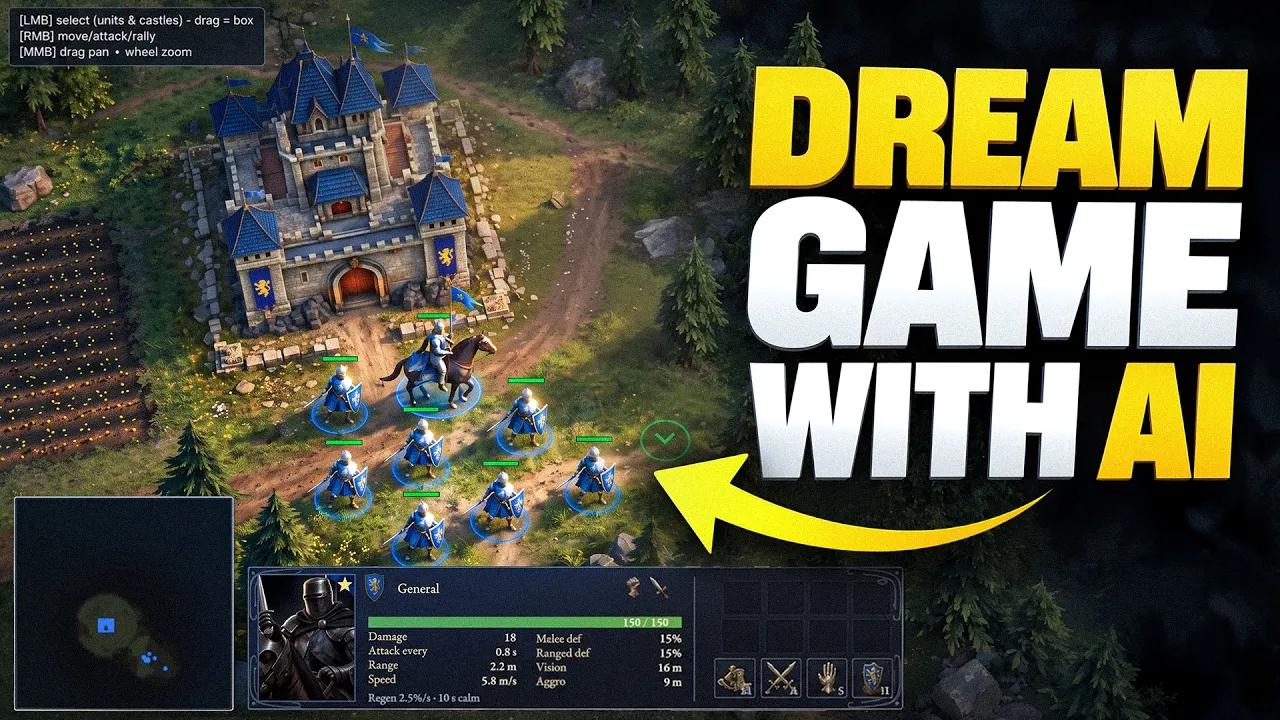
I'm building old school, hardcore conquer RTS. The main idea of my game is not a construction. It's creatures. It's about armies, different creatures, exploration and conquering them. When I was a kid around five to six years, I remember I was playing on my dad's PC some game and it was pretty, pretty simple. There were small castles and big map. And the whole thing is that you can conquer the castle. If you conquer the castle, you can produce the units of that castle.
And there were incredible amount of different creatures. For example, there were skeletons, but there were different kind of skeletons, archers, crow's bow, spearsman and so on. And the longer you played the game, the more you explore and figure out like new creatures. Some are crazy strong and you don't know how to fight them. Some are weak, but usable in some situations. So you basically go around the map and try figure out how to conquer this creature.
And when you conquer them, they join your army and you continue exploration. Maybe because I was a child or maybe this idea is really that great. It hasn't printed in my memory so hard. So now you know the concept. All of this I explained to my agent and we started to put it on the paper. Like we created some overview and we also started to do the concept thing. Again, I have all the APIs connected here and I basically did the iteration and say like wanted this, this, this.
And it created me a bunch of images. And when I see something that reminds me of that, I say, yo, this screenshot is the direction that I want. So let's keep that. And then we did like four iteration and actually it was quite successful. So pretty fast. I actually got some references that can be considered as a starting point. So let me show you the final references that I decided to go with this one for starting castle.
This is a skeleton crypt. There will be, of course, some magnificent big creatures later and trees. Of course, trees actually will play significant role in my game. If you ever played in old Rome, total war games, there were forests. And whenever you go внутри the forest, you have limited vision and there might be something happen. There might be ambush or you can find something cool or secret road. I definitely going to bring that mechanic and of course, creatures.
Creatures are cornerstone of my game. So I spent enormous amount of time with different iterations until I actually got what was on my mind. My first version of the game will feature humans and there will be different kind of humans. Like there will be a general or swordsman, archer and maybe later knights. For skeletons, there will also three kind of skeletons. Warrior, archer and mage. That's for the beginning. And there will be also very strong guys such as orcs and much more later.
And there will be also wild creatures, those that will hide in trees doing some ambush or basically there will be another logic around it. I'm going to keep it a secret. I'm still working on that. There will be a wolf and there will be white skeleton. Why not? Next for selected creatures, I'm going to need castles. Castles are very important. Also, like there will be not much building, but there will be castles and they will need to look really nice on the map.
Just wait until the end. See how cool they are when I place them on the map. Here's my reference that I prepared. And the cool thing about castles, they will be different depending on the creatures type. And my idea is that like when people see the map around, they're going to get the idea. What's going on here? For example, later I plan to add spiders and there will be something like that. All surrounded with nets, creepy, but you immediately get idea what's going on here or here how Ursa's castle will look like.
I think also the right name for this is garnisons. And one more thing before I actually can start approaching anything else, I needed to decide on biomes. Again, I starting with the tree sort of races, humans, skeletons and ursa's. And I decided to go like this. It will be more lent. AI suggested this name and I really like it. It will look something like this skeleton location, dry earth, scorched trees and highlands for ursa's again, like mountains, darker green trees, et cetera.
And this is like an additional reference. I spend more than a day here and continue to do the references while doing the next step. Now, second day. And here I already started to approach game engine. Why not? As a prerequisite, again, I got unity, of course. I was using unity version six and I started with universal rendering pipeline. There is HD pipeline and universal. I don't really need HD. I actually want to replicate old school graphic.
It will be nice and cool, but I don't need this fancy effects. It will be nice and different way for the MCP. I chose to go with ankle breaker studio, which is also developed by a guy in my community. And he was asking me to check on this MCP for a while. And then I finally checked it and I can confirm it works pretty, pretty good. And it exposes quite a lot of tool. I tested it with Claude Fable and I have no problems or issues working with unity.
I'm just telling to do something and it does something. And of course, I'm going to need MCP to generate 3D models, 2D images, textures, material textures. And the best new tool will be custom use. Basically, there is MCP that you can access here. It's very, very simple to install. Just drop this link to Claude. It will also ask to authorize so it can have access to your account and credits. They also, by the way, have plugins to Blender, etc.
It's very convenient. Now, custom use by itself is a platform when you can generate a lot of things and access top tier models such as Tripopi 2 and like plenty of them. For example, one of my favorite and I really, really recommend you to try this is patina, like generating seamless texture with patina, which I used a lot. I'm going to show it to you soon. Now, of course, you can go to custom use and generate all of this or you can go to any other platform, but that will be slow, right?
Now, the cool thing is that all what you see was done not by me. It was actually done by my agent. So I in my space create this terrain kits, define like what objects I'm going to need, etc. And then say, OK, now go to custom use, create a new canvas and generate all these things that we require. So here you can see like some objects. And then it created me this. This is a basically set of object that I used in first version.
So here you can see. And the cool thing about it is this You can go here and preview 3D models right away here, not go and open it in Blender and so forth. Check if something is wrong and say, like, OK, this object is generated bad and regenerate this one, this one texture, like maybe try like the different texture. You basically talk with one same agent in your workspace and it does changes here. That is absolutely genius.
But before I needed 3D objects or textures, I needed to start building some game prototype. And I took it quite serious before start investing any time into 3D modeling, the visual look, etc. I wanted to confirm that I will be able to reach on that level of gameplay that I imagine myself. And here Fable 5 did such a crazy work. So as you can see, I started to ask like, OK, so let's do the very first step like the one castle.
Where is my hero? Let's create a hero. Let's create some other units. Let's create human warriors. Let's create a skeleton castle of two types. I created warriors and I created archers. And then I started to build the basic, basic gameplay. Same time in my project, I started to actually define some important values for the game. For example, again, I was working with the first set of units. It will be human, skeleton and horses.
And here you can see that I was going like this stats that they will have. And all of that was already in the game. So I was actually saying, OK, now I need to be able to move my units around and they will act like this, like this, like this. I spent whole two days on this. Actually, I was documenting all my journey on X. So if you still not follow me there, I mean, I'm reporting on each day. I do develop my game and what's done and how it looks now.
So you will be updated before you see the video on YouTube. And I was saying that I played my game 200 times and that was pure true. As I mentioned in the beginning of the video, I'm making hardcore RTS. And for that purposes, I wanted like really, really nice balance. So we do have like this first units and we face skeletons like skeleton barriers. I mean, they do have the differences. For example, skeletons take with count and human warriors, they have more defense and more attack.
Well, like some basic stuff. Again, I started simple. But I really wanted to draw the baseline so I see that it works. My desired efforts that I wanted is that the battle is not easy. So you will need to kite enemies a little bit. You cannot just face enemies and stay still. They will kick your ass. That was the whole idea. And that was not that easy to achieve. Actually, while providing feedback to Claude about what's not working, what I want to improve, like I get balancing stats a lot.
Like you're going to see on my recordings that I was saying like, OK, like they are too strong, they are too weak, etc. And I had to learn a lot about RTS mechanics. Like for real, I was reading articles like about different mechanics. For example, how enemy units decide which target to prioritize. There are different cases how they should act. So it's not super easy and you cannot cheat, especially when I started to balance archers.
It became really, really difficult. For example, archers can stay far away and just kill your units until they reach you. So I needed to figure out how to actually balance this. Of course, I'm not talking about perfect balance. There's no point in perfect balance, no fun in that. I'm talking about the baseline. And at night of day three, I finally get to sleep satisfied. Yes, until day three, there was no 3D models, no textures.
There was just me playing this primitive warriors. But the game mechanics started to building up. And you can see I also added like this pass to trees. And when you go внутри trees, your vision is sort of like limited. It's like cut in half. And eventually I got three races working. So it will be humans, two type of skeletons and Ursus. For Ursus, I actually did much more. They have special ability if you attack them from far and they do not deal any damage to anyone.
They get into rage mode, get extra speed and can instantly kill your units with AoE attack. The whole point is if you first time face Ursus, you're going to be quite surprised how easy they will destroy you. While if you split your units in groups and approach Ursus, the area attack will not be that critical and most likely you're going to win them. Although you will have to sacrifice a lot of your units anyway. Well, I spent quite a lot of time, but guys, it was worth it.
Now to day four. Day four started with learning and RTS is about maps, exploring maps. And this part is really, really important for me. And to be honest, like it's a scary spot for me. I was not sure I will be able to make that cool looking map that everyone will be curious to explore. And first of all, I was trying to impress myself that I can actually do something cool. So to destroy that fear, I decided that if this is most complex thing for me, I'm going to start with it.
You know what? Actually, first three or four hours, I spent learning how this terrain sculpting, terrain painting works in Unity. Last two years, I mostly was working with Unreal Engine, but because of this amazing MCP and overall AI agents work much better with Unity than with Unreal Engine, at least faster for sure. Like I did a lot of tests. I really wanted to go with Unity and I said, OK, I'm going to learn this thing.
And to be honest, like it was pretty similar to Unreal Engine. Nothing really crazy, maybe in some areas even more convenient. So I started to ask my Claude, like, OK, guide me through, like, what do we have? What do I need to do a good terrain, et cetera? And this is my honest recommendation, guys. Don't stop learning. Do not delegate what you don't understand. And I was doing that a lot. I was asking about game mechanics.
I was asking about how to structure the folders in project, how to organize prefabs. Prefabs is like a blueprint in Unreal Engine, right? I was doing one step at a time. I was evaluating if I'm doing that right, if I understand how I do that. I really want to create a game that I will be enjoying playing. You guys will like it and I really want to finish it. Therefore, no cheating while figuring out terrain tools, et cetera, how you add foliage, how you add trees.
I actually face it one issue. The thing is that in URP Unity by default, this terrain tool doesn't really support more than eight layers. Well, actually, it sort of supports it, but it starts to bring black artifacts. It was looking something like this. I also did a post in X and it seems to be like a known issue. And there is an amazing plugin in Unity that addresses that issue and basically extends basic tools working with terrain, which is called Microsplat.
And the core is free, but some additional features of it are paid, such as extension for URP Unity 6. Right. For my version of Unity, I had to pay extra 20 bucks to get the support. But I did my research and it seems like it's really worth it. However, I really believe it should be part of Unity. I mean, those are like basic essentials. Again, what that plugin does is just add the shader that supports up to 32 layers when you paint on terrain.
And I obviously needed more than eight, which is like in a basic pack. I do not consider it as a template. I technically could ask Claude to develop that shader, but I really didn't want to spend time on inventing Bicycle while there is like a solution that everyone is basically using. Now we finally need assets to fill our terrain. And here is the moment when I actually needed custom use MCP and I had to generate a lot of toilet textures.
And it was even better than I imagined. All brushes was created by Claude while I started to paint terrain. So I actually started to paint around and figure out like what will be the location, etc. And time to time I was sending messages to him saying like, OK, look, regenerate that layer, that layer doesn't fit well, etc. First hour I was really like just trying like to see if I like the colors, if they match together, not going to lie, I did a lot of iterations.
Like first half of the day I was just playing like with different textures, colors, etc. Eventually, I got my perfect set of textures and I needed just like 23 to do this first level. Of course, all that textures was done with custom is MCP and in same time in parallel, there was a canvas where I can preview all of that. And it's very convenient to preview it here, right? Because in Unity, I already saw them like assembled.
Here is the final list of all textures that I created. Actually, I'm going to share links to all these workloads that I created At the point when I approach a terrain, I needed again, like some trees, some objects to place around and the textures for textures. Again, I spent most of the time for the objects. It was pretty, pretty OK from the very beginning. Like this was the first iteration and I used them for quite a long until I decided like to upgrade trees, etc.
But in order to optimize them, I'm going to show it later. Another cool use case that surprised me a lot was that my agent helped me with the decals, right? There are some objects that you place around such as fields, for example. That was the first decals that I created. And that's pretty simple again, like that's a PNG that is converted to a decal and you place it like as some part of the terrain. It's not like a brush, it's something that goes on top.
And later on, I created plenty of them. So day four and day five, I was fighting with the terrain. And as I said first, it was quite scary. I was not sure I will be able to do that. But iteration with iteration, polishing the textures, etc. And it started to come up together and I was so freaking satisfied. I remember when I first populated trees around, I was like, damn, this is what I want. I mean, this is happening.
And I actually started to feel quite confident that I will be able to make locations that I envisioned. Like, I mean, what's here, it's there. Like what you see, it's like 95 percent how I imagined it. Then again, like there were plenty of things that I can take care of. Claude also helped me with the grass. Again, grass here is like a PNG image that you create. It didn't happen from first try. Like, I mean, first it created some grass that doesn't fit.
For example, for skeleton area, it created like very, very white grass. And I said, like, okay, let's generate it again. Like it should fit, etc, etc. But again, one by one, it was making so much more sense. Also adding some simple effects was very, very easy. For example, animation for trees, that is done with shader animation. So I just said, OK, like my trees, I want like simple animation. You can see this on the screen and it was looking so nice.
Water shader also done completely with Claude's. I didn't buy any assets. Like basically all everything that you see on the map, except that plugin to support 32 layers was done by AI. All textures, all trees, all animations, etc. And I also added this cloud animation. It's like clouds going like on the terrain and you can see some inconsistency in the lightning. I hope you can notice, but it makes so big difference compared to a flat lightning.
And the more details I was adding, the more it felt so right, you know, like I was so satisfied. For example, this cracks. When I started to add them to the skeleton location, it was like, oh, wow, it fits so nice. Right, look. And all this cracks was generated by Claude with customers API. But how? Because I keep all the context in my project, right? Again, I did a lot of reiterations, right? What you see is probably like second, third, fourth or five try.
I mean, I basically say, OK, I don't like it, generate it again and I provide like some feedback explaining what I don't like, what I like. And also, of course, I was circling back and say, OK, now check that we collected all the knowledges that we just did. Check that the project structure is right. What are the leftovers? Maybe there are unanswered questions, etc. And I was doing that like every day before I go to sleep, save everything.
And by the way, of course, my Unity project was connected to Git when I just started. That's a no brainer. Like you definitely won't pause your project, like where you have like your game information and the Unity itself, the game project on Git version control is absolutely the must. And of course, I took care about hiding trees. It took a while to play around with the shader and stuff, but I was pretty, pretty happy.
Just look how cool it is, right? It will be so fun to explore map. And you know what was needed to make this exploration really fun? Fog of War. This is like the best invention in this game. Like you go, you don't know where and then like these location appear. So day six, I started with adding some post effects, just basically color correction, etc. Not much you can see on the screen and Fog of War. Just look at this.
We select the units and then we go in the forest. And again, like when you are внутри the forest, your vision is limited. And this is just like, ah, when I first had it, like, I mean, it felt like home, you know, I don't know this. This is what I wanted. And it makes it so much better again, like even though like I didn't add it, like all the details again, like there will be more iterations, etc. But look how cool it looks.
And then boom, you go somewhere and there is a castle. Let's go. What should you do with the castle? This is a human castle, but it's a neutral castle, not yours. By default, neutral castles of same kinds, they do not attack. But if you attack them, they will immediately kick your ass. Now, when major part on map is done, let's add some castles and make it really beautiful. So I started with human castles. There will be actually two castles, like hero castle, this one.
And the human castle, this will be for any other humans. Again, I wanted them to be different, like a hero castle must be different. Right. And since I wanted to make it exceptional quality, I obviously split it into the parts. And thanks to my agent and custom museum, CP, it was extremely straight forward. So I asked it to split parts. I mean, I told exactly what parts I need. It's not random. And again, you need to revision.
You need to put some ideas. For example, I needed like to separate some flags because you know why? Because flags will be different depending on if you conquer them, if it's an enemy or if it's a neutral. That is true for most of the castles, except I think hero castle. But I also did it for a hero castle, you know, just in case. Here you can see all the list of parts again. It all was created by my agent. And I just go here and say, OK, this one I don't like, recreated, etc, etc, etc.
Then my agent dropped it all in Blender because I also have Blender MCP. Just think about how much time I saved and I had to play it a bit with Blender. Mostly I was assembling parts, combining them together again, like all together for one castle. I spent around like two hours, but I made it exceptionally great because I want to put effort into these details. I actually was enjoying this process because that's part of my art.
Like I want to control this result. I wanted to be meaningful. Pipeline was very simple again, Blender. Then I fixed it, some textures in Modif. I also did a manual unwrap just to make sure I have like everything quite, quite optimized. But if you want to learn how to build complete game environments with AI, I have amazing news for you. I just released my new 3D AI course that will guide you from A to Z, how to build your first game level.
We're going to cover best AI tools and my fastest workload in every detail. All links will be in the description. And then when it's ready, I told my agent to bring it to Unreal Engine. And guys, it looks fantastic. Just look at this one. Ah, I like everything about it. Like this is exactly how I imagined it. And like it's probably again, the reference game that I was playing. I never was able to find that game, but it was a small castle, but you immediately read the shape.
And here's the another castle, another human castle. Look, look, look. You know what was very helpful working with Claude? Is that when I first made it, like the colors was not matching, like the environment and there was like a bit different shades. And I was just saying, like, take the color texture, take it through image edit, like nano banana pro edit and align colors. For example, the stone here was really mismatching like this stone.
It aligned the colors and what you see already look very, very good. Also, it created this decal to surround the castle. Again, without it, it looks a bit lonely, right? But with it, it looks much better. And this was created in one pass. I said, like, you know, I need something to surround it. So it's like not lonely, like some, you know, like walls, stone walls, some road, part of the road. And it created like this right away.
Wow. It's like so cool. And the same day I also took care about the trees. Basically, I just wanted them to be optimized and more resolution on the leaves. Basically, I just retextured texture a little bit in motif. Unfortunately, I lost the recording how I did that. But again, like they just like a little bit more optimized and better texture. Why they are more optimized? Because there will be plenty of trees. And I really want my game to be exceptional on performance.
Of course, I'm a 3D engineer in the end of the day. This part I know. And the next day I continued with the skeleton mounts. Here I actually had to go wild because there will be three type of skeleton mounts. There will be one for various. There will be one for archers and for mages. Right. So I had to create quite a lot of stuff. I created the base, magic stones, different weapons, all that kind of stuff. And then same process, taking all parts to Blender.
And again, like thanks to my agent, like it was semi -automatically again, like I said, quite a lot of time. Then I assembled it, did the UV manual and texture it again. Again, sometimes I was texturing with Tripo on custom use. Like you can retexture objects. Basically for me, it was easy. Right. I just say like, okay, this object generate texture. So take this object with this reference and generate a texture. But in some cases, when I want more details, I was doing that manually or in Moondiff.
Moondiff doesn't have any MCPs yet. Maybe he will add it, but that's totally fine. Again, like I really like this tool. I have dedicated video for it. For me right now, this is like a best AI texturing so far. Again, like it's one of two for me. I either go to Tripo or like a use Tripo API. Again, custom use has all it all. Like if we measure retexture, like with the version seven texture specifically, not the meshes can be actually not a bad option.
So I was testing like both cases. Tripo worked better in this case, but they were very close. You either do it at once with Tripo or Meshy and you like the texture, or you take it to Moondiff to fine tune a little bit. Or sometimes I retextured here. And luckily for me, Moondiff was fitting my style exceptionally nice. So I created all these different elements first, and then I started to assemble all these three variants.
It was not that difficult because base was pretty much the same. But again, I wanted to do it this way. I want everyone who's going to play my game, like so they see exactly what was in my imagination. You know, like, and again, I was not really modeling it, right? I was just assembling it. And finally, it's time to add them to the game and see how they will look like. And they look just amazing. Just look at this. I also spent some time to correct the color and to create the decal.
Now here it is. Again, also created with my AI agent. I told him like, do the screenshot and figure out like what will fit the best. Basically, I gave the details what I want to see. But also from first try, I was like such an amazing job. And here's the second one for archers. Just looks sick, right? Especially when you're going to play and you're going to discover it like from Fog of War, I think I'm going to need to address a little bit the earth here.
Right. I thought like the locations, they will have like this type, but it's very easy to fix. I'm now a professional terrain painter. Right. Boom, boom, boom. I think I'm going to need to add a little bit darker texture here so it fits better or something like this. Dang, it's so easy when you have all these tools together. Right. Boom, boom, boom, boom, boom. The dull color was not really fitting well. I think this one fits much better comments under this video.
I will probably read all of them because it's so important for me. It's not a joke. It's not for the video. Like, I mean, I really wanted to create this like 15 years ago. Like I even remember 15 years ago on some forum, I was looking for people who want to create the game with me. I was like 15 years old boy, you know, like, and I didn't even know how crazy it is, like this game development stuff, like, and how cruel it was that time.
And to round up my first week of development, I also had to create an or so forth. So here's the concept reference. And I think I actually did it way better than it was on the reference because again, like I was assembling it from small parts and this shield, this shield is something special. I think it was an icon of that game that was playing when I was six years old. Like it was a shield. I 100 % remember. I think it was red color or maybe blue, like blue or red color in this old games.
You know, this color was pretty, pretty often used. And the process here is not much different. We take all parts to Blender, assemble them in the way I feel they should be. Then UV and texturing. Sometimes I was texturing using Tripo retexture or like mesh or more often again, like I take it to motif and paint it all together, like until this final nice view. And yeah, as I said, I had to separate some banners actually, they are a little bit different depending on the race.
So for example, look how it works. Actually, Claude helped me to set this logic. So we have a team. So neutral, it looks like this. It looks gray, right? See from here better. Like you can see three things, right? So if I set it like to red, for example, and I start the game, then it will look something like this. Oh, by the way, you can see that I added the cursor. Yeah, you can see it's now red. It's now red. Like because I changed it to neutral.
Okay. And now I guess I'm going to get into trouble. Yeah, basically the archer are no joke in my game. You cannot do something like this. All right. So here's how it looks like. And yeah, you can see the cursor changes and that's something that they added in the very, very end of day seven. I was just having fun with small details and I added this mini map and it works. It works very, very well. And this fog of war, it's just amazing.
Like here we go. Here we go. They cannot go because there's some mountain there. Okay. Ursa then is actually one of my favorites. So I put it maybe too much effort at some points. So when you're going to see the time lapses, I was like doing like the small planes with the fur, et cetera, et cetera. Like with the leather, it's something in my head that I just wanted to be like that. And I was like, I was having like quite a lot of fun.
And to be honest, like, I mean, two hours to make a complete asset is not that long, you know, like because it's a quality asset. Just placing things around there. It also actually fun and definitely take a look in my course that we recently launched where I explain that bar minimum of tools, like how you can build not only environment props, but the whole locations, how you can assemble them. It's pretty easy if you know the right tools.
Wow. Even recording this video was so fun. I mean, you cannot imagine like how much joy I got when I was doing that. And I think like the most joy you get because you actually do some progress. Yes, I didn't approach it creatures yet, but I did like most important mechanics. Like it actually works. That's basically what we're going to do in the next video. We're going to do characters. We're going to do animations, some VFX.
I already have plan how we're going to address that. And GPT -6 is here. And GPT -6 is very, very good in helping with animation bones. I already tested some stuff. I'm going to show you how cool it works. Already bought $200 GPT -6 subscription. Okay. I have some debug tools to spawn the units. So let me show you how you actually need to play my game. So you're going to explore the map and there will be some enemies that you most like you will not defeat.
So that's the whole idea. You're going to explore map and figure out like which enemies you can defeat. So they join your army so you can continue to defeating others. Of course, this exploration will not be that easy. There will be wild enemies. I also going to say, oh, okay, okay. There's archers here. Stop. No, no, no. Well, actually archers. No, you see like they're quite strong if you approach them right now. So no, they basically killed all my enemy.
Nah, that's not a way. You immediately lose. Well, you're not lose. They actually spawn, but that's the wrong way to go. So if you watch this video until the end. So this is how I assume players gonna need to go. They either need to go around and skip that archers and find the skeleton warriors. Or there is a shortcut. Of course, there's a shortcut here on the bottom of the map. So basically you can go through the forest.
There is a mountain here, but here there is nothing. And most of the players for sure gonna skip it. So and here there will be weaker enemies, but we're going to need to be careful and sort of like kite them a little bit. And also we're gonna need to go a little bit away from the castle because the closer we are to the castle. No, I cannot win them because I control them wrong. We need to focus on one skeleton. Oh, no, and they killed me.
Let's try again. Okay, so we need to try to focus on one enemy. So because there is a delay to kill some. No, I cannot win them. Like, I mean, I was actually able to do that. You see, they actually strafe when they're wounded. That's also one of the hardcore game mechanic. I cannot win my own game. I almost made it. It took me five tries to actually win my own game. I definitely gonna spend much more time on balance and on the movement control.
Of course, when I change the terrain, it actually still have some bugs with where they can move or where they cannot move. So I'm gonna take care about that. And when you capture first castle, it will be easier. But still, if you're gonna try conquer any other units, just attacking them in front, they still will be able to kick your ass quite easily. But anyway, that's a story for another video. I still gonna work on that.
I have plenty of ideas and things to show you, especially again, when I gonna add creatures and animation. I think it will look so much better. Guys, really curious to read your comments. What should I improve? What maybe you have some crazy ideas? What should I add? Let's discuss it. Like and subscribe and I see you in the next videos.
The words are the caption track's own and nothing is reworded or re-transcribed. Paragraph breaks are placed between sentences so the text reads as prose.
Free tools for your own script. No signup, no login.
Paste your draft and see where viewers are likely to drop off, with a rewrite for each weak line.
Paste the first 30 seconds of your own draft for a hook score and rewrites.
Check your draft against YouTube's advertiser-friendly guidelines before you record it.
Read this channel's public videos and transcripts, and download a writing brief for it.