Getting the transcript
Reading the captions from YouTube. A video nobody has opened here before takes 10 to 30 seconds; this page fills in on its own.
Getting the transcript
Reading the captions from YouTube. A video nobody has opened here before takes 10 to 30 seconds; this page fills in on its own.
Stefan 3D AI · @stefan_3d_ai
This video has no Most replayed graph yet: YouTube shows one only once a video has enough views. These are the moments viewers replayed most in Stefan 3D AI's most watched videos.
Most replayed moment at 4:08
7.0x that video's typical replay level
and it will also have the access to full ai apis. Now let's do some serious tests. The first test will be to do an animation of a character that will be split in parts. The first test will be to create animation. Animation of a character that will be an
Said at 4:01
Most replayed moment at 9:39
5.7x that video's typical replay level
Overall I think this guy's made really amazing job, bring it it all together and I really had a lot of
Said at 9:41
Most replayed moment at 20:36
4.1x that video's typical replay level
Just also because I was playing that game when I was kid. Okay, let me see if I remember how to play that. Let's start with the road, right? Let's try to build a, oh, there are cars. There are cars. It generated nice cars and they're like, wow.
Said at 20:29
The graph counts replays. It does not show where viewers stopped watching.
Words
3,533
Runtime
19:18
Speaking pace
183wpm
Reading time
15min
183 words per minute, just over the 181 median of 349 measured videos. That distribution comes from the 349-video hook study.
Opening (first 30 seconds)
GPT -6 is hands down the top model right now. The quality jump is massive, but if you use it out of the box you might not actually notice that. While with the right sort of tools and MCPs you can turn it into real magic. And the best part of it, most of them are actually completely free. So in this video I gonna show you cool examples and explain my setup and share Let's max out GPT -6. And by the way the video with that astral lung was actually
92 words, the words spoken in the first 30 seconds at 183 words per minute.
Free, no signup. See how the first 30 seconds hold attention, with rewrites.
Sentence shape
| Measure | This transcript |
|---|---|
| Sentences | 143 |
| Average words per sentence | 24.7 |
| Longest sentence | 1,342 words |
| Questions asked | 9 |
| Sentences containing a number | 23 |
Most used terms
Filler phrases
206 in total: like 107 · actually 46 · I mean 29 · basically 10 · you know 10 · right? 3 · sort of 1.
A literal whole-word count of the same phrase list the Prepublish browser extension uses, so a phrase inside another word is not counted and a phrase used in its ordinary sense still is. It is a count and not a judgement.
What this transcript is
Every word below is the caption track YouTube publishes for this video, pulled from the video itself and reproduced unchanged. It is not Prepublish's writing, not a summary, and not a re-transcription: it is the video's own published captions. English captions, published by the channel, in the video’s original language. Source: the video on YouTube. A channel that would rather this page did not exist can ask for its removal through the contact page, and it is removed.
GPT -6 is hands down the top model right now. The quality jump is massive, but if you use it out of the box you might not actually notice that. While with the right sort of tools and MCPs you can turn it into real magic. And the best part of it, most of them are actually completely free. So in this video I gonna show you cool examples and explain my setup and share Let's max out GPT -6. And by the way the video with that astral lung was actually also made by GPT -6.
That was one of my crazy test idea and that's like insane. I basically provided my GPT -6 to you like with Blender MCP, Hicksfield MCP and all together I mean it was so fascinating like it actually took Blender and edited video внутри Blender. I actually forgot that's possible, like I thought like it will use some Python scripts to do that. Just wow! And moreover before he actually generated video with ZDance 2 .5 I believe it actually made a play blast first.
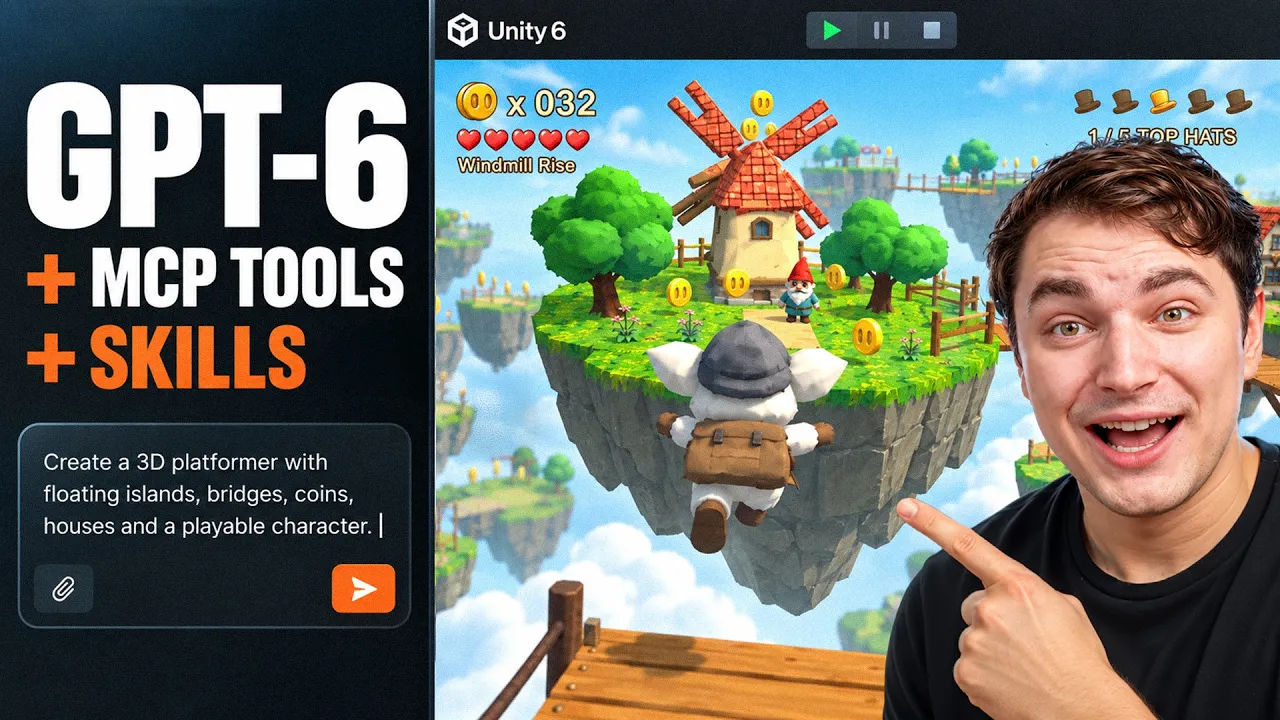
Well I actually asked it but I mean I was surprised how good it was. So yeah that was like one of the tests. But now let me explain my setup and there's quite a lot of parts, different MCPs and tools depending on what you build. I guess the best way to explain that will be to do some example and show you the process. Along the process I can explain every tool that are behind that. So since GPT -6 is absolute beast I will challenge it to recreate the game of my childhood which is Super Mario 64 but instead of copying it I will create it with my Mr.
Muck. It is my best friend and I think it deserves another game. So it will be Mr. Muck 64. Prompt is on your screen, references are also on your screen. I spent a little bit to prepare that. I just wanted to create something decent. Now let's start. So the first recommendation from my side will be to install and use Codex CLI instead of ChatGPT desktop or Codex desktop. This will bring you so much more convenience. It's quite easy to install.
Here is the instruction. You can of course ask ChatGPT to guide you. But in the end what you're gonna that you can open PowerShell or CMD in any folder. That is exactly what we needed. You create new folder and you can enter it like this. Just type CMD right here and it will open that CMD in that exact folder. Or you can navigate to any folder from PowerShell like this and then we can run Codex with such command. Boom it's all working with slash you can access all commands but my tutorial is not about that.
The main reason why I like that is because you run it like this dangerously bypass approvals in sandbox which will run it in YOLO mode and it will cook without asking any stuff. And to be honest like I didn't face any issues so far. It's quite smart. It actually asked too much questions like about not spending extra credit etc. That's cool. Now we have folder we have Codex CLI running with bypass permission in that folder.
What it gives you is the ease of working with MCPs and tools. It becomes the task possible because you're going to just drop any instruction here say like install the MCP in this folder and usually most of the MCP settings are represented as that MCP that Jason file where all related MCPs are installed or some tools are skills basically. So they will be stored in that folder. I have my own setup like my agentic setup like with all information my workflow etc.
In one folder I always run agents there and they always have all acts. So let me show you my list of MCPs. Here's what I have. There is Blender MCP Go Doat Hicksfield PolyEI Unity and you can also see how much tools they expose. I mean basically you don't need anything else to comfortably create a 3D game. Now in my case I provided with Unity MCP, Blender MCP and Hicksfield MCP. Why? Unity MCP to actually efficiently work with Unity.
So it actually can go back and forth. It can run it on air like I mean and do some tests like you will see from the footage like extremely fun like to observe like I mean it basically plays the game it writes the test and I tested it before with Fable 5 .1. I mean it feels like GPT -6 is on another level. It does such a cool job and this MCP called Unity MCP Server from Ankle Breaker Studio. This is actually one of the guys from my community and they put a lot of effort to develop that.
One of the best most efficient MCP that I tested and it's open source which is amazing and it actually kicks ass of some paid MCPs. I mean crazy. Quickly on how you install it. So basically you create new project and you don't need to check native AI stuff. That's not work that well. You're gonna create a project then copy this link on the GitHub then in Unity .js go window project manager package manager plus button install from git URL place that URL press install and that's it.
You don't even need to restart a project. And lastly copy this instruction and give it to your agent. It will figure it out and connect it to Unity. Again all links will be collected in article and you'll find them in the description. Next we're gonna need Hicksville Blender plugin which is an amazing thing and there's also Blender native plugin. Basically I think Hicksville plugin can be enough. It has much more function than that but you can also have them together.
Sometimes my agent works with both of them pretty nicely and Hicksville plugin itself is actually free credits. They're only used if you want to generate 3d models images or use AI models within the plugin which can actually be very convenient. You go to Blender edit preferences addons and here find this small button and click install from disk. Then you choose that zip file and then you're gonna see Hicksville here.
It should be activated and Blender native MCP looks like this. MCP right here you must make sure that it actually runs. Sometimes it stops. Hicksville MCP will require artificial. That's very simple. There will be a button you click it. You are prompts to the website and just authorize you know like very simple. So MCP basically expose plenty of tools to work with Blender for your agent. It is way more efficient than computer use.
I mean in my previous video I actually showed you like that computer used is extremely slow and it like burns tokens like for no reason. Like I mean that doesn't make sense. Like with MCP you're gonna do the same thing like so much faster and it's so much fun. And also with Hicksville MCP you can get access to any 3d model generation image generation and video generation like all at once. But yes of course it will consume credits in your account.
But I don't really know any free way to get access to 3d gen AI like 2d image gen AI. GPT -6 by itself can only generate images really good images but I prefer to have a choice. For example there is crazy model to generate trial textures that you can use in game and GPT -6 was using that actually. So this setup of MCP tools that I just listed is already enough to start creating game in unity which I actually did. So actually let's review the result of first test.
Here we go and this is so fun. I mean I do testing like this game creation with AI for a while already and so far this is the best result. Especially I like how good it understands the space. I mean of course it's not perfect but we're not talking about is it perfect like right now. I'm saying that trend is crazy and I also have to admit that it can do some animations and VFX's and I'm gonna show you more crazy examples later in this video.
So here you can see it more or less it did some dynamic animation for a character and it was pretty okay to play that. Like I mean double jump, the run animation, yes the weights are a little bit broken etc and it can be better of course. Now how much time it took and tokens? Two hours and a half, 30 million tokens. If I would use that via API it could cost me 46 bucks but I use GPT Pro Max plan and it used only 7 % of my weekly limit.
So I don't know that's like so much cheaper than Claude code. I mean crazy. I mean for real I changed Claude for GPT for a while. And speaking of animation and rigging again that was the biggest revelation for me because I always struggled with this process and neither AI was able to do a good job. I mean like Fable 5 was able to do some retarget animation for humanoids but quadruplets or any custom characters was always an issue.
And here I dropped my like horse -like hero, quadruplet hero and it rigs it and that's crazy and for this video I also did another test. I asked it to Why not right? Again same setup here, Higgs field Blender plugin, pretty much that's it like and you already can do this magic. And you can see it actually did a custom skeleton, like completely custom skeleton and did simple animation over tail. Even that blink animation, dang there's just a static mesh there like I don't know how it figured out how to do the weights to do that blink animation.
Just insane. I mean again guys not perfect like I mean there's like some issues of course but can you see this size of a leap? I'm shocked. Now another interesting skill this time that I want to recommend is called image to 3ds. If you often spend time on x you might saw some examples and this one is pretty cool because it helps it gives some set of skills to create interactive 3d models based on images. So long story short here's the test.
Vintage typewriter and I want to make it actionable. I want to be able to click the buttons in 3d and it will print something on paper. Like why not? Sounds absolutely cool right? To install this skill while you're using SILA it's ridiculously simple. Just copy the link and drop it to your session and say like install this skill and then it will be able to use it. So I did exactly that and just look at this result. I mean that's super crazy.
I would say like the typewriter itself is not accurate 100 percent like I mean you can see the keys on the sides are a bit off and the whole shape is not matching but it looks decent right? And drums it works. Like you can actually type some stuff and not really visible from this angle but let me actually click the oh yeah I can click here and you can see I actually typed. I mean that's absolutely fantastic and you know the thing that it can't do all at once perfect etc actually not bad like I mean we still have time to adopt it right and the right approach in my opinion to deal with it is to take one step at a time.
Start with some small task like let's do the shape, let's do the keys, let's do add this this this this and this and if you're gonna also manually navigate it like you're gonna get so far guys. One more cool basically a game that I created like trials. I've been playing this type of games like when I was a kid like this trials. I remember on old phones gravity defied. That was insane. So how about we create one in brick and mortar style?
Why not? I'm gonna use the same setup unity Blender and I'm gonna provide it with unlimited access to generating assets and you know the funny thing I actually learned is that this guy actually care about my money. Like I know that weird but hear me out like I mean it doesn't create that much assets as it requires like it tries like always optimize stuff like create some procedural stuff so I actually did some follow -up prompts while it was cooking and you know like in CLI you can actually do additional prompting while main task is actually happening.
So I mean I was able to see some progress live and that was actually fun and I was able to play while it's still cooking so I was doing like some follow -up prompts it's like saying like make sure this is done like that or I don't like this just make sure you don't do like that blah blah blah so I did maybe like seven eight follow -up prompts while it was actually working and one of the prompt was actually like do generate more images and 3d assets because this guy was actually saving but I'm here to impress you guys so I need to spend more tokens to get some better results and man that was crazy I mean just one thing of this project is that it created Blender file where it created pickle rick I mean not the accurate pickle rick but it's rigged the bike with the pickle rick together like look at this it's not done by me it's like done with chai gpt that's crazy there's another Blender file where it stores all the assets is created like I mean this is like the old bad this one is a bit wrong and finally the game not gonna lie I enjoyed the mechanics it was really nicely done it was difficult I really wanted it to be difficult so at least I have to spend a little bit to figure out it was really really close to what I was playing when I was a kid it was more like a trial flash games rather than gravity defied like this age of these games and actually spent quite a while in one segment to figure out how I should actually play it and that was amazing because I built so many games with AI and usually you need to put quite a lot of effort until it's enjoyable you know like playable in the way that you want to play it and this trial bike game mechanic is not the easiest one actually to it's done I didn't report it any single bug about like something not working or not launching I also saw how it actually plays the game did some tests like etc that's insane and the pickle trials altogether took me two hours 17 million tokens only and it could cost me like 30 bucks or it's just equivalent of like three to four percent of weekly limits on my max plan which is like for free which is absolutely nothing but I have more to show you guys while scrolling x I saw cool ideas someone testing how gpt6 can create vfx's and immediately I thought like I gonna need to test it this game made purely with 3gs without any assets everything procedural so let's see how cool it is so there are four spells and let's cast the first one boom wow I whole point of this demo is vfx alone so everything that you see is like a side product and wow so you see like it actually depends on the cast line so you can cast far away boom cool there is another spell let's check another spell dang I mean that's so crazy these bubbles all that procedurally made black hole wow oh it actually crushes the guy and you know I can see distortion of the view wow I mean this is quite a complicated shader like to do that like okay one more the flame okay this one is easier to make I think and the last one there is storm loom while you also can press g but it didn't just create this vfx's it actually gave me the whole control over each of the effects so I can control the color the settings etc so basically it's like a game development tool you know like it creates the vfx you tackle it until you actually like it you know like the texture size all that stuff like the timings etc and then you can bring it to the game I mean again I really encourage to consider like one step at a time approach so create a vfx bring it to your game like create the mechanic itself bring it to a game on my channel in just few days there will be a video of my journey how I create my dream game exactly following this approach so definitely consider subscribe to not miss that out one more test was also expired by some exports that I saw it was like playing with some jelly shapes and these projects were made in 3gs which is actually cool and I remember back in the days doing anything like this was taking like I don't years like to develop the library that will process that optimized way to develop some libraries working with 3gs like to render this physics shaders etc that's crazy so ask a chat gpt to create me some playgrounds with gummy bears why not the prompt is on the screen let's check the results okay so we basically can Grab some gummy bears and we can actually bring them to mechanical balance so the goal here is to try to match amounts of gummy bears 400 grams okay we can also drag by our own like okay I guess this demo might take a bit more time to make them more jelly so that definitely works but maybe if I spend more time balancing it could be even better and by the way guys if you create your game with an rule engine or godot I also got you covered for godot it's the easiest possible thing and it's very very efficient it is go dot mcp by coding solo just send this link your gpt6 and ask it to install it doesn't even need godot itself to start building godot games yeah that's the funny thing then you need godot to open it in editor and for Unreal engine my choice right now is still vibeue it works together with Unreal engine native mcp which was released in Unreal engine 5 .8 probably the best combo right now if you use Unreal engine 5 .7 or lower then you can stick with vibeue alone that will be the best option from what I tested from open source of course vibeue needs registration but it actually still free and one more general recommendation if you want to give your agent unlimited access to plenty of api's consider full mcp server which will require full AI api key but will give the probably the widest of a models like both for sounds music videos 3d etc but unlike hexfield mcp it doesn't expose it in such nice way so it's easy to use meaning that if you use full AI you're gonna go and guide which exact model use for which purpose how etc and first of all it will be longer but again like if you set it up if you know what you're doing like if you know what models you need fully i is quite a good option all links will be in an article and you can find it in the description and one last test related to building scenes and Blender like environments and you already saw quite a lot of examples i just want to confirm that again with the right approach like using this mcp tools it can do crazy things like assembling scenes like these procedurally that's insane again just four months ago i was testing with opus 4 .8 and GPT-5 and they weren't able to actually put things with right rotation and now it builds 3d scene accurate in camera perspective all that things absolutely crazy guys and let me know in the comments what you think about that i can as soon drop a video about creating games in Unreal engine with gpt 6 so like and subscribe and i see you in the next one
The words are the caption track's own and nothing is reworded or re-transcribed. Paragraph breaks are placed between sentences so the text reads as prose.
Free tools for your own script. No signup, no login.
Paste your draft and see where viewers are likely to drop off, with a rewrite for each weak line.
Paste the first 30 seconds of your own draft for a hook score and rewrites.
Check your draft against YouTube's advertiser-friendly guidelines before you record it.
Read this channel's public videos and transcripts, and download a writing brief for it.