Getting the transcript
Reading the captions from YouTube. A video nobody has opened here before takes 10 to 30 seconds; this page fills in on its own.
Getting the transcript
Reading the captions from YouTube. A video nobody has opened here before takes 10 to 30 seconds; this page fills in on its own.
Plugin Boutique · @PluginBoutiqueOfficial
Words
507
Runtime
4:25
Speaking pace
115wpm
Reading time
2min
115 words per minute, below the 160 25th percentile of 349 measured videos. That distribution comes from the 349-video hook study.
Opening (first 30 seconds)
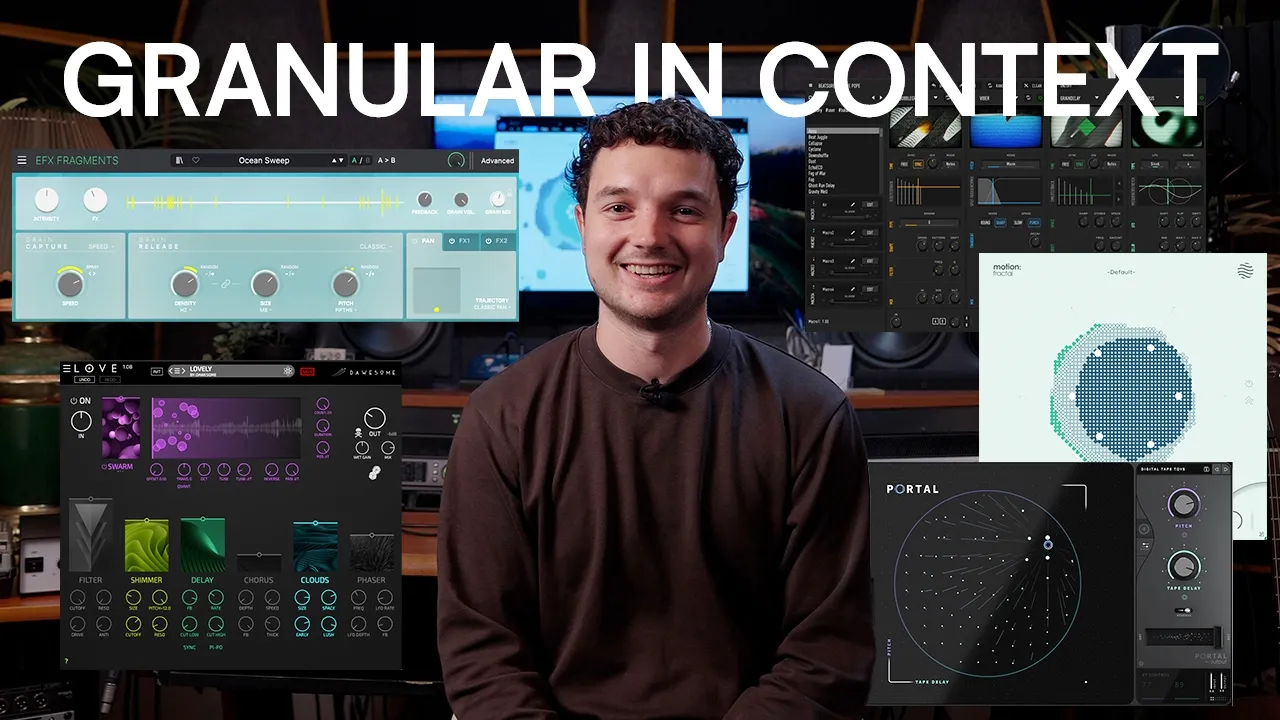
A lot of producers seem to misunderstand granular effects. So today I'm going to show you a bunch of ways to use them in context to clear up any confusion. Five plugins in context sounding good. Granular. That's the video portal. Stick it on a pad. You know this is a thing right? Some people think granular is
58 words, the words spoken in the first 30 seconds at 115 words per minute.
Free, no signup. See how the first 30 seconds hold attention, with rewrites.
Sentence shape
| Measure | This transcript |
|---|---|
| Sentences | 59 |
| Average words per sentence | 8.6 |
| Longest sentence | 44 words |
| Questions asked | 1 |
| Sentences containing a number | 1 |
Most used terms
Filler phrases
12 in total: like 7 · you know 2 · actually 1 · kind of 1 · right? 1.
A literal whole-word count of the same phrase list the Prepublish browser extension uses, so a phrase inside another word is not counted and a phrase used in its ordinary sense still is. It is a count and not a judgement.
Run the check on the words above: where attention is likely to drop, with a rewrite for each weak line. The free check shows the scores and the one issue costing the most.
What this transcript is
Every word below is the caption track YouTube publishes for this video, pulled from the video itself and reproduced unchanged. It is not Prepublish's writing, not a summary, and not a re-transcription: it is the video's own published captions. English captions, generated automatically by YouTube, in the video’s original language. Source: the video on YouTube. A channel that would rather this page did not exist can ask for its removal through the contact page, and it is removed.
No Script X-ray for this video: YouTube shows a Most replayed graph only once a video has enough views.
A lot of producers seem to misunderstand granular effects. So today I'm going to show you a bunch of ways to use them in context to clear up any confusion. Five plugins in context sounding good. Granular. That's the video portal. Stick it on a pad. You know this is a thing right? Some people think granular is too much. This is an example where granular is being too much, but we're playing to that strength by minimally layering other sounds with it to just make the pad that's being run through portal do pretty much all the heavy lifting for the whole track.
The next example is motion fractal running some drums through it. You can make a fill using granular effects. Bypass it and then unbypass it for a bar at the end of like an eight bar section. And then bypass it again. [Music] Oh, well, there's another thing you can do with drums as well, just as a side bonus. Okay. 44 kick techno vibes. Send the kick to a bus with a granular effect and then play with side chaining to the original and you've got a texture layer.
Just super easy. [Music] Switch your delay out for a granular equivalent like cheat codes bubble grain and then you just get a cooler version of a delay. This almost sounds like something from the Matrix. Grain delay. Grain delay. Ableton Live has one. It's pretty great. Use the Ableton Live one, but by cheat code still. We'll cut that. Keep it in. But the other thing you can do with cheat code. Little side hack thing here as well.
Just stick it on some Foley and hit the randomize button. People might be annoyed to hear me say that. My critic, my arch nemesis from the previous video. Ear candy. Yeah, ear candy. Automatic ear candy. Yeah, automatic ear candy. Next is we've got a dry vocal. Just duplicate the vocal onto a separate track. And then we can side chain it to the original again, a bit like we did with the kick. [Applause] play with auto panning it.
So you know the crazy granular moving left and right [Music] or chorus or extra effects on it. So we we just have level of control over this parallel layer. [Music] There's another thing I like. Dial it up. Go crazy. Reample it. Chop bits out that you like. Make samples out of it. Reverse it. Stick it in a sampler. Stick it in a blender. All that stuff. And the final thing, probably one of my favorite things actually, granular effect on your master bus for the outro.
I like doing this intro also works. Start with the mix completely dry. And then as the outro progresses, turn the wet knob up on the granular. And then you're kind of freezing your outro slowly into this block of grains. And then you bring just the master volume down as that's happening. And you create this cool thing, which they'll hear now.
The words are the caption track's own and nothing is reworded or re-transcribed. Paragraph breaks are placed between sentences so the text reads as prose.
Free tools for your own script: paste a draft and see where it stands before you record it.
Paste your draft and see where viewers are likely to drop off, with a rewrite for each weak line.
Paste the first 30 seconds of your own draft for a hook score and rewrites.
Check your draft against YouTube's advertiser-friendly guidelines before you record it.
Read this channel's public videos and transcripts, and download a writing brief for it.