Getting the transcript
Reading the captions from YouTube. A video nobody has opened here before takes 10 to 30 seconds; this page fills in on its own.
Getting the transcript
Reading the captions from YouTube. A video nobody has opened here before takes 10 to 30 seconds; this page fills in on its own.
cordpath. · @crdpth
Words
466
Runtime
7:20
Speaking pace
64wpm
Reading time
2min
64 words per minute, below the 160 25th percentile of 349 measured videos. That distribution comes from the 349-video hook study.
Opening (first 30 seconds)
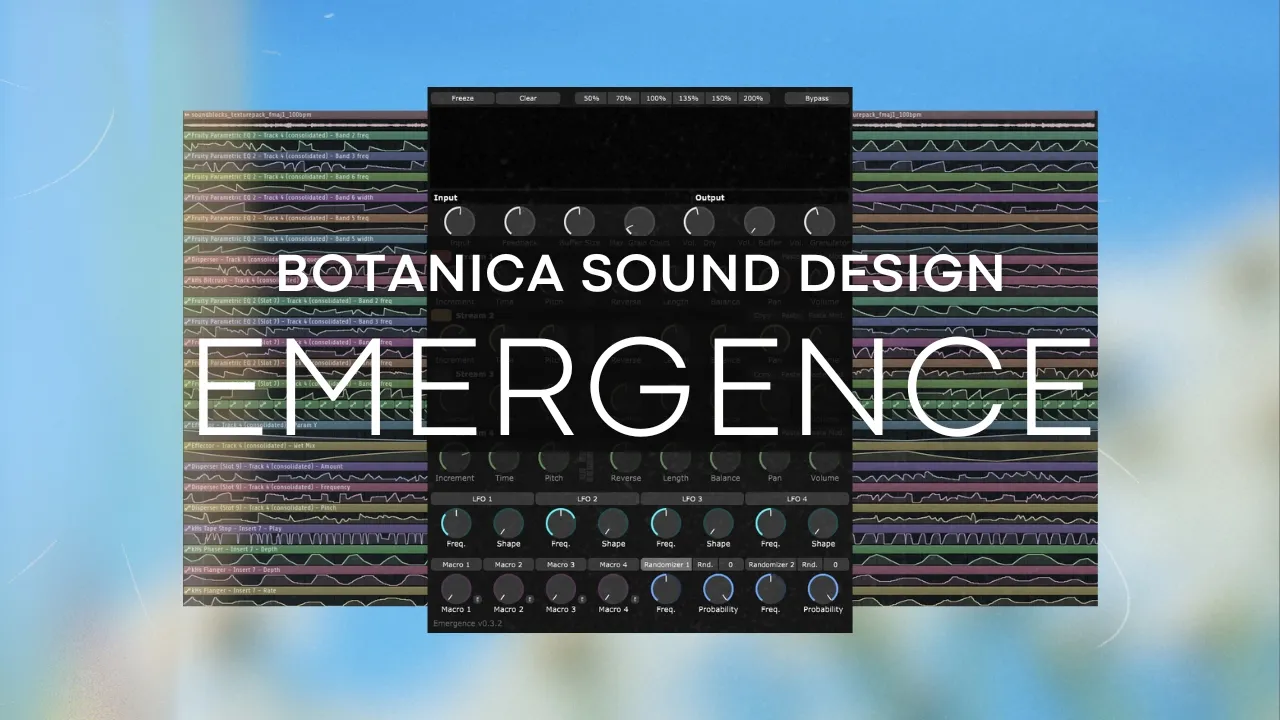
Hi. >> [music] >> In this video, I'll show you how to design sound for Botanica. We'll be using Emergence, which is a granular synthesis plugin. To help you better understand the
32 words, the words spoken in the first 30 seconds at 64 words per minute.
Free, no signup. See how the first 30 seconds hold attention, with rewrites.
Sentence shape
| Measure | This transcript |
|---|---|
| Sentences | 36 |
| Average words per sentence | 12.9 |
| Longest sentence | 28 words |
| Questions asked | 0 |
| Sentences containing a number | 5 |
Most used terms
Run the check on the words above: where attention is likely to drop, with a rewrite for each weak line. The free check shows the scores and the one issue costing the most.
What this transcript is
Every word below is the caption track YouTube publishes for this video, pulled from the video itself and reproduced unchanged. It is not Prepublish's writing, not a summary, and not a re-transcription: it is the video's own published captions. English captions, generated automatically by YouTube, in the video’s original language. Source: the video on YouTube. A channel that would rather this page did not exist can ask for its removal through the contact page, and it is removed.
No Script X-ray for this video: YouTube shows a Most replayed graph only once a video has enough views.
Hi. >> [music] >> In this video, I'll show you how to design sound for Botanica. We'll be using Emergence, which is a granular synthesis plugin. To help you better understand the plugin and make the most of it, I'll explain a bit about how it works. The plugin's official website includes a complete manual for anyone interested in learning everything about it. I'll just focus on the parameters that interest me most, which are the input, output, stream, LFO, and randomizer sections.
Input, adjust the volume level entering the effect. Feedback, [music] determines how much of the previous buffer content is retained as new data is written to it. Buffer size, this is the amount of time data is stored in the buffer. The maximum is 5 seconds. Max grain count, [music] this is the number of audio grains. The maximum is 600. This parameter can increase CPU usage. Dry volume, this is for listening to the original signal.
Buffer volume, this is for listening to what is stored, the audio that is temporarily stored before entering processing. Granulator volume, >> [music] >> this is the volume of the streams. Increment, the rate at which the grain start position, indicated by vertical lines on the display, moves forwards or backwards along the length of the buffer. Time, controls the rate at which new grains are generated. Pitch, changes the pitch of the grains relative [music] to the pitch of the source audio, ranging from minus two to plus two octaves {slash} plus 24 semitones. >> [music] >> The buttons on the right of the pitch knob can be used to lock pitch changes to specific intervals.
Reverse, sets the probability of a grain playing in reverse. At zero, zero all grains will play in the normal forward direction, while at one, zero every grain will play backwards. Length changes the duration of the grains. [music] Balance, the plugin records the input signal into a stereo buffer. The balance knob [music] controls the ratio of the left and right channels of the input signal in the grain output. The LFO and randomizer are simply for adding randomness to one or more knobs.
You activate them with a button at the top and just set the knobs you want to modulate. >> [music] [music] >> You can purchase the full version of the plugin and get a discount. Just go to the official website. Click buy and enter the discount code. And you can get the full plugin for just $16.78. [music] The discount will be available for 30 days, so take advantage of this great offer. I've created a few presets for Emergence using the full version.
You can find these presets on the plugins page. >> [music] >> The world. >> [music] [music] >> Hello.
The words are the caption track's own and nothing is reworded or re-transcribed. Paragraph breaks are placed between sentences so the text reads as prose.
Free tools for your own script: paste a draft and see where it stands before you record it.
Paste your draft and see where viewers are likely to drop off, with a rewrite for each weak line.
Paste the first 30 seconds of your own draft for a hook score and rewrites.
Check your draft against YouTube's advertiser-friendly guidelines before you record it.
Read this channel's public videos and transcripts, and download a writing brief for it.