Getting the transcript
Reading the captions from YouTube. A video nobody has opened here before takes 10 to 30 seconds; this page fills in on its own.
Getting the transcript
Reading the captions from YouTube. A video nobody has opened here before takes 10 to 30 seconds; this page fills in on its own.
AI Search · @theAIsearch
This video has no Most replayed graph yet: YouTube shows one only once a video has enough views. These are the moments viewers replayed most in AI Search's most watched videos.
Most replayed moment at 10:28
3.1x that video's typical replay level
and then fix any errors that it sees. And so afterwards, it rendered the video successfully and that's pretty much it. In just one prompt, I didn't even need to prompt it further. Here's our final result. >> Four companies, one quarter, and a half-trillion-dollar bet on artificial
Said at 10:22
Most replayed moment at 15:21
4.1x that video's typical replay level
and deep agent for only $10 a month. This is way cheaper than if you paid for each tool separately. Definitely check out chat.llm that comes with deep agent in the description below. You can think of the residual connections not as a simple pipe carrying the signal forward,
Said at 15:15
Most replayed moment at 12:41
6.0x that video's typical replay level
other content, Higgs Field is a game changer that will supercharge your production workflow. Try it today using the link in the description below. Now, if we dive deeper, here's how it works in technical terms. They used something called a Markov head. In probability theory, a Markov process assumes that
Said at 12:33
The graph counts replays. It does not show where viewers stopped watching.
Words
6,508
Runtime
32:16
Speaking pace
202wpm
Reading time
27min
202 words per minute, above the 201 75th percentile of 349 measured videos. That distribution comes from the 349-video hook study.
Opening (first 30 seconds)
This is currently the best image model in the world. OpenAI just released GPT Image 2.5 and in this video I'm going to test the hell out of it so you can see what it can and cannot do. Plus, of course, we're going to go over its specs, pricing, and where you can use it. Let's jump right in. First, it's important to keep in mind that all the Frontier image models can already do most generation and editing tasks. They can generate some super realistic images. They can also add, remove, or replace objects in an existing photo. They
101 words, the words spoken in the first 30 seconds at 202 words per minute.
Free, no signup. See how the first 30 seconds hold attention, with rewrites.
Sentence shape
| Measure | This transcript |
|---|---|
| Sentences | 517 |
| Average words per sentence | 12.6 |
| Longest sentence | 56 words |
| Questions asked | 5 |
| Sentences containing a number | 131 |
Most used terms
Filler phrases
69 in total: like 33 · actually 22 · kind of 9 · you know 3 · I mean 1 · basically 1.
A literal whole-word count of the same phrase list the Prepublish browser extension uses, so a phrase inside another word is not counted and a phrase used in its ordinary sense still is. It is a count and not a judgement.
Run the check on the words above: where attention is likely to drop, with a rewrite for each weak line. The free check shows the scores and the one issue costing the most.
What this transcript is
Every word below is the caption track YouTube publishes for this video, pulled from the video itself and reproduced unchanged. It is not Prepublish's writing, not a summary, and not a re-transcription: it is the video's own published captions. English captions, generated automatically by YouTube, in the video’s original language. Source: the video on YouTube. A channel that would rather this page did not exist can ask for its removal through the contact page, and it is removed.
This is currently the best image model in the world. OpenAI just released GPT Image 2.5 and in this video I'm going to test the hell out of it so you can see what it can and cannot do. Plus, of course, we're going to go over its specs, pricing, and where you can use it. Let's jump right in. First, it's important to keep in mind that all the Frontier image models can already do most generation and editing tasks. They can generate some super realistic images.
They can also add, remove, or replace objects in an existing photo. They can help you resize or outpaint photos or colorize black and white photos or change the scene into a different artistic style. You can also easily microedit stuff like changing certain elements of an image or doing virtual tryons or clothes swapping or changing the lighting of a scene. This is all easy stuff and all the top image models can already do this.
So, in this video, I'm going to use some way more challenging tests to push it to its limits. Before that though, let's go over some noteworthy new features of GPT image 2.5. First of all, they've added this sketch feature where you can just draw something and it'll turn it into a photo. So on Chat GPT, if I click on the plus sign and then click on sketch, here is where I can draw anything I want with my mouse or finger.
So let me draw something real quick. This is supposed to be some luxury ocean view house. You can see my drawing is pretty awful, but let's just go with this. And then for my prompt, let's write make a realistic drone photo of a luxury ocean view property. So it worked for like a minute. And here's the final photo. So that's how you can use this new sketch feature. Another nice thing you could do is take an existing photo and just draw over it or directly write instructions on the photo of how you want to edit certain things.
And then you can plug this directly into chat GPT and then write use GPT image 2.5 to edit the image based on the annotations and instructions in the image. So this worked for a minute and here is the result. Then afterwards you can also do certain things like erase certain objects or remove the background or add some additional instructions. Another noticeable strength of GPT2.5 is that it has very consistent multi-turn editing.
That means you can take an image and edit it one time and then edit that result further and keep iterating over many turns and it's still able to preserve the consistency very well. So for example, we can get it to keep on rotating this cube for 150 frames. And as you can see, the consistency of the latest 2.5 model is much better. In fact, because of this capability, some users have also gotten it to create some pretty cool like stop motion animations just from using GPT 2.5 and getting it to iteratively create the next frame.
Here's another really cool feature. GPT image 2.5 can actually generate transparent images. So, here's an example. Use GPT image 2.5 to generate five images. They should be sequential transparent layers from foreground to background. together. They should form a detailed flat vector illustration of a beautiful lake at sunset with alpine mountains. Put everything together into a PSD file. All right, so it worked for around 4 minutes.
But here is the final result. You can see in my folder, it has indeed generated five different transparent layers. Let's open up the PSD file. And here's the final photo. Let me toggle the visibility of each of these layers. So you can see indeed these are the five different layers and they actually merge together very well. All right. So that's generating some sequential transparent layers. Let's step up the difficulty even further.
What I'm going to do is take this poster and get it to break it down into transparent layers. So each of these elements should be its own transparent layer. All right. So I'm going to upload this image and then write use GPT image 2.5 to break this poster down into separate transparent layers. Then put all the layers together into a PSD file. All right. So, it worked for six minutes and it gave me these individual layers plus this PSD file.
So, again, let's open this PSD file. And would you look at that? It's actually able to break this poster down into different elements. So, first, let me toggle the elements on and off for you. So, let me get rid of the background and then the person. And then here are the individual text elements. Let me reenable the visibility of these. And the nice thing is you can then like select any one of these and move them around or resize them.
For example, let me move this around. I can move the woman around. And then let's also resize this menu one and move this around. So, that's another really cool use case of its transparency feature. Again, pretty basic stuff. So, let's step it up a notch. In fact, what I'm going to do is compare this to the next best models out there, GPT Image 2 and Nano Banana 2. So, here's my first prompt. Make a grid of a 100 posters of anime shows or movies.
Include their names. Here is what I got from GPT image 2.5. And note that I'm using the highest quality sunburst version. I'll talk about different versions in a second. And here is its result. It's okay, but if you zoom in, you can clearly see a lot of details, especially in the faces are messed up. It does seem to have an inherent understanding of all these different anime shows, but it's just lacking in detail. And then here, it seems to have mixed up the show.
Everything just looks pretty bad. Anyway, let me scroll down so you can see this entire photo in full resolution. All right, so that was GPT image 2.5. Now, here's the generation from GPT image 2. And let me again scroll down a bit so you can see the full resolution image. As you can see, in terms of the details and accuracy and facial coherence, it's actually much better than GPT 2.5, but you can still spot some errors if you look very closely.
Overall though, this does look much cleaner than GPT 2.5. And then for your reference, here is the generation from Nano Banana 2. Note that for Nano Banana 2, it does have web search capability. So in theory, this should be able to actually search the web and find the correct poster for each anime show. But note that there's a ton of errors here, especially as I scroll down. You can see a lot of these posters are gibberish.
Again, the details are lacking. So honestly, none of the Frontier models do a good job on this front. But again, this is a really hard prompt. I would say the winner here is GPT image 2. All right, next. Here's another really hard prompt. A screenshot of a Windows 11 desktop. It's quite messy with lots of overlapping windows. One window shows Slack in Chrome, another shows Gmail in Chrome, another shows Excel, and another shows a PowerPoint presentation on a top secret OpenAI project.
So, here is what I got from GPT image 2.5. Overall, this does look pretty coherent, including the text, it's able to generate the Slack, Gmail, File Explorer, PowerPoint, and Excel interfaces, but if you look closely, for example, over here, the text is kind of gibberish. Overall though, most of the text is actually pretty good. And this chat actually makes sense. And then here we have Gmail. Again, the top parts here are gibberish, but other than that, everything else is pretty good.
Here is the file explorer. The music icon and this word over here are messed up, but everything else looks pretty good. And then here is Excel. The crazy thing is this Excel spreadsheet is actually correct. Like the numbers do add up. And then here are the icons down here, which also look pretty good. Next, here's the generation from GPT image 2. Now, interestingly, it did generate correct text at the top of these windows.
The top edge of this part here doesn't seem to be straight, which is strange. Here is the Excel spreadsheet. Again, the numbers actually make sense. And then here's the PowerPoint presentation. Still a handful of noticeable errors if you look closely, but if you zoom out, then this does look very realistic. And then finally, here's the generation from Nano Banana 2. It decided to add a ton of files on this desktop. And some of these file names are just gibberish.
Same with down here. Here is the Slack window, and a ton of this text is gibberish. Here's the Gmail window. The URL at the top is wrong. And then a lot of this is also gibberish. Same with Excel. The spreadsheet is kind of messed up. Same with PowerPoint. There's a lot of errors for the text at the top. And then I didn't even specify for it to open Notepad, but here is Notepad, which also looks wrong. So, Nano Banana looks the worst out of the three.
I would say here it's a tie between GPT Image 2.5 and GPT image 2. All right, here's another tricky test. A screenshot of a YouTube homepage for a tech bro. Here is what I got from GPT Image 2.5. First looking at the left column, all the text and icons do look mostly correct. The spacing isn't really consistent with this bottom part over here, though. And then here are the videos it decided to generate. And then next, here's the generation from GPZ image 2.
It's pretty similar. The left column looks pretty decent, but if you look closely, then some of the icons plus the avatars do look a bit messed up. Same with the avatars over here. It's just lacking in detail. Plus, this guy doesn't really look like Sam Alman. So, a few more subtle errors from this generation. And then here is what we got from Nano Banana 2. The text seems to be tall and squished for some reason. There are also some inconsistencies.
For example, the logo for MKBHD turned into OpenAI. Plus, if it's searching for optimizing code for low latency, then the results are also completely wrong. So, a ton of inconsistencies there. But in terms of the icons, text, and the sharpness, this actually looks better than GPT image 2. In this instance, I would say the winner is GPT image 2.5. It's able to generate stuff with a bit more detail and realism, but it doesn't win by a huge margin.
Now, of course, you can also get these Frontier image models to design a ton of things for you. So, for example, here is a professional brand visual identity system presentation board for an eco-friendly match brand called Mist. Here are the key components. The left side should contain the main logo showcase with a construction grid and precise geometric guidelines. also an inspiration mood board, color palette section and typography section.
The right side should contain brand application mock-ups including business cards, packaging design, shopping bag design, mobile app and website and employee ID card. So a ton of elements in the prompt. Here is what I got from GPT image 2.5. First on the left side it does generate this logo for me with geometric guidelines and then here is an inspiration mood board and then color palette and then typography and then on the right side indeed we have some business cards the packaging design shopping bag mobile app and website and also employee ID card.
Everything looks pretty good to me. Next here is what I got from GPT image 2. It also was able to generate all these different elements, though the geometric guidelines kind of look messed up, but other than that, everything else does look pretty good. And then here's what I got from Nano Banana 2. It was also able to generate all the elements pretty well, including the logo, geometric guidelines, inspiration, mood board, color palette, topography, and then designs for the business cards, packaging, shopping bag, website, and employee ID.
It's hard to pick a winner here. Each of them have slightly different vibes. All right, here's another crazy but useful test. A minimalist fashion infographic poster featuring a 7-day weekly outfit guide for women. Soft neutral beige palette. Elegant Korean Chinese aesthetic. Each column shows a full body model with coordinated outfit. Office casual leisure date sport home plus small accessory or product thumbnails beside each look.
All right, so here's what I got from GPT image 2.5. And it was able to render exactly what I specified in the prompt. Plus, it has pretty good design. So, like the outfit selection for each of these days do look pretty good. The accessories plus all the labels also look correct. And then next, here's what I got from GPT image 2. There are some errors in the face. You can see it's slightly less detailed, but it is still able to design some pretty good-looking outfits for each day of the week.
And then finally, here is what we got from Nano Banana 2. Now, the outfit selection plus the accessories don't look as good as the GPT image models. So, in this case, I would have to give the point to GPT image 2.5, but it's just slightly better than GPT Image 2, which also looks very good. GPT Astra just came out and it's a beast, but it can't actually generate images or videos natively. If you want to get it to create content, definitely check out Higsfield, the sponsor of this video.
With Higsfield MCP, you can connect Astra to the top image and video generators and directly create content for you. Think of Astra as the brain and Higsfield as the hands. Instead of you manually figuring out prompts for every model, Astra can take a rough idea, plan out the entire creative process, and then automatically use Higsfield's image and video models to bring it to life. For example, you could upload a single product photo and ask it to create a complete 15-second commercial.
Astra can figure out the shots, write the prompts, generate the results with Higsfield, review the results, and even improve them if the first version isn't good enough. And because Astra understands the context of your entire project, it can keep your characters branding, visual style, and previous creative decisions consistent across multiple generations. You can even go further and ask it to build a 3D environment in Unreal Engine.
Turn a floor plan into a cinematic property walkthrough, create a playable game and its launch trailer, or even produce an entire short film from a single creative brief. You can use all of this directly inside ChatGpt through Higsfield MCP or use Higsfield Supercomputer if you want the entire creative workflow in one place. Try it today using the link in the description below. All right, next. Let's see how good it is at creating sprite sheet animations.
So, I'm going to get it to create a 5x5 grid sprite sheet of a princess warrior sprinting then slashing her sword. Here's what I got from GPT image 2.5. And if I convert this grid into an actual animation, here's what it looks like. So indeed it shows a princess sprinting and slashing her sword. So that was 2.5. Here is GPT image 2 which looks like this. It's also not bad. And then finally here is what I got from Nanobanana 2 which was the worst of the three.
I can't even convert this grid into an animation because it broke it down into different sections. So this text is kind of in the way. And then for some parts her sword is truncated at the edges of the frame. So it's not even fully visible across the animation. Again, it's a pretty close call between the GPT image models. If I had to pick a winner, I would say the one from 2.5 does look a bit better, but just slightly.
All right, here's an even crazier test where we need to turn this table into bar graphs and make it look amazing. Now, this is quite complicated because this contains a ton of different columns. Plus, for some cells, there are missing values. And then for some of these values, there's like an underline with an asterisk. Plus the unit and range for all these columns are also very different. Here are the results from the three models.
So first here is GPT image 2.5 for the context window. It got everything correct. Plus it even decided to color code the different companies. However, for Deepseek, I don't know why it used two different colors. So that part is wrong. Next, for this intelligence index, it was also able to get the values correct. Plus, it also correctly added an asterisk for the relevant values from the original table. For cost per task, this also looks correct.
Plus, it's able to blank out the ones without any data, which is indeed correct. And then for speed and latency, overall, this does look correct as well. For total response time, unfortunately, it made a huge error here. It thought that [snorts] this value was 3,750, but it should just be 3750. But other than that, everything else looks pretty decent. It's even able to add this bonus section at the end, which lists the best performer for each category.
So that's GPT image 2.5. Next, we have GPT image 2. Interestingly, here it decided to rank everything in order. So here's the intelligence index, and then next we have cost per task. So it's ranking this from low to high. It's also ranking the speed, latency, and response time. Overall, this looks pretty good to me. Now, at the bottom here, it did include a legend of the different model companies, but it didn't really apply the colors to the chart, which is strange, but overall pretty good.
And then next, we have Nano Banana 2. It totally messed up the GLM logo plus the DeepSeek logo over here. The values here are like repeated twice. The legend is completely messed up. I mean, what the hell is loading? There's just a ton of errors with this generation. So, if I had to pick a winner here, I would actually choose GPT image 2. It does look a bit nicer and more accurate than GPT image 2.5. All right, for my next prompt, I wrote, "Generate a screenshot of a Tik Tok live stream featuring a beautiful woman hosting the live stream." So, here's my result from GPT image 2.5.
Most of the interface and the icons and the text do look correct, and you know, this does look quite realistic. And then here's what I got from GPT image 2. You can see the colors do look better, almost too perfect. I would say the difference between the GPT models is that 2.5 tends to generate some more natural, amateur, casual looking photos, whereas the generation from GPT image 2 seems to be a lot more professional and polished.
And then here's what I got from Nano Banana 2, which looks way too fake. Plus, the interface also doesn't look correct. So here, it really depends on your vibe. I would say it's a tie between the GPT image models. Here's another test. Let's see if it can generate an entire topography design. So, I'm going to input this reference of a few words and then ask it to give me the entire topography design include uppercase, lowercase, and numbers.
And here's what I got from GPT image 2.5. And this does look very good. But if I had to nitpick, then the W that it generated doesn't actually look the same as the original W. And then here's what we got from GPT image 2. It was able to generate everything, including a correct lowercase W. However, it did add hello world at the top, which is strange. Plus, I did specify for it to generate uppercase and then lowerase.
So, the order is also wrong. And then here's what I got from Nano Banana 2. Everything just looks horrible. It just added way too much additional stuff here, which I did not specify. So, in this case, again, it's a very close call between GPT Image 2.5 and GPT image 2. Let me know in the comments which one you prefer. Next, let me give it this image and ask it to explode this device down into separate components and label each.
So, here's what I got from GPT Image 2.5. Now, I'm not an expert on the internal components of an iPhone, so let me know in the comments if this looked correct. And then here's what I got from GPT Image 2. And then here's what I got from Nano Banana 2. In terms of like detail and realism, I would have to choose GPT 2.5. All right, next. Let's see how good it is at creating manga. So, we have a black and white manga page.
These two characters are having an epic fight. I'm going to upload these two reference characters. Here is what I got from GPT image 2.5. Now, GPT Image 5 tends to produce a ton of detail. It looks way too detailed for just a regular manga page. And then here's what I got from GPT Image 2. It has a very strange yellow tinge to it. Plus, it's not as sharp as 2.5. But actually, the panels of this page and the fight scene do look a lot more coherent.
His hand kind of looks messed up over here, though. And then here's what we got from Nano Banana. What the hell is this? Everything is just very incoherent and messed up. For example, here Nuto suddenly became way smaller. It just doesn't really make sense. So honestly, all three generations are not very good here. I'm sure you can make this better if you actually specify what you want for each panel, including the speech bubbles.
Another cool use case for this is you can get it to kind of reimagine or redesign your website or app. For example, I can just plug in a screenshot of my website and then ask it to redesign this landing page and make it look better. So, here's what I got from GPT image 2.5, which looks like this. Not bad, but I don't really like the bubbly font. Plus, this part doesn't really look necessary. It decided to add way too much detail.
And then here's what I got from GPT Image 2, which I actually like the look of a bit more. And then here's what I got from Nano Banana 2, which looks the worst. So, in this instance, in terms of redesigning interfaces, I would have to give the point to GPT image 2. Or here's another nice use case. You can just upload any product image and then ask it to create a storyboard for an ad about this product. So, here's what I got from GPT image 2.5.
It generated a pretty decent looking storyboard. And of course, after you generate the storyboard, you can easily plug this through a video generator like Cance or Miniax to generate the actual commercial. It's never been easier for you to generate a full product commercial just by yourself. Here's what I got from GPT image 2, which also looks pretty good. And then here's what I got from Nano Banana, which looks pretty awful and incoherent.
I would say here it's a tie between the two GPT image models. Now, one of the hardest tests that still trip up the Frontier image models is generating a busy street with different signs. So, for example, here the prompt is a buzzling street scene in Hong Kong with signs in Chinese and English. Here's my generation from GPT image 2.5. And as you can see, there's a ton of parts like over here and over here which are just gibberish.
It failed to actually generate legit looking text. Same with over here and the sign over here. So unfortunately, this issue still plagues the best image model in the world. Here's GBT image 2. And again, if you look closely, then all these signs are gibberish. Same with like over here and even the Chinese characters over here. Everything is just not correct. And then here's the generation from Nano Banana 2. This actually looks pretty good from far away, but if you zoom in, then again, you start to see some gibberish text like over here and over here and at the back here.
So, unfortunately, all three Frontier models still fail this test. Now, since GTA 6 still hasn't arrived yet, let's just get GPT to generate GTA 6. So, from a prompt, it's pretty simple. Gameplay of GTA 6. Here's my generation from GPT 2.5. And for the most part, this looks pretty good. Now, as a gameplay scene, it should not have the game logo at the bottom here. But everything does look pretty decent except the map here.
I don't know why north is here and then south is over here. And then I'm not sure what this thing is. And then here's GPT image 2 for your comparison. It looks a lot simpler and much more like a screenshot of a 3D game. If you compare the two, you can see that GPT image 2.5 does have a tendency of adding a ton of details across the image, which sometimes is not what you want. And then here's what we got from Nanobanana 2, which looks the worst.
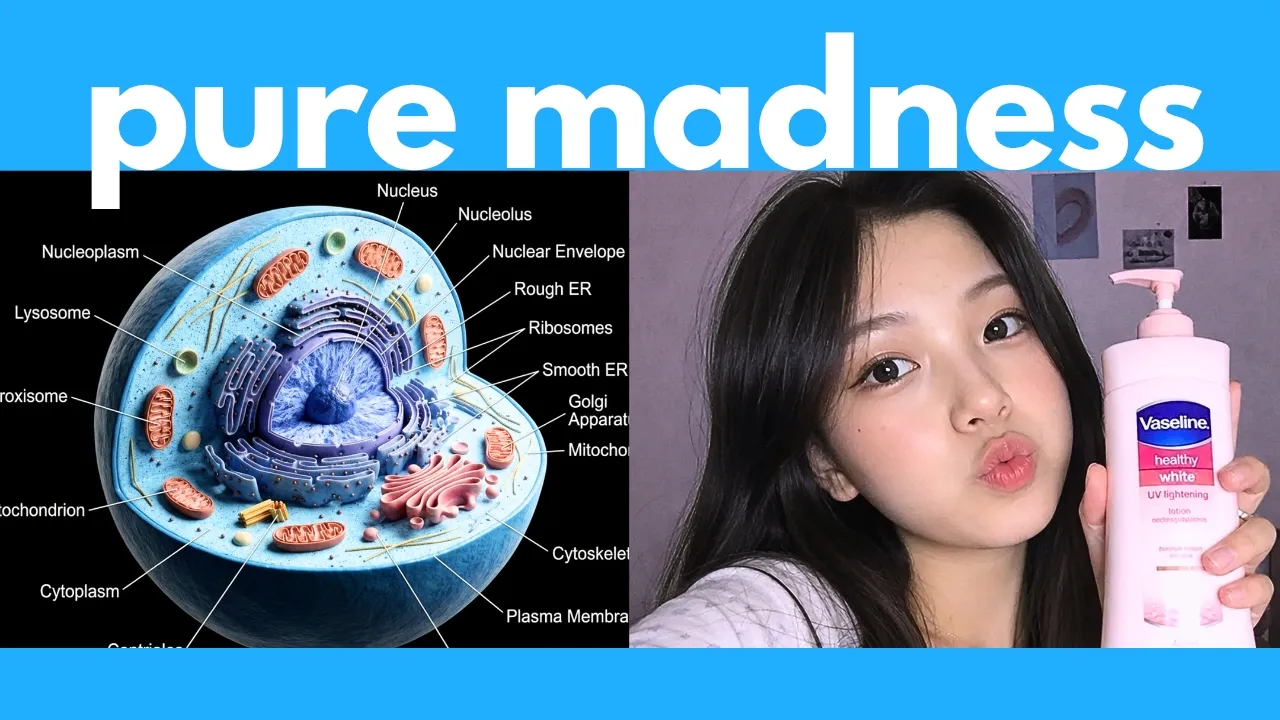
Here's another test, which trips up even the best image models. So, let's see if it can do biology homework. I'm going to give it this worksheet, and it needs to fill in the blanks. For the prompt, I wrote, "Label these organels. Use a messy students handwriting." Here's what I got from GPT image 2.5. It could get some stuff correct, like the cell membrane and the mitochondrig apparatus, but for like half of these, it still got it wrong.
Still a ton of errors. Here's GPT image 2. Interestingly, it even decided to leave some of these blank. And there were still a ton of errors with this generation. And then here's what we got from Nano Banana 2. I don't know why, but it generated this with a much more yellowower tinge. And some of these answers are wrong. So, it's a fail for all three models. All right. Time for your favorite prompt. The frog test. So, here's my prompt.
A 3x3 grid of endemic frog species of Borneo. This just means species that are only found in that area. They don't occur anywhere else in the world. Below each photo show their common name, scientific name, and a brief description. So, here's what we got from GPT image 2.5. As a frog expert, I can say that none of these look correct. The horn frog came pretty close, but this isn't even an endemic species. Basically, nine out of nine of the appearances of the frog are completely wrong.
And then next here is GPT image 2. And again, I can say nine out of nine of these look completely wrong. for Nanobanana 2. You know, the first two images kind of look correct, but both of these are not endemic to Borneo, and then the rest of these frogs don't look correct. So, it's a huge fail for all three models. Next, let's test its geographic understanding. So, I'm going to get it to generate a detailed map showing Earth's topography with elevation.
Continents, countries, major mountain ranges, and oceans labeled clearly. At the bottom, list the top five largest countries include area. Largest mountain ranges include elevation and the most populated cities. Here's what we got from GPT image 2.5. It is able to generate a realistic looking map and it is able to label most countries, although there's some gibberish over here. Plus, it decided to not label some of these African countries as well as these Southeast Asian countries.
For the stats at the bottom here, they do look mostly correct. And then here's what we got from GPT image 2. For the most part, it looks pretty good, but somehow again, it didn't really label some African countries as well as some Southeast Asian countries. And then the stats at the bottom do look correct. Finally, here's what we got from Nano Banana 2. It was not able to label the mountain ranges correctly. So, you can see like the Rockies are just gibberish.
Same with the Andes over here. It failed to label it. The country labels are also messed up as you can see like over here and over here. The stats at the bottom though do look correct. So here it's a close tie between the GPT image models aesthetically. Then this new GPT image 2.5 does look a bit better. Next, let's test its spatial understanding. So I'm going to upload this floor plan and then ask it to generate a realistic photo of this room but taken from the main door which is this corner over here.
So it needs to understand that this represents a door and give me a photo from this angle. And unfortunately none of the image generators were actually able to generate this. Well, so here's what I got from GPT Image 2.5. It was able to render the scene exactly like the floor plan, but the photo should be taken from this corner. Here's what I got from GPT image 2, which has slightly more errors. For example, the bathroom door should not be over here, plus the sofas should not be this far out.
And also, the door should not be over here. For Nano Banana 2, also completely wrong. It did not generate the bathroom over here, but instead it added it over here. Just a ton of errors with this generation. So, in terms of looking the best and having the least amount of errors, then I would have to give the point to GPT 2.5. However, it's still not perfect. Another really hard test for the top image models is generating accurate chess diagrams.
So, here's my prompt. A chess board midame where black is in checkmate in two moves. Show the next moves to reach checkmate. So, here's what I got from GPT image 2.5. This doesn't look correct to me. Here's GPT image 2, which is also wrong. And then here's the generation from Nano Banana 2, which also looks wrong. So unfortunately, even the most recent and best model in GPT Image 2.5 was not able to generate accurate chest diagrams.
Next, here's another fun prompt. So we have an educational alphabet poster for children featuring the letters A through Z. Each letter is made up of an animal which starts with that letter. At the bottom, also put the animals name. Now, both the GPT image models could generate this very well. Again, GPT image 2.5 tends to add a lot more details to the image which you may not have specified. For example, it decided to add a title plus all these different elements in the corners.
Whereas for GPT image 2, it tends to be a lot more literal. It just outputs exactly what you prompted. One thing I don't like about the old GPT image 2 is that it still has a yellowish tinge to it, whereas finally for GP image 2.5, the colors look a lot more correct. And then for Nano Banana, there are just way too many errors with this. For example, the monkey here is messed up. Plus, this ain't a rabbit. And then what the hell is a unicorn fish?
All right, here's another really tricky prompt. 11:15 on the clock and a wine glass filled to the top. You can see here both the GPT image models are able to get this correct. I would say GPT image 2.5 looks a lot better, especially the glass of wine. Whereas for GPT image 2, this kind of looks too fake. And then Nano Banana was not able to get both elements correct. All right, here's another fun test. Make a high resolution.
Where's Waldo image? It should be very complex with a ton of people with Waldo hidden somewhere in the image. Here is what I got from GPT image 5. Let me zoom in on this image. If you want to find Waldo, you can pause this right now and try to look for him. But just a warning, I'm not sure if he's actually in this photo. So far, I have not been able to find him. And if I zoom in even closer, you can see that a lot of details of all the people are still messed up, especially the faces.
And then here's what I got from GPT image 2. You can see this looks even worse. Like all these people are just a ton of squiggles. This doesn't even look like a coherent where's Waldo scene. And then here is what I got from Nano Banana 2, which looks pretty horrible. And Waldo is way too easy to find. So none of them are perfect, but in terms of the one with the least amount of errors and the one that most resembles aware's Waldo image, I would have to give the point to GPT Image 2.5.
All right. Next, let's test its consistency at rendering reference images. So, I'm going to upload this product photo with a ton of really small text throughout the image. And let's get it to generate an amateur casual photo of a female K-pop influencer holding and talking about the product. The trick here is that it has to render this product and all the text consistently. So, here's what I got from GPT image 2.5. If we zoom in, you can see that all the text does look correct.
So, it's really good at preserving the consistency of your reference images. But there's a huge error with this generation which is her hand over here. Oh my god. Anyway, here is what we got from GPT image 2. And here the product looks way too big and not to scale. Like it rendered this bigger than her face, which is not correct. But if I zoom in, you can see that it was also able to generate all the text and logos correctly.
And then finally, here's what we got from Nano Banana 2. Unfortunately, it messed up a ton of text on the product. So, you know, I would pick GPTZ image 2.5 as the winner if it didn't mess up her hand over here. All right, so that sums up my series of really tricky tests comparing GPZ image 2.5 with the other top image models. Again, these are meant to be really tricky tests that really push it to its limits. So, I don't expect the models to get them completely correct.
But, as you can see, GPT Image 2.5 does offer some marginal improvements over the previous GPT Image 2. I wouldn't say it's a huge significant leap, but in most cases, it is slightly better. All right, next, let's go over the specs of this. So, they've actually released two different variants of this. There's a flare variant, which generates images faster, but at slightly lower quality. So, this is kind of like a flash version.
This has 50% lower latency. However, if you're going for quality and consistency, then you can use this sunburst model, which is built for premium workflows with tighter control. Now, this one does take a bit longer to generate. Now, at the time of this recording, this model should be rolled out today to chat GPT as well as work and codecs across all tiers, including the free tier. So, even if you're on the free plan, you can just click on create an image or click on this plus sign and then click on create image and it should use the latest GPT 2.5 to generate your image.
Now, of course, you do get a limited number of uses if you're on the free plan as well as the paid plans or you can also use it via their API. So, both models actually cost the same. One is just better quality, one is faster, and let's say you generate a 1024 x 1024 image. If you use low quality via their API, then it costs like half a cent per image. If you set it to max, then it costs 21 cents per image. Now, this can generate up to 4K images.
So, let's set this to a 4K 16x9 resolution. If you set this to max, then it'll cost roughly 40 widescreen 4K image. Finally, let's also look at some leaderboards. So if you look at this text to image arena, you can see that the latest GPT image 2.5 is ranked number one, just slightly above the previous GPT image 2. Same with image editing. So you can see that indeed 2.5 sunburst is ranked number one, much higher than the previous GPT image 2.
All right, so that sums up my review of GPT image 2.5. This is definitely one of the best image models you can use right now, and you should be able to access this directly in chat GPT, even if you're on the free plan. Let me know in the comments what you think of this. As always, I will be on the lookout for the top AI news and tools to share with you. So, if you enjoyed this video, remember to like, share, subscribe, and stay tuned for more content.
Also, there's just so much happening in the world of AI every week. I can't possibly cover everything on my YouTube channel. So, to really stay uptodate with all that's going on in AI, be sure to subscribe to my free weekly newsletter. The link to that will be in the description below. Thanks for watching and I'll see you in the next one.
The words are the caption track's own and nothing is reworded or re-transcribed. Paragraph breaks are placed between sentences so the text reads as prose.
Free tools for your own script: paste a draft and see where it stands before you record it.
Paste your draft and see where viewers are likely to drop off, with a rewrite for each weak line.
Paste the first 30 seconds of your own draft for a hook score and rewrites.
Check your draft against YouTube's advertiser-friendly guidelines before you record it.
Read this channel's public videos and transcripts, and download a writing brief for it.