Getting the transcript
Reading the captions from YouTube. A video nobody has opened here before takes 10 to 30 seconds; this page fills in on its own.
Getting the transcript
Reading the captions from YouTube. A video nobody has opened here before takes 10 to 30 seconds; this page fills in on its own.
Tina Huang · @TinaHuang1
This video has no Most replayed graph yet: YouTube shows one only once a video has enough views. These are the moments viewers replayed most in Tina Huang's most watched videos.
Most replayed moment at 3:27
3.1x that video's typical replay level
the ey stands for I'll I'll put it on screen but I do have one that I made which I can remember a lot better so I don't know maybe this will help you as well uh which is Tiny crabs ride enormous iguanas a lot more memorable in my opinion anyways whatever it is that you need to do uh just figure out some way to
Said at 3:19
Most replayed moment at 6:41
3.7x that video's typical replay level
they should get and all the factors that go into it to make it the best experience possible. the clearer your vision is and the clearer the PRD is and the better results you will get from the AI. Also, just by the way, you don't need to come up with this PRD all by yourself. Um, I'm actually going to put like a prompt
Said at 6:34
Most replayed moment at 4:41
5.8x that video's typical replay level
models too. I also have one on a M2 CS and I actually just ordered a Mac Studio as well because I'm like really into local AI agents. So, yes, that's just my setup, my hardware machine journey. There are a lot of other options. I'm actually going to put on screen some hardware and machine specs and what kind
Said at 4:34
The graph counts replays. It does not show where viewers stopped watching.
Words
5,286
Runtime
24:22
Speaking pace
217wpm
Reading time
22min
217 words per minute, above the 201 75th percentile of 349 measured videos. That distribution comes from the 349-video hook study.
Opening (first 30 seconds)
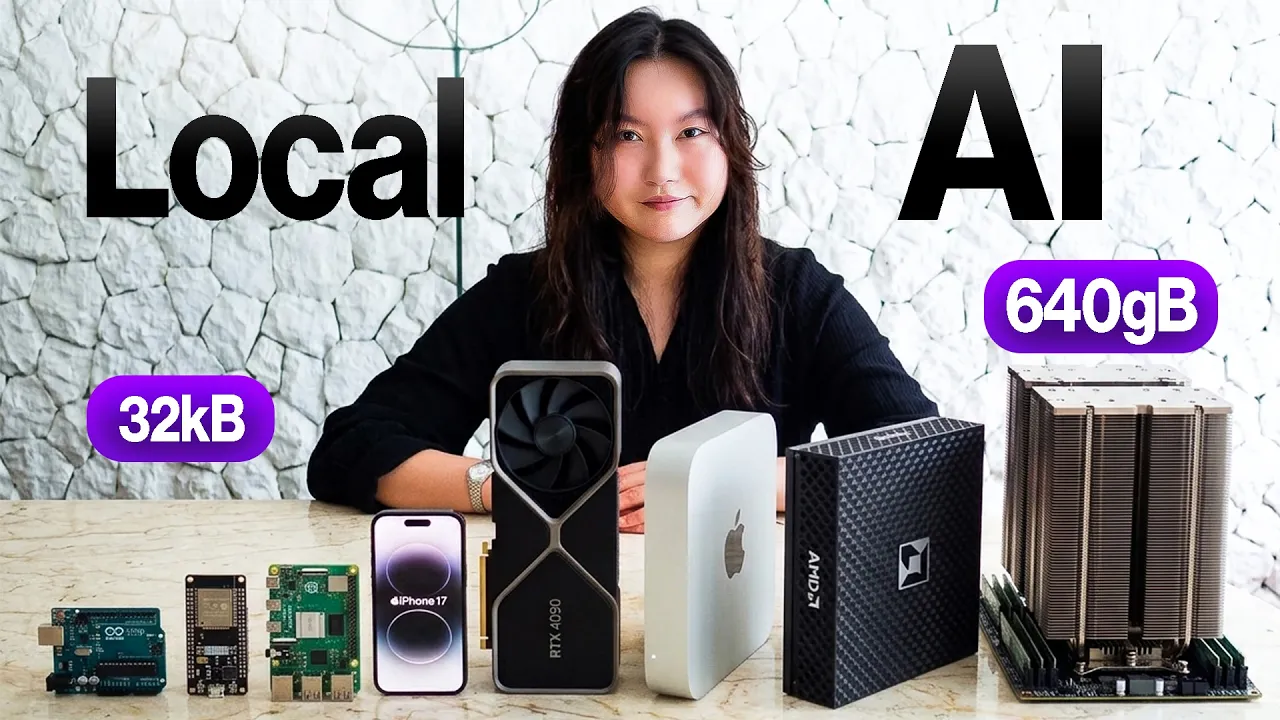
Hello. Today we're going to be running Every size AI locally with the hardware that we have here and see what we can do with it. Hopefully give you guys some ideas for cool things that you can build with local AI too. Let's go. A portion of this video is sponsored by Cruso. So I'm going to be grouping the hardware that I have here into different classes, different memory classes. So the first class are chips. So chips as they are called are literally just chips, just computer chips. They have no operating system, no file system, and no separate memory stick either. Literally, everything is just
109 words, the words spoken in the first 30 seconds at 217 words per minute.
Free, no signup. See how the first 30 seconds hold attention, with rewrites.
Sentence shape
| Measure | This transcript |
|---|---|
| Sentences | 346 |
| Average words per sentence | 15.3 |
| Longest sentence | 59 words |
| Questions asked | 18 |
| Sentences containing a number | 59 |
Most used terms
Filler phrases
92 in total: like 48 · actually 22 · kind of 6 · literally 5 · right? 4 · basically 3 · you know 3 · sort of 1.
A literal whole-word count of the same phrase list the Prepublish browser extension uses, so a phrase inside another word is not counted and a phrase used in its ordinary sense still is. It is a count and not a judgement.
Run the check on the words above: where attention is likely to drop, with a rewrite for each weak line. The free check shows the scores and the one issue costing the most.
What this transcript is
Every word below is the caption track YouTube publishes for this video, pulled from the video itself and reproduced unchanged. It is not Prepublish's writing, not a summary, and not a re-transcription: it is the video's own published captions. English captions, generated automatically by YouTube, in the video’s original language. Source: the video on YouTube. A channel that would rather this page did not exist can ask for its removal through the contact page, and it is removed.
Hello. Today we're going to be running Every size AI locally with the hardware that we have here and see what we can do with it. Hopefully give you guys some ideas for cool things that you can build with local AI too. Let's go. A portion of this video is sponsored by Cruso. So I'm going to be grouping the hardware that I have here into different classes, different memory classes. So the first class are chips. So chips as they are called are literally just chips, just computer chips.
They have no operating system, no file system, and no separate memory stick either. Literally, everything is just built into these boards. So, we try to run a AI model on these. We're not even installing it. We just literally stick it on here, and if it fits, it sits and we can run it or not. And in my case, the smallest one that I have here is an Arduino R4 Uno. It has only 32 kilob of RAM. I will put the rest of the stats on screen, which is big enough to fit, drum roll, please, no models.
That's right. Nothing fits on here. Alas, I actually just got this Arduino Uno R4 as part of a set cuz I'm trying to learn hardware and it unfortunately does not fit any AI models. But do not be fooled. That does not mean I cannot use this with local AI. I actually can since it has a Wi-Fi functionality so I can connect with some of my bigger devices. But first, let's actually talk about something that can actually fit an AI model.
Isn't this shocking? It is so tiny. This is the ESP32S3 and it has 8 MGB of RAM. I will put the rest of the stats on screen. And I got this for around $20 USD. Although this one does come with a screen. So if you get it without the screen, you're looking at like $2 to $5. So cheap. And you can actually run AI models on here. Two AI models actually. Both of them are called Tiny Story Models, which as it name suggests allows you to run Tiny Stories.
Let me show you what it looks like. So this one is the Tiny Stories 1 megabyte model. And then here is the Tiny Stories 3 megabyte model. You can run both of these very comfortably. So yes, it can run a Tiny Stories 260K model and a Tiny Stories 3M model very comfortably. And honestly, this is just the start. Getting a model running. You can make it so much cooler by adding on different modules to it. For example, you can make it into a little game called Scrambled versus Not Scrambled might be useful if you're learning English grammar.
And you can attach LED lights that represent the mood of the story that's being produced. So many cool things that you can do. Maybe I will make another video showcasing stuff that you can build using these little devices. But alas, we do not have time in this video. So, here is a summary slide for the models that we can run on the ESP32 and some ideas for AI projects that you can build. Take a screenshot in the free guide in the description.
I will also link a little quick start guide for how to get started building. So, these tiny stories models are only able to do the very basics of predicting the next word in order to form a coherent story, which is still very impressive actually given how small it is. And you can build some really cool things on top of that too. But it is not capable of holding a conversation like a chat. and it's not able to run any multimodality models like audio, music, video or images.
For that, we're going to need to move on to the next class of devices, which is the mini computers category. This is a Raspberry Pi, the Pi 5, and this is my personal iPhone 16. Now, these are proper computing devices. They run an operating system. The Raspberry Pi runs Linux, and my iPhone runs the iOS. and they're able to do things like manage memory, file systems, and run multiple programs. And so, you can actually have multiple models as long as they fit into these devices.
But what is really interesting is that both of these actually have 8 gigs of RAM, yet they are not able to run the same kinds of models. I'm going to give you guys a quick lesson on AR hardware in just a little bit. But first, I want to show you what these guys can do. This is the Raspberry Pi, the Pi 5, and even though it looks very small, it is very mighty because it is a full-blown mini computer. Let me show you what you can do with it. >> What color is an octopus? >> Octopuses come in a variety of colors, but they are usually camouflage, blending with their surroundings.
They can be blue, green, red, or even white depending on the species. First is using a speechto text AI model called whisper in order to listen to it. Then I have the Quen 3 1.7B model. It's a large language model, which is an LM be able to interpret it and then come out with a response. And then the Piper model, which is a tiny texttospech model, is able to actually answer it out loud on these speakers. Isn't that crazy?
I'm able to have full conversations with my Pi by chaining together three different AI models all on this tiny little device. But wait, that's not all. I can also connect a webcam that grabs a frame, takes a picture, and I can have a tiny visual language model called Moonream describe it. And the tiny texttospech model, Piper, is able to describe what it sees. Here is the camera, the webcam attached to the Raspberry Pi.
The >> image features a woman sitting in a chair looking at her cell phone. She is wearing a black shirt and is surrounded by a variety of books and other items. There are at least 13 books scattered around the room, some of which are placed on a bookshelf. A backpack can be seen near the woman, and a potted plant is located close to her. The scene suggests that the woman might be engaged in reading or studying as she is surrounded by numerous books and other items.
So yeah, you can pretty much run micro to small large language models very easily on the Raspberry Pi as well as the tiny tier visual language models, tiny texttospech models, and small but decent speechtoext models. It does struggle to run midsize large language models, but if you really want to, you kind of can do it. And it can kind of barely run small code tier models as well, but it really cannot do image generation, music generation, or video generation.
Not actually because a small image generation model wouldn't fit on here. It does. The problem is that it doesn't have any GPUs. So, it's just like painfully slow to do that. And I will explain GPUs a little bit later, but it does make up for it because you can build using the Raspberry Pi. You can add so many different types of accessories and sensors to your Raspberry Pi. In fact, I believe the hugging face robots are running off a Raspberry Pi as well.
So, yes, I'm going to put on a summary slide now, including some ideas of things that you can build with a Raspberry Pi. And please do check out the free guide linked below for a quick start guide. Now, let's talk about the iPhone 16, which also has 8 gigs of RAM, same as the Raspberry Pi, but it is so different. For one, because it is running on iOS, Apple does limit each app to only be able to use around 4 to 5 gigs of RAM.
So, even though technically it has 8 gigs of RAM, you actually aren't able to run the midsize level of models from 7 to 14B that you can't do using the Raspberry Pi because like Apple just doesn't let you do it, unfortunately. Also, because of Apple reasons, you can't just be like putting on things that you wish onto your iPhone. You have to do it through Apple's official system in which you need to install an app and the app allows you to download, install, and run your local AI models.
To get the Gemma 4 model, you need to download the AI edge gallery from Google and then download the models locally on your phone. This phone is able to run these small plus visual language models, meaning it can analyze images of the 1 to 4B range very comfortably since it's only 1.5 gigs. For the image generation, you need to download an app called Draw Things and you can download and run any small image generation models at around the 1B range with no problem.
Like stable diffusion 1.5 for example is 2 gigs. Can run it very comfortably. You can also run medium and large speech text models like the whisper large very comfortably and all texttospech models too. And finally, you can run a model called a detection model. It's actually very cool. People don't really talk about it very much for some reason. You can download an app called Ultralytics and download and run the YOLO 11N model.
The YOLO 11N model allows you to do object recognition to understand the scene. And it's the underlying technology behind all things from a facial recognition on your devices to self-driving cars cuz you know, you got to be able to recognize different objects as we're driving. We don't really talk about this class of models very much, these detection models, but they're actually very, very useful. Isn't that really cool?
I'm going to put on screen now a summary slide including some ideas of things that you can build using your phone with local AI. A small lesson on AI hardware. Now think about a device, any device. It is like a restaurant kitchen. Downstairs we have a walk-in freezer and a storage space. This is where we store all the ingredients, all of the things. Then we have the prep counter. This is where we load up all the ingredients that we need right now for the dish that we want to make.
Now let's talk about people who work in the kitchen. We have the head chef. The head chef is very experienced. They can make any sort of dish, but just one head chef. There is also a brigade of line cooks. These line cooks are less experienced, less versatile, but we have a lot of them that can help us out. And finally, we have specialized machines bolted to the walls. Like say an onion machine that only chops onions or like a noodle slicing machine that just automatically slices noodles.
I don't know if you guys have seen those before, but basically these machines can only do one thing. It does that one thing really well and really fast, and it uses almost no electricity. Now, between the prep counter and the chefs and the cooks and the machines, there is a conveyor belt passageway. This is how we get the ingredients from the prep counter to the chef's cooks and machines to process them into hopefully a meal.
So, say for example, we want to prepare a salad. Well, first got to go get all of the salad stuff from a storage in the freezer and put them onto prep counter like your carrots, lettuce, olives, chicken, other salad stuff. Then we put it on the conveyor belt and it gets passed through and the head chef starts giving out orders. Tells all the line cooks to be chopping up all the vegetables and also starts up the onion machine to be chopping up onions while he himself is only say like mixing the sauce because that's like the tricky part.
And then after a few minutes everything comes together and voila, we get a salad. Yay. Amazing. So this is a great analogy for how AI models work on a devices. So this time what we want to be cooking is a model. So, we walk down to our freezer downstairs, except we call it storage, and we grab our model, and we put it onto our prep counter, which we call the RAM. Then, we pass it along the conveyor belt, which we call a memory bus, and hand it to our head chef, call it the CPU, who then also directs the line cooks to start cooking up parts of the model.
The line cooks are called the GPU, and also start up the little specialized bolted machines, the onion machine, which we call the NPU. And after all this cooking, your model is able to produce something like respond to your question of hi, how are you? The model then can say hello, I am good, how are you? Okay, makes sense. So every time we want to be working with the model, we need to be going through this entire process of cooking.
Great. Now you understand the major components of hardware when it comes to AI models. However, remember the question that we asked earlier, why is it that a Raspberry Pi has 8 gigs of RAM and an iPhone has 8 gigs of RAMs too? But they are so different. models run on iPhone are much faster and it's able to do image generation while the Raspberry Pi cannot. Well, that is because these two devices have the same amount of RAM, which means that the same amount of capacity, but they do not have the same amount of bandwidth, which is referring to the conveyor belt between the prep counter and our cook and our chefs.
You see, for most large language models, they are bottlenecked by how quickly you can deliver them from the RAM, the prep counter, to the chefs and the cooks to the machines to process the model and get them to be running. On a Raspberry Pi, this conveyor belt, the memory bus is quite narrow and slow. So, it physically takes longer to be able to be processed. And on top of that, a Raspberry Pi only has a CPU without any GPUs or NPUs.
So, it's basically like having a single head chef, very capable, but only a single pair of hands having to do everything to run this model. That's why it is really, really slow. While for the iPhone, it has CPUs, GPUs, and MPUs. That's why it's able to process things so much faster. So, that explains why it is that things run so slowly on the Pi, but run so quickly on iPhone. But what about image generation? The Pi simply cannot do image generation.
And that again is because of the lack of GPUs. You see, when it comes to image, video, and music generation, it is really processing heavy. So, if you just only have CPUs, no matter how hard they work, it's just not enough to be able to generate music, images, and videos. So, you really got to have some GPUs like the iPhone to be able to do that. We will return to this analogy a little bit later as I explain more devices, but for now, amazing.
You now have an understanding of AI hardware. Yay. I'm going to put on screen now. A little pop quiz. Answer these questions and put them into the comments to make sure that you're paying attention. Of course, what I said about AI hardware is much more simplified than it actually is. There's concepts like VRAMm, unified memory, like so much more, which I'm not going to go into too much more detail about in this video cuz I'm sure this video is already very long.
But this is like the general introduction that will help you a lot in figuring out what kind of models can run on what kind of devices. So, as you guys can see from this video, I have been very into tinkering and running open source models. And the next obvious step is also tinkering and customizing the open source models themselves. For that, Cruso Intelligence Foundry has been amazing. It primarily gives you two things.
Serverless inference to run leading open models without touching any of the underlying GPU infra and serverless fine-tuning to customize the open models on your own data without having to own or manage any hardware. You can fine-tune a model, deploy it in one click and start calling it with an API in minutes. Seriously, the first time that I did this, I almost shed it here. There is no clusters to provision or crazy long setups.
I cannot even explain how painful this used to be. So for today, anybody that's building with open models who don't want the infrastructure overhead to eat into actual build time. This is a really clean and easy path to get started. And now when you sign up, you will get $5 of free credit, you can now try out Cruso. Link is in the description. Thank you so much Cruso for sponsoring this portion of the video. Now back to the video.
Okay, now let's move on to the next category of devices, which is personal computers, such as my MacBook Pro that I'm using right now. So my MacBook Pro is 32 gigs, but of course there are other machines in this category as well like my older machine which is a MacBook Air and of course Windows laptops and Linux laptops too. They all belong in these portable personal computer personal machines category. So the reason why I got a MacBook Pro with 32 gigs of RAM is because this is the machine that pretty much allows me to run any category of AI models.
I can run large language models, coding models, visual language models for visual analysis, image generation, video generation, text to speech, speech to text, audio generation, voice cloning, and music generation. All of this I can run locally. And not only can I run each of these models locally by itself, I'm also able to use these models in different ways by using it with different types of software. For example, with my Hermes agent, which I use to run many aspects of my life and my work, I can run pretty much any midsize to large size local model like the Quen 3 14B, 16B, 32B, some my go-tos in the Quen family.
And I can run the Quen 3 coder 30B locally using also an open- source coding harness like Open Code and it works pretty good. My favorite for image generation is Flux Dev. I'm going to put a summary slide now of all the different types of models that you can run in this personal computer, personal machine category, as well as some ideas of things that you can build with these models. Now, I know what you're thinking already, but Tina, I don't have a 32 gig MacBook Pro.
Understandable. It is really expensive. I only got this machine because it is literally my job to be testing out models and things, right? Don't worry, I got you. I'm also going to put on screen now the models that you can run if you have 8 gigs of RAM and 16 gigs of RAM. These are the general RAM sizes of laptops that most people have. But if you do have something that's not like 8 gigs or 16 gigs, literally you have something smaller, bigger, something in the middle, that is okay as well because I'm going also teach you a formula for calculating roughly the size of model that you can run on your machine giving the amount of RAM that you have.
Okay, ready? The equation is that take the total amount of RAM that your machine says it has. Subtract that by 25% of it because this is used up by like other stuff and the rest is the actual usable amount of RAM that you have. Divided by 0.6 six and that equals the amount of parameters that your model can have. For example, my MacBook Pro says it has 32 gigs of RAM. So, I subtract 25% of that, which means I have 24 gigs of usable RAM.
Now, I do 24 / 0.6 to get 40. So, my MacBook Pro can fit a model of up to 40 billion parameters. That is a very rough way of figuring it out. Of course, you can also just ask one of your favorite AI chatbots, hey, this is my computer and what kind of models can I fit on it? You know, that works too. But any case, I hope that is helpful. I want to now move on to the next category of devices, home servers. The two that I have to demo right now is the Mac Studio and the AMD Ryzen AI Halo.
All right, the Mac Studio and the AMD Ryzen. These are examples of the home server class. There are a lot of other machines that fit into this category. I would say the cheapest entry level here would be a Mac Mini, although those are really hard to get these days. I actually only got the Mac Studio because I couldn't get a Mac Mini. Anyways, at this tier, what is the most attractive and why you would get something like this is for two reasons.
The first one is that it is a dedicated always on machine. So unlike your laptop which you got to carry around and close in stuff like that and when you close it you're you know your models stop working in case you were doing something with it. But the home servers these machines are always on they are designed to be always on so they don't close down. You can constantly doing stuff and running your AI models 24/7. That's the first attractive part.
And the second reason is that generally these home server devices do have more capacity and bandwidth. so it can run bigger models and do it faster. Let's first talk about the Mac Studio here. It has 64 gigs of RAM. Pop quiz. It says it has 64 gigs of RAM. How much of it is actually usable? And what is the largest model in billions of parameters that can fit on my Mac Studio? Very paying attention. Put it into the comments.
Amazing. Hope you got that. My Mac Studio is where I like to run my local models to use for my local AI agents and also allow other devices. Remember this device, the Arduino Uno R4 that couldn't run anything by itself. I also like to be able to connect this with my Mac Studio. So, it can use the models that are being run on my Mac Studio. This Arduino Uno is using the Quinn 3.635B model on this Mac Studio in order to display encouraging happy messages.
Write into the comments what this says if you can read it. Yay. That's really cool, right? Really with this Mac Studio and all devices that are bigger and more powerful than this, it's not about unlocking new categories of AI models. At this point, it's just about being able to run bigger models, higher quality things to get higher quality responses and faster. In the case of the Mac Studio, I can run large tier, large language models between 27 to 32 billion parameters as well as large code models, large image models, and large music generation models.
For video generation, I can now run mid-tier video generation like the 1 2.2, but it is slow. It is really slow still. I'm going to put a summary sign now with all the models that you can run with a Mac Studio, as well as some ideas for things you can build. And let's move on to the AMD Halo, which is 128 GB of advertised RAM. Now with 128 GB of advertised RAM, around 96 GB of usable RAM, it is now able to comfortably run extra-large models in the 70B range and Frontier models in the 100 to 250B range.
We can see that Llama 3.37B is able to run fine and GBT OSS 12B is also able to run fine. It's also able to run extra-l large tier of coding models like the Deep Sea Coder V2. Great. So we can see that it can run bigger models now. Makes sense. However, what I find the most useful of having something like this is the ability of having a lot of different models loaded simultaneously and working simultaneously because it has that massive amount of memory, right?
So, I could be using a coding agent, the large language models, and doing like image video generation all at the same time. I'm going to put on screen now all the models that you can run with a device like the AMD Halo and ideas of what you can build. But I do want to make a caveat here though. This machine, even though it has very large capacity, it actually has pretty small bandwidth, which means that it is slow, especially when it comes to image, video, and music generation.
It can do it. It's just going to do it really, really slow. Which is why I want to introduce you to the final category that we're going to cover today, which is GPUs. First, let me explain GPUs a little bit more. Remember the analogy that we had earlier, the restaurant kitchen analogy? We said that GPUs is like having a brigade of line cooks. Because we have so many of them, they're able to work really, really quickly and do compute very fast.
Now, this matters the most when it comes to music generation, image generation, and video generation because to be able to produce these, you just need like a lot of processing power. So, you need a lot of line cooks in the kitchen. The bad news is that all the devices that I went through earlier, they do of course have GPUs, which is why they can do things like music generation, image generation, and video generation.
But, they do it really, really slowly cuz they're not specialized at doing this. But the good news is that there is a way to be really good at processing and be able to do really fast and really good image, music, and video generation. And that is by getting more discrete GPUs. You see, a GPU actually isn't just line cooks. It's actually a bundle. When you get another GPU, you get cooks, but they also come with their own private prep counters and a very wide conveyor belt, the memory pass.
So when you get more GPUs, you get more cooks who have their own private counter and their very own very wide conveyor belt, the memory pass. So they be able to get the ingredients really fast. It's basically like a boost for the line cooks. So you're able to process things really, really quickly, cook your models really quickly. I hope that analogy makes sense. It's getting really late. So there are a few ways to get more GPUs.
Unfortunately, for all the devices that we covered earlier, you cannot add more GPUs to them. Just like they're not built that way. But if you had a gaming PC, for example, that would have a GPU. I I do not have a gaming PC and I'm not about to go buy one right now cuz those are expensive. But if you do have one, good news for you. You have a GPU and you can actually add more GPUs as well. So, I'm going to cheat a little bit, okay?
Because I do want to show you what it's like to run these multiodality generation models on these specialized GPUs. So, I'm actually going to rent an RTX 4090. This is a pretty high-end GPU that you might have in a high-end gaming set. Let's do this quickly because it's costing me by the hour. We're going to log in here and then I'm going to run an image generation model. You can see that it is really really quickly.
And here is a video generation as well. Really, really quick. Now, the downside of this GPU is that it only has 24 gigs of memory. So, you can think about it almost like the opposite of the AMD device because the AMD device has a lot of memory, has very big capacity, but low bandwidth. while the RTX 490 has smaller capacity, only 24 gigs, but much larger bandwidth. So, in the end, you end up being able to generate a lot of these things and run these models, but you can't really fit very large size models on it.
All right, I'm going to now put a summary slide for the models that you can run on this device and the things that you can build with it. And that finally leads me to the final boss, the 8x H100 GPU. Now, this is top tier. 640 gigs of RAM, massive capacity, and massive bandwidth. Now, I really got to move fast on this one because it's costing me so much money every minute. But for you guys, it's worth it. On here, not only can we run ultra large tier large language models up to 700 billion parameter plus ultra-large coding models, 480 billion parameters plus visual language processing as well and all types of multimodal generation.
Specifically, let's check out video generation. Using the Miniax H3 model, we can see that it's able to generate minutes of video and it does it so quickly. This is pretty much what you can run assuming that you're not like a literal model development company or just have like a lot of money. But it really is comparable at this point to the frontier models that you are paying for through cloud APIs. You see, everything up to this GPU is kind of just forcing you to choose between like capacity and bandwidth, right?
Like the AMD Halo is all about big capacity but low bandwidth. And the RTX 490 is all about small capacity and large bandwidth. But this is when you get both. You get very big capacity and very big bandwidth. And now for the 8H100 rented, I'm going to put a summary slide now of the models that you can run with it and the things that you can build. This is like aspirational class. Great. Amazing. Wow. Thank you so much for watching until the end of this video.
I hope this was insightful, interesting, helpful, and it has inspired you to want to build things with local AI as well. I'm going to put on screen now a little quiz. Please answer these questions in the comments below to help you retain all of the information that we have covered today. Thank you so much and I will see you guys in the next video or live stream.
The words are the caption track's own and nothing is reworded or re-transcribed. Paragraph breaks are placed between sentences so the text reads as prose.
Free tools for your own script: paste a draft and see where it stands before you record it.
Paste your draft and see where viewers are likely to drop off, with a rewrite for each weak line.
Paste the first 30 seconds of your own draft for a hook score and rewrites.
Check your draft against YouTube's advertiser-friendly guidelines before you record it.
Read this channel's public videos and transcripts, and download a writing brief for it.