Getting the transcript
Reading the captions from YouTube. A video nobody has opened here before takes 10 to 30 seconds; this page fills in on its own.
Getting the transcript
Reading the captions from YouTube. A video nobody has opened here before takes 10 to 30 seconds; this page fills in on its own.
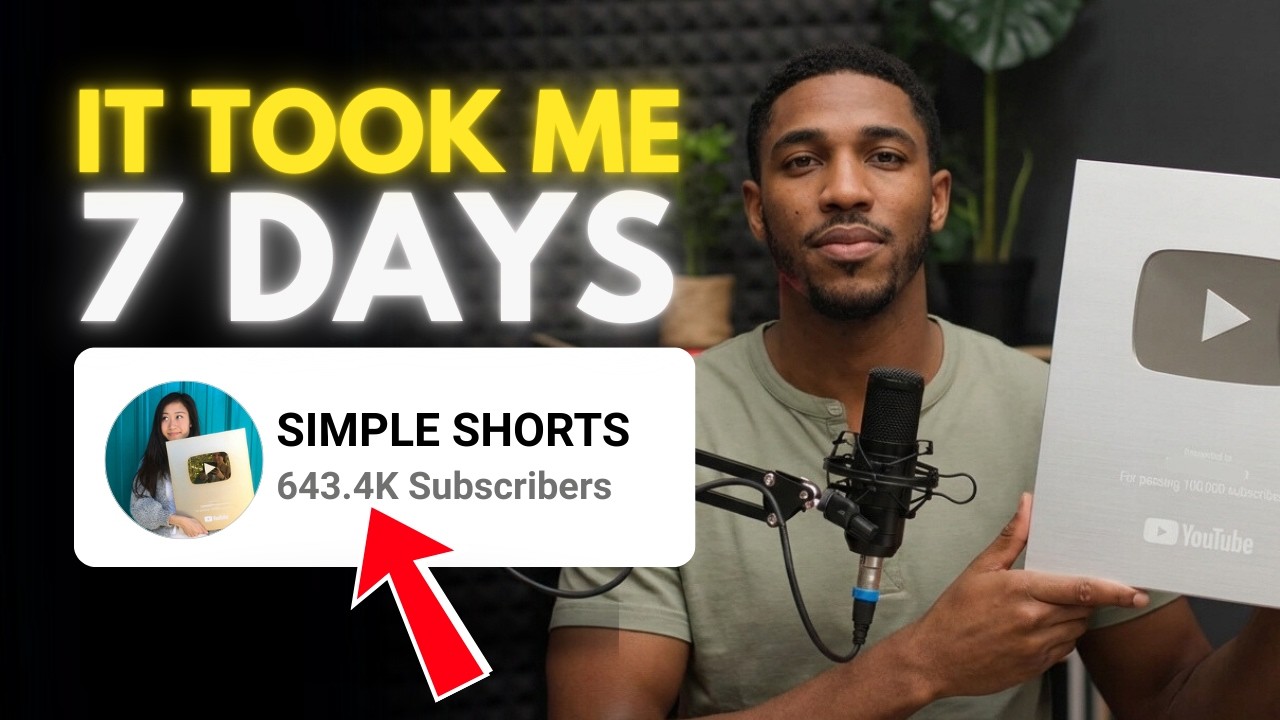
E'Calm · @emmiescalm
Where viewers went back to watch this video again, from YouTube's public Most replayed graph, lined up with what was said at that moment.
Most replayed moment #1
8:182.5x the video's typical replay level
this step may change a bit in future. All right, start by uploading all your characters here. To add the next character, just hit on this plus button.
Said at 8:12
Most replayed moment #2
6:142.5x the video's typical replay level
ask ChatGPT to rewrite it for you. Just make sure you read through. Yeah, AI makes mistakes sometimes. Once the script is ready, you can go ahead and generate the voiceover. I use Google AI Studio for the voice. It's also 100% free and unlimited. On the homepage, hit
Said at 6:07
Most replayed moment #3
7:332.3x the video's typical replay level
software in my Windows, then separated them one by one. If you can't use the photo editor on your PC, you can also use Canva. Next, I asked it to give me visual scenes for all the lines, and it gave me
Said at 7:25
The graph counts replays. It does not show where viewers stopped watching.
Words
3,595
Runtime
18:52
Speaking pace
191wpm
Reading time
15min
191 words per minute, between the 181 median and the 201 75th percentile of 349 measured videos. That distribution comes from the 349-video hook study.
Opening (first 30 seconds)
I broke the YouTube algorithm, getting over 800 million views with over 600,000 subscribers. In 5 months, I've made close to $75,000. In this video, I'm going to reveal all the secrets, including a simple niche that anyone can start today, even if you know nothing about YouTube automation. All right, before we get into the actual video, I want to mention that this is not a get-rich-scheme. It took me 5 months to achieve this result. So, if you're for quick success, then I'm sorry, this video is not for you. Let's get started. All
96 words, the words spoken in the first 30 seconds at 191 words per minute.
Free, no signup. See how the first 30 seconds hold attention, with rewrites.
Sentence shape
| Measure | This transcript |
|---|---|
| Sentences | 289 |
| Average words per sentence | 12.4 |
| Longest sentence | 48 words |
| Questions asked | 7 |
| Sentences containing a number | 29 |
Most used terms
Filler phrases
25 in total: like 16 · actually 4 · you know 3 · I mean 1 · basically 1.
A literal whole-word count of the same phrase list the Prepublish browser extension uses, so a phrase inside another word is not counted and a phrase used in its ordinary sense still is. It is a count and not a judgement.
Run the check on the words above: where attention is likely to drop, with a rewrite for each weak line. The free check shows the scores and the one issue costing the most.
What this transcript is
Every word below is the caption track YouTube publishes for this video, pulled from the video itself and reproduced unchanged. It is not Prepublish's writing, not a summary, and not a re-transcription: it is the video's own published captions. English captions, generated automatically by YouTube, in the video’s original language. Source: the video on YouTube. A channel that would rather this page did not exist can ask for its removal through the contact page, and it is removed.
I broke the YouTube algorithm, getting over 800 million views with over 600,000 subscribers. In 5 months, I've made close to $75,000. In this video, I'm going to reveal all the secrets, including a simple niche that anyone can start today, even if you know nothing about YouTube automation. All right, before we get into the actual video, I want to mention that this is not a get-rich-scheme. It took me 5 months to achieve this result.
So, if you're for quick success, then I'm sorry, this video is not for you. Let's get started. All right, we're going to start with creating the channel. This is simple and I know anyone can do it, but there are a few things you need to do to avoid your channel from getting zero views. The thing is, YouTube does not officially confirm shadow banning the way other platforms do. What usually happens is that new channels get limited initial reach.
So, instead of avoiding shadow ban, what you really want is building channel trust from day one. Here's how to properly set up your YouTube channel to avoid triggering low trust signals. Use an old Google account that has normal activity history. Why? Older accounts have search history, watch history, comment history, natural behavior patterns that builds trust. But, if you don't have an old account, then here's what I'll recommend.
Create a brand new account, but warm it up for 5-7 days to build those histories. I mean, watch videos daily, like videos, comment naturally, subscribe to the channel you love, and avoid uploading immediately. Act like a real human. Next, go to settings. Channel and feature eligibility. Make sure you verify your phone number. Don't just leave it. Unverified channels look low trust. Now, the keywords. I'm going to be honest with you, I didn't add any keywords here.
Per my experience, I don't think this really matters for a short channel, but you can go ahead and add some keywords later on. But, right now, I need you to follow what I'm showing. For the logo and channel banner, you need to keep it simple. Yeah, don't make things complicated. So, for the logo, I recommend you use a face or a recognizable figure. The human brain is obsessed with faces. We even imagine faces in random objects.
So, if your channel has a face or a character, your audience will notice you faster and click more often. I'm going to use this. And since the image is in a square shape, there's no need to resize it. I'll just upload it here. For the banner, just open Canva. In the search bar, simply enter YouTube banner. Now, you're going to choose the one you like here, but you need to make sure it has borders like this one. The reason is we want the banner to show on all devices.
I'm going to go with this one here. Now, just change the text and the color to your preference. Remember to keep everything in this space. All right, you're going to download it by clicking share. Click on download. And here, click download again. Now, you can upload it here and hit publish. If you've completed this first step, congratulations. You're already ahead of the 99% of people you say they'll start but never do.
All right, we're going to move on to the next step. But I kindly ask you to use 5 seconds of your time to like the video and subscribe to the channel. Now that your channel is ready, our next focus is to get monetized. You all know the rules. So, we need a strategy to get 1,000 subscribers and at least 10 million views before we can get monetized. That sounds like a lot, but relax. I got this exact channel monetized in less than 30 days.
And I've achieved this result in 5 months. Just chill. You know what? Instead of wasting time warming up your account, what I want you to do is to use that time to find trending videos. Let me show you the actual example I used to create one of my recent videos that's currently at 37 million views. You're going to open YouTube on your new account. But if you're doing this on an old account, I recommend you do this incognito.
This way your feed is not personalized and YouTube shows you what is actually trending. Next, search for heartwarming or heroic stories or any story you like. Click on shorts. Now, instead of finding the best topic, we'll do this instead. We're going to find videos that are going viral and recreate them. So, keep scrolling, and once you get the trending video, open up the description to see the total views and when it was posted.
Once you get the video you like, then it's time to recreate it. Let me show you this worked for me. This is a video I found some weeks ago, and it's a simple story about a boy who dreams of playing basketball. He really wants to practice, but his parents can't afford to buy him a basketball hoop. One day, a kind neighbor shares his story on Facebook and asks people for help. Because of that kindness, the boy finally gets the basketball hoop he always dreamed of.
As you can see, even though this video is a month older, mine has gotten more views. So, I repeated this idea once per day, and I had infinite ideas that are proven to work. This strategy is so good because instead of starting from scratch to get ideas that are set up to fail, we reverse engineer the virality of our video by leveraging what's already working for our audience. But, here's where you need to be careful.
Notice why I asked you to recreate instead of steal. If you steal videos, YouTube kills your channel. You're not only going to make no money, but you'll also get hit by copyright strikes. And when it happens like that, YouTube might remove your channel. This is why I never try stealing videos, but recreate them to comply with the YouTube policies and guidelines. But, if this step is complicated for you, then I actually have a simple method I use with AI to consistently find good video topics.
But, I can't really share everything here in this video because if the exact strategy becomes public, a lot of people will start copying it, and the niche could become saturated very quickly. So, I decided to leave that part for people who are serious about doing this. I've included that method along with the entire workflow on Gumroad, where I break down everything step-by-step. Just so you know, it's not free. But, inside you'll get the full system, plus I've also added a private WhatsApp group where you can share your channel, and I'll personally review it and help you improve.
The link will be in the video description. And even if you don't have any budget to spend, don't worry because I use the strategy I'm showing right now. So, where do I find script to create my videos? It's simple. I get the transcript of the video I'm modeling, then add my own spin. I usually write the script myself, and you can also do that. Yeah, that's better. But, if you can't go with that method, then you can ask ChatGPT to rewrite it for you.
Just make sure you read through. Yeah, AI makes mistakes sometimes. Once the script is ready, you can go ahead and generate the voiceover. I use Google AI Studio for the voice. It's also 100% free and unlimited. On the homepage, hit on playground. Go to text-to-speech. And here, pick the first option. Select a single speaker from this tab, and then paste your script. Click here to pick the voice you like. Now, you can hit the run button, and you'll get something like this.
She was in danger, and only one kid saw it in time. All right, just hit the three dots and select download to save it. So, where do you find footage for your videos? First, I find the actual characters in the story, then change the style to 3D. Let's use this story as an example. First, I'll get the actual characters. Sometimes, they'll be in a single image like this one. If it's not, then you'll have to find them one by one.
Once I get the image, I'll then give it to ChatGPT and ask it to convert it to a 3D style. You can see it gave me this image here. But, separating it won't be easy, so I asked it to separate the characters and give me three separate characters. I then opened it with the normal photo software in my Windows, then separated them one by one. If you can't use the photo editor on your PC, you can also use Canva. Next, I asked it to give me visual scenes for all the lines, and it gave me these prompts.
But, you realize it gave me eight scenes here. Meanwhile, the scenes were supposed to be 10 because the script has 10 lines. So, I asked it to regenerate it, and it finally gave me 10 scenes. This is why I always say you should go through everything you generate using AI. Now, we can generate the visuals and then convert it into videos. I'm going to be sincere with you. I use Nano Banana Pro for this step, but you can start with Whisk.
It's 100% free, and I think it's unlimited, too. You can see that they're moving Whisk to Flow on this date. So, this step may change a bit in future. All right, start by uploading all your characters here. To add the next character, just hit on this plus button. Once done, just paste the prompt for the first scene. Select the characters that appear in the prompt. For instance, the old man and the boy appeared in the first prompt, so I'll select those two characters.
Now, set the aspect ratio to 9 by 16 and generate. Just repeat these same steps to generate all the scene images. All right, now let's turn your images into videos. First, open Grok and create a free account. You get around 10 free generations per day, which is more than enough for this process. Now, instead of going straight to generate the video, do this instead. Click on your profile icon and go to settings. On the left side, click behavior.
Scroll down and turn auto video generation off. This is important because it gives you full control and prevents you from wasting your free generations. Now, go back and click on imagine from the left menu. Click the image icon, then switch it to video mode. Make sure the aspect ratio is set to 9 by 16, vertical format for shorts. Next, paste your prompt into the box and upload the image you created using that prompt.
Once everything is ready, click generate. That's it. Repeat the same steps to create the rest of your videos. Now moving to editing, once you have all the clips, you'll need to edit them. To do this, you're going to open your video editor, which is in this case CapCut, but you can also use Premiere Pro, DaVinci, or any other app you prefer. The main reason behind the editing isn't just joining the clips to form a single video, but to add value so YouTube won't mark it as inauthentic content and avoid our channel from being demonetized.
Start by importing the voiceover and the visuals, which are the videos you generated on Grok. Next, add the voiceover to the audio track. Now, instead of going straight away to arrange the clips on the top of the voiceover, you need to do this instead. You need to listen to the voiceover and change the pacing by adding pauses and cutting out pauses. I do this to maintain the viewer's attention for as long as possible.
Once you're cool with the voiceover, you can go ahead and arrange the clips according to the voiceover. After arranging the clips to meet the length of the voiceover, I then add the original image of the story at the end and the mending heart emoji. Now, I can add sound effects to where it is needed and add smooth transitions. Always make sure to add captions. Finally, add the background music, adjust the volume, and you're done.
You just made your first video. She was in danger and only one kid saw it in time. [music] 9-year-old Owen had just gotten off the bus on a snowy afternoon. Two houses down, [music] he saw his neighbor sitting at the bottom of the steps. Something wasn't right. The man [music] barely responded. So, Owen ran home and told his parents. They rushed back, [music] brought him inside, and called 911. Doctors later said a few more [music] minutes could have changed everything.
When asked why he helped, Owen said, "I just thought it was a good idea." This process takes me just about 60 minutes, and it's the only work I do for one day. Honestly, YouTube Shorts are one of the easiest ways to make money right now. On good days, I can make more than $2,000 just by doing 60 minutes of work, which is basically nothing. I've put the entire workflow on Gumroad, and you'll find the link in the video description.
We're already done with the most difficult parts, so don't stop there. Posting is definitely the easiest part of the process, but you'd be surprised how many people still mess it up. First and foremost, the type of content you post determines how much your channel can earn. That's because YouTube pays based on your RPM, which stands for revenue per mille. In simple terms, RPM is how much YouTube pays you every time your video reaches 1,000 views.
So, what affects your RPM? Your audience. Views from some countries pay more than others. For example, English-speaking countries like the United States, the United Kingdom, and Australia usually have much higher RPMs compared to many other parts of the world. That's why using English voice-overs and captions can help. The more viewers you attract from English-speaking countries, the higher your chances of increasing your RPM.
But, you need to pay attention. Never use a VPN to upload your content. I repeat, never. Why? First, it can signal to the algorithm that your activity looks suspicious or automated. Second, it doesn't even help. A VPN only changes where your video is uploaded from, not where it's actually watched. And RPM is based on where your viewers are, not your upload location. So, if you want a higher RPM, focus on creating content that that English-speaking audiences.
Now that you understand that, open the YouTube app on your phone and tap the plus icon. Select the video you created and tap next. Then choose a song if you'd like. Don't worry about copyright. Music from the YouTube audio library is safe to use. Everything in the YouTube library is cleared for creators. When entering your title, make sure it contains highly searched keywords. And of course, you'll also find how to pick the best titles in the workflow on Gumroad.
For hashtags, the only hashtag here is just #shorts, but you can include one or two extra if you want. Sometimes I also put #heartwarming or #heroicstories. But honestly, hashtags don't really affect the video that much. So what you need to do next is to scroll through the timestamps to find the best moment you think people will click and set it as a thumbnail. This can help your video keep getting traffic even after the algorithm slows down.
Next, make sure you check the correct audience setting. It's important that your content is not marked for YouTube kids unless it's actually made for children. This helps the algorithm send your video to the right audience. After that, you can ignore the rest of the settings and simply tap upload short. Once it's posted, don't keep rewatching your own video. Just leave it alone and let the algorithm do its job. Congratulations, you've posted your first video.
Now repeat the same process and aim to post at least one video every day. This signals to YouTube that you're consistent [music] and serious about creating content. YouTube always favors long-term consistency over random viral moments. You can post more if you want, especially on Fridays and weekends, since these are the days most people watch shorts. Just don't post more than three videos per day. Uploading too many at once can look unnatural and may trigger spam detection.
Finally, the most important lesson I learned myself is that if your channel doesn't grow within the first month and keeps getting stuck at zero, 1K views, 30K views, or even 100K views jail, the best move is to start a new channel or use a different account. Why? YouTube algorithm puts invisible labels on your channel based on your early videos performance. If you consistently upload videos that get low views, the system may start to assume your content only appeals to a small audience.
And once that pattern is established, it can be harder to break out of it. If you keep uploading content that gets low views, then the system learns that your channel is only relevant to a very small audience. It won't push it anymore, even if your later videos are really good. Honestly, I restarted this three times before succeeding this channel, but this varies from person to person. The most important thing is to keep going and improving your videos.
And now, moving on to our secret tip that took me from this to this. This last step might shift the way you see YouTube entirely. It's about posting in a way that keeps people glued to their screens. I call it retention psychology. Think of the YouTube algorithm as a relentless machine. It doesn't care about your niche, your personality, or even your subscriber count. It only cares about one thing, which is retention.
If viewers stay on your video, YouTube pushes it to more people. If they swipe away early or only watch small parts, the algorithm slows down or stops pushing it completely. That's it. It's really that simple. And you don't have to guess. You can check this yourself. Click on the video you uploaded and switch to engagement. Scroll down and you'll see your audience retention graph. That graph tells you everything. If the line drops fast, it means people are leaving quickly.
And when that happens, YouTube shows your video to fewer people, which also means less money. This is where the retention psychology comes in. We can take psychology and turn it on our side to keep people watching as long as possible. And if you want to understand, you need to think in terms of this. Every video has three psychological parts: the hook, the body, and reward. The first one is the hook, and it's the first 3 seconds of your video.
And honestly, it matters more than the rest of the video combined. This is where you either grab the viewer or lose them. If you upload a 30-second video, but people scroll away at the 3-second mark, the remaining 27 seconds will never be seen. It could be that those 27 seconds were the best video ever, but your viewers will never find out because they scrolled. What's even worse is this, those 27 seconds make up almost your entire video.
If people never watch them, your overall retention drops hard. And when that happens, the algorithm reads it as a weak hook, which kills your chances of going viral. That's why the first few seconds matter so much. You need to give people a reason to stay immediately. Use an audio hook, a visual hook, and a text hook all at once. When you combine all three at once, the viewer's brain gets hit with curiosity before their thumb even thinks about scrolling.
Now, once you've captured their attention, you move into the second part of the video, the body. The easiest way to build a strong body is to use clips that are universal and easy to understand right away. No confusion, no slow build-up, keep the pacing fast, use frequent cuts, add small zooms, keep things moving so there's no dead space. And now the final part, the reward. The reward is the ending of your video. This is where you lock in engagement.
Put your most rewarding or most outrageous moment at the very end so the viewer feels payoff. Always cut the video immediately after the payoff so you don't drug out your own time. You can also ask one simple call to action like asking them to comment or subscribe, but never overload the viewers. Remember, it's all about retention. And with that said, I recommend you rewatch the video again to understand everything clearly.
I have a YouTube automation playlist here. You can click to check it out. You'll find lots of profitable and low competition niches and best strategies there. Don't forget to like the video and hit subscribe. It's the best way to say thank you.
The words are the caption track's own and nothing is reworded or re-transcribed. Paragraph breaks are placed between sentences so the text reads as prose.
Free tools for your own script: paste a draft and see where it stands before you record it.
Paste your draft and see where viewers are likely to drop off, with a rewrite for each weak line.
Paste the first 30 seconds of your own draft for a hook score and rewrites.
Check your draft against YouTube's advertiser-friendly guidelines before you record it.
Read this channel's public videos and transcripts, and download a writing brief for it.