Getting the transcript
Reading the captions from YouTube. A video nobody has opened here before takes 10 to 30 seconds; this page fills in on its own.
Getting the transcript
Reading the captions from YouTube. A video nobody has opened here before takes 10 to 30 seconds; this page fills in on its own.
Nate Herk | AI Automation · @nateherk
This video has no Most replayed graph yet: YouTube shows one only once a video has enough views. These are the moments viewers replayed most in Nate Herk | AI Automation's most watched videos.
Most replayed moment at 5:28
3.3x that video's typical replay level
and then I want the lid to be put back on, no shadows, no hands, no reflections." It spits out this prompt, I put that into Kling, and here's the result. I haven't watched this yet, so hopefully it's good. Okay, interesting. I mean, obviously we
Said at 5:22
Most replayed moment at 20:09
3.5x that video's typical replay level
from that exact avatar five different times. So, selling gets easier, you're able to increase your prices, and more clients stay on retainer because you're not just a vendor at that point, you're the person who actually understands their business. So, here's one more prompt for you. Open up Claude and run this when
Said at 20:01
The graph counts replays. It does not show where viewers stopped watching.
Words
5,104
Runtime
19:49
Speaking pace
258wpm
Reading time
21min
258 words per minute, above the 201 75th percentile of 349 measured videos. That distribution comes from the 349-video hook study.
Opening (first 30 seconds)
GBD6 Astra is the most powerful AI model I've ever used. So, I turned it into my AI operating system and my second brain. And this is just a quick visual, but right now what you're seeing is my actual company. This is my second brain. This is everything that I know and everything about my business. And because I have everything actually stored and usable, that means so does GPT6 Astra. So when I say AIOS, what I mean by that is an AI operating system where now I can basically do anything I need to from right inside of this interface with Codeex with GPT6 Astra because now it doesn't feel like I'm just talking to a chatbot. It feels like I'm talking to a co-founder, someone
129 words, the words spoken in the first 30 seconds at 258 words per minute.
Free, no signup. See how the first 30 seconds hold attention, with rewrites.
Sentence shape
| Measure | This transcript |
|---|---|
| Sentences | 298 |
| Average words per sentence | 17.1 |
| Longest sentence | 65 words |
| Questions asked | 18 |
| Sentences containing a number | 18 |
Most used terms
Filler phrases
102 in total: like 49 · actually 14 · basically 14 · you know 13 · literally 4 · I mean 3 · right? 3 · kind of 1 · um 1.
A literal whole-word count of the same phrase list the Prepublish browser extension uses, so a phrase inside another word is not counted and a phrase used in its ordinary sense still is. It is a count and not a judgement.
What this transcript is
Every word below is the caption track YouTube publishes for this video, pulled from the video itself and reproduced unchanged. It is not Prepublish's writing, not a summary, and not a re-transcription: it is the video's own published captions. English captions, generated automatically by YouTube, in the video’s original language. Source: the video on YouTube. A channel that would rather this page did not exist can ask for its removal through the contact page, and it is removed.
GBD6 Astra is the most powerful AI model I've ever used. So, I turned it into my AI operating system and my second brain. And this is just a quick visual, but right now what you're seeing is my actual company. This is my second brain. This is everything that I know and everything about my business. And because I have everything actually stored and usable, that means so does GPT6 Astra. So when I say AIOS, what I mean by that is an AI operating system where now I can basically do anything I need to from right inside of this interface with Codeex with GPT6 Astra because now it doesn't feel like I'm just talking to a chatbot.
It feels like I'm talking to a co-founder, someone that actually knows everything that's going on in my life and my business. So today I'm going to show you guys how you set up an AI operating system from scratch. But if you already have one going, how you can keep improving it. And I'm going to give away a bunch of free skills that help you set up exactly this and help you set up other things like auditing your AIOS, leveling it up, and just setting up the structure.
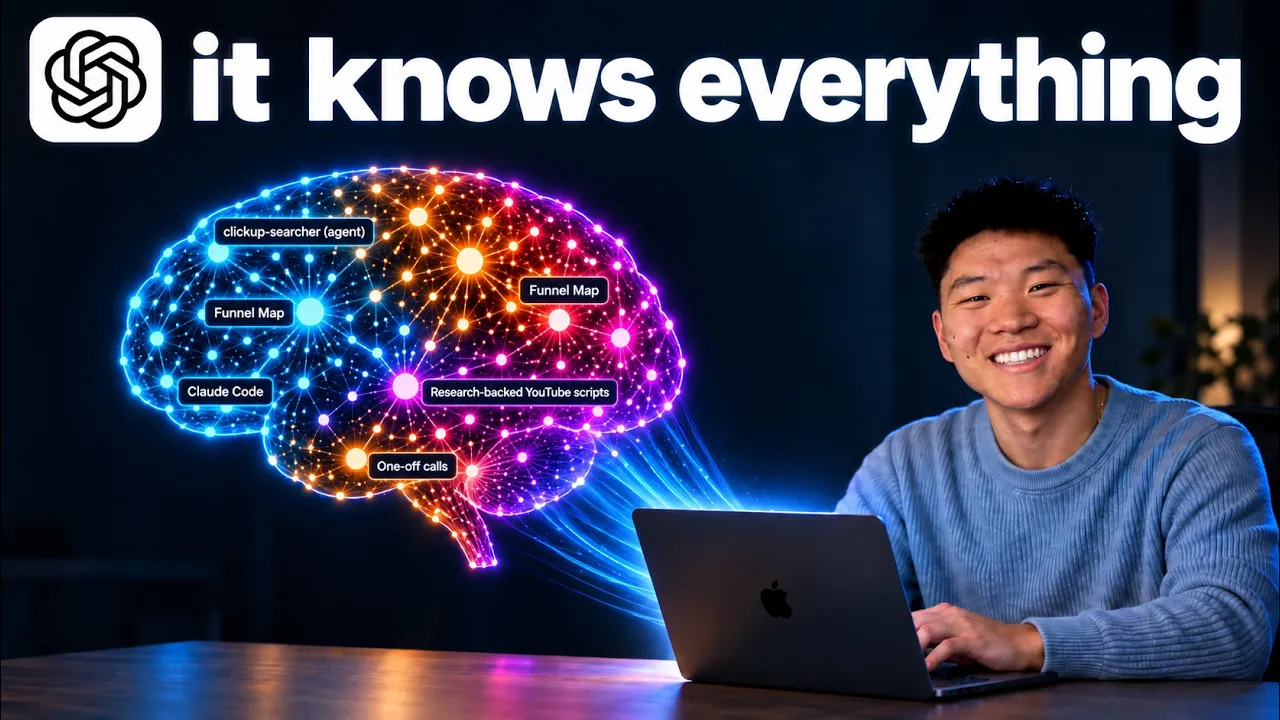
Right now, what you'll notice here is that this isn't just a random dump of knowledge. Right here in blue, this is my business wiki. So, it's like AIS coaching, our corporate structure, our Ammation Society Plus. And when I click in, we can see all of these things in these different relationships. I can also see how stale this is, so I might need to update it. And it calls out all these areas where like this number is old.
I need to update this. But it also shows me all the different connections where this specific node is linked into every other area of my business. So like I said, that was business wiki. I also have meetings that I've added in here, which takes up a big section. I've got video knowledge. So every single YouTube video I've made, it has all that knowledge and it relates it back to everything in my business and in my meetings.
Same thing with the clawed memory right here as you can see. Same thing with codeex memory. I've also got a bunch of projects and then I have skills and agents and this forms together my herk brain. And I've even gone as far as to take this exact brain and put it in its own OS dashboard where I can basically have my calendar over here. Today's a Sunday so I don't have many meetings. And this is fully functional, fully synced with my calendar.
We've got these three stats, YouTube subs, AIS, AIS Plus, and these are fully synced. I can come in here and manage my brain. I can search for different things. I can look through different things. I also have my communication fully synced. So Slack, ClickUp, and email, and these are functional. I can respond to things from here. I can also see different meetings that I have coming up as well as past meetings with the AI summaries already generated.
And then I can get community pulse. So top YouTube comments, top AIS plus posts, what people are stuck on, as well as industry pulse from things like YouTube and X. And all of this of course was made with GBT6 Astra. But really the idea of an AIO OS or an operating system is my framework that I call the four C's. So context, connections, capabilities, and cadence. And the way that I think about this is I think about these first two things as the second brain piece.
So I think of this as your second brain. And then over here we have the actual AIOS and this is the capabilities and the cadence. So, let me real quick explain what I mean by that. What's the actual difference? So, the way that you get this thing to actually feel like it knows you is by giving it context. So, I mean things about you and your background and your business and your goals and your priorities and things like that.
I think of context as the things that are in your life that really don't change too much. So, quarterly goals or yearly goals or what your business does, your avatar, pain points, things like that. And the connections, I think of things as the tools that you use every day because the data in there is always relevant and it's always changing every day. So, your email, different data is always in there. Your conversation, Slack, ClickUp, your project management, your financial information, giving your AOS the ability to know all the context, but also reach for things just in time when it needs it.
That's how you build a really, really powerful second brain that helps you actually ask your AIOS questions or say something. And rather than getting a vague or generic response, it knows what to do. So, for example, when I asked Codex to make me this AIS sizzle reel, I didn't tell it everything I wanted. I just said, "Hey, make me a sizzle reel for AI Automation Society." And it knew all this context. And it also knew that it could go to my school community and look things up in order to make this.
In fact, what you'll notice is it actually went so far as to go to the community, take pictures from it, like take screenshots itself and add those in here because it knew that this is what I was talking about. So, I have these three little tests that I like to run, which is basically if a teammate messages you with a question and you realize that your AIOS would answer better and faster with the exact sources, then that's a good sign that your AIOS really is where it should be.
Another one is context switching reduction. One thing that you should challenge yourself to do after you've gotten this set up is to try to force yourself to do everything from here from this interface. Rather than opening up all those new tabs and doing it the old way, try doing it the new way of using the AI as your operating system. And then number three is the knowledge leaves your head. So stop trying to remember everything.
You don't have to rehearse what you decided last quarter or what your customer said in that meeting because you trust the retrieval of asking your AIOS because it can find it in your Slack threads. it can find it in your email, find it in your meetings, or it just knows it. Because if you start to build new skills and capabilities, and you start to put cadence into play, which means agents that run autonomously and automations and things like that, these things are not nearly as valuable without the first two C's because otherwise these skills are very generic.
And automations are just like I said, generic. So these four things really come one after the other, context, connections, capabilities, and cadence. And they all work together very beautifully. And that's how we get our AI operating system. So, in order to get started or to scale all this up and get all the resources, I need you to go to my free school community. The link for that is down in the description. Like I said, it's completely free.
And you're going to go to classroom. You're going to click on all YouTube resources. And you're going to grab the AISOS resource pack. This thing is going to come with five skills. It'll come with an onboard skill to get you set up. It'll set up your whole project structure, your files, and your folders. Then, you'll have an audit skill to do frequent checks on your AOS. You'll have a link skill, which helps you route to different files when you need to.
You'll have a level up which you can run after your audits that tell you, hey, this is probably some stuff you should do based on this audit. And then you have the 3D brain skill which helps you turn your knowledge into this actual 3D brain like you guys saw right over here. Now, yes, it is these four things. And when you start to run that resource pack, it'll onboard you and ask you questions and it will start to fill in this information which is great.
But then what comes next is something that's super super important and that is called the agents.md. And so if you've been using Claude, this is basically the claw. MD, but now this is the one that CodeEx is more familiar with reading and it's the exact same thing. So if you are coming over from Codeex, literally what I would do is I would just copy your claw.md and then just name it agents.mmd. It's the exact same thing.
And just to show you guys what mine looks like, if I go into here and I go to my files, you can see that it's very simple. It's you are Nate Herki operating system. Here's your job. Agents.mmd and cloud.mmd contain the same stuff. And then I basically give it a few core operating rules like to be concise and I use bullet points and don't use m dashes and you know use the Oxford comma. But then I go into a routing map and that's the majority of my agents.mmd.
I think of it as you know core rules but then I think of it as routing meaning can my agent understand where everything lives because if I open up my herk 2 project which is just like we said a combination of folders and files and that's all this is displaying is folders and files and it's showing the relationship between all of that. But the point I'm trying to make is that this is a lot right? There's a lot of folders and files and I can go into my projects and there's a lot more in here and then I can go into things like, you know, my YouTube videos in here and it's even more.
But because all of this is laid out in a way that to me is intuitive, that also means that my agents can crawl it a little bit better. But the more that I have information in here like routing logic, like, hey, if you need business advice or team stuff or OTAAS, you look in the wiki. If you need corporate structure or entities, you look in this section of the wiki. If you want to look at Nate's voice and style, you look here.
If you want to look at course knowledge, you look here. If you want to look X, go Y. If you want to look A, go B. And you can see there's a ton of different rules in here. But what's important is that the agent knows this every single time it loads up so that when you ask for something, it knows where to look because that's essentially how the agents.mmd file works. You know, you say, "Hi, codeex." And before it even will read your message, it reads this first.
So it reads this and then it reads your message and then it will respond with like, "Hey, how can I help you today?" You know, that's kind of what it will say. But it always reads this context first, which is why it's so important. All right, so if you're a complete beginner, how do you actually get set up with all this? Well, let me show you. First thing, what you're going to want to do is you're going to want to go to somewhere on your computer.
Let's just say it's your desktop. And you're going to create a new folder. And so, for example, this is where I am using my Herk 2 project. But for now, I'm just going to call this AISOS demo. So, you can call this whatever you want. Now, once that folder has been created locally, which just means on your computer, you're going to open that up in Codeex. So, at this point, if you don't have the Codeex desktop app, download that.
And then if you aren't on a subscription, just get on subscription. But now what we're going to do is we need to open up this OS. So what that means is you would come in here and you would click on new project. You would create a local project and then you would give it a name and then choose this folder. So this is once again going to be AIS demo and I'm going to open up that folder. If I go to my desktop and I just have to find this folder we just made right here.
Select that and then go ahead and click create project. So this now means whenever we are doing things in here, we're working inside of this actual local folder, which if I open this up, there's nothing in here right now. But you will see as we start this whole onboarding, this folder will fill up. So what I'm going to do is I'm going to go to the resource pack and I'm just going to copy this actual URL. And I will now paste that into the chat and say, hey, I want you to install this and just go ahead and run the onboard so I can start giving you some information and building my AIOS.
So now that this is installed, it's going to start onboarding you. And you can see that it's going to say, "I will save your answer as you go." So, obviously, you guys should take some time and give this some pretty specific information, but I'm just going to blow through this real quick. So, my name is Nate and I run an AI education community and we have a certification program and we have live events and things like that.
And what's going to happen is it's going to start creating folders and files for you. If you click on this button and you go to files, you can see that it's already created a bunch of stuff in here. None of this was in here. If you guys remember, this was all completely empty, but now it's starting to set up the actual structure. But really the two most important things to call out right now are the context folder. This is where it's going to start to create some markdown files of business context and also the agents.mmd.
I remember I showed you guys mine and this is going to start getting built out over time with you guys right in here. Then it asks you to paste some of your recent writing so that it can start to build some skills around how you write. So what I'm going to do real quick is just basically fly through these seven questions and then you guys do this as well and then come back. All right. So now that I've done those seven questions, if I open up a new thread, I can actually say, "Hi, who am I?" and it will check my profile first because now it can actually look at all that and understand that.
So if I open up the files once again, we can now see that if I go to my context, we have one called about business, we have one called about me, and we have one called priorities. So if I open this up, you can see that this has information. If I open this one up, this one has information, too. And over time, these will continuously get more filled with context. And this is context, like I said earlier when I was talking about these four C's, context that we want to basically be more evergreen, right? information that's not changing very often.
Whereas these are more the connections where you have information that changes very often. And that's when you're going to start filling it up by looking at things like this. You're going to start looking at um what bookmarks do you have, what desktop apps do you have, what apps do you use the most on the weekly basis. And I like to think about it as far as like revenue, customers, calendar, comms, tasks, meetings, and knowledge.
And then once you've taken some time to like list them out here, just say, "Hey, Codeex, I want to connect to school. how can I do that? I want to connect to Stripe. I want to connect to YouTube. How can I do that? And it will tell you, oh, you need to get this API key or you need to use this MCP server or maybe you need to use browser use. And it will help you figure out the best way to connect to all these tools. But what else you'll notice is that it's creating the things that we need in case you ever want to go over to cloud code like acloud folder as well as a cloud.mmd.
So it's really helping you make this your own AIOS, your own IP where you're not locked into one ecosystem. So anyways, I just wanted to call that out. But the agents and the cloudmd file are basically identical. Right now we have like the operating system, we have some skills, we have where things live, but right now this is pretty empty. So obviously we need to get this filled up a little bit more. You can also see that in the references section we have a voice.
So if I go to my references and I go to the voice MD, we can see that this is stuff about how Nate talks based on the information that I've given it so far. So anyways, now you can see we're starting to get some stuff filled up here. But now what you'll do is once you have connected some things, you're going to go ahead and run the audit. So you can do / audit. This will automatically be installed because you used the resource guide.
And this basically checks the AIOS. It looks at the four C's. It gives you a score. And it will also look at your agents MD or your cloud NMD and make sure everything's synced up like I said. And what else is cool about this is this creates another folder in your AIOS called audits. You can see there's nothing here called audits. But what's going to happen is it's going to give you a report and then it's going to store your audit.
So every single time you run this, let's say you want to run it every Monday or every two weeks, it will store your scores every time so that you can see how you're actually improving your system, you know, month over month. So I know if you're new to Codeex and everything, this might feel a little bit intimidating, but it's really not too bad. And the cool thing about this is you can just ask questions if you ever get confused.
Hey, why'd you do that? Or where should I put this? Or, you know, how do you feel about all this? You can treat this thing like your best friend who's really smart, who's also a mentor rather than just like a chatbot. Okay, but you can now see that this audit is done. And obviously, we scored a 30 out of 100 because we literally just built this and there's not much in here. But it'll show you across those four C's what needs improvement.
And you can keep working on that stuff. And over here, you can see that we have a new folder called audits. We have this markdown file which shows us that today, September 7th, you ran this audit. And here was basically the conclusion of that audit so that you can improve on it. Now, what you can do from there is you can go ahead and run another skill which comes in the kit which is called a level up. So, this one will basically look at this audit report and then it will help suggest areas for you to improve it.
It'll help you think about different connections and different ways that you could, you know, build in some more capability and build in some more cadence so that this thing keeps growing and keeps growing. So, here you can see it said, I'd start with turning team updates into one clear action list. It targets your stated bottleneck coordination, taking time away from learning AI and making videos. So, two candidates here, which are team action list and certification improvement backlog.
So, I would then think, okay, cool. So how do we actually start driving towards this? You know, what do you need to see? What connections do we need to set up? And then how do we build these automations? And so you can just keep running this loop of auditing, leveling up, building, auditing, leveling up, building. And this is the type of stuff that Astra is so good at because it's so so smart. It really feels like it's got some really incredible general intelligence, especially as you give it more and more data because it's really good at building automations.
It can oneshot a lot of this stuff and it will help you build all these routines. So automating some of these little tasks is no problem. The real issue is getting everything from your head into the system because the more you give it, the more context you give it, the better it gets obviously. So yes, it can give you these recommendations, but now what I want you guys to think about is how you can give it more data.
So I do have this other skill here called Grill Me. It was inspired by Matt PCO's Grill Me and I will actually put this in the AIS OS kit. So if you install it based on this video, you'll have this here. But I didn't do it right now. So anyways, then you could use the grill me and say, I need you to use this grill me skill to just, you know, find out as much as you can about my current priorities in my business. And what this does is it will basically do similar to the onboard where it asks you questions, but this is a separate skill where it just relentlessly grills you over and over.
And what's cool about this is you just keep having it grill you on different topics because every time you start one of these interviews, it will create a new file in your AISOs and it will store all this interview. So every single time that you come in here for 20 minutes, 30 minutes, and you just get interviewed by AI, it's going to store all that. So you're just building up your second brain over time, and it's really, really cool.
As you can see, it said, I'm going to save every answer in business priorities capture. It created a new folder right here. And now we have this markdown file where as I start to answer these questions, it's going to store everything. So that's something that I would recommend going through with business priorities, your team, you know, your goals, and just like a bunch of different topics about your business and about your life.
Now, the next thing you need to do, and it's how you actually get something more like this where you actually have like all of these relationships forming between these different things that you want to put into your AISOs or into your second brain. This gets really important because the relationships is what makes this actually connect to everything and what makes it feel more holistic rather than just like a data dump.
So, the way that you get to this point with all these relationships is we're going to use Carpathy's LLM wiki. This basically just has AI crawl through data sources and find those connections for you. So, it's really, really cool. And guess what? It's really easy to use because all you have to do is you can either copy this URL, which I'll put in the description of this video. Or you could just come in here and you could copy this.
Like you could literally just go like this, copy it, and then come into your actual AISOs. You can start a new chat and then say, "Hey, based on what you currently know about me, I want you to build me a new LLM wiki, and I want you to do so on all my business contacts and everything using this Carpathy wiki method." And then you can literally just paste in that prompt, and boom, it's going to crawl through everything.
It's going to create you a new wiki vault. And you can obviously be more specific like I have one vault for my YouTube videos. I have one vault for my business knowledge. I have one vault for my meeting transcripts. And so I started to separate them out over time. But just to start, you could do, hey, this one's just for business or whatever you need to do. And it will help you find those relationships. And then once you've done a bunch of grillies, once you've built out these L&M wikis, then you're going to go in here and you're going to run that 3D brain skill.
And that is the one that's going to take all your knowledge and it's going to turn it into something like this. And this obviously will continue to sync and stay optimized and continue to improve for you. And it will probably build that out into something called a local host. But what's really cool is you could ask it to turn that into a site. As you can see, Codex basically lets you build things and store it on their domain.
So then after you build it, you could have it be accessible to different laptops or to your phone or whatever you want. Or if you wanted to keep it local, you can do that as well. And if you also wanted to connect your own custom domain, you can do that, too. So really, the possibilities here are endless. And it's just about doing that loop, like I said, of constantly scaling up your four C's and doing that loop of the audit level up, audit level up.
Now, the last thing I wanted to address was the whole idea of GBD6 Astra driving everything, right? Because Astra is an incredibly powerful model, but I also wanted to say so is 5.6 Soul and so is 5.6 Terra. And for the majority of this knowledge work that you're doing here in your AOS, like asking, oh, can you find this doc or can you help me create this spreadsheet? A lot of that using Astra is probably overkill. Like Astra is one of the most it is the most capable model that I've ever played with.
So what I would recommend is build out some of the stuff. You know, get familiar with how this model works. But then when you start to try to, you know, use different skills and when you start to try to connect to different things, I would recommend trying with 5.6 Soul because Astro is going to crawl through your usage limit, which is the weekly limit. It's going to eat at that more because it's a more expensive model than 5.6 Soul is.
And once you really start to get comfortable here, you can play with different things too, like the effort level. You can make it go on lights, which reduces some of the capability, but it also makes it cheaper. And then you could also go to 5.6 soul, and you could play with the effort level over here as well. There's a lot of cool things to dig into once you really start to connect a lot of stuff to your codeex system.
Once again, I just think it's important to call out that all you're building here is you're building files and folders. And what's cool about that is as you build out your files and folders, it will grow into something that's just amazing. So now I have my herk 2 which like I said has everything in here. And the cool thing is if I wanted to build a Hermes agent I can connect that to this. If I go back to cloud code I connect it to this.
Whatever is the new tool, whatever is the new AI model, I don't have to worry about switching over. I don't have to worry about being vendor locked because I own all of this stuff right here and every agent can crawl through it and use it. And that's really what we're building here. We're not just building a codec skill or a codeex hub or a little like 3D brain. We're building IP. We are building a knowledge base that is going to be the most valuable thing because now we can work through it because there's so much context and knowledge in here.
So I really want you guys to seriously get in there and start doing a bunch of grill me and just building up your routing and your context. So remember free school community linked in the description. You'll find all the resources that you need right in here. But that is going to do it for this one. And if you guys now want to see since you have an AIOS set up, how you can control everything with your voice and just delegate out tasks to a bunch of different agents at the same time just with your voice, then check out this video which I'll tag right up here.
I hope to see you guys over there. Check it out. It's super cool. And I'll see you in the next one. Thanks everyone.
The words are the caption track's own and nothing is reworded or re-transcribed. Paragraph breaks are placed between sentences so the text reads as prose.
Free tools for your own script. No signup, no login.
Paste your draft and see where viewers are likely to drop off, with a rewrite for each weak line.
Paste the first 30 seconds of your own draft for a hook score and rewrites.
Check your draft against YouTube's advertiser-friendly guidelines before you record it.
Read this channel's public videos and transcripts, and download a writing brief for it.