Getting the transcript
Reading the captions from YouTube. A video nobody has opened here before takes 10 to 30 seconds; this page fills in on its own.
Getting the transcript
Reading the captions from YouTube. A video nobody has opened here before takes 10 to 30 seconds; this page fills in on its own.
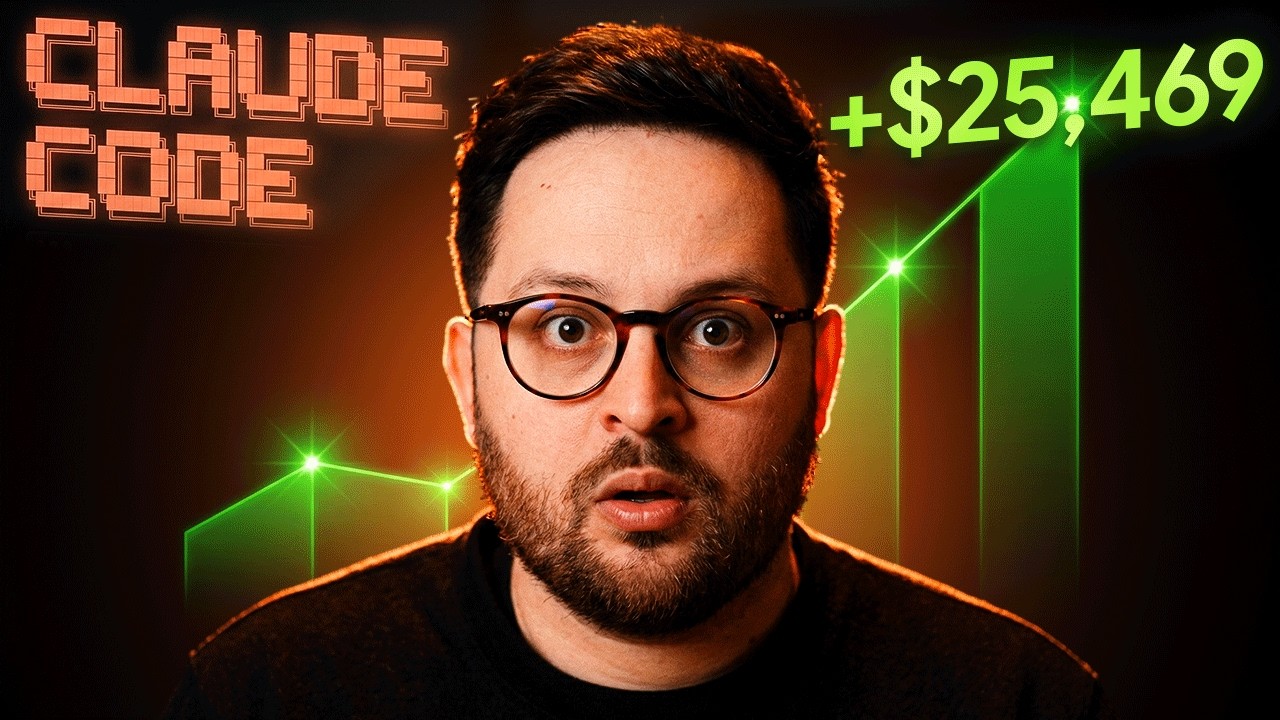
Sharbel A. · @sharbelxyz
Where viewers went back to watch this video again, from YouTube's public Most replayed graph, lined up with what was said at that moment.
Most replayed moment #1
1:533.7x the video's typical replay level
let's install it together. Okay, so for step one, we need to actually start by installing Bullpen's CLI so that we can actually do everything that we want to do. And for that, let's first open Claude and put in the dangerously skip
Said at 1:47
Most replayed moment #2
21:183.3x the video's typical replay level
But I don't know. I might toy with this, but I'll come back to you in a couple of hours or tomorrow and see where we've landed. See you then. Okay, it has been a couple of hours, approximately maybe three or
Said at 21:12
Most replayed moment #3
18:363.1x the video's typical replay level
gives you sharp, clean results that you end up loving and going crazy over. Because it's instead of assuming, it's literally asking you for your input. Whenever it needs to assume something, oh, hold on, let me not assume. Let me
Said at 18:29
The graph counts replays. It does not show where viewers stopped watching.
Words
3,565
Runtime
26:58
Speaking pace
132wpm
Reading time
15min
132 words per minute, below the 160 25th percentile of 349 measured videos. That distribution comes from the 349-video hook study.
Opening (first 30 seconds)
I just built a bot that copies trades from the best Polymarket traders automatically and I didn't write a [music] single line of code. I watched Claude Code build it while I prompted it. The bot's live right now. Let me show you how. Here's what we're building in this video. A copy trading bot that finds the best traders on Polymarket's leaderboard, that pulls their
66 words, the words spoken in the first 30 seconds at 132 words per minute.
Free, no signup. See how the first 30 seconds hold attention, with rewrites.
Sentence shape
| Measure | This transcript |
|---|---|
| Sentences | 373 |
| Average words per sentence | 9.6 |
| Longest sentence | 54 words |
| Questions asked | 26 |
| Sentences containing a number | 35 |
Most used terms
Filler phrases
50 in total: like 19 · uh 13 · actually 6 · literally 5 · basically 3 · I mean 2 · right? 1 · um 1.
A literal whole-word count of the same phrase list the Prepublish browser extension uses, so a phrase inside another word is not counted and a phrase used in its ordinary sense still is. It is a count and not a judgement.
Free, no account. See where attention is likely to drop, with a rewrite for each weak line. The free check shows the scores and the one issue costing the most. Or run it on the words above first.
Free · No login · See a sample audit first if you prefer.
What this transcript is
Every word below is the caption track YouTube publishes for this video, pulled from the video itself and reproduced unchanged. It is not Prepublish's writing, not a summary, and not a re-transcription: it is the video's own published captions. English captions, generated automatically by YouTube, in the video’s original language. Source: the video on YouTube. A channel that would rather this page did not exist can ask for its removal through the contact page, and it is removed.
I just built a bot that copies trades from the best Polymarket traders automatically and I didn't write a [music] single line of code. I watched Claude Code build it while I prompted it. The bot's live right now. Let me show you how. Here's what we're building in this video. A copy trading bot that finds the best traders on Polymarket's leaderboard, that pulls their recent trades in real time, that mirrors them automatically to your wallet, tracks your P&L and win rate, and runs on a loop every few minutes.
The crazy part about this is you're not predicting markets, you're just copying people who are really good at it, and you do it with zero code. Literally just talking to an AI. Step one, we need a way to talk to Polymarket's API. We need to authenticate our wallet, pull leaderboard data, and be able to execute trades essentially. I'm using Bullpen's CLI for this. It handles all the authentication, the order routing, the wallet connection, and honestly, it's what makes this whole built possible in under 1 hour.
Oh, by the way, the team at Bullpen were kind enough to sponsor this video. Bullpen is an all-in-one crypto trading app, and they just released the CLI tool that gives you full programmatic access to Polymarket. Things like leaderboard data, trade execution, wallet off, at all of it, basically, from your terminal. If you want to build anything on Polymarket, it's the fastest way to get there. I'll leave the link in the description below.
That being said, let's install it together. Okay, so for step one, we need to actually start by installing Bullpen's CLI so that we can actually do everything that we want to do. And for that, let's first open Claude and put in the dangerously skip permissions part so that it doesn't have to ask us every single time it wants to do anything. Uh yes, I trust this folder. There we go. We are in. And with that, here's the first prompt I'm going to start with, which is, "Hey Claude, I would like us to install bullpen CLI so that we can start building some cool stuff together.
Here are the links for you." I sent it uh bullpen CLI link and along with the LLM text for it to research and see what it we need and how to install it. And I'm just going to send it to it and have it figure out how to install it. Okay? Here we go. So here's what it did. It read the links. It read what was on those two links. And it said, "Let me check what package managers we have available. Homebrew is available. Let's install it." So it figured out how to install it.
Bullpen CLI is already installed. Now let's install the AI skills and check your auth status. Which it proceeded to do. And then it said, "Everything is set up. Here's the summary. Bullpen CLI is already installed and up to date. AI skills is installed. The bullpen CLI and bullpen bracket off, you're not logged in yet. To start using it, you'll need to authenticate. Run this in your terminal." So let's do this. This will open a browser for device authentication.
Once you're logged in, we can start discovering markets, checking portfolios, and placing trades together. So let's uh let's run this. This is where, by the way, I can use the slash by the way to ask it, "Can I log in via this Claude session to bullpen?" Okay, there you go. Silly me. Uh it was running, but I wasn't seeing it. And I asked it, "Why are you not prompting me to log in? No windows popping asking me to log in." It said, "That's because you're running it with the exclamation mark.
It executes it in the background. Here, let me check the output and see what's happening." And it sent me the link. So, in case it does the same for you, just copy this link. And this is my login code. Let me go ahead and put it in. Boom. Sign in. Sign in with my email. Login successful. That's it. Go to bullpen. I'm logged in. There you go. It looks like the login completed. Let me verify it worked. You're all set. Logged in as Indigodog.
Everything looks good. Auth logged in session valid until April 8th. Polymarket up, no incidents. AI skills. What would you like to build or explore first? We can discover markets, check your portfolio, research specific events, or set up trading workflows. Amazing. With that, we are officially in and done with step one. Okay, here's what I'm going to ask it. I would like us to start by pulling up the top traders on Polymarket this week by win rate.
And then I will give it this, which is extremely helpful. You can use bullpen Polymarket data leaderboard out put dot json. And then let me tell it use ask user question until you reach clarity. That's the prompt that I'm giving it. The last bit is so that it asked me any questions in case it's confused. Let me first check what options the leaderboard command supports. So with this prompt, I'd like us to pull up the top traders on Polymarket this week by win rate.
You can use bullpen along with the skill. What I'm basically trying to get to is the top Polymarket traders this week. That's the result that I want. I want the leaderboard of the top traders by P&L. There you go. It said the leaderboard data came back ranked by P&L and win rate is null for all traders. It looks like the default leaderboard doesn't include win. Use P&L ranking. Drill into each trader. Try a different sort flag.
Let's use P&L. Top 25 traders this week ranked by profit. We can drill into individual profiles for more stats. So yes, I'm picking that option. So instead of win rate, we're going for P&L, which is profit and loss. And there you go. Got it. Let's go with the P&L ranking. Here are the top 25 Polymarket traders this week. And we have all of these guys. This guy made 4 million, 4 million, 3 million. You get it. The top 25.
Interesting pattern. Several top P&L traders show zero volume this week, meaning their profits came from positions they entered earlier that resolved or moved in their favor. The most active high profit traders are RN1, this wallet, SwissTony, and BCDA. Want to dig into any of those traders' profiles or positions? And here I'm going to ask it. I would like to have the traders who are active this week and who have the highest PNL from this week's trades.
This is because I want us to build uh Polymarket copy trading bot together. And for that we'll need the best active traders on Polymarket for us to copy. And then space space use ask user question until you reach clarity. Let's hit send. So, it said good call. Let me filter to only active traders. More than $0 in volume this week ranked by PNL. And it looks like it's doing. So, how many of these top traders should the bot track and copy?
Let's say the top 10. Let's start with that. What language stack do you want the bot to be built in? It doesn't matter to me. I don't understand coding anyways. So, this one's all on you, brother. How should the bot size positions when copying a trade? Fixed amount per trade. Percentage of portfolio proportional to trader. Uh let's go. So, proportional to trader is scale down the trader's position size by a ratio. No, let's go fixed amount per trade.
How should the bot detect new trades to copy? Polling interval. It checks each trader's recent activity every n minutes and copy new ones. Continuous watch. Use PolyMarket watch or similar streaming to detect trades in real time. Let's go with the second option. And submit answers. There you go. How much or what is the fixed dollar amount that the bot I want to use per trade? I'll go with $5 per trade. Where should I create the project on your machine?
Uh create it on my desktop for easy access and submit the answers. Here's the plan. PolyMarket copy trading bot, top 10 active traders by weekly P&L. Detection, continuous polling of each trader's recent trades. Sizing, $5 fixed per copy trade. Stack, it's going to use TypeScript, node.js. And location's going to be on my desktop. Let me first check what Bullpen clean commands are available. And it looks like it's just firing away.
The Bullpen tracker is perfect for this. Here's the approach, follow the top 10 God damn it, scrolling so fast. Follow the top 10 traders via Bullpen. Pull Bullpen for new activity and copy new buy trades with Bullpen. Okay. Okay, Claude. Whatever you think is best, man. The data format is perfect. Now let me follow all 10 traders and build the bot. This is amazing. I This is genuinely amazing. I just described what I wanted and Claude code is building it for me.
All right, looks like it's done for now. Uh how it The copy bot is built and tested. Here's what you've got. It's living here. Amazing. How it works, it pulls Bullpen tracker trades every 30 seconds for new trades from your 10 follow traders. When a trader makes a buy, the bot copies it with a $5 order. Sell trades are logged but skipped. You'll need to manually manage exits. On first startup, it marks all existing trades as seen, so it doesn't retroactively copy old trades.
All activity is logged to copybot.log. Here's a few things I wanted to do. Here are a few more things I want you to include in this bot, and I'll tell you why in a second. So, one, for each new trade, I wanted to uh extract the market slug, the outcome they picked, and the amount. And then, two, if they bought, I buy the same. If they sold, and we had bought the thing they sold, then we also sell. Number three, log every trade to a JSON file, so we can track performance.
Uh what are we at? Number four, if a trade fails, log the error and keep looping. Number five, the goal with all this is for us to next build a dashboard, so that we can track all of this happening in real time. Not now. I'll tell you when. As always, use ask user question until you reach clarity. Oops. There we go. And hit send. It said a couple things I want to nail down before I update the bot. When a trader sells and we have that position, how much should we sell?
Sell all of our shares, sell $5 worth, sell only if majority sell. Sell pro portional to their sell. So if they sell 50% of their shares, then sell 50% of ours. How should we check if we hold a position before selling? Use bullpen cle. And submit answers. All right. And after 10 minutes, the bot is finally ready. Here's what's new. Market slug plus outcome plus amount extracted from each trader is live. Buys are mirrored, sells are proportional.
Trades.json, every trade is now logged with the full details. Errors are caught per trade and switched from tracker trades to per trader data profile trades pulling much faster and more reliable. How to run this? It gave me how to run it. Now, the last piece of the puzzle, the dashboard. Amazing, Claude. Thank you. Now for the final piece of the puzzle. the dashboard. I want you to build a local dashboard that I can open here on my Mac that shows me everything I need to see at a glance including a button I can press to turn the bot on or off.
I want to see all my copied trades at a glance, my P&L, my win rate, how many trades I've executed, how many were winners versus losers, and here use ask user question until you reach clarity and we hit send. This is our final piece of the puzzle. Once this is live and working, then we're good to go. We can start copy trading. All right, first question it asked me, how should the dashboard get live data? Should it read the bot's trade.json file directly or should we add a small local server to the bot that serves the data?
A built-in server at a lightweight standalone dashboard app that reads plus calls both independently can run even when the bot is off. Yes, a separate app. Do you want the dashboard to also show your current open positions and balances from Polymarket? Um no, just the copy bot stats. How should the bot on and off toggle work? Pause resuming polling. The bot process stays running, but stops copying trades when paused.
Start stop the process. The dashboard actually starts and kills the bot process. Fully off when off, but takes a moment to restart. Yeah, let's do that. Submit answers. And this is again, by the way, if there's something that you want to do that is different from what I'm setting up, this is how cool Claude is and how cool using the use ask user question until you reach clarity at the end of every prompt, why it's so cool and important.
Because often we ask something from Claude or any AI agent or any AI model, and what we get is mid. We get something that is extremely mid. The reason is the bot is assuming, the AI agent is assuming a lot of things on its way. And that's why it gives us something that we really weren't expecting. It's It wasn't really the thing we had in mind, which is why adding this prompt at the end of each and every prompt that you send it, gives you sharp, clean results that you end up loving and going crazy over.
Because it's instead of assuming, it's literally asking you for your input. Whenever it needs to assume something, oh, hold on, let me not assume. Let me ask him a question. Well, would you look at that? It just opened this website as it's doing its thing, Polymarket copy bot. I can press the start live button, and it has everything I need, total P&L, win rate, trades executed, winners, losers, failed, skipped, and the entire trade log, which auto refreshes every 5 seconds.
But before I run it, let me wait for it to tell me that it's actually done, because it might not be done yet. Yet. All right, and just like that, our bot is live. Our dashboard is live. It's set to run it here, use this. So, I'm going to copy this, open a new terminal, and I'm going to paste this in my new terminal. And there you go. I've just run my bot, and I'm going to press start live. Like that. Did it start? How do I know if it started?
Gosh, I don't know. It's It's says stopped. All right. Back to Claude it is. Let's go figure this out. I'm pressing start, but it's not starting. Let's see what it has to say. Okay, and just like that, it says it fixed it by making those calls async. Now the server stays responsive while fetching position data in the background. Refresh the page in your browser and try to start Try the start button again. So, let's do that.
So, let's refresh this and press start again. There we go. It is live. Finally. Boom. Took us what? Less than 20 minutes all in all. So, with that, now all I have to do is give it some time. It's not going to just automatically start. I would like it though if it would show me things as it's doing its thing. I know it can't basically show me anything cuz it hasn't copied anything yet. I need to practice patience as well.
But I don't know. I might toy with this, but I'll come back to you in a couple of hours or tomorrow and see where we've landed. See you then. Okay, it has been a couple of hours, approximately maybe three or four hours. And as you can see, the bot has been running since and it's This is interesting because it's won three out of the five trades that it copied. Or no, actually it won three times and lost five times. So it won three out of the eight trades that it copied.
So it currently has a 37% win rate, which might sound like a losing strategy, but look at this. We're Oh, there you go. It just updated. We're $13 in profit. $13 in profit. Let me show you why. If we actually open Bullpen and refresh, we can see we started with $99 and we're currently at $110 hovering around that. And we can see that for example, this trade that entered with $30. So it bought $5 multiple times. It ended up losing.
So it lost $30 in total. But then you have trades like this one. Those are all currently open trades. Where on this trade alone, it's made $32 in profit. On this trade, it's made $14. So it's losses its wins outweigh its losses so far. I'm literally going to keep this running because this is as easy as it can get. Oh, and this reminds me, while the camera was off, here are two things that I put in my terminal. First, it's super important that you send this bullpen Polymarket approve.
Yes. This will approve all of the Polymarket buy orders that your bot sends. It's very important that you send this. Uh at first, I was just watching and it was skipping every single trade and I was like, why is it failing or skipping every single trade? Turns out I haven't approved the system for it to start being able to buy. And the second one is bullpen Polymarket preflight. You literally take this or this first, copy it, paste it into your terminal.
And the second one, once you paste it into your terminal, it's just checking, making sure that you are indeed connected and you are indeed set up with your order. That being said, here you go. This is the bot at 13% now, uh or $13 in profit. That's 13% in what is it? 3 hours. That's insane. 13% in 3 hours. And as you can see, it's skipping some and failing some. Now, the reason it's failing right now to place any orders is because all of our cash, if I refresh, all of our cash is allocated.
So, we don't have any more money to spend until those trades resolve. Something that you can set and ask of your cloud code to do, something that I did off camera as well when I wasn't filming, is I asked it to install into the bot an auto redeem function. So, that when a market closes and it resolves, it auto redeems the winnings. So, that obviously, we don't stay at zero cash collected forever. Uh and then once a market solves, resolves, it collects that cash so that we can bet on some more markets.
And literally, we wouldn't have to do a thing. We don't have to touch a thing. It's as easy as that. Okay, look. Here's what I'm not going to tell you. I'm not going to tell you this makes money guaranteed. Some of these traders are good traders, but they're not always right. I mean, some of their trades lose. And when they lose, I lose, too. That's how copy trading works. You're copying someone else's decision, not just instantly getting their skill.
In my case, my win rate is these traders' win rates combined. I'm just matching their trades. Some days they're on fire, some days they're down. The leaderboard changes. Traders get lucky. Traders get humbled. That's the reality. What's real is this. I built this without writing any code. I watched an AI build it for me. I asked clarifying questions. I tested and I deployed it. That's the skill now. It's not coding. It's knowing what to ask and how to ask for it.
That's what I mean when I say I don't know how most of this works on the back end because I don't. And that's the whole point here. I don't need to. I just need to know how to prompt an AI, right? If you can describe what you want, you can build it. It's that simple. If you want to try this for yourself, sign up for Bullpen. The link is in the description. Cloth code comes with any cloth subscription. So, try it, build something, and start making money for yourself.
If you found this video helpful, then subscribe for more because cuz posting tutorials like this every week. Anyway, thanks for watching. I'll see you in the next one.
The words are the caption track's own and nothing is reworded or re-transcribed. Paragraph breaks are placed between sentences so the text reads as prose.
Free tools for your own script: paste a draft and see where it stands before you record it.
Paste your draft and see where viewers are likely to drop off, with a rewrite for each weak line.
Paste the first 30 seconds of your own draft for a hook score and rewrites.
Check your draft against YouTube's advertiser-friendly guidelines before you record it.
Read this channel's public videos and transcripts, and download a writing brief for it.