Getting the transcript
Reading the captions from YouTube. A video nobody has opened here before takes 10 to 30 seconds; this page fills in on its own.
Getting the transcript
Reading the captions from YouTube. A video nobody has opened here before takes 10 to 30 seconds; this page fills in on its own.
Liam Ottley · @LiamOttley
This video has no Most replayed graph yet: YouTube shows one only once a video has enough views. These are the moments viewers replayed most in Liam Ottley's most watched videos.
Most replayed moment at 5:02
5.8x that video's typical replay level
using no code tools, so there's no excuse why you can't get in there and get your hands dirty and start to build them. So, the first one is a speed to lead system. This is a simple automation that ensures that the business responds to any new customer inquiry or people reaching out to them in seconds, not hours. This
Said at 4:54
The graph counts replays. It does not show where viewers stopped watching.
Words
4,832
Runtime
18:45
Speaking pace
258wpm
Reading time
20min
258 words per minute, above the 201 75th percentile of 349 measured videos. That distribution comes from the 349-video hook study.
Opening (first 30 seconds)
So, the other day I needed to put together a new website for a new business I'm launching, but I wanted it to be an incredible, like, blow-the-socks-off-my-clients when they see it, but I also wanted it to capture a ton of leads as well. So, over the past few days, I've been using a variety of tools to make an incredible website. So, in this video, I'm going to break down how can I build this website, the exact tech stack and tools that I've used, and also walking you through the setup of how I'm using a certain AI tool to capture up to 40% of people that are visiting my website as leads that I can reach out to. So, here's an overview of what I
129 words, the words spoken in the first 30 seconds at 258 words per minute.
Free, no signup. See how the first 30 seconds hold attention, with rewrites.
Sentence shape
| Measure | This transcript |
|---|---|
| Sentences | 243 |
| Average words per sentence | 19.9 |
| Longest sentence | 110 words |
| Questions asked | 12 |
| Sentences containing a number | 33 |
Most used terms
Filler phrases
99 in total: like 52 · kind of 18 · actually 10 · basically 7 · sort of 7 · right? 3 · uh 1 · um 1.
A literal whole-word count of the same phrase list the Prepublish browser extension uses, so a phrase inside another word is not counted and a phrase used in its ordinary sense still is. It is a count and not a judgement.
Free, no account. See where attention is likely to drop, with a rewrite for each weak line. The free check shows the scores and the one issue costing the most. Or run it on the words above first.
Free · No login · See a sample audit first if you prefer.
What this transcript is
Every word below is the caption track YouTube publishes for this video, pulled from the video itself and reproduced unchanged. It is not Prepublish's writing, not a summary, and not a re-transcription: it is the video's own published captions. English captions, generated automatically by YouTube, in the video’s original language. Source: the video on YouTube. A channel that would rather this page did not exist can ask for its removal through the contact page, and it is removed.
So, the other day I needed to put together a new website for a new business I'm launching, but I wanted it to be an incredible, like, blow-the-socks-off-my-clients when they see it, but I also wanted it to capture a ton of leads as well. So, over the past few days, I've been using a variety of tools to make an incredible website. So, in this video, I'm going to break down how can I build this website, the exact tech stack and tools that I've used, and also walking you through the setup of how I'm using a certain AI tool to capture up to 40% of people that are visiting my website as leads that I can reach out to.
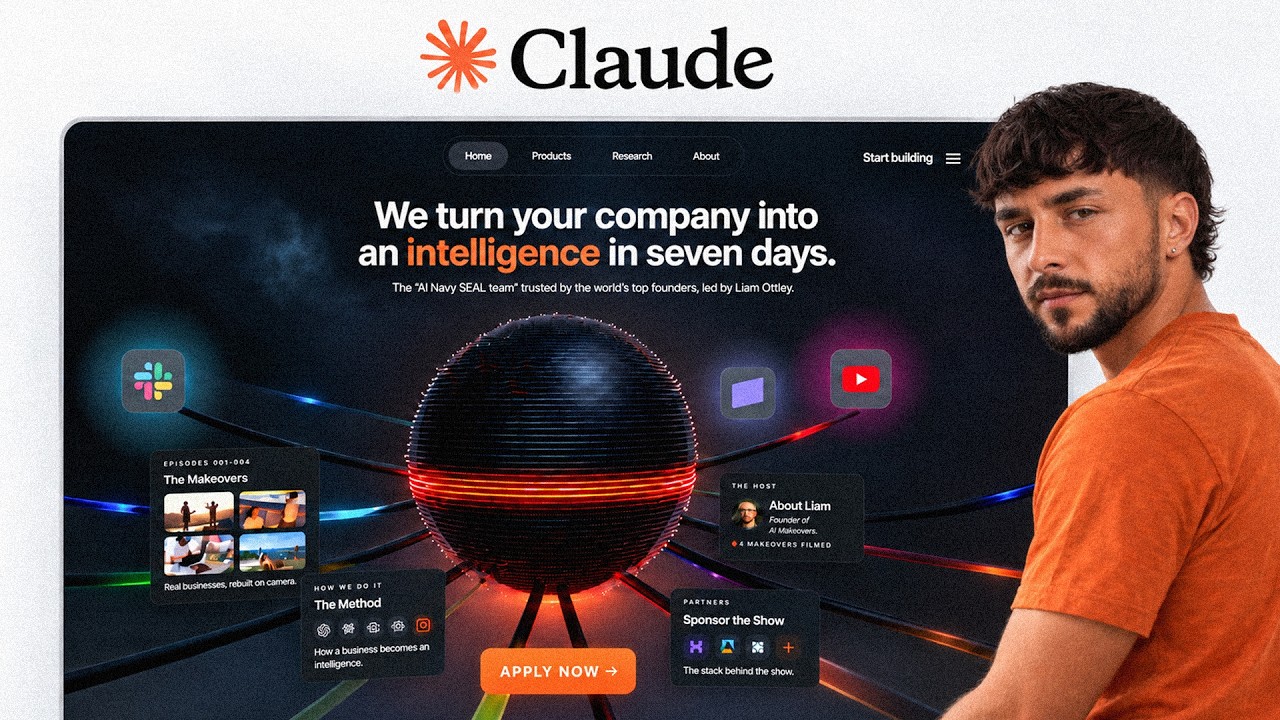
So, here's an overview of what I built. It's for my business called AI Makeover, which is about turning like AI transformation for businesses. We're trying to do 7 months of transformation in 7 days. So, an interesting exciting point, I know, but at the start here, uh you start scrolling, there's an effect that blurs and burns everything. It shrinks down to this pulsing dot, and as you continue to zoom out, it has a 3D orb, a fully sort of scrollable environment here with all of the different data sources, a little effect when you move the mouse on it, and then we have all of these different pages, which I think came out very, very, very well.
So, I can build this stuff using Claude code, and so I'm going to be walking you through how I was able to do that using Fable 5. And the first step of that process was to let Claude code know who this website is going to be for. Firstly, they are business owners, also I have sponsors, and then also people like maybe yourself or or others who are going to be AI agency owners, AI consultants. And then I think, honestly, the most tricky part of building a really cool website like this is the concept.
And lately on Twitter, I'd seen a bunch of really cool stuff being done with 3D design using Fable 5 and stuff like that. So, I did a little research on the web, and I was like, I want to have some kind of 3D element in this website. And this is going to be, honestly, the most difficult part for many of you. When you try to make a website, you just go for something plain and regular and standard, and make it kind of look nice with the nice animations, or do you try to think outside the box and come up with a concept like this one that I've made?
And the good news is that you can use Claude to help you come up with these concepts as well. So, I came up with this concept and a bunch of other ones as well just by brainstorming with Claude. And so, this orb design was something that I came to after a lot of back and forth. And so, once I got clear on the concept and directions of this website, and say, I have a business that does AI transformation for businesses, part of our process is turning the company into an intelligence.
We need to funnel all of the data sources into one to make their business into this living and breathing intelligence, right? So, I was like, how could I get that? Okay, that's a good concept. 3D orb, things plugging in. I had my concept set. Then we get into the key part, which I think is honestly the big gap that people have between Vibe Coding and slop looking websites and what's really, really stands out and pops like this one, I don't know if I do say so myself, pops out as being like, "Wow, that's a cut above the rest." And that is your media.
Whether you have great photos and footage and videos of you and your business right now, or if your client, or you need to generate some, or get some, or capture some in the real world, either way you have to have media of your own to make these stand out. And I think there's two real points that I found in this process to make your website stand out above what I typically see as like AI slop websites. And that is the copy.
And so, that's the words and the language and the and the marketing copy that is put into the website, and also the photos and images. So, when you see a slop website, it typically has very minimal custom content, so photos, videos, things that really make it stand out. The AI generated websites just look like a bunch of boxes and icons and text and headings. And they don't have that kind of content that really makes it pop.
And they also have AI slop style copy on it as well. And it's just really, really is obvious when you haven't gone in and given a bit of your attention to make it read well. So, my second job after coming up with the concept and identifying who I'm making the website for was to get some incredible content to put on this website. Now, thankfully, from the last four on-site makeovers I've done with my clients, I got some really good photos.
But because two of them are still in edit right now, and I don't have the best footage in the like video clips of two of the makeovers I've done, I didn't have a lot of like high-quality clips. So, I started thinking outside the box and being like, how could I get some of these high-quality bits of footage to really bring to life the rest of the different makeovers that I've done. And the solution that I came to was using Higgsfield, which is actually sponsoring this video, so shout out to Higgsfield.
And so, what I wanted to do is use Higgsfield to take the still images and vertical images that I had from these other makeovers that were still in edit and turn them into moving video clips that I could then put on the site and really make things pop. The cool thing is that Higgsfield has an empty piece, so you can just go to Higgsfield.ai, sign up here, and then as soon as you have an account, you can hit up to the empty p and CLI, and you can go copy this here, hit over to your Cloud Code, head up to customize, go to your connectors, and hit add, and hit add a custom connector, type in Higgsfield here, paste this in, and once you click add there, it's going to take you to the Higgsfield website for you to sign in, and then immediately, just like that, you have Higgsfield integrated into your Cloud Code.
And the cool thing that I was basically able to do is just tell Cloud Code in the sessions, "Hey, I have these photos, here they are, this is the location that they are on my machine. Can you please explore all of the Higgsfield MCP and figure out what we can do with it? I'd like to turn a bunch of these into widened, as if they were 16x9 footage." So, one of the things I wanted to do was extend these portrait images out to be full width, and then I wanted to take those full width ones and turn them into moving pictures or or videos.
And that allows us to have these kind of parts on the website where we have these horizontal clips, just like these first ones. I wanted to be able to get as many ones that look like this, but without necessarily having to have all of that edit done, and that's how we have these examples here. This one up the top, we have some here as well, these moving pictures. And because it's all native into Cloud Code using the MCP, I was just able to kind of throw, "Hey, I want to do this.
Please do an exploration, figure out which models are going to work the best." And as you can see here, it went through a bunch of different models to figure out which one actually gave us the best result. And I think it's interesting here, you can see stuff like VO 3.1 Ultra has got a lot more movement in it, and perhaps I should have gone for that rather than Cinema Studio, but I did ask it to color correct it and make it look a little bit more kind of post-production, like it's been already put out in one of my vlogs.
And in this case, but they didn't end up going for Cinema Studio 3.0 for these image to video. And then I just let Higgs Field and Claude Code get to work and turn all of these photos into moving videos. So, here we have this one, this one, this one. I thought that came out nicely. And this one as well, the sunrise walking along, me and Alan working. So, I was honestly super happy. This one is super good. I think the boat's going like a little bit too fast, maybe.
But, I was blown away by just how easy it is to go from these kind of stills, widening it, and then generating a video. And it just shows how flexible these models are getting now going to combine with something like Claude Code. So, as I said, getting the right media for your website is really one of the key things that will make it stand out above the rest. And if you're using Higgs Field, you can very easily do that either using your own footage and sort of upgrading it like we're doing here, like enhancing it, putting color corrections, making it look a bit better and more professional.
Or you could fully generate your own images just to sort of pad out the website anyway if it's a demo or an initial version. But, either way, getting great media and content for your website is key. And in my experience, Higgs Field has been absolutely amazing for that. So, shout out to Higgs Field for the sponsor. And also, shout out for making such a good tool like this. Super easy to use. So, with the planning and conceptualization of the website done, the media being generated and collected, and I'm ready to go with that, the next stage was actually getting into the building.
And I wanted to use a few additional aids to help me make this just not your typical AI swap website. I wanted it to really stand out above the crowd. And so, I did a little bit of an exploration, and I came back with two tools that are not sponsoring this video in this design process. And that is 21st Dev, and it is also Mobbin. So, I got a subscription to each of these. It's like nine bucks a month for one of them and 20 bucks for the other.
Super affordable. But, what they are is essentially UI libraries with some of the best examples of it in this case on Mobbin of some of the best websites from big brands, big companies around the world. And it allows you to via MCP, so plug in this into your Claude Code once you pay your subscription, it can then query Mobbin and say, "Hmm, I'm looking for this kind of UI. Do you have any examples for me?" And it's actually going to be able to pull the code from these websites and give your Claude sessions much better raw information on how to make good and appealing UI.
And so while Mobbin is more about these completed finished websites, 21st.dev you can search up for different components. And so when you give it the MCP access, it can then query 21st.dev and try to find a bunch of spheres or globes or orbs, which is what I did earlier, and to really explore what are all the existing components that I could bring into my website. And so when you get into your actual building part of the website, using something like 21st.dev and Mobbin as just these external places you can get your Claude Code to reach out to, have a little bit of data ground and bring back in.
I always like to say give me 10 different concepts. Okay, then review the 10 concepts. Okay, I like that one, give me five more like that in different variations. So, use the power of AI and its ability to research stuff for you and generate multiple different versions, pick your favorite one and iterate from there. That was what I was doing basically this entire build. And also another thing that I incorporated into the design and build process is 3.js.
It shows a bunch of examples of 3D websites and how to get really really high quality or like premium looking design, particularly with 3D stuff. So, with these three different assisting AIs to help my Claude Code build this website better, I would just went through iterations of working on the orb. What is the orb going to look like? Okay, then give me 10 variations. Let me see which one I like best. Then we went into the makeover cards and I wanted to have an interesting way of displaying all the media that we've just generated, and I figured out, okay, I could have these three different cards.
You can swipe through them, have a couple moving ones, a couple stills. And then I might have got a little bit carried away with the makeover method section, which is me breaking down the method that I take my clients on a makeover through of auditing and data centralization, building workspaces, building custom apps, and building agents. I'm super happy with how that came out, don't get me wrong. Um, but it might have been a little bit overkill.
But either way, looks great, properly illustrates the process that I do go through with my clients. And so that took a lot of iterations of finding how the animations went. But honestly, with Claude Code and Fable 5, it's super easy. You just tell it what you want, keep doing feedback cycles until it's at a point where you're happy with it. Then I just kind of repeated the process going through the sponsors and the about me section, figuring out a few different concepts.
Like give me five different versions of how we could display this particular part, pick my favorite, and iterate from there. So, that's the general approach I was using each time. After about two days of tinkering around and building back and forth, I got to the point that I'm at now where I'm super happy with the site. It does definitely need its own sort of mobile optimization run, which I'm going to do separately to make sure that it works on mobile.
That's kind of one of the downsides of going a bit overboard with the design like this is that mobile suffers for sure, and you have to kind of rethink the design a bit. But, the next step after this is, as I said at the start, I want to make sure that this website, despite being fancy and cool, doesn't actually hurt my conversion rate. Cuz sometimes more simple landing pages just convert better. Like, less less stuff in the way, clearer sequence through, and I'm definitely going to be paying a price for this design and the the effect that has on like a a wow effect and potentially even this slower intro where they have to scroll through this clunky old website to see the new one.
I could actually have a pretty terrible conversion rate on this in terms of people who actually apply. And I want to counteract that with a tool called Osprey, which is a kind of new type of AI lead generation tool which you can hook into your website and using a variety of methods, it can basically resolve who has visited your website. Based off their numbers, it's about 40% of US traffic. So, if 100 US visitors landed on this website, about 40 of those people the system with Osprey could resolve them.
Basically, give me their full name, email, LinkedIn, and phone number. And about 80 to 85% of those are going to be correct. So, say out of 100 US visitors, you get 40% of them who resolve, and you get maybe 30 to 35 of them who are actually correct resolutions. And it's basically free leads, right? People already visiting the website, they're not checking out, they're not applying there, they're not finishing the form.
It would still be great to know that they visited the website. There is a little bit of a kind of gray hat area about like anonymity online and stuff like that. So, if you are going to use it and you're worried about that stuff, do your own due diligence and what your lawyer. But, I'm going to be setting this up and doing a little bit of an experiment to see just how many people I can get resolved from the traffic that I sent to this.
This is not yet live. I'm going to get Osprey plugged into this, push the website live, drive a bit of traffic to it, leave it for a few days, and then come back to you guys to show the results on if this stuff really works or not, what sort of leads I'm getting, and whether that's a good fit for you guys to use in your next website that you build as well. Guys, here we are on Osprey's website, osprey.ai. I'll leave a link in the description down below.
You guys can try it out, but I can go get started here. Make sure I already have an account, so let me sign in. They have a few different plans, various different price points. You basically pay a base fee plus also a cost per lead and also enrichment. So, if you're on one of the higher-end plans, you'll be charged per lead, but they'll also do an AI enrichment for you. So, this is kind of like a AI CRM at the same time plus Google Analytics.
So, you hook it into your website, it's going to be detecting all that traffic, measuring the analytics on just your general web traffic, and then when it can, it tries to pull the people out and identify them, and then you can also pay extra 18 cents for enrichment. It's going to go and search the web and get way more information on that person, and then help to decide if they are ICP or not and do qualification. So, I'm really freaking excited for this category of tools as a whole.
When I'm working with my clients, we try to connect a whole customer journey together. How do we have every step along the journey? When did they visit your website? But in this case, I've already got an account. You guys can just sign up for the 30-day trial, give it a go. Okay, so to get Osprey live, I need to deploy the website that I've built, push it properly onto my live domain. Because I'm a little bit of a a lazy person here, I'm going to actually copy this web page.
I'm going to get Claude Code to scrape all of the documentation, so Claude Code knows how to use Osprey, and then I'm going to tell it to integrate Osprey onto the website. So, I'm trying to integrate Osprey into my new website. Can you please scrape all the documentation and figure out how to integrate it into the website, please? So, it's going to use Firecrawl to scrape that web page. I really recommend you can Firecrawl for all of your scraping needs.
I replace Claude Code's default scraping with Firecrawl. Link in description if you guys want to check that out, but much better web scraping and it can get past a lot of things that your typical Claude Code web scrape can't. So, we'll see now. It should be able to scrape that, tell us how to use Osprey, and then we can just give it the right information to be able to push our script live, get our domain working, get our ICP set up.
While we're waiting for that, we have the website live now on ai-makeover.io domain. So, now when I scroll, we get the animation and it burns out and it goes to this. Cool, so it's all deployed and ready to go. We should be able to take that domain and use that as part of our integration into Ospery in a second. If we head back here, writing out integration. I guess it will scrape all the docs of Firecrawl. Let's figure it out exactly how this thing works and what we need.
So, it needs the account ID, the portal automation script and my script snippet. So, we can hit here, head to our script. We can copy this, give that back into code and then domain we should be able to go ai-makeover.io. Screenshot this and probably chuck it in here. So, now it's going to take this code snippet, add that into our website code and then deploy that for us and then we should be able to start to check that it's picking up traffic that's landing on the website.
Okay, so code code is set up. Ospery on our pages now. I can head back over to test the script. Good news is it's all working, it's verified. Capture can now begin on ai-makeover.io. So, all that's left to do is for me to run some traffic through this page. I'm going to put this link in a couple places and just let some traffic come and within the next few days I'm going to check back in with you guys to see the results, see how accurately it's capturing these people, see what kind of people are visiting the website, which would be quite interesting, and then just sort of figure out what the lead capture rate of this is as well.
So, give it a couple days and I'll see you guys in a bit. So, what's up guys? It is a few days later now and just last night I had finally finished a lot of the mobile optimizations of the site. Took quite a while just playing around to really get it to somewhere where I was happy with the mobile and the desktop experience and also the animation at the start. So, this is the final one. You guys should be able to have a play around with it in the link in the description.
Please don't roast me in the comments if there are any little bugs. Let me know that there are issues and I'll be able to fix them very easily with my code code here, right? But, more importantly, I've switched the links in all of my YouTube descriptions to point to this new website now. So, I've had a chance for it to get some traffic and now we can check the results. So, you can see in here, this is the Ospery dashboard.
Only been running for a few hundred visitors. If we go to the score tab here, we can see that Ospery has resolved or found 194 companies that have been visiting my website in the past by 24 hours. So, we can scroll through all of this and you can see this is ICP fit. And ICP fit is determined by in your settings here and reach. You can go to your company profile and I filled out all of our company profile here, my professional profile, stuff like that.
And what that does is so when a a person comes in or a company is found, it will enrich them, sort of research them, find all the information they can about them, and then try to figure out if they're one of your ICPs or not. So, in this case, on the company side, I work with companies anywhere between like 1 to 50 million a year, typically founder-led, content creator-based businesses. That's my ideal. So, a lot of these are not great fits, which is a great news for me.
But, it is interesting to see the size of the companies. This one's a bit smaller, 5 to 5 to 10 million, much higher fit for me. Now, that's companies. On the other hand, we have people. And so, here we have a bunch of people. Obviously, I'm going to blur their names just for the privacy sake. But, it's able to show me if I click on, say, this person here. It's got the information. It's always going to resolve their LinkedIn profile, so we can go straight here to their LinkedIn.
Sorry to that guy. How we're going to have their email address. And then we have their full session activity. So, I knew that they came in on my resource hub. They did a whole bunch here. They went to page after page after page. All of this kind of like Google Analytics, like post-hog style clicking through depth, but without them ever having to to sign in. So, it's really, really, really exciting what you can do with this.
I was just on a call with the Albacross team chatting about how if you're watching this video and you want to be able to use this for your business, there's a couple key strategies that they say is best. So, after someone has been resolved or they've found a person or a profile and they're a good fit for your ICP, what you can do is go into your reach here, go to outbound integrations, then you can set up any kind of integration that sends out all Albacross.
I've set up a webhook to send into my company database already. But, as soon as they find or resolve a person and it meets a certain bar, say their ICP fit of 70 or more, then you can do two things. Either immediately send them a cold email, or it's not even really a cold email because they're already interacting with you. And then also, you can use a platform like Expandi. And so, Expandi, you can send a webhook from Osprey to Expandi.
You can have a full flow, like view their page, and then send a connection request, and like do this and do that. And actually, just to show you a bit more of a fleshed-out account looks like, we have this account here, which is from the Osprey team, showing that they've got about 1,400 companies and 657 resolved contacts. So, go to show that you can build up a huge amount of contacts and leads in here. You just have to decide what you want to do with it.
On the dashboard here, you can see it's identifying a ton of people. If you go on to the analytics tab, it's basically like having Google Analytics, but plugged into this Osprey system as well. So, to me, a platform like Osprey is a really exciting new tool. Having Coda code or coding agent, I was using Coda expert as well. But, when you've got the power of these coding agents to point these incredibly powerful tools, you can make this into this like watertight bucket that's just going to catch all the leads and squeeze as much out of that traffic as possible because maybe to add 15 or 20 or 30% of the business, you don't need more traffic.
You just need to capture more of the traffic that's already going to this website. So, guys, that is all for the video. Thank you so much for watching. I hope that was helpful. There's a link in the description if you want to check out my website. Everybody around might be able to capture your details as well. And if you want to check out Higgsfield, which was used for the media and making this website look more credible, that's down there as well.
Shout out to Higgsfield. And also, if you want to head down and check out Osprey as well, get this kind of stuff set up for your business, too. That's all down there as well. So, that's all, guys. Thank you so much for watching. I'll see you in the next one.
The words are the caption track's own and nothing is reworded or re-transcribed. Paragraph breaks are placed between sentences so the text reads as prose.
Free tools for your own script: paste a draft and see where it stands before you record it.
Paste your draft and see where viewers are likely to drop off, with a rewrite for each weak line.
Paste the first 30 seconds of your own draft for a hook score and rewrites.
Check your draft against YouTube's advertiser-friendly guidelines before you record it.
Read this channel's public videos and transcripts, and download a writing brief for it.