Getting the transcript
Reading the captions from YouTube. A video nobody has opened here before takes 10 to 30 seconds; this page fills in on its own.
Getting the transcript
Reading the captions from YouTube. A video nobody has opened here before takes 10 to 30 seconds; this page fills in on its own.
Ice Guy · @TheIcedGuy
Words
943
Runtime
5:46
Speaking pace
164wpm
Reading time
4min
164 words per minute, between the 160 25th percentile and the 181 median of 349 measured videos. That distribution comes from the 349-video hook study.
Opening (first 30 seconds)
So, you want to start making amazing Roblox builds? Well, don't worry. I have five building tips just for you. Let's begin. Okay, so I have this build here and it's not bad by any means, but there are a couple things that you can change to really elevate it a lot. And first, we're going to start with the props used. Now, just by looking at it, there's really only three to four props that are used, which is this crate,
82 words, the words spoken in the first 30 seconds at 164 words per minute.
Free, no signup. See how the first 30 seconds hold attention, with rewrites.
Sentence shape
| Measure | This transcript |
|---|---|
| Sentences | 62 |
| Average words per sentence | 15.2 |
| Longest sentence | 44 words |
| Questions asked | 3 |
| Sentences containing a number | 1 |
Most used terms
Filler phrases
12 in total: like 5 · you know 4 · actually 2 · basically 1.
A literal whole-word count of the same phrase list the Prepublish browser extension uses, so a phrase inside another word is not counted and a phrase used in its ordinary sense still is. It is a count and not a judgement.
Free, no account. See where attention is likely to drop, with a rewrite for each weak line. The free check shows the scores and the one issue costing the most. Or run it on the words above first.
Free · No login · See a sample audit first if you prefer.
What this transcript is
Every word below is the caption track YouTube publishes for this video, pulled from the video itself and reproduced unchanged. It is not Prepublish's writing, not a summary, and not a re-transcription: it is the video's own published captions. English captions, generated automatically by YouTube, in the video’s original language. Source: the video on YouTube. A channel that would rather this page did not exist can ask for its removal through the contact page, and it is removed.
No Script X-ray for this video: YouTube shows a Most replayed graph only once a video has enough views.
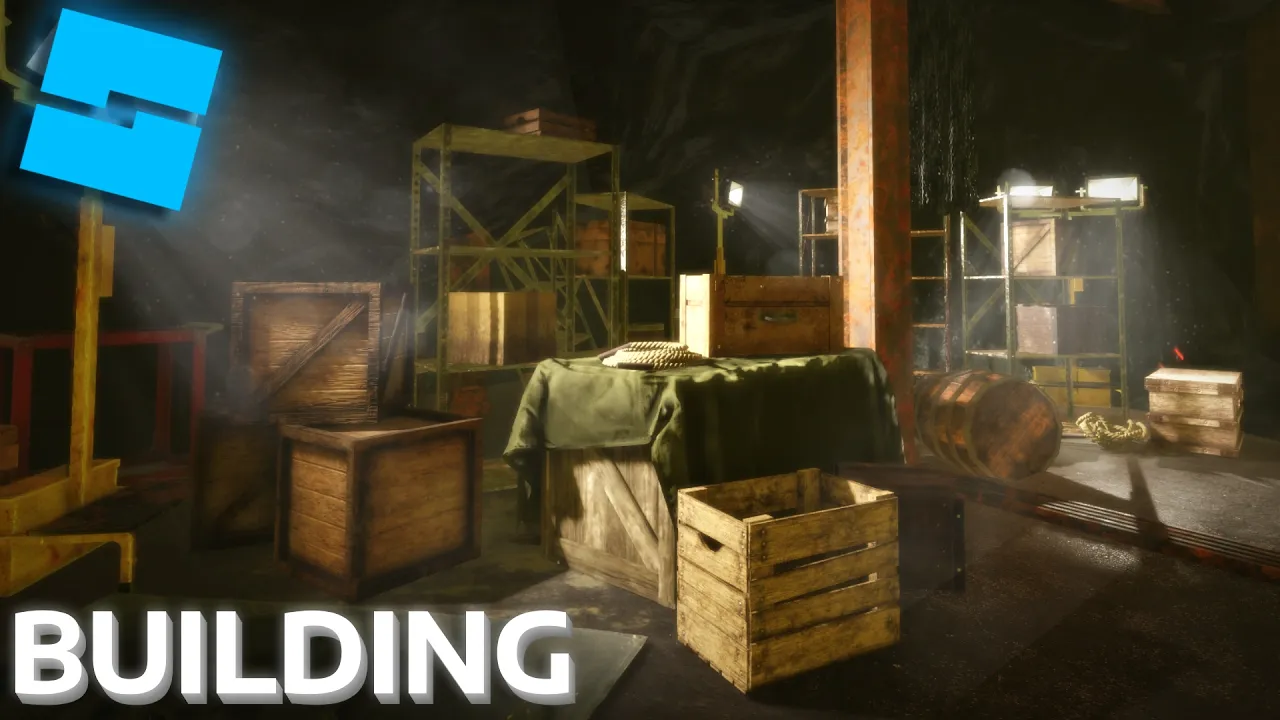
So, you want to start making amazing Roblox builds? Well, don't worry. I have five building tips just for you. Let's begin. Okay, so I have this build here and it's not bad by any means, but there are a couple things that you can change to really elevate it a lot. And first, we're going to start with the props used. Now, just by looking at it, there's really only three to four props that are used, which is this crate, this shelf, and this floodlight.
Nice way to add variety is just simply adding more props, different props, and scaling them, sizing them, and changing them and what not. Okay, so I have this little asset repository that I usually just copy and paste out of. It's a quick little way. So, I'm just going to add in a couple of shelves to spice up the scene a little bit. Did you know that not even 5% of people who watch are subscribed? So, if you find this video genuinely helpful, then feel free to absolutely smash that subscribe button.
Okay, back to the video. And I'm just going to do this for a couple of different props just to add some variety and such. So, now I'm going to add in some crates and some boxes. When I'm placing props, I usually just slightly tweak the rotation and scale. So, nothing looks too uniform. Now, a lot of things I see in Roblox games are empty shelves. Now, what's the point of having a shelf if you know you don't put something on it?
So, I would just recommend if you have a shelf, at least put a couple of items on it to, you know, break up the scene and add some nice variety. Now, an important thing to understand is that you don't want to spam random assets cuz that can quickly decrease performance and look messy. I would just recommend creating a couple of assets that you can use across a large variety of scenes, such as boxes and crates. Now, you might be thinking these assets sure do look good.
Well, you can find most of them on my Ko-fi store. So, if you want to save time and support the channel, you can find the link in the description. Also, the shelves were made by my friend, so shout out to him. Okay, I think this looks good enough. The next thing we will be working on is the lighting. All these spotlights should be emitting light in a straight path like this. So, let's just fix that real quick. What I'm actually going to do is I'm going to add in a or name this light.
Find the part, drag it down, bring it over here, scale it down a little bit, make it transparent, add in a surface light this, do something like that, and also increase the brightness of this light. Okay, once you create a light that you're happy with, you can just copy and paste it all over. Now, when I'm placing lights, one of the things I focus on are the shadows. You can create some really cool effects and build realism by having nice shadows.
For the next thing we're going to go over is the materials. Now, you can probably tell that there's a whole lot of the same rust material. So, I would recommend using a different one to just spice it up a little bit. For materials and textures, if it's obvious that everything uses the same texture, then the scene begins to feel dull and repetitive. So, by simply adding another type of texture, it amplifies the scene a lot.
Okay, next we're going to break up some of this empty [music] space back here, as well as changing just how the environment looks. So, you can add like a wall or something to break up this so people can see it, so people can't view the entire room immediately on entry. Let's add some, you know, visual interest around the scene. So, just add some crates, some walls, just to break up how the room flows. Okay, so I didn't like how that guy explained it.
So, I'll rephrase it a little. So, imagine you have a simple square room or an open hallway. That'll be very boring to look at. So, I recommend adding wall or stack of crates, just something that will break the sightlines of the room. This way the player can't see everything in the room at once and has to explore around a bit to see what's behind a wall or something like that. The next thing I see a lot in Roblox builds is an empty floor and ceiling.
So, I'd recommend just adding little little parts, little pipes, little maybe some decals on the floor, some stains, just to add some variety and some visual interest to the floor and because it's often overlooked, but it can really bring a scene together. Yeah, so here I'm just placing decals. I'll actually link the decal pack I used in the description. Decals are a great way for breaking up materials and adding some variety.
Now, I'm working on the ceiling pipes. And for those who don't know, a pipe is a hollow tube used to carry liquids or gases. So, yeah, I throw one on the roof and add some little extrusions to it. Okay, so this is basically the finished product. I'll probably go back and change a few things, but let me know what you're thinking and if you have any suggestions. Okay, goodbye now.
The words are the caption track's own and nothing is reworded or re-transcribed. Paragraph breaks are placed between sentences so the text reads as prose.
Free tools for your own script: paste a draft and see where it stands before you record it.
Paste your draft and see where viewers are likely to drop off, with a rewrite for each weak line.
Paste the first 30 seconds of your own draft for a hook score and rewrites.
Check your draft against YouTube's advertiser-friendly guidelines before you record it.
Read this channel's public videos and transcripts, and download a writing brief for it.