Getting the transcript
Reading the captions from YouTube. A video nobody has opened here before takes 10 to 30 seconds; this page fills in on its own.
Getting the transcript
Reading the captions from YouTube. A video nobody has opened here before takes 10 to 30 seconds; this page fills in on its own.
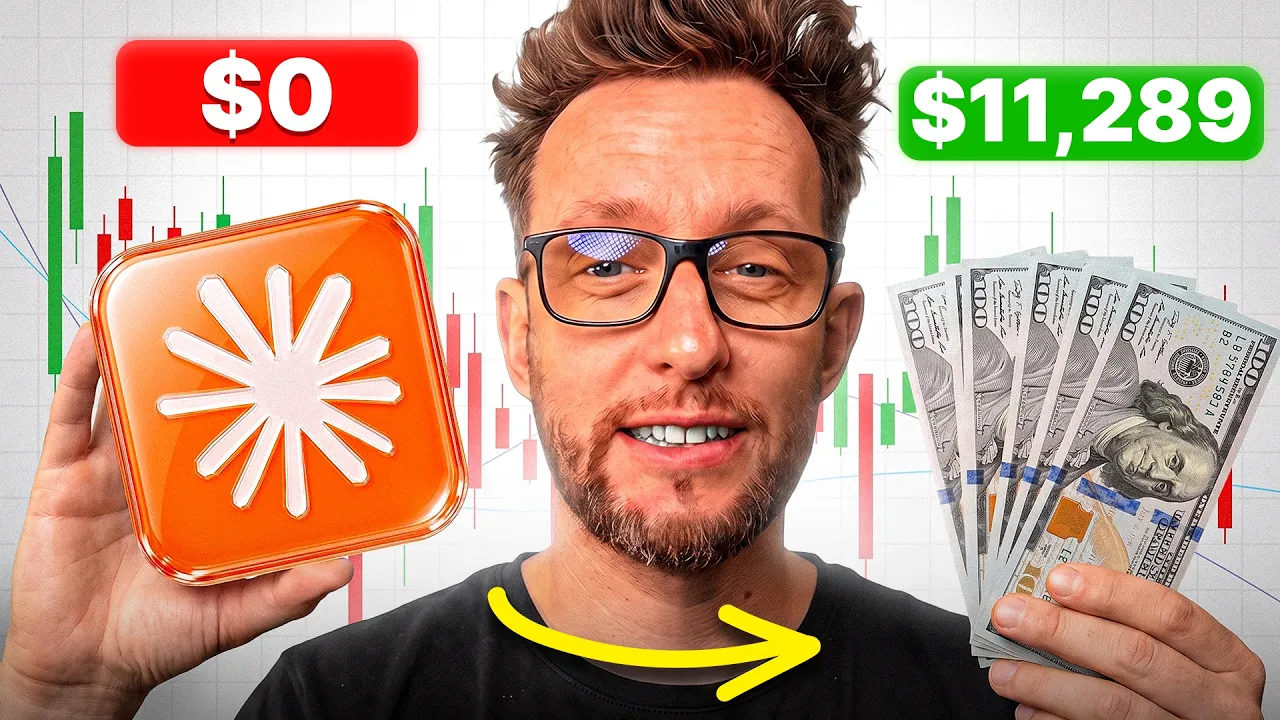
Trading with DaviddTech · @DaviddTech
Where viewers went back to watch this video again, from YouTube's public Most replayed graph, lined up with what was said at that moment.
Most replayed moment #1
6:205.6x the video's typical replay level
already logged in. We click on account at the top here, which will take us to this page just here. And we're going to be installing the MCP server by clicking copy on this line of code here. And we're going to drop that in there and
Said at 6:15
Most replayed moment #2
4:204.3x the video's typical replay level
Claude are great, but they actually can't but they actually can't back test their own strategies unless you build it all from zero. So, we're going to be using this product here called Trading Kit. Trading Kit is a free product. Trading Kit has a community of 9,000
Said at 4:13
Most replayed moment #3
10:003.8x the video's typical replay level
will come across an abundance of strategies back tested by other people. The problem with the YouTube is there is absolutely tons of strategies that are useless. But I did personally find my main strategy on YouTube. So once you've gone through all of the rubbish, you
Said at 9:52
The graph counts replays. It does not show where viewers stopped watching.
Words
6,173
Runtime
33:19
Speaking pace
185wpm
Reading time
26min
185 words per minute, between the 181 median and the 201 75th percentile of 349 measured videos. That distribution comes from the 349-video hook study.
Opening (first 30 seconds)
I'm going to show you exactly how to build your own AI trading bot like the one that I used last year to double my account. We're going to be building it together step by step. No code will be needed and it's going to be free of charge. Now, I've personally been back testing strategies here on YouTube for over 5 years. I've back tested over 2,000 strategies and I and some of the members of my community are considered to the top traders on the exchanges. So, this isn't theory. I'm
93 words, the words spoken in the first 30 seconds at 185 words per minute.
Free, no signup. See how the first 30 seconds hold attention, with rewrites.
Sentence shape
| Measure | This transcript |
|---|---|
| Sentences | 410 |
| Average words per sentence | 15.1 |
| Longest sentence | 48 words |
| Questions asked | 8 |
| Sentences containing a number | 35 |
Most used terms
Filler phrases
77 in total: actually 44 · like 27 · literally 4 · kind of 2.
A literal whole-word count of the same phrase list the Prepublish browser extension uses, so a phrase inside another word is not counted and a phrase used in its ordinary sense still is. It is a count and not a judgement.
Free, no account. See where attention is likely to drop, with a rewrite for each weak line. The free check shows the scores and the one issue costing the most. Or run it on the words above first.
Free · No login · See a sample audit first if you prefer.
What this transcript is
Every word below is the caption track YouTube publishes for this video, pulled from the video itself and reproduced unchanged. It is not Prepublish's writing, not a summary, and not a re-transcription: it is the video's own published captions. English captions, generated automatically by YouTube, in the video’s original language. Source: the video on YouTube. A channel that would rather this page did not exist can ask for its removal through the contact page, and it is removed.
I'm going to show you exactly how to build your own AI trading bot like the one that I used last year to double my account. We're going to be building it together step by step. No code will be needed and it's going to be free of charge. Now, I've personally been back testing strategies here on YouTube for over 5 years. I've back tested over 2,000 strategies and I and some of the members of my community are considered to the top traders on the exchanges.
So, this isn't theory. I'm not going to be selling you a course. We're actually going to be building something that actually works. Everything you need today, from the prompts, the boilerplate, the risk checklist is going to be given away for free or you probably already have the subscriptions you need. You'll be able to find all of that down in the description down below. Okay, before we jump straight into this video, let's go through a road map of exactly what we're going to be learning today.
First of all, we're going to go through a checklist of all of the tools and software that you'll actually need to become a profitable AI trader. I'll go through the subscriptions, their price, wherever possible. I've used free tools, and a bit of a teaser. Most of the subscriptions you most probably already have. Next, we're going to go through step by step building your first bot, back testing it, making sure that it actually works, and actually connecting it over to your exchange or Telegram.
Finally, I'm going to go through everything that I've learned over the past 5 years that helped me to become a profitable algo trader, all of the things that I wish that I knew before I actually started. This will help you to jump ahead of the others and actually acquire that knowledge without going through the pain. And as if that isn't enough, I'm going to go through also how to come up with your first trading idea.
I'm going to show you how to build your own boiler plate and why this was probably the best tool that I actually ever built. I'm going to take you through how to read the stats so that you can choose the right bots to actually trade. We're also going to go through why bots actually die and how to detect a dying bot. This is very important because we get attached to bots and eventually we'll end up losing money when they start to lose their edge.
And finally, I'm going to show you the holy grail of all trading strategies and how you can set up your own. Right, let's get over to my computer and let's start building those profitable AI trading bots. But guys, if you are building along with me today and finding value in this video, could I just ask you for a quick favor? Would you mind dropping a like on the video and why not subscribe? I do AI trading bot videos every single week where I'm sharing everything that I learned over the past 5 years.
Right, let's get over to that computer and let's start building our bot together. Okay, let's get started with what we actually need the subscriptions and how much it will cost. First of all, you will need a subscription for an AI. Something like Claude Chat GBTX will all work. I personally absolutely love Claude and have been a big fan of Claude since day one. You can use the free plan of ChatJBT, but Claude, you will need to upgrade to the $15 plan to be able to use Claude Code.
I highly suggest looking into Claude Code because I believe it is one of the best coding models out there. But you don't have to use it. You can use Chat GPT and inside ChatgPT you can use their free plan. Next, you will need a subscription with Trading View. Once again, you can use their free plan, but if you actually want to do this, so it's 100% automated. You will need some of these technical alerts. You will need some of these technical alerts.
In the free plan, you do have two, but you will probably run out of them very, very quickly. So, you will need to upgrade to at least the essential plan. I personally use the $59 plan, which allows me to have enough candle data to actually feel as though I'm confident in the assets that I'm trading, too. But a $12 plan will certainly get you started. Next, we're going to be giving our AI models the tools that they need to be able to back test strategies.
Now, Chad JPT and Claude are great, but they actually can't but they actually can't back test their own strategies unless you build it all from zero. So, we're going to be using this product here called Trading Kit. Trading Kit is a free product. Trading Kit has a community of 9,000 AI traders and they're back testing strategies daily. They've almost back tested 200,000 strategies and you can get access to exactly the same tool that they're using as well.
And finally, today I'm going to be using Trigger.trade. Trigger. trade will allow you to connect your trading viewer account over to Telegram free of charge so that you can reserve an alert as soon as you have to set up a trade. Also allows you to connect to some brokers, but you definitely do not need to use this. I will show you exactly how you can connect directly to your broker from directly inside of Trading View.
This is just an extra free tool that you can use if your broker isn't available in on Trading View. Okay, so now that you have a list of the tools, let's get to the meat and potatoes of this video. We're going to start building out our first AI trading bots. Okay, now that we've gone through that list together, now let's start installing all of the programs needed to start building our first bot. First things first, we're going to download Claude Desktop, which will give us chat code work and Claude Code.
I'm currently on Mac myself, but this will work on Mac. Windows and Linux. Just install it as you would any other app. Once installed, you should have something that looks a little bit like this. I'm going to be using Clawude Code and not the chat version over here. The reason is is Claude Code allows us to actually back test the strategies in one place. And it's much easier for us to save those strategies to a text file that we so we can come back to them later.
Once we have Claude Code installed, we need to go back over to our website and log into Trader Dev. I'm already logged in. We click on account at the top here, which will take us to this page just here. And we're going to be installing the MCP server by clicking copy on this line of code here. And we're going to drop that in there and say, "Hey there, buddy. Could you please install this globally so that it works on Claude code chat and co-work on this computer?" Then we're going to hit enter.
It's going to go away and actually install that for us. Once it's done, it's going to ask us for the authorization code, which we'll be able to find on tradingkit.com's website just here. We're going to copy that over as well. We're going to paste it just there. And I'm going to hit enter. I've already authorized mine, so I'm not going to do it again today, but we just copy and paste that in there. And that will authorize your trader dev so that you'll be able to go back and easily find your strategies up the top just here with all of their code, the back test, the trades, and the code for that strategy just down the bottom here.
It's an easy way of not losing everything and in a way so that we can come back and retest your strategies a bit later. Okay, once we have that done, that is step one. We have everything that we need installed. As long as you've got a trading view account, you're ready to start building your bots right now. Now, tradingkit.com, what it does is it allows us to back test the strategies and then gives us pine script. Pinescript is the code that we use on trading view to back test and automate our strategies.
So, all of this is now available directly inside of your clawed setup. Okay, there's one last thing that we need to do and that's make sure that we are connected over to trading kit. Let's do our first back test of a strategy. Hey there, buddy. I'd love for you to do a very simple strategy and back test it for me on BTCUSDT on the 1 hour time frame. I'm just testing that the back tester actually works. Boom. That's going to go away and it's going to code a strategy.
It will then back test it on tradingkit.com and the results should come through very fast. And boom. As you can see, we have a back tested strategy. The net profit was - 19% max draw down. We have the win rate and everything else directly done done inside of claude. So we don't have to no longer go away and test every single strategy. One thing that's very cool about this which we'll discuss in detail is we can optimize as well without using credits or tokens from claude.
But I'll be showing you that a bit further along. Okay, that's all of the tools we need. We know that the connection is actually working. Now, let's move on to building our first bots using a prompt and a boiler plate that I'm going to be giving you for free. As I said, the link is in the description. Okay, now we've connected over to Traderdev. We've done an essential step that will save us a lot of money. Building strategies in the past used to cost me thousands of dollars and days and days of work just to find one strategy.
Now, you can ask Claude in plain English to build a strategy, back test it, and even optimize its settings. Talking of optimization, let's go through every single step to building a profitable strategy. Okay, so first step being finding an idea. We live in a day and age where information is all over the internet. So finding a strategy idea is quite simple. The problem is is there's a lot of rubbish out there and sifting through that rubbish is timeconuming.
So I'm going to give you my top five resources for finding ideas for new trading strategies. At number five, it has to be YouTube. By simply searching for trading strategies, you will come across an abundance of strategies back tested by other people. The problem with the YouTube is there is absolutely tons of strategies that are useless. But I did personally find my main strategy on YouTube. So once you've gone through all of the rubbish, you might find yourself a nugget.
Next is going to be Quipedia. Quedia has a whole list of trading strategies. This is a very valuable resource. Not only do they have their own strategies, but they have back tested tons of strategies. Now, there is an upgrade plan which can be a little bit expensive, but a lot of the resources are for free and if you have the money, I think this is a well worth upgrade. Number three is going to be Quant Connect. Again, this is a free resource where you can find tons of trading ideas, back tests, and code.
So, this will go through even more detail into exactly how a strategy works. You get code which you can easily copy and paste into Claude or give Claude the full article and it will code that strategy for you. And number two is going to be Stonehill Forex. Stonehill Forex has been probably one of the most valuable resources that I found in a long time. They have gone through tons and tons of indicators and back tested them.
Now, what I love about Stonehill Forex isn't actually the indicators. It's more the idea behind their strategy. NNFX, no monsters forex is one of my most profitable strategies and behind most of the tech strategies is a Stonehill Forex method. I'll go a little bit more into detail about that at the end of this video. And in first place has to be Trading View's community indicators and strategies area where you'll find absolutely tons and tons of indicators and strategies that have all been back tested and ready for you just to employ.
First of all, I'd suggest that you use the open-source versions here. You can put the code directly into Claude and it will use that code to build a trading strategy. And that is exactly how I build a lot of my strategies as well. Now, I know I said that it was only five, but I will give myself a little bit of a mention as well. If you go over to the ad trading view strategies section here on David, I've done over 200 videos of back tested strategies, you can go through all of those.
I talk about the indicators, what's exactly behind all of the indicators, how they work, and the back test results as well. So, I thought that'd be worth a mention. Okay, I said I was going to talk a little bit about the NNFX model. I put all of my strategies mainly into two categories. One being trend following, the second mean reversion. The most amount of money that I've ever made has come from trend following strategies and they are very beginner friendly.
So behind all of the profitable AI bots that I have built is a system which is based on the NNFX model. So if you got pen and paper, let's just write this down. So for a full strategy idea, I have multiple rules. Number one, we have a trend following indicator something like a moving average. Then we use two confluences to confirm our entries. Now, this could be any indicator dependent on the coin pair. You're looking for two non-correlated indicators.
So, when they do actually take a signal together, they're putting probabilities in your favor. And at number three, we'll add a volatility or a volume indicator. This is just going to make sure that there's enough volume or movement in the market for us to take a trade. You don't want to sit in a sidewards moving market, especially when you're trading trend following strategies. Next, we're going to use an indicator called the ATR.
I like to use the ATR bands because it just makes it a little bit easier. We use the ATR bands that will sit around price and we'll set our stop loss to the ATR bands and then we use a risk-to-reward to actually set the take profits. Okay, so that is exactly what is going on behind all of the David Tick strategies. You have an idea. you have all of the rules ready for you to create a profitable strategy. Now, let's talk about the next step.
Okay, now that we have our idea, we need to start coding it. But let's just take two steps back before we throw some ideas at chat GBT. One of the things that I learned as an algo trader is the importance of having structure around that strategy. So, I built something called a boiler plate. That boiler plate sits around all of my strategies. Now that boiler plate sits around all of the David Ticks strategies and allows me to back test multiple ideas.
But not only that, puts a real risk management system in place. For example, we can set our maximum draw down before actually stopping a bot. We can set leverage and position sizing inside that bot. And not only that, there's a multitude of settings that our strategy can use for any kind of trading strategy. Now I've built this prompt here which will help you guys to build a boiler pre around your strategies. You literally have to copy your idea above and put it in here.
The coin p the time frame and the platform that we're going to be back testing on and everything else is done for you. This means that you'll have a robust trading strategy built from the start. Right. Okay. So we have our idea. We're going to hit enter. We're going to leave Claude to go away in the background and back test that strategy so that we can move on to the next step. Okay, so after a little bit of a wait, we've got our first back test of a trading strategy ready created by Claude with a decent risk management system.
So, we're going to go up. We're going to scroll to the top. We've already got the back test, but the next thing we need to do is put this onto Trading View. So, to do that, we just copy the code. We go over to Trading View. We click on this pine script button just here. We're going to go up the top and press new strategy. Ctrl arr and save. And then we're going to press the play button up the top here. And that will add it to the chart.
So there, boom, you have your first trading strategy back tested as far as we can on data. It is profitable. Looks okay. Nothing mega special, but you have actually got a good strategy. You've got a risk management system where you can actually turn off days of the week. You can play around with the stop-loss and take profits and add extra risk management like maximum days of loss. So, a real trading strategy, not some kind of BS that you find on YouTube where there is no real risk management and you could actually lose everything in one go.
Okay, so with that ready to roll, what is the next step? Do we just connect it, get ready, make loads of money? No. The next step is to try and find our best settings. Optimizing that strategy so that we can actually take out more money. As you saw earlier on the back test, this strategy had a P&L of 35%. If holding the asset or the buy and hold of that asset is more valuable, there is no point in running this strategy. you might as well just use the benchmark actually just buy bitcoin in this case as it would have been a much better bet.
Also the draw down isn't looking great on this one. Number of trades looks okay but personally I would go away and optimize this strategy. So what is optimization and why do we need to optimize a strategy? Optimization is taking all of the variables. Let's use a RSI for example. Everybody tells you to buy the RSI when it's below a 20 level and sell when above the 70 level, but markets are non-stationary. Each asset reacts completely different.
So, what is really telling you behind the data that BTC or gold really does react well at those levels on every single market. Some influencer, some book you may have read, not real data. So, what we need to do now is to go away and optimize that strategy to try and find those best settings. Now, we're in luck. Your AI agent that you just built using tradingkit.com allows you to optimize strategies. That might sound expensive because you're going to be using your L&M, but actually everything happens all on a server and Claude just literally checks in to see those results being optimized.
So, let's get back to our strategy and see how we can optimize it to pull out as much profit as we possibly can. Okay, so here I am back on Claude. Let's ask it to optimize for us. Hey there, buddy. We have some good back test results. I'd like you to use the optimizer tool in segments to be able to back test and optimize this strategy for BTC, the 1 hour time frame. Come up with an optimization plan and optimize all of those settings to find the best results.
Okay, so that's now going to go away and find those settings. As I said earlier, the optimizer is a tool on trading dictkit.com. So, it doesn't cost you a fortune in tokens for claude to change all those values, back test it, and then come up with a plan. It also has some amazing features like walk forward testing, which means it's going to optimize on small amounts of data and choose the best back testing results. And then it will back test on a full amount of data, including data that it hasn't seen before.
If this this strategy then continues to work, that means that this strategy has potential to work on live real markets. Okay, whilst that is optimizing in the background, let's move on to the next step, which is incubation. Yep, you may have thought you're ready to roll. You found some back testing results. It looked amazing. Let's connect it over to a bot. Unfortunately, there is a huge step that you have to go through before ever actually taking a strategy live called incubation.
What incubation is is taking every single strategy that you find and putting it aside for a couple of months to see whether or not it actually works on live data that it hasn't seen before. So it's a bit like a trading journal. You come back after a month, see whether those trades are actually working, whether or not you actually had any trades, whether those trades looked very much like the back test results or did it completely react different.
This will save you so so much money. Now, if I go over to my trading journal, which is called strategyfactory.ai, I back tested over 2,000 strategies and incubated over 2,000 strategies. When you go on the website, you can actually only see around 400 now because that is the number that are considered still profitable. When you open one of these strategies, you can scroll down to the equity curve and you can see a green section and a pink section.
The green section is where we have back tested the strategy up to the day where we took it out of chat GBT and added it to trading view. Then we have the pink line here which is incubation period. Now on website have strategies going back 3 to 4 years and some of them are only a couple of weeks old. From here you'll be able to see exactly live data how it is actually working on live markets. You'll be able to see things like the latest trades, the win rate, the profit factor, and whether or not it is still working on live markets or it's just fallen apart.
Now, incubation is essential, and as one of the prompts that you get with this video. Now, as part of the prompts that I will send you, the link is in the description. One of the things that you build is this segments trade lab, which allows you to build exactly the same thing. Claude will record all of your strategies here and show you the back testing equity curve. And you literally have to come in here a month later and ask Claude to reback test it so that you can see the equity curve over time.
Some of them look great. A lot of them start to fall apart. That's all part of the joys of becoming an AI trader. And if you're looking for some inspiration as well, we have over 200,000 back tested results from the community, all using this trader dev tool that I'm speaking about today. And you can literally go in and fork them and take those strategies and improve on them and help the community find even better ones.
Right. Okay. So, you'veized your strategy. You've put it into incubation. It's been a couple of months. The forward testing looks absolutely amazing. But how do we actually now take it from Trading View and connect it over to Exchange? There's plenty of ways out there from Alertatron to inbanked into your actual exchanges, APIs that allow you to do that. I personally use trigger.com, which allows me to connect it directly to Telegram and also a couple of exchanges very quickly and free of charge.
So, Trigger Trade is this tool here. I'm going to connect it over to Telegram today. So, all I have to do is click on here, send Telegram. We're going to click over next and it's going to ask us for our user ID. Okay, so you've back tested the strategy. You've put it into live trading very much like this one here. This one here, I found the settings myself. It's been in live trading, so in incubation since September 2025.
So just back here. So as you can see in live trading, the equity curve looks amazing. Very much like the back testing results, we have 2,200% net profit, a max draw down of 26% which is a little bit high and a win rate of 52%. Most importantly, the equity curve has continued to grow over time even on data that it hasn't seen in the back testing results. So what do we do with this? Now this is where I would set up a small test account on my exchange or on my broker to live trade this with a small amount of capital.
Although all of my strategies do include fees and slippage, you can only tell once you've put this onto a live account whether or not it's actually really going to work. I'd go over to something like trigger.trade where you can connect it directly over to your exchange for free and anonymously. Today I'm going to show you how to do it through Telegram because it's exactly the same process except we're going to be getting an alert and told when to trade, but you can get it so that it connects to any of these exchanges above as well.
Now, if you're using a broker, there's plenty of tools out there, and most of the broker brokers now have APIs or MCP servers that you can connect directly to Trading View to take these trades for you. So, we're going to be using the alert system in Trading View. For this, we need to click on the name of the strategy. We're going to click the three dots on the side just here, and we're going to click on add alert on, and then the name of the strategy.
This one is XMA. We're going to make sure that we're using fills only because we don't want two alerts. We're going to go down and we're going to go onto this message just here. Then we go back over to our tool. As I said earlier, Trigger Traders My One here. We're going to press continue. Okay. So, now what we need to do is set up our Telegram bot. First thing we need to do is activate the David Tick API bot. We click here, open.
We're going to press on start. And then we're going to move on to the second bot, which is going to give us our user ID. This is what we're going to fill out just here. We're going to click on user info bot. Open it on Telegram. Click in start and we're going to copy our UID just here. Then we go back to Trigger Trade. We're going to enter our UID just here and press continue. Now, what happens here is we're linking Telegram over to Trading View with just a little bit of code which you don't have to develop yourself.
Trigger Trade is going to do all the heavy handing for you. here in this multi-step form. It's going to ask you how much USD you want to use, which pair we're going to be trading, and a couple of advanced features just like this. I'm going to leave everything as default just to move on. Next, it's going to ask you whether you want to set a takeprofit and stop loss. I'm going to leave it as is as well, but you can go ahead without stop-loss and take profit and just leave your strategy to do everything as it says in the code.
This is probably the preferred method. Let's move on to generating my files. Okay, now this is the important part. These are the instructions we're going to be giving over to Trading View. So, I'm going to copy the first one here, and we're going to go back to Trading View. We've clicked on message just here, and we're going to paste those instructions just like that. We're going to give the alert a name, test. We're going to press apply.
And finally, we will need to set the URL. Now this is the URL the middleman service. You can find that URL just here above the instructions. Copy and paste that one just here and press apply. And boom, you are connected now from Trading View over to Telegram or your broker dependent on how you want to do this. I personally leave all of my trades 100% automated and don't try and do it through Telegram myself, but this was just instructions on how you can do that if you prefer.
Setting up a broker is just as easy. It's a step-by-step form and many brokers now have a ways of you connecting directly over to the exchange without having to use a middleman service. Okay, that's amazing. Now, let's just have some real talk. Having one single strategy is amazing and I'm very proud that we've managed to build this in the past 15 minutes. But it's time to get real. I've been doing this for over 5 years.
I've back tested over 2,000 strategies and I'm currently running only seven strategies. So, it is a lot of hard work. It is worth it. I'm now a profitable trader and have been classed as one of the top traders on multiple exchanges, but it is a lot of hard work. One of the most important things that I learned from a mentor of mine called Kevin Davyy, the author and the champion trader, is to diversify our portfolios.
Having one strategy is amazing, but the holy grail of all strategies is to diversify our portfolios. Have multiple bots running. Have a bot army taking care of all of your trades. That is the ultimate goal. That doesn't mean that you have to go to multiple markets and learn lots of new things. Personally, I've diversified a big part of my portfolio in the crypto markets because that is where I found my own edge. Each strategy is optimized for its own time frame.
It has its own rules. They are not correlated. So, two strategies will not be taking the same entries on different coin pairs. And talking of different coin pairs, each of these strategies are optimized on different coin pairs. I don't have two bots running and trading on BTC. I only have one because I feel as though that is just increasing risk. I use different methods from trend following to mean reversion. And all of this has helped me over time to build a non-correlated basket of strategies that actually all work extremely well together.
The ultimate goal is is if one strategy is struggling and going through a losing streak, maybe two or three are actually taking winning trades, covering for the losses, and continuing to make profit. Now, obviously, this isn't going to work on all trades, but a general rule is this is how diversification helps to flatten out your equity curve and helps you to grow in the right direction. So, that is probably one of the most important rules that I have learned since the beginning of becoming an alga trader.
Here are five more rules that I've learned from my past 5 years of struggling to where I am today as a profitable trader. Number one, keep away from multi-timeframe strategies. These strategies generally repaint or have look ahead bias. What that means is in back testing, they'll look absolutely amazing because they're collecting data from the future to help your trades look better on their back test results. Now, when you put them into live trading, obviously they can't predict what's going to happen in 1 hour when you're on trading on a 15-minute time frame.
So, they absolutely fall apart. The worst part is is on Trading View, you'll see the entries, they'll just disappear and you'll have no idea why. So, that is my first lesson. Keep away from multi-time frame strategies. Number two is on your bank test, always include fees and slippage because fees will destroy your trading strategy. No matter how small a fee will look, 0.05% 05% looks like it's absolutely nothing but accumulated every single trade is destroying your edge.
Make sure you back test with the fees and reduce those fees as much as you possibly can. Slippage is another one and a bit hard for us to actually back test on, especially on Trading View. Try and estimate thanks to tools the slippage for each coin pair that you're trading and then overcompensate for that slippage. This will save you headache in the future when you see strategies pinging off and entries happening a bit later and most probably a bit too late.
Number three is learn to read the stats like a pro. I know that stats don't look like the most sexy thing in the world, but understanding exactly how a profit factor works, what a win rate is, and how to calculate the expected value is something very important. Over the past couple of years, I've realized how important max draw down is, how important your profit factor is, and how little importance a win rate actually has to me.
All of these things I've learned by just staring and understanding and asking tools like chat GBT to actually explain what's behind each of those stats. Sometimes the shiny objects, like a high win rate, just hide the truth of what's actually going on behind the strategy. And the last two we've hit upon already. Build yourself a boiler plate. The boiler plate has been what has turned me into from a normal algo trader into an absolute machine.
I've been back testing way more strategies than anybody else that I know. And thanks to that, I have real concrete results. I didn't realize when building how precious my boiler plate really is. So, I suggest that you build your own and cherish it like it is a member of your family because being able to back test 100 strategies is great, but being able to to back test 100 strategies with real risk management is way much better.
And then finally, do the boring things like forward testing. Forward testing or incubation is probably one of the most important things you can do because like I said earlier, I back tested over 2,000 strategies and I'm currently trading seven. Everybody gets extremely excited when they find an amazing back test, but they don't realize that 99% of those back tests will fail when they get to real markets. So guys, that is everything that I have learned over the past 5 years about AI trading and algo trading.
Automation has been the whole of my life since I started as a developer over 20 years ago. Now we have amazing tools like Claude that means that anybody with no coding experience can actually automate their whole of their life including their trades in plain English. Without further ado, guys, have a wonderful day. Take care. Keep safe. Trade like a boss and I'll see you in the next one. Goodbye. Come on, David. And once again, [music] he's gone to a new strategy.
He'll be back in just 5 minutes. RSI and MACD. If it doesn't [music] run into any bugs, there will be a new strategy.
The words are the caption track's own and nothing is reworded or re-transcribed. Paragraph breaks are placed between sentences so the text reads as prose.
Free tools for your own script: paste a draft and see where it stands before you record it.
Paste your draft and see where viewers are likely to drop off, with a rewrite for each weak line.
Paste the first 30 seconds of your own draft for a hook score and rewrites.
Check your draft against YouTube's advertiser-friendly guidelines before you record it.
Read this channel's public videos and transcripts, and download a writing brief for it.