Getting the transcript
Reading the captions from YouTube. A video nobody has opened here before takes 10 to 30 seconds; this page fills in on its own.
Getting the transcript
Reading the captions from YouTube. A video nobody has opened here before takes 10 to 30 seconds; this page fills in on its own.
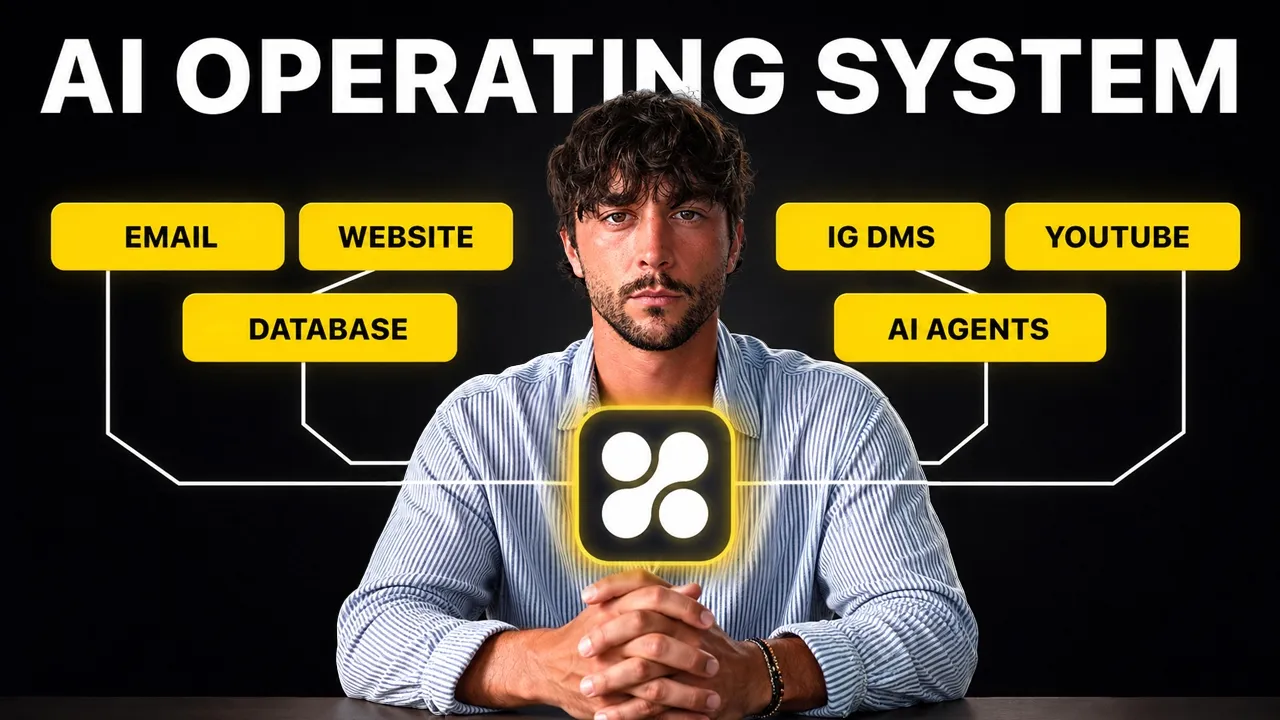
Liam Ottley · @LiamOttley
This video has no Most replayed graph yet: YouTube shows one only once a video has enough views. These are the moments viewers replayed most in Liam Ottley's most watched videos.
Most replayed moment at 5:02
5.8x that video's typical replay level
using no code tools, so there's no excuse why you can't get in there and get your hands dirty and start to build them. So, the first one is a speed to lead system. This is a simple automation that ensures that the business responds to any new customer inquiry or people reaching out to them in seconds, not hours. This
Said at 4:54
The graph counts replays. It does not show where viewers stopped watching.
Words
4,931
Runtime
19:26
Speaking pace
254wpm
Reading time
21min
254 words per minute, above the 201 75th percentile of 349 measured videos. That distribution comes from the 349-video hook study.
Opening (first 30 seconds)
If you're using AI, you've probably got a dozen tools that don't talk to each other, don't remember anything, and only work when you do. And you can fix this in under 20 minutes, but you need the right system. People genuinely pay me 25 grand to build this kind of system for them, but I'm going to show you how to build it for yourself for nothing. This is Alan, and he runs a real company, and when I showed up, it was quietly leaking money every single day, but it was in a way that he just couldn't see. He, like many entrepreneurs, runs almost his entire business out of Instagram DMs and spreadsheets. [music] All the new conversations land every single day, but then
127 words, the words spoken in the first 30 seconds at 254 words per minute.
Free, no signup. See how the first 30 seconds hold attention, with rewrites.
Sentence shape
| Measure | This transcript |
|---|---|
| Sentences | 230 |
| Average words per sentence | 21.4 |
| Longest sentence | 83 words |
| Questions asked | 3 |
| Sentences containing a number | 17 |
Most used terms
Filler phrases
56 in total: like 29 · actually 15 · uh 5 · kind of 2 · literally 2 · basically 1 · sort of 1 · um 1.
A literal whole-word count of the same phrase list the Prepublish browser extension uses, so a phrase inside another word is not counted and a phrase used in its ordinary sense still is. It is a count and not a judgement.
Free, no account. See where attention is likely to drop, with a rewrite for each weak line. The free check shows the scores and the one issue costing the most. Or run it on the words above first.
Free · No login · See a sample audit first if you prefer.
What this transcript is
Every word below is the caption track YouTube publishes for this video, pulled from the video itself and reproduced unchanged. It is not Prepublish's writing, not a summary, and not a re-transcription: it is the video's own published captions. English captions, generated automatically by YouTube, in the video’s original language. Source: the video on YouTube. A channel that would rather this page did not exist can ask for its removal through the contact page, and it is removed.
If you're using AI, you've probably got a dozen tools that don't talk to each other, don't remember anything, and only work when you do. And you can fix this in under 20 minutes, but you need the right system. People genuinely pay me 25 grand to build this kind of system for them, but I'm going to show you how to build it for yourself for nothing. This is Alan, and he runs a real company, and when I showed up, it was quietly leaking money every single day, but it was in a way that he just couldn't see.
He, like many entrepreneurs, runs almost his entire business out of Instagram DMs and spreadsheets. [music] All the new conversations land every single day, but then they fade away into the abyss because there's nothing to catch them. And in my conversations with them, he was sure that he needed more reach and more followers and more leads, but he didn't. He just needed to take advantage of what was already sitting right in front of him.
Because the most valuable thing his business had was already there. It was every conversation, every person [music] who'd ever put their hand up and said, "I'm interested in what you have to offer." But all of this information was trapped inside an app where he couldn't search it, so it may as well have not even existed. So, we build from the ground up one piece at a time in a very specific order, and the foundation is what everything else stands on top, so let's start there.
The first layer of this doesn't feel like part of the build at all, really. It's There's no code, there's nothing to click. It's just talking. It's all about building a comprehensive context bank, [music] and it's dead simple to do as well. First, the trick is to get a voice transcription tool like Glydo, open a fresh note on your computer, and then just talk. Like, tell it everything about your business, what it does top to bottom, or tell it about you and what you want to accomplish.
Give it everything, like your goals, your dreams, your challenges, your competitors, your ideas, your strengths and weaknesses. It doesn't have to be in any smart order or even make sense. Just get it all out like a stream of consciousness. Talking is about three times faster than typing, so using your voice to speak your prompts into the system >> [music] >> instead of using your hands to type them gives you about 6 hours back every single week.
The final step to build this context bank is to export all of your Claude or ChatGPT data, whichever one you use most, which we're going to be layering on top of that context we just created a little later in this tutorial when we actually assemble your AI operating system workspace. Now, the next layer is boring as It's actual structured data. And this is the part that I see most people skip because it's not exciting, it's not AI, and it really is a major part of what separates the top 1% of AI users from the top 0.1%.
Most people have their data scattered across a dozen different apps and in formats that AI can't easily read or edit. So, for Allan here, he had hundreds of form responses for the Bali event that he's hosting in a spreadsheet, and he had thousands and thousands of Instagram DMs with all of his potential clients that his AI just couldn't reach at all. The first thing I did for him was to turn all of this data into a searchable database, which unlocked everything [music] for him.
So, here's why this matters. Right now, the most valuable thing your business has is every interaction and conversation you've ever had with a customer, and all of it is locked inside one or more apps that your AI can't actually use very easily. The second it's in a database like Superbase, you can ask it anything. Who did I talk to about this in the past month and never followed it up with? And for most business owners, that question is impossible.
Uh they don't have the manpower to go through every single conversation and analyze them. But with a database connected to an AI operating system, AI can analyze everything and surface the top opportunities and help you to rapidly write and send messages to them. And later in this video, I'll be showing you exactly how we set this up for Allan. And because the system has full context and remembers your whole business now, you stop re-explaining yourself to it every time you sit down.
Most people burn another 6 hours per week re-feeding context into their AI tools. It's called bot [music] sitting. That is now 12 hours back every week, and we haven't even finished building the foundation of the system. Do this data centralization process with whatever your business runs on, whether it's DMs, call recordings, [music] emails, your messages, all of it. Get it all into one place that you own, and the AI can easily access, and then we can build agents and apps on top of it, which is what we're going to be doing in the rest of this video.
Okay, so to set up the database, we're going to be using Superbase. Um it's going to be free for you guys, and I have two sheets that we're going to be using. We have the >> [music] >> uh event form responses, so those will be coming from Allan's uh application page landing in here. Very common thing for businesses to have a ton of spreadsheet data like this that can't be used very well. And then we have the metadata export.
So everyone is able to do this with their own meta account. So in this case it represents a messages export from Instagram. What we're going to want to do is create the super base account and then later in this video we're going to be adding all of this into the database. So to start you can hit up to the top corner, click on start your project. If you have GitHub you can use that to sign up or you can just use an email and password.
Once you're signed in you'll see something like this and you can create your organization and then you'll be able to have two free projects in there. So I've already got mine in here. And this is basically all we need to do with super base. We're actually not going to touch super base at all. We're going to be getting our system later on to build out the database for us and pass in those spreadsheets. So that's what we need to do at this point.
So now your foundation pieces are ready. You've got your context and your data. Next we can bring in the workspace that's going to tie this all together. So this is where you leave everyone in the dust. This is the same setup that the top 0.1% of AI users run with Claude code minus the pain and skills needed to set it up. External integrations and your AI workspace are what turn this pile of data and context into something that can actually do impressive work for you.
Now to be fully transparent you could build all of this in Claude code or with Claude code and it does work but it takes a whole day of hunting API keys down to every platform, spinning up a Google Cloud project, building complex context management systems that are honestly very difficult for beginners to understand. Though extremely powerful it is a pain and it's why most people give up. You can think of it this way.
A Claude code AI operating system is a monster PC that you have to build from a pile of parts on your desk. It does rip but you've got to be sourcing all of the components yourself, wiring it together and then praying it boots up. The platform we're going to be using is called Hyper Agent and you can think of it like the MacBook where you get the same power but it's sealed in a box and it works within minutes of opening it up.
Now watch how fast this is to set up our AI workspace using Hyper Agent. So if you come to Hyper Agent the link will be in the description you can click on sign up. And once we're inside now Now going to be connecting our super base database that we've just signed up to before with our HyperAgent in seconds and then we're going to be able to set up some other integrations, too. So, if we head down to the bottom left and click on integrations, then we can scroll down to the bottom and you'll see Superbase.
If we click connect, make sure you're in the same browser so you're still logged in and you can select the organization that you created before and then we can authorize it. And just like that, we have our database connected to our HyperAgent setup. The next we can go on to doing integrations with all of our favorite apps so that we never have to leave HyperAgent. So, this can be setting up things like Gmail, which I can do very quickly here.
I just click connect. And just like that, we've done our first integration and you have tons and tons of options here so that you can have all of your favorite apps connected to HyperAgent and you never have to go to them anymore. Here's another huge time-saving hack that this HyperAgent system gives you. Everything you use is now going to live in one place so you're going to stop bouncing between a dozen different apps all day.
And the average person wastes about 4 hours a week doing exactly that, what's known as app switching. That's 4 more hours you get to use to beat your competition or even hit the club and I'll beat that or go hiking like we did with Alan. But we're still not quite done with this workspace setup. If you remember that contact bank that we assembled earlier, it's time to load that in. So, let's create a new project. Now that we have our project contextualized, we can come to the project here and click on new thread and we can head over to our spreadsheets or whatever data sources that you have.
I can download it as a CSV. And what we're going to do is ask HyperAgent to build out our database and insert this into the database and crucially, we're going to be taking this Instagram handle from the former responses and being able to connect that in the database in what's called a relational field to the Instagram handle here. So, we're sort of merging these two data sets so that our AI will be able to easily find the applications and look at and analyze all of the messages for that particular person.
So, I'm going to drag and drop these into here. And I'm going to use my voice transcription. Can you please set up a new database in Superbase using our connection that is going to put all of these applications into the database and then also all of these uh conversation and DM transcripts and make sure that they're related to each other based off the Instagram handle in both spreadsheets. And of course, in HyperAgent, you can change between all the different model providers.
So, for this case, it's going to be a development task. We probably want something quite decent, so Opus 4.8 will be perfect. First, we're in plan mode here, so it's going to plan this out for us first, which is good. And so, once that's all built out, we can test the connection by asking it to give us some information about our data. Can you please find a lead in the database and give me a full summary of their application and the conversation I've had with them on Instagram.
So, here we go. We are getting all of the data back from the database. We have this guy, Diego Fernandez, a score of 95 with $9,600 in play, all of his info, the application details, and the full Instagram conversation, and some action points off the back of it. So, we've put the data into the database, we have been able to pull it, and the AI is now able to do stuff with that within the workspace here. And this is just scratching the surface of what we're able to do with this.
One of my favorite features in HyperAgent is the automatic context management system, which is just constantly updating docs as you work, so that the AI is always fully aware of what you're working on, key decisions that you've made, etc. Common ones my clients find valuable are any kind of spreadsheet, like form responses, exports from Meta, including your followers and followings, saved collections and DMs, call recordings from Fathom or Fireflies, your to-do list and project management apps like Monday or ClickUp or Notion, payment providers like Stripe or your G Suite tools like Gmail or Drive or Docs, communication platforms like Slack, and even integrations like WhatsApp, which allow you to read and send messages without ever leaving your HyperAgent workspace.
So, the foundation is now live, the workspace knows your business, is connected to your most important data, and is integrated to all of your essential apps. Add those three up, and you've already handed yourself back about 16 hours per week. So, that's the two full days I promised you, and we haven't even automated a single thing yet. Everything up to this point has just been set up, but the next part is what actually makes money.
It's the one job that nobody has time to do, reading everything in your database and telling you exactly what needs your attention today. So, for Allan, that was reading all the conversations in his Instagram DMs, analyzing all of the event applications, and then serving up to him exactly who to reach out to and close. For you, it could be customers, it could be content, your inbox, your call recordings, working on your projects, or whatever you're buried under at the moment.
It sounds strange, but the key to automating your work is to use this workspace manually at first. Because now that everything's connected, you need to come up with questions to ask AI like, "Hey, my sales rep Jimmy has been performing poorly this month. Can you pull all of his calls from last month, and all the ones from this month, then analyze and compare them, and provide me with a report?" This exploration of what you can do with this AI operating system is essential, so have fun with it.
Because it has all of these tools available and your data and your context, there's really no dumb questions. And that's when you take the first step towards automation, which is turning a task, a manual task, into a skill. Once you build the skill, you can literally type in one word and kick off a super powerful series of actions. But there's one step left, and we're going to get to that in a minute. So, here's one of the skills I built for Allan.
We built it in plain English, no code, and I call it good morning, or {slash} GM for short. It uses AI to read and analyze every conversation in the database, and grades each one on how hot they are, or in this case, how close they are to buying a ticket. Then it hands you a short list of the people who are most likely to buy, with the first message drafted, ready to send to each of them. So, let's see this in action.
So, here's how I made the good morning skill with an HyperAgent. I just started a new session. I said I want to create a skill that does the following. It reads and analyzes all of the messages in the database, and then comes up with the top 10 people based on a hotness score, and also gives me a button so that I can click to send a booking link with a personalized email to each of them. So, it's using the Gmail connection to speed up the rate at which I can go from data to insight to action.
And then I just walked through it with HyperAgent here, uh going back and forth, until it had fully written the plan out. And you can see by pulling up the docs here, the good morning lead skill. I approved the plan, then it built it out, and then now down the bottom here, I I my good morning skill ready to go, all set up and ready for me to save. So now I can run a new session. I'll go into my project. >> [music] >> So now all I need to do is run {slash} GM and it's noted that I I wanted to use the good morning lead skill.
And it's just going to go through that entire process of running that skill, extract all the information, analyze them, score them, and then give it to me and ready to send. As you can see, it's going through each of the leads in the database and properly analyzing all the data we have on them. It's intelligently updating the Bali events information with all of the research and findings. So it's this context management system that you don't even have to think about. >> [music] >> Every time you're doing work in the workspace, it's going to keep that context fully up to date.
And here we have the output. It's actually created a little spreadsheet here for us so that we can see the latest date and then it has given us the draft messages so that we can move from insight to action very quickly. So top 10 drafted emails based off the hotness score and as it says here, nothing's going to go out without my permission. So I've got all of these emails. And as you can see here, I can say send all or I can send all plus Grace or I can just tell it a specific person to send and it's going to send it automatically with the Gmail account that I've connected.
And that list was worth more than any new audience that Allan could have chased. But a system like this is just theory until it actually makes money. So I got him to actually start reaching out to those leads. Allan took the list, sent the messages the system drafted, and less than 24 hours later, a lead he'd forgotten about months earlier turned into a five-figure deal. It's not magic. [music] A simple skill like this doesn't actually replace the founder.
It just uses the power of an AI operating system >> [music] >> connecting to the right data and platforms to point the founder at the key conversations that actually [music] matter. So the human effort and the the time that he has goes to where it's going to pay him the most. This is just the tip of the iceberg of the kinds of skills you can create on top of a system like this. So I really [music] suggest that you just chat with the hyper agent system that you've built to help figure out the tasks that you do daily that can be turned into skills like this.
But a skill still needs you to press the button. This is called being in the loop meaning that you are still in the driver's seat actually doing the work, but you're just doing it a bit faster than before. And unfortunately, most people stop here. They stay in clawed or even co-work and thinking that they're crushing it, but they are missing the final part. And this is delegating your work to AI agents that work for you on autopilot by running these skills automatically for you in the background.
The key thing that makes hyper agent so valuable is that you can go from working in here and doing your stuff manually to creating your own skill and then to easily creating an agent by clicking up here and going to create with chat, which I find to be the best way. So, I can go through this process and it's going to help me to build an agent on hyper agent and I can integrate my skills or I can tell it whatever I want and it's going to build that on top of all of my integrations and data and context.
[music] So, I've already gone through the process to create this agent which is going to work off a lead form which I created for Allan. So, within hyper agent you can vibe code up landing pages like this. So, I have this application form which he can send out and put wherever he wants. And when people fill this out, what I want it to happen is for an agent to step in and analyze that response and then determine if they're a good fit based off the response, search the web and find some information about them.
And then if they're a good fit according to my criteria, I want it to automatically send a personalized email with a booking link so that they can book a call. So, I've told it here that I want to create an AI agent that will integrate with a hyper app that we're building on another thread. It's going to be a superbase database and we're going to make a custom form. So, I went through this, built the form and then got to the point of building the agent.
So, the form was created here. Then it built out the agent. So, the database was connected. Then I gave it the booking link. And here we have the agent that I created. So, I can click here to view. So, here is the agent screen and we have tons of cool tabs that we can configure our agent. I won't go into it in full depth here, but that chat system will allow you to set this all up very easily without necessarily needing to know what all the buttons do.
But the main thing for this Bali event concierge which has gone out automatically qualify and send those emails is that it created the system prompt here which is going to tell it exactly what to do. You're going to pull in your applicants. You're going to research them. You're going to save the enrichment and you're [music] going to decide if they're a good fit or not, then we're going to invite them by email if they are approved.
And one of the great things about HyperAgent is that when you go to invocations, there's a whole bunch of different ways that you can actually trigger this agent. Now, I wanted this to be fully automated so that as soon as the application comes in, we analyze them and reach out if they're qualified. So, I wanted to set up what's called a webhook, so as soon as a new application comes in, it pushes it into the Superbase database, and then that fires an event which will trigger this.
And that's available through this webhook setting here. And if you don't know how to set things up like that, you can just describe it in that chat. So, if I go back to my threads, I asked it, "Okay, can we do something where we set up a webhook trigger instead of a schedule?" So, you can run it on a schedule where every 30 minutes it would check, and then it was popping up and actually doing the work. So, in the chat here, it just walked me through step by step.
I was able to provide it the URL, and then it did a test, and the webhook was working. So, now we have an automated system where the landing page that we created here in HyperAgent, a custom app, when that's filled out, it's going to push the data into our database, and then automatically the agent is going to step in, it's going to research them, and figure out based off their responses and what it can find on the web if they're a good fit, and then it will automatically send an email to them to get them booked in.
So, here's an example, I filled out the form for myself, and it was able to find all this information about me, and it was able to say that it was approved, I was a 95 out of a 100% fit, [music] and it sent the booking link automatically via email. And this is the stuff that should actually worry your competitors because that same qualifying decision, the one that you'd normally make by hand, now happens automatically and correctly while you're sleeping or at the beach or playing video games.
It's truly an agent working for you. And this is the difference between a skill and an agent, and it's really one of the key things to remember is that a skill will make you faster, but an agent removes the moment you have to actually be there and trigger the skill at all. But, all good agents come out of this manual to assisted to automated process. From exploring and seeing what your workspace can do for you to building a skill and refining it over time by yourself while you use it, and then pushing that dialed-in skill and process into an agent to do it for you.
And everyone gets this wrong because I just throw an agent at something and they wonder why it doesn't work properly. So Allan's system finds the best leads, writes messages in his voice, sends them for him, and qualifies them without lifting a finger. But there's one more piece to an AI operating system. So I decided to build one more thing on top of Allan, which is a custom app, a leaderboard for Allan's best leads.
So I put the good morning skill on a schedule so it re-scores all of his leads every night. And as the agent qualifies the new leads through the day, this updates on its own. He can open it and instantly see who's hot without needing to prompt or press anything. HyperAgent makes this dead simple because he just asked it and it builds it for you. Plug in directly into your database and it's able to pull and interact with your essential apps.
So building custom apps and vibe coding on top of HyperAgent is really easy. It has access to your database, your context, and all of your integrations. And so I wanted to put a bit of a surface on top of all the work that we've done here so that Allan would be able to visually see all of the top leads. And when he runs the good morning skill, it's going to update that every morning for him. So just in the chat here, I was able to vibe code up this app here.
So it scores them by hotness. You can manually rerun it with this button. We can also open it in a new tab and bookmark it. And the cool thing is that I set up the good morning skill to automatically refresh all of that information in the database. So when that runs automatically every morning for Allan, that database will already be up to date for him. Once I built this for Allan, I handed the whole thing over and he still runs this every morning on his phone using the HyperAgent app.
[music] He asks it who to follow up with, it tells him, he sends the messages, and when he wants to do something new, he just asks the system for it in plain English. [music] There's no developer on retainer. This system is his to use and he doesn't need technical skills to do it. And that's really the difference between paying for a ton of different AI tools that don't talk to each other and building a system like this.
And thanks to powerful tools like HyperAgent, you can now do all of this without having to know how to code. And all you need to recreate this build step-by-step for yourself is going to be linked in the description. This is going to include the skills I built, the links to get my agents directly from the HyperAgent marketplace so you can grab them and literally just point them at your business instead of having to start from a blank page.
If you want to see the behind the scenes of everything I built for Alan's actual business while we were in Ibiza in real time, that whole story is going to be linked up here. I'll see you guys in the next one.
The words are the caption track's own and nothing is reworded or re-transcribed. Paragraph breaks are placed between sentences so the text reads as prose.
Free tools for your own script: paste a draft and see where it stands before you record it.
Paste your draft and see where viewers are likely to drop off, with a rewrite for each weak line.
Paste the first 30 seconds of your own draft for a hook score and rewrites.
Check your draft against YouTube's advertiser-friendly guidelines before you record it.
Read this channel's public videos and transcripts, and download a writing brief for it.