Getting the transcript
Reading the captions from YouTube. A video nobody has opened here before takes 10 to 30 seconds; this page fills in on its own.
Getting the transcript
Reading the captions from YouTube. A video nobody has opened here before takes 10 to 30 seconds; this page fills in on its own.
Chris Raroque · @raroque
This video has no Most replayed graph yet: YouTube shows one only once a video has enough views. These are the moments viewers replayed most in Chris Raroque's most watched videos.
Most replayed moment at 8:39
3.2x that video's typical replay level
plugin for Claude Code. It's a plugin that you install by using a slash command. And when you have it installed, I've just noticed that it's about like 20 or 30% better at design. If I have this installed and I give it a screenshot, it follows the screenshot a little bit better. Or if I'm just oneshotting a design, 20
Said at 8:33
Most replayed moment at 9:45
5.6x that video's typical replay level
database or how much bandwidth you're consuming with Superbase. So, you want to add these limits because someone could in theory hit up these services and then just rack up a huge bill that way. And there are a lot of cases of this happening where people woke up to a $50,000 bill. So, please add these type of limits
Said at 9:38
Most replayed moment at 3:33
3.5x that video's typical replay level
can I do this better? How can I make sure that my illustration stand out among other apps?" Let me show you what I mean. This is the onboarding for my calorie tracking app Amy. People keep messaging me about this onboarding saying this is one of the best onboarding that they've seen. I think someone actually signed up
Said at 3:25
The graph counts replays. It does not show where viewers stopped watching.
Words
2,635
Runtime
10:21
Speaking pace
255wpm
Reading time
11min
255 words per minute, above the 201 75th percentile of 349 measured videos. That distribution comes from the 349-video hook study.
Opening (first 30 seconds)
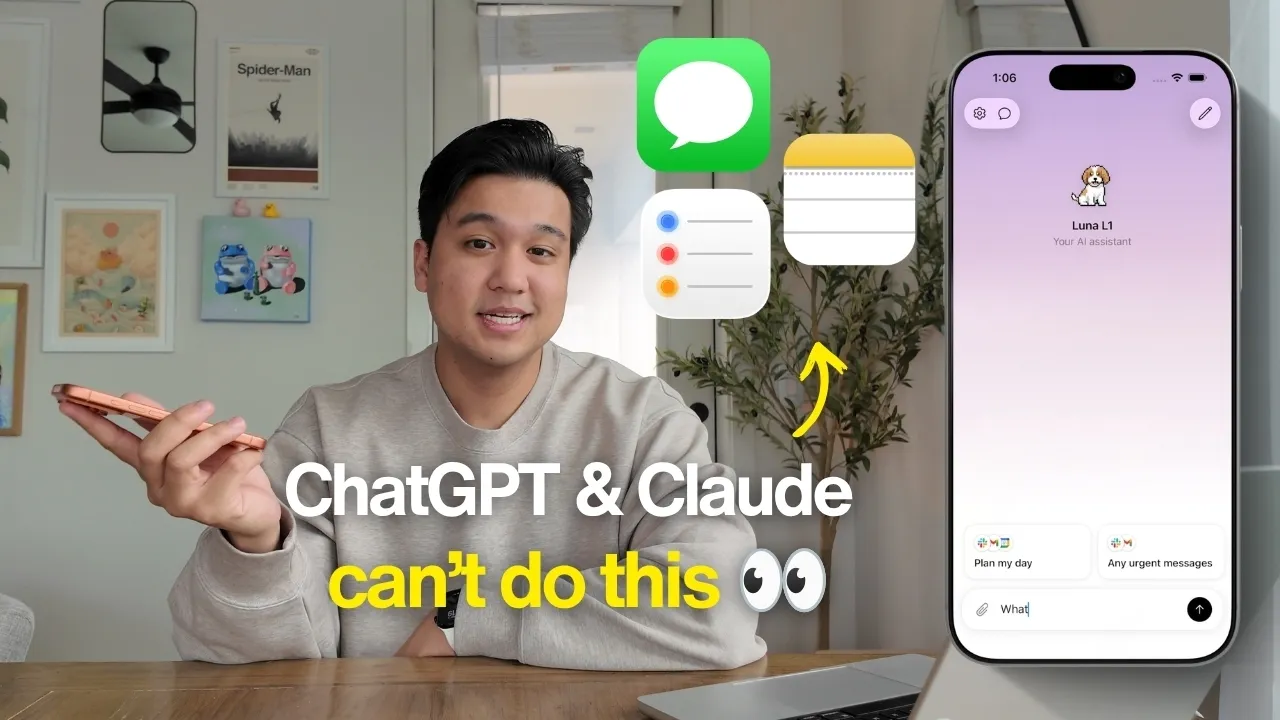
A couple months ago, I built an AI agent, open-sourced it, and it kind of blew up. Thousands of you forked it, remixed it, and built your own agents on top of it. If you haven't seen it, it's called Boop, and it's an iMessage-based agent that looks really simple on the surface, but behind the scenes, it has a very complex memory system, and it's connected to all of my tools. Since releasing it 2 months ago, I shipped a ton of improvements. I built dedicated iMessage, Apple Notes, and Apple Reminders integrations, which is something a lot of agents don't have for a good reason, which we'll get into. And I gave it a powerful browser so it can use sites like Instagram and LinkedIn, which
128 words, the words spoken in the first 30 seconds at 255 words per minute.
Free, no signup. See how the first 30 seconds hold attention, with rewrites.
Sentence shape
| Measure | This transcript |
|---|---|
| Sentences | 130 |
| Average words per sentence | 20.3 |
| Longest sentence | 49 words |
| Questions asked | 8 |
| Sentences containing a number | 2 |
Most used terms
Filler phrases
40 in total: like 22 · basically 8 · actually 5 · kind of 4 · literally 1.
A literal whole-word count of the same phrase list the Prepublish browser extension uses, so a phrase inside another word is not counted and a phrase used in its ordinary sense still is. It is a count and not a judgement.
What this transcript is
Every word below is the caption track YouTube publishes for this video, pulled from the video itself and reproduced unchanged. It is not Prepublish's writing, not a summary, and not a re-transcription: it is the video's own published captions. English captions, generated automatically by YouTube, in the video’s original language. Source: the video on YouTube. A channel that would rather this page did not exist can ask for its removal through the contact page, and it is removed.
A couple months ago, I built an AI agent, open-sourced it, and it kind of blew up. Thousands of you forked it, remixed it, and built your own agents on top of it. If you haven't seen it, it's called Boop, and it's an iMessage-based agent that looks really simple on the surface, but behind the scenes, it has a very complex memory system, and it's connected to all of my tools. Since releasing it 2 months ago, I shipped a ton of improvements.
I built dedicated iMessage, Apple Notes, and Apple Reminders integrations, which is something a lot of agents don't have for a good reason, which we'll get into. And I gave it a powerful browser so it can use sites like Instagram and LinkedIn, which are sites that commonly block AI agents. I learned a ton about what it takes to build a useful AI agent. So, today I want to walk you through the most interesting things I added, and more importantly, everything I learned building so you can take it and apply it to your own agents or AI apps.
Let's hop right in. Right now, Boop is connected to hundreds of tools thanks to the Composable integration. It's a service I added that already has thousands of these connectors, so your agent is already plugged into them. Now, it's covered most of the use cases, but one of the requests I got was to support integrations that Composable does not have in its library. And the three biggest ones people kept asking for were iMessage, Apple Notes, and Apple Reminders.
Now, the reason this is so challenging and why Composable and even ChatGPT and Claude don't have access to these things is there is no API for these services. Apple does not want apps integrating into them. But, I knew it was possible because I'd seen other agents do it, so I was curious, okay, how hard can this be? And honestly, it was a lot easier than I expected, mainly because I'm using Claude code, so it did all the hard research for me.
Now, I got it running so you can text Boop something like, "What was that water bottle brand my mom ask me about?" And it'll search through iMessage even years back if it needs to and find exactly what you need. Now, the part I found genuinely fascinating is how an iMessage integration like this works, and if there is a service that has an iMessage integration, I'm pretty sure this is how they're doing it. It turns out that your entire iMessage history is literally just a SQL database living on your computer that you can just query and read.
So, now when I ask a question like, "What water bottle brand did my mom text me?" Boop is going to construct a couple of SQL queries just like this to try to find that thread. And it's kind of the same story as with Apple Notes and Reminders, it's just a database that's living locally on the device. Now, there's one catch you need to be aware of. Your app needs full disk permission to be able to access this data. So, in my case, it means whatever terminal is running the agent needs that full disk permission.
So, you have to go into your Mac setting and grant this, which is kind of annoying. And that's partly the reason why I decided to ship a full desktop app as well, but we'll talk about that later in the video. The next thing I shipped, and this was a big request, too, was a better web browser. Technically, Boop already had a web browser. Since it's built on the Claude agent SDK, Boop has access to the same browser tools like the web search and the web fetch that Claude code does.
So, it can already go to websites and fetch the page. And it did work fine in a lot of cases, but there were two issues that kept coming up. The first is a lot of sites just straight-up block it. If I asked it to go to my Instagram and pull the three latest posts so I can take a look at the analytics, it couldn't do it because Instagram blocks Claude's browser, even though my page is fully public. And second, it couldn't access anything behind a login screen.
So, if I asked it to grab the last message I got on LinkedIn, there was no shot it could do that. The agent SDK built in web tools just don't support login. I figured this would be pretty easy because there are libraries I'd heard of like Playwright and Puppeteer, which are libraries you can give to an agent, and then it can programmatically access a web browser on the device. I figured I could just wire it in and it would work, but it turns out a lot of sites actually block those libraries, too.
I went down a huge rabbit hole to try to get this working, including modifying Puppeteer and Playwright directly to try to circumvent some of these blocks. And then I found a library called Patchwright. It's basically a modified version of Playwright that is really good around getting the bot detection. A quick disclaimer, though, please don't do anything illegal or shady with this information. I'm sharing it because there are a lot of legitimate reasons to use something like this, including my case, to be able to pull information from my own private or public profiles.
When used right, this is a really good way to give your agent a proper web browser. And because it's a real web browser, there's a nice side effect that when you log into a site, you get to stay logged in, as well. Which raised a fun UX question, how do you handle it when the agent gets hit with a login and needs the user to intervene and login? Option one is to have the user send their credentials to the agent, like just texting it, but that's clearly not a good idea.
So, the pattern I landed on is when Boop needs you to login, it's going to summon the browser on your computer and then tell the user, "Hey, I've opened the browser. Can you login and tell me when you're done?" And then after you've logged in and texted it, it's going to keep going with the task. This is also known as a pattern called human in the loop, by the way. After giving the agent a proper browser and also handling all of the Apple integration stuff, I feel like it taught me a big lesson, which is an agent is only as good as the tools and data that you give it.
So, if you're building an AI agent or honestly any AI product, my piece of advice is to put all of your energy there. Make sure that it has really good tools and really good access to data. When people are choosing which agent to go with, this is probably going to be the biggest thing they're looking at. And speaking of tools and data, the browser sessions, the memory, all of that has to live somewhere. Boop stores all of this in a database and the one I went with is Convex.
And a huge thank you to them for sponsoring this video. I've used a ton of database providers over the years and I kept hearing from you guys in the comments that I need to check out Convex. I finally gave it a shot on this project and I'm really glad I listened. The biggest thing for me is it's real-time out of the box. With agents constantly running and memories getting updated, being able to see this sync in real-time is really important.
And I didn't have to wire any of that up myself. The other thing I love is that your entire backend is basically just code, which matters a ton if you're working with an AI agent like Claude Code or Codex, and especially for an open-source project like this where I know people are going to be modifying it. Because it means an agent can now see and easily understand your entire backend. And it's got a bunch of other things like built-in cron jobs, which is what powers a bunch of Boop's automations, like checking my email on a schedule.
All of this without spinning up a separate backend. Also, one tip, if you're going to fork Boop and hack on it yourself, install the Convex plugin in Codex or Claude Code. It basically teaches your coding agent how Convex works without needing to pull in any skill files. So, it writes really optimized Convex code. I highly recommend checking out Convex if you need a database. They've got a really generous free tier and I'll leave a link below if you want to check it out.
Now, back to the changes I made. Here is the biggest one that I made by far. When I first built Boop, the whole thing was built around the Agent SDK, which is basically the same harness that powers Claude code. And that's great because the Agent SDK handles a lot of what makes a good agent under the hood. Anthropic did all the research and optimizations and we can basically just build on top of it. But, there was another reason I built on it and it's because at the time you were allowed to use your Claude code subscription with anything built with the Agent SDK.
So, instead of paying full API pricing for every request, it would just draw from your Claude code subscription. Basically, if you're paying for Claude code, you could almost run this completely free. Now, it's a little unclear if that's going to continue to be allowed because Anthropic said you can't do that and then they recently just walked back on that and said, "Okay, you could do it right now, but we might walk it back in the future." It's all really confusing and because of the confusion, the number one request I've gotten is, "Can you support using your Codex subscription in addition to the Claude code subscription?" Which means porting the agent to support Open AI's SDK.
A lot of people opened a pull request. Shout out to you guys. I took all of the best things from the pull request and ended up doing a full rewrite myself because it is pretty complex. And to do it, I had to basically take all of Boop's tools and make it agent agnostic. So, now in the settings you can choose whether you want to use Claude as the harness or Codex as the harness. And depending on what you pick, it'll route to the right adapter.
The code's fully open source, so if you want to check out how that works, you can just go check out the repo or ask Claude code or Codex to explain it. But, the nice thing about architecting it this way is if there are other harnesses I want to support, I could add them pretty easily. The big takeaway here for me, which I hope you guys get, is that it is actually incredibly easy to build a good agent. With both the Anthropic and the Open AI SDK, getting a good agent up and running is just a few lines of code.
But, if you want something more agnostic, there are SDKs and frameworks like Pi or the Vercel Agent SDK that you can build on top of and then just use any model from any provider. While we're talking about switching providers, something semi-related that was kind of interesting, something I kept hearing over and over again was people hated having to go into the settings to change something when they just wanted to be able to text agent to go change it for them.
So, I added that so you can text Boop and say, "Can you use Codex?" or "Can you use Anthropic as the harness?" and it'll just go do that among other settings like changing your time zone. It's a small thing, but it's an interesting UX pattern that I genuinely didn't think of until people brought up. It's to meet people where they are and try to reduce friction as much as possible and don't remove them from their workflow.
There were a lot of other minor changes that improve the quality of life of this agent like for example, being able to support images. So, now you can just send images to Boop which I didn't realize made such a big difference until I started using it. But, the last big thing I shipped was a proper desktop app. Boop does have a web dashboard so you can see all the agents running, your memories, your tools, everything without having to do all that stuff in iMessage.
But, I decided to ship a full desktop app which is basically just an electron wrapper around the web dashboard for two reasons. Remember for all the Apple integrations like iMessage, you needed to grant full disk access to be able to pull that off. I really didn't like how you had to grant that full permission to whatever terminal you're using. It just didn't feel right. By shipping a full desktop app, I can avoid that because now when you go to settings, you can just grant permission to the Boop desktop app to pull off all of these Apple integrations.
It's slightly more intuitive UX, but I also feel like it's just a little bit safer to do it that way. And the second reason which actually ended up being more impactful than I thought was that right now to run Boop, you have to go into the terminal and continually restart it. So, that means if I restart my computer or the terminal crashes, I have to go in and then constantly restart Boop. Now, I can have that automatically happen in the background every time you launch the app which actually made a really big difference.
Now, when you open the app, there's a drop-down menu and you can see all of the processes that run. So, again, all of this stuff had to be done in the terminal. Now, it just happens automatically in the background. I actually tried to port the whole onboarding and setup process into the desktop app as well, but it was a little bit more challenging so I had to hold off on that, but I will pull that off for sure. These were all the major things I shipped to the AI agent in the last 2 months.
Hopefully, there were some interesting things that you can take for your own AI apps and agents. But, the most exciting thing about this project for me is seeing what you guys have done now that I've open-sourced the codebase. So many people have modified it to make their own, which is really cool to see. And a lot of people have said that they've studied the architecture since the code's all open, and they've built some really interesting things from the concepts they've learned there.
It's been incredible for me to see, and a huge thank you to you guys for pushing me to open source this. If you like this content, check out my Instagram and TikTok. I post almost every other day about building productivity apps. And obviously, if you like this content, don't forget to subscribe. But, thank you guys so much for watching, and I will see you guys in the next video.
The words are the caption track's own and nothing is reworded or re-transcribed. Paragraph breaks are placed between sentences so the text reads as prose.
Free tools for your own script. No signup, no login.
Paste your draft and see where viewers are likely to drop off, with a rewrite for each weak line.
Paste the first 30 seconds of your own draft for a hook score and rewrites.
Check your draft against YouTube's advertiser-friendly guidelines before you record it.
Read this channel's public videos and transcripts, and download a writing brief for it.