Getting the transcript
Reading the captions from YouTube. A video nobody has opened here before takes 10 to 30 seconds; this page fills in on its own.
Getting the transcript
Reading the captions from YouTube. A video nobody has opened here before takes 10 to 30 seconds; this page fills in on its own.
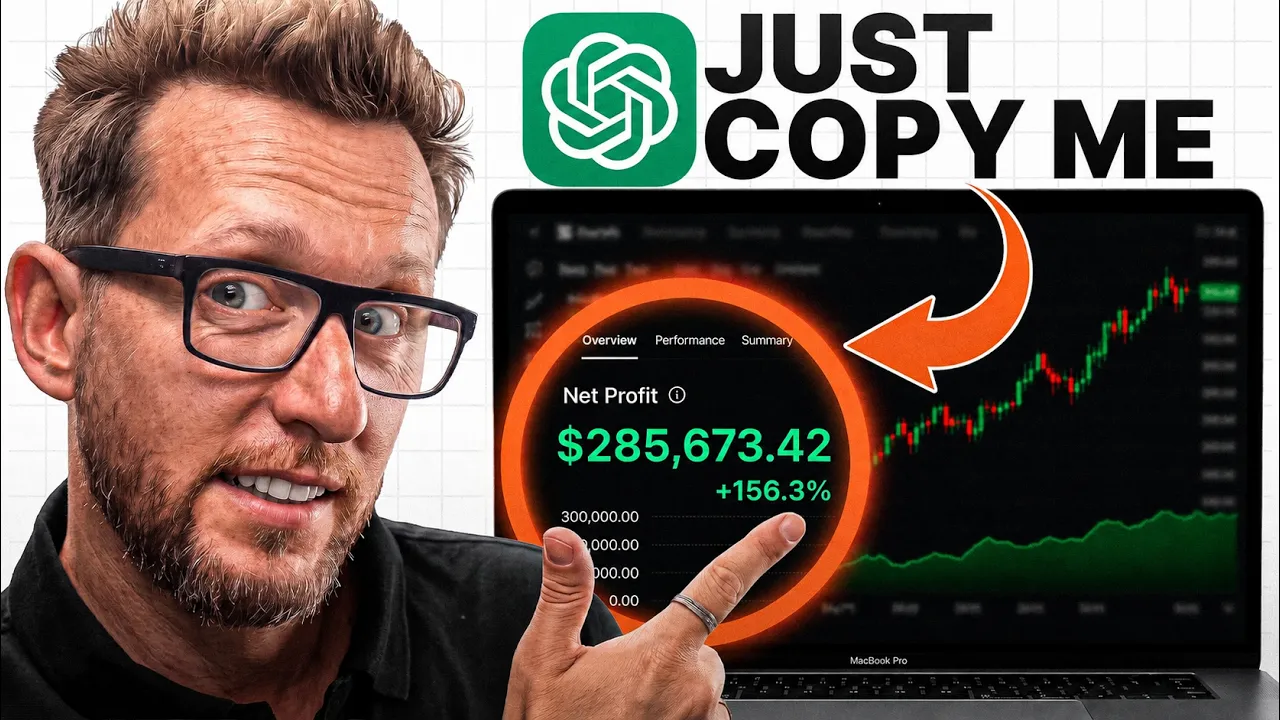
Trading with DaviddTech · @DaviddTech
Where viewers went back to watch this video again, from YouTube's public Most replayed graph, lined up with what was said at that moment.
Most replayed moment #1
5:345.0x the video's typical replay level
Codeex allows us to dive a little bit deeper into the code and let Chat GPD code for us. Work allows us to get things done a little bit easier. So once we have that downloaded, we are now going to connect the tools. The first tool that we're going to need is Trading Kit. We're going to go over to our
Said at 5:27
Most replayed moment #2
6:184.2x the video's typical replay level
installed, you've installed all of the tools that you need to be able to back test strategies directly inside of Chat JPT. This is absolutely huge as this used to cost me thousands of dollars every week. Okay, once Trader Dev is installed and you are authenticated,
Said at 6:12
Most replayed moment #3
4:163.5x the video's typical replay level
I'm going to be using tradingkit.com. This allows for us to back test. So, we're giving chat GPT the tools it needs so that it can go away and back test our strategies easily. This is a communitydriven project. The community has actually back tested over 152,000
Said at 4:09
The graph counts replays. It does not show where viewers stopped watching.
Words
3,583
Runtime
18:31
Speaking pace
194wpm
Reading time
15min
194 words per minute, between the 181 median and the 201 75th percentile of 349 measured videos. That distribution comes from the 349-video hook study.
Opening (first 30 seconds)
I asked chat GBT 5.6 soul to find the best trading bots. The results generally shock me and there was a bit of a small problem. Now, I've been back testing strategies here on YouTube for over 5 years. I've been rated several times the top trader on multiple exchanges, but this new model is definitely going to be changing something for me. If you're somebody that stares at charts all day, checking your phone at mid dinner, waking up at 3:00 a.m. because you've got a position open, well, this could be changing things for you,
97 words, the words spoken in the first 30 seconds at 194 words per minute.
Free, no signup. See how the first 30 seconds hold attention, with rewrites.
Sentence shape
| Measure | This transcript |
|---|---|
| Sentences | 267 |
| Average words per sentence | 13.4 |
| Longest sentence | 48 words |
| Questions asked | 8 |
| Sentences containing a number | 35 |
Most used terms
Filler phrases
41 in total: actually 22 · like 9 · kind of 5 · literally 3 · right? 1 · you know 1.
A literal whole-word count of the same phrase list the Prepublish browser extension uses, so a phrase inside another word is not counted and a phrase used in its ordinary sense still is. It is a count and not a judgement.
Free, no account. See where attention is likely to drop, with a rewrite for each weak line. The free check shows the scores and the one issue costing the most. Or run it on the words above first.
Free · No login · See a sample audit first if you prefer.
What this transcript is
Every word below is the caption track YouTube publishes for this video, pulled from the video itself and reproduced unchanged. It is not Prepublish's writing, not a summary, and not a re-transcription: it is the video's own published captions. English captions, generated automatically by YouTube, in the video’s original language. Source: the video on YouTube. A channel that would rather this page did not exist can ask for its removal through the contact page, and it is removed.
I asked chat GBT 5.6 soul to find the best trading bots. The results generally shock me and there was a bit of a small problem. Now, I've been back testing strategies here on YouTube for over 5 years. I've been rated several times the top trader on multiple exchanges, but this new model is definitely going to be changing something for me. If you're somebody that stares at charts all day, checking your phone at mid dinner, waking up at 3:00 a.m. because you've got a position open, well, this could be changing things for you, too.
Everything I used today, the prompt, the back test, everything is free. You'll be able to find the link down below in the pinned comment. Quick one, guys, before we jump in, I'd love to know how many hours a day you actually spend in front of charts. Be honest, drop a number down in the comments. No judgment, guys. I used to spend like 12 hours in front of charts myself, so I totally get it. Okay, guys, let's get straight to it.
First of all, we're going to go through exactly what you're going to see in this video today. We're going to start with the setup. It's going to be very fast. I'm going to go through all of the platforms that are required to do what we're going to be doing. I'm going to go through the cost, a little bit of a teaser. Most things are free and you probably already have the subscriptions that you'll need. Second, I'm going to give you the chat GPT prompt that I used to find these strategies.
Next, at number three, we're going to be back testing using an MCP server, giving the tools to check GBT so that you can actually really back test that strategy. And in fourth place, we're going to be verifying the back test results on Trading View to make sure they are accurate. And then finally, in fifth place, we're going to be connecting our bots over to Telegram so they will alert you when there's a trade. And guys, if you are building along with me today and you're finding value in this video, would you do me a little favor and drop a like and why not subscribe?
Because I'm doing lots more videos like this one here. And I want to know what you want in the next one. Okay, let's get over to the requirements and what we need. A bit of a check-in before we build because I want you guys following along and not just watching. A quick disclaimer though. Although I have been back testing for over 5 years here on YouTube, I've decided to use the tools so you don't have to learn to code.
If you're non-technical, don't worry. You will be able to follow along no problem whatsoever. No code, easy, simple steps created by a real algo trader myself. And guys, at the end of this video, I will be sharing forward testing results and a snapshot of one of my live accounts which is being traded 100% with bots. Okay, let's get into this. We're going to need a couple of accounts on a couple of different websites.
Some are tools. Some of them are going to be the AIS themselves. So, the first thing you will need is an account on Chat GPT. You can use Chat JPT Clawed. It doesn't make any difference, but you will need an account. Now, for today, we can use the free version, but they are limited on the Codeex app, which is the app we're going to be using to test our bots before deploying them. So, you can use it. I suggest you get a Go plan at $8 per month if you can afford it.
It certainly is worth it. Next, we're going to go over to Trading View. Tradingview.com is our charting platform. It's where we're going to be storing all of the back tests and connecting our bots directly up to Telegram. Now, there is a free plan that will probably get you through the first couple of tests. But if you really want to automate all of these strategies, you will need the technical alerts. Now, technical alerts are from $12 per month.
But I'm just being transparent and clear with you, not hiding anything behind at pay walls because I know how important these things are. If you want to sleep at night and leave everything to trade for you and get 100% automated, you will eventually need to upgrade. And this will give you even more back testing power with even more candles so that you can really test your strategy as deep as possible before actually committing any money.
Right? Okay. So there are the two tools. We have our AI which is ChatGpt Trading View for the charting platform. We're going to need to give our chat GBT a tool so that it can actually back test and connect to the Trading View account. I'm going to be using tradingkit.com. This allows for us to back test. So, we're giving chat GPT the tools it needs so that it can go away and back test our strategies easily. This is a communitydriven project.
The community has actually back tested over 152,000 different strategies which you have access to on their database as well. So this is a very cool tool which you just literally ask GPT to install. Now this is free of charge. You can use the free package and it will give you everything you absolutely need to be able to get started and probably go through without ever having to pay. Now the next tool is called trigger.trade.
This is another free product. This tool allows Trading View to connect over to Telegram and send you those alerts. It's pretty simple as a tool. It's 100% free of charge and you can just sign up for an account just there. So then all of the accounts that you're going to be need to back test and create your own profitable trading bots. That's the whole bill. Now we can get on to the actual building part. Right. Okay. Hopefully now you've gone away over to chatgpt.com and downloaded the version of the desktop app.
It looks a little bit like this over here. We're going to be using chat GPT codeex, not co-work today. Codeex allows us to dive a little bit deeper into the code and let Chat GPD code for us. Work allows us to get things done a little bit easier. So once we have that downloaded, we are now going to connect the tools. The first tool that we're going to need is Trading Kit. We're going to go over to our accounts tab just here and we're going to copy this line of code over to chat GPT and we're literally going to say, "Hey there buddy, could you install this globally for me so you have access to this MCP server?" I would set this to a much lighter version because it can be done very easily and very quickly.
Then you hit enter. It's going to go away and install it for you. It will ask for an authorization code which you can find on the website just here. Once that's installed, you've installed all of the tools that you need to be able to back test strategies directly inside of Chat JPT. This is absolutely huge as this used to cost me thousands of dollars every week. Okay, once Trader Dev is installed and you are authenticated, you're ready to go.
Next, we're going to paste in that prompt. We're going to hit enter. Now, this isn't an any old prompt. It goes away and gives the risk management that I've built over the past couple of years. Not only that, it tells you how to build its own boilerplate. Now, my channel grew overnight almost thanks to the boiler plate that I built on Trading View, which allows me to easily back test strategies and have real risk management behind them.
Okay, so it's actually decided that it's going to go away and choose gold. It's decided not to do crypto, which I'm kind of surprised about. But I guess as a trader, gold has been extremely volatile recently with a huge pullback of around 30%, which is exactly the kind of market that bots absolutely love. So maybe that's the reason that it's decided to go and wait and choose gold. So in the prompt, I've told it it has a couple of hours to go away and back test.
So it will sit in the background. You don't have to worry about it crunching through too many tokens because most of the work is actually done on a server. The optimization is done on the trader de server. So chat GBT will just be checking in every now and then to make sure that the work is actually being done. Okay, while that's sifting through the results, I have a question for all the pros out there. Once you get a back test, what is the most important metric for you guys?
Is it win rate, profit factor, net profit? Tell me down in the comments down below which is most important to you. Personally, I look at two or three of them, including the sharp ratio, the profit factor, and the EV. Okay, it's been running for a little bit of time, and we're starting to see our first results. I'm going to leave this for 24 hours to run. See what we can actually pull out of it in 24 hours. Okay, it's been 24 hours.
I'm back. We're going to look directly at the back testing result. I'm going to ask it to give us our best trading strategy in a clean table. And boom, I saw the results already as I come into my office. 1,669% net profit, a max draw down of 28% which is a little bit high. A win rate of only 31%, but we did have 456 closed trades and a profit factor of 1.89. Now, it also created the pine script. You can just go and ask it for it to apply script.
But included in this wonderful prompt, I asked it also to create a dashboard for us as well. So you can go through all of the optimizations that it did. I even tried on Euro USDT. As you can see here, you can see all of the back tests and optimizations all in one place. You can filter and you can go down to the bottom and actually pick up the code. So this is the code that we're going to be taking over and we're going to be putting this into Trading View.
Don't worry, it's just literally copy and pasting over to Trading View. Just double click here, double click here, and it will copy to your clipboard. We're going to go back over to Trading View. This one was on the 1 hour time frame, and then we're going to go over to this sign just in the corner here. Click here, create new strategy, and we're just going to paste that strategy just in here. We'll press this play button here, and that will add the strategy to Trading View. so that we can actually back test it.
Drum roll, please. And boom. Here is the exact back test on Trading View. Everything is identical to Chat GPT. As you can see just here, we still have the 1,669%, a max draw down of 28% and still a profit factor of 1.895. That's absolutely amazing. I am really chuffed with what Chad GPT has managed to do in such a little time. Let's have a look very quickly at what is behind the strategy. As I said earlier, this is actually using my boiler plate for all of the risk rules like the stop- losses and all of that.
We'll be setting our stop loss to the ATR bands just here. And this is a long only strategy. We have a riskto-reward of 3.8 which is absolutely amazing. So if we have a look at one of these trades just here, this trade here would have looked something like this. We would have made around 5.3% profit and we would have actually put our stop loss at 1.4%. So pretty insane. Looks absolutely amazing. The back test results look great.
Let's very quickly have a look at the actual strategy. Now I know this strategy was built all around the Asia open and a couple of indicators. We're using the T3 for trend direction and the range filter. So you can find both of these indicators on trading view. Go T3 by David Tech just here and the range filter which is by Donovan Wall just here. So for this entry that we spoke about earlier, we need for the T3 which is this green band here to go green and price to be above it.
And the Donovan Wall range filter needs to be green and price needs to be above it. And as you can see, it's absolutely perfect as an entry. Okay, let's just take a couple of seconds to do some real talk here and we're going to talk about a little bit about the problem because I'm not selling you a course or some kind of shitty ebook. This back test, I agree, does look incredible. But a back test is a rear view mirror.
It is back testing on historical data. Before I ever trust any strategy with real money, I need three things. Enough trades to make sure that it isn't just luck. With this strategy, we had 456 trades, which would qualify as enough trades in my eyes. We then need to forward test these strategies. What does for test mean? It means that we're going to leave these strategies to run in the background for a couple of months, either on a paper trading account or you can just leave them on trading view.
This allows for that trading strategy to continue trading on data that it's never seen. So, to give you a little bit of a perspective, I actually trade around seven bots. Yes, seven bots after I back tested over 2,000 of them. And like I said, that was just the ones that I wanted to show you guys. There was many, many more that I just put in the bin and didn't even look again. That's what it takes before you can actually say that you get an edge.
Now, the further thing is is actually the live trading. Once you have enough confidence in the strategy and the forward testing results look great, you can actually automate these strategies. Like I said, I've automated around seven of them that are taking live trades every single day. But before I even put them onto my main account, I have multiple sub accounts all running with much smaller amounts. This allows you to test with a lot more precision whether slippage and things like that are actually going to affect this strategy.
So yes, it is a lot of hard work. So when I told you this one shot me, it's because I've actually been looking for an edge on gold and on forex for a long time and haven't really found much up until now. So now you know, and I just wanted to be clear and transparent with you guys. So here's the deal. I'm going to connect this bot over to my Telegram for the next 30 days. I will analyze every single one of the trades, the wins, the losses, all of it, and I will come back with another video and give you a follow-up.
Okay, talking of Telegram, I'm now going to show you how you can hook up your bot over to Telegram so that you get an instant alert on every single trade. We're going to be using Trigger Trade for this. It is a free tool. I'm already logged in. You can connect to multiple exchanges, but today we're just going to be connecting over to Telegram. So, this is done in multiple parts. We're going to go over to the strategy and we're going to be hooking up the alert system from Trading View.
To do so, we're going to click on the three dots just here and we're going to click on add alert for the gold 1 hour time frame. This is the strategy that Trading View gave me. Yours may have a different name. Okay, we're going to set up a couple of things here. We're going to go over to trigger trade. Then, we're going to select send a message to Telegram. Next, we're going to have to set up the Telegram bot. There are two links up the top here.
First one is the David Tech Telegram bot. We're going to click on that. We're going to open in Telegram and we're just going to click on start. Boom. Okay, that's done. Next thing we need to do is find our chat ID. To do that, we're going to be using another bot called user info bot. We're going to open that in Telegram 2. We're going to click on start and that's going to give us our chat ID. By clicking on it, it will copy it to our clipboard.
Then we go back over to trigger trade. We copy it in there and we're going to click on test connection and boom. Just here you can see I have confirmed my connection to Telegram. Meaning that we will now get the alert. I go over click the continue button. And here we're going to be setting up exactly what kind of alert we want. I'm going to leave everything to default. We're going to give it a name. Everything else I'm going to leave exactly the same.
We can set a stop-loss and take profit which will be sent directly via telegram as well. And then we're going to be generating this file. Now, this strategy is a long only strategy, so I'm only interested in these ones. If your strategy is long and short, you will need to do this multiple times. I'm just going to copy this one over. We're going to go back to trading view here. I'm going to click on message and then we're going to paste that message just here.
Give our Telegram alert message. Hit apply. And one final step that is setting the web hook URL. Now to do that we need to go back to trigger trade again and we need to click copy on this link just here. Paste that in to the web hook URL. Press apply. Press create and bub your uncle you're done. Now as soon as you get a trade you will receive a signal on your mobile device telling you all the information about your trade, your stop loss, your takeprofit and everything else.
Now guys, I did promise to show you that these things do work in forward testing and live trading at the end of this video. So I'm just going to go over to Strategy Factory where I can show you a couple of the strategies that we have. This one is on MNTT as a coin pair. And as you can see, the back testing results were in green and the forward testing was in pink. This means I've left this in forward testing from just under 444 closed trades and now it has 540 closed trades.
That is 100 live trades that have been taken in forward testing where this strategy actually didn't see this data. So, it does work. You can also see on the screen my $10,000 challenge where I went from $10,000 to $20,200 which I shared live on Discord as a small portfolio trading challenge. So, a question for you guys and I would generally love to know the answer. Would you trust your money with one of these bots? I personally love the fact that I've actually got my life back.
I can sleep in the evenings and go out with my kids and family without having to sit in front of charts. But I do realize that it's not for everybody. Drop down in the comment section down below. Would you trust your money with these kind of bots? So that was the build guys. The prompts are down in the description and also in the pinned comment. You can ask Chatt to build a strategy on gold, silver, on forex or even on crypto.
The choice is up to you. I'm going to be tracking this strategy for 30 days and I will be back with another video giving you a full update. Whether the results are good, bad or ugly, you will know in 30 days time how this actually worked out. And that's all from me. Have a great day. Goodbye. >> Come on, David. And once again, [music] he's gone to a new strategy. He'll be back in just 5 minutes. RSI and MACD. [music] If it [singing] doesn't run into any box, there will be a new strategy.
The words are the caption track's own and nothing is reworded or re-transcribed. Paragraph breaks are placed between sentences so the text reads as prose.
Free tools for your own script: paste a draft and see where it stands before you record it.
Paste your draft and see where viewers are likely to drop off, with a rewrite for each weak line.
Paste the first 30 seconds of your own draft for a hook score and rewrites.
Check your draft against YouTube's advertiser-friendly guidelines before you record it.
Read this channel's public videos and transcripts, and download a writing brief for it.