Getting the transcript
Reading the captions from YouTube. A video nobody has opened here before takes 10 to 30 seconds; this page fills in on its own.
Getting the transcript
Reading the captions from YouTube. A video nobody has opened here before takes 10 to 30 seconds; this page fills in on its own.
JakSec · @JakSec
Words
8,301
Runtime
42:45
Speaking pace
194wpm
Reading time
35min
194 words per minute, between the 181 median and the 201 75th percentile of 349 measured videos. That distribution comes from the 349-video hook study.
Opening (first 30 seconds)
agentic, maybe the company buzzword of 2026. But, what does this word actually mean? And how can we use these AI agentic tools [music] to our advantage in bug bounty? And we're going to find it out today as I'm going to walk you through some of the features I've discovered with Cloud Code, mainly some of the customization features around some of the things. Most of them are going to be pretty standard, but some of them I literally just discovered as I was preparing for the video. So, this is going to be very interesting
97 words, the words spoken in the first 30 seconds at 194 words per minute.
Free, no signup. See how the first 30 seconds hold attention, with rewrites.
Sentence shape
| Measure | This transcript |
|---|---|
| Sentences | 437 |
| Average words per sentence | 19.0 |
| Longest sentence | 125 words |
| Questions asked | 20 |
| Sentences containing a number | 8 |
Most used terms
Filler phrases
487 in total: like 213 · kind of 82 · basically 61 · you know 55 · actually 36 · uh 19 · um 10 · right? 7 · literally 3 · I mean 1.
A literal whole-word count of the same phrase list the Prepublish browser extension uses, so a phrase inside another word is not counted and a phrase used in its ordinary sense still is. It is a count and not a judgement.
Free, no account. See where attention is likely to drop, with a rewrite for each weak line. The free check shows the scores and the one issue costing the most. Or run it on the words above first.
Free · No login · See a sample audit first if you prefer.
What this transcript is
Every word below is the caption track YouTube publishes for this video, pulled from the video itself and reproduced unchanged. It is not Prepublish's writing, not a summary, and not a re-transcription: it is the video's own published captions. English captions, generated automatically by YouTube, in the video’s original language. Source: the video on YouTube. A channel that would rather this page did not exist can ask for its removal through the contact page, and it is removed.
No Script X-ray for this video: YouTube shows a Most replayed graph only once a video has enough views.
agentic, maybe the company buzzword of 2026. But, what does this word actually mean? And how can we use these AI agentic tools [music] to our advantage in bug bounty? And we're going to find it out today as I'm going to walk you through some of the features I've discovered with Cloud Code, mainly some of the customization features around some of the things. Most of them are going to be pretty standard, but some of them I literally just discovered as I was preparing for the video.
So, this is going to be very interesting and we're going to jump right in. Although, I'm down here in the bottom right corner today just because I'm going to forget the camera again and walk off the screen. But, this is just a Linux terminal that I'm in. It's just the standard Ubuntu terminal. And I assume that you have a double-digit IQ and you know how to install Cloud Code or you have Cloud Code and you can just ask it how to install it.
So, I'm not going to go through that. I imagine that you just you don't know how to install Cloud. You know how to log into an account and stuff like that. So, what what you're going to do first of all is I'm just I just created a random folder, which is my going to be my Cloud demo for today. And then obviously once you install the tool, you can run Cloud and then you can actually get into the Cloud Code menu. And normally when I run it, you want to run it with this permission, this flag specifically called dangerously skip permissions.
And the reason is that you don't want to, you know, press yes every single time Cloud wants to do something. Now, with a little bit of a caveat that you might want to run this in a Docker container if you're doing it. And there are There's a project actually I'm going to link in the description which allows you to run a Cloud in a Docker container and already have a lot of the cybersecurity tools installed. I think it's called Cloud Box, but anyway, I'm going to link it.
I made my own version of it for some reason, but yeah, I I just have that set up. But, for now, I'm just going to run it in my normal terminal just not to complicate things. And once you run it, you should have Cloud working and stuff like that. But, now you're kind of working with the default Cloud. So, this is default Claude. We haven't done any configurations with him, and we basically haven't like set up any skills or whatever.
So, we're working with the default here, which is kind of not what we want, right? We want a customized Claude so that, you know, it knows things about us, and we can, you know, recycle that every single time, and build up knowledge, and then scale up our hack ball, and then start finding vulnerabilities that a default Claude will not be able to find. So, we need to find out how to do that. And the first kind of main thing that you want to do is you want to set up this claude.md So, the claude.md file, you can just think of it as a system prompt, basically.
I don't know why it's not even called like a system prompt or whatever, but basically, in the folder that you start Claude in, or I think you can also put it in like the actual Claude folder, if you want to have it running on like every single session, but we're just going to do it for now on this little project. We're going to nano a file called claude.md. And we can just code it here, right? So, .md is a markdown file, and most of these Claude kind of configuration files are in markdown.
So, they're going to, you know, be parsed as markdown. And for this one, there's no kind of special like layout like in the skills file, that's going to be a little different, and I'll show you that later. But, for this one, you can just type whatever text you want to. Now, what are we going to put in this claude.md file? Well, I've highlighted a few things that you want to put in. And the first thing is you would just want to tell Claude about yourself.
And I kind of brought this in from ChatGPT. I used to use ChatGPT earlier, and there was a way to personalize ChatGPT with some other things that you wanted to tell it. So, what are we going to do with this claude.md file? What are we actually going to put in here? And I've highlighted a few things you want to put in here. And the first thing is usually something about yourself. So, I took this from ChatGPT back in the day when these AI models were like, you know, Cloud Code wasn't a thing and there was like GPT-3 was like the best thing that we had.
And what you could do was you could put like a little bit of a line of text, like some system prompt about yourself that basically told it a little bit. I remember being in like this boot camp or whatever. It was like this like event for like tech people. And this guy was like on the stage and he was like talking about like these like huge like AI things that you could now personalize ChatGPT that you could you can put in like things about yourself.
That was like crazy. And like >> [snorts and laughter] >> like every time you message ChatGPT, it would like have some context about you. And that kind of blew my mind. I was like, "Oh wait, so we can we can actually tell this AI model about ourselves." And now that's a feature like every single AI coding agent. Now the coding agents can like do research about you and stuff. So, it's definitely interesting how far we've come.
But yeah, basically what I used to do was I used to just put something like this, like about the user or something, about yeah, whatever. About the user or whatever. And in markdown, this is how you kind of put headings in. So, you would put slashes and the more slashes, the actual lower the heading is. It's a bit counterintuitive. So, this is like the biggest heading you can put and this is like um just the one below.
So, it's kind of like a H2 tag in HTML. Kind of how you can think about it. And I usually put some kind of bullet points just to tell basically Cloud what what I'm doing. So, I would say that, you know, I work uh as a bug bounty hunter. And I would put in another line which tells my favorite vulnerabilities. I would put in something about what applications I like looking at, what kind of features I like testing, and stuff like this just so Cloud knows what I actually like doing and it's kind of going to be incentivized to do it.
Now, just a caveat before I start this, uh you can actually write a lot of this with Cloud. Like you can actually ask it to write this stuff. I don't like writing this Claude MD file with Claude because I feel like it makes it too long and it kind of doesn't include what I want it to do. So, I usually wrote this one by hand, but the skills file we will write using Claude and, you know, that's just to preface this that um you can write this stuff with Claude.
Maybe you prefer that, maybe you can try that as well, but I prefer to write it by hand. So, we're going to text Claude here. I'm going to say like my favorite vulnerability types are, say like, race conditions and like SSRF and I don't know, AWS vulnerabilities, sure. We'll put those three down as my favorite vulnerabilities and we'll, you know, continue talking about ourselves. And this is the section that you want to fill out with who you are, you know, what you're looking for and, you know, what what Claude should know about you.
Specifically, just guiding it to towards things that you want it to be interested in. So, the second part that I uh is absolutely compulsory on Claude is uh some section that talks about impact because Claude, as far as I know, is kind of made to be more like a pen testing bot versus we're doing bug bounty. So, what we needed to do is to highlight to Claude that it needs to judge certain vulnerabilities a certain way.
One of the things I always like to put in is that cross-site scripting is usually capped as high. So, any kind of anything that requires user input is on most programs going to be considered high and not critical. So, like clicking a link, that's what I would tell it. Blind SSRF as well is definitely nowhere near high or even medium. It's probably low on most programs unless you can show some impact where, you know, on if it's just like reading a port, then it's obviously just going to be, you know, low.
And also tracking injection, tracking spoofing or whatever, flag these as informational immediately just so it doesn't actually record this as data. So, I'm just going to type some of that in now. I'm going to say, "A if a vulnerability requires user input, so let's say XSS or CSRF, impact is capped at high." So, for example, something like this, right? And then you can say like, "Blind SSRF with no other impact except uh like port enumeration or like service enumeration, actually like service enumeration, actually.
Except service enumeration is capped is capped at low." So, we can talk about these kind of vulnerabilities, and you can add other things. If you see it consistently flagging something that is not really a vulnerability, then you can put it here, and you can just tell it to stop. And you can put it inside your Cloud and you file. But this honestly is is going to help a little bit, but not that much, and you're still going to get these weird vulnerabilities flagged.
But we can at least put this here and basically tell Cloud to at least try to avoid these kind of um critical files that are actually not not critical. And actually, I should have said before this, I think you should also put some kind of like behavior general like introduction section. So, this is going to make a section where you tell Cloud that you're doing authorized security research, which so that in in the future it's not going to ask you whether or not it's actually authorized or whatever.
So, like you can say, you know, you are a bug bounty hunter doing authorized security research on on a target. And that's just going to hopefully prevent triggering certain safeguards, which are going to, you know, maybe limit your Cloud, especially if you're using Opus 4.7 and if you're not in the cybersecurity program for cloud or whatever. So, if you type that in, another thing I see it often fail on trying to make POCs that exfiltrate data.
So, this often triggers safeguards for cloud. So, I would probably put it in here at some point in this behavior section that, you know, you should like never build POCs that exfiltrate data or like leak API keys or whatever. And I would just say like leave that to the user maybe and just have the user try and do that or whatever. And maybe build these some of these like you you can kind of get around these safeguards, but what you don't want is you're leaving cloud to work and then coming back and it's been blocked because it tried to build an exploit that basically got flagged, especially since it really likes leaving verbose comments inside the scripts that like you just read it and it's like it just sounds like a red flag.
So, I usually prefer to either instruct cloud carefully to build these scripts without, you know, flagging any of these safeguards or just build them myself. So, that's kind of what I like to do with this. Now, the next thing I would instruct cloud to do is to try and get some way for cloud to report what it's found in a consistent way. So, for example, we should set up the cyber foreign section and we want to kind of create like a consistent file structure in whatever project we're in.
And this is actually what I do. So, what I tell cloud to do is for every new target to create a directory for that target and inside I have two specific files that I ask it to use for basically reporting either vulnerabilities or some kind of gadgets that I can use later. So, the way we would do that is we would say like for every new target create a directory inside the project like and then you'd say something like target name like this for example you'd have it that actually just cuz it's markdown it might not like that just make it like this instead.
And then I would give it some examples because it's probably not going to understand what that means. So I would say like for example if I ask you to hack on Google create a directory like Google. There you go. That's all you need and then it's going to create a new directory for everything and it's just going to keep everything nice and stored correctly. And then inside of those directories what I would tell Claude to do is just to basically create two standard files and just log all the kind of uh main reports to those two files just so everything is going to be nice and organized and now you can find everything and most importantly Claude knows where to find everything whenever you you know continue something later you can just say oh read these two files and you're going to be caught up to speed on everything that we found on this target for example.
So you could say like uh this is the folder structure for this directory. And you can say like you know Google like this and then you can say like this you can put like vulnerabilities uh dot md and then you can say like you know this is for high severity vulnerabilities. Again the high severity doesn't do anything on Claude it's going to still put like random here. But yeah you can put like that there and then you can put a second file like gadgets dot md like this, and you can be like this is for gadgets like um below medium severity, we'll say.
And then, that's basically it. So, it's going to know about those two files. Then every single time you start a session, uh you should probably put in here. It should be like this. So, every time I ask you to hack on a target, read these files to learn about what we have achieved. And this is just going to help Cloud catch up to speed every time you start a new session. So, I think those two things are kind of a must.
You can add more files in here, obviously, whatever you want, and you kind of just create a structure like that, which is going to be very nice. And now, the last section really is just going to be some kind of files that you are storing on your system. So, what I mean by this is that if you have like a scripts directory or some kind of like JavaScript directory with binaries or whatever, or some directory where you already have stuff stored, you kind of want Cloud to know about that directory, right?
That directory might not necessarily be on your folder, so you don't want to have these things scattered everywhere. So, for example, you'd say use these like standard directories directories on my system, and you could say something like scripts uh actually, make sure you put like the actual absolute path, because the relative path is going to apply to the project Cloud is in. And you'd say like and you'd say like for our POC scripts in here, you could say like JS this is is where you find JavaScript files.
And then, anything else you want Cloud to know about. And that's pretty much going to be your cloud.md file. So I I would not keep this too bulky. I'll kind of keep this general, but just give Cloud an idea of what computer it's working in, how you actually work, and what it should kind of focus on, and what it should basically automatically cut out. So remember these cloud MD files, every time you create a new session, it's going to get injected somewhere at the top.
And then I think every time it compacts as well, it's going to get reinjected into the new context. So you don't want this to be too huge, but you also do want to put a decent bit of things here just to save yourself time in the future. So just basically talk about yourself, talk about what Cloud should do, talk about what kind of vulnerabilities you're interested in, what impact you're interested in, and then talk about how Cloud should report what it finds, and how it should find the other things reported by the other Clouds that ran in the past.
And this is really going to improve your hackbot a lot, especially this reporting and file section, because instead of everything being, you know, sprayed around your whole computer and Cloud never finding it again once it writes in, then Cloud just knows where it's at. It's going to read all the markdown files. It's going like, "Okay, now I understand what's going on." And this actually makes stuff like compaction and and um clearing of context a lot more bearable until it's actually, you know, have Cloud move forward and continue doing its tasks.
So this is kind of nice. That's pretty much it for the cloud MD file. So now you can save it. You can uh clear that run up stuff. And then every single time you run Cloud from this point on inside of this directory, you will have um this cloud MD file. And we can test that by saying, um tell me something you know about me, for example. You can say, "Tell me something you know about me." And yeah, it it's going to basically um Yeah, how do you know my email? >> [laughter] >> Yeah, basically it it's going to be able to flow that file in and then basically understand what's going on.
So, that's mainly it for the Claude MD file. And now we're going to move on to some of the skills files. So, with the skills files, the skills files are kind of like the Claude MD file, but they're only injected into context when Claude actually calls them. So, whenever Claude actually needs them. And this is kind of the biggest challenge with skills is writing a good skill that gets called whenever Claude needs it and making sure that it actually does get called because some of these skills can get a little bit lost in Claude's context.
So, we need to build a good description that Claude is going to flag and that it it's going to be able to actually pick it up. And then we have to build a a skill where it actually, you know, gives Claude the correct information and that allows it to use the skill to achieve the task or whatever. Now, I don't like writing these myself because these are a bit annoying to write. I kind of prefer to Claude to write the first draft of it and then I usually go in and then kind of do it myself later.
So, basically what we're going to do is we're going to give Claude something to write a skill about. And in this case, I'm going to use one of the blogs from my previous video, which was on hacking these integrations. And I'm going to ask Claude to make a skill that it's going to be able to find these webhooks off any site on the internet. So, I'm going to tell it to do is to read this research in about bypassing payments with webhooks on Stripe.
Then I'm going to use this template and then I'm going to tell Claude to extend it to every single integration out there and build some kind of skill that will, you know, look through every site and basically harvest all the webhooks. So, this is what we're going to look for. And this is something quite practical in my opinion because you're probably going to need a skill like that. So, we're going to look here and I'm going to basically just give it a prompt.
I'm going to just say, "Write me a skill based off this research." All right. So, we're going to paste in the link and it's going to have no problem going to this link, by the way. Make sure you have um this bypass permissions on because otherwise you're going to be clicking yes a lot. So, make sure you have that on before you start this. And then, you know, just type it in. So, we're going to write a skill based off this research.
And then I want to tell Claude what the name of the skill will be and then when I want Claude to basically get triggered by the skill. So, call this skill call this skill like webhook discovery. So, we're going to say webhook discovery. And this this skill should be activated whenever I ask Claude Claude to to enumerate webhooks on a target. >> [snorts] >> And that's basically it. You you can change the activation. Sometimes you can just say like whenever Claude sees a third-party integration or something.
But for now, I'm just going to leave it like this so I can test it a bit later. And we're going to say, you know, whenever I ask it to to actually do it. So, we're just going to click yes and we're going to see what happens here. Claude is going to start generating. And and the only thing is it might need to load up the default configuration for the skill. So, it's going to, you know, fetch this website. It's going to list the skills folders.
And uh yeah, I'll get back to you whenever it finishes, pretty much. Okay. So, Claude is finished there and it's given us back this skills file. So, the skills files for globally are going to be stored in your home directory .Claude/skills and then the name of the skill and then the skill.markdown. So, that's where the skills are going to be stored. And to edit them, we just have to go to that directory, basically. So, we have to basically open this file.
And it's created it. You can see this this format I was talking about. So, this top bit Actually, maybe I'll just open it and I'll show you a little bit better. Just go here say and all this thing. There you go. So, this top bit here between these three kind of What are these? Like lines or whatever. They're going to get injected into Claude's context. You see here, the name is going to be like, you know, the name on the top and the description is what's going to be pushed into Claude's context.
And I imagine some kind of system prompt is there like, "Activate the skill whenever it matches this description or whatever." And it's made this. The description is really probably the most important part of the skill, to be honest, because if the skill doesn't trigger, then it's useless, right? Like if the skill doesn't work. If if Claude never invokes the skill, then what's the point of even having it, right? So, getting this right is important and, you know, making sure that it's long enough, so Claude kind of knows exactly when to call it.
It's not too ambiguous. But it's also general enough that Claude actually calls it, you know, on a situation that's not exactly the same as one that was previously, because we kind of want them to be more general as well, right? So, yeah, Claude is probably going to is is probably going to make the skill very long as well. And it might not entirely put a lot of stuff that we kind of care about. The signature bypass endpoints.
Okay, this is fine. Yeah, it's going to do a reporting template. Yeah, that's fine. I honestly you you probably you probably don't need this, to be honest. I like some some of the things that it puts in are just really unnecessary and I I'd rather Claude just put whatever it wants to down rather than have some reporting template, because I don't really care, to be honest. And we're going to have a look. So, impact guidance, signature verification confirmed intact.
Yeah, like you see, it's it's like I don't really want it to to to report this if the signature verification is there because if if it's there, I don't care. So, I'm just going to say, you know, impacts don't report or whatever. Don't report instead. Uh like this. And then I would have a look at some of the other things. Find the users when chaining. Yeah, okay, that's fine. And then merely echoes or new lines without authenticator effect.
Okay, yeah, that's probably fine. So, a decent bit of it is okay. You can see that the because we have the cloud MD5 already in, it's already actually doing a lot better than than it it would have been doing if I didn't have that. It already knows to put things inside this like scripts directory, you see? So, the cloud MD5 definitely play plays a lot of big role here. And it's going to look at some of the things from the actual report and it's going to write them down here.
I'll probably go over this more um if especially if I want to put the skill in my global folder, then I want to have a look, make sure the correct things are being done here. And I might put some of my own context based on my own experience here. So, I might create like a bit in the skills file like user context or whatever and I'd put in like a vulnerability I found with webhooks and then I'd put in like some specific details that only I would basically know about, which might give cloud a little bit of an edge when it's looking at this.
Search the target or scale whole repo. Uh it's probably not relevant either. Uh path brute force, that's probably actually relevant. And JS files potentially is relevant. Set up reporting. See, all of this the this is something that I wouldn't want in here. This is something that I would want inside my cloud MD5, but you know, cloud is going to add it here anyway, so I'll probably get rid of this as well. And then I would just kind of have this small contest where Claude just basically knows what it should do like this.
Verify impact. Safely. >> [laughter] >> Yeah, I don't I don't know why we like that, but it's just going to know data no leaking keys minimal POC. That's probably okay cuz it's not going to trigger safeguard or something like that doesn't. And then I'll probably get rid of this as well just so it doesn't get confused. So basically the workflow for this is we just you know, we get Claude to write the skill for us originally.
We go in and we edit it to whatever we want to because Claude is not going to get it right. It's kind of the same with everything if you make an AI app then you make the app with Claude. You go in and edit it. So this is just kind of the skills form. And then once we we're happy with what the skills file looks like, we're going to save the skills file. We're going to go back to Claude and then whenever we want to call it specifically.
So if you want to call the skills file, if you want to force Claude to load the skills file, you can put Wait, what did I call this? Uh was it discover? Yeah, web hook discovery. Yeah, there you go. So you put web hook discovery and it's basically uh going to load it automatically and go away. Go away. Yeah, stop that before I forget. Okay, we're going to test it out for you, but it's basically going to load it into context and it's going to allow Claude to use the skill straight away.
So let's just test it. I'm going to say like web hook discovery like so and then after the skill you can put for the context. So obviously Claude is going to need a trigger for this and whatever. So we're going to put web hook discovery and then we're going to put like you know www.jacobjen.bugbounty.de And it's it's just going to search my webpage for web hooks and we're going to see how well it does. This is good for a kind of automating certain tasks.
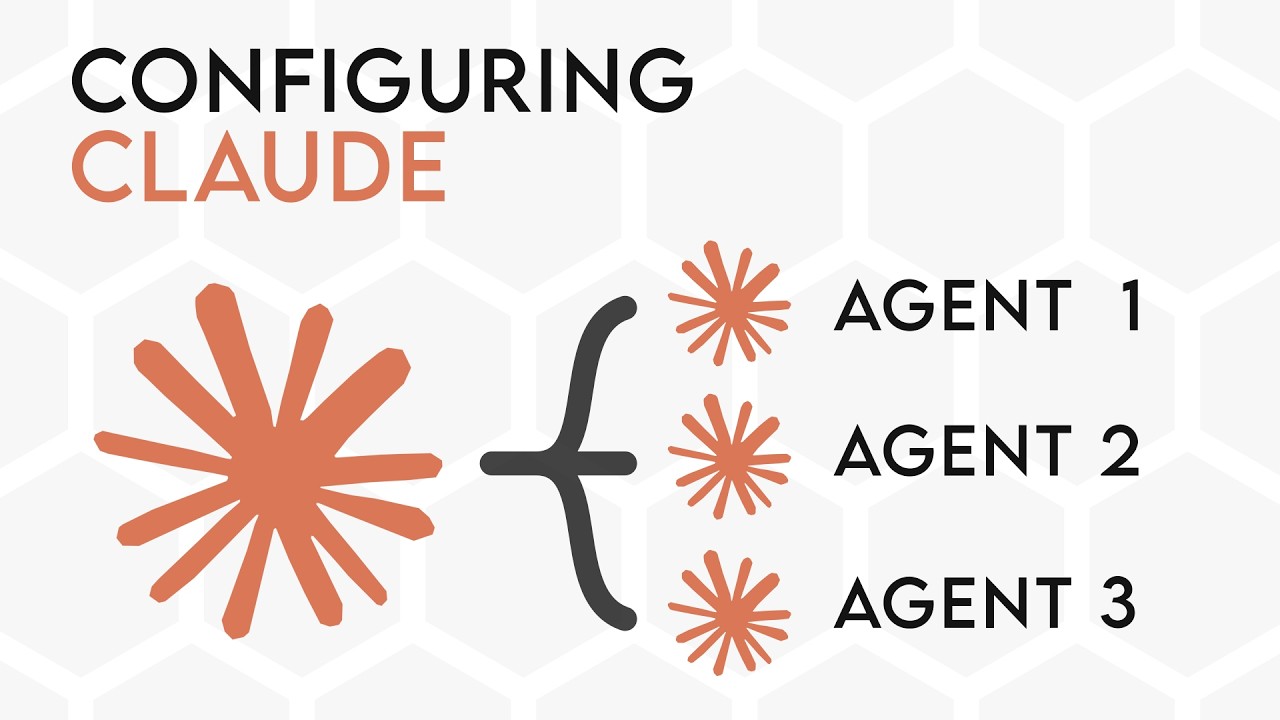
And there's kind of a version of this that I'm going to talk about in a minute less in-depth because I haven't really experimented with this, but it's agents. So, agents is kind of a way of doing this but instead of on being on the main cloud context, it actually spawns like another cloud and then that cloud has like a very specific task and it goes into that. There's kind of an overlap I think between the skills and and agents in terms of like things you want to do.
And I'm kind of not sure how to use it yet. I'm kind of still figuring out a little bit, but I'm going to show you the reference documentation Anthropic gives out and kind of some of their guidelines and kind of some of the way I would interpret it in terms of bug bounty. Which is what I would look like. So, we can see here Cloud is going through my educational labs here and catch all and it's probably not going to find anything or it's going to find some red herrings or whatever inside this billing container.
That is pretty cool though, I guess watching this AI work is interesting. >> [laughter] >> Whether fourth state changing request. >> [laughter] >> It's going to go in and try and solve the lab then I guess, yeah. But yeah, basically you can just see it working. It's going to work on the skill. And this is kind of nice. The skills are kind of nice because you know, Cloud can load it automatically. So, when you're kind of hacking on a target, Cloud can go in, load the skill kind of autonomously.
Like for example, if you it sees like a feature that you've hacked on before, you create a skill for that feature, Cloud sees the feature, loads the skill up and test everything that you've tried against that feature, which is going to make it a lot more effective than if it just tries to test it with its own knowledge. If it uses your previous context and vulnerabilities, that's going to make it a lot more powerful, obviously.
So, yeah, it's going to write and you can see the cloudmd file is working because it's writing to the directories that we want it to write off. So, the next time we're going to like basically activate Claude to hack on the same target, we can just say read off these two files, or we just put that inside the Claude MD files, so we don't even have to say it, and it's going to automatically know to do it, which I think is really good.
So, now I'm going to talk about the two other kind of features, which I myself haven't really experimented with, which are sub agents and agent teams, and I'm going to mostly refer to Anthropic documentation and I'm going to save this for another video. So, these are kind of the features that you can use on Claude code. So, this is the documentation for Anthropic, which will be in the description below, and it highlights basically everything that you can use to extend your Claude code.
So, obviously we talked about Claude MD file, so persistent context, skills, uh MCP, which I haven't talked about for a kind of a a good reason because it's not used that much anymore for this kind of hacking stuff. So, it is used for something, like it is nice for long-running sessions, but primarily with MCP, it's going to be better to run a CLI, so just like a command-line tool, and create a skill that tells Claude how to use that tool, than to use the MCP server, because the command-line tool is going to use much less tokens than the MCP server is, and it's going to be longer as well.
MCP is good for certain things. It's good for something like Playwright. I have found that the command-line CLI is not that great for Playwright because Claude will start a new session every time, whereas the MCP server is kind of continuous, but, you know, it has its place, but it has become a lot less kind of use in terms of hacking. And then the two things that I mentioned briefly before, which is sub agents and agent teams, which sound very exciting, but we have to really learn how to use these first, and I'm going to talk about them in a minute.
And then hooks. Hooks is just something that fires whenever something happens in Claude. And this is mainly for developers for like formatting code or whatever. I don't see a lot of use in this for bug bounty or whatever. And then there's plugins which basically just allow you to download these other things but from like a distributed source. Which are some cool ones but most of them are going to be made by you. Let's have a more in-depth look at these sub agents so you can just, you know, click in here or whatever.
And then with these sub agents basically what they allow you to do is to spawn in, to let Claude, the main session, spawn in like another Claude that it can delegate certain tasks to. And there's a few built-in ones. So the first one is like the explorer agent. Now if you've used Claude you've probably seen this thing before where like it spawns in and then it just reads a lot of files and it gives like a summary on the files.
That's basically running Haiku which is like Claude's like model basically. >> [laughter] >> And what it just does it just reads a ton of files and then it gives a summary on on what's going on. This is quick. It's just basically very nice for reading like through a whole lot of files like JavaScript files or whatever and then yeah they're basically just giving you a summary. There's planning agent which creates plans.
Pretty pretty self-explanatory. You can tell Claude to plan. It creates like a huge, you know, 20K token plan and then it goes does it and it's using this planning agent. And then there's just general purpose which is like anything. So this is I think just marked with agent on the top. It just is Claude given this agent prompt and the prompt goes does it, okay. That's basically it and then this Okay, I don't know what all these are.
These are just random ones not really relevant. But then you can obviously go make your own agents. So that's kind of the thing that I wanted to talk about a little bit which basically thing you can do is instead of having a skill, say for something very complicated like a specific workflow for example. Instead of having a skill you can make an agent which is basically equipped to do that specific task. And what's going to happen basically is let's say you have, you know, your main cloud session running and you want it to do like reverse engineer.
Say you want it to reverse engineer some binary. Instead of, you know, putting that information your cloud MD file, basically like destroying the context a little bit or teaching your main cloud how to do that, you can just create a sub agent with basically an an already existing like cloud MD file. You basically tell it about everything to do with just reverse engineering. And then whenever cloud needs to engineer something, it'll just pop that agent into an existence.
That agent will go in and it will basically start doing that task for you. And this is pretty good because instead of like using your main cloud context, you can just create a sub little agent and have it tailored specifically for those things. So you you might not want your main cloud to, you know, be aware of like this reverse engineering stuff, know all the tools, know what everything or whatever because it it's just going to fill up your context for no reason.
But this agent is good because once it's finished, it's just going to give the main cloud a summary of what it found and the main cloud isn't going to have like polluted context or whatever. So I think this is pretty good and it's kind of like a skill but a little bit more complicated. So you can put like multiple things inside a skill. The agent itself can load skills and the agent itself can spawn other agents, which is pretty cool, isn't it?
So it's a little bit of like a more complicated skill for me is what I see. There's a little bit of overlap with the skills and the agents, but the agents seem to be just useful for more complicated skills. So if your skill is growing a lot and you want to kind of segregate it, you can turn it into a sub agent. That's basically it. Just to show you how it works, I think I created a sample agent here. Let me just go over here.
Agents. Oh yeah, this thing. Yeah, bug bounty lab fetch. So I created this agent which is going to just fetch my book bounty labs and tell me what's on them. So what we can do is we can run it manually or we can get Claude to run it by itself, but we can press run and then we can go, you know, do your task or whatever. You probably put like a more like a like a more detailed description here. But once you run this agent, what's going to happen is a kind of sub agent is going to get spawned here.
It's going to get initialized and this is going to be outside the main Claude context. So this is running in like a separate Claude code basically, while the main one is just waiting for some kind of report come back to the very top. So it's going to do all the fetching or whatever and while it runs, you know, it's going to be here. But another cool thing about this is that you can actually configure this quite well as well.
Okay, basically you can limit what tools it can use. So if you don't want your Claude to do any writing, you just want it to do specifically research, then you can just limit it to using like read tools or grep or these kind of things. You can disallow tools and you can only limit it to spawn specific agents as well. It was another cool thing, which is you can add MCP service obviously, which is you can choose a specific model, which was somewhere here.
Now I can't find it anymore. Why was that? Where was model? Uh okay, here for example, you just put this model tag and you can put like Sonnet or Opus or Haiku or whatever. So this is pretty nice because instead of having like Opus doing everything, you can kind of delegate work to just these smaller models. The main benefit of this is that they're faster. That's that's the main thing is that these models, well yeah, they consume less tokens, but they're also just way faster.
So Haiku can run through like the whole JavaScript file in like, you know, a few minutes versus Opus will be doing it for like hours. Obviously, the downside is that they're kind of stupider, but you know, for something like reading and like giving a summary, these models are completely fine. And you can also enable a feature where when you have like a stupid model, you can actually have it This is This is kind of something that you just found about, but you can literally have it like ask a more qualified model what it should do next, which is kind of like an experimental feature that I'm still testing out with.
So, this is something that you can do. Let's check back on our agent here. As you can see, it basically just ran and So, this is So, this the main agent here was running, and then it gave a report to our main Claude file, and then it basically found all of this stuff. So, this is a way just to keep the context cleared. And you can see that's how that worked. Now, there's a kind of more advanced version of this. So, there's a more advanced version of these agents.
See if I can go back to here. Yeah, we can go back to here, which is agent teams. So, unlike Okay, there's a cool diagram here, actually. Let's just zoom in on that. Oh, it's too much, maybe. Okay, there you go. So, basically, you can see that when you have like these sub agents, it just spawns three agents. Each of them do some work, and then they give back a result. Whereas when you have these agent teams, you have this one like main agent which is actually leading it.
You have this task list, and like all the teammates are like communicating with each other. I haven't tried this out yet, but this is something that does exist, definitely, and I'm probably going to play around with it more, and we're going to talk about this in the next video as well. So, basically, this is for like when you have a like a list of tasks you want to do, but you don't want just your one Claude doing it because you want to save time or whatever, or you want to have like specific agents doing certain tasks that are specialized for it.
So, you have like JavaScript analysis, reverse engineering, finding webhooks. You you like three agents doing that, you have this like task list or whatever, you would probably create these agent teams. And then do this task, you would just give it a task list, you would say how many agents to spawn, and then this team lead would spawn an agent for every single one of these like tasks, and it would like delegate it specifically.
So, this is pretty cool. Where like in the sub agents, this is good for like if you want like one agent to basically just do like work simultaneously. This is good like if you want to have like your agents kind of collaborating on something and basically doing the work together. So, that's kind of the difference of this. And one thing also is that this consumes a hell a lot of tokens. This is just you have to remember that.
So, if basically your tokens are a problem, then maybe don't do this. But, what you can do is this is experimental, so you have to set this flag first, and then you can basically just give it like a prompt like this. So, create a team with four teammates to do some tasks together. And then Claude will automatically spawn like these kind of teammate structures, and then it will set up like the shared task list for you and do everything.
And I think if you use team works pains as well, it will like spawn different windows, so you can have a look at each of the agents, and you can be like some AI micro manager. Which I think is pretty funny. I haven't really worked with this a lot yet. It's something that I'm going to cover more in the next video. But, basically you can set up like teams and stuff, give them like a task list, and you can basically [music] have it work together.
So, yeah. Hope you enjoyed this first video covering some of the things about, you know, Claude configurations and covering first of all some of the basics, which is the basic Claude MD files and the skills, but hopefully also introducing you to some of the more interesting concepts like the agent teams and the agents that we can use ourselves, which kind of refers to that, you know, agent thinking that I mentioned in the first part of this video, which is kind of what all these companies are kind of talking about, which is how like a main process cloud can spawn agents now to delegate work to to other parts of it, and this can really speed up [music] your, you know, processing time.
It's really good for code development. Obviously, you can have like different agents working on different parts of the application the same time. You can have this main coding agent reviewing their work. You could even have it so the agents can't actually do anything until they create a plan that they submit to the main agent. And then the main agent will approve it. So, there's honestly just so many cool things about this, and this is, you know, really starting to get very in-depth at this point with so many features.
It's almost [music] like this this AI stuff is like a full-time job now, honestly. This is going to be like some like AWS management service. It's going to be like AI management service instead. So, this is really cool. And I think you can extract a lot of value from just knowing how to use these code models well, especially for hacking, you know, with your internal knowledge, just turning that into like a lead generation machine for you, and just utilizing all these concepts that I've talked about, these agents, [music] these skills, these system prompts, constantly refining them, constantly building out more infrastructure for them is really going to set you apart from just the people who are willing to follow Claude.
You can literally see how advanced this gets. Like this Like Like first of all, we started by We We just talking to an LLM, and now we've gotten to the point where the LLM is managing a team on your behalf, and you have four windows split in your browser where you can talk to all the models, and there's like a management service or whatever that And the AIs are talking to each other. You can definitely see how advanced this is going to get.
So, learning these basics now and just kind of drilling in basically what we need to do, what we need to learn to get the edge, and how we need to use our own internal knowledge, our own reports, and, you know, research that's coming out to enhance our Claude and basically get the advantage. So, I'm very excited for the next videos as I do more research on this myself and as I go in-depth on basically all of these documentations and find out how people are using these cloud models correctly.
And I'm very in tune for that. But yeah, if you enjoyed this video, then please leave a like and subscribe to the channel so you get more bug bounty content like this recommended to you in the future, which is definitely going to give you that edge over the competition because as we all know, knowledge [music] is power. So, yeah, do leave a like and subscribe. And yeah, that's it for me. Thanks for watching and happy hunting.
The words are the caption track's own and nothing is reworded or re-transcribed. Paragraph breaks are placed between sentences so the text reads as prose.
Free tools for your own script: paste a draft and see where it stands before you record it.
Paste your draft and see where viewers are likely to drop off, with a rewrite for each weak line.
Paste the first 30 seconds of your own draft for a hook score and rewrites.
Check your draft against YouTube's advertiser-friendly guidelines before you record it.
Read this channel's public videos and transcripts, and download a writing brief for it.