Getting the transcript
Reading the captions from YouTube. A video nobody has opened here before takes 10 to 30 seconds; this page fills in on its own.
Getting the transcript
Reading the captions from YouTube. A video nobody has opened here before takes 10 to 30 seconds; this page fills in on its own.
Jay E | RoboNuggets · @RoboNuggets
This video has no Most replayed graph yet: YouTube shows one only once a video has enough views. These are the moments viewers replayed most in Jay E | RoboNuggets's most watched videos.
Most replayed moment at 12:19
3.4x that video's typical replay level
has this accordion elements in here, right? Which is really responsive, really professional. And the reason why it was able to do that is because of this cinematic modules pack that we created in Robo Labs as well. Now, this one because it is quite hard to recreate, we are giving it away for free. So, you can just
Said at 12:12
The graph counts replays. It does not show where viewers stopped watching.
Words
3,778
Runtime
16:20
Speaking pace
231wpm
Reading time
16min
231 words per minute, above the 201 75th percentile of 349 measured videos. That distribution comes from the 349-video hook study.
Opening (first 30 seconds)
GPT-6 Astra is an exceptionally powerful model, and in the weeks since its release, we've seen it demonstrate capabilities at a level that we haven't really experienced before. So, today I want to walk through five use cases that have been explored so far that are blowing people's minds, including interactive 3D models, really professional motion graphics, and even live AI video streaming apps. And for each one, I'll give you the prompts and prompt structure so that you can try them yourself, so that by the end of this, you'll have a whole new set of agentic skills that you can add to your arsenal. Let's dive into it. The first one is that Astra
116 words, the words spoken in the first 30 seconds at 231 words per minute.
Free, no signup. See how the first 30 seconds hold attention, with rewrites.
Sentence shape
| Measure | This transcript |
|---|---|
| Sentences | 162 |
| Average words per sentence | 23.3 |
| Longest sentence | 95 words |
| Questions asked | 3 |
| Sentences containing a number | 31 |
Most used terms
Filler phrases
52 in total: like 26 · actually 18 · basically 6 · right? 1 · you know 1.
A literal whole-word count of the same phrase list the Prepublish browser extension uses, so a phrase inside another word is not counted and a phrase used in its ordinary sense still is. It is a count and not a judgement.
Free, no account. See where attention is likely to drop, with a rewrite for each weak line. The free check shows the scores and the one issue costing the most. Or run it on the words above first.
Free · No login · See a sample audit first if you prefer.
What this transcript is
Every word below is the caption track YouTube publishes for this video, pulled from the video itself and reproduced unchanged. It is not Prepublish's writing, not a summary, and not a re-transcription: it is the video's own published captions. English captions, generated automatically by YouTube, in the video’s original language. Source: the video on YouTube. A channel that would rather this page did not exist can ask for its removal through the contact page, and it is removed.
GPT-6 Astra is an exceptionally powerful model, and in the weeks since its release, we've seen it demonstrate capabilities at a level that we haven't really experienced before. So, today I want to walk through five use cases that have been explored so far that are blowing people's minds, including interactive 3D models, really professional motion graphics, and even live AI video streaming apps. And for each one, I'll give you the prompts and prompt structure so that you can try them yourself, so that by the end of this, you'll have a whole new set of agentic skills that you can add to your arsenal.
Let's dive into it. The first one is that Astra is incredible when it comes to creating 3D models and explainers. And probably one of the best examples that I found of this is this post by Ash, where basically she asked Astra to create a 3D website that pulls apart our anatomy into 2,000 modeled pieces. And of course, I asked Astra to recreate it myself so that I can test it out. And you can see, if I pull on this slider here, this whole human anatomy is actually dissectible into more than 2,000 parts, and you can zoom in here and actually find those individual components represented in that body.
And if you want, you can even filter for these specific body parts, and also put into focus the specific organs that you want to study. And just quickly, if you want to try it out yourself, you can just take a screenshot of this prompt and send that to Astra. Or to make it even easier, so that you don't have to screenshot this video all the time, then you can just find this PDF, which if I open this file, that would just show me the PDF that you can get below.
That includes all of these prompts and just an overall guide to Astra, which you can feed into your AI, and that has all of the resources that I will talk about in this video. And obviously, you're not just limited to human anatomy, right? So, for example, this one's a demo for that same website, but using a Tesla Model X. This one's a visualization of a V8 engine. And obviously, another sector that this will have an impact on is architecture.
Like this example, where he translated these 2D schematics into a 3D environment. Now, just to put this into perspective on how this may be applicable to you, if in case you're not into architecture or those other sectors that I mentioned, I think there's two general areas that you might want to think about to offer and even monetize this really great capability of Astra. The first one is visualize education and I thought of this when I saw this post by Brian who is a surgeon.
And basically what he did is by telling Astra with a single prompt to make a video of a tendon transfer surgery that he does as a hand surgeon, it was actually able to illustrate that through just one prompt through this video. Now, you might not be a surgeon, but the pattern that I wanted to show here is that let's say you are an expert on a field that would benefit from some visualize learning. What I would probably explore if I were Brian is see if I can package these up as part of an educational material or even a surgical course, let's say, that Brian because of his expertise can start to create using Astra.
And of course, since he has experience in the field, then he would be best suited to steer this model into creating this really good 3D models and explainers. And the second general application of this is when you have a product that would benefit from being visualized, then you can definitely use this new model in order to do that. One clear example of this is on real estate. Because with Astra, you can actually give it photos of a listing like what this X user has done here and give it time to model that out into a 3D environment.
Or if you're into hardware and are trying to prototype or even show the capabilities of the product that you have, then this is a great capability for you to try out. Like this one by Henry Ford's daring AI voice assistant product. Now, what's great about these new models like Astra is that they are really smart. And if you have like a simple prompt structure like what I have here, then you can create these 3D models yourself as well.
So, for example, that prompt that I gave for the human anatomy, essentially it's composed of three parts where you give it the what, which is basically the task that you give. For example, to create that 3D human anatomy model. And then you give it the how. And the great thing about this part is that you only really need to be aware of the different tools that AI can use in order to achieve something like this, which is a common pattern that you'll see in all of these use cases.
For example, for 3D models and explainers, if you just declare in the prompt to use Blender or Unreal Engine, then that's already enough to get you started there. Like you don't even need to fully understand how these different softwares work. And then as part of that spec or that prompt is, you can also give it some guidance of how it works. So for example, if you want the functionality to rotate the body or click a specific body part to learn about it, then you can just declare that as well.
Now even though this prompt structure is really simple and that will get you really far with this new batch of models like Astra, it's still obviously a concern for a lot of people that to do those demos that I showed, it does cost a lot of tokens. For example, to create this 3D environment of the real estate listing because I tried it before in another video, it does take a lot of tokens to complete it. But it's just useful to know what the capabilities are of these frontier models, especially since in the future when tokens are more abundant, then this gives you a peek into what future models will be able to do for pretty much everyone.
And by the way, if you want to learn how to build and sell AI systems that businesses actually pay for, then that's pretty much all we do over at the Robo Nuggets community, where not only do you get access to the Cloud Living Masterclass, which we update every week and takes you from zero to mastery with the latest on AI, but you also get access to our Agents as a Service course, which walks you through how to actually get paid for all these AI skills that you're learning.
You also get to be part of a genuinely great community of AI builders. In fact, you can see just some of the recent wins our members are getting from the program right here. So if you want to start earning from AI, then check that just in the pin comment below. Now back to the video. Another great use case is when it comes to motion graphics. And I saw this post by Taz, which is a great illustration of this capability, where he's saying that this whole 15-second video was created by GPT-6 Astra.
The great thing is he provided the prompt for this and so I was able to replicate it and tested myself. And essentially, I just asked GPT-6 to create a 15-second promo video for itself using that prompt. >> Introducing GPT-6 [music] Astra. Start with an idea. Use code to [music] give it shape. Bring it together. >> [music] >> And so all of those animations, the script, the voice over, and piecing together all of the elements here was done by Astra.
And honestly, it's a really good first pass. Like if I were to do this in After Effects, it probably would have taken much longer and with a lot more effort in order to achieve effects like this. But just by prompting GPT-6, we're able to create these really professional-looking animations now. And if you want to try that out yourself, then this is the whole prompt that you can just screenshot and send to Astra. But more than the exact prompt, probably the better takeaway is the prompt structure that you can keep in mind when creating motion graphics videos like these.
And this is just a high-level overview, but in my view, there's essentially two components that will really move the needle for you to get professional-looking videos like that. The first one is of course what the task is as always. Like what is it that you want? And if you can declare how many seconds that is, if you can provide a script, that would be even better. But I think for most of these motion graphic videos, the biggest thing that will move the needle for you is if you provide it a good reference of what you want it to look like.
And this is where I found Astra and these newer models to really be excelling in is because if you give it a screenshot a copy of the video that you want to get reference from. Like for example, for this video, Astra was actually using a reference which is a real motion graphics video. And what that has did is to provide GPT-6 this reference in order to copy it. And there's tons of reference websites that you can use for this purpose.
The one that I would recommend if you want to test this out is this website called godly.design. If you go to their app screenshots, there's actually a lot of really good designs here that you can take inspiration from and just take a screenshot of it, send it to Astra, and just have it apply any edits that you want. For instance, this sample animation that I made using Astra, I was able to create it simply by taking a screenshot of this app.
And you can see Astra was able to replicate the font. It even created the right shapes to match that check mark. And it was able to do this quickly through that prompt structure that I gave to you. Because if we go back to the prompt structure, apart from declaring what you want and giving it a good visual reference of what you want, the third element is the how, which is basically the method by which it creates these videos.
And And I mentioned, a common pattern that you'll see with a lot of these models is that as long as you are aware of the specific tool to use, then you'll be able to do it just by declaring it in the prompt. So, for instance, for all of those motion graphics animations that we just did, what we use is this free tool called Hyperframes, which if you just include that in your prompt, then Astra will be able to find the documentation for it, immediately learn how to use it, and create those videos for you.
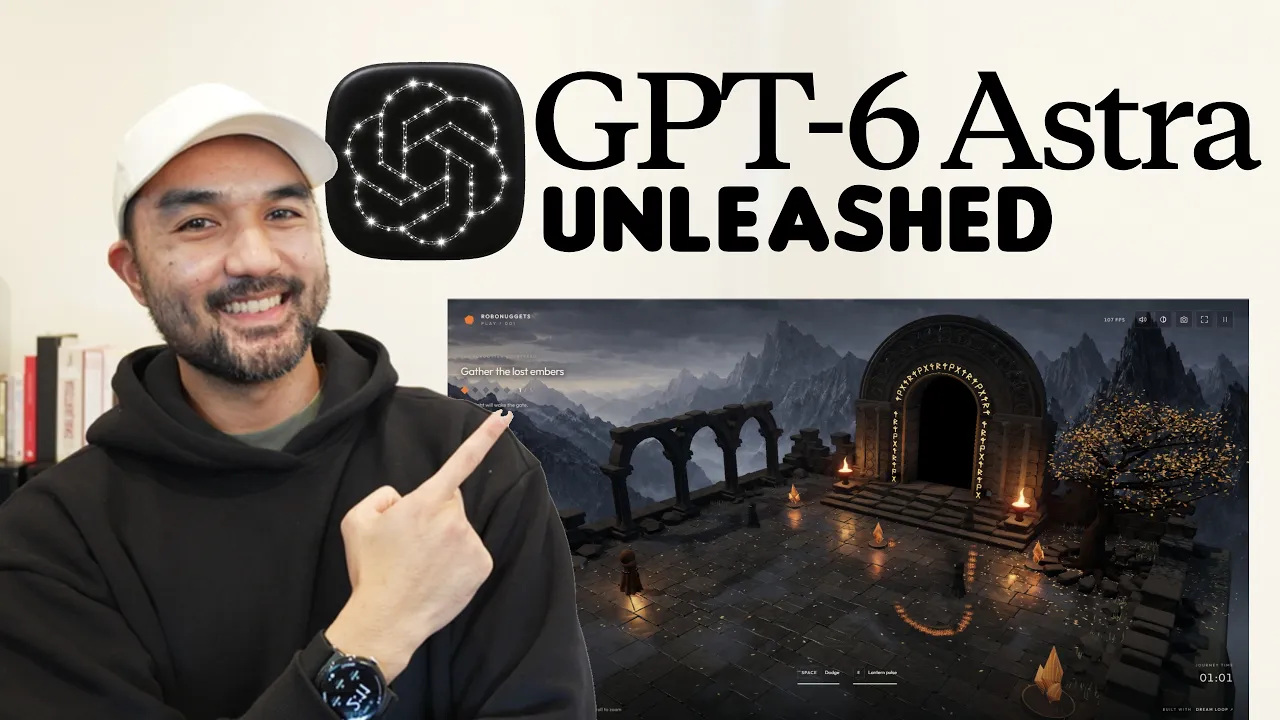
And as a final note, in fact, all these motion graphics title cards that you see in this video, all created with Hyperframes, and all done using GPT-6 Astra. The next use case, which is probably the one that's surprising people the most, and you probably have seen all over X, is using Astra when it comes to creating games with really good graphics like the one that you see here from Anshu. Now, of course, I needed to try this out myself, and so within just one prompt that I'll go over in just a bit, it was able to create this Emberfall game, where you can see I'm controlling this character, and the shaders of this floor, including the reflections of my character, is actually really well built.
And this is honestly just crazy how much graphics you can get out of Astra through just a few prompts. And so, if you have a game in mind that you want to create, then this is undoubtedly one of the best times to do it. And the reason why Astra is so much better than this versus other models is that, remember, Astra is just one component of OpenAI's ecosystem of models. So, one advantage of using, let's say, the ChatGPT app is that it comes with ChatGPT's image generation capabilities.
So, you can see what Astra did here is to first create a render of what the final game would look like, and then it uses that as a reference to create the final output, to create these different textures that it would need, and then just put it all together to build that game that you saw. Now, if you want to try it out yourself, this is the full prompt that you can use, but similar to the other use cases, the bigger takeaway here would be how you would structure your prompts and your requests.
And again, this is just a starting point. If you were creating a real game, it would probably take you more than just one prompt in order to finish it. But essentially, apart from asking what you want, the basic method by which people are getting really good results with models like Astra to give them quality graphics is through the method of looping. So, I made a separate video on this and I'll link it somewhere here in this lesson.
But, essentially, if you have a loop where you ask Astra to build, you ask it to take a screenshot or even play test that game itself, and then based on its findings, just ask it to improve it, and then build it out, and just go on that loop until you yourself are satisfied from the final look of it. That's basically how people are achieving really good graphics out of these models. Now, again, a fair warning to this is that right now, since tokens are so constrained, that there's actually a fair chance that this will use up your tokens.
So, for example, this demo that Anshul was showing here with really good graphics, he's saying here that it was built in 8 hours. So, under the hood, what he's referring to here is he's running this loop and just asking Astra to iterate and improve it. And he probably has the highest plan on Codex, which is why he can leave it for 8 hours building this out. So, that's just one thing to consider when it comes to these demos.
Now, just as a side note to this, in case you're serious in developing a game using Astra, is that remember, to create a good game, you actually don't need a lot of really high-quality graphics. One clear example of this is Wordle, which is a word guessing game that was sold to New York Times for roughly a million dollars. And this type of word guessing game, you can definitely create even with GPT-3 Soul or a lower model.
So, if you have a really great idea for a game, and you have some means to distribute it, then this is definitely a use case that I would look into if I were you. Another use case that Astra really excels in is when it comes to website front-end design. And you can see from my side, with only a minimal amount of steering, I was able to create these websites. We have this landing page for an outdoor venue retreat, this one for a pet box product.
And with all of this, you can see again how much Astra is benefiting from the image generation capabilities of OpenAI. And the great thing about professional website design is that you actually don't need a lot of fancy animations in order to make it look professional. As long as it's functional and it has great images and copy, then you'll be able to go far with using Astra to create designs like these. However, if you or your client is looking for visual flair, or for example, for this Off-Season brand, as you scroll down, all the elements are moving in a layered manner, then all you really need to be aware of is the name of the exact technique in order for Astra to do this same effect.
So, for instance, that layered look I was showing for the websites, that technique is called a parallax, and that functionality where if you scroll, the elements are moving, commonly that's referred to as a scrollytelling website. So, if you just invoke that in the prompt, you don't even need to know the exact back-end technique of how that's done under the hood for the code, but if you just tell that to Astra in order to create a parallax website, then you'll be able to create that as well.
And so, that brings us to the prompt structure for front-end designs, where if you just have a clear ask of what the website is that you want to create, you have the technique by which you want to improve the visual look of that website, and then finally, and importantly, similar to what we talked about in the motion graphics, if you give it a strong reference image, then you'll be able to recreate things using Astra, at least at a level that is much stronger than what we experienced before with older models.
Now, one resource that I can share with you to this front is styles.that referral.design, because this has thousands of AI-readable design systems that you can use. It's all completely for free. Like for example, if you want to copy Apple's aesthetic, you can click through that, and all of this good text, you can just copy it and send that to whatever agent that you use. To give an example, this demo that you saw earlier, I was able to achieve that look by using the Duolingo style that styles.that referral has on their menu.
Now, the last use case we're going to look at is probably the most interesting because it gives you a peek into the future. Because remember, even though large language models and their development are really exciting, you can actually do a lot more with them if you're also across on the latest developments in other areas that AI is touching. Like for example, in the video world, we actually just received a model where it can generate 5-second videos in under 3 seconds.
And so, what that means is that while your first video is playing, this video model H 3 Max can actually generate the next 5 seconds of that video and just theoretically do that forever, which effectively unlocks AI live streaming for us. This model, by the way, is from file.ai, which we've featured a lot on this channel. And in their official YouTube channel, they did this demo where they used GPT-6 Astra and that new H 3 Max model in order to create that live streaming app.
So, I'll just play the relevant part now. >> So, I should be able to like talk stuff into here. Oh god. He sees an open door that has light coming out of it and he walks inside of it and inside is a woman in a business suit at a desk. Okay, so we sent that in. Not the best UI cuz I have to like scroll up and down, but it's we're working on it. We're working on it. So, let's see if this actually happens. Oh, there's the room with the light.
Oh, this is crazy. Oh, it's the woman at the desk. Okay. Okay, okay, okay, okay, okay. Wait, I got to say something. The man and the woman have a conversation about the new GPT-6 Astra coming out and how incredible it is and they speak in English. >> I have been expecting you, Mr. Kim. [music] >> We can't prompt fast enough. It's just cooking too fast. It's crazy. It's crazy. >> Have you seen the benchmarks for the new GPT-6 Astra? >> [laughter] >> It's absolutely incredible. >> And just to contextualize what's happening here, basically in this video, what File did is to use Astra to create this mini application that integrates with their H 3 Max model and is just continuously streaming and generating live video, which is why he was able to actually direct the scene as it was generating.
Now, obviously, the quality of these videos can still be improved, like they're nothing compared to what you would see in something like SeeDance 2.5, but that's bound to improve if you just give it a few months. And so, if you want to try that out yourself, then this is a prompt that can get you started. But, again, with Astra and these newer, more stronger models, if you know what you want and you're at least aware of the how, which in this case is the HV Max direct model, then you don't even need to understand how file that AI works.
You can just declare it in your prompt and Astra will figure it out for you. But, there those are five really impressive use cases that I've seen so far in the past week since Astra's release. And as usual, thanks for sticking until the end of the video. You might have noticed this is our first video back after a 2-week break. So, you can see the last video I made here was around 2 weeks ago. And the simple reason for that is to give a bit of a life update if in case you're interested, or you can just click away from this video if not, is that I actually ran the Sydney marathon a few days ago.
So, that was fun. My family was here in Sydney, and so that was a fun bit of break. But, now we're back to building and educating through these videos. So, I'll see you real soon in the next one. But, I hope that was useful. Cheers. >> [music]
The words are the caption track's own and nothing is reworded or re-transcribed. Paragraph breaks are placed between sentences so the text reads as prose.
Free tools for your own script: paste a draft and see where it stands before you record it.
Paste your draft and see where viewers are likely to drop off, with a rewrite for each weak line.
Paste the first 30 seconds of your own draft for a hook score and rewrites.
Check your draft against YouTube's advertiser-friendly guidelines before you record it.
Read this channel's public videos and transcripts, and download a writing brief for it.