Getting the transcript
Reading the captions from YouTube. A video nobody has opened here before takes 10 to 30 seconds; this page fills in on its own.
Getting the transcript
Reading the captions from YouTube. A video nobody has opened here before takes 10 to 30 seconds; this page fills in on its own.
Chris Raroque · @raroque
This video has no Most replayed graph yet: YouTube shows one only once a video has enough views. These are the moments viewers replayed most in Chris Raroque's most watched videos.
Most replayed moment at 8:39
3.2x that video's typical replay level
plugin for Claude Code. It's a plugin that you install by using a slash command. And when you have it installed, I've just noticed that it's about like 20 or 30% better at design. If I have this installed and I give it a screenshot, it follows the screenshot a little bit better. Or if I'm just oneshotting a design, 20
Said at 8:33
Most replayed moment at 9:45
5.6x that video's typical replay level
database or how much bandwidth you're consuming with Superbase. So, you want to add these limits because someone could in theory hit up these services and then just rack up a huge bill that way. And there are a lot of cases of this happening where people woke up to a $50,000 bill. So, please add these type of limits
Said at 9:38
Most replayed moment at 3:33
3.5x that video's typical replay level
can I do this better? How can I make sure that my illustration stand out among other apps?" Let me show you what I mean. This is the onboarding for my calorie tracking app Amy. People keep messaging me about this onboarding saying this is one of the best onboarding that they've seen. I think someone actually signed up
Said at 3:25
The graph counts replays. It does not show where viewers stopped watching.
Words
3,447
Runtime
14:22
Speaking pace
240wpm
Reading time
14min
240 words per minute, above the 201 75th percentile of 349 measured videos. That distribution comes from the 349-video hook study.
Opening (first 30 seconds)
Today, we got a quick update on the calorie tracking app that I launched a few months ago. We'll go over the numbers, but the reason I'm making this video is I spent a lot of time future-proofing the app, and I wanted to share that with you guys. We'll go over some of the stuff I shipped, and more importantly, why I believe it positions the app way better for the future, and how you can apply it to your own apps. If you're new here, welcome to the video. My name is Chris, and I build productivity apps. I usually focus on one productivity app per video, and today we're focusing on Amy. Quick context, Amy is a
120 words, the words spoken in the first 30 seconds at 240 words per minute.
Free, no signup. See how the first 30 seconds hold attention, with rewrites.
Sentence shape
| Measure | This transcript |
|---|---|
| Sentences | 198 |
| Average words per sentence | 17.4 |
| Longest sentence | 53 words |
| Questions asked | 11 |
| Sentences containing a number | 9 |
Most used terms
Filler phrases
53 in total: like 27 · actually 11 · kind of 5 · basically 4 · literally 2 · you know 2 · I mean 1 · right? 1.
A literal whole-word count of the same phrase list the Prepublish browser extension uses, so a phrase inside another word is not counted and a phrase used in its ordinary sense still is. It is a count and not a judgement.
What this transcript is
Every word below is the caption track YouTube publishes for this video, pulled from the video itself and reproduced unchanged. It is not Prepublish's writing, not a summary, and not a re-transcription: it is the video's own published captions. English captions, generated automatically by YouTube, in the video’s original language. Source: the video on YouTube. A channel that would rather this page did not exist can ask for its removal through the contact page, and it is removed.
Today, we got a quick update on the calorie tracking app that I launched a few months ago. We'll go over the numbers, but the reason I'm making this video is I spent a lot of time future-proofing the app, and I wanted to share that with you guys. We'll go over some of the stuff I shipped, and more importantly, why I believe it positions the app way better for the future, and how you can apply it to your own apps. If you're new here, welcome to the video.
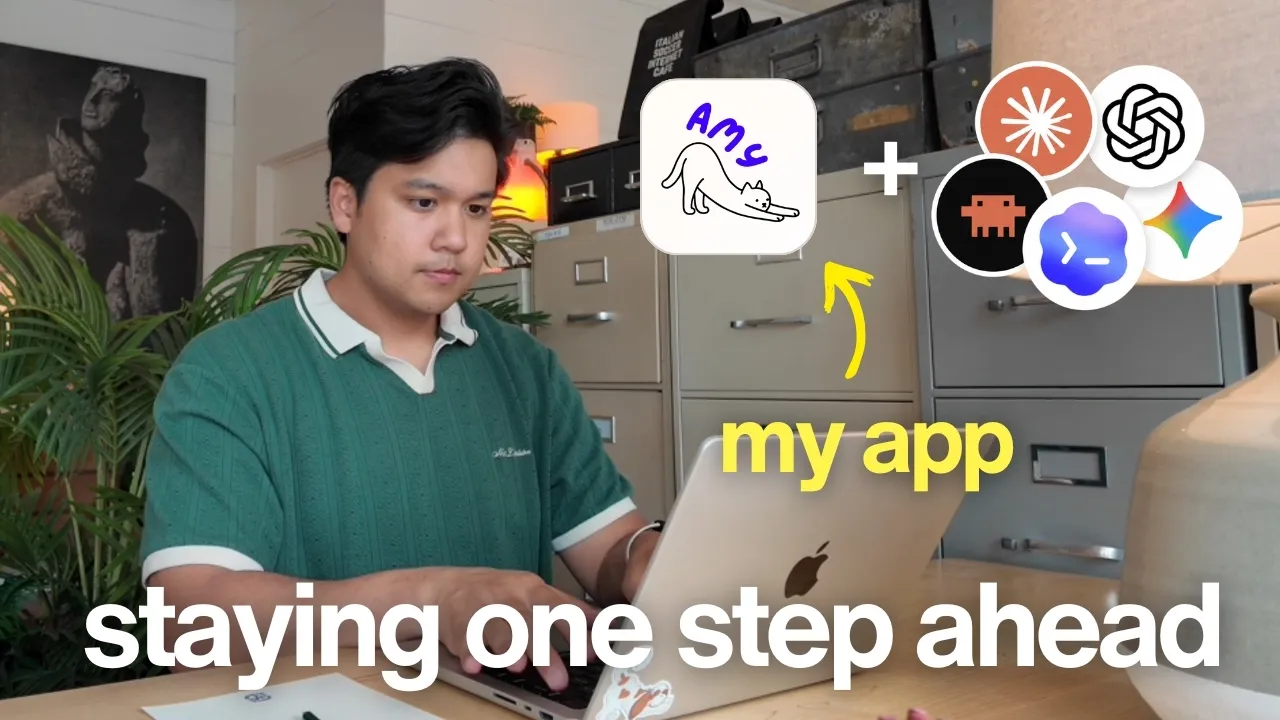
My name is Chris, and I build productivity apps. I usually focus on one productivity app per video, and today we're focusing on Amy. Quick context, Amy is a calorie tracking app in the style of Apple Notes. You type the food that you ate on the left, and the calories will magically appear on the right. frictionless calorie tracking app out there. Real quick on the numbers, we hit a pretty big milestone. We just crossed $3,000 in monthly recurring revenue.
That's pretty exciting, but the part I'm most proud of is that the profit margin is at about 85%, which for an AI app is actually pretty incredible because usually the profit margins are pretty bad, like 20-30%. So, hitting this revenue milestone and keeping an 85% profit margin, really proud of that. So, that's a quick revenue update, but again, I really want to talk about everything I learned this month. If you've been following along, you know I've been laser-focused on improving week one retention.
So, that's how many people after signing up are still sticking around one week later. That's my North Star metric. But this month, I switched gears, and I started focusing on trying to future-proof the app because I have been noticing a few changes in the app industry. Obviously, you see people using AI apps like Claude and ChatGPT a little bit more regularly, but I think something even bigger's happening specifically on the iPhone because Apple just announced a new version of Siri.
Now, here's why this matters. Siri has honestly been a bit of a joke over the last few years. I personally don't use Siri because it's really bad at following instructions, and I'm not alone here. But if this new version is as good as people are saying, I think that that might change. And if this happens, and iPhone users start using Siri a lot more heavily, like multiple times a day, at a minimum, they're going to expect the apps that they use to play really well with this new Siri.
And eventually, I think they'll start prioritizing apps that do have a really good Siri integration. This new Siri is coming with iOS 27, which at the time of recording is not out yet. To To ahead of it, the first thing I decided to do to future proof the app is to ship a proper, really good Siri integration. I thought to myself, "Okay, this probably shouldn't be too hard, right?" I feel like Claude code could just one shot this.
I literally opened up Claude code and said, "Can you build a Siri integration where someone can say what they ate, have it sent to the app, process it, and return a preview of the nutrition info to confirm it logged?" This is the exact prompt that I used, and this one prompt got me a working version. And from there, it was like two to three more prompts just to style a few things. So, here's how it works. You say, "Hey Siri, log food in Amy." Siri's going to ask what you ate, and then you can say, "In-N-Out Burger and fries." And that's literally it.
And then it just shows you the nutrition info so you can confirm what it logged. So, after I shipped this, I thought to myself, "Okay, actually, that was a little bit too fast. Why did that go so smoothly?" And I realized that the reason I was able to build the Siri integration so quickly is Amy has a huge advantage over other calorie tracking apps. And it's that the way you input food into Amy is purely by text. You type one line, it's going to send it to my back end, do all of this calculation using AI, and then just simply return the calories and all the nutrition info.
When you compare that to other calorie tracking apps in the space like MyFitnessPal, for example, to log food, you have to search it, you have to look through options, you have to pick the best option, you have to change the quantity and the amounts, and then you have to log it. And because of this, I think that's why MyFitnessPal does not have a proper Siri integration. Because if you tell Siri, "Log a breakfast burrito in MyFitnessPal," it doesn't know what to select through all of the drop-down menus in MyFitnessPal.
And then take something like CalAI, which is primarily photo-based. You can't really take a photo with your voice. The best you can do is say, "Hey Siri, can you open CalAI?" And then it'll open the camera, and then you can take the picture. So, most of the major calorie tracking apps are a bit stuck. The best they can do is just have Siri open the app. But for Amy, the whole experience is based on a single piece of text, which means that Siri can interact with the app exactly the way users do because it can also just input a single line of text.
All All the complicated stuff happens completely in the background. The user doesn't have to select anything because that's how the app was originally built. It's for users who just do a free form text input and type whatever they want and the app will be smart enough to try to figure out what they meant. I will say that that is part of the beauty of Amy is I take a very complicated process. Like I mean, take a look at what happens.
Like this diagram shows what happens when a user types food. All of this is happening within 1 to 2 seconds behind the scenes. Because of all that investment, one of the perks is we have a really good Siri experience out of the box. Now, one thing you probably notice is it did require two steps. I had to say, "Hey Siri, please log food in Amy." And then I had to tell it what the food was. I wish I could handle everything in one go by saying, "Log my In-N-Out burger and fries in Amy." But unfortunately, Apple does not let you do that yet.
The way Siri works is your app has to tell it specific key phrases to look out for. And unfortunately, those have to be defined ahead of time. It's not smart enough to do dynamic phrases, so you need two steps. Summon the app with the static log food in Amy keyword and then you get to tell it what the food was. But I do have a suspicion that in future versions of Siri, they will support dynamic keywords. And once they do, I will integrate it into this app.
So, here's the takeaway here. Obviously, if you're building an app, definitely build a Siri integration if you can. But the bigger lesson here is if you're building an app, try to think ahead in terms of what kind of inputs you want to support. I'm also talking about watch integration, agentic input. There's a ton of different inputs to support. And if your app does not have a way to do low-friction input, it might be worth trying to think of creative ways to make it happen.
Now, you probably noticed when I built the Siri integration, I was dictating my prompt into Claude code. And that's actually how I recommend working with agents like Claude code and Cursor. It's to dictate everything because you get way more detailed prompts. The tool I use for dictation is WhisperFlow and a huge shout-out to them for sponsoring this video. WhisperFlow is smart voice-to-text that works in any app. Now, the reason it's perfect for developers is it understands technical terminology.
So, when I say AWS, DynamoDB, Gemini 2.5 flashlight, super bass. It gets it right every time. And if you're using Cursor or Windsurf, WhisperFlow works with these IDEs where it can actually tag files for you. So, if I say, "Please enhance the styles of subscription-overview.tsx." It'll tag the file without me having to type anything. It's available on desktop, so if you're using Cursor, Claude Code, or ChatGPT like I do, it's there.
But, you can also use it on iOS and Android. I use it all the time when I'm responding to text messages or responding to YouTube comments. And it's the reason I'm able to give very detailed responses. I'll leave a link in the description, and I have a code for 1 month free, and that's on top of the existing 14 days of WhisperFlow Pro you get free when you sign up. They did not have to do that. I'm the one that asked for that, so thank you to them for providing that.
The next thing I shipped came because of a pain point in my own life. Lately, I've been getting into meal planning, and I've actually been using Codex specifically for it. Now, the reason I went with Codex is it has an incredible computer use tool. So, it can control my computer and control my browser and take actions on my behalf. So, after I use it to plan the meals I'm going to eat for the week, I actually have it go and order groceries for me from Whole Foods.
Funny story with that, too. This week, I did not review the cart thoroughly enough, and it ended up placing an order for 4 lb of lemons when I had a recipe that just really needed one lemon. Unfortunately, did not catch that until I picked up the delivery. you plan on doing this, thoroughly double-check the cart before placing the order. But, basically, I've been using Codex to plan my meals and even order the groceries for me.
The only thing missing was right after I eat something, I really wish I could tell Codex, "Hey, can you go log this in Amy for me?" And that's exactly why I decided to build an MCP. If you're not technical, an MCP is basically a way for AI tools like ChatGPT, Claude Code, Codex to interact with third-party services like Amy in a very safe way. In my case, an Amy MCP would allow agents like Claude or Codex to log food for the users, analyze eating patterns, maybe even make suggestions on what you should change in your diet.
This is perfect because I think a lot of people do want to analyze their eating habits, especially over a long period of time. And right now, the only way to do that is going into the settings, exporting all your data, and then feeding that into ChatGPT or Claude. Now, you can connect Amy into these tools and then just ask it to do that. I do have some experience building MCPs because I did build one for my daily planning app, Ellie.
But as far as I could tell, there really aren't any other calorie tracking apps that have an MCP available. So, I couldn't find a single example to study, which was really exciting because that means I'm one of the first ones to do this, but it also made it bit tough because I didn't have any standards I can compare my MCP to. Since I had done this before with Ellie, I thought, "Okay, this should be easy. Maybe I can do this in like a day." But it ended up being substantially harder than I thought, and here's why.
The first issue I ran into was authentication. Most MCPs allow authentication in two ways. You can do it by an API key. So, when a user adds the MCP to Claude or ChatGPT, they have to paste an API key to authenticate them. Second option is something called OAuth. That's where when they try to connect the MCP to Claude or ChatGPT, it's going to kick them to an authorization page. They're going to have to log in and then click authorize, no API keys needed.
And OAuth is actually the standard and the recommended way to build MCPs. Problem is that OAuth requires a web sign-in. Like, you need an actual login and authorization page, but Amy is just an iOS app. There is no web version. So, before I can even build the MCP, I had to build a whole login experience web version of Amy to let people go through this authorization flow. And it also included covering the Google and Apple sign-in options as well, which was also a little bit complicated.
Luckily, I built a ton of websites, so this was pretty easy, but kind of annoying that I had to do it. By the authorization flow built out, and the next issue I ran into was Amy has no API. Everything in Amy happens on the device, and then the device talks to my back end for all of the different services. There was no way for a third-party client like an MCP to talk to my back end. And the way you typically do that is by creating something called an API.
So, that's what I did. I built a proper API for Amy with really good endpoints, and I decided, "You know what? While I'm here, I might as well just make this a public API." So, that's what I decided to do. So, on top of the MCP, I was also going to release a public API, so developers can build on top of Amy. Now, there were a couple challenges with this. For example, my first instinct was to build an endpoint to get today's food, because I feel like that was going to be a common case is figure out what did I eat today.
But then, after building it out, I realized, "Wait, I think people are going to ask more general questions like, what did I eat in the last 2 weeks?" Not just what did I eat today. So then, I had to rebuild the endpoint to support date ranges. And that was just one example. There were so many cases like this where I had to think through how users were going to use it to make the API useful. Because even with an API, you still have to think about the user experience or the UX.
You have to kind of predict ahead of time how users are going to use it, and then make the proper endpoints to make sure that those use cases are supported. A lot of my time here was spent brainstorming, thinking, "How are people going to use their agents, and what API endpoints do I need to construct to make that happen?" But we got that done, and then we ran into the third problem, which kind of has to do with the API, which was security.
This immediately came up, because as I was designing the API, I realized that a big use case is going to be bulk entry. So, people saying, "Can you log an entire day, or log an entire week for me?" Now, the problem is every time you type something into Amy, it costs quite a bit of money. It's basically like half a cent every time you type something in or make an edit, because again, we have a ton of complicated AI going on behind the scenes.
On the iOS app, it's a little easier to protect, and I do have rate limits and all of that stuff on the back end. But an open MCP and an open API really opens up the door to potential abuse. A lot of the challenge was surprisingly trying to figure out how to design the rate limits for the MCP. First, I started simple saying, "Okay, maybe I allow like three logs per minute. That sounds reasonable." But then, I realized that was broken, because I can see a legitimate use case where someone goes into ChatGPT and says, "I'm I'm going to dictate.
Can you log all my entries today for Amy? I think that's actually going to happen a ton when people are just logging everything at the end of the day. So, I needed to allow people to log in a big burst, but I couldn't just let them do big burst, big burst, big burst forever. So, the fix was implementing something called a gradual cool down. So, I do allow you to log a big burst, but then it's going to slow down and force you to stop if you try to do more big burst like that.
This is a very common rate limit design. I actually implemented a few more things in terms of monitoring abuse, but I'm going to hold off from sharing for now until I can make sure it's airtight. Now, the last issue I ran into, which ended up actually being the hardest, and I did not expect it to be, was the UX. How do you even explain an MCP to a normal person inside of an iPhone application? I tried really hard to find examples of this, but every single example I could find of an MCP inside of a settings page was in a web version or a desktop app.
No app talks about MCPs within an iPhone application. This took a ton of iteration, but here's what I landed on. It's a dedicated settings page that can show you exactly what your AI tools can do with dead simple setup instructions on how to connect Amy into your AI tools. You can even copy or email the instructions to you so you can go read them when you're on the desktop. And I also added another section just for the API so you can manage API keys, read the documentation.
Again, this is something I really have not seen a lot of mobile apps do. I'm still probably going to iterate on this page, but this was a really fun UX challenge. How do you take something so complicated and often just found on the desktop or web version and condense it and make it digestible for mobile. Especially with something like an API, for example. But we did get it shipped, and you can try the Amy MCP and the API live today.
So, those were the two major things that I shipped this month in terms of future-proofing the app. I did actually work on a ton of things, including an Apple Watch integration and the Amy Android app, but I'm going to save it for the next video because I think these require a dedicated video to talk about. The big thing I wanted to leave you guys with is this. I really think it's worth taking the time to think ahead because I think the way people are interacting with apps is about to start changing.
I'm even noticing it myself. I'm spending a ton of time in apps like Claude and Codex to just do daily things in my life. And I'm personally also starting to prioritize services that cleanly connect with these tools, and I'm sure you guys that are developers watching this are probably doing the same. It's still early, but I think normal average everyday consumers are going to start thinking the same way, too. They're going to prioritize apps and services that connect cleanly to the agents that they use every single day. example, if the new Siri does catch on, they are going to start prioritizing apps that interact really cleanly with Siri.
But I think it's really important to start future-proofing your apps and getting ahead of it. And that's basically what I wanted to share with you guys. If you like this kind of content, check out my Instagram and TikTok. I post almost every other day about building productivity apps. And obviously, if you like this content, don't forget to subscribe. But thank you guys so much for watching, and I will see you guys in the next video.
The words are the caption track's own and nothing is reworded or re-transcribed. Paragraph breaks are placed between sentences so the text reads as prose.
Free tools for your own script. No signup, no login.
Paste your draft and see where viewers are likely to drop off, with a rewrite for each weak line.
Paste the first 30 seconds of your own draft for a hook score and rewrites.
Check your draft against YouTube's advertiser-friendly guidelines before you record it.
Read this channel's public videos and transcripts, and download a writing brief for it.