Getting the transcript
Reading the captions from YouTube. A video nobody has opened here before takes 10 to 30 seconds; this page fills in on its own.
Getting the transcript
Reading the captions from YouTube. A video nobody has opened here before takes 10 to 30 seconds; this page fills in on its own.
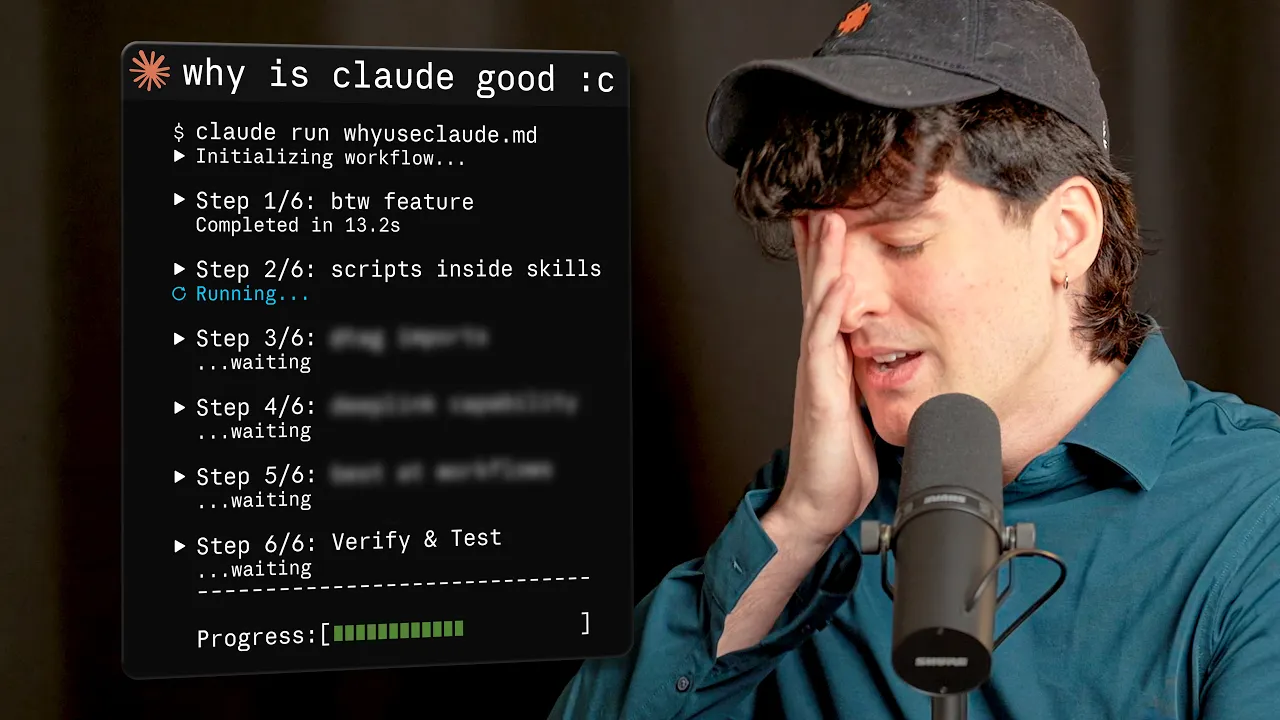
Theo - t3․gg · @t3dotgg
Where viewers went back to watch this video again, from YouTube's public Most replayed graph, lined up with what was said at that moment.
Most replayed moment #1
16:072.4x the video's typical replay level
does get a little annoying when you're SSHing with tmux, but I just told my agent to go figure that out and fix it, and now I have fully working scroll in tmux over SSH, which has been a lifesaver. Apparently, you can turn this on by running /tui fullscreen in Claude
Said at 16:00
Most replayed moment #2
5:172.3x the video's typical replay level
there. Then it says, "Check whether the repo's already there. If it's not present, clone it, then explore it." Relatively simple. You might be seeing the first thing that Claude Code does that every other harness doesn't that's really nice. The current cache contents section. If
Said at 5:10
Most replayed moment #3
2:302.3x the video's typical replay level
CLI. So, your agents are able to run your CI in a loop without having to push up the changes. No more filing PRs just to trigger CI to see what works and then copy-pasting the errors back to your agent. Just let the agent run. If this ad was longer than your Docker builds, get that fixed at solid.link/depot. So, what
Said at 2:23
The graph counts replays. It does not show where viewers stopped watching.
Words
6,018
Runtime
27:47
Speaking pace
217wpm
Reading time
25min
217 words per minute, above the 201 75th percentile of 349 measured videos. That distribution comes from the 349-video hook study.
Opening (first 30 seconds)
This is one of those videos I really don't want to make, but I've been having a lot of experiences that I wanted to share. As you've probably seen, I've been using Fable a lot. Sadly, Anthropic restricts the hell out of your subscriptions, so you kind of have to use it through their interfaces. In this case, Claude Code. I've been using Claude Code a lot the last couple days, probably as much as I used it back in December and January when I first got addicted to Opus 4.5. I've been through it with Claude Code to put it lightly. And while there are lots of things
109 words, the words spoken in the first 30 seconds at 217 words per minute.
Free, no signup. See how the first 30 seconds hold attention, with rewrites.
Sentence shape
| Measure | This transcript |
|---|---|
| Sentences | 385 |
| Average words per sentence | 15.6 |
| Longest sentence | 53 words |
| Questions asked | 10 |
| Sentences containing a number | 20 |
Most used terms
Filler phrases
69 in total: like 36 · actually 24 · kind of 5 · right? 3 · uh 1.
A literal whole-word count of the same phrase list the Prepublish browser extension uses, so a phrase inside another word is not counted and a phrase used in its ordinary sense still is. It is a count and not a judgement.
Free, no account. See where attention is likely to drop, with a rewrite for each weak line. The free check shows the scores and the one issue costing the most. Or run it on the words above first.
Free · No login · See a sample audit first if you prefer.
What this transcript is
Every word below is the caption track YouTube publishes for this video, pulled from the video itself and reproduced unchanged. It is not Prepublish's writing, not a summary, and not a re-transcription: it is the video's own published captions. English captions, generated automatically by YouTube, in the video’s original language. Source: the video on YouTube. A channel that would rather this page did not exist can ask for its removal through the contact page, and it is removed.
This is one of those videos I really don't want to make, but I've been having a lot of experiences that I wanted to share. As you've probably seen, I've been using Fable a lot. Sadly, Anthropic restricts the hell out of your subscriptions, so you kind of have to use it through their interfaces. In this case, Claude Code. I've been using Claude Code a lot the last couple days, probably as much as I used it back in December and January when I first got addicted to Opus 4.5.
I've been through it with Claude Code to put it lightly. And while there are lots of things I do not like about it, especially the desktop app, I have come around to a handful, and I've even found a bunch of small things that I think Claude Code does better than every other harness in CLI for doing agentic coding. I can't believe I'm doing this, but I think I have to. We're going to do a video about the good parts of Claude Code.
Think I need a hat for this one. Let's do this. And as a reminder, just cuz I have a hat and I have convinced a lot of people to spend a lot of money on Anthropic, they are not a sponsor. I don't think they ever would be considering some of the things I said about this company in the past, but I do need to get paid, especially after the seven subscriptions that I've activated for myself and my team over the last few days.
I'm $1,400 down, so please pardon me for getting a little bit of money from today's sponsor. Hey you, you're probably a real dev, right? Like the type that uses Docker. Well, if you are, you're wasting a ton of time. Almost all Docker users are, at least all of the ones that aren't already using today's sponsor, Depot. These guys are the kings of Docker. They made it so much faster that it feels unbelievable. Up to 40 times faster for real-world use cases.
Their infrastructure builds containers remotely, works for Intel and ARM CPUs, so you Mac people are going to be more than set, and they also built their own fine-grained caching for the layers for your Docker images on their own CDN. What this means is that after one dev runs the build, everyone else just pulls the cache instead, making everything absurdly fast. And this isn't just good for running builds on your machine.
This is incredible for agents that are doing work in the cloud, but more realistically, it's incredible for CI, which is why they provide GitHub CI that's up to 10 times faster than GitHub Actions. If you're willing to move to something a little different from GitHub Actions, their CI engine is so much better. Not only does it handle actual parallelism where it does one step like installs and then has three things running at the same time, which is unbelievably useful when you're doing real CI work, it also runs way faster on much better infrastructure, and most importantly, it's accessible via API and CLI.
So, your agents are able to run your CI in a loop without having to push up the changes. No more filing PRs just to trigger CI to see what works and then copy-pasting the errors back to your agent. Just let the agent run. If this ad was longer than your Docker builds, get that fixed at solid.link/depot. So, what the hell am I doing making a video about good parts of Cloud Code? Well, as I hinted at the start, I've been using it a ton and I've noticed a handful of things I actually really like.
From cool UI touches to nice features that only exist in Cloud Code to deep integrations with things like their skill management that are actually quite good. And I'm mostly making this video not to glaze Cloud Code to convince everybody to go use it. I'll be transparent with my goal here. I want every other Harness to steal all of these things. I am making this video not because Cloud Code is better and I want everyone to appreciate how great it is, but because I want everything else to take the good parts so that I don't miss Cloud Code when I use other things.
So, knowing that, what are those things? First and foremost, I want to talk about skills. You might be confused because skills are a feature in pretty much every one of these Harnesses now, and they are. They're just markdown files, right? Mostly, yes. But this is where I start to really like what Cloud Code does differently. One of the things Cloud Code does really differently with their skills is the ability to execute scripts on them.
This might sound insane, right? Like, just tell the model to go execute the script, but hear me out. There's a lot of use cases where it's nice for the model to know things when it loads the skill instead of having to load the skill and then do things, and then do the next step. Here's an example of a real skill I made that I use all the time. It's Repo Explorer. This is my markdown file that replaced Ben's whole product that he was building that I was trying to convince him he doesn't need to build that product.
Now he is convinced he understands, but at the time this was originally a demo, and I've actually found myself using it all the time. The point of this skill is to allow agents to explore implementations of dependencies. Like if I'm using Affect or React, or some weird open-source project that the model doesn't know that much about, instead of just hunting through the docs and hoping it finds the right thing, this skill allows the model to clone the open-source repo into a specific directory, and then explore that specifically.
It has a pretty simple description. Clone and inspect external repositories in a reusable local exploration inspect, investigate, compare, or answer questions about a repo that may not already be in the current workspace. The actual skill itself is pretty simple. Use this skill to explore repos without cluttering the active workspace. I have the specific directory on my computer. In my home path, I have .explore/repos, which is the local cache for repos that I can explore.
You can see the cache contents by running this command. It tells you to list the current repositories before deciding which to use. I even call out that certain hosts support skill injection here. Otherwise, it should run this script to find what's there. Then it says, "Check whether the repo's already there. If it's not present, clone it, then explore it." Relatively simple. You might be seeing the first thing that Claude Code does that every other harness doesn't that's really nice.
The current cache contents section. If the harness is capable, it will immediately make this directory if it doesn't already exist, and then list its contents. This skips a whole step that the model has to do. And if every other harness supported this, I would be able to write this skill entirely differently. I would just open with the listing of the content, and then I would say right below, "If the repo you want is in this directory, just go there.
If not, clone it there. It would make this skill half the length, and it would be meaningfully more reliable and resilient. But instead, I have to write it in two different ways. One where Claude code gets these cool features, and one where every other harness, including Codex, Pi, and more, don't. Thankfully, there's a Pi extension that does this, and I think Open Code is starting to introduce this as well, but this is a feature that Claude code does really well that I think people are too hesitant to introduce.
There are real risks with how much people just arbitrarily install skills that the skill could just arbitrarily execute code. We already deal with that with NPM, guys. Get over your [ __ ] selves. This is totally fine. If anything, it's a better cuz the code is in here to be audited by an LLM. It doesn't actually [ __ ] auto run. It's ah. Okay, it does kind of auto run once it's installed, but like you get the idea. This is not as unsafe as half the [ __ ] we do with NPM.
It's totally fine. And this is not a new thing for me to call out. 2 months ago, I already did call this out, and I said that I want other things to be supportive of it, like Codex CLI, Pi, Cursor, etc. I like this pattern a lot. It is genuinely really good, and it's one of those things that should be part of the skills standard, but apparently just isn't. Some part of me that's frustrated about Anthropic wants to complain that they are moving too far away from the standard, but I'm not going to because the standard should move.
The standard should improve. We should take opportunities to do things better, and this is a thing that Claude code does better than every other harness right now. So, we should all go embrace that. And for those looking for the Pi skill, Joel made it. Joel Hooks / Pi skill interpolation. Joel's a legend. Apparently, our friend Mario did not like it though cuz it was not secure. So, know that as well going in. But that is the nature of this.
It's arbitrary execution, but like it's it's not that big a deal. I think people are overreacting. And to their credit, Anthropic did also invent skills. So, I think it's totally fair for them to do stuff like this. I wish other harnesses would embrace the flexibility that it Claude code skills have. Next, I want to talk about the Claude MD for a bit. I have issues here in particular that the Claude MD and Agent MD are competing standards where everything uses the Agent MD except for Claude, which insists that it has a special file.
I've come around to that a bit because Claude needs different instructions than other things do. It's annoying when I'm using Claude models in open code or pie, but I have come around to some of the cool things you could do in the Claude MD. I will highly recommend that you don't run their slash in it command. It's pretty bad. They have a new interactive version, but your Claude MD should be handwritten. The thing I want to call out that I think is genuinely really cool is importing additional files.
Markdown doesn't have an import standard cuz Markdown's not really a standard. It's a vague vibe at best. So, Claude has a solution. Claude MD files can import additional files using at path {slash} two {slash} import syntax. Imported files are expanded and loaded into context at launch alongside the Claude MD that references them. Both relative and absolute paths are allowed. Relative paths resolve relative to the file containing the import, not the working directory.
Imported files can recursively import other files with a maximum depth of four hops. So, if you want to intentionally include things like the readme, package.json, etc., you can just tag them in. This also means you can do a very convenient thing for those of us who are annoyed that the Agent MD and Claude MD are different. Watch this. At agents.md. Now, my Claude MD is my agents.md. Not with a symlink, not with some weird [ __ ] It just is.
But, more importantly, if I do notice Claude doing some [ __ ] that my other models aren't, I can put additional stuff here just for Claude. So, now I have the full content of my Agent MD as well as my special Claude stuff just in the Claude file without having to do any weird symlinking or managing two different files. It just It works. It's good. And if you have other docs in your repo that are useful to the model, you can tag that in here as well.
This is a really nice pattern, especially cuz it works with things other than markdown, and I wish more things would copy it. The problem is that agents.md has become the standard. It's the thing everything uses. So, if I do this in agents.md and it's supported by Codex, it might not be supported by five other things I use. So, by having the Claude DB Anthropic special thing, they're able to do stuff like this. They also have a nice override pattern that I actually quite like with claude.local.md.
If you add this to your global gitignore, which I would recommend, I'm probably going to go do that myself, it allows you to have specific instructions for how you want to work that will not affect the rest of your team. I do love that they have this as a separate thing that allows me to add my preferences without affecting you and how you work. It gets kind of rough in this way where when one person wants one claude.md and somebody else wants another, git doesn't resolve that well.
This does. This is a good thing that Anthropic has that, as far as I know, none of the other harnesses do. I like this. While I was reading these docs to get this information, I found another really cool feature I didn't know about, which is launching sessions from links. They actually have their own HTTP code here, claude-cli://, that allows you to open things in Claude CLI. So, you can have a page that someone makes that has a bunch of links in it to trigger Claude CLI.
Apparently, Codex also has deep links, which is very, very nice, cool to see. Does this work with app? The Codex app registers the Codex deep link. Oh, cool. That's actually really nice. It opens in app. Good [ __ ] I like that. I might even add this to my skill for making HTML plans where it has suggestions on how to kick off the job, and I can click the Claude CLI link in that HTML page, and it will just open up the terminal automatically.
That's actually really cool. It does lead into the idea that your computer that you do work on is the same computer that your Claude code runs on, which honestly hasn't been the best experience for me even just for performance reasons. I've really enjoyed running Claude Code on other computers on my network, which this will not work for. But, if you are just using one computer with all of your stuff, this is actually a really cool pattern.
If you combine this with HTML planning, you can make some really cool UX with us. It even lets you pass the working directory and a GitHub repo, which will be resolved automatically by Claude Code if it's seen it before. If it doesn't, then it will make the session in your home directory instead. Interesting. So far, everything we've talked about isn't actually inside of Claude Code. It's just features it supports. But, I want to hop into Claude Code itself and show off some things that I actually find quite nice.
In order to show the first one, I need to kick off some work. So, I'm going to do that. Do a quick audit of this work to make sure it's in a good state, then commit, push, and make a PR. Cool. So, I now have a method I was taking work I just did to go make a PR for it. But, one of the really nice things Claude Code has that I haven't seen anyone else do is a special command {slash} by the way, which lets you ask a quick side question without interrupting the main conversation.
Can you tell me a bit about the performance for backups? And now I have a separate chat inside of this chat going while it's still doing the work that I told it to do. Apparently, Codex has {slash} side, which is really cool as well. I'm pumped that other things are doing this now. But, when I found this feature, it was the only one that had it. Super nice to just run a thing like this separately. Well, and here we have the info on the performance.
And while that was running, we got a bunch of sub agents queued up to explore. More cool things that Anthropic was first to, but a lot of other stuff now has is the ability to like navigate through different sub agents it spun up. This isn't the coolest implementation of it, though. The coolest implementation by far is workflows. And nothing else has gone quite as far as Anthropic has here. One other little thing I this is just one I've been using a lot cuz I've been stuck in the CLI more.
Work trees are not my favorite way to deal with stuff, but for the ephemeral work where I spin up, do it, file PR, and then drop it forever, having a dash-dash work tree that actually behaves properly is really nice. Now I have the repo I was in, but in a sub work tree in the dot Claude/worktrees, which is since been get ignored. This pattern's actually been very nice for me, and I've been enjoying it to just quickly spin up a work tree on some random idea I have.
But what I want to show off is workflows. There's a couple ways to trigger a workflow. The easiest is to just tell the model to do it. The most expensive and most reliable option though is Ultra code. As grotesque as that purple gradient it does is, I do often use it to maximize my utilization of my sub. That said, I'm trying now to use high and xhigh directly more and just tell it to do a workflow. I'm going to voice the text cuz I'm lazy and want to just explain what I'm doing here at the same time, so let's do that.
I want to audit the open PRs on this project and figure out what their status is. Which ones have been trumped, which ones don't need to be left open anymore because similar work has been merged, which ones are ready to go, and which ones need a little more before they're worth pushing over the finish line. I want to use a workflow to break up all of this work. Before you run the workflow, please output the code you're going to use to run it so that we can read through it together.
The last line of there is probably my favorite part because workflows aren't just a bunch of tool calls the agent can do. They fully embraced code mode, which is when you don't just tell the LLM to spit out text to trigger specific stuff and keep all of this stuff in its own memory. You let the agent write code to do a thing instead. Instead of having all your MCP servers that flood you with thousands of rows from your database, you can just have it write code to call the MCP server, get those thousand rows, and then filter it programmatically before it ever makes its way into the context window.
While this is running, I want to point out how I'm running Claude code because I'm not using the standard UI. I was an early mover to their full screen mode, which is using the alt screen rendering technique in the terminal. So, instead of doing weird regexes to replace text in the scroll back history in the buffer, which is how a lot of these terminal apps work, it instead takes over the full terminal. So, when I scroll up, I can't scroll to before I ran Claude code, and when I close it, it fully closes and restores my old terminal view.
So, if I like, I don't know, ls a here, I have all this stuff. This is my custom command so I don't leak. I run Claude here, and now it's full screen, and when I close it, I go back to the terminal. That's cuz I'm using the full screen mode or the flickerless renderer. I found it pretty good. I would recommend switching to it if you're okay with not having traditional scroll buffer. It does get a little annoying when you're SSHing with tmux, but I just told my agent to go figure that out and fix it, and now I have fully working scroll in tmux over SSH, which has been a lifesaver.
Apparently, you can turn this on by running /tui fullscreen in Claude code, but you can also do Claude code no flicker equals one as an environment variable. That's how I have it set. We now have the workflow written. So, here is what a workflow actually is. If you're not familiar, the point of a workflow is to take a bunch of work and break it up into groups of sub agents that have different system prompts, different roles, different things they are working on.
It's not just like, "Okay, let's have six things go off and look at this stuff." It's a staged workflow that has different steps along the way. So, I'm just going to tell it this looks good, run it. Be cautious when you tell it to run a workflow, though, because these burn tokens. By default, workflows use up to eight agents in parallel, and it will constantly be spinning up new ones as previous work is finished. I'm going to wait till this actually starts running so I can open up the workflow and show you.
Here we are. Once a workflow is running, you can go look at it here, and it currently has 15 agents accrued, one for every single one of the PRs that is currently open, cuz that's what I asked it to do, to audit the PRs. Each time it audits one of those PRs, it will decide whether or not it needs to throw that PR over to this new rule phase and then after there's a third verify phase. It doesn't even necessarily go through the phases in order.
It just sets up these sub agents to find some information and then decide if it should go through additional phases or not. It's a fully dynamic step-by-step workflow based on what you're asking for. It does burn usage like [ __ ] mad though. So know that going in. So we're at 9% used right now and in not much time that will bump. Yep, it's already up to 10. And if I refresh again in a minute, it'll be at like 12 or 14.
From my testing, when I had a workflow going, just one workflow with those eight like parallel threads, it was costing about $100 every 10 minutes. Yeah, no going in workflows are expensive with Fable specifically, but if you use them with cheaper models or you even tell Fable to orchestrate using Sonnet and Opus instead, you can make the usage here way less aggressive. But just those two sentences I said there were enough for it to go up to 12%.
So use with caution. But I want to read through the code it wrote for the workflow cuz that's one of the things I think is coolest about it. This is going to sound contradictory, so hear me out. You can never be more dynamic than code. I know that sounds crazy cuz code is code. It does what it says. But when the agent can write code, it is effectively building its own custom feature every time it does a workflow. If we were to build workflows as like a core feature that the agent just calls, it would have to be structured such that you tell the model, "Okay, here are the different phases you can do.
Here's how you structure it. Here's where you put prompts and we'll go spin up the rest." But when you tell it to write code, it's now able to structure it however the [ __ ] it wants. And it takes advantage of that. I've seen Fable write workflows that just weren't compatible. Some of them weren't even valid JS because it's trying so hard to push the limits of what this feature can do, which I do actually think is kind of cool.
So it starts with this meta export, which is the name of the workflow, open PR audit. Says what it's going to do, audit all 15 open PRs. And it has three phases it defines. One is audit, which is detailed as one read-only agent per PR. Then the rule is to pick a winner inside of each overlapping cluster. And then verify, which is one adversarial checker per disposition. So every time it finds a thing it's not sure about, it will verify that here.
And here are all of the PRs. This is code that isn't actually being used directly for the workflow. It's not exported. It just has this here for its own usage. This is all info it got from probably running the GitHub CLI, getting this data, and then putting it into this JS file. As each PR here says what the title is, whether or not it's a draft, whether or not it's mergeable, and when it was updated. Whether or not it's mergeable is like if it's conflicting or not, which is cool that it got that data ahead of time, so the agents aren't stuck figuring that out for each of themselves.
Then we have by number, which is a mapping of all of the data here, so that it's an object that is number key data value, just to make it easier to go through. Then it actually pulled some stuff from memory, because I've done this specific audit before. So here it had priors where PR 35 won in a tournament against 37 and 39. PR 37 lost that same tournament. PR 39 superceded 35 and 37, but it was empirically refuted, all caps refuted.
Chimera, reference MD documents a return type that code doesn't produce. Two disjointing storage runtimes, four or five smoke functions dead. Host Yeah, it really did not like that PR. That PR was written by 55, so I Fable, it's funny. Opus 48 glazed the [ __ ] out of GPT code. Fable hates GPT code. It's actually really interesting how different they are in this way. I would say that this is probably the single area I've seen Fable differ the most from Opus.
Opus loved OpenAI code. Fable hates it. And then it has the main logs. This is things that have recently merged, so it has this as a reference. And then it does best to group all the different clusters of PRs that are related. So all of these have to do with files. All of these have to do with white listing. All of these are off brokers. The rest are all unique. Cool that they did that for me. Dispositions, these are all the different states it can be in.
The audit schema, this is how it wants the audit to return when the model is done. The ruling schema, this is for the ruler verifier layer. And then we have the verdict schema, the audit prompt, which is the prompt that is dynamically generated as a function that takes in a PR. It also uses the today definition so that the model knows what today is without having to potentially destroy its context by putting that in the system prompt.
It's actually I haven't read one of these in full before. This is super cool. This whole thing here actually is just a function that returns a string. It's a template string generator that you pass a PR to that has number, title, branch, all of this stuff to give that to the model as a prompt because again, it's doing all of this dynamically on the fly, which is super cool. Here it even has a dynamic ternary where it puts different context based on whether there are priors for this PR.
Has a different prompt for ruling, which is deciding whether or not this thing should be used or not. And then a verify prompt. You're an adversarial verifier in the lakebed repo. Read only origin already fetched. Do not fetch, check out, or modify. It knows how to prompt Claude. Historically, I didn't feel like models knew how to prompt themselves. Fable has pushed me way over the line here. Fable is great at prompting Anthropic models.
It knows all the ways they screw up and tells them not to ahead of time. The proposed disposition for PR is the data that it fetched from the other agents. Try to review this using actual repo state. The GitHub PR view diff checks, get logs, close superseded, close stale, yada yada. It's a decent prompt. And then we have the results where they call pipeline, which is their magic global helper. Has clusters, which are the groups that we talked about before.
An async function for auditing every PR member. That's the first stage. And stage two is the next section. Stage three is the end part, but you define this all in a pipeline that takes the clusters, which is the data as the first argument, and then the functions to define the sub-jobs and the sub-runs for all of these other sub-agents. It's [ __ ] cool. It wrote 240 lines of code that is entirely throwaway, that is only going to be executed ever once to trigger this workflow.
That's [ __ ] awesome. Although, I will admit with Fable that it's also expensive. We are now up to 24% used in the time that I read that. Another 12% of my $200 a month 5-hour window. When you see everybody talking about agent loops and letting the agent prompt itself, this is a phenomenal example of it. Should you go use this and burn all of your usage yourself? Maybe. But at the very least, you should look at this and learn from it, realizing that this is where you get really crazy powers with models when you let them write their own code to do additional sub-prompting.
Where code isn't just the output of a model, code is a step between model runs. Genuinely really cool. And it's got me thinking a lot more deeply about how to use these things as well, if I'm being honest with y'all. On the topic of usage limits though, I'm burning through them pretty fast. That's why I now have to use multiple accounts. Let's say I want to reduce my usage on this account right now. If I was near the end and I was scared, I'd have a lot of reasons I'd want to do that.
We have this workflow already running, so it's going to keep going. But a problem I've had is that when your usage limit gets hit, this run can stop and it's really hard to recover it if possible at all. But what you can do to handle this is make sure you switch accounts before you get there. But Theo, isn't that going to screw up the run? Isn't that going to like break your current stuff? Not for my experience. As I mentioned, I have that workflow running right now, and I'm going to switch accounts.
I have to hide myself doing this, but I'll show you. I'm going to authorize. Login successful. And again, this agent was already running, but now all of its usage is going to be routed to this other account. So, even though I already had a run going, it will start future turns on the other accounts off because every time it does a tool call, a new API request is made, and once that happens, the new off is used. So, it will keep using this in a given generation, but when it runs another command, it reads additional data, it does anything that requires execution of code, a new API request will be made, and that one will go through your other off.
This is awesome and really abusable. While I was recording this, a fun announcement went live that apparently Anthropic is no longer letting anyone use Fable because the US government told them to suspend Fable and Mythos access for foreign actors. That is unprecedented. I have a couple more features I want to show off really quick before I forget. One that a lot of other things have, but I've actually found myself liking the implementation in Claude Code quite a bit, is branch as well as rewind.
Rewind I actually use a ton cuz if I accidentally send a prompt or get something wrong, I will use it to like go back one or two steps. I do have an issue with it, which is that if you do this erroneously, fast forwarding is nearly impossible. So, be careful with rewind, but when you accidentally send something and want to go back, it is very nice. {slash} branch is the better option for when you want to go do something else or take the history you have now and go somewhere else with it.
It's very, very nice. Thankful more things are starting to add that. I definitely recommend it. One more that a lot of people told me to talk about, which I haven't used yet, but I've heard really good things, so I'm going to try it here, is remote control. It's a built-in feature where I can type {slash} remote control. So, now I'm given the ability for this Claude Code instance on my real computer to be controlled through claude.ai the website or from my phone using the Claude app.
Yeah, I just went to Claude on my phone. I had to go to Claude Code, of course, but here, you probably can't see great, and I'm not going to do anything to fix that, I can click audit, open PRs, and workflow planning. And this is the exact run that is going on on my computer right now. And it just hit a Python decoding error with some of the JSON that it got back as a response. Fascinating. Cool though, I have that on my phone now.
I actually do really like that. I will probably use that more when I'm like running a bunch of [ __ ] and then out on the go. I wish they had a better like proper remote control the whole instance feature like Code X does, but as a quick way to just throw the session externally so you can do it from other things, it's kind of cool. I think that's all I have to say here though. This is a weird reflective experience for me.
There's a lot of things in Cloud Code that are good. I went out of my way to not talk about the bad here, but I might have to in the future. So if you want me to do a video where I tear apart all of the things that Cloud Code does wrong, let me know in the comments. Hope you enjoyed this one. I need to go crash out about Fable being taken away from me. I am not excited to do that, but uh until next time. Peace nerds.
The words are the caption track's own and nothing is reworded or re-transcribed. Paragraph breaks are placed between sentences so the text reads as prose.
Free tools for your own script: paste a draft and see where it stands before you record it.
Paste your draft and see where viewers are likely to drop off, with a rewrite for each weak line.
Paste the first 30 seconds of your own draft for a hook score and rewrites.
Check your draft against YouTube's advertiser-friendly guidelines before you record it.
Read this channel's public videos and transcripts, and download a writing brief for it.