Getting the transcript
Reading the captions from YouTube. A video nobody has opened here before takes 10 to 30 seconds; this page fills in on its own.
Getting the transcript
Reading the captions from YouTube. A video nobody has opened here before takes 10 to 30 seconds; this page fills in on its own.
Jake In Motion · @JakeInMotion
Where viewers went back to watch this video again, from YouTube's public Most replayed graph, lined up with what was said at that moment.
Most replayed moment #1
7:048.9x the video's typical replay level
not great animation. So, I'm not that impressed with this first result and it just to refresh your memory, this is what Higgs Field's own animation from this prompt looked like in their video. And honestly, I don't think that is
Said at 6:59
Most replayed moment #2
18:287.8x the video's typical replay level
controls don't work, I have no idea. But again, this is useless to me. This is the last prompt. Let's see what it looks like. All right. I'll be honest, this one is the most impressive of all of the tests I've done. It's the most complex, it's clean,
Said at 18:22
Most replayed moment #3
0:556.2x the video's typical replay level
more than this homepage. So, let's figure this out together. I'm going to sign up. All right, I signed up for their ultimate plan, 1 month, $49. That gives me 1,200 credits. Hopefully, that's enough. And what I'm going to do is paste in the exact same prompts used in the Higgsfield Vibe Motion video. So,
Said at 0:47
The graph counts replays. It does not show where viewers stopped watching.
Words
4,100
Runtime
22:47
Speaking pace
180wpm
Reading time
17min
180 words per minute, just under the 181 median of 349 measured videos. That distribution comes from the 349-video hook study.
Opening (first 30 seconds)
Higgsfield AI recently released Vibe Motion, which promises to turn anyone who can type out a sentence and drag some sliders into a motion designer. I think it's safe to say that I'm pretty skeptical, and I've specifically avoided looking at anything of Higgsfield. I've never used their platform before. I've only watched the release video of Vibe Motion, and that's it. So, in this video, what I'm going to do is take every prompt that they used in their video, word for word, using the exact same assets, and
90 words, the words spoken in the first 30 seconds at 180 words per minute.
Free, no signup. See how the first 30 seconds hold attention, with rewrites.
Sentence shape
| Measure | This transcript |
|---|---|
| Sentences | 358 |
| Average words per sentence | 11.5 |
| Longest sentence | 60 words |
| Questions asked | 29 |
| Sentences containing a number | 24 |
Most used terms
Filler phrases
97 in total: like 25 · um 21 · actually 19 · uh 16 · kind of 9 · I mean 3 · basically 1 · literally 1 · sort of 1 · you know 1.
A literal whole-word count of the same phrase list the Prepublish browser extension uses, so a phrase inside another word is not counted and a phrase used in its ordinary sense still is. It is a count and not a judgement.
Free, no account. See where attention is likely to drop, with a rewrite for each weak line. The free check shows the scores and the one issue costing the most. Or run it on the words above first.
Free · No login · See a sample audit first if you prefer.
What this transcript is
Every word below is the caption track YouTube publishes for this video, pulled from the video itself and reproduced unchanged. It is not Prepublish's writing, not a summary, and not a re-transcription: it is the video's own published captions. English captions, generated automatically by YouTube, in the video’s original language. Source: the video on YouTube. A channel that would rather this page did not exist can ask for its removal through the contact page, and it is removed.
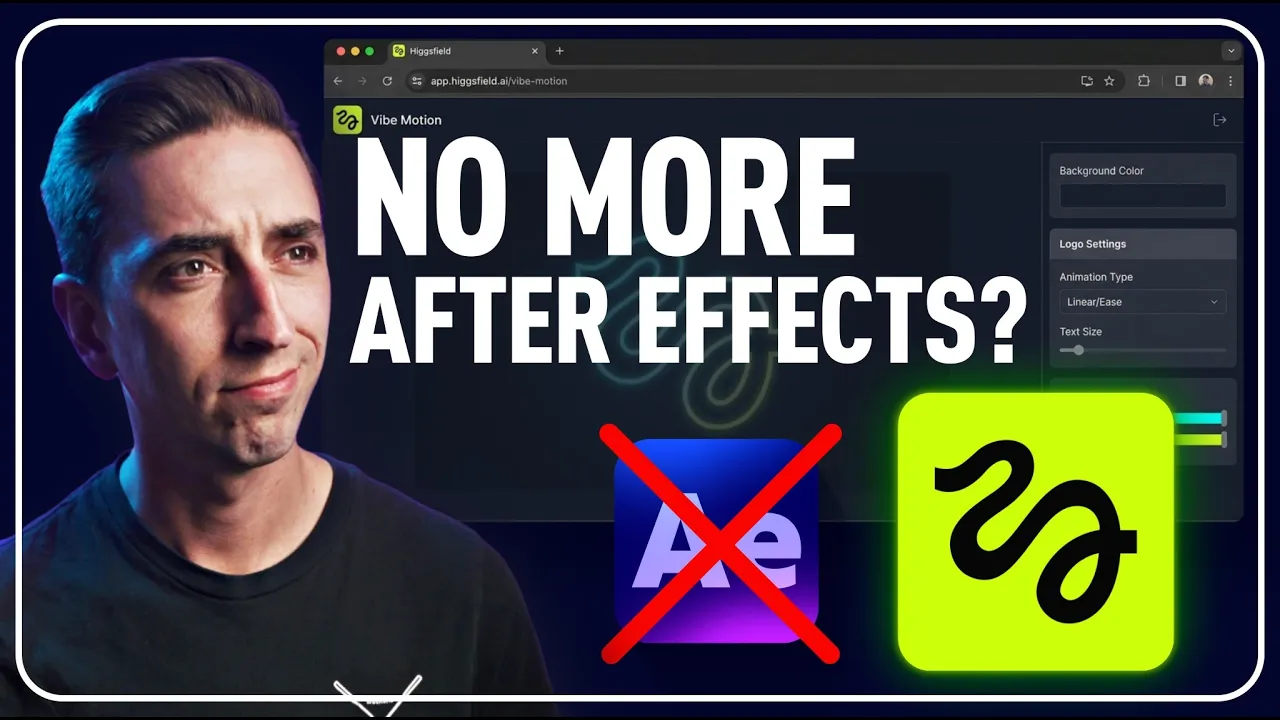
Higgsfield AI recently released Vibe Motion, which promises to turn anyone who can type out a sentence and drag some sliders into a motion designer. I think it's safe to say that I'm pretty skeptical, and I've specifically avoided looking at anything of Higgsfield. I've never used their platform before. I've only watched the release video of Vibe Motion, and that's it. So, in this video, what I'm going to do is take every prompt that they used in their video, word for word, using the exact same assets, and just see what I get doing the exact same thing, because I have a very strong suspicion that what they showed in the video is not actually created by their own tool.
This video is not sponsored. I have never talked to Higgsfield before. This is 100% my honest review of Vibe Motion from Higgsfield AI. I've never created an account. I've never looked at anything more than this homepage. So, let's figure this out together. I'm going to sign up. All right, I signed up for their ultimate plan, 1 month, $49. That gives me 1,200 credits. Hopefully, that's enough. And what I'm going to do is paste in the exact same prompts used in the Higgsfield Vibe Motion video.
So, I'm going to put in the Higgsfield AI logo and paste in their prompt, which is animate this logo in stroke glow style, and Higgsfield AI is revealed below it. And click the button, and let's see what happens. We'll see how fast this actually is. I mean, I didn't actually expect this to be instant like it was in the video. The entire thing looked like it was animated in probably After Effects. There's also no indication that I saw to give any kind of estimate of how long it would take to generate a single prompt.
All right. Uh something went wrong while creating your video. Please try again. I hope that didn't use any of my credits. It says video generated. Let me just refresh and see what happens. Okay, it looks like we got a video. Let's play it. Okay, that is not as impressive as what the Vibe Motion release video showed. Let's watch that again. >> [music] >> I mean, it says what I asked for, Higgs Field AI underneath it. Um it didn't really animate the logo other than just scaling it in.
It gave that kind of neon sign trace. But now what? What can I do with this? Because one of the biggest claims that they made was that this generates an editable dynamic project, not just flat rendered pixels in an MP4 that you're stuck with. So, what can I do? I can change details. I can probably change the aspect ratio. So, what if I change it to 9 by 16? Okay, so it just reformats it. The background's black, so that's easy to do.
What if I want to change the details? Okay, so we kind of got it like a properties panel. The main scene, we've got background color. So, [music] can I just change this? All right. Got to be honest, that's more impressive than what I thought we'd get. This is telling me that these are actual live assets, not just rendered video, and the animation still preserved. So, [music] okay, kudos. That actually is impressive. This isn't just a flat video.
Um I'm going to change that back to black. Let's go to the logo settings. Animation, linear. So, I'm guessing that's the animation of it growing. We've got a stroke glow color and a glow intensity. So, I can turn that up and down, I assume. I'm not really seeing a difference there. Let's change it to be like magenta. Okay, so that's the actual color, but [music] the glow intensity doesn't seem to change much. Um Yeah, I'm not seeing any changes there.
Is it at the beginning? No, doesn't seem to affect it, but I can change the glow color. What if we made that more like the logo green and brighter? So, that is interactive. I can adjust it. Um they've got the logo image, I can swap that out with something else. And the animation is linear. Let's uh change that. Well, for one, why can't I see those menu items? But we've got ease in, ease out, ease in and out. Let's try ease in and out and see what that looks like.
Okay. >> [music] >> I'm not really seeing a difference. This is interesting though. I don't even know how this player is built. But these are individual elements. You can see [music] in the code for the page, those are actually animated elements. So, I'm guessing that this is being animated with CSS, maybe some JavaScript. I don't really know how animation on web pages works, but that would be my guess. This is actually generating code to animate these elements.
Um maybe it's a proprietary animator, I'm not sure, but some of these properties, I don't know what they're related to. It says the animation ease in and out. There's nothing for the timing or the amount of easing. It's just ease in, ease out, linear, uh or both. Title text, let's go to that. So, Higgsfield AI, I can change this probably to Jake is skeptical. Cool. Uh the size, let's change that to 64. [music] Cool. Uh the color, let's change that.
Okay. So, yes, some of these elements are alive and adjustable. Um animation, let's change that to ease in and ease out and see what it does. Is that any different from linear? I don't really see a difference with the easing animation controls. All right. Uh font weight. So, it's a variable width font, very [music] standard um practice for websites and in variable fonts. That's all I can do with this one though. Uh I don't see anything else.
Let's see how many credits that used. It says I have 99% left. Um I'm not sure the exact count. Let's see. All right, it looks like that only used seven credits, so that's nice. Let's back out um and say export. What kind of formats can I get? It's queued in the render queue. Is it just going to give me a flat video? Cuz that's going to be a little disappointing. If we have the ability to adjust these properties within the editor, I would like to be able to bring that into After Effects somehow with layers so that I can actually tweak this to my heart's content essentially and make it look exactly the way that I want.
I'm picturing this as more of a get to the quick concept of motion really quickly and then move it into an app where I can actually take it further. Uh again, no progress indicator on the rendering. I don't know if this is actually rendering or if it's having to take some kind of path through my credits to actually render this out with AI generation now that it's mocked up in what I'm assuming is CSS animation. All of this stuff is achievable with CSS and JavaScript.
Um the glow is nothing special. That trim paths animation you can do. Uh everything else is so basic and it's not great animation. So, I'm not that impressed with this first result and it just to refresh your memory, this is what Higgs Field's own animation from this prompt looked like in their video. And honestly, I don't think that is achievable with web-based animation. Uh so, I think what I want to do once this is done rendering is just give it the exact same prompt again and see what happens.
And it just downloaded. So, let's open that up and see if it's any different. Okay, so it's just now an MP4 version of that animation. Something that could be done completely live on the fly with very basic rendering options on a webpage. It's now just created an MP4 for me. All right, I'm going to do the exact same thing. So, I'm going to copy this prompt. I'm going to make a new chat and bring that logo in again. So, let's bring that Hicksfield AI logo in and I'm just going to paste this in.
Same exact prompt and see what happens a second time again with no added actions, reference, theme, or anything. >> [music] >> And I'm probably going to start fast-forwarding through these. All right, so one of their claims is that the graphic animation in the past has been slow, expensive, and hard to revise until now. Now, I would have to argue that this is still slow and the problem with this being slow is that I have no idea what's happening.
I just hit generate and now I have to wait. There's no progress indicator. I've no idea what I'm going to get. Yes, it probably will be faster than if I were to animate whatever it produces, but I would at least have an idea of what I'm making rather than waiting and just kind of seeing what the slot machine is going to give me. Okay, here's our second result. Again, we got the error. I'll just refresh and hopefully that fixes the issue.
Um No. Error. Okay, hopefully this is just a delay. We'll refresh again. All right, well, that's an issue and obviously this is in beta. I'm going to give them a little bit of grace there. I'm going to jump back to the first one just for a second and another one of the claims that they made that this is being generated or rendered in real time. It updates instantly. And yes, with changing these details, because this is literally, from what I can tell, CSS animation, it can be updated in real time and played back with no rendering.
That's how CSS animation works. It's very lightweight and very basic. So, I'm not surprised there. That claim [music] is accurate. But, they say that you can tweak everything. The font, the colors, the layout, and more all in real time. Well, I can change the background color, sure. I can change a little bit about the logo like the stroke color, but I couldn't get the glow intensity to work. The animation curve wasn't making a visual difference, and I don't see any controls for adjusting the layout.
I can't click and drag these graphics. I can't change their position. Yes, I can change the aspect ratio. Maybe that's what they mean by layout, but that is not what I would consider having full control of the layout. [music] Also, it says that I can change the font, but there is no font selection within this title text option. I can't change anything about how the text looks other than the size, color, and font weight.
That's not very flexible. Let's see if our second logo has generated. It gave us an error. Well, that's not great. Let's see if that cost me anything. I think it did. Yep, that cost me some credits for something that failed. So, not great. Let's go back. Um I'm going to go ahead and try generating it one more time, and we'll see what happens. Same prompt, same logo now. Okay, this one actually generated. Let's play it and see what it looks like.
Wow. Okay, >> [sighs] >> this one is worse than the first one. Like what is that circle that doesn't even complete, doesn't fit the logo, it doesn't match the logo. If it mattered it, maybe. Um do we have any extra details that we can change? Background, look. No. Um All right. This is a complete fail in my opinion. Honestly, I would never use this feature if these are the kinds of results I'm getting. I can't do anything with this.
But maybe I'm setting it up to fail. I'm using a PNG version of their logo. Maybe having an SVG with the actual vectors will give us better results. So, I'm going to make a new project, paste in the same prompt, and I'm going to add that same SVG logo exactly the same as what they used in their own video and I'll generate this and we'll see what it looks like if we get any better results. All right, this error generating video is really frustrating because it's happened to me every time I've generated and when I refresh I never know if it's actually going to work or not.
This is the third time in my testing that it just will not work and I'm going to have to regenerate it again, spend more credits and wait another four five minutes for this to generate. Okay, it finally generated correctly. Let's see what we've got. Wow. Not really taking advantage of having the SVG in this one. Yes, there's transparency, there's a pulsing glow, sure, but I wouldn't call this a stroke glow animation.
[music] Um which is what I asked for. It's nothing like what the actual Higgs Field video revealing Vibe Ocean got on its first try. Are details, do we have anything special in here? Background color? No, no and [music] no. So, letter spacing is the one thing that I see that's different. So, I can increase or decrease the letter spacing. Not all that useful and nowhere near as impressive as Higgs Field's version. But I've wasted enough time on this first prompt, we've got a lot more to test.
So, let's move right on to the next one. The claim was that the more detail you give it, the better the output. So, this is a longer prompt. That is a mouthful, but sometimes you get really good results with more descriptive prompts. >> [music] >> So, let's see how this one compares to our first test. All right, error generating video. I really hope that this one fixes itself. Okay, it did. Let's play it. Um all right.
Yeah, this is kind of what I asked for. I do want to switch the aspect ratio because that is one change that they had in the Higgs Field video. It was 9 by 16. And that's cool, okay? It actually does adjust the layout, but I'm not happy with the layout. Um I I don't like the way that it is laid out here. This does kind of look like an retro Windows 95 era OS, uh but these icons are blank. Um all of this is overlapping on top of each other.
I want to be able to see them uh individually. But as far as the aesthetic goes, yes, I would say this kind of got it right, and I do think it's cool that everything is dynamically updating based on the container. However, this is a terrible layout, and I can't just click and drag on these elements, which is frustrating. I want that down here. I think what we're discovering here is Vibe Motion is just building CSS animations from a text prompt, which you can do with any AI.
You can tell any AI chatbot, Claude Code, ChatGPT, Gemini to create animations using CSS, HTML, and JavaScript, and it will do it. It won't give you this player and the ability to just change the details like we have here, but so far these details have not been very accessible. What just happened? Something went wrong. Let's back up uh see if we can figure this out. Okay, let's go back to change details, window title.
When I open that, 404. All right, I'm going to try and not to count this against them. I know it's a beta feature, but the claims that Higgsfield AI made in their release video for Vibe Motion, I think, are bold and inaccurate at this point. I cannot change anything about this layout, so this is a useless animation to me. [music] And look, I I think tools like this are actually going to be much more sophisticated and useful in the future.
AI is just going to get better. So, I am being super critical of this video specifically because of the way that Higgsfield marketed it and claimed that it's basically turning anyone into a motion designer as long as you can type out text and move some sliders. But, that is completely false and that is exactly why I created animation principles for motion designers because that is what you need to be a motion designer, animation principles.
Even if you know how to type out text and move sliders, you're not going to be able to control and actually direct the AI to creating good motion because you don't have the fundamental animation principles to help you guide that AI into creating tasteful animation. I think it's only a matter of time before AI becomes a real, valuable, and excellent tool for motion designers in their day-to-day work, but at this stage, in this Vibe Motion beta state, we're not there yet.
But, to make sure that you are prepared for when that day comes, check out Animation Principles for Motion Designers at jakemowtion.com. There's a link down in the description. There's even a 10% off code down there and I truly believe that that course and learning animation principles will transform the way that you operate as a motion designer, AI or not. The next prompt claims that it has access to real-time metrics.
So, we're going to gather performance metrics for Higgsfield AI and animate it into a chart in the company's brand colors. Let's try it. Just the fact that this is CSS animation is already making me realize just how limited it is. There are no effects other than basic glows and shadows. There's no way that we can process this with like a liquid glass look or adding film grain, um, anything like that, which I didn't go into this expecting that, but it is being generated by AI, so I did not expect this to be purely web-based animation.
That's essentially all this is is an AI generated web-based animation tool. All right, here's the result. Let's see, no error this time, that's great. Let's go ahead and play it. Okay. Well, that's an animated chart. Um, hopefully it actually pulled data from real sources. Uh, it's clipping off the 300 million right there. Is this even accurate though? January 2025 10 million 50 100 200 I mean that feels pretty stair-steppy to me.
But is this actually how you would work? Would you just rely on the AI to pull out data especially on something that needs to be very accurate? >> [music] >> I wouldn't. Uh, let's see what we can change. The title, Higgs Field AI. Cool. Size, let's change that to 64. [music] Um, does it change? No. The color is says it's white and it's not. Subtitle. Uh, that says it's white. Can we make that bigger? 36. No. It's not changing.
Can we change its color? No. Well, that is disappointing. Background, can we change the background color? Yes. Okay, so we can make this a different color in the background. Why the other controls don't work, I have no idea. But again, this is useless to me. This is the last prompt. Let's see what it looks like. All right. I'll be honest, this one is the most impressive of all of the tests I've done. It's the most complex, it's clean, it looks like a phone, it has details that make it look like an actual app, and it does what the prompt required.
It was a very simple prompt, so getting this from that is really really nice. All right, a lot more controls this time. I'm going to pause it here and we'll see the check-in screen. So that would be this one. The background color, so I could give this hopefully a different color. Okay, color control does not work. Hotel name, The Grand Hotel. How about The Subpar Hotel? Size, we'll drop that down to 36. Okay, so these controls work.
Font weight does not. Room number, we could change that. Okay, so there are more controls, but several of them do nothing. This one does work, so okay, but that's not going to cut it if I need access to all of this. Let's move forward to the digital key screen. Background, could we change that? No. [music] Can we change the title? I'm sure we can. Change the color. So, certain properties work, other ones don't. I don't understand why this code can't be tied to the graphics.
That's what's driving it. It's the code under the hood. I don't know why Vibe Motion is having so much trouble connecting these two. But as far as complexity and animation and everything goes, this one by far is the most sophisticated. I'm just curious what happens if we change this to maybe 1 by 1. Okay, there's a misstep. It's touching the top and bottom, and this is no longer an actual phone shape. If I go to 16 by 9, it fixes it. 4 to 5, yeah, we wouldn't want the phone's aspect ratio to change.
But I think I've wasted enough credits testing things out. I have 72% left. So, I've used almost 400 out of my 1,200. That's 25%, and I spent all of those credits on 17 different attempts, and you can see by the thumbnail just how many of these failed. This last one didn't generate the thumbnail yet, but I tried generating one of the prompts four times, and it failed every time, even though it said that it generated it.
So, obviously, I am not very happy with the money that I spent and wasted. I don't need to see any more to tell you that I would not recommend you use Vibe Motion from Higgsfield AI at this state. And yes, it is in beta, and there is potential here, but it is not there yet, and it is absolutely not at the stage that they claim it to be in their release video. And by the way, Higgsfield has actually asked me multiple times to do a sponsored video with them, and I didn't even respond.
So, if you're watching Higgsfield, and you want to talk a little bit more, maybe fill up my credits and let me test out some more stuff with Vibe Motion, I'd be open to that, but it's going to be an honest review just like this one. And the thing that a deal kept coming back to in that video was that you can adjust and direct the motion in real time. And while that is sort of true with these controls, as you can see, some of them don't even work and you still have to wait on the AI to generate those graphics.
It's not a quick process to get to a state where you can see is this even going to be something that I can work with. And they specifically called that out asking the audience if you prefer a random generated image just hoping for a good result or something that's editable and directable after it's been generated. And while I think they took a baby step in that direction, it's just not where it needs to be to actually be part of my workflow.
I hope it gets there, but I don't know that Higgs Field AI is going to be the ones to do it. Yes, After Effects is a lot more complex than this >> [music] >> for good reason. It allows you to do significantly more than very simple web-based animations. And there is a plethora of content to learn After Effects from for free on YouTube beyond just my channel, as well as a huge selection of paid courses from industry professionals.
[music] I hope you'll consider my courses at jakanmotion.com. But let me know what you think of AI in motion design down in the comments. Have you found any services that you've started incorporating your own workflow? Have you used Vibe Motion and had better success than I did? I want to hear about it. Thank you so much for watching. I hope you have a fantastic day and I'll see you in the next one. Hey, let's talk about it.
The words are the caption track's own and nothing is reworded or re-transcribed. Paragraph breaks are placed between sentences so the text reads as prose.
Free tools for your own script: paste a draft and see where it stands before you record it.
Paste your draft and see where viewers are likely to drop off, with a rewrite for each weak line.
Paste the first 30 seconds of your own draft for a hook score and rewrites.
Check your draft against YouTube's advertiser-friendly guidelines before you record it.
Read this channel's public videos and transcripts, and download a writing brief for it.