Getting the transcript
Reading the captions from YouTube. A video nobody has opened here before takes 10 to 30 seconds; this page fills in on its own.
Getting the transcript
Reading the captions from YouTube. A video nobody has opened here before takes 10 to 30 seconds; this page fills in on its own.
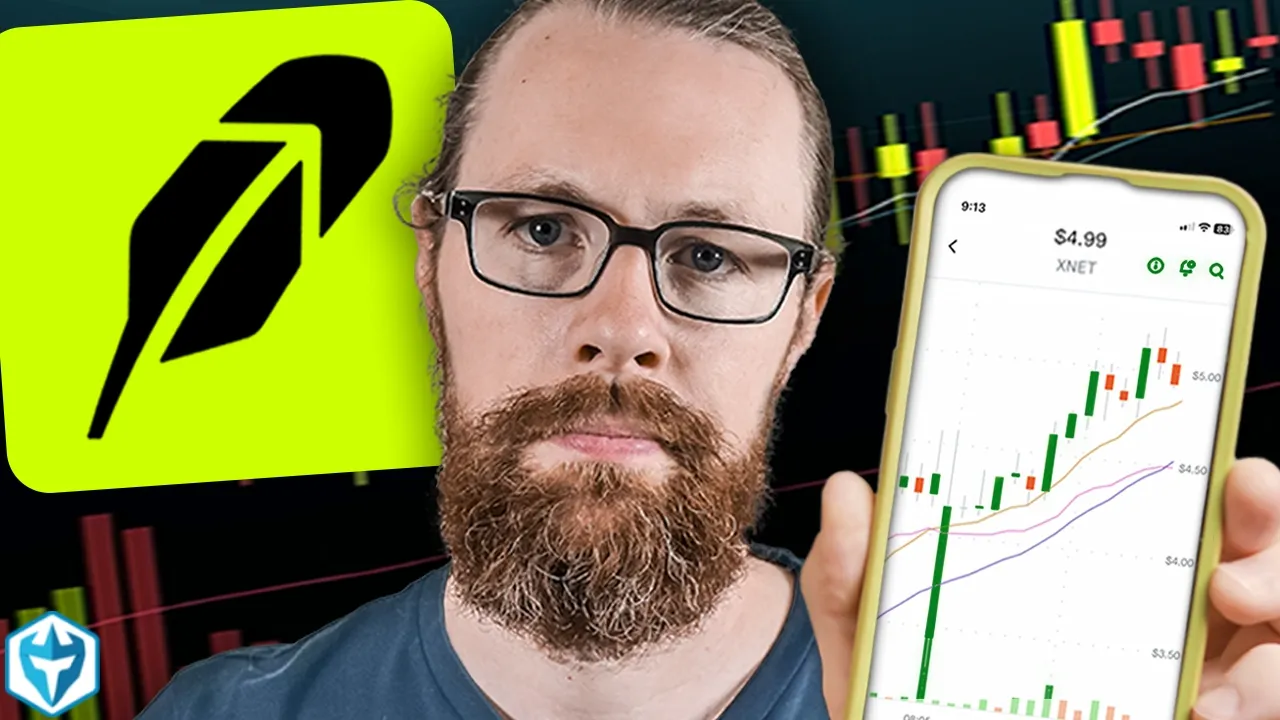
Ross Cameron - Warrior Trading · @DaytradeWarrior
Where viewers went back to watch this video again, from YouTube's public Most replayed graph, lined up with what was said at that moment.
Most replayed moment #1
16:435.3x the video's typical replay level
it the fastest either no probably not I'll just do a quick U demo here um I'm going to just jump into this here boom boom just like that do you see how fast you you you blink and you missed it that's how fast I just lost 50 bucks but
Said at 16:37
Most replayed moment #2
4:202.6x the video's typical replay level
boom swipe up to submit you could place an order so the order gets sent right so this is how a lot of people were trading right on uh Robin Hood now if you click this little arrow right here that little arrow is going to bring up the level two which is really nice so on your mobile
Said at 4:13
Most replayed moment #3
13:272.0x the video's typical replay level
say well I want to get out of this position so what do I do I could click on this right here right so I could set a limit order let's see um limit and I could say sell right so if I want to get out I
Said at 13:21
The graph counts replays. It does not show where viewers stopped watching.
Words
4,449
Runtime
21:41
Speaking pace
205wpm
Reading time
19min
205 words per minute, above the 201 75th percentile of 349 measured videos. That distribution comes from the 349-video hook study.
Opening (first 30 seconds)
[Music] in today's episode I'm going to teach you how to day trade using Robin Hood Legend this episode will be a full platform demo where I'll walk you through my settings and how I optimize Robin Hood legend for day trading and at the end of this episode I will give it a Ross score which will determine whether or not I would use this software for real money for the strategy that I trade every single day my name is Ross Cameron I'm a full-time Trader and in case you didn't know I turned a small account with less than $600
103 words, the words spoken in the first 30 seconds at 205 words per minute.
Free, no signup. See how the first 30 seconds hold attention, with rewrites.
Sentence shape
| Measure | This transcript |
|---|---|
| Sentences | 2 |
| Average words per sentence | 2224.5 |
| Longest sentence | 3,647 words |
| Questions asked | 0 |
| Sentences containing a number | 2 |
Most used terms
Filler phrases
157 in total: um 41 · uh 27 · like 25 · kind of 21 · you know 20 · sort of 13 · I mean 7 · actually 3.
A literal whole-word count of the same phrase list the Prepublish browser extension uses, so a phrase inside another word is not counted and a phrase used in its ordinary sense still is. It is a count and not a judgement.
Free, no account. See where attention is likely to drop, with a rewrite for each weak line. The free check shows the scores and the one issue costing the most. Or run it on the words above first.
Free · No login · See a sample audit first if you prefer.
What this transcript is
Every word below is the caption track YouTube publishes for this video, pulled from the video itself and reproduced unchanged. It is not Prepublish's writing, not a summary, and not a re-transcription: it is the video's own published captions. English captions, generated automatically by YouTube, in the video’s original language. Source: the video on YouTube. A channel that would rather this page did not exist can ask for its removal through the contact page, and it is removed.
[Music] in today's episode I'm going to teach you how to day trade using Robin Hood Legend this episode will be a full platform demo where I'll walk you through my settings and how I optimize Robin Hood legend for day trading and at the end of this episode I will give it a Ross score which will determine whether or not I would use this software for real money for the strategy that I trade every single day my name is Ross Cameron I'm a full-time Trader and in case you didn't know I turned a small account with less than $600 into more than $10 million of verified and independently audited trading profits I'm not saying that because I want you to assume that my results are typical because they are not but I want you to understand that I've been in the market for a long time in fact I funded my first account in 2001 so I've used so many different platforms I have a really good sense of what I need in trading software in order to extract profit from the market consistently so I'm kind of in a unique position where I can really share some insight as I review these different platforms and and I think share with you whether or not these are really viable for trading the way I like to day trade and I'm of course a momentum Trader so I'm trading things that are moving fast all right so we're looking at Robin Hood Legend right here front and center this is the software and you know what it looks great it's I mean visually look at this it's fantastic you know for those of us for those of you who have tuned into some of my other platform demos just the charts by themselves are really nice I mean some of these platforms that that we've used the charts I mean you can't you can you can hardly move them around this is trade station these charts you know they're they're really basic it's not easy to kind of navigate them Fidelity is even worse I mean you know it it's so Robin Hood has done a good job with the charting but let's take a step back and start at the beginning here so I'm going to pull up a slide deck for Robin Hood all right so your first the first thing that I'll observe with Robin Hood is that the platform is fun when you set up your account you get these you know cool little Graphics instant deposit available so this was kind of cool I funded the account with $26,000 so I could day trade in it right that makes sense you need $225,000 minimum because they enforce the pattern day trader rule on margin accounts on a cash account you could put in 500 bucks and you could day trade with it but once you take $500 worth of Trades you've got to wait till all those trades settle which takes place overnight it's called T1 settlement so then you could trade that same amount of money the next day but when you fund your account uh they gave me instant access to up to $5,000 which was nice because the a deposit did take almost a week before it settled so I was able to kind of get set up and take a few trades uh with small share size just to sort of test the water so I thought that was nice now when I first got set up here and this is what most people will do I did a link between my bank account for that a transfer you can do direct deposit you could do of course wire transfers there's different ways you could fund your account but for me it was just easier to set up this direct link but even in spite of that it still took a little bit of time to get it going so now the old web platform is kind of interesting H and I'm going to jump out of this here and just show you what that looks like so prior to launching Robin Hood Legend you had sort of two options for trading on Robin Hood the first was to pull up well originally Robin Hood didn't even have um anything on the web it was just a mobile app now I got to look at it with my face so we had the mobile app right here so on the mobile app on Robin Hood this is of course what people have been using for a long time so during you know the GameStop um big move and everything else people were using Robin Hood so and it was on a mobile app so let's just pull up a stock um CDT all right so we're going to pull up CDT Pharmaceuticals this stock right now is up 82% today so if I wanted to trade this and I wanted to really get dialed in I could just click the buy button right here so I click the buy button there I Choose You Know $20 and I could review but I could also change that to buy and shares so I could say I want to buy you know 20 shares whatever review and then just like that boom swipe up to submit you could place an order so the order gets sent right so this is how a lot of people were trading right on uh Robin Hood now if you click this little arrow right here that little arrow is going to bring up the level two which is really nice so on your mobile app you you actually have level two for these you know for the stocks that you're looking at so you can see the bid on the left the ask on the right so the mobile app is is what most people probably use Robin Hood for but um I was specifically asked to do a platform demo of Robin Hood Legend and this is this is not Robin Hood Legend This is Robin Hood the mobile app now by the way as I was editing this video I was thinking that some of you may be interested in learning more about my day trading strategy so I'm going to put a link it'll be pined at the top of the comments and in the top of the description where you can download my small account worksheet it's a PDF that's going to walk you through my process of how I build small accounts beginning with of course Risk Management stock selection my Five Pillars for choosing the strongest stocks to trade each day and then the entry setups that I use in order to minimize my risk while maximizing my upside profit so make sure you guys check out that PDF resource you can implement it in your own trading starting today and I think it'll really help you okay so with that let's get back on to the desktop and start looking at Robin Hood Legend well before we do that let's just look at the website so they essentially mimic the functionality of the mobile app on the website so if we pull up CDT which I'm now holding a 20 share position on um we pull up CDT right here and you could see of course the stock you can go to um Advanced right here you could start to get into the details of it you could pull up the order book right here so that's under level two so you get to add the order book so you can have uh your level two on this you could see the charts you could of course manipulate them change them you don't want to do a line chart you want to switch it to a Candlestick you know you could change all that stuff around as you'd like so this is kind of what most people are using on the computer if they were trying to uh you know trying to day trade uh you know any any ordinary stock and then they launched Robin Hood Legend So This is the Robin Hood Legend uh platform as we sit right now so you could see I've already got my one position of 20 shares so let's say um so I just put the chart front and center just kind of because I thought that was sort of the most intuitive way to set this up um you can see the order that filled right here for CDT you can see my position it's showing I'm holding 20 shares average cost of 284 I'm up7 cents whatever that's the last price that's my p&l open uh one day that's the p&l percentage in one day that's the market value so the first thing that I did when I got logged in here is I was like all right I got to kind of situate and get this sort of organized the way I like it so I started let's see so the first thing I did um let me just oh yeah that's full screen so the first thing I did was I went to add widget and I was like I'm going to want to add my recent order window right so I want my recent orders and where should I put that so I was like I'm going to kind of set this up here maybe I'll put it up here now maybe I'll put it up here so I kind of got that dialed in and I ended up putting my recent orders right over here so they're right there now you could drop drag and drop this although you could see it's it's a little it's it's like a little clunky it doesn't let you drag and drop it's sort of like a grid in a way um which is okay I suppose uh I'm going to be a little nitpicky here but to me it's it's kind of it's almost like Tetris it's like this is like sort of silly uh the way you sort of move this around so if I was going to give a critique of sort of how to navigate this platform in this way I I would say personally Weeble is much easier to navigate you could click and drag the window and then you can say I want it right here and I want to tab it or I want it here or here or here or here this functionality is great um so or you could WR have it pop out entirely so I I prefer the Weeble platform for that ux of the way you can move Windows around but um but anyways that they it'll probably get better in time so and and then you see sort of the way you sort of have to adjust these like it's just kind of a little bit bizar now you can customize your columns so you can say you know what I don't need to see the bid in the ask so I took those ones off there's some others that I took off uh but you could add columns if they were specifically relevant for you if you're trading options and you need to see the strike price or whatever you could do that so could take off the mark could take off the last um I don't really need to see market value personally I don't need to see the percentage um this is this is usually just pretty much the way I do it um so open p&l and then usually I have another line for closed p&l so uh so let's just so we'll leave that right now just for the time being and let me just show you a couple different things so this is how I usually have my platform set up is that I have my positions window in the top left corner so this is kind of what my ey naturally is gravitating towards is all right got to check my position this is where I look so top left corner so I kind of make it a little bit smaller so I can just sort see what I need now this is my this is my software right here that I use uh on a day-to-day basis for my primary account so positions window top Corner symbol position size average cost open p&l and then closed p&l now the closed p&l is helpful because I have zero position on these stocks right now but I like to be able to see you know of course how much I made on them then I have active orders and then recent orders and then we have my level two windows and then for me I use charting um I actually don't use charting in my broker because although my broker is great for order execution the charts aren't that good so I use day trade Dash right here for scanning and charting right so this is day trade Dash so I use this for all my scanning and all my charting and I this is this is a good workflow for me all right so back on Robin Hood Legend as I was kind of setting this platform up I was like all right so first things first we're going to put our positions here then we put our recent uh orders here and usually I kind of move this to be about the same size so quantity and price good cryptos to watch don't need that but um you don't have it doesn't have to be cryptos you could just change to um stocks you know Ross's watch list like that all right um so go like that and then you could add a symbol and say CDT we'll watch that one and tnxp this is another one that was up a bit today uh we'll just and then that's fine we'll just leave it at that for now so you can have a couple stocks on watching all right so then the buying power I could just kind of leave that down here for right now I don't really I probably don't I don't need that on a day-to-day basis and then the charts usually I put if I'm going to have it in the top Corner kind of like this so make that a little bit smaller and like I said the charts are are great um you've got 1 minute time frames but you can also go down to a 30- second chart so you can have fast time frames which is great you you get that at um Weeble as well and we'll do I will pull up a broker comparison sheet right here by the way where we're going to really rank um you know these platforms I'm going to kind of go over their different features so I'll go over that more in in a moment um but the biggest issue right now is that as of today if you go to add widget you've got watch list chart positions account summary options chain recent orders that's it you only have six widgets we don't have a news feed there's no news you don't have level two there's no Market depth now at first I was like there there's got to be Market depth how how could there not be right is it maybe it's just you have to add it here as an indicator right kind of so I'm like order book nope level level two nope Market depth no so it's not on the level two see the reason I thought maybe it would be is because um on their web platform you get to level two by sort of being on the chart and then clicking Advanced um but it unfortunately right now they have not yet added level two a level two window to Robin Hood Legend okay so that's a major problem because I need level two data I need it to be able to trade so that's that that's our first major issue all right so we don't level two data so then all right so now we're just working off of a chart so we've got a chart here so we'll just go like this for now um this will just put down here for now I mean whatever so at this point this is becoming less of a platform for day trading and more of a platform for just quickly obser observing the positions that you might be holding uh so now I say well I want to get out of this position so what do I do I could click on this right here right so I could set a limit order let's see um limit and I could say sell right so if I want to get out I could click sell right here um or if I want to add how do I add I click the buy button right here and then I could buy you know 100 more shares or 10 more shares doesn't matter so you can see the order goes through there see how it's working so right now that order is working the price just popped up just a little bit so we're going to have to cancel the order we're going to buy again and this time instead of a limit order I'm going to do a market order so it's faster so let's see how fast the execution is pretty instant that went from uh 20 to 30 pretty fast let's do it again Market 10 pretty fast let's let's go ahead and just let's just up this let's just do 2500 shares this is going to cost this might cost me a little bit of money but I'll do it pretty fast right so now let's go and sell the full position but now we got to type in every time we do this we're having to type in the position size 2500 shares so now let's go market and let's click sell so I'm all out and how much am I up or down on the day well I can look down here and see I'm down $79 but my position is not showing because I've now closed my position so you know for me um usually platforms will give you a chance to select filter to show zero positions that's what um we typically would expect and so unfortunately that type of functionality does not appear to currently exist so now we're sort of stuck with the fact that um we just um we have to sort of guess how much we're up or down on any particular stock now if we pull up our broker comparison sheet here um we're going to start getting into it so this is Robin Hood right here so currently level two data is not available on Robin Hood Legend I'm sure it's going to come soon I mean how could it not but it's not there yet they also don't have hot Keys there's no hot Keys there's so as a res of course there's no hockey offsets there's no position selling by percentage of position there's no halt levels there's no resumption quotes well you don't have level two we also don't have a news feed I didn't even add this on here because everyone else has a news feed but they don't have a Newsfeed so the desktop experience is poor very limited features so would I use this with real money Robin Hood Legend right now gets the lowest score of any platform that I've demoed it is not something that I could use for day trading it would simply not be possible this was something that was you guys requested I do this platform demo and so it's a pretty short one there's not a lot to say there's no level two there's no hot Keys you can't move in and out of positions quickly they don't publish their execution speed it's not I mean we just saw those trades is it the slowest we've ever seen no probably not but is it the fastest either no probably not I'll just do a quick U demo here um I'm going to just jump into this here boom boom just like that do you see how fast you you you blink and you missed it that's how fast I just lost 50 bucks but you could jump in and out of the market that fast instant executions I'll do it one more time so that was a little slow you know what I don't know actually so that was a little bit slow that was a little bit slow which is unusual I'll do it one more time just so so you can see all right so boom 5,000 shares now there's a buyer there I'm going to go contrl Z out the whole thing gone instant it's just so fast and that's what I need so I need software for my strategy where when I see a stock moving I can get in quickly so I about a year ago did a challenge it was uh me versus one of my students and uh he was using thinker swim and I was using my software and we just set a challenge to see how we could do during the course of a month and what was really interesting was that the stock that had breaking news that popped up all of a sudden like 88 a.m. start squeezing up he wasn't able to trade his routing was too slow he wouldn't fill he would just get partial fills on the orders he wouldn't get filled the shares he wanted and then it would just go without him and he didn't want to chase it whereas me because of the software that I'm using I was able to get in quickly and I'll say it's not just the software it's the broker as well so the broker is what of course connects you they're the inter intermediary between you and the market so if the broker is slow in routing your order to the market then you know you might miss a trade and I can't afford to miss trades so for me getting in and out quickly is is key for my strategy so this is the software that I'm using light speed trading and I'll say I don't have any affiliate relationship with them uh or with any of these other Brokers I have no affiliate relationships I don't need an ex ra 50 bucks if you guys sign up for an account it doesn't matter to me so I'm just giving you my honest opinion here of whether or not I could use these platforms for the strategy that I'm trading every single day and an additional uh note is that they don't offer paper trading right now at Robin Hood uh which I think is um kind of a bummer because they offer it at so many other places so if I was comparing Robin Hood to any of these other ones they're all better but a real good competitor that is a much better option for my strategy would be Weeble Weeble it's a 7.5 on my score the only downside is that it's not a direct access broker so your execution will not be as fast as the broker that I'm using but it's commission free Charles Schwab using the dash Trader software to have a better front end that's a pretty good experience so you do have a couple of options here that are still commission free and then you start getting another Brokers that charge commission and you get really fast execution but you start paying the fees Interactive Broker unfortunately this is a platform that could be as high as an8 but they enforce rule 144 rule 144 states that uh anyone uh who is an affiliate of a company who sells more than 1% of the outstanding shares of the company or 1% of the average reported weekly volume um would have to file a disclosure and so what interactive brokers does is they air on the side of caution and assume that everyone is an affiliate of the company so if you try to sell more than 1% of the average volume of a stock over a 4-we period they will block you from selling before and you have to go through their compliance department and affirmatively say I'm not an affiliate of this company so the problem with that is that that could take 45 minutes it could take an hour it could take three hours and you're not able to sell your position now of course you're most likely not an affiliate to the company so by the time you finally are able to sell well the stock could be at a very different price and now you've gotten smoked so even though interactive brokers um could be an eight using the DH Trader platform they're they're not viable either so thinker swim ER trade um interactive brokers they've got a couple three different versions I looked at Fidelity Robin Hood and and trade station I haven't done my given them my raw score yet uh but they're they're not bad they're probably going to be um in the range of five uh above five they'll be above a five I I'll just give it a placeholder of a 5.5 for right now it might go a little higher than that um but they're not bad um so so this is where Robin Hood Legend sits all right so if you want to check out a platform that might be a little bit better I will give you a link I'll post it right up here so you can check out my Weeble platform demo which I think you might enjoy or uh my Charles Schwab using the DH Trader platform check out that platform demo right there I think you'd have a better experience with either of those two softwares all right now if you want to learn more about my strategy I trade every single day check out the links in the description and I'll see you for the next upload real soon [Music]
The words are the caption track's own and nothing is reworded or re-transcribed. Paragraph breaks are placed between sentences so the text reads as prose.
Free tools for your own script: paste a draft and see where it stands before you record it.
Paste your draft and see where viewers are likely to drop off, with a rewrite for each weak line.
Paste the first 30 seconds of your own draft for a hook score and rewrites.
Check your draft against YouTube's advertiser-friendly guidelines before you record it.
Read this channel's public videos and transcripts, and download a writing brief for it.