Getting the transcript
Reading the captions from YouTube. A video nobody has opened here before takes 10 to 30 seconds; this page fills in on its own.
Getting the transcript
Reading the captions from YouTube. A video nobody has opened here before takes 10 to 30 seconds; this page fills in on its own.
Matthew Berman · @matthew_berman
Words
2,961
Runtime
16:59
Speaking pace
174wpm
Reading time
12min
174 words per minute, between the 160 25th percentile and the 181 median of 349 measured videos. That distribution comes from the 349-video hook study.
Opening (first 30 seconds)
Sonnet 5.5 is here and it might be the overall best model on the planet. In this video, I'm going to show you what it can do and also what it can't do. I've had early access, so I've been testing it. And now, let me just show you some of the demos. All right, so this first one might be the most insane demo that I've ever been able to create, basically from a single prompt. Build a real-time 3D ocean in the browser and keep
87 words, the words spoken in the first 30 seconds at 174 words per minute.
Free, no signup. See how the first 30 seconds hold attention, with rewrites.
Sentence shape
| Measure | This transcript |
|---|---|
| Sentences | 299 |
| Average words per sentence | 9.9 |
| Longest sentence | 88 words |
| Questions asked | 0 |
| Sentences containing a number | 37 |
Most used terms
Filler phrases
59 in total: actually 16 · basically 13 · like 13 · I mean 9 · kind of 4 · you know 2 · literally 1 · uh 1.
A literal whole-word count of the same phrase list the Prepublish browser extension uses, so a phrase inside another word is not counted and a phrase used in its ordinary sense still is. It is a count and not a judgement.
Free, no account. See where attention is likely to drop, with a rewrite for each weak line. The free check shows the scores and the one issue costing the most. Or run it on the words above first.
Free · No login · See a sample audit first if you prefer.
What this transcript is
Every word below is the caption track YouTube publishes for this video, pulled from the video itself and reproduced unchanged. It is not Prepublish's writing, not a summary, and not a re-transcription: it is the video's own published captions. English captions, generated automatically by YouTube, in the video’s original language. Source: the video on YouTube. A channel that would rather this page did not exist can ask for its removal through the contact page, and it is removed.
No Script X-ray for this video: YouTube shows a Most replayed graph only once a video has enough views.
Sonnet 5.5 is here and it might be the overall best model on the planet. In this video, I'm going to show you what it can do and also what it can't do. I've had early access, so I've been testing it. And now, let me just show you some of the demos. All right, so this first one might be the most insane demo that I've ever been able to create, basically from a single prompt. Build a real-time 3D ocean in the browser and keep improving it until still frames could pass for photos of the open sea.
Use a real wave simulation with sea states from glassy calm to a storm. White caps where waves break, a realistic sky, clouds that shadow the water, times of day through a moonlit night, and rain and lightning at a sailing yacht with a wake and an underwater view with light shafts and fish. All right, so this is it. and it looks absolutely incredible. So, we have a bunch of different settings that we can play with. We have how the sea is actually behaving.
So, glassy, here's calm, a little breeze, obviously bigger waves. We start to see some white caps, but look at the reflections. Ah, there's our beautiful sailboat. Then we can have fresh water, rough water, and stormy water. Look at the size of those waves compared to the boat. Here we can have sunrise. Look how beautiful that is. You can actually see the wake coming off the boat right there. Here's noon. Absolutely gorgeous blue water.
Look at how the reflections are just rippling through the water. We can change the cloud cover right here. So, we have cloud cover 4%. We can add more clouds. And you can see the clouds coming in. And as you add the clouds, the lighting actually changes obviously because the sun is being blocked by the clouds. So, let's put a little bit of cloud cover in there. And you can change everything. Swell, direction, choppiness.
Here's choppiness. Let's turn it up. Wave height. You can change where the sun is. Look at that sunbearing. I mean, this looks like gorgeous clear blue teal water. You can make it give you a tour. So, there's actually a little island out there, which is kind of kind of cool. Here's a nice little Easter egg. You actually get a little splash if you click the water. So, there we can go underneath the water and look up. And you can see the little columns of light coming through.
I mean, it just looks incredible. And I even had Sonic create demo videos from each of them. So, it opened up each of the demos and it recorded it and clipped it, edited it in full. Watch this. So, here it is going under the water. We can see the fish. We look up. Look at that. Beautiful. And that was fully edited by Sonnet. All right. Next, we have a Fall Guys clone. And this is an actually fun game that you can play.
Here's the prompt. Build a playable Fall Guys knockout show in the browser with 3JS. This is important. So, it was all built with 3JS. Me against 59 bots across five rounds ending in a final and a crown ceremony. And this is the important part. You have to explicitly prompt the model to doublech checkck its work as it goes. And that might come in the form of screenshots or video or literally just playing the game itself.
So anyways, here's the game and here's the level. I mean, it is legit and it is actually fun. Let's see if I can beat it. So you got jump and again this was basically like one or two prompts. Okay, so that door opened. You can dive by pushing control and Opus 5.5 was able to make this, but so was Sonnet 5.5 just as well. This is just as good. And as I got a little bit better at prompting it to create this game, I actually think this game is more fun to play than its opus version.
We go. This worked out well. Okay. It gives me little hints as I go. And yeah, I'm definitely going to win this one. This is actually fun. Okay, we have little bouncy areas, revolving doors, and there we go. I won. A little clipping issue here and there, but overall it looks really good. And with all of this incredible code that AI is writing, you do need a way to review it, especially if you're putting it on production.
And that's why I want to tell you about Code Rabbit. Humans are writing more code than ever, but it is nearly impossible to keep up and actually review all of that code before it gets to production. That's where code rabbit comes in. Using traditional interfaces to review all of that code, even with the help of AI, is still tedious. And that's why they introduced change stack. It has features like cohorts allowing a big diff to be split into small independent units of related work that you can review one at a time each with range specific summaries.
It has layers. Each change is broken into its natural reading order and dependency chain instead of alphabetical file order. It has an overview which is an opinionated summary. What the change is, why it exists, what's blocking the merge, and what needs attention. It also, and this is awesome, has a blast radius detector. What are the potential other pieces of code that this change will touch and a gentic chat so you can ask questions against the PR when you're shipping code more than ever and your PRs are getting more complex than ever.
This is the best way to not only understand the changes, but to feel confident that you're shipping code that is stable and secure. So, go check out Code Rabbit. Use the change stack interface and you will be shipping faster and more confidently than ever. Use code Matthew CR for the first 50 firsttime users. And once you win, you basically get to watch all the bots play it. So here it is. You can see everybody else playing.
I think this is cool. Okay, so you can customize. You can change the colors of your little guy here. Have different patterns. And the best part is Sona 5.5 is half the price of Opus. So you get a ton with your quota. And look how many different levels it created. Look at all of these. So, I can load another one up. Here it is. A completely different level. And it loaded basically like 50 or so of them. All right. The next one is a Lego creator.
You could basically create any Lego you want by just natural language prompting it. It will build the Lego, figure out the pieces, and then also give you step-by-step instructions to create it. So, here's the prompt. Build me a web app where I type anything or drop in a picture and get a model made only of real Lego parts in real colors shown in 3D with step-by-step instructions and a parts list I can upload to BrickLink.
Don't let the AI place bricks itself. Have it describe the shapes and have a program turn those into real parts and check that the model is one connected piece that actually builds. If it doesn't, send the problems back to AI to fix. Make the plastic look real. I really wanted it to be hyper realistic. Add a few lighting looks and keep instructions dead simple. At most four pieces per step, new pieces highlighted. Let me paste my enthropic key in the app and include readymade builds that work without one.
Keep the design compact and monochrome. Check everything with screenshots and tell me plainly what works when you're done. And here it is. So this is the interface. So, it gives me a bunch of readymmade Lego builds already ready to go. Here's a rubber duck. So, if I click into it, you can see these are all real Lego pieces and I can go step by step through them. So, if I click this, it's going to lay all the pieces down one by one.
Look at that. So, so cool. So, 281 different steps. And then I can do front. I can switch to the side. Go to the top. Go to 3D. I can even explode it. The exploding doesn't work super well, I realize, but it still works. You can actually see all the different pieces right there. I can change the lighting. I can export it as instructions in a PDF, a brick link wanted list, re-brickable CSV, LD raw model, or just JSON. all like super easy and possible.
So here I click on instructions and now it's basically like an instruction book. So I click go and it's going to walk me through step by step how to build it. Look at that. Look how cool this is. And it's 3D as well. So if you're into Legos, you basically have unlimited creativity now. You can create anything. It tells you exactly the pieces you need. It builds it for you. Okay. Next, I did the 3D render of San Francisco again using Unreal Engine.
Remember, I did that with Opus 5.5. Let's see how Sonnet 5.5 does. Build a hyperrealistic downtown San Francisco and Unreal Engine 5.8 at real scale and from real city data with about 120,000 people and 2400 vehicles moving around it. Use Jev to decide what each person does and fall back to simple rules if it's unavailable. give me a box where I can type an event like fire at the Transame pyramid and have the whole city react.
Fire engines arrive, traffic pulls over, the crowds flee or watch. The goal is screenshots a local would mistake for photos. So, compare against real pictures and be honest about what looks fake. Okay, so I actually also had to download assets, all free assets as well. Let me just show it to you. And so, here it is. This is our little San Francisco. And compared to Opus 5.5, it's definitely better in some ways. It's not as good in others.
So, one thing is it does overload my computer a little bit. Uh you can see sometimes it'll just stop working, but overall it's pretty good. You can see all the people on the corners. You can see here's the trolley or the the rail car. Here's a bunch of people walking across the street. I mean, the realism, especially the people who are walking around and and the traffic patterns and the cars parked on the street, it is all crazy realistic, but there are little issues.
You can kind of see some glimmering coming off this building right here. You can see some of the shadows here are a little bit wonky, but overall, I'd say this is really, really good. Let's see. There's the Salesforce tower. Looks extremely real. So you can see as I start to fly above the city, you can really start to see it. This is Union Square. It looks decent. Not great, but it does look very familiar. We can see all the buildings very individual.
Every single one looks different. And it, you know, at first glance looks pretty darn accurate. There's the freeway right there. Yeah. I mean, this is incredible. Now, here's the thing. This took multiple days to complete. millions and millions of tokens. It's not going to be fast to create this, but Sonnet can do it. It absolutely has solved 3D. Okay, so here's one that Brian from my team created. This is called Crownfall.
It's an Age of Empires like game. So, you can see my my little troop here. I can move them around pretty easily. Create a villager. You can see now it's starting to be created. Then after that, scout cavalry. Oh, I have to build more houses. Here we go. I can create a house. Oh, yeah. There we go. Look at that. This is cool. All right. Yeah. So, there we go. I have one of the villagers building a house now. You must build additional houses.
Yes, I hear you. Okay, let's build another one. House. I'll build it right next to that one. By the way, I will link most of these games down below if you want to play it and try it out yourself. So, there we go. Here is a house that got fully created. Now, if I can create another Let's do a scout cavalry. Okay, there we go. So, yeah, very easy. I mean, you can create now full games, fun games. All right, here's a Batman Arkham Knight that Alex from my team created and it built out an entire city in Unreal.
You can fly around and I guess that's a grappling hook. That is not actually webbing cuz that would be Spider-Man. But you can run around this whole city and it does look beautiful. I can see a little bit of issues with shimmering windows which look a bit awkward. I saw the same thing in my 3D San Francisco builds. So maybe there's like a little bug there. But overall, I think this looks really good. Here's another one that Alex created.
This is a realistic Mario world. Basically Unreal Engine build Mario. Look how good this looks. So the Mario looks more humanlike than what it typically looks like, but I mean this is really good. Yeah. So you can see it looks really good. It has a lot of characteristics of Mario. The guy when it runs is definitely a little bit hunched over. Here is Forza. So, a racing game. Three, two, one. Let's see it go. Pretty good.
The one thing I can tell across the board that it's still not good at is creating sounds and music. I mean, it really doesn't sound good at all. Mine, none of mine sounded good. So, there we go. I think this again looks quite good. I'm going to show you the benchmarks. I'm going to show you the pricing because that is probably the most impressive thing about Sonnet 5.5. Okay, now look at this. Oh, crazy. So, Sonnet 5.5 actually beat Opus 5.5 on Terminal Bench 4.0, which is kind of crazy to think about.
The Sonnet is supposed to be a smaller, cheaper, faster model and it actually beat Opus 5.5 at least at this one benchmark, terminal bench, which is really one of the most important benchmarks for coding. And I will tell you, upon using this model a ton over the last few days, one thing I noticed is I can't really tell the difference between Sonnet 5.5 and Opus 5.5. Maybe I'm not giving it hard enough tests. Overall, these models seem almost identical.
Here's Frontier Code 1.1 on Extra High. I got a 52.1 versus Opus 5.5 at 54.4. Almost the same. Cursor Bench 55.5 versus 57.8. Once again, almost the same. Here's GDP val. 1844 versus 1846. Oh my god, these scores are all basically the same. This is crazy. I told you guys. I was like sonnet seems like the same model and yeah so basically look at this so we have humanity's last exam at 64.5 versus 67.7 OS world this is computer use which I still find open AI models to be much better at browser control computer use but still 80.1% versus 81% here's chtography visual chart recognition 61% versus 64% so you're basically adding effectively the same model between Sonnet 5.5 and Opus 5.5, but you get it at a massive discount, and it's also much faster.
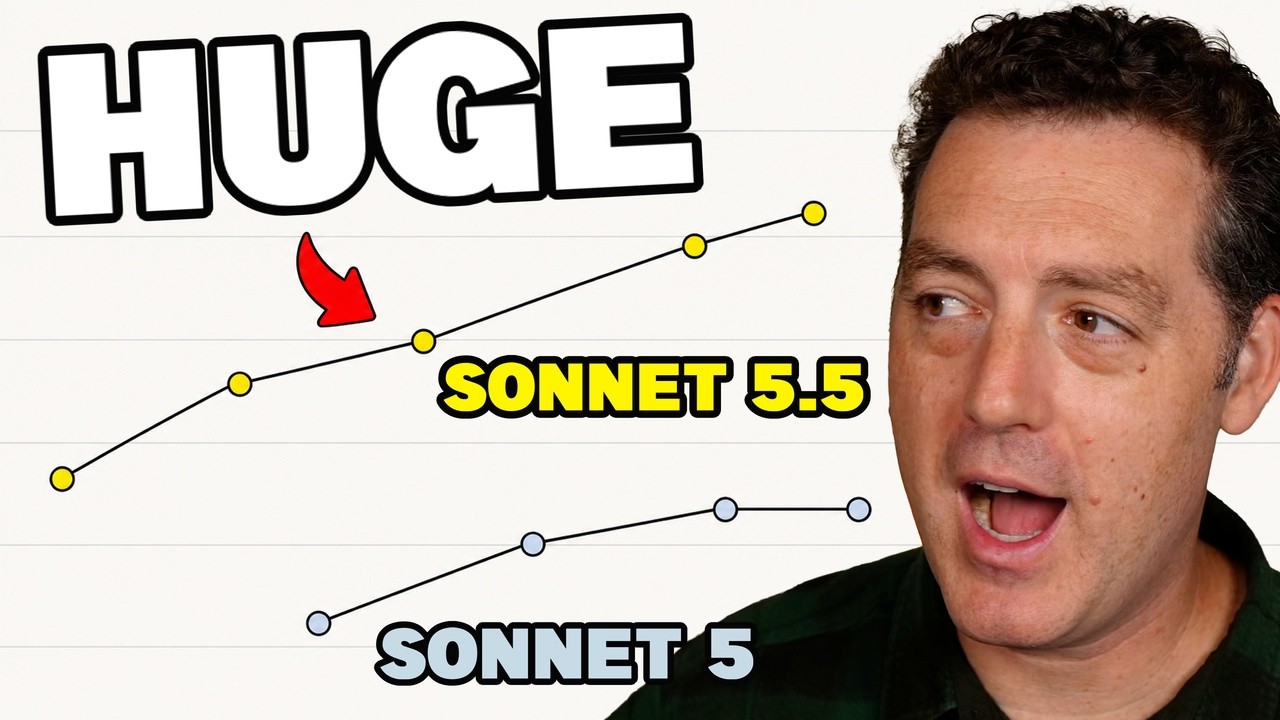
I mean, look at this. On several benchmarks, Sonnet 5.5 at low or medium effort, beats Sonnet 5's best score for about a tenth of the cost. This is what I'm talking about. This is the magic of artificial intelligence. every year, every month, it gets cheaper and faster and easier. Now, one quirk that I did notice is sonnet 5.5 with writing has the tendency to spell things as if it were British. So, color is c o l o r for example.
And I don't know why it decided to do that, but it has done that basically across the board with all of the writing that I've given it. Now, it is obviously extremely steerable. So, if I didn't want it to do that, I simply tell it and it wouldn't. And like I said, it is much cheaper. About 50% of the cost of Opus 5.5, which was already cheap. So, Opus 5.5, $4 per million input, $20 per million output versus Sonnet 5.5, $2 per million input, $10 per million output.
So, it's not quite competing at the open-source, you know, pennies per million output and input, but for the level of quality that you get with this model, it is extremely compelling at this price. All right, so as you can see, Sonnet 5.5, highly recommended. It is an incredible model. It is basically as good as Opus 5.5, much less expensive. You should be using it. If you cancelled your Cloud subscription in the past, go get it back.
This is worth it. I'll drop as many of the demos as I can down below, so go check them out. And if you want to see how these demos compared to Opus 5.5, go check out that video right
The words are the caption track's own and nothing is reworded or re-transcribed. Paragraph breaks are placed between sentences so the text reads as prose.
Free tools for your own script: paste a draft and see where it stands before you record it.
Paste your draft and see where viewers are likely to drop off, with a rewrite for each weak line.
Paste the first 30 seconds of your own draft for a hook score and rewrites.
Check your draft against YouTube's advertiser-friendly guidelines before you record it.
Read this channel's public videos and transcripts, and download a writing brief for it.