Getting the transcript
Reading the captions from YouTube. A video nobody has opened here before takes 10 to 30 seconds; this page fills in on its own.
Getting the transcript
Reading the captions from YouTube. A video nobody has opened here before takes 10 to 30 seconds; this page fills in on its own.
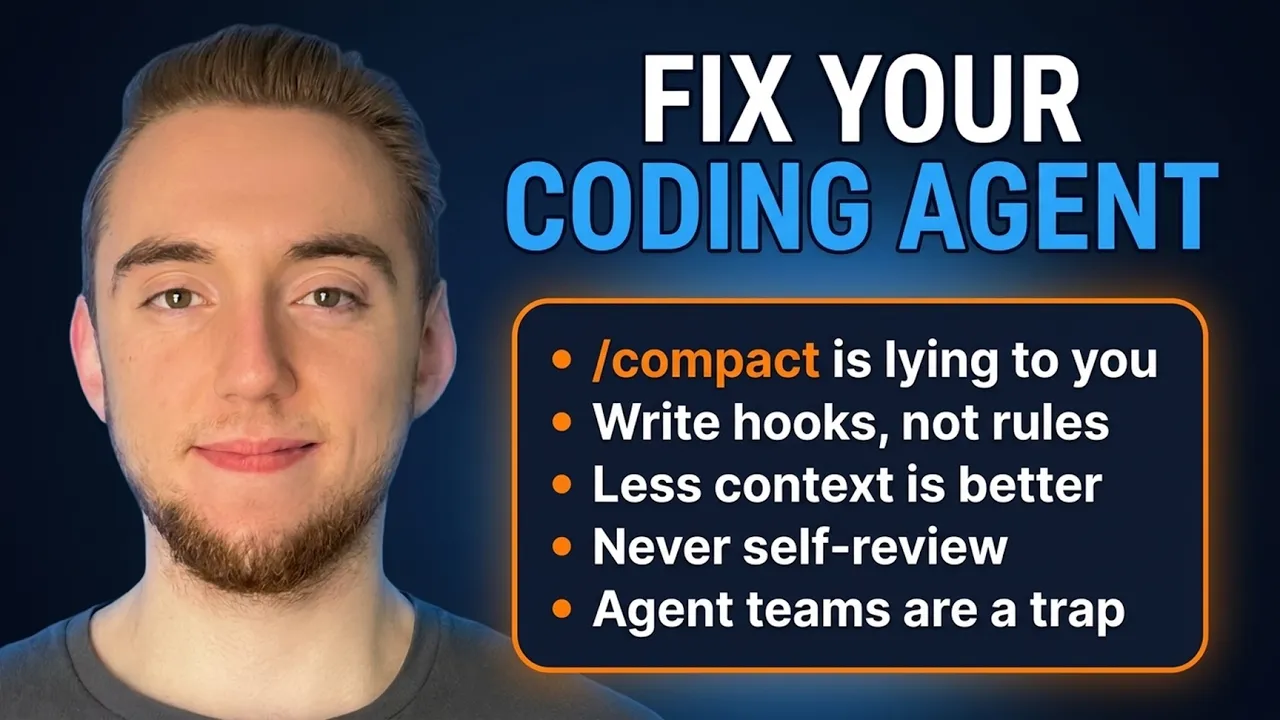
Cole Medin · @ColeMedin
This video has no Most replayed graph yet: YouTube shows one only once a video has enough views. These are the moments viewers replayed most in Cole Medin's most watched videos.
Most replayed moment at 10:58
3.0x that video's typical replay level
cache is performing in production with real user data. And the best part is better DB is open source and free to get started. So I'll have a link in the description. I'd highly recommend them as a tool to help you scale manage your costs for agents you're deploying to production. And so now Google is saying with
Said at 10:50
Most replayed moment at 3:20
3.2x that video's typical replay level
doesn't end up becoming the standard down the line for personal agents. There's going to be something like this. And so it's good to understand this now. Okay. Now, let's really get into OKF. So there are two things that they're standardizing here. The first is how we are organizing information like our
Said at 3:13
Most replayed moment at 9:16
3.5x that video's typical replay level
not extremely difficult to get all this set up like it used to be. And the best part is the agency CLI is free and open source. You can take these skills, bring it into any coding agent, and see how easy it is right now to build any AI agent. I'll have a link in the description. I'd highly recommend
Said at 9:09
The graph counts replays. It does not show where viewers stopped watching.
Words
3,782
Runtime
17:29
Speaking pace
216wpm
Reading time
16min
216 words per minute, above the 201 75th percentile of 349 measured videos. That distribution comes from the 349-video hook study.
Opening (first 30 seconds)
Throughout my time as an engineer and builder with coding agents, even before generative AI, I've often found that the best guidance comes in the form of simple tips and tricks that have a disproportionately large benefit to my work. You don't always have to scrap your workflow for something new to make your coding agents better or fundamentally change the way that you use them. In fact, you're probably sick of hearing that. So, what I have for you right now in this video is 11 tips and tricks to make your coding agents more reliable. The kinds of things that are easy for you to simply
108 words, the words spoken in the first 30 seconds at 216 words per minute.
Free, no signup. See how the first 30 seconds hold attention, with rewrites.
Sentence shape
| Measure | This transcript |
|---|---|
| Sentences | 210 |
| Average words per sentence | 18.0 |
| Longest sentence | 53 words |
| Questions asked | 3 |
| Sentences containing a number | 12 |
Most used terms
Filler phrases
50 in total: like 25 · actually 11 · kind of 11 · I mean 2 · right? 1.
A literal whole-word count of the same phrase list the Prepublish browser extension uses, so a phrase inside another word is not counted and a phrase used in its ordinary sense still is. It is a count and not a judgement.
Free, no account. See where attention is likely to drop, with a rewrite for each weak line. The free check shows the scores and the one issue costing the most. Or run it on the words above first.
Free · No login · See a sample audit first if you prefer.
What this transcript is
Every word below is the caption track YouTube publishes for this video, pulled from the video itself and reproduced unchanged. It is not Prepublish's writing, not a summary, and not a re-transcription: it is the video's own published captions. English captions, generated automatically by YouTube, in the video’s original language. Source: the video on YouTube. A channel that would rather this page did not exist can ask for its removal through the contact page, and it is removed.
Throughout my time as an engineer and builder with coding agents, even before generative AI, I've often found that the best guidance comes in the form of simple tips and tricks that have a disproportionately large benefit to my work. You don't always have to scrap your workflow for something new to make your coding agents better or fundamentally change the way that you use them. In fact, you're probably sick of hearing that.
So, what I have for you right now in this video is 11 tips and tricks to make your coding agents more reliable. The kinds of things that are easy for you to simply keep in mind or tweak your workflow a little bit. I'm not asking you to scrap anything. These make a big difference for me, and even if you find a few of these to incorporate for yourself, something you haven't really thought of before, that is a big win. That's really going to help you out.
So, I want this to be nice and concise. I'm not going to waste any of your time. I'll spend just a minute or two on each one of these strategies. I could make an entire video on any of these as well. So, also let me know in the comments if any of the tips or tricks that I go through here you'd want me to expand on more in a future video. Cool. So, two things quick before we dive in. First is that everything we cover here is going to apply no matter the coding agent that you're using.
I'll use Claude Code for a couple of demos here, but it's all universal. The second thing is you might already be incorporating some of the different tips that I cover in this video. If so, good for you, but there's a good chance there's at least a few that you haven't thought about in the same way I cover here. So, I intend for this to be great even if you're brand new to using AI coding assistants, but also still helpful if you have an evolved workflow.
All right. So, tip number one is to write for the agent, not the human. Agents need specificity and shouldn't be enabled to make any assumptions. I say this a lot on my channel. Your number one job when you're planning any work with your coding agent is to reduce the number of assumptions that it's making, and that goes for your rules as well. Any kind of global rules or other context you give your agent, the way that you communicate with an agent is fundamentally different than how you communicate to a human in something like documentation.
With humans, we have the luxury of not always having to be overly specific, which is good because then the information applies to more things and is less likely to go stale. Like, for example, we generally try to keep our database code organized in a sensible way. Then a couple of sentences to expand on that, now any human can interpret how that applies to any code base in the organization, for example. But with the agents, we don't have the luxury to be this high level.
Like, for example, you'd want to just bluntly say all SQL has to live in the database folder. Little bit of a silly example, but you get the idea here where we want to be specific on file paths and numbers and commands that we want the agent to run. This information is more likely to go stale, and that actually applies to another tip we'll cover in a bit, but that's important for the agent. We need to be as specific as possible.
But that simply means you have to make a conscious effort thinking, "How do I be specific for the agent?" Not just giving general advice. And I started with the most obvious tip here because it leads very naturally into the next one. Your instruction files rot. Exactly because we are so specific to our agents, we're going to have information like commands and file paths that go stale as we evolve our code base and, for example, change our architecture.
And it is a big no-no to have anything in our claw.md, our global rules, or other context that isn't actually the case in our code base anymore because that is going to severely confuse the agent as it's working on your code base trying to figure out why its rules are different. I'll link to all the studies tips in the description, but there's one study that found that one in four repositories that have an AI layer that have rules have rules that are stale.
The code base has moved on. Like, it references a file or directory that's outright deleted. It references a database that was replaced by something else, or we just renamed folders or moved things around and the rules weren't updated. I call this rule drift, and you want to avoid this at all costs. And don't worry, I have you covered. There's a video I'll link to right here where I showcase my skills repository. It's a ton of skills for my coding agents that I use every single day, and one of them is rules check drift.
You run this and your coding agent will perform an audit, figuring out if there's any kind of discrepancy between your rules and what is actually in your code base. So, as long as you run something like this once in a while, it will save you from a world of hurt. All right, tip number three, {slash} compact is not worth it. Almost every coding agent has the ability to do something like {slash} compact where you take your conversation that's become very bloated and you smash it into a small summary, so you have a lot of the window open back up to continue in the same session.
The problem is, you're relying on the coding agent to remember what is important and put the right things in the summary, and that leads to a lot of hallucination. There was a study that was done that showed that only about 10% of the specific details of the full conversation survived the summary, which makes sense. There's no way you can keep everything if you are smashing it like this. And you can even try this yourself.
In a coding agent like Claude code, do a {slash} compact on an existing conversation and then ask it some of the more technical smaller details from that conversation. You'll see that it really falls flat on its face, and generally it'll even admit that it's lost a lot of information. My recommendation is simply to avoid {slash} compact altogether. Give your coding agents smaller sets of work at a time, so it never reaches the point where you even have to do this.
And if you really do get too far in a conversation, it's better to just create some kind of handoff document and then just go to a new session. I mean, {slash} compact really is a handoff document, but it's one that you have barely any visibility into and you can hardly control what goes into it. Okay, so number four is put the load-bearing rules in hooks. I actually covered a full video on this on my channel recently.
I'll link to it right here, but the main idea is that your rules are probabilistic. There's not a guarantee that your coding agent is going to follow them exactly every single time because large language models are non-deterministic. And so, if there is a certain thing in your process that you need to happen every single time, you should make it a hook instead of a rule. Because a hook is something that triggers with a certain event in your coding agent, like right before it uses a tool or right when it says it's done working.
And so, for example, a lot of times you want your tests to run after every implementation. Right? You want that as a guarantee for the sake of reliability. Well, what you can do with a rule is you can tell your coding agent when you're done writing the code, make sure you run all the tests. But the problem is agents will sometimes forget to do that or they'll say they ran everything when the tests are still red. But what we can do with a hook is when the agent is done, we can run our tests deterministically.
We guarantee it happens and then either everything is green and we end or there are failures that we route back to the agent to correct. And we say, "Hey, you said you're done, but you shouldn't actually be. Go and fix these things." And that kind of guarantee is so incredibly important. I mean, really anytime you call out a specific event or ordering of things in your rules, that should scream out to you that it should be a hook.
And there's so many different kinds of hooks that you can build. If you're not familiar with these, I would recommend you check out the video that I linked to earlier. The sponsor of today's video is HeyGen, the AI video generator that turns any written idea into a real video in minutes. You simply type out the video you want just like a prompt to a coding agent. And HeyGen's video agent is going to select the avatar or you can specify yourself, even build your own avatar by cloning your voice and video.
And let me tell you, the cloning here is really good. And then once the avatar is selected, the agent is going to build the pacing, add the visuals. It's going to generate a fully editable video that's handed back to you. It's not just a slideshow with your voice on it. It's a fully produced video. In fact, I can even show you an example here of something that I generated myself. So, take a look at this and I'll start from the middle of the clip so you can see the transitions and effects and everything.
High-level architecture. Mastering these agents provides a massive 10x productivity boost. The industry is shifting fast. >> at that. That's awesome. The B-roll, the voice and video is cloned perfectly and everything. I actually showed this video to my wife and she didn't even know that my voice and video was AI generated. It's that good. True story and I only had to give 20 seconds of recording my voice and video to create that clone.
And the lip syncing and expressions, they hold up on completely different topics than what I covered when I recorded for the cloning. And with HeyGen, like I'm confident now. AI video generation is not just a novelty anymore. It's a real tool for marketing teams to use to create product demos, for internal documentation, for content creators to keep their training up-to-date. There are so many use cases for video gen now.
It's free to get started and HeyGen has a free tier if you want to try building your own avatar. I'll have a link to them in the description. All right, tip number five. For context, less is more and this, my friend, is becoming more and more true over time as large language models get more capable. There are a lot of studies that are coming out right now showing that if you have too many rules, it can actually hurt your coding agent more than it can help because you're just giving it too much context to deal with.
Now, it used to be the case where you had to explain even the most basic things to large language models. Like, here's an example of a bad global rule file now where we say like, "Hey, here's how you write a pull request. Here's how you do a code review." Or classic engineering principles, like, "Hey Claude, don't repeat yourself. Keep it simple." Those things, they hurt more than help now in your global rules. It just bloats things.
The official recommendation from Anthropic is to keep your rules less than 200 lines. I usually say less than 300. There's not like a set number, but the point is you don't want those 1,000 line global rule files that people used to make all the time. It is not helping you. You want to keep your global rules to the specifics of your project, the constraints and conventions that are going to apply, no matter what your coding agent is working on.
Anything else should be scrapped or moved to some other context file that you tell the coding agent to read when it's working on that kind of task. Tip number six, have you ever wondered why you hit your rate limits so incredibly quickly in your favorite coding agent like Claude Code or Codex? Well, I can almost guarantee that at least in part it is due to using too many parallel agents who are using your sub-agents too liberally.
If you're doing a lot of fan outs for deeper research or working on a lot of things in parallel, it is costing you way more tokens than you think. Something you can do in Claude Code, and there's a similar command for pretty much every other coding agent, is you can do {slash} usage. So, just in any conversation, {slash} usage, and then you can go to your weekly limit just by pressing W. And so, I can see for my weekly limit here, 39% of my usage was while running four plus sessions in parallel.
So, a good chunk of my limit I hit when I'm running all these sub-agents, and I'm not doing that most of the time. So, 39% is a very disproportionately large number. And so, you got to be careful, especially Claude Code is way too prone to just spinning up even dozens of sub-agents without you asking. I've seen it happen way too many times. So, be careful about how you're prompting, make sure you limit the use of sub-agents if you're getting close to your rate limits or you're hitting them a lot.
Now, sub-agents are great, don't get me wrong. They're really important for protecting the context of your main agent. It's just way too easy to use them too liberally, loading in a bunch of contexts in these sessions that just disappear forever. Tip number seven, do not escalate mid-task. A lot of times you don't hit your rate limits as quickly, you're not always using the best model, like maybe Opus instead of Fable or Sonnet instead of Opus.
But what I see a lot of people do is when they're in the middle of working on something and their coding agent seems to get stuck, they'll try to swap the conversation to a larger model and continue. Like right here in the conversation, just doing {slash} model and changing it. That is a big no-no because the thing is, your conversation here is already tainted. When a coding agent goes down the wrong trajectory and it seems to start hallucinating a lot, switching to a bigger model is not going to solve it.
At that point, the conversation has built up a lot of these biases and mistakes that are going to carry over no matter what. And there's honestly a larger lesson to be learned here. When the agent seems to be making just a ton of mistakes, more than usual in a conversation, that's not just you on a short fuse being more judgmental. Large language models will legitimately develop patterns in a single conversation where they keep going down the wrong trajectory because large language models are prediction machines.
If they are making a ton of mistakes, even if you're trying to correct, well, the most likely thing to come in that conversation next is another mistake, mistake, even if you are making corrections. And that becomes so frustrating. So, when you have a conversation that's tainted in this way, instead of trying to switch to a larger model or muscle your way through it and try to put yourself in the loop more, what you really want to do is write a handoff document.
Just outline, here's the work that was done. Now, here's where we're struggling with. And then get rid of this conversation for good. Just burn it to the ground. Go to a new conversation. I'm just showing you a brief example of this. Tell it to read the handoff document and continue the work. You're going to get much better results using a fresh session instead of having that conversation with all the mistakes and biases compounding on top of each other.
All right, that brings us to tip number eight, which is probably the only one out of everything here that is kind of a hot take because I really don't like coordinators. There are a ton of super fancy elaborate frameworks out there for having some kind of team lead that is distributing work and having the agents communicate with each other. This is not reliable. You don't need it. In fact, Claude has their own version of this with agent teams that they have left as experimental for months and months.
And they've done that for a reason. This is not the most reliable way to use coding agents. It's tempting to do something like this because of the promise of scale and having the agent just build out entire PRDs for you on its own, but it never works out. If you want to have any kind of coordination to scale your work and do things in parallel, this is what I'd recommend. You don't need any fancy communication between your agents or any kind of fancy monitoring with your team lead.
You really just have your main coding agent where you describe what you want in plain English and it distributes the workflows or the background agents. It's a similar kind of idea, but there's a lot more reliability here when this is purely a delegator. If you want the most reliability with possible with your coding agents, you don't need teammates, a shared task list, a mailbox that they port messages into. This all sounds really, really cool, but it's not how you build production-grade software.
Tip number nine, never let the writer approve the work. This is a hard rule that I follow in every AI coding workflow that I build. Because your writer, it builds up a lot of bias and assumptions in its implementation. And so generally, when you have it reflect on its own work, it's going to say things are great even if they're not ideal. Because it's not going to be able to catch its own assumptions. That is why we want a fresh set of eyes on any piece of work we ever create with our coding agents.
Within your implementation conversation, you run a skill to rip through whatever piece of work you're doing, and then you can have the agent iterate on its own work. It's still good to allow it to run the tests and try to catch things, but then you always want to go into another conversation where you give some kind of handoff document for what was just built. You have it review a pull request. You just tell it to review the uncommitted changes we have.
Whatever you want to do to help the agent identify what was just built. But then the point is we have a new conversation that's reviewing things, so there's no bias and no assumptions, or at least there's a lot less. Tip number 10, it is in fact possible to over-revise with your coding agent. If you let it iterate on its work too many times, the quality it actually degrades. It finds the best answer, the best code, the best script, whatever, at some point, but then if you just keep forcing it to make changes, it's going to find things to correct just to try to appease you.
That's the sycophancy of LLMs, but actually makes things worse. And this is a really easy temptation to fall into. I've done this myself, especially when you have a ton of tokens left over right before a rate limit reset. You'll just go like, "Hey Claude, hey Codex, go iterate on this a ton and make it perfect." But you actually get slop back in the end. There was a study that was done where you force the coding agent to run like 10 times or 20 times, whatever, and 85% of the time there was an iteration before the last one that was actually far better.
So, just be careful here. More iterations does not always equal better code. And then for our last tip, and I have a lot of content on my channel covering this, you want to treat your validation as a system, not a step. A lot of times people will have their coding agent write the code, and then testing becomes an afterthought. Like, "Oh yeah, I guess you should probably add some unit tests here." Or okay, maybe I'll just quickly click around this application and make sure things look good.
But I'm telling you, it needs to be a top priority for you. Before you even write any of the code, you should be planning out the full validation harness. Here are the tools for the agent to check its own work. Here are the conventions for it to create unit and integration tests. Here's exactly how I'm going to test it after. Here's how I want the agent to look for edge cases. Planning out those things before you even write the code is one of the best ways to make your coding workflows more reliable.
And so with that, those are all 11 tips that I wanted to cover with you here to help you make any coding agent more reliable. And I hope that at least a few of these are just getting you thinking about ways that you can improve your coding agent workflows. And so, if you found this useful and you're looking forward to more things on AI coding and agentic engineering, I would really appreciate a like and a subscribe. And with that, I will see you in the next video.
The words are the caption track's own and nothing is reworded or re-transcribed. Paragraph breaks are placed between sentences so the text reads as prose.
Free tools for your own script: paste a draft and see where it stands before you record it.
Paste your draft and see where viewers are likely to drop off, with a rewrite for each weak line.
Paste the first 30 seconds of your own draft for a hook score and rewrites.
Check your draft against YouTube's advertiser-friendly guidelines before you record it.
Read this channel's public videos and transcripts, and download a writing brief for it.