Getting the transcript
Reading the captions from YouTube. A video nobody has opened here before takes 10 to 30 seconds; this page fills in on its own.
Getting the transcript
Reading the captions from YouTube. A video nobody has opened here before takes 10 to 30 seconds; this page fills in on its own.
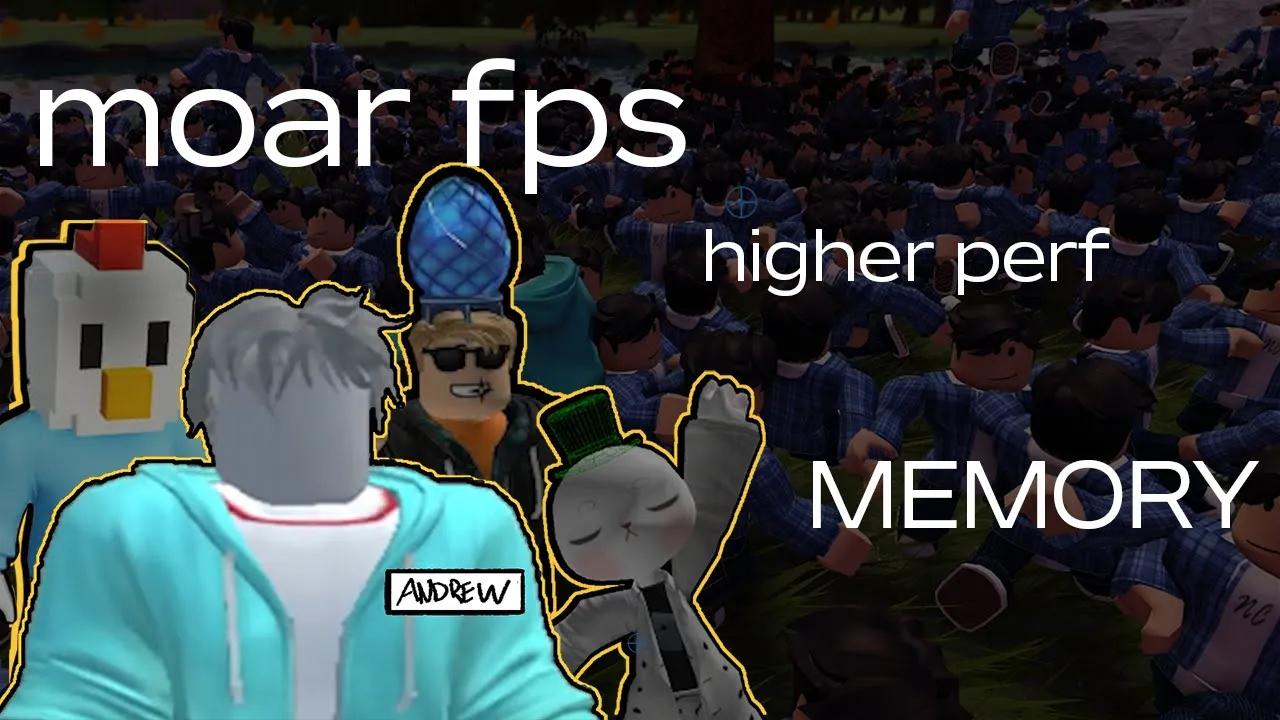
Roblox Learn · @RobloxLearn
Where viewers went back to watch this video again, from YouTube's public Most replayed graph, lined up with what was said at that moment.
Most replayed moment #1
0:545.3x the video's typical replay level
lots of unique meshes, the Roblox engine has to make draw calls for each mesh. On mobile, you can quickly get into a situation where your device is struggling to keep up. If you were to look closely at the beautiful stone walls of Ireland, you'd of course see lots and lots of unique rocks. But what
Said at 0:48
Most replayed moment #2
2:533.4x the video's typical replay level
second. And sometimes I'll check the micro profile to see what's going on with CPU usage, too. Next, let's talk streaming. Streaming is enormously complex under the hood, but it's easy to enable and offers huge performance benefits. In essence, streaming creates an invisible cube around each character.
Said at 2:47
Most replayed moment #3
1:543.4x the video's typical replay level
goal here isn't to keep your draw calls needlessly low and build bland environments. Instead, this sort of optimization gives you the headroom to use your draw calls on the things that really matter. On a low-end mobile device like this one, it can be the difference between a game that looks like this, running pretty
Said at 1:47
The graph counts replays. It does not show where viewers stopped watching.
Words
1,964
Runtime
9:57
Speaking pace
197wpm
Reading time
8min
197 words per minute, between the 181 median and the 201 75th percentile of 349 measured videos. That distribution comes from the 349-video hook study.
Opening (first 30 seconds)
Hey everyone, it's Andrew from Roblox. This video looks at common performance problems in Roblox experiences and strategies you can use to mitigate them. Before we dive in though, two quick disclaimers. One, I am not an environmental artist. At several points in this video, I'll ask you to use your imagination because I don't have the time or the skill to build the things I'm talking about. Two, I'm not advocating for compromising on your artistic vision. Build the experience you want to build. But along the way, you might consider how these strategies can make your experience
99 words, the words spoken in the first 30 seconds at 197 words per minute.
Free, no signup. See how the first 30 seconds hold attention, with rewrites.
Sentence shape
| Measure | This transcript |
|---|---|
| Sentences | 126 |
| Average words per sentence | 15.6 |
| Longest sentence | 43 words |
| Questions asked | 4 |
| Sentences containing a number | 6 |
Most used terms
Filler phrases
8 in total: like 4 · actually 1 · sort of 1 · um 1 · you know 1.
A literal whole-word count of the same phrase list the Prepublish browser extension uses, so a phrase inside another word is not counted and a phrase used in its ordinary sense still is. It is a count and not a judgement.
Free, no account. See where attention is likely to drop, with a rewrite for each weak line. The free check shows the scores and the one issue costing the most. Or run it on the words above first.
Free · No login · See a sample audit first if you prefer.
What this transcript is
Every word below is the caption track YouTube publishes for this video, pulled from the video itself and reproduced unchanged. It is not Prepublish's writing, not a summary, and not a re-transcription: it is the video's own published captions. English captions, generated automatically by YouTube, in the video’s original language. Source: the video on YouTube. A channel that would rather this page did not exist can ask for its removal through the contact page, and it is removed.
Hey everyone, it's Andrew from Roblox. This video looks at common performance problems in Roblox experiences and strategies you can use to mitigate them. Before we dive in though, two quick disclaimers. One, I am not an environmental artist. At several points in this video, I'll ask you to use your imagination because I don't have the time or the skill to build the things I'm talking about. Two, I'm not advocating for compromising on your artistic vision.
Build the experience you want to build. But along the way, you might consider how these strategies can make your experience more performant and help it reach a broader audience. With that out of the way, let's start with rocks. That's right, rocks. Lots of rocks. We're using rocks to demonstrate a fundamental concept of computer graphics. Draw calls. Draw calls are commands from the CPU to the GPU to render something on screen.
If you have lots of unique meshes, the Roblox engine has to make draw calls for each mesh. On mobile, you can quickly get into a situation where your device is struggling to keep up. If you were to look closely at the beautiful stone walls of Ireland, you'd of course see lots and lots of unique rocks. But what if you constructed a wall by duplicating four or five rocks over and over and then artfully arranging, coloring, resizing, and rotating them?
Unless somebody really scrutinized that wall, would they even notice? A technique known as batching lets your CPU make a single draw call for tons of objects as long as they share the same mesh. So you can import a small handful of particularly excellent rocks and use them to build all sorts of things. Walls, landscapes, cliffs, rivereds, whatever. Here I've imported the same rock many, many times so that each one gets its own mesh ID.
Don't do this. I only did it to illustrate the point. Look at all those draw calls. If I delete all of those duplicate imports and just copy the same rock over and over, draw calls don't increase at all because I'm reusing the same mesh. The goal here isn't to keep your draw calls needlessly low and build bland environments. Instead, this sort of optimization gives you the headroom to use your draw calls on the things that really matter.
On a low-end mobile device like this one, it can be the difference between a game that looks like this, running pretty darn well, or a base plate with some rocks struggling to stay above 30 FPS. But you don't have to take my word for it because I've recruited the one and only Mr. Chicken Rocket for a quick discussion of draw calls and relative device performance. Take it away, Peter. Hey, thanks Andrew. When I create a game, I usually start with a basic budget.
Something like half a million triangles and 500 draw calls in the scene for any given view. And then I stick to that budget as I build. It's the best way I know of to avoid having to go back and redo work because things aren't running at 60 frames per second anymore. And I hate redoing work. Staying under budget while I'm working in studio means I can be fairly sure that it'll run great on a wide range of devices, but every now and then I'll still break out an old iPhone and go check.
When I am testing on device, what I'm usually looking for is making sure that it's still running at 60 frames a second. And sometimes I'll check the micro profile to see what's going on with CPU usage, too. Next, let's talk streaming. Streaming is enormously complex under the hood, but it's easy to enable and offers huge performance benefits. In essence, streaming creates an invisible cube around each character. As characters move around, parts stream in and out based on whether they're inside or outside of the cube.
Streaming improves frame rate and join times. Maybe most importantly, it reduces memory usage on the client, which can help you build more expansive worlds, minimize crashes on low-end devices, and let more people play your game. The default values are good options for a wide variety of experiences, but streaming has a bunch of properties you can tune. Check the documentation for full descriptions of these properties.
The key ones for today are streaming target radius and streaming min radius. Streaming target radius defines the outer bounds of the cube, the maximum distance at which players see the full detail of your experience. If your experience relies on longer viewing distances for visual impact, consider bumping this up a bit as you tweak the value. Test your experience and note the impact on memory usage and frame rate. There's almost always a sweet spot that offers tangible performance gains without diminishing visuals.
Streaming min radius defines a second smaller cube inside the larger one. Parts inside of it have the highest priority when it comes to streaming. Because the engine is already trying to stream in content at the streaming target radius, this second cube is more of a fallback for situations in which the engine is struggling to keep up and has to prioritize parts closer to the character. As such, be sure to keep this value smaller than streaming target radius.
If the two values are the same, what you've done is make everything a priority. And when everything's a priority, nothing's a priority. Yet again, you don't have to take my word for it because I've recruited Wellblander from our engine team to say more. Hey, thanks. As mentioned, I'm Well, Blander, a PM on the streaming team here at Roblox, and I want to quickly talk about how streaming can help with humanoids in your games.
In short, humanoids can really stress your players devices, especially those lower-end phones and tablets some might be using. Humanoids are animation and physics heavy, causing high CPU usage while also using lots of memory and network bandwidth. And in really large worlds with lots of players and/or NPCs, your players devices, no matter their strength, will really struggle to keep up with all your game's characters.
Hey, well, streaming can help here, too. If those humanoids are in the distance and they aren't impacting gameplay, then chances are, well, they're not needed. With streaming on, the Roblox engine will automatically stream these distant characters out, saving your players device resources, resulting in smoother gameplay and fewer crashes. But well, what if there's a particular humanoid that is crucial to your gameplay?
I don't know. Um, take for example some opponent player carrying a captured flag or something, but they're really far away. Well, then you can use StreamY's persistence option to ensure that flag carrying character is always streamed in. Pretty cool. But beware, if you overuse persistence, you'll find yourself right back dealing with the problems that streaming was meant to solve in the first place. So, use this option sparingly.
Last, I want to say that sometimes even streaming isn't enough and instead you might need to design your places and gameplay to space players out or reduce the maximum numbers of players per server. If you think your experience might have issues here, keep an eye on the update invalidated fast clusters tag and the micro profiler. Thanks so much, Wland Blander. Finally, let's talk central processing units, CPUs. If you owned any of the original smartphones, you might have fond memories of how revolutionary they felt.
But you also might remember that they were so slow. Smartphones have made extraordinary strides over the past 15 years. But due to thermal constraints, their CPUs are still only about one quarter the speed of powerful desktops in longunning intensive workloads like, you know, games. All of this is to say that it's easy to create experiences that run fine on your development machine and completely tank CPU performance on a smartphone.
There are three main culprits here. Scripts, physics, and lighting. Let's start with scripts. Placing code into run service.preder or its deprecated counterpart render step causes it to execute before each and every frame. With a budget of only 16.67 milliseconds per frame in a 60fps experience, even seemingly minor additions to pre-render can have an enormous impact on performance. See here how I was able to bring this experience to a crawl with just a few lines of code by searching the scene every frame and doing a bit of ray casting.
This isn't to say that you should never add code to run service.p pre-render. Sometimes it's the best solution, but you should keep it to the bare minimum, such as custom camera updates or other elements that require precise visual synchronization. Whenever possible, write code that runs in response to specific events rather than before every frame. If you want a call back to run on a loop, consider whether it really has to happen every frame or whether it can happen more infrequently.
Next, physics. If you see the physics stepped tag in the microprofiler becoming a limiting factor to your frame rate, check which parts in the scene really need to be unanchored. The sheer number of simulated parts is the most common cause of poor physics performance. You should also consider enabling adaptive physics stepping in the workspace, which lets Roblox run certain physics calculations less often. Finally, lighting.
Lighting and shadows are critical to the atmosphere of an experience. The client eventually falls back on simplified voxil technology. As graphics quality level decreases, so keeping lighting performance high means that more players get to see the scene as you designed it. Consider setting cast shadow to false on small parts where the shadow would barely be visible anyway. Also, watch out for movement. If you have a large light that's always in motion, the engine has to continuously calculate the effect of that light on its surroundings.
See here how CPU performance dips as the lights approach and then improves as they depart. I know what you're thinking, Andrew, no. You didn't find a third performance expert wandering the halls of Roblox, did you? Well, I did. Go for it, Owen. Hi all. One thing Andrew didn't mention is you can actually create your own tags when profiling your experience. Using the debug.profile begin and debug.profile end methods, you can tag a section in your code with an arbitrary string.
Then when you pull up the microprofiler, you can look for these tags to reason about the impact of a specific game system. Please remember though, code is supposed to take time to execute. If you're encountering frame rate hitches or your players are complaining about these issues, perhaps low heartbeat, you should definitely dive in and diagnose. But early on in development, you really don't want to spend too long obsessing with how many milliseconds each function in your code takes to run.
All that time you'll spend micro optimizing is time you're not spending making your game more fun. And over time, all these micro optimizations you add to your code will add up. You have to stay focused on the big picture. Performance optimization is an all-encompassing, extraordinarily challenging topic, so there's no way we could cover every possible facet in a video. I want to extend a huge thank you to our three experts for joining me today and shedding some additional light on the subject.
If you want to dive deeper into performance, including way, way more information on tools, memory usage, streaming, humanoids, rendering, and everything else from this video, check out the documentation at create.roll.com. Thanks for watching.
The words are the caption track's own and nothing is reworded or re-transcribed. Paragraph breaks are placed between sentences so the text reads as prose.
Free tools for your own script: paste a draft and see where it stands before you record it.
Paste your draft and see where viewers are likely to drop off, with a rewrite for each weak line.
Paste the first 30 seconds of your own draft for a hook score and rewrites.
Check your draft against YouTube's advertiser-friendly guidelines before you record it.
Read this channel's public videos and transcripts, and download a writing brief for it.