Getting the transcript
Reading the captions from YouTube. A video nobody has opened here before takes 10 to 30 seconds; this page fills in on its own.
Getting the transcript
Reading the captions from YouTube. A video nobody has opened here before takes 10 to 30 seconds; this page fills in on its own.
Zubair Trabzada | AI Workshop · @AI-GPTWorkshop
This video has no Most replayed graph yet: YouTube shows one only once a video has enough views. These are the moments viewers replayed most in Zubair Trabzada | AI Workshop's most watched videos.
Most replayed moment at 9:02
4.9x that video's typical replay level
July 7th on your plans on your cloud plans. So, go ahead and take advantage of that because after that it's going to get pretty expensive and move to usage. I've been building non-stop. So, I recently built my personal assistant and my second brain I updated with cloud Fable 5 and it's absolutely incredible.
Said at 8:55
Most replayed moment at 21:31
5.4x that video's typical replay level
you if you scroll down to the bottom, you'll see that I have built Jarvis AI assistant prompt. So I've given you this prompt back before this was back when I built Jarvis. So you can have access to that so that way you can build a version of Jarvis for yourself. And then afterwards at the bottom, you're also going to
Said at 21:23
Most replayed moment at 9:59
8.1x that video's typical replay level
so you're not being charged here. You can go to the classroom section, click on YouTube resources, and then right here it says Jarvis AI assistant prompts inside Claude code. So, this is the prompt pack that I'm giving you guys for free, like I said, where now you can go ahead and read the instructions. You can
Said at 9:52
The graph counts replays. It does not show where viewers stopped watching.
Words
2,358
Runtime
11:18
Speaking pace
209wpm
Reading time
10min
209 words per minute, above the 201 75th percentile of 349 measured videos. That distribution comes from the 349-video hook study.
Opening (first 30 seconds)
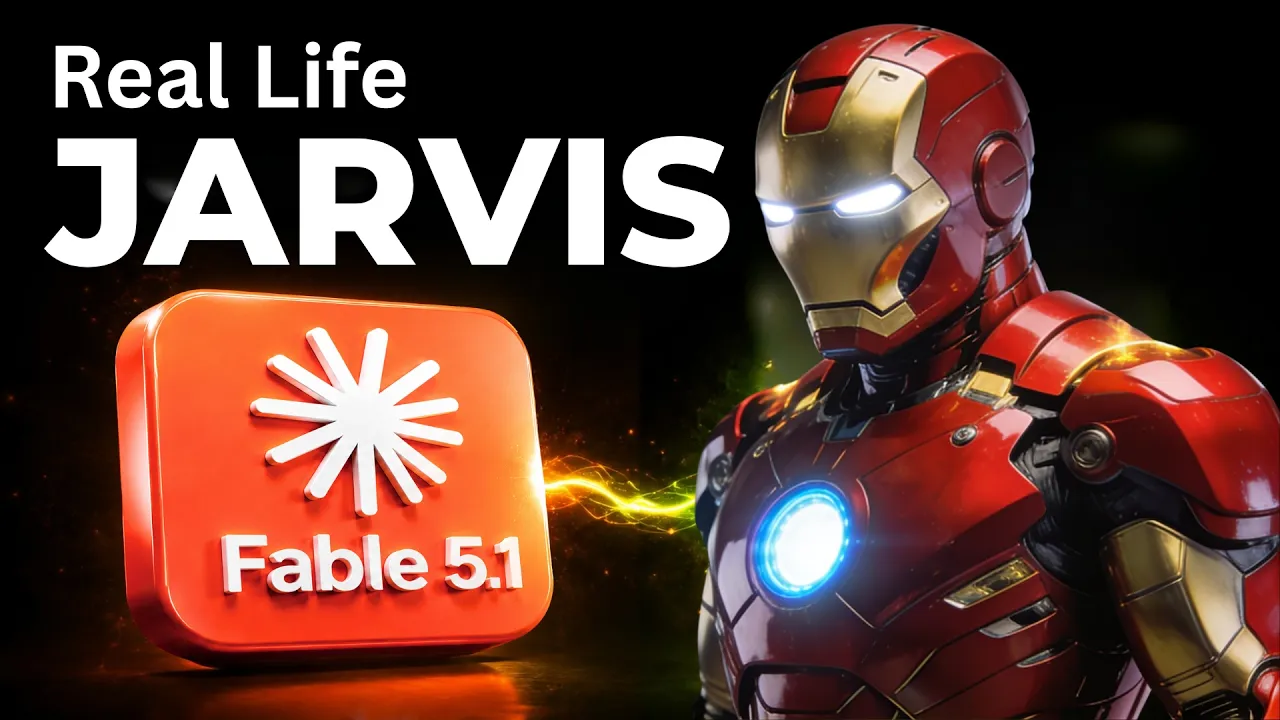
Good evening, sir. The new brain designated Claude Fable 5.1 is fully installed and I'm pleased to report that your affairs remain exactly as disorganized as I left them. >> Jarvis, what do you think about this t-shirt that I'm wearing? >> Black, unbranded, and fitted enough to suggest the gym is not merely a rumor. A perfectly sound choice. >> So, Claude Fable 5.1 just dropped and I used it to rebuild my AI assistant Jarvis. And boy, this thing is an absolute monster. So, instead of showing you benchmarks, I'm going to show you what the Fable 5.1 is capable of, especially when
105 words, the words spoken in the first 30 seconds at 209 words per minute.
Free, no signup. See how the first 30 seconds hold attention, with rewrites.
Sentence shape
| Measure | This transcript |
|---|---|
| Sentences | 154 |
| Average words per sentence | 15.3 |
| Longest sentence | 57 words |
| Questions asked | 18 |
| Sentences containing a number | 23 |
Most used terms
Filler phrases
71 in total: uh 20 · like 16 · right? 13 · kind of 8 · actually 7 · um 3 · you know 3 · basically 1.
A literal whole-word count of the same phrase list the Prepublish browser extension uses, so a phrase inside another word is not counted and a phrase used in its ordinary sense still is. It is a count and not a judgement.
Run the check on the words above: where attention is likely to drop, with a rewrite for each weak line. The free check shows the scores and the one issue costing the most.
What this transcript is
Every word below is the caption track YouTube publishes for this video, pulled from the video itself and reproduced unchanged. It is not Prepublish's writing, not a summary, and not a re-transcription: it is the video's own published captions. English captions, generated automatically by YouTube, in the video’s original language. Source: the video on YouTube. A channel that would rather this page did not exist can ask for its removal through the contact page, and it is removed.
Good evening, sir. The new brain designated Claude Fable 5.1 is fully installed and I'm pleased to report that your affairs remain exactly as disorganized as I left them. >> Jarvis, what do you think about this t-shirt that I'm wearing? >> Black, unbranded, and fitted enough to suggest the gym is not merely a rumor. A perfectly sound choice. >> So, Claude Fable 5.1 just dropped and I used it to rebuild my AI assistant Jarvis.
And boy, this thing is an absolute monster. So, instead of showing you benchmarks, I'm going to show you what the Fable 5.1 is capable of, especially when it comes to tool calling agentic research using my AI assistant Jarvis. I'm going to give you a full demo and then afterwards, I'm going to also give you this prompt pack completely for free so that way you can build a Jarvis of your own with Fable 5.1. Again, this prompt prompt pack is going to include everything you need to know, including prompts that you can copy and paste in your Claude Fable 5.1 and build something similar to this.
I'm going to give you all the details, so all you have to do is just follow me along. So, I'm going to start by giving you a demo of what Jarvis is capable of with the Fable 5.1 model and then afterwards, we're going to talk about the build and then why this is such an important and different model when it comes to the its predecessors. All right. So, first of all, this is my AI second brain. So, all of these nodes that you're seeing, again, if you've seen my previous video, you're probably familiar with this at this point.
I've built several version of Jarvis. This is just an updated model with the Fable 5.1 and it's become very efficient now. So, if you haven't, don't worry about it. Essentially, all of these nodes, this is my AI second brain. So, my folders, my files, everything is in front of me right here visually represented. Now, I can click on each of these nodes and I can right click on it and gives me all of the details of what these nodes are and what are the connections to each of the folders and files inside my computer.
And on the right-hand side, you can see Jarvis has this ring and with Fable 5.1 right now as its brain. I have several views here that I can switch and this is something that I built recently, right? The ring view, the cube view, just my face watch. The face view, right? But I kind of like this. >> is back, sir. >> The reactor ring view right here. Um and then on the bottom, I have given it access to multiple tools like your Canvas, Gmail, Google Calendar, Google Drive, and everything else.
And I can always give it more tools. And by the way, I tested this. It's a lot easier for me to have it utilize tools with Cloud Fable 5.1 just because it's a very powerful model, especially when it comes to tool usage and then also agentic coding. As you can see right here, obviously I again I'm not going to go through this benchmark details, but I just wanted to show you how big of a difference there is between 5.1, Fable 5, and Opus 5, and GPT 5.6 so when it comes to agentic scientific research and agentic coding and computer use, right?
So, that's why like I mentioned, this rebuild is very important because it just makes everything a lot more efficient. Okay, so what I could do is ask Jarvis to pull up any file for me, right? any folder, or anything related to my business. So, on the bottom, I can give it When I click on this ear sign, it just means hands-free. So, he'll be able to listen to me and I can talk to it back and forth. Let me just click on that. >> Hands-free engaged, sir.
Say Jarvis, and I shall answer. >> Jarvis, go ahead and pull up all of my files related to my free school community. So, now it's thinking and it's going to go ahead and pull up all of the files and folders related to my free school community. >> I've pulled up all the information, sir. You can read it yourself, or if you'd like, say read it out loud, and I shall. >> So, there you go. As you can see right here. So, this is everything related to my free school community right here.
I can right-click on this and it shows me exactly that this is top of the funnel for my school community YouTube channel, blah blah blah, right? I can always, uh you know, ask it to pull any data from my related to my clients, anything related to my computer, my folders, files, everything. So, you can see that how simple it is to visually see everything in front of me. So, that's kind of like one of the um one of the simplest things that you can demo.
Now, afterwards, let's go ahead and do something a bit more complicated. So, this time I'm going to ask him to actually uh get together or create an invoice for a new client of mine, right? And I'm going to ask him to send me uh the invoice via Telegram, right? He has access to a phone number, he has access to uh obviously Telegram that we can go back and forth. So, I can do all of those things for him. And like I said, because he has access to all of these tools, he'll be able to actually utilize the tool based on the task that I'm giving to.
So, let me go ahead and do that. Jarvis, can you create a invoice for Mike Johnson for $2,500 for AI reputation built? And send it to my phone via text Telegram. >> Found Mike Johnson in your records, sir. Drafting the invoice now. It'll be on your phone inside a minute with a drive link. >> All right, perfect. So, as you can see, now I have this invoice that was just sent to me, right? And by the way, I didn't give it any context, right?
The reason why it knows, so let me just click on this invoice. As you can see right here, you have the invoice number, the AI reputation built service, and then also all of the description and everything, it's grabbing from my computer because again, it has access to my second brain. Therefore, it has access to all of my file, my folders, and all of the information related to this particular client, right? So, things like, "Thank you for engaging with AI Workshop A Studio LLC, the AI reputation builder service.
The invoice covers the deliver update reputation management blah blah blah." Right? So, all of this information, the terms for instance, um and then the description of what an AI reputation builder service includes, which is nine skill reputation management system, review monitoring response drafting request campaigns, blah blah blah. All of this he's grabbing from the files uh that he has access to from my computer that includes client details and everything else.
So, therefore, he's capable of creating this just with As you guys see As you guys saw, I just basically set this and he created everything. He took care of everything else by researching and figuring things out on its own. So, this is the power of agentic tool research uh and agentic functionality, right? And Jarvis is fully capable of doing all of this. Let me zoom in here a bit. The reason why he can do this is because he has access to multiple tools including Gmail, uh Notion, Google Sheets, Google Drive.
Therefore, he was able to create this invoice and give me a Google Drive link. And I can give him access to any tool that I want to. So, that's kind of the power of uh this uh actual agentic tool. And like I said, with the Fable 5.1, it is an absolutely remarkable model and therefore uh something like Jarvis as an AI assistant becomes incredibly efficient at doing things. And of course, I could do other things like, you know, have him check my email, draft a new email, check my calendar, create new calendar events, and kind of the day-to-day activities, send me Slack notification.
And as long as I have given him given him access to that tool, he'll be able to do all of that stuff for me. On top of that, again, I had previously given it access to a phone number via Retail. So, he can actually make phone calls for me. And now, with Fable 5.1, it's gotten even more efficient. So, for instance, I can actually have him call a restaurant and book a reservation for me. I did a demo on this, so I can show you guys.
I can put the link on that uh video. You can see it. Like I said, but now with the Fable 5.1, it's even better with all of that. It's more efficient. So, for instance, I can actually have him make a call. Uh Jarvis, go ahead and uh call the tire shop cuz I need new tires for my uh Mercedes. Their phone number is 510-709-6913. Just ask their price for two new tires. >> Understood. I'll ring the tire shop at >> There you go. >> 709-6913 and ask the price for two new tires for your Mercedes-Benz.
Shall I ring them, sir? >> Yes, go ahead. >> Ringing the tire shop now, sir. I'll report back the moment the call ends. >> There you go. So, now I receive a call. So, let me just quickly give you uh a demo here. Hello? >> Hi, this is Jarvis, Zubair's assistant. I've got one quick question if you have a second. >> Uh yeah, sure. >> What is the price for two new tires for a Mercedes-Benz? >> Uh it's $400. >> So, $400. Did I get that right? >> Yes. >> Thanks.
Goodbye. >> [gasps] >> So, he just hangs up on me, but of course that didn't go back and forth too much, and you'll see now I'll get a report. >> Sir, the tire shop quotes $400 for two new tires for the Mercedes, confirmed twice, so the number is solid. Whether that's for rubber or for the privilege of saying Mercedes aloud, they didn't specify. Your word, and I'll ring back to book. >> There you go. So, now again, obviously this was a very quick demo, but uh I can go back and forth with Jarvis, and he's really fully capable of actually talking to a person and kind of understands the knowledge, and therefore has access to all of the information about my car.
Like you might you saw, I didn't give him any more details. I just said my car because he knows exactly what car I have. He knows exactly uh all of those details. So, if I were to go back and forth with him, he would he would have actually answered all of those details. Again, it's kind of like a that would have taken a very long time. Maybe I'll do a future video on this. Uh but the the the reason why I'm mentioning this is because it's gotten a lot better now at understanding the tasks.
It's really good at kind of reasoning just because of how powerful five Fable 5.1 is. And again, this is just the tip of the iceberg. There's so much more that Jarvis is capable of doing, and I'm going to keep releasing more features cuz, you know, with Fable 5.1 now I can give it even more tools, and I'm planning to release the new version soon. And by the way, so just like I mentioned in the beginning of the video, you will have access to this prompt pack free.
So, the way to access this, if you want to build your own Jarvis, is click on the link in the description it says free prompt pack free community. You're going to come right here in the free community, you can head over the classroom section in the YouTube resources in the cloud code folder, you'll have access to this particular prompt pack. And of course, if you want the finished build, a 5-minute install of Jarvis and all the AI assistants and AI employees that I've built, you can head over to the community.
This is the paid community where you can have access to Jarvis exactly what it looks like right now here with all these functionalities. All you have to do is just install the zip file whether you're using Mac or Windows and just follow this PDF guide. Everything else will be all set for you. And again, if you ever get stuck, you can post your questions here. All the tech support, unlimited tech support. So, if you ever get stuck or if you want to kind of customize it to your own liking, that's where the community, the paid community we have a bunch of members who have already customized Jarvis and made it really, really cool.
So, anyways, that's going to be in the description of the video again. So, make sure again you guys like and subscribe because I've got a lot more content in this space and I'm going to be creating a lot more with Fable 5.1, especially upgrading Jarvis, the AI assistant and AI employees. So, you don't want to miss that. I also give a lot of stuff for free in the free community. So, feel free to join that. There's lots of stuff in there that you guys can build and collaborate with others as well.
Anyways, thanks for watching and hopefully I'll see you on the next one.
The words are the caption track's own and nothing is reworded or re-transcribed. Paragraph breaks are placed between sentences so the text reads as prose.
Free tools for your own script: paste a draft and see where it stands before you record it.
Paste your draft and see where viewers are likely to drop off, with a rewrite for each weak line.
Paste the first 30 seconds of your own draft for a hook score and rewrites.
Check your draft against YouTube's advertiser-friendly guidelines before you record it.
Read this channel's public videos and transcripts, and download a writing brief for it.