Getting the transcript
Reading the captions from YouTube. A video nobody has opened here before takes 10 to 30 seconds; this page fills in on its own.
Getting the transcript
Reading the captions from YouTube. A video nobody has opened here before takes 10 to 30 seconds; this page fills in on its own.
AI Search · @theAIsearch
This video has no Most replayed graph yet: YouTube shows one only once a video has enough views. These are the moments viewers replayed most in AI Search's most watched videos.
Most replayed moment at 10:28
3.1x that video's typical replay level
and then fix any errors that it sees. And so afterwards, it rendered the video successfully and that's pretty much it. In just one prompt, I didn't even need to prompt it further. Here's our final result. >> Four companies, one quarter, and a half-trillion-dollar bet on artificial
Said at 10:22
Most replayed moment at 15:21
4.1x that video's typical replay level
and deep agent for only $10 a month. This is way cheaper than if you paid for each tool separately. Definitely check out chat.llm that comes with deep agent in the description below. You can think of the residual connections not as a simple pipe carrying the signal forward,
Said at 15:15
Most replayed moment at 12:41
6.0x that video's typical replay level
other content, Higgs Field is a game changer that will supercharge your production workflow. Try it today using the link in the description below. Now, if we dive deeper, here's how it works in technical terms. They used something called a Markov head. In probability theory, a Markov process assumes that
Said at 12:33
The graph counts replays. It does not show where viewers stopped watching.
Words
5,491
Runtime
30:57
Speaking pace
177wpm
Reading time
23min
177 words per minute, between the 160 25th percentile and the 181 median of 349 measured videos. That distribution comes from the 349-video hook study.
Opening (first 30 seconds)
We have a new number one open-source model. So, my favorite lab ZAI just released GLM 5.3. And this is an absolute beast. For most instances, it even matches the performance of Cloud Fable and the best GPT model. So, in this video, I'm going to put it through a series of really tricky prompts so you can get a sense of what it can and cannot do. Plus, we're going to go over its specs and performance and where you can use it. Let's jump right in. Thanks
89 words, the words spoken in the first 30 seconds at 177 words per minute.
Free, no signup. See how the first 30 seconds hold attention, with rewrites.
Sentence shape
| Measure | This transcript |
|---|---|
| Sentences | 460 |
| Average words per sentence | 11.9 |
| Longest sentence | 40 words |
| Questions asked | 2 |
| Sentences containing a number | 78 |
Most used terms
Filler phrases
77 in total: like 43 · actually 22 · basically 7 · kind of 3 · I mean 2.
A literal whole-word count of the same phrase list the Prepublish browser extension uses, so a phrase inside another word is not counted and a phrase used in its ordinary sense still is. It is a count and not a judgement.
Free, no account. See where attention is likely to drop, with a rewrite for each weak line. The free check shows the scores and the one issue costing the most. Or run it on the words above first.
Free · No login · See a sample audit first if you prefer.
What this transcript is
Every word below is the caption track YouTube publishes for this video, pulled from the video itself and reproduced unchanged. It is not Prepublish's writing, not a summary, and not a re-transcription: it is the video's own published captions. English captions, generated automatically by YouTube, in the video’s original language. Source: the video on YouTube. A channel that would rather this page did not exist can ask for its removal through the contact page, and it is removed.
We have a new number one open-source model. So, my favorite lab ZAI just released GLM 5.3. And this is an absolute beast. For most instances, it even matches the performance of Cloud Fable and the best GPT model. So, in this video, I'm going to put it through a series of really tricky prompts so you can get a sense of what it can and cannot do. Plus, we're going to go over its specs and performance and where you can use it.
Let's jump right in. Thanks to HubSpot for sponsoring this video. Let's start things off with some demos. Now, like most Frontier models out there, GLM 5.3 is specifically designed for agentic coding and long horizon tasks. You can give it a goal and it can reason through multiple steps, autonomously call tools, and keep pushing for hours or even days until it achieves your goal. Now, currently, the best place to use GLM 5.3 is through a harness or a gentic framework called Zcode.
It's kind of like cloud code for cloud or codeex for OpenAI. ZAI also released their own harness which is called Zcode. So this is available for all these different platforms. It should look like this and it's very similar to Codeex where you can get agents to work on multiple projects at once on your computer. And once you subscribe for an account, you should see GLM 5.3. Let's start with a really tricky task already.
Create a browser friendly replicate of Windows 11. Include common apps and programs like Microsoft Office, Microsoft Store. Make sure there are apps I can actually download. Photos, file explorer, media player, Discord, Slack, and Spotify. Make sure these programs actually work. Make sure it runs efficiently on a regular web browser. I'm going to set the thinking level to max. And let's press run. And this was actually fairly quick, so it thought for 22 minutes.
First, it's building the core components such as the OS, and then the procedural music system, a virtual file system, the Windows manager, etc., etc. Then it's programming the basic apps such as notepad, calculator, settings, etc. It's also spanning separate agents each building a separate app. So we have one agent building out the office apps. We have another agent building Discord and Slack, another one building explorers, photo paint, and another one for the store apps.
And then afterwards, it tries to load this up in its browser and verify that everything works. It even takes a screenshot to test everything out. and it found several bugs by itself and it's automatically fixing each one. So afterwards, after some further tweaks for various apps, we are finally done. So here is its final result. Let's test this out. So here is the login screen. Let's click sign in. And here is a decent looking Windows replica which just lives on my web browser.
Now notice that the icons here don't really look correct. First, let me play with the settings here. So, let's turn on nightlight. Indeed, that makes the entire interface a bit yellowower. So, that's correct. Let's turn down brightness. So, that also works. It does like virtually dim the display. We can also click on settings here, which contain all these different settings just like the actual Windows interface. We can also change the wallpaper like this as you can see from the background here.
And then we can also change this to dark mode as you can see here. Let's set this back to light mode and exit. And let's first play around with some of the Microsoft Office apps. So if I click on the start menu, you can see it already created a dummy document. So let me open this up. And everything indeed works here. Let me try to bold everything. So bold works. Italicize works. I can change the font of this and also the size.
Everything just works. Now over here, let me click on save. And if I exit out of this and then I open up the document again, you can see that my changes are actually saved. Very nice. Next, let's pull up this imaginary spreadsheet. And it seems like everything works. So indeed, these formulas at the top work. The sum formula also works. So instead, let me change one of these values to 300 instead. And you can see the values for this cell and this cell are indeed updated.
In fact, let me make this a bit crazier. So, let's set this to like 2,000. So, now we have this. And let me save this. And again, if I exit out of this, and then if I select this sheet again, you can see that my changes are indeed saved. Finally, let's pull up PowerPoint. So, it also gave me a dummy product launch file. And it looks like this. Now, this is fairly basic. So, I can't really drag and drop any text boxes onto here.
It's missing a lot of PowerPoint functions. So, this is actually a similar flaw that I got with Opus 5. it wasn't able to give me additional editing options for PowerPoint at least from its initial try. Afterwards, let's open up the app store and let's download things like clock and also weather and also let's try calculator paint sticky notes and sure let's also try tic-tac-toe. Let's try out some of these apps. So for paint indeed the brush size and the brush color also works.
Let me also try some shapes. So the shapes also work. This is a fully functional paint app that works right inside my browser. Next up, let's try sticky notes. So, let's add a new note. So, this also works. Let me exit of this. And then next, let's try Slack. So, it's even able to code up an interface that actually looks like Slack. And then, let me try messaging someone. Hi there. And it's actually simulating someone replying.
Now, this is just pre-programmed. So, it's not actually running through an LLM and actually reading my question and replying back. So if I ask like who are you? You can see that it's just randomly writing something else. But still pretty cool how it's able to code up this entire Slack looking interface inside this Windows OS which is entirely browserbased. Next let's also open up Spotify. And here it also coded up a Spotify looking interface with some songs.
Let's play a few of these and see if it actually works. [music] >> [music] [music] >> That sounds pretty basic. It's just using a synth, but pretty impressive how it's able to code up all these songs which we can play in this Spotify interface. And then next, let's open up weather, which looks something like this. And if I open up file explorer, it looks like this, which does resemble the Windows file explorer. So, it's super impressive how it made all of this in just one prompt in a bit over 20 minutes.
Now, there are some subtle errors with various places. For example, the icons don't really look correct, but I'm sure you can prompt it further to correct all of these. And for your reference, here are the usage stats for this task. Now, the nice thing about Frontier Models is they can autonomously call and control different tools. So, let's see if it can autonomously create 3D models in Blender. I'm going to write using Blender MCP at this address, make a realistic animated V8 engine.
And then what I did was in Blender, I already added this Blender MCP add-on. And I just need to press this button to connect to the server on this local port. So once that's connected, then this agent should be able to control it through this address. Let's press run. All right. So here you can see it gradually figuring out all the components of this V8 engine and actually building it within my Blender interface. Very cool.
And now it's also figuring out the animations for this. So it also has that figured out. Now I wanted to make this look even better. So I wrote make sure it looks as detailed and realistic as possible. Make sure the components are in the right places. So it continues working for a bit and refining the details. However, I think this is an exploded view. There are bolts and rods just floating around it which are not correct.
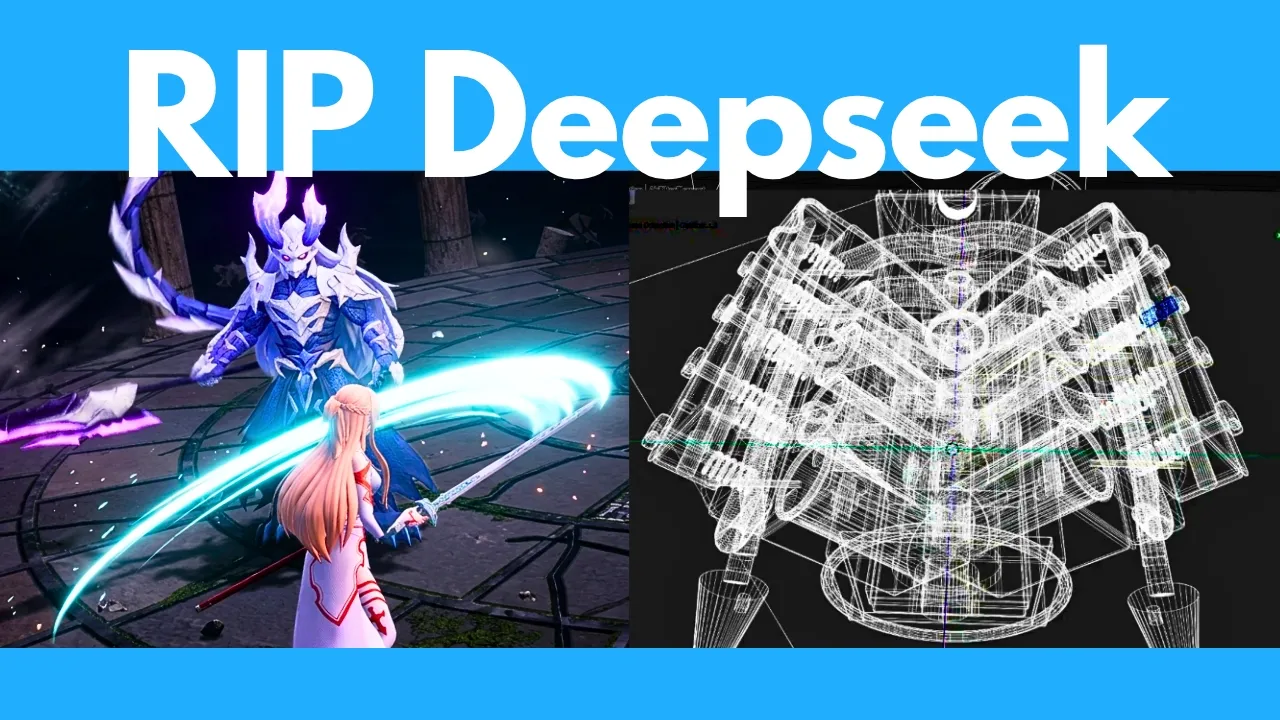
So, I wrote there are bolts and other parts scattered around the engine. Make sure these parts are assembled properly within the engine instead of floating around it. And then afterwards, it fixed that part. And here is our final V8 engine. Look how beautiful and complex this is. You can see all the moving parts here. This is very complicated, but GLM 5.3 was able to handle this very well. Here's the solid shading view.
And then here's the wireframe view. You can see how complex this thing is. I can click on each of these individual parts. You can see the pistons and everything. Here are like various springs and different components. In fact, if I expand this list on the right, you can see it had to create like over 100 components for this V8 engine, which is pretty crazy. And then finally, here is the rendered view with the correct lighting.
Very cool. So, in just like three prompts, it was able to code up a very detailed animated V8 engine right within Blender. All right, so that took roughly an hour. Here are the usage stats for that session. All right, next. Here's an even trickier prompt. Let's get it to create a 3D fighting game with actual characters. So, I'm going to write make a 3D fighting game in an arena between these two characters. I'm going to link to this Asuna character in SketchFab.
It needs to go ahead and download this itself. And then I'm also going to link to this Longhai 3D character. Now, these characters by itself might not contain any fighting animations. It does contain the bones and articulations, but we also need to animate these characters. So, I wrote, "You also need to add separate animations for each character, such as running, blocking, jumping, and attacking or slashing with their swords.
Look for relevant animations in Maximo and map them onto the characters." So, it also needs to go to this Maximo site and search for relevant animations to map onto the 3D model. So, this contains various animations like jumping, running, and attacking. Now, here's the trick. You need to be logged into both these platforms in order to download the models. So, I wrote, if you're not able to download the assets because it requires a login, you can also use this Playright Chrome extension to open my current Chrome session where I'm already logged in to Sketchvab and Mix Mode.
And then afterwards, make it look like a professional AAA fighting game. Add effects where necessary. It should run efficiently on a regular web browser. Let's press run. This was a very complicated task, so it took GLM much longer than expected. First of all, it had trouble connecting to my Chrome via the Playright Chrome extensions. So, I gave it explicit instructions on how to connect to the extension. And then afterwards, it works and it proceeds to download the models from SketchFab.
And then after a ton of trial and error, it also was able to successfully download the animations from Maximo. But then the game was really messed up. So, I wrote, I don't see Asuna at all, and Longhai is not holding his sword correctly. It seems detached. And still, Asuna was not visible. So, I wrote, Asuna is not visible at all. And then afterwards, it still was not correct. Longhai is not holding a sword and not slashing his sword.
Make sure you map the animations correctly and verify that it looks correct. So after a ton of back and forth and handholding, it was able to map the animations correctly. But then I wanted to make their actions faster and then also add some nice effects during attacks or when I get attacked, make it look like a professional AAA game. Do not use bloom or any glow effects. And then also I wanted to make the background look better.
So I wrote this. It still didn't look good. So, I wrote, "Change the background to look like an ancient Greek arena. Make it as detailed and realistic as possible." Also, the character seems submerged halfway into the ground. Fix this and make sure the physics are completely correct, etc., etc. Finally, after a ton of prompting and handholding, it actually delivered a pretty good looking game. So, here's the result. As you can see, I can like control Asuna and slash around and everything works.
Like, I can jump back. I can press shift to dodge. And you can see there are some nice animations when I successfully hit the opponent or when I get hit. It's not perfect, but overall it's a legit fighting game that actually maps the animations from these 3D models. An incredibly hard prompt, but it was able to pull this off. Now, for your reference, here are the usage stats for this session. If you've been playing around with AI, you'll probably find that choosing the right AI model can be very confusing.
Different models are better for different things, and picking the wrong one can waste a lot of time. That's why I partnered with HubSpot to create the AI model cheat sheet bundle, because picking the right model up front saves you hours of trial and error. The bundle includes an LLM selection cheat sheet that breaks down today's top models in simple language. It explains what each model is actually good at, where it falls short, and when you should use it.
So whether you need help with writing, summarization, coding, reasoning, or analyzing images, you can quickly find the model that's best suited for the job. And then there's also this task to model decision matrix. This maps 10 of the most common AI tasks, including coding and research, to specific models designed to handle them best. So you can skip the guesswork and go straight to the right one. It works really well alongside the cheat sheet, which helps you understand the strengths and weaknesses of each model.
The best way to use them is a simple two-step. Check the decision matrix first to identify the right model in seconds and then use the cheat sheet to understand its strengths and limitations before you start prompting. You can access my full bundle for free using the link in the description below. Thanks to HubSpot for sponsoring this video. Next, because Frontier models are good at just autonomously using different tools, let's also test its music composition capabilities using a DAW.
So, I'm going to write, "Your job is to compose an amazing Europ song. Compose the song using the virtual instruments in my waveform DAW. You can decide which instruments to use. Choose from existing instruments in my DAW. Be sure to add variations and effects like risers, epic drops, and other elements that make audio files weak to their knees. Also include panning, FX automation, and make sure everything is mixed and mastered properly.
And that's pretty much it. So, I just have my waveform DAW over here. I didn't even tell it where it is. It needed to search for my DAW and then kind of hack inside it to find everything, figure out how it works, figure out all the instruments, and then compose the song from scratch. So, it took around 53 minutes. It is quite slow, but after a ton of work, it finished composing this Neon Skyline song. And that's pretty much it.
Let me play this for you. >> [music] [music] >> Heat. Hey, Heat. [music] >> [music] >> Heat. [music] Heat. [music] Heat. Heat. [music] >> [music] [music] >> All right. So, that was the part of the song. It's quite a long song, so I won't bore you with the whole thing. I've uploaded it on my X if you want to check out the full song, but as you can see, it does have inherent like music understanding capabilities. It's able to program pretty decent percussion rhythms.
It's able to add risers and impacts. It's able to orchestrate all these different synths including super saw chords, the lead synth, arpeggios, ambient pads, etc. It's able to add like sweeps and crashes. Plus, it also was able to apply mastering. So you can see like it's adding this equalizer and a compressor and a limiter just like you would do for a normal mastering workflow. I actually like this generation better than what I got from Opus 5.
Now here are the usage stats for this session. All right, here's one of my classic prompts. So let's see if we can search the web for financial information, analyze it, and compile not just a report, but make a video presentation with nice motion graphics animations and a voiceover. So, I'm going to write from the most recent earning reports of Tencent, Alibaba, and BU. Create a professional presentation video that thoroughly compares their financials and future outlook.
Include a voice over using Gemini TTS. It should be a motion graphics video. I'm not even going to tell it how to make the video. It needs to decide by itself. It should be 16 to9 black background around a minute long. Include graphs, charts, and other visuals. Use this piece as the background music. And then here's an example of how to use Gemini TTS. I basically copy and pasted the API documentation on how to use the voiceover.
And then finally, I just pasted my API key down here, which I'm going to delete before I publish the video. Let's press run. All right, so it worked for 45 minutes. Note that I didn't even tell it how to create the video, but it just automatically decided to use this Hyperframes skill to create the video. So, Hyperframes is basically an open- source platform by Hen for you to create motion graphics and then afterwards it proceeds to analyze the financials, generate the voice over, etc., etc.
And it gave me a final video. Now, this seems to be an inherent error with hyperframes, which is that it tends to just lowercase everything. So, I wrote right now the text is all lowercase, add uppercase where appropriate, for example, the first letter of names and also AI. So, it rerendered everything. And then here's the final video. Three Chinese tech giants, three very different quarters, and [music] one identical bet. 10 cent is the compounder.
Revenue up 11% to 205 billion yuan. Ads up 22. Games up 17. Profit up 9, but capex up 176%. Alibaba is the investor. Cloud revenue up 38%. 11 straight quarters of tripledigit AI growth. The cost operating [music] profit down 84% and free cash flow deep in the red. BYU is the transformer. [music] Legacy ads down 22% but AI cloud up 79. And for the first time, non-ad revenue passed advertising entirely. Head-to-head, Alibaba posts the biggest topline. 10 cent the fastest growth.
Bu the smallest but the sharpest pivot. The common thread. All three are pouring billions [music] into AI infrastructure, trading today's profits for tomorrow's compute. Watch the next catalysts. BYU reports August 18th. Alibaba August 20th. The AI bill is coming due and the race is just starting. This is information, not investment advice. >> Overall, not bad. Here are the usage stats for this session. All right. Next, here's a test on how good it is at generating new ideas.
There's no right answer to this, but here's the prompt. Give me five simple tech startup ideas that don't exist yet and have the highest chance of making 10 million ARR within 1 year. All right, here's what I got. So, it thought for a minute 22 seconds. And here are the ideas it provided. So a denial resolution automation for healthcare providers. You just need 60 to 100 customers to get 10 million ARR or US state AI employment law compliance platform or interconnection and power procurement paperwork AI for data center developers governance for employeebuilt vibecoded internal apps.
Billing compliance audit layer for AI medical scribes. This is quite subjective. There's no like objectively right answer to this, but let me know in the comments what you think of the quality of its answer. All right, it's time for your favorite test, finding the frog. So, I'm going to upload this image and then write, "Is there any animal in this image? If so, identify and circle it." Now, one of the main drawbacks of GLM is it doesn't have vision capabilities.
So, it's not really good at analyzing images. So, it has to call different Python tools to analyze the image. And then it's like cropping various sections to get a closer look. And then finally, it says that there's a cat in this image, which is completely wrong. And here is where it circled. Now, since it identified a cat, this is completely wrong. It's a classic hallucination. So, unfortunately, GLM 5.3 was not able to pass the frog test, but none of the other Frontier models could pass it either.
I'm still waiting for a model to actually ace this test. All right, next. Let's see how good it is at doing deep research. So for my prompt, I'm going to get it to analyze the pathophysiology of atherosclerosis. Compare lipid lowering and anti-inflammatory strategies, etc., etc., include relevant tables and visualizations. And here's what I got. It only worked for 11 minutes. And first, it gives me a nice table on the pathophysiology.
Everything is very concise and jam-packed with data. And then next here are some lipid lowering strategies. and then anti-inflammatory strategies evaluation and then conclusions. It also generated some figures. So, let me open that folder up. Here is figure one and then figure two. It even tried to code up some diagram although this looks very basic and probably not accurate. And then here's figure three comparing all these different trials.
And then figure four. So, it's quite thorough in doing deep research. It feels better than Opus 5, but maybe not as good as GPT 5.6 six or Kim 3 in terms of deep research. And then here are the usage stats for this session. All right. Next, let's see if it can identify different types of tumors. So, I'm going to upload this image of six brain scans, each with a different type of brain tumor. I'm going to upload it here and then ask it to identify types of tumors in each of the six images, if any.
Now, again, GLM 5.3 does not have vision capabilities natively baked in. So, I don't expect it to get this correct. It needs to autonomously pull from some vision analysis tools. And interestingly here, even though I asked it in English, it responded in Chinese. So I asked it to translate your answers to English. And here are the results. So it suggested that the top left is a glyoma or glyoblastoma, which is not correct.
For number two, it said no tumor, which is not correct. Number three is also not correct. Number four, it predicted glyoma, which is actually correct. And then number five, it predicted lowgrade tuma versus low-grade gloma, which is wrong. And then number six, it predicted metastasis, which is also wrong. So it got one out of six correct, which is actually state-of-the-art. So only Kim K3 was also able to get one out of six correct, whereas even Opus 5 or Fable 5 failed to get any of these results correct.
And then here are the usage stats for your reference. So that sums up my series of really tricky and diverse tests on GLM 5.3. Hopefully this gives you a good sense of what it can and cannot do. For regular stuff like writing emails, summarizing things, doing research, finding information, data analysis. I mean, all the Frontier models, including GLM, can already handle this very well. So, these tests are kind of designed to show you their maximum potential and their limitations.
All right, next, let's go over the specs and benchmarks of this. The crazy thing about GLM 5.3 is it's basically the same model and architecture as GLM 5.2. All they did was post-trained it even harder. Like they didn't need to redesign this from scratch. They just fed it more training scenarios and more diverse tasks. And I mean look at the insane improvement compared to GLM 5.2 which is the green bar. That's pretty crazy.
So in terms of terminal bench, huge improvement. In terms of deep suite it's pretty much as good as Kim K3 or Fable 5. For agents last exam it's pretty much frontier. For GDP val it's the best model in the world. So, this measures how well an AI performs in realistic, economically viable knowledge work across various jobs. For humanity's last exam, this is like testing an AI model's knowledge on some really obscure scientific subjects.
It scores surprisingly well. Again, pretty much matching the performance of Fable and GPT 5.6. And then for Automation Bench, it is the best model in the world. In terms of agentic coding, it's on par with the best models out there. for this Frontier Suite benchmark. You can see GLM 5.3 is ranked number two. It's also incredibly good in terms of agentic knowledge work. So I think the most insightful takeaway here is that this shows how much capability can still be extracted from an existing model just through better training.
The emphasis also shifted from just solving simple coding problems to more like real engineering jobs. A particularly important insight is that the bottleneck in post-training is the quality and scalability of the environments rather than the model itself. So ZAI actually built systems that automatically generate these environments and then create or synthesize verifiers, test whether tasks are actually solvable and then also look for reward hacking shortcuts.
This lets them turn messy real world workflows into training environments that the model can learn from using reinforcement learning and their post-training framework which is called slime which is also open- source. You can check out their GitHub here which contains all the instructions on how you can run this yourself. This slime infrastructure made long horizon reinforcement learning way more efficient increasing end to-end training throughput by more than 2.3 times.
In other words, the big insight from GPC 5.3 isn't the model itself, but actually just improving the training infrastructure and methodology. Now, there are three performance levels you can set for GLM 5.3, low, high, and max. And as you can see, even the low version performs much better than the max version of GLM 5.2. So, this is a huge improvement from the previous model. And the performance already beats Opus 4.8, and it's edging pretty close to Claude Fable 5.
Now, GLM 5.3 is not available via API yet. They're rolling this out soon. That's why we haven't seen GLM 5.3 in this artificial analysis leaderboard yet or the official Deep Suite or other third party leaderboards. They do require API access to the model. This is also insanely good at cyber security. So, you can see from this Cyber Gym benchmark, it's the best in the world, even beating Mythos 5 and GPT 5.6 Soul. for exploit bench and exploit gym.
You can see it's a huge jump from the previous JLM 5.2, and it's way better than Kim K3 for both benchmarks. In fact, here's the crazy thing. This GLM 5.3 has uncovered over 2,400 vulnerabilities hidden in existing software, including 1,97 classified as high risk or critical. These are basically security flaws that no one is aware of but are in widely used projects such as the Linux kernel, Apple Safari or WebKit, FreeBSD, etc.
It's crazy how like some of these flaws have basically existed but were never discovered for decades. For example, the oldest flaw was introduced in 1981 and the average vulnerability is like 26.6 years old. And what makes this significant is that there are still serious security holes hiding in software that's been used for decades. Finding one vulnerability is not unusual, but identifying more than 2,000, including more than a thousand severe ones, is a massive deal.
This demonstrates how good GLM 5.3 is at cyber security. Now, of course, with great power also comes great responsibility. So, the GLM team also released this free hugging face space called Open Vone. This basically lets anyone submit an open-source GitHub repo so that you can get GLM to scan it for security holes. You simply paste in a GitHub link. The system cues it up and it hands it to their vulnerability hunter engine.
It runs the scan using GLM and it basically looks for security flaws, but the actual details stay locked down. They're encrypted and only go to the verified project owners once it's ready and they can decide what to do with this or whether to disclose this. Think of it like a free security checkup for open- source projects that most solo maintainers or small teams can't afford otherwise. The whole flow is designed so that the public never sees these vulnerability details unless the maintainers themselves choose to share them.
For example, it has already scanned Hermes agent lang chain llama CPP and as you can see it actually found a ton of vulnerabilities with some of them being critical. For example, for Hermes it found 21 vulnerabilities. That's pretty crazy. All right, next let's go over where you can use this. So, for now, you'll need to subscribe to the GLM coding plan. Link is in the description below. In order to use GLM 5.3, after you subscribe, you can use it in Zcode or another coding harness.
You'll need to subscribe to a coding plan because it's not available via API yet, although they are going to roll this out very soon. Also note that for now, it's not yet available on their online chat. You can only use it via Zcode or another coding harness. But the good news is like the previous GLM models they are planning to open source this. So here it says we will release the weights in two weeks after the launch once safety evaluation and hardening are complete.
And because this is essentially the same model as GLM 5.2 it's just a post-trained harder it's the same size. So we can see that GLM 5.2 is 744 billion parameters and this is a mixture of experts models. So 40 billion parameters of those are active when you use it. The full model is 1.5 tab in size. They also released an FB8 version which is much smaller at 756 GB in size. There are also some even more compressed GGF versions from Unsloth.
The smallest Q1 version is like only 217 GB in size. So you could even fit this on just one DJ Spark. Now I'm really early to this. These are all the benchmark scores we have for now. Once other independent leaderboards like Artificial Analysis adds GLM 5.3, I'll probably update you in a future video. So that sums up my review of GLM 5.3. Hopefully this gives you a good sense of what it can and cannot do. Overall, I think its intelligence and performance are very similar to Kimik K3.
Definitely in coding and cyber security, it's much better. I would say Kim K3 is slightly better in terms of visuals and 3D and also deep research. If you have had a chance to try it out, let me know in the comments what you think of it so far. As always, I will be on the lookout for the top AI news and tools to share with you. So, if you enjoyed this video, remember to like, share, subscribe, and stay tuned for more content.
Also, there's just so much happening in the world of AI every week. I can't possibly cover everything on my YouTube channel. So, to really stay uptodate with all that's going on in AI, be sure to subscribe to my free weekly newsletter. The link to that will be in the description below. Thanks for watching, and I'll see you in the next one.
The words are the caption track's own and nothing is reworded or re-transcribed. Paragraph breaks are placed between sentences so the text reads as prose.
Free tools for your own script: paste a draft and see where it stands before you record it.
Paste your draft and see where viewers are likely to drop off, with a rewrite for each weak line.
Paste the first 30 seconds of your own draft for a hook score and rewrites.
Check your draft against YouTube's advertiser-friendly guidelines before you record it.
Read this channel's public videos and transcripts, and download a writing brief for it.