Getting the transcript
Reading the captions from YouTube. A video nobody has opened here before takes 10 to 30 seconds; this page fills in on its own.
Getting the transcript
Reading the captions from YouTube. A video nobody has opened here before takes 10 to 30 seconds; this page fills in on its own.
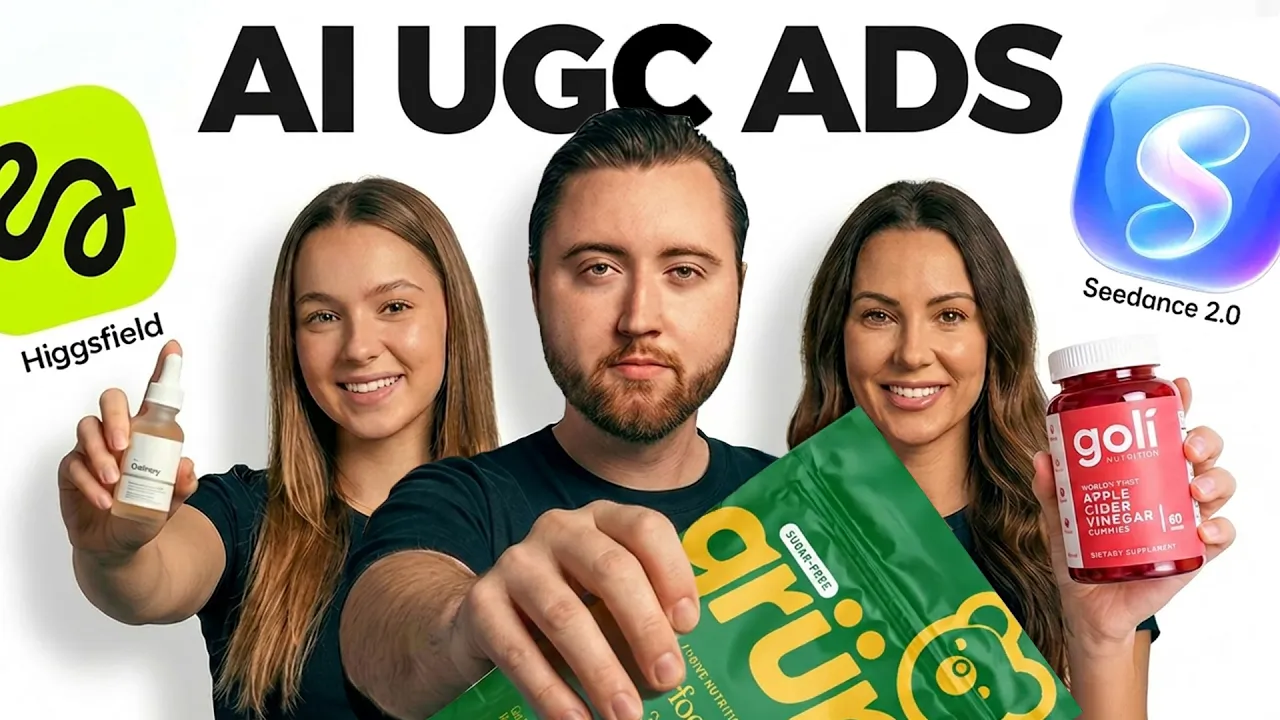
Chase Chappell · @ChaseChappell
This video has no Most replayed graph yet: YouTube shows one only once a video has enough views. These are the moments viewers replayed most in Chase Chappell's most watched videos.
Most replayed moment at 4:41
1.7x that video's typical replay level
them. Because a strong founder story connects the pain that you once lived, the solution you created, and the mission you believe in, and the struggles that you overcame, and how that transformation now delivers to every customer out there. When you create the story with five key pillars,
Said at 4:35
Most replayed moment at 2:44
7.0x that video's typical replay level
downloaded on your computer so that way you can do this. And one of the first steps is we're going to copy that link. We're going to come in here and click the plus sign, go to connectors, manage connections, and we're going to hit add. We're going to add a custom connector. We'll paste this, and we'll name it Meta
Said at 2:37
Most replayed moment at 4:54
3.8x that video's typical replay level
can recreate it. We're going to go into chat GBT. We're going to start a new chat under chat GBT40. You're going to do the new updated create image option and you're going to paste this exact prompt that I've gone ahead and put together for you below this video that
Said at 4:48
The graph counts replays. It does not show where viewers stopped watching.
Words
3,141
Runtime
14:36
Speaking pace
215wpm
Reading time
13min
215 words per minute, above the 201 75th percentile of 349 measured videos. That distribution comes from the 349-video hook study.
Opening (first 30 seconds)
One of these influencers is real and one is AI. And in this video, I'm going to show you how to create your own hyperrealistic UGC AI influencers just like this one in four simple steps. It's the same AI influencers we used with this brand to go from launch to over 250k per month in only 90 days. And I'm going to show you how to make them, the prompts, the scripts, and how to be able to triple your creative output with AI. Starting with step number one. >> I was literally talking with the client yesterday and he showed me an ad they did using
108 words, the words spoken in the first 30 seconds at 215 words per minute.
Free, no signup. See how the first 30 seconds hold attention, with rewrites.
Sentence shape
| Measure | This transcript |
|---|---|
| Sentences | 179 |
| Average words per sentence | 17.5 |
| Longest sentence | 72 words |
| Questions asked | 3 |
| Sentences containing a number | 19 |
Most used terms
Filler phrases
38 in total: like 18 · actually 9 · literally 7 · you know 2 · I mean 1 · basically 1.
A literal whole-word count of the same phrase list the Prepublish browser extension uses, so a phrase inside another word is not counted and a phrase used in its ordinary sense still is. It is a count and not a judgement.
Free, no account. See where attention is likely to drop, with a rewrite for each weak line. The free check shows the scores and the one issue costing the most. Or run it on the words above first.
Free · No login · See a sample audit first if you prefer.
What this transcript is
Every word below is the caption track YouTube publishes for this video, pulled from the video itself and reproduced unchanged. It is not Prepublish's writing, not a summary, and not a re-transcription: it is the video's own published captions. English captions, generated automatically by YouTube, in the video’s original language. Source: the video on YouTube. A channel that would rather this page did not exist can ask for its removal through the contact page, and it is removed.
One of these influencers is real and one is AI. And in this video, I'm going to show you how to create your own hyperrealistic UGC AI influencers just like this one in four simple steps. It's the same AI influencers we used with this brand to go from launch to over 250k per month in only 90 days. And I'm going to show you how to make them, the prompts, the scripts, and how to be able to triple your creative output with AI.
Starting with step number one. >> I was literally talking with the client yesterday and he showed me an ad they did using our AI strategy and I couldn't even tell it was AI. And it's getting like a 4 to 6X ROAS. Unlike the AI slop you see going around, we want hyperrealistic influencers. Instead of just jumping into Higgs Field and Arcads and using template avatars, we're going to head into our first tool, Imaginative AI, where we can produce the exact image of what demographic that person looks like in real life.
So that way, we have an AI avatar we can start using to build our scenes and then produce our video. We're going to be using an example from Pure Good and they're selling a tallow balm for youthful-looking skin. women's product specifically. So the first step we're going to do to be able to generate our avatar is saving this image. So we're going to download the image and you can follow along with your website as well.
Once the image is downloaded, we're going to go into our tool, Imaginative. We're going to come in here and we're going to drag and drop that image. We're then going to paste our prompt, which is create a 9 by 16 image of an influencer holding the product next to their face because we need the avatar holding it and make it look like it was shot on an iPhone because we want this to be as realistic as possible. don't want any ad text on this image.
We just want the influencer holding the product. We're then going to select 9 by 16 just to be sure and we're going to hit enter. The AI tool is now going to create a hyperrealistic avatar that we can use as our base starting point so we can generate our scenes and our scripts. All right, so now our image has been generated of our avatar holding our exact product just like we prompted to do so. So we're going to download this image.
And now that we have our influencer created, I've seen a few people try to do this on YouTube and again, we actually use these AI influencers in client ad accounts and see huge success with them. And that at our firm, we use what I call a heartbeat test for ads. For my private clients, we actually built our own custom AI tool to do this research for them. But for all of you watching this, we scrape Reddit, TikTok, IG Reels, anywhere that our customers' thoughts and feelings basically live, or the videos that have performed well organically, even the ones that maybe caused a ton of controversy, we add [music] all of this to a Google Sheet and write out where our market stands.
Now, on the other side, where we are going to position our product or offering, what we are looking for is the [music] actual pain points of our market. What do they hate? What do they love? What do we wish they had that doesn't exist yet? You want to use their own actual words. So, reviews is also great for this. We go super in-depth with all of our clients on this. >> [music] >> So, once you have all of that info in a context file, what is working, what our market is asking for, that will bring us to step number three, which is creating our scripts.
So, just to give you an idea of what that actual file looks like, we have our competitor from this brand, Pure Good, which is CeraVe, and we pulled in all of the complaints that people have, what people are saying, and then all of the advantages that Pure Good has an advantage compared to CeraVe, and then our different positioning angles that we can go with to eventually write our scripts. We want as much detail on this as possible.
And these were pulled from Reddit, from different ingredient nerds, different threads, you know, Trustpilot, and even Amazon reviews, IG, and so much more. We have what they love, and then we have wishes and gaps, what people wish they had. One of them was bigger jars for full body or family use. So, this is going to help us with positioning because we have a much bigger jar here for that exact thing that people are wishing for.
And then we have different script angles for hooks and ways that we can begin to build out this process. So, now what we're going to do is download this file. Once you build all yours out and do the research, we're then going to go to Claude. And we're going to add in that file on Claude, and we're going to paste this exact prompt exactly as this. Here's the exact information from my market of what they hate and what they love.
Here's my product page and all of my reviews. My exact client avatar is women who want more youthful skin. Add a CTA at the end of this and make me three scripts that are completely unique for ads that are formatted for TikTok, Instagram, and Facebook. So, we're going to go ahead and send this to Claude, and it's going to start building out our scenes and our script that we can later use in the next step. All right, so Claude has now generated the scripts, and it's pulled in all of that data.
It's put together the frameworks, and it's written some of our scripts. And here's the first script that it just wrote. Here's the hook, and here's what she is going to be saying. I just read the back of my moisturizer my dermatologist swore by, and I'm so unwell about it. The visual, she's looking at the back of a generic-looking white drugstore moisturizer tub, handheld. The label is visible, but the brand name faces away from the camera.
So, that way they can see the ingredients. We have text overlays. We have scene number two, which is the setup, what she's been using for years and everybody recommending her products that just aren't working. We're cutting to the visual showing a B-roll of different products that are out there and why they have failed her. And we know this is true because this is a lot of what people are leaving in our reviews on our site.
So, we're tying this exactly as close as possible to what people are actually saying, so that way it's accurate, and we know the true problems out there and what people really want from us and what they already love about our product. And then we have scene three, which is the ingredient reveal, where we're revealing how simple our ingredients are for this product and how amazing it is for your skin. And then we have the swap, so we're breaking down exactly why we're switching to our product.
And then we have the result, which is her actually applying it to her face in this visual and showcasing it. So, now that we understand what the scenes look like, what she's going to be saying, we now have to generate each of these images for AI. And the great thing about having all of these visuals and scripts is, if you understand Andromeda and these new algorithm changes, then you know that the ads need to be completely unique and different from one another.
So, that's why I like to repeat this process and get a huge list of at least 20 to 30 of these so we can choose from them. So, let's go ahead and walk through exactly how we can turn these visuals into images and then later into an AI full UGC video that is almost impossible to tell that it's AI. Then we're going to go to Higgsfield and we're going to go to create image. And what we're going to do is we're going to generate scene by scene from Claude.
So, the first visual is this. She's looking at the back of a generic-looking white drugstore moisturizer tub. So, we're going to copy that. We're going to come back in here and paste it. We're then going to drag and drop our avatar from Imaginative that we just generated earlier and we're going to say create an image using this same avatar except she's looking at the back of a generic-looking white drugstore moisturizer tub with ingredients on it.
And then we're going to ensure that it is a 9 by 16 so that way it fits on formats for TikTok ads and Meta ads. We're then going to hit generate and this is going to generate our first scene with character consistency. Now, I've already gone ahead and done this already by generating this earlier and getting the ingredient label image. That's our first scene. I got our second scene, which was the product sitting next to each other from Claude.
Those are the visuals. So, we're just going to copy each visual and drop it in the same way over and over again to get exactly what we need for our images to be able to then create [music] our AI UGC video. Now, as you can see, we have her holding the ingredient label. We will repeat this until we get all of our scenes finished. So, I highly recommend going and completing that step scene by scene now so that way you have those.
Once you've done that, we're going to download them. So, I'll select all the scenes I've generated and I'm going to hit download. All right, so now that we have our images, we're going to move to step four, and we're going to use the new Higgs field supercomputer feature, and it's pretty powerful. So, what we're going to do is click on supercomputer. So, now that we are in supercomputer, what this tool can do is it can create a full UGC video from the scenes that we generated, and we're going to paste our script with each of those visuals from Claude.
This will allow us to get a full video that we can then edit to use in ads, and I'll show you exactly how this works. So, [music] the first step is we're going to drop our images in that we just generated. And now that our images are in here, we're going to go back to Claude, and we're going to get our first scene, which is this right here. We're going to paste that in. And at the very beginning here, what we're going to do is choose that image.
So, this is the ingredient label, so there it is. That's scene number one. We have exactly what she's going to say in the video. We have the visual, so that way the supercomputer knows exactly how to get her hand movement and actually show her using the product. We're about to see, quite literally, her turn into real life, which is going to be very cool. We have our text overlay. We can remove that because we're going to use that for a later step.
So, that's the first scene. The second scene is image number three, which is the product sitting on the shelf. And this is where she's talking about how she's been using products like this. So, we're going to copy this right here. I'm going to paste it in, and this is a quick B-roll scene to make it feel more natural, where she's quite literally just going through each [music] product, which is going to be very cool once we generate these visuals.
The next one is the ingredient reveal. So, we'll copy this. This is going to use that same image we had earlier. So, we'll do at image ingredient label again. We're going to come down here, then we're moving to our next scene here. Paste that in. This one is I switched to this, which is going to be the image holding our product. Then we're going to go to our next scene, which is the result. We're going to copy it, and the result is her actually applying the beef tallow on her face.
So, we're going to put that in here and image or applying it and then our final scene, which is our CTA. So, we're going to copy this and drop it in and we're going to end this with this visual of her holding the product again. Then we can scroll back to the top here and we can say create a UGC video in 9 by 16 and ensure that all the script [music] is fully used in the video so that way is not fast-paced or rushed. So, now we're going to create a UGC video in a 9 by 16 for each of these scenes.
All you're going to do is hit enter. All right, so now Higgs Field has gone ahead and generated our clips for every scene. So, here are the different scenes that we went through and all of the videos have now been created. This is pretty crazy to think about. We just had images and before that we only had an avatar and before that we only had a product image. So, we went from product to AI avatar to script to being able to actually generate real-life visuals.
So, now that we have all of our scenes and our voiceover, we're going to download all of these videos. So, let's go ahead and download each of these and now that we have them downloaded, we're going to go into CapCut to edit this. So, now I've dropped all the scenes into CapCut exactly in order and let's watch this video that we just created. I just read the back of the moisturizer my dermatologist swore by and I'm so unwell about it.
Petrolatum, that's the technical name for Vaseline. Then dimethicone, which is just silicone, which we're still doing in 2026 apparently. There are 23 ingredients on this tub. 23. I have been using this stuff for like 7 years. Every derm on TikTok, every aesthetician, so I switched to this. The dry patch on my cheek I've had for like 2 years is gone. My skin barrier feels actually fed for once. I'm using one product instead of five and I'm spending less money.
Everyone told me it was the gold standard. >> That's pretty crazy. All right, so this is entirely generated with AI. Now, this video right here walks through every little detail in every scene [music] we just went over. We have scene by scene, we have the exact voice over, and it's executed pretty insanely where she's applying it. It's almost impossible to tell that it is AI. Now, you can adjust the voice a little bit.
You can refine the audio so that way it sounds even more natural. We could change a scene if we don't like it, but all in all, once we add in our captions, our visual overlays, our pop-ups on this, it's going to flow so naturally that people aren't even really going to notice, which is what's so crazy about this AI tool. So, we can start generating ads like this every single day. We no longer have to hire UGC creators.
We can generate AI UGC videos just like this for our product, which is just mind-blowing to really think about. I mean, we have close-up shots, we have zoomed-out shots, she's holding it, walking through it. All in all, I'd score this [music] eight and a half out of 10. With a little bit of refinements with the voice, it would be perfect. But, all in all, once we add the captions and everything else, it moves it up to a nine out of 10, which is perfect for ads, and we can start generating [music] a great ROAS just like some of our other clients who are doing five and six return on ad spend using this exact strategy.
And now that we have this ad, I can't emphasize that only making one of these is not the end-all-be-all. You should be testing tons of these. It's so simple to make these now using AI. And the last thing I would do is make one of them. All right, so once you actually generate your AI videos, just to show you what this looks like inside of FourPlay with one of our clients, Awaken Eden, all of these are AI creators here, and it's pretty insane.
We have tons of different videos we're launching with this strategy that are generating 4 to 6X return on ad spend, and I can literally show you like some of these have been running for 50, 60 days and are absolutely [music] crushing it right now. Literally 59 days on this ad. Okay, this bourbon literally tastes like apple pie and cinnamon toast. That's that video. My friend poured this bourbon for me blind, and I guessed it was a $200 That's another one.
This might be the most flavorful bourbon I've ever had. And another one. And essentially we're just doing different scripts and different generations and launching these at scale in the ad account. And we're also using AI image statics with this tool right here from this video we just covered last week. So I just ran you through my personal AI influencer workflow, but I cannot stress this enough. Only doing this once and putting a few hundred dollars of spin behind it and then giving up would make this entirely, [music] completely worthless.
And that's what 99% of you will do. You have to test. You have to create variations and try different angles. You have to refine it. The best way to do that is also pairing it with static [music] ads with these so you can literally test hundreds of angles all at once to then create even more AI UGC videos based on your winners. So I'll leave you with this video here so that way you can start that workflow with me in just a few seconds.
The words are the caption track's own and nothing is reworded or re-transcribed. Paragraph breaks are placed between sentences so the text reads as prose.
Free tools for your own script: paste a draft and see where it stands before you record it.
Paste your draft and see where viewers are likely to drop off, with a rewrite for each weak line.
Paste the first 30 seconds of your own draft for a hook score and rewrites.
Check your draft against YouTube's advertiser-friendly guidelines before you record it.
Read this channel's public videos and transcripts, and download a writing brief for it.