Getting the transcript
Reading the captions from YouTube. A video nobody has opened here before takes 10 to 30 seconds; this page fills in on its own.
Getting the transcript
Reading the captions from YouTube. A video nobody has opened here before takes 10 to 30 seconds; this page fills in on its own.
Chase Chappell · @ChaseChappell
This video has no Most replayed graph yet: YouTube shows one only once a video has enough views. These are the moments viewers replayed most in Chase Chappell's most watched videos.
Most replayed moment at 4:41
1.7x that video's typical replay level
them. Because a strong founder story connects the pain that you once lived, the solution you created, and the mission you believe in, and the struggles that you overcame, and how that transformation now delivers to every customer out there. When you create the story with five key pillars,
Said at 4:35
Most replayed moment at 2:44
7.0x that video's typical replay level
downloaded on your computer so that way you can do this. And one of the first steps is we're going to copy that link. We're going to come in here and click the plus sign, go to connectors, manage connections, and we're going to hit add. We're going to add a custom connector. We'll paste this, and we'll name it Meta
Said at 2:37
Most replayed moment at 4:54
3.8x that video's typical replay level
can recreate it. We're going to go into chat GBT. We're going to start a new chat under chat GBT40. You're going to do the new updated create image option and you're going to paste this exact prompt that I've gone ahead and put together for you below this video that
Said at 4:48
The graph counts replays. It does not show where viewers stopped watching.
Words
2,759
Runtime
12:18
Speaking pace
224wpm
Reading time
12min
224 words per minute, above the 201 75th percentile of 349 measured videos. That distribution comes from the 349-video hook study.
Opening (first 30 seconds)
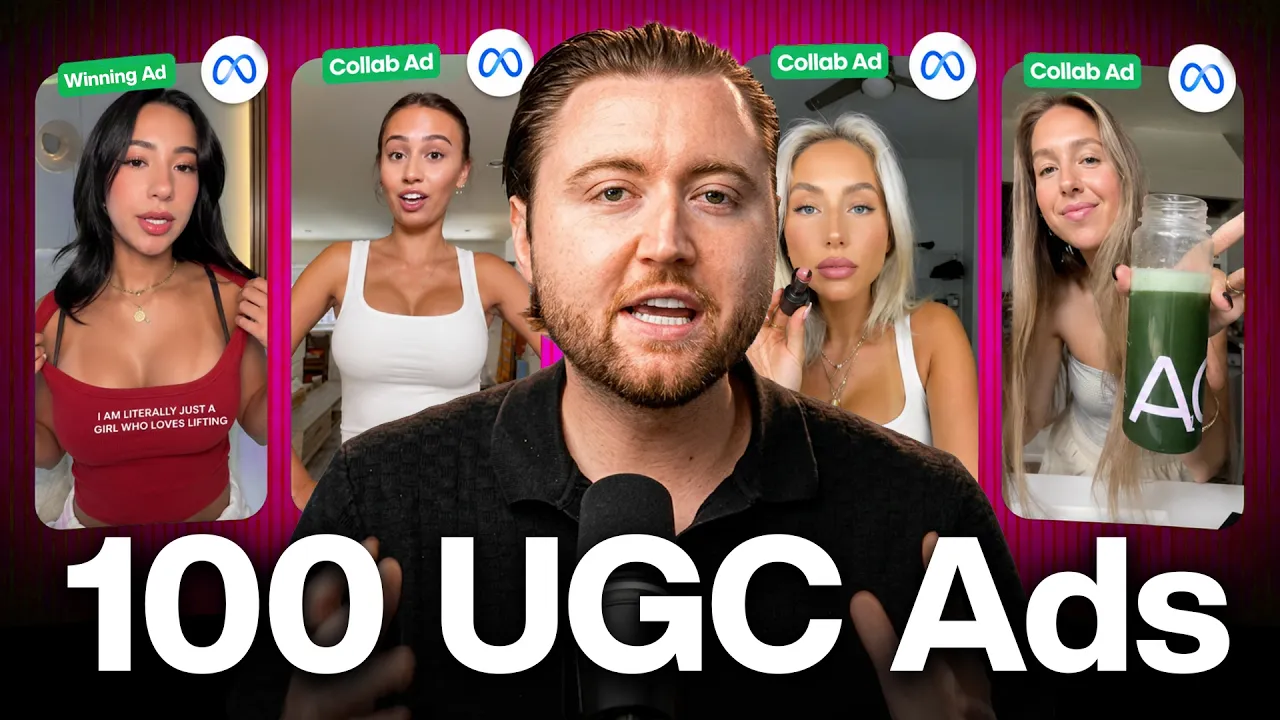
If you sell products online, you know that having real UGC videos in your ads is how tons of brands are scaling right now. It's how I got these brands 7x, 10x, even 30x their growth. The problem is reaching out to thousands of creators manually every single day is not realistic and paying them all can cost a fortune. So, in this video, I'm going to show you exactly how we do this step-by-step with our own client so you can bring more revenue to your business. And by the way, you do not need a big brand, hours of time, or thousands of dollars to be able to do this.
112 words, the words spoken in the first 30 seconds at 224 words per minute.
Free, no signup. See how the first 30 seconds hold attention, with rewrites.
Sentence shape
| Measure | This transcript |
|---|---|
| Sentences | 119 |
| Average words per sentence | 23.2 |
| Longest sentence | 74 words |
| Questions asked | 1 |
| Sentences containing a number | 18 |
Most used terms
Filler phrases
19 in total: like 12 · actually 2 · basically 2 · you know 2 · um 1.
A literal whole-word count of the same phrase list the Prepublish browser extension uses, so a phrase inside another word is not counted and a phrase used in its ordinary sense still is. It is a count and not a judgement.
Free, no account. See where attention is likely to drop, with a rewrite for each weak line. The free check shows the scores and the one issue costing the most. Or run it on the words above first.
Free · No login · See a sample audit first if you prefer.
What this transcript is
Every word below is the caption track YouTube publishes for this video, pulled from the video itself and reproduced unchanged. It is not Prepublish's writing, not a summary, and not a re-transcription: it is the video's own published captions. English captions, generated automatically by YouTube, in the video’s original language. Source: the video on YouTube. A channel that would rather this page did not exist can ask for its removal through the contact page, and it is removed.
If you sell products online, you know that having real UGC videos in your ads is how tons of brands are scaling right now. It's how I got these brands 7x, 10x, even 30x their growth. The problem is reaching out to thousands of creators manually every single day is not realistic and paying them all can cost a fortune. So, in this video, I'm going to show you exactly how we do this step-by-step with our own client so you can bring more revenue to your business.
And by the way, you do not need a big brand, hours of time, or thousands of dollars to be able to do this. The first part of this strategy is finding hundreds of UGC creators to make us thousands of UGC videos a month without burning hours of time searching for them. That way, you can end up scaling your ad account and having upwards of 500 to 1,000 active ads with paid partnership collabs fully automated and this is what is allowing brands to be able to scale right now.
And to make this easier, I've linked the tool below the video so that way you can follow along. So, in order to be able to automate this entire process, you're going to sign up for that tool below and you're going to land on a dashboard like this. And for all of you who already have a TikTok Shop, this is also a way that you can automate your TikTok Shop creator outreach, but we're talking about this specifically for Meta today so that way you can have that program going even if you do not have a TikTok Shop.
So, the first step in being able to do this, you're going to go down to ads and you're going to select Meta ads. And this is where you're going to opt into the program and we'll hit enable Meta ads. We'll then connect our Meta Business ad account so that way we can be able to sync this up for whenever we start getting UGC videos to plug into our ad account. so once you've synced to your Meta ad account, you'll see something that says program setup.
And what we're going to be able to do is structure a UGC commission program to further incentivize creators to make videos for us specifically for Meta. So, basically how this works is we can set up a program where we can either give them a commission based off how much we spend on their ad or we can do website sales or we can even do Triplewell attribution. So, we choose meta website sales, that basically means every time we spend $100 behind a video and generate a thousand bucks in sales for ourselves at a 10x ROAS, we're paying the creator 5% of the $1,000.
So, they're getting paid on the generation of whatever sales their video gets, but we're putting ad spend behind that. And the reason this is beneficial is is creators will submit tons of videos and they're going to be making commissions on all the sales that you generate from their specific ads and they're going to be excited to make more content for you. And this is how you're able to ramp up your creative volume by doing this.
And we're going to set the commission tier at 5% because we don't want to offer anything higher than that. If you've been on TikTok, you know that like being around 20% makes sense, but when you're putting your own paid dollars behind it and the creator is not getting organic sales behind their video, they're just giving you the asset to run as an ad, we don't need to offer high commissions because all they're doing is filming the video, giving it to you and we're going to run it behind an ad.
So, we're only going to offer 5% commissions. And then we're going to set a max payout per video, so that way if we end up spending 50,000 on the video to make back 200k, well, they're going to end up getting a 5k max payout on that video. So, that way we can continue running the video at scale and make it profitable. Now, to be able to save and enable this program, we first have to configure our invite link with our brand HQ, so that way we can invite them.
So, we're going to click this and this is how we're going to structure our commission program. So, you're going to name this based off of your brand and once you've named it, you can scroll down and upload a hero banner. And then we have our product image, you want to make sure it's a clear product shot. You can even add text here like join our creator program. I'm just uploading a basic image right now, but you definitely want to have text in this and calling out that, "Hey, join our UGC creator program, so that way you can earn commission." And you can have have text up here.
Just to show you what an example of that actually looks like. This is True Classic's version of this where they have their text up here because this is what your listing is eventually going to look like where they can enroll. So, we're going to go back. We're going to be putting a title. We're going to say happy aging meta affiliate program. And then we're just going to say join our meta ad affiliate program and earn 5% on sales generated on every video you submit.
And we can also include our Discord community. So, you'll want to connect a community because what we're going to end up doing is is as these videos take off and the UGC videos start to generate tons of sales and get a really good return on investment, we can tell our community that, "Hey, this video that John created that generated $100,000 in sales is absolutely crushing it. All of you go make this video and then we'll get tons of creators to make the same video so that way we have more winning ads to launch." So, we're going to use this community to essentially train the creators on what ads are performing best in our account so that way they can learn, make more money, and generate better videos for us in the long term.
So, you'll connect that. And then all of the campaigns that we create for our creators will automatically sync here. And dynamic briefs, this is great because what this will do is it'll pull in all the videos automatically. An example of what this looks like, this is Drink Sprinter, which is Kylie's um actual brand. And this is their brief where it dynamically pulls in the best performing videos. So, this is a creator that's generated 51,000 in sales from her UGC video that she submitted and is now running in ads.
And it's telling other creators, "Hey, this is the style of why this works. Here's what you should create so that way we can get more videos back of what's already been proven." Same thing for this video. So, creators will already have all of this information dynamically as well. So, that way they know exactly what to create from the get-go. And then I would go ahead and add your email so that way they can reach you.
Add your contact method, your social channels, and your website so that way they have all the information around your brand. And then FAQ, this is where you can type in how do I apply? They just click the button. and then any other FAQ questions that you want to add, you would just put these in here. And then essentially from there, you pretty much have your entire Brand HQ invite link ready to go. So from here, all you do is hit publish, and now your Brand HQ link is live, and you can configure your brand page for creators to see publicly as well.
So if we go and open this, we'll be able to see exactly what they'll see whenever we send out the invite. All of this would obviously be filled in once you submit it all, and once they actually click follow the brand, they can reach out and request a sample and become a creator so that way you can send them the product and we can get the videos back from them. And to understand what the flow looks like for the creator whenever we start sending out the automations, which I'll be showing you in this video, they're going to receive an invite link that they can click and sign up to, and they can download the app and they'll submit their video inside of that portal.
So there's an entire portal dedicated to these creators where we can reach out to them. Now that we've published our Brand HQ, the next step is finding creators. So to do that, we can go to AI Creator Search. We can select Instagram specifically because we're building a Meta Ad Creator Program. Let's type in wellness because we're selling a wellness-based product. It will pull in all of the creators in the wellness space.
We can adjust the filter based off of like their average video views, which I would set to at least a thousand because that way we at least know that they're able to create a video that has engagement. We can even filter by the specific country. We want to do United States. If you're in a different country, you just select the one that you're in. And then we're going to turn on only show creators with an email because we're going to be outreaching to these creators via email with an automated outreach system.
So once we have our creator list, we have 1,700, we're going to add those creators to a list and we're just going to name this wellness. And now we've created our first list of creators that we can begin to outreach to. We can also search for things like supplements, and it'll pull in all of the Instagram supplements creators. Or we can type in health and we're going to build multiple different lists because we're going to be sending out thousands of emails so we want to have as many creators as possible.
Then what we do is once we've created the list, we're going to go to our list section and we'll see all of our list that we've created. We'll be able to then click this, the three dots, and hit create email campaign. And this is where we're going to send out our invite links via email for our Meta Creator Program. And now we have wellness selected. We'll name this Instagram creator outreach campaign and we're going to have to register our email to be able to do this.
So we're going to open this on a separate tab. We're going to go to outreach and go to email campaigns and we're going to set up our custom domain to be able to send out thousands of invites automatically every single day. So you'll complete these steps or you can use your email where you send 500 invites a day. And once that's connected, we can come back here and refresh our screen and we can then choose our email that we've synced up to start sending out our invites.
We can adjust this to update it to 500 emails a day. I would always do the max here so that way we can have as much outreach as possible and as you notice at 500 emails a day, we're going to burn through our list in a matter of two to three days. So we need to constantly be creating new lists to be able to outreach to creators. We're then going to create a template for our email and you're going to test multiple different messages saying, "Hey, we're XYZ brand.
We would love for you to join our creator program where you can earn 5% commissions on every video you submit to us and we have a huge ad budget we're going to be putting behind your videos and you're going to break down the selling points of your product. And we're going to type in our subject and you'll need to come back and copy your invite link so that way whenever you're in here, you can say join the program here.
And then we're going to fill in our email message which is something like this. Hey, we'd love to partner with you. We love your content and think you'd be a great fit for our creator program. We're currently putting $30,000 a month in ad spend behind creator videos and all you have to do is join the creator program, film and submit a video. If we select your content, we'll put our own ad dollars behind it and you'll earn 5% commission on every sale your video generates.
And you can even put in some bullet points in here around like your ad budget, which is like 30,000 or whatever your budget is. And then we're also going to include a snippet because we want them to know that we're putting ad budget behind their videos, they're getting a free sample, they're getting commissions behind those videos and additional incentives. All they have to do is just join the program here and we'll link that exact link from our brand HQ that we created earlier.
And then we'll complete our template and we can add a follow-up email to follow up with them as well. And then we're just simply going to create campaign. And what this is going to do, it's going to start reaching out to these creators and every time a creator clicks on a link and signs up for our program, we'll then be able to see all of that under our sample request. So they'll reach out asking for a sample and we'll be able to see their data behind their videos, whether it's on Instagram or TikTok.
And we can simply approve this and we can ship out the product to them. They'll then film the video and as they film the videos and submit them to us, they will automatically be added into our ad section under licensed content. And once you start receiving those videos, they will show here and we can upload them directly inside of our ads manager. And this will directly go inside of our ad account so that way we can start running ads behind every single one of the creator videos that are submitted.
The great thing is if you already have TikTok shop connected and you do this, it will automatically sync all of those TikTok ads as well inside of your ad account. And so when we go back to Meta ads, we'll be able to see all of our creators and how many ads they've generated and the overall spend we're putting behind their videos, how many sales have been generated from that video and what the commissions are paid to that creator.
And so this is how we can eventually get hundreds of UGC creator ads launched into Meta. And then from here, every week once we see what ads are performing, it'll automatically update our creator brief, and we can also tell our community inside of Discord what videos are working, so that way they can make more content to submit to us that automatically goes into our Meta ad account. And this is how you can scale up your creator army with Meta ads.
And once this is done, you have a full workflow that is working day and night to invite creators, get them signed up, and automatically plugged into your ads, so that way you could rapidly scale creatives. This is by far one of the most scalable strategies out there right now. But even though you now have a creator army and a reliable way of getting hundreds of them with high-converting UGC ads, Meta still needs other creative formats other than just UGC in order to scale.
That's why I explained the creative strategy that we use with all of our clients in this video here. I'll see you in that next video.
The words are the caption track's own and nothing is reworded or re-transcribed. Paragraph breaks are placed between sentences so the text reads as prose.
Free tools for your own script: paste a draft and see where it stands before you record it.
Paste your draft and see where viewers are likely to drop off, with a rewrite for each weak line.
Paste the first 30 seconds of your own draft for a hook score and rewrites.
Check your draft against YouTube's advertiser-friendly guidelines before you record it.
Read this channel's public videos and transcripts, and download a writing brief for it.