Getting the transcript
Reading the captions from YouTube. A video nobody has opened here before takes 10 to 30 seconds; this page fills in on its own.
Getting the transcript
Reading the captions from YouTube. A video nobody has opened here before takes 10 to 30 seconds; this page fills in on its own.
Chris Raroque · @raroque
This video has no Most replayed graph yet: YouTube shows one only once a video has enough views. These are the moments viewers replayed most in Chris Raroque's most watched videos.
Most replayed moment at 8:39
3.2x that video's typical replay level
plugin for Claude Code. It's a plugin that you install by using a slash command. And when you have it installed, I've just noticed that it's about like 20 or 30% better at design. If I have this installed and I give it a screenshot, it follows the screenshot a little bit better. Or if I'm just oneshotting a design, 20
Said at 8:33
Most replayed moment at 9:45
5.6x that video's typical replay level
database or how much bandwidth you're consuming with Superbase. So, you want to add these limits because someone could in theory hit up these services and then just rack up a huge bill that way. And there are a lot of cases of this happening where people woke up to a $50,000 bill. So, please add these type of limits
Said at 9:38
Most replayed moment at 3:33
3.5x that video's typical replay level
can I do this better? How can I make sure that my illustration stand out among other apps?" Let me show you what I mean. This is the onboarding for my calorie tracking app Amy. People keep messaging me about this onboarding saying this is one of the best onboarding that they've seen. I think someone actually signed up
Said at 3:25
The graph counts replays. It does not show where viewers stopped watching.
Words
4,382
Runtime
17:40
Speaking pace
248wpm
Reading time
18min
248 words per minute, above the 201 75th percentile of 349 measured videos. That distribution comes from the 349-video hook study.
Opening (first 30 seconds)
It's been a minute since we've done an Amy update video on this channel. So, today I'm going to share some numbers and how the app is doing. But the main thing I wanted to share was some of the stuff I shipped to improve the experience. I'm really proud of some of this stuff, especially the new Apple Watch experience, which I have a lot of stuff to share about building that. If you're new here, welcome to the video. My name is Chris and I build productivity apps. I usually focus on one productivity app per video and today we're focusing on Amy. Quick context, Amy is a calorie tracker in the style of Apple Notes. You type the food that you
124 words, the words spoken in the first 30 seconds at 248 words per minute.
Free, no signup. See how the first 30 seconds hold attention, with rewrites.
Sentence shape
| Measure | This transcript |
|---|---|
| Sentences | 257 |
| Average words per sentence | 17.1 |
| Longest sentence | 47 words |
| Questions asked | 16 |
| Sentences containing a number | 11 |
Most used terms
Filler phrases
93 in total: like 55 · actually 20 · kind of 9 · literally 4 · I mean 3 · you know 2.
A literal whole-word count of the same phrase list the Prepublish browser extension uses, so a phrase inside another word is not counted and a phrase used in its ordinary sense still is. It is a count and not a judgement.
What this transcript is
Every word below is the caption track YouTube publishes for this video, pulled from the video itself and reproduced unchanged. It is not Prepublish's writing, not a summary, and not a re-transcription: it is the video's own published captions. English captions, generated automatically by YouTube, in the video’s original language. Source: the video on YouTube. A channel that would rather this page did not exist can ask for its removal through the contact page, and it is removed.
It's been a minute since we've done an Amy update video on this channel. So, today I'm going to share some numbers and how the app is doing. But the main thing I wanted to share was some of the stuff I shipped to improve the experience. I'm really proud of some of this stuff, especially the new Apple Watch experience, which I have a lot of stuff to share about building that. If you're new here, welcome to the video. My name is Chris and I build productivity apps.
I usually focus on one productivity app per video and today we're focusing on Amy. Quick context, Amy is a calorie tracker in the style of Apple Notes. You type the food that you ate and the calories will magically appear on the right. the most frictionless calorie tracking app out there. Let's start with the numbers because I know a lot of you are interested in that. Amy is sitting at around 3.4 3.5K MR, just like right below 3.5K, and it's still about an 85% profit margin, which I'm really proud of.
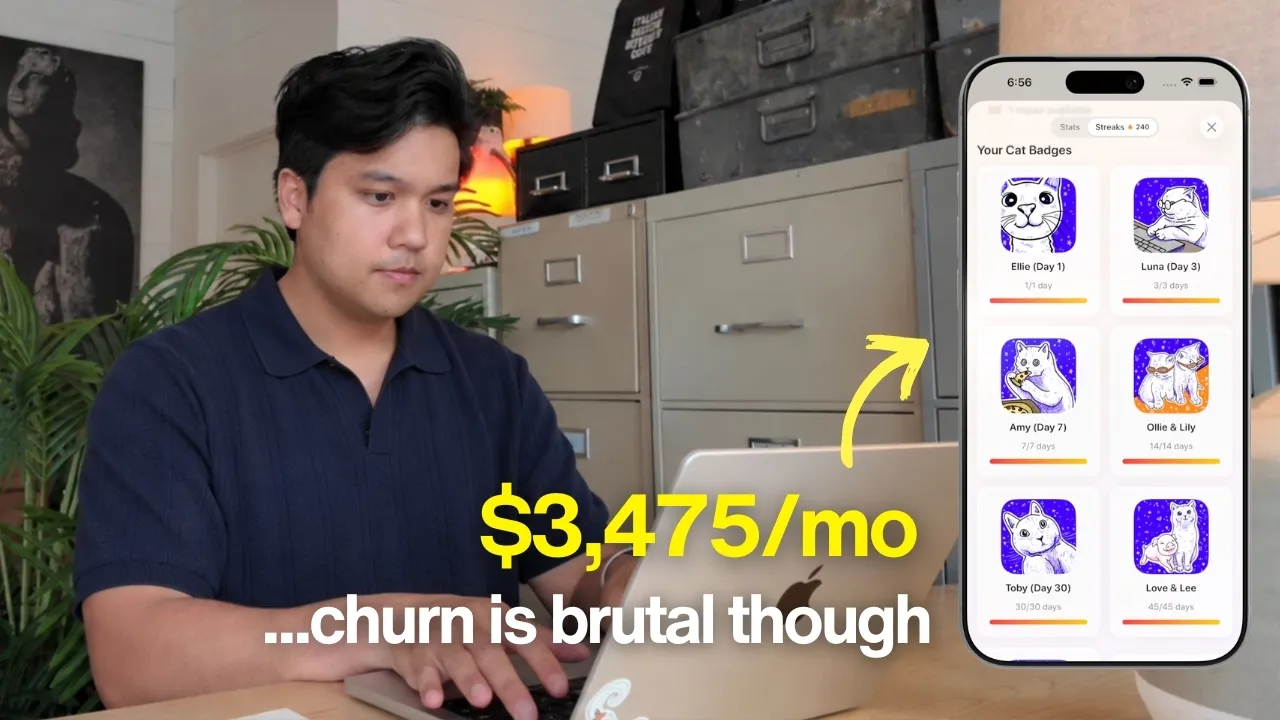
And that's on about 336 paying users. To be transparent, it has been fluctuating quite a bit, though. It's usually between 3.2 and 3.5K MR. So, the churn is pretty brutal. And because of that, one of the main things I've been doing to combat the churn is to try to figure out how can I reduce as much of the friction in this app and just make it effortless for users. Because if I make it effortless for them to use the app and log calories, they're going to start building a habit.
So I was looking at what we already have. We already have one of the best Siri integrations. Like you can literally tell Siri what you ate, just plain English, and it'll just log it for you. There's no other calorie tracking app that has that. And we have a really good set of widgets to remind the users that the app exists. But a major surface area that we're not covering right now is actually an Apple Watch app. I think a big reason I haven't shipped an Apple Watch app is because there's literally no one talking about building Apple Watch apps.
It's such a niche thing. And that's actually a big reason why I wanted to make this video was to show you guys how easy it is and why you should do it. But I decided to ship an Apple Watch app and I was curious, okay, how hard can this be? I feel like with agents, I can just ship this really fast. So I fired up codec. So that's what I'm using to build this. I wrote out a pretty detailed prompt outlining what I wanted to see in this Apple Watch integration.
And the other thing I gave it, which I really want to show you guys cuz it surprises people, is I gave it two simulators. I gave it an Apple Watch simulator and an iPhone simulator. And the reason I had to give it both is because I wanted Codeex to test it properly. And the Apple Watch app actually does have to communicate with the iPhone app to work properly. And I told it go use the Xcode build MCP which is an MCP that I recommend if you're building iOS apps and watch apps.
This allows Codex to actually build the app and stream the logs which is really important for debugging. And I told it to use computer use to control both simulators at the same time for testing. So it went off ran for like 2 hours and then by the end of it I actually did have a fully functioning Apple Watch app and it had all of the basics. It showed how many calories you ate for the day which was the main thing that I wanted to see.
Then I do the thing I always do and that I recommend. It's to actually test and use this thing in real life because that's when you're going to uncover a bunch of edge cases. And thankfully, I do actually use this app every day. And the edge cases became very clear a few minutes into using it. The first thing is I realized what actually matters to me. I didn't really care how many calories I'd eat in the day. What I care about is how many calories I have left for the day.
I also realized the only way for me to access this stuff is if I go through the actual complications and go find the Amy watch app, click it, and then view it. And I quickly realized, okay, we need an actual watch complication. So that's what these little things on the Apple Watch are. They're called complications. So when you want a little widget complication to appear on the watch face, you actually have to make that separate from the Apple Watch app.
So they're technically two different things that you have to build out. But what's cool about the complications is you don't have to touch anything. You can just glance at them and they should give you information, which is perfect for a calorie tracking app like Amy. Now, something else I didn't know is there are so many complications to support. And so this is one of those things where I think I mean you could oneshot this if you wanted to, but I feel like when you're building an Apple Watch app, you're going to want to go in there and really test a bunch of complications.
See which ones do you want to keep cuz if you ask Claude Code or Codeex to just vibe code a bunch of complications. You're going to get a bunch of garbage like I did because it just created a ton of really useless complications and half the time they were just cut off and didn't even work. So if you're building an Apple Watch app, really double check the complications and make sure they're actually something useful. But after a bunch of iterations, we had a really good set of complications.
We had a very good Apple Watch app that showed exactly the information I wanted. It'll show you things like how many calories you have left for the day, what you've eaten. So, there's even a log of what you've eaten. It's kind of like mirroring the app. And a really good graph of stuff like protein, carbs, fats, like all that stuff. You can see everything at a glance in the Apple Watch app. Now, as I was using this thing, the next thing I wanted to add became pretty obvious.
I remembered I forgot to log something, but my phone was in the other room. And I thought to myself, man, it'd be amazing if I could just dictate and just tell Amy to log something for me. And I realized, wait, I could just go build that. We already have a really great Siri integration where you can just dictate what you ate on your phone. Can we just port it over to the Apple Watch app? I wasn't really sure if you [music] could do this technically, but then I checked and it is actually possible.
So, Apple does allow you to hook into the microphone so you can dictate things to an Apple Watch app, which was perfect for [music] this use case. And I also double checked and there really isn't any calorie tracking app on the market that supports this. So My Fitness Pal does not support being able to dictate food and obviously something like Calai which is photobased. You can't really take a photo with your watch. So it also does not support something like this.
And this is where Amy is really fortunate because we already have this really nice Siri integration solved where you can just say what you ate and we do all this really complicated stuff in the background to calculate the calories. We can piggyback off of that and apply the exact same thing to the Apple Watch. So, I just had to figure out, okay, how do I dictate and send this to the Apple Watch so it could be processed exactly like we do with the Siri integration.
Now, this did take some time to figure out. The UX was actually pretty challenging. Like, I was trying to figure out, do I make it a full screen experience? Do I do it inline? And this is the UI settled on. There's now a button on the Apple Watch app, and when you tap it, it's going to go into this dictation mode, and you can just dictate and say something like In-N-Out Burger with fries and a diet coke. Then you press the button and it's going to send this to the iPhone app, process it like it does with the Siri integration, calculate the calories, and return it back to the watch so you can see the calories in front of you.
Then you press done and then it actually just logs it in the app. Probably the best calorie tracking app experience on the watch right now. I am so proud of how this experience [music] turned out. Like this is one of the coolest experiences on the Apple Watch. And I promise I'm not saying this just cuz I'm biased and I'm the one that built this. Like I did not know you could do something like this on the Apple Watch until I built it.
But it gives me so many ideas of future Apple Watch integrations I can build for my other apps like Ellie, the daily planning app. You bet I'm going to do something like this for my daily planning app. I started using it for a few more days, but then we did run into an issue. I did notice that sometimes the dictation would just fail for no reason. Like it just would not send to my phone and just say the Apple Watch app is disconnected.
So I did a ton of research to figure out, okay, did I just structure this wrong? And to give a little bit of context on how the Apple Watch actually works, Apple has this framework called watch connectivity. And this is how you can get an Apple Watch to talk to your iPhone and pass data back and forth. And in my first version of the app, which is how Codeex set it up, which I again thought was fine, we are using that.
The Apple Watch app is going to send the audio stream to the iPhone app and then the iPhone app is going to send that to the backend to be processed. So, I was doing everything for my wrist, but the iPhone was doing a lot of the heavy lifting. And it turns out the connection between the Apple Watch and the iPhone, it's not something that you can fully control. Apple is actually the one that controls that. And there's certain situations, like for example, if your iPhone is in low power mode, Apple could actually choose to just disconnect it from the Apple Watch app just to save battery.
So, it turns out this is something you have to decide in your architecture. Do you want the Apple Watch to be reliant on the iPhone app, which again, there's nothing wrong with that. For some apps, that makes total sense. Or do you want the Apple Watch to be more standalone? So, there is actually a world I figured out where the Apple Watch app can just connect directly to my back end and do all the audio processing, the color tracking, all of that on the device.
And that's what I ended up doing. I decided to port the dictation portion and the calculating on the device itself, but I do still keep some functions like for example pulling the actual calorie data on a recurring basis. This is still being done primarily through that bridge through the watch and the iPhone just because it's not as necessary for that to be up to date all the time. But something like the Apple Watch, it needs to be ready exactly at the time the user tries to dictate.
Like we can't wait for the iPhone app and the watch to start connecting again. Like we can't do that. And with that change, the stability did improve 100%. So now every time you dictate, it is going to work. So I've been testing it for weeks and it's been completely fine. Now is the Apple Watch app really going to improve churn that much? Probably not. I mean, who knows? Maybe in the next update I'll tell you that it actually really did make a difference.
But here's what I do know. I think I've moved about 30 to 40% of my own usage of my app to the Apple Watch. Like I'm constantly just glancing at the Apple Watch to see how many calories I have left versus having to open my phone and look at the widget or opening the app. Most of my usage is now on the watch. And in terms of logging, I think about 40% of my logging is also now done on the Apple Watch cuz it's just so convenient to just dictate and just say exactly what I ate.
And if you saw my last update video, you know I said the same thing about the Siri integration. Is it going to move the needle on retention? Probably not. But if you start adding the Siri integration, the widgets, this Apple Watch integration, and the next thing that we're about to talk about, it all really does add up to make a very frictionless experience. Users are going to try the Apple Watch app and the Siri integration, and I guarantee they're going to think, "Man, I can't believe this is a thing.
This is so cool." But here's my pitch on why I think most people should build an Apple Watch app. Number one, it's really good real estate. There are so few Apple Watch apps out there. So, if you do get it installed on the Apple Watch and especially just on the homepage as a complication, that is really good real estate. They're going to see your complication like multiple times a [music] day. Kind of similar to the lock screen widget on the iPhone, for example.
Number two, the chance of people in your category doing an Apple Watch integration well is probably very low. Even in my category, which is the calorie tracking app space, which is arguably one of the most saturated spaces out there and should be doing Apple Watch apps well, there really aren't that many players [music] doing a really good watch integration. So, if you do it, it's an easy way to stand out among competitors as being highquality.
And number three, which is arguably the biggest one, it is just so ridiculously easy to ship something like this with cloud code and codecs. You can just do this in like less than a day. I think two years ago an Apple Watch integration would be a whole project like almost a whole separate app. But because of AI coding, I really feel like an Apple Watch integration is really just now a feature. The first version of this was built in about 2 hours and then the subsequent polished version took a few days.
Now, if you're thinking to yourself, I'm not even sure what an Apple Watch integration looks like for my app. Like, is it even possible? You might be right. There are some apps where it just doesn't make any sense. But for majority of apps, I think it really does. And you need to remember, you're not trying to port over your whole app into an Apple Watch app. You really just need one core feature or something that you feel like users are going to glance a lot at.
And just having that makes a really good Apple Watch experience. By the way, you probably noticed I've been shipping all this stuff really quickly and it's just me. There is no team and there isn't anyone looking at my code before it goes into production. So, the question I get a lot is, "How do I doublech checkck my code? Do I do anything for code review?" And the answer is, I use Griptile. If you've been following along, you know I use Reptile to review all my code.
And a huge thank you to them for sponsoring this video. But I promise even if they weren't sponsoring this video, this is what I recommend. This is what I would be using for code review. Now, quick context. Reptile is an AI code review service. You connect your repos, you toggle it on, and every pull request gets automatically reviewed. And it's not just looking at the code diff. It looks at the PR with context of the surrounding codebase.
It is very thorough. And then it tries to catch real issues, bugs, edge cases, regressions. Again, I'm not just saying this because they're sponsoring this video. They are very very good at catching issues and I genuinely don't feel comfortable shipping code into production without having them take a look at it. And when it's done, it's just going to leave a comment right there in the PR for you to review. So everything you've seen in this video from the Apple Watch app to the share sheet, which we're about to talk about, it all went through Grappile multiple times before it shipped.
And the way that I use it is I typically tell the agent to do a little loop for me. So I tell Cloud Code or Codeex, wait for Grapile to finish reviewing, fix any issues that it finds, and then repeat the process [music] until Grapile gives you a five out of five. Grappile is going to score every single PR on a scale of 1 to five, and I really only ship anything anytime Grapple gives me a five out of five. For a solo developer, this is massive.
I don't have another engineer to doublech checkck my work, and I have thousands of people using my apps every single day, so I am a little bit conscious about breaking something in production. But because of Reptile, I can sleep a lot better at night knowing that the stuff I'm shipping has a higher chance of being bug free. I'll leave a link in the description. Grapile does have a free plan, so there's no reason not to try it.
And I promise you, once you try it, it is very hard to go back. Like, I literally cannot ship code without Gravile. Okay, back to the video because there's two more things I ship that I wanted to talk about and they're kind of around the same idea as the Apple Watch app. It's all about reducing friction for the user. Now, the first one is a share sheet extension. Now, this one's really cool because I just recently discovered what this thing is and how powerful and customizable it is.
So, kind of like the Apple Watch app, like I haven't heard anyone talk about this, so I had to share it with you guys. But this is what the share sheet extension looks like so you can kind of guess what it does. But let me first explain why I did it. There's a couple of restaurants that I order ahead online, Cava being one of them. But right now, the way that I log my food from Cava and Amy is I usually just dictate it.
Like I literally look at my Cava order and then I dictate the entire thing out and then I just log it into Amy, which it's okay, but it's still kind of annoying. But one day I was thinking to myself, man, it'd be so amazing if I could just screenshot my order and send this into Amy. And then I realized, wait, I think there is a way to do that. So I looked into it and it turns out there's something called a share sheet extension.
So that's where you can build a custom action. It's like one of those icons in the share sheet in other apps. So you can share a photo and then use this data in your app. And in my case, I'm using it by sending it into Amy so it can be processed and then extracted and logged. It's actually really easy to build a share sheet. But what was surprising to me was how powerful and customizable these things are. So in my case, the way I have it set up is you can share any photo with Amy and it's going to intelligently try to figure out what is in this photo.
Like is it a menu? Is it a dish? Is it an ingredient list? And it's going to do all of this intelligent routing in the background once you click that share button. And then by the end of it, I can render a bunch of different things. So, for example, if you feed in a menu in the share sheet, I'm actually going to render our entire menu picking UI. So, you can choose the items that you want to feed into Amy, which is just kind of insane.
You can build this entire thing in there. Or if you log a photo of an actual dish, it's just going to skip that and it's going to go straight to the UI where we show the actual nutrition data and all of the resources. And if you log an ingredient list like I did for my cava order, it's going to intelligently extract this. Try to also figure out what restaurant it is. And it's going to do the same thing. It's going to run it through Amy's processing pipeline and then just show you the nutrition details afterwards.
Similar to the Apple Watch app, I was really excited when I discovered what you could do with this because as you can imagine, there's like a million things I plan on trying with this thing. But I wanted to share with you guys cuz I feel like you guys are probably going to do some cool stuff with it, too. Now, the second improvement I wanted to share is a lot smaller, but I'm still really proud of this one. One problem with Amy is because it's textbased, it can get pretty long at the end of the day after you've typed out a bunch of food, and it's kind of hard to read.
So, now Amy has the ability to automatically summarize really long entries. And we have this really nice animation to show this off. And we also have this thing called an Ftux. It stands for firsttime user experience. So, this is where the first time it happens, we're going to explain to the user what happened and that they can turn this off in the settings at any time. I did share this in my previous video about building taste, but I wanted to share it again because I think it really reiterates this point about doing a thousand things well and how it all adds up.
Is this auto summarization feature going to move the needle on retention? Probably not. But again, if you do it a thousand times, you do a thousand small really highquality things, it's really going to add up to a [music] good experience. But this is where Amy's at. These were the revenue numbers and this is some of the cool stuff that I shipped that I wanted to show you guys. To be honest, I feel like there's going to be a lot less stuff I need to ship because the app is in a very stable place and it's really just a lot of refinements and experimenting.
I mean, maybe I could do a video showing some of the experiments that didn't make it into the app. For example, I experimented with a social feature and a feature to autosuggest food for people that have not made it into the app yet. Maybe I could share that in another update. But I'm extremely happy with where the app is at and I do believe it is one of the best, if not the best, calorie tracking apps out there. And more importantly, it seems like the users who use it stick with it and like it.
If this video convinces you to build an Apple Watch app or a share sheet extension, please leave a comment below and let me know. Oh, by the way, I started a newsletter, so I'll leave a link in the description as well. I'm just going to be sharing some long- form thoughts that I have on craft and building apps, stuff that really doesn't make it into the YouTube videos. Like for example, in my building taste video, I talked about Amy's new camera for like 30 seconds, but there was like 20 minutes of footage and me talking that was cut from that video that never made it, mainly cuz it was kind of boring.
But I took those 20 minutes, converted it into a newsletter/blog post, and I think it's a lot more digestible that way. So, if you want to see some of my unfiltered thoughts on designing apps, building experiences, check out the newsletter below. I will be posting hopefully weekly. And if you like this content, check out my Instagram and Tik Tok. I post almost every other day about building productivity apps. And obviously if you like this content, don't forget to subscribe.
But thank you guys so much for watching and I will see you guys in the next video. >> [music]
The words are the caption track's own and nothing is reworded or re-transcribed. Paragraph breaks are placed between sentences so the text reads as prose.
Free tools for your own script. No signup, no login.
Paste your draft and see where viewers are likely to drop off, with a rewrite for each weak line.
Paste the first 30 seconds of your own draft for a hook score and rewrites.
Check your draft against YouTube's advertiser-friendly guidelines before you record it.
Read this channel's public videos and transcripts, and download a writing brief for it.