Getting the transcript
Reading the captions from YouTube. A video nobody has opened here before takes 10 to 30 seconds; this page fills in on its own.
Getting the transcript
Reading the captions from YouTube. A video nobody has opened here before takes 10 to 30 seconds; this page fills in on its own.
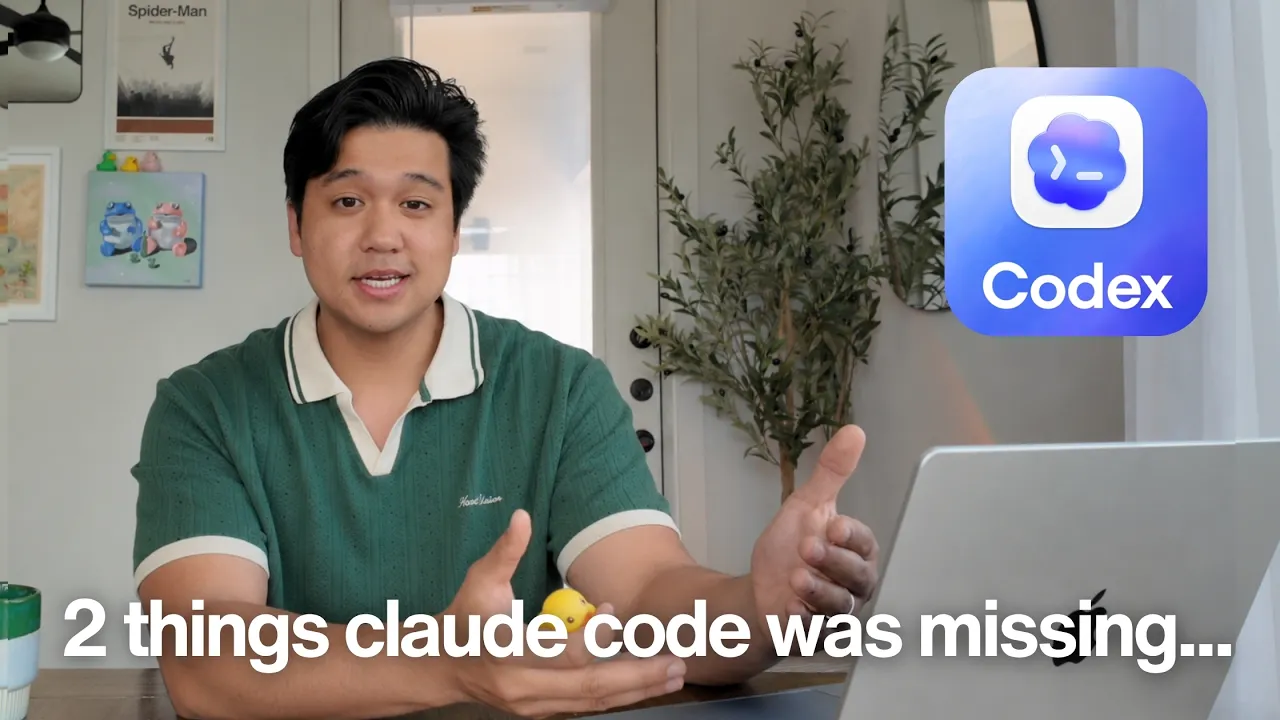
Chris Raroque · @raroque
This video has no Most replayed graph yet: YouTube shows one only once a video has enough views. These are the moments viewers replayed most in Chris Raroque's most watched videos.
Most replayed moment at 8:39
3.2x that video's typical replay level
plugin for Claude Code. It's a plugin that you install by using a slash command. And when you have it installed, I've just noticed that it's about like 20 or 30% better at design. If I have this installed and I give it a screenshot, it follows the screenshot a little bit better. Or if I'm just oneshotting a design, 20
Said at 8:33
Most replayed moment at 9:45
5.6x that video's typical replay level
database or how much bandwidth you're consuming with Superbase. So, you want to add these limits because someone could in theory hit up these services and then just rack up a huge bill that way. And there are a lot of cases of this happening where people woke up to a $50,000 bill. So, please add these type of limits
Said at 9:38
Most replayed moment at 3:33
3.5x that video's typical replay level
can I do this better? How can I make sure that my illustration stand out among other apps?" Let me show you what I mean. This is the onboarding for my calorie tracking app Amy. People keep messaging me about this onboarding saying this is one of the best onboarding that they've seen. I think someone actually signed up
Said at 3:25
The graph counts replays. It does not show where viewers stopped watching.
Words
5,186
Runtime
22:21
Speaking pace
232wpm
Reading time
22min
232 words per minute, above the 201 75th percentile of 349 measured videos. That distribution comes from the 349-video hook study.
Opening (first 30 seconds)
In my last workflow video, I showed you guys my setup, which was primarily Claude Code. And after that video, so many of you guys commented that I had to check out Codex. Well, I did, and I've been using it over the last couple weeks, and you guys were absolutely right. This thing is so good, I'm actually paying for two $200 a month subscriptions. And we'll talk about why later in this video. If you're new here, welcome to the channel. My name is Chris, and I build productivity apps. I've been using and recommending Claude Code for over a year now. It's been the backbone of how I build everything, but as of
116 words, the words spoken in the first 30 seconds at 232 words per minute.
Free, no signup. See how the first 30 seconds hold attention, with rewrites.
Sentence shape
| Measure | This transcript |
|---|---|
| Sentences | 279 |
| Average words per sentence | 18.6 |
| Longest sentence | 61 words |
| Questions asked | 20 |
| Sentences containing a number | 58 |
Most used terms
Filler phrases
109 in total: like 52 · actually 29 · kind of 10 · sort of 6 · basically 5 · literally 4 · I mean 2 · you know 1.
A literal whole-word count of the same phrase list the Prepublish browser extension uses, so a phrase inside another word is not counted and a phrase used in its ordinary sense still is. It is a count and not a judgement.
What this transcript is
Every word below is the caption track YouTube publishes for this video, pulled from the video itself and reproduced unchanged. It is not Prepublish's writing, not a summary, and not a re-transcription: it is the video's own published captions. English captions, generated automatically by YouTube, in the video’s original language. Source: the video on YouTube. A channel that would rather this page did not exist can ask for its removal through the contact page, and it is removed.
In my last workflow video, I showed you guys my setup, which was primarily Claude Code. And after that video, so many of you guys commented that I had to check out Codex. Well, I did, and I've been using it over the last couple weeks, and you guys were absolutely right. This thing is so good, I'm actually paying for two $200 a month subscriptions. And we'll talk about why later in this video. If you're new here, welcome to the channel.
My name is Chris, and I build productivity apps. I've been using and recommending Claude Code for over a year now. It's been the backbone of how I build everything, but as of today, I am primarily using Codex. Now, I still am also using Claude Code, so I am paying for a $200 max plan on top of the two $200 Codex subscriptions. But before we hop into it, I just want to say both tools are absolutely incredible. They have their place.
I am not telling you to just blindly go switch over to Codex. Use whatever's best for your workflow. I'm just sharing my personal experiences here. Also, a quick disclaimer before I get comments, this video is not sponsored by OpenAI in any way. Here's the plan for the video. We're going to talk about what happened to change my mind and get me to start using Codex. And spoiler, it's not really about coding. And at the end, we're going to talk about who should pay for what, because most of you should not be spending $600 on AI subscriptions.
Or maybe you should. I got a lot of thoughts, and we'll get into it. Let's start with the thing that surprised me the most. I've never really talked about Codex on this channel, so quick context, if you're not familiar. Codex is OpenAI's coding agent, and it lives inside the ChatGPT desktop [music] app. Now, you can use it inside the terminal, just like you do with Claude Code, but I'm personally using it inside their Mac app, which is an incredible experience.
So, why did I switch? Does Codex just write better code? I've been running both simultaneously for a couple weeks now, and I'm using the absolute highest settings on Codex. So, we're using GPT 5.6 Soul on ultra mode for almost everything. And on Claude Code, I'm using Opus 5 at the ultra code settings. And in some cases, I am using Fable 5 on high, or sometimes on ultra code as well. Probably controversial, but I am getting pretty similar results using these high-end models.
There are a couple of nuances, which we'll get into later in the video, but on On whole, I'm kind of getting the same results from both. Okay, so if coding is a tie, then why would I choose Codex? It really boils down to one thing, and that's the user experience. There's a lot of little things that make the Codex experience so good, but there are two things that I want to highlight. Number one is computer use. I genuinely don't know why more people aren't talking about this.
I feel like I'm in some sort of secret club that knows about computer use. If you haven't seen it, computer use is a way for Codex to actually control your computer. So, it will move around a mouse, it'll type on the keyboard, it can do everything you can do on its own. And I know what some of you guys are thinking, okay, well, doesn't Claude also have computer use? Technically true, and I thought the same thing, but they are not remotely on the same level.
I would say Claude desktop and Claude code's computer use is like a five out of 10. It does get the job done, but I think Codex's is like a nine out of 10. There are a ton of differences, but the big one is that Codex's computer use is optimized to work in the background. So, what this means is you can still use your computer even if Codex is trying to also use it at the same time. And you can have multiple Codex agents running at the same time controlling your computer.
You cannot do this with Claude desktop. Because with Claude, when it's using computer use, you basically can't touch the desktop. It has full control over it, and if you touch it, you're going to interrupt it, which makes it kind of useless because you can't really multitask, which is the whole point having agents running in the background. But with Codex, while I'm doing work, so let's say I'm working on a problem, I can have Codex analyzing App Store reviews.
So, it's literally going through the App Store listings on my computer. And there's another agent who's using computer use to control the simulator to test something. And another one that's touching Cloudflare and trying to help me optimize some settings. All of this is able to happen in the background at the same time while I'm focusing on something else. You just cannot do this with almost any other coding agent out there.
I really feel like I'm not doing computer use justice here. So, let me give you a couple more examples, and hopefully one of them clicks for you. But here's one use, and this one's specifically for developers. So, with Claude code, when I want to test my iOS apps, I've been using something called Xcode build MCP, which is an absolutely incredible MCP. It basically lets Claude code control a simulator, but it has this one issue where it's not able to do multi-drag gestures.
So, it can tap around the simulator, but if I wanted to long press and reorder a list, for example, in Ellie, it can't really test that effectively. But with computer use, since Codex has full control over my mouse and keyboard, it can actually do that multi-drag gesture. So, now with computer use, I have a full testing flow as if I was the one testing things, cuz I can have Codex actually go implement the change, and then it can use Xcode build MCP to build the simulator.
Then with computer use, I can fully test it with those complex multi-drag gestures supported as well. And with computer use, it can test multiple simulators at the same time, which was huge when I was testing the Apple Watch integration for Amy, because it needed to have access to both the iPhone simulator and the Apple Watch simulator at the same time to test and make sure that they were syncing. This would have been really hard to do if I didn't have computer use.
So, that's example number one, and another really good use case for computer use is having to do any sort of configuration on dashboards, like if you're going into Vercel or AWS or anything like that, it's so much easier with computer use. Now, yes, a lot of these services do have some sort of CLI or an MCP or a plugin, especially stuff like Vercel and Cloudflare that are pretty cutting edge, but a lot of things still don't, especially if they're not developer focused.
For example, I was trying to set up Substack to power my new newsletter, which, by the way, you should go subscribe, and one of the steps was configuring Substack with my custom domain. So, I had to go into Substack and go into Cloudflare and modify a bunch of DNS settings just to set all this stuff up. Now, it's not hard, but I was in the middle of doing something, so I thought to myself, "Why don't I just get Codex to do this with computer use?" So, I said, "Hey, go set up my custom domain.
You have Substack, you have Cloudflare, just go handle it for me." And it went off, clicked around all the settings, so I can actually see it happening in real time just to verify if I want, but it went, clicked all the settings, configured the DNS, and everything was set up after like 10 minutes. Substack does not have an MCP or CLI to be able to configure something like this. I think Cloudflare might have an MCP for that, but because of computer use, I never have to worry about that.
I just know that as long as there's a dashboard, and it's clickable, which is in 99% of the cases, [music] that's what's going on, computer use is going to be able to handle it. And yes, it was just 10 minutes, but I'm doing little stuff like that like 100 times a day, and it does get annoying. So, being able to offload it to an assistant while I focus on one or two big tasks for the day, that really does add up. It's almost like having a personal assistant.
Now, example number three I wanted to share is finding good flight deals. Basically, the task is to find a really good flight deal under certain parameters using airline points. And surprisingly, every single agent that I have tested so far has failed at this task. ChatGPT failed at it, Poe failed at it, even Claude failed at it. Because what ends up happening is you ask the agent to do this, and they do find some sort of deal, probably on a Reddit thread or something, and then when you go to redeem it, it's not a valid deal.
So, most of the time when it finds these deals, it just doesn't actually work. It's usually working off some sort of outdated info, or there's a weird edge case that I don't qualify for, so I'm not able to redeem it. But every time I've tried this in the past, no one has been successful. So, I gave it to Codex, and it ran for like three to four hours and used an ungodly amount of tokens, probably, to do this. But it did come back, and it found me round trip business class tickets from Dallas to Japan direct for about $4,000 worth of points.
And if you know airline points, that is an extremely good deal, because these tickets usually retail for around $16,000. And most importantly, it did the part that most of the agents skip. It actually went and it verified that I was eligible for these. It went through the checkout flow up to the point of adding my credit card and hitting checkout on Japan Airlines website just to make sure that this was a valid deal.
And it's that last 1% confirming that the tickets actually do work through a real checkout flow, that's what makes computer use shine. It's actually going to use your real browser like a human and go verify things, which is amazing if you're looking at Airbnbs or home listings on Zoominfo, it's not just going to scrape the public internet. It's going to browse as if you were the one browsing. Now, I got kind of curious, why is Codex so good at computer use?
Why can't Anthropic just go ahead and do this? Well, it turns out OpenAI actually acquired a company called Sky, and from what I understand, it's actually the team that is behind Apple Shortcuts. So, they left Apple, were going to start Sky, and it was going to be this whole computer use agentic thing, and then OpenAI swooped in, took the team, and now they're working on computer use. And so, basically the answer is computer use is amazing because this insane team with a really good track record is just laser focused on making it a good experience.
Now, the honest downside with computer use is it does really consume tokens. I don't really know how much exactly cuz I haven't run any benchmarks, but I have noticed that when I use it, my usage is draining pretty quickly. And I do think that the model you're using matters. Yeah, you might be able to get away with 5.6 high, but I have noticed that for computer use specifically, when I'm using 5.6 sole on the ultra settings, I have been getting a lot better results with computer use.
And so, that's a huge reason why my settings permanently look like this. And so, between computer use and actually using it for coding, I hit the limits pretty quickly. Not using fast mode and actually trying to be conservative with my usage, I usually go through an entire week's worth of usage in about 3 days. And that is the primary reason I'm paying for two $200 Codex subscriptions. Okay, enough hyping computer use.
The second biggest reason I switched to Codex in terms of the amazing experience [music] is the mobile experience. Now, Claude code does have a mobile experience. You can do {slash} remote control in a session, and then it's going to kick it to the mobile app, and then you can continue there. But if I had to rate it, I think Claude's remote control experience is a three out of 10, and Codex is a nine out of 10. Here's some specific reasons.
With Claude, you can't even start a new thread from scratch. You have to use an existing thread that you've kicked off from the computer. But with Codex, I can open it, click a button, and then just start a new conversation, which just makes total sense. And then kind of related to that, with Claude, every single thread has to live in some sort of folder. But with Codex, you can start a conversation in a folder or without a folder at all, which I actually do a lot for just one-off tasks.
[music] And then there's a ton of little nuances, like Codex remote control just feels a lot more stable, it streams a lot more consistently, and it has a lot more polish than the Claude mobile experience. Now, I went digging to figure out why this is, and I actually think it's because OpenAI hired some extremely good iOS engineers to work on the Codex mobile experience. Because if you've used both apps extensively, you can feel the difference.
And because it's such a good experience, I actually find myself using Codex on my phone a ton. And when you pair the mobile experience with computer use, it actually gets kind of crazy because now I don't have to be at my computer, and I can just ask it to go do things for me. Let's say I'm out somewhere and someone emails me saying, "Hey, the Amy app is broken." From my phone, I can literally open up Codex, start a new thread, and say, "Hey, can you check that last email?
Someone said the app's broken." And then go debug and fix it for me. Since Codex is connected to Gmail, it's going to pull that thread. It has access to the code base, so it's going to go fix the actual issue. It has computer use, so it can go open up a simulator and go test and fix everything for me. And then it can deploy the fix, and then draft an email to the user. All with one prompt on my phone. Unfortunately, this exact workflow I described, it's really hard to do this with Claude Code right now.
And it's mainly because Claude splits things between Claude Code, which is for coding, and Claude Co-work, which is for other work-related tasks. So, first, they're both separate and really don't talk to each other, so I can't really have a Gmail thread be handed off to Claude Code to go fix, and then them talk to each other. That's actually pretty difficult right now. And to make it worse, Claude Co-work really doesn't work on mobile.
You have to use this thing called Dispatch, which is kind of strange, like you can only have one thread at a time to control a computer. It is just such a mess, and it just doesn't make any sense to me. But the Codex mobile experience, where everything is unified and just works, that makes a lot of sense to me. So, another big difference that's been pulling me towards Codex is the fact that they've unified my work stuff and my coding stuff, which that's not going to work for everyone, especially if you're using this at a company, for example, but for someone like me where that stuff is kind of intertwined together, this makes my life a lot easier.
Whereas on Claude, you have to go to Claude co-work and then code, and I it's just so confusing that they don't really talk to each other that well. I'm assuming that Anthropic is working to unify them because I'm seeing some small steps being made there, but right now Codex is clearly winning in this department. And again, for my workflow, which my work and my personal life are kind of unified together, this is a really good experience.
Now, quick tangent, but it applies to everything I showed you. How do I actually talk to these agents? Because I don't type the majority of the time, I'm usually dictating everything. And the tool I recommend using for dictation is WhisperFlow, and a huge shout-out to them for sponsoring this [music] video. Now, both Codex and Claude do have built-in dictation, but I don't use either. And there's a few reasons, but here's the main one.
WhisperFlow saves your dictation in case something [music] fails. I dictate long things, like really massive prompts, and there have been a few cases where I've had the built-in dictation fail on me for either the internet cutting out or something glitching, and I just lose a 10-minute dictation with no way to recover it. The entire transcript's just gone. But with WhisperFlow, it's saved, I can retry it, or I can just copy the text and paste it in manually.
Beyond that, it's also just more accurate, like it's really good at developer-focused terminology, and it can actually correct itself mid-transcription. Let me show you what I mean. So, if I say something like move it three pixels to the left. No, wait, sorry, I meant five. If you notice, it actually cleaned that up, and it didn't say three, it just corrected it to five. But if I use the built-in tools in Codex, for example, and say the same thing, move it three pixels to the left.
No, wait, sorry, I meant five. It just blindly transcribes everything I said word for word. WhisperFlow also has apps for both iOS and Android, so you can use it on your phone. And when I'm using Codex remotely, that's how I'm doing all my dictation. Regardless of which agent you pick, this is how I recommend talking to them. I'll leave a link in the description if you want to check out Whisper Flow, and there's a code for 1 month free.
They did not have to do that. I'm the one that asked for that, so a huge thank you to them for providing that. Okay, now back to Codex and specifically the models, because this is where a lot of the nuance lives, and it's a huge reason why I'm still paying for Claude Code. Here's my current ranking of coding models, and again, this is just my experience. I'm not saying this is fact or anything, but at the top, you have Fable 5.
This is by far the best coding model, and I think a lot of people would agree with me on that. And then a bit below it in capability, you have GPT 5.6 Soul, and I'm specifically using it on the ultra settings. And then a little bit below that is Opus 5, and I'm using this on the ultra code setting. So, all of this stuff is being used at the highest settings. I think Fable 5 is the best, but the problem is it's so expensive, you can't realistically use it for everything.
So, I usually only reserve it for the hardest problems. GPT 5.6 Soul is a very solid model, and this is actually what I'm using as my daily driver. It's really good at solving problems. And then you got Opus 5, which I think is a little bit worse than GPT 5.6, but I think it's actually better than 5.6 at design-related tasks. So, my current workflow is I use GPT 5.6 for almost everything, and then for design-specific tasks, I usually hand the task off to Opus 5 at the ultra code settings.
And then for tasks where both of these models are struggling, that's where I hand it off to Fable 5 on the high settings. And then for really complex tasks, I use Fable 5 on the max settings. And here's a pattern I absolutely love doing. What I'll usually do is I'll have Codex finish something big, and then I'll literally tell it, "Hey, can you go run Claude Code with Opus at the highest settings and have it do a second pass?
See if it comes to the same conclusion." I love doing this and having two models running and comparing notes, because it usually uncovers something. So, for most of the tasks that are really challenging, I end up doing this workflow. And then for the task where it's still not getting it, that's when I transition over to Fable 5 on the high mode. And then again, for tasks that's not getting, we do Fable 5 on max. But if you use Fable 5 max, you can evaporate your weekly usage with like three prompts.
So I'm using that very sparingly. So the Claude models still do have a place in my workflow, and that's why I'm still paying for the $200 max subscription. Now, do you really need to be using the absolute highest settings for all of these models? I mean, clearly not. You definitely don't have to do that. I have tested the lower tier models for a lot of coding tasks, and you can get the same results, but you have to be a lot more thoughtful about your prompting.
But in my case, I'm willing to pay the premium and blast the highest settings just so I can be a bit lazier on the prompting side. On that note, let's talk about the finances a little bit because paying $600 for AI subscriptions is pretty ridiculous for most people. So what should you actually pay for? My recommendation, which is going to sound pretty obvious, is just start with the lowest plan possible, and then as you increase usage, then increase the plan.
So start with the $20 plan, go to the $100 plan, then the $200 plan, only as needed. If you've never used any of these tools, I recommend actually starting with Codex because I love how they combine the personal coding and all that life stuff together. It's such a good experience, and it's going to be really intuitive for a lot of people. But if you're already on the Claude ecosystem, or you just really like the outputs you get from Claude, then get the $20 Claude subscription.
And if you're primarily doing design work, or if you're doing writing, so like I do a lot of YouTube script writing, that's another reason to get a Claude subscription as well. I think the Claude models are still a lot stronger on those things. In terms of settings for coding specifically, I actually recommend most people start using GPT 5.6 Soul on medium. If you feel like it's doing a good job, keep it there, or even try dropping it lower and seeing if you can get away with it.
But if it's not getting it, that's when you should go up. And I actually think personally me, I could probably get away with GPT 5.6 high for most of the coding tasks. But again, I use Ultra just because >> [music] >> I'm crazy, and I just don't want to have to work on my prompting skills. And in terms of non-coding tasks, I also recommend starting with GPT 5.6 medium. I've seen that it gets 90% of the non-coding tasks for me, but when you're using computer use, if you notice that it's kind of struggling, you're probably going to have to bump it up to higher ultra.
And then for Claude, if you're on the $20 plan, just use Sonnet at the highest settings for most tasks, but if you have the $100 plan, use Opus 5 on probably the Yeah, I think the high I think the high settings should be good for most tasks. And they're pretty generous with the usage. Like you will probably have a hard time hitting the weekly usage if you're using it for non-coding tasks and you're blasting Opus on the highest settings all the time.
But if you're like me and you're willing to pay the premium to be a little bit lazier with the prompts and not have to think about all this stuff, just blast everything on the highest settings. Again, I'm doing this like 24/7 and I've got two $200 Codex subscriptions and a $200 Max subscription and I'm completely fine. It's about $600 worth of subscriptions, which sounds really expensive, but let me also address the whole cost situation because I actually believe that this is a pretty good deal for what I'm getting.
The way I'm thinking about this is obviously I do get way more than $600 worth of value from the tools or I wouldn't be doing this. Like I think that's pretty clear to everyone since I do this for a living, but let's say you don't do this for a living. Is it still worth paying this much for tools? Thank God no one's sponsoring this video or like Anthropic or OpenAI is not sponsoring this video cuz they would not let me say this.
Basically, the $200 subscriptions for both OpenAI and Anthropic are heavily subsidized by investors. Last time I checked, if you max out a $200 Cod Code subscription, like just fully max it out, I think Anthropic loses like $4,000 on that. And then same thing too with a Codex subscription. I think OpenAI also loses like 4 to 5,000 dollars on that. I don't know the exact numbers, but companies are taking a huge loss on the $200 subscriptions.
Like they are 100% losing money. Now, why would they do this? How is this even possible? They're making up for it and making money on the enterprise [music] usage. Because the enterprise companies like Capital One and some of these big guys, they're not allowed to use the $200 subscription. They need to pay API-based pricing. If they want the same $200 usage that you're getting with your subscription, they have to shell out like $5,000 in actual API usage to do that.
So, that's how they're actually making money is by kind of giving it not even for free. They're just straight up losing money on the consumer version, and then they're making it up for it on the enterprise side. That's how all of this stuff is working. So, when you think about this financially, when I have three $200 a month accounts from these companies, that's effectively like getting close to $15,000 worth of API usage out of that.
Obviously, when you look at it like that, this is a very good deal. But, the reason I think it's a extremely good deal is because it's not going to be like this forever. Hopefully, they remain profitable on the enterprise side so they can keep subsidizing [music] this consumer version that we all have here. But, if they don't, they're going to start cutting back, and they have already started doing that. Like, do you remember about 7 months ago when the Claude Max subscription did not have 5-hour or weekly limits?
Remember how amazing that was? You could take a $200 Max plan, and some people were racking up like $100,000 worth of API charges on that plan. Remember how amazing that was? Well, that doesn't exist anymore because that just made no sense, and I think that's what's going to continue to happen is we're going to see effectively more and more limits being placed so that the subsidates and the subsidies >> [music] >> and the subsidiation subsiz- subsidization subsidization and the subsidization that doesn't sound [music] right.
Okay. And the subsidization is going to continue to shrink as well. I think that's what's going to happen. The best analogy that I can think of is this reminds me like 10 years ago when I was in college, back when Ubers were a dollar. I don't know if any of you guys remember that, but when I was in college, you can literally call an Uber for a dollar. So, me and my friends were just Ubering everywhere because it was so cheap because it was being subsidized by investors.
That's what's going on right now with AI coding tools. So, this $200 a month subscription, it might look really expensive now, but who knows? In like 3 or 4 years, if the inference costs don't go down, we might look back on this and be like, "Man, remember when the Claude subscription was $200 and now it's $5,000? Like, that was so crazy." I genuinely think that that's what's going to happen if we don't get the inference costs down.
I just don't know how long this is going to last, but I don't think it's going to last forever. So, I'm just trying to make the most of it, and that's why I'm paying for subscriptions like this, because it is objectively a very good deal. Just like Ubers like 10 years ago being a dollar were objectively a really good deal looking back at it. Okay, I feel like I've said enough about Codex. I think you guys see why I decided to switch to it and why I'm paying for two subscriptions.
And again, I just want to reiterate, this is my personal workflow. Whether you choose Codex or Claude Code, they are very capable tools, and at the end of the day, what matters is what you do with it and if it gets the job done. Hopefully, it was interesting to see my workflow and you guys got something useful out of it. If you like this content, check out my Instagram and TikTok. I post almost every other day about building productivity apps.
And obviously, if you like this content, don't forget to subscribe. But, thank you guys so much for watching, and I will see you guys in the next video. >> [music] [music]
The words are the caption track's own and nothing is reworded or re-transcribed. Paragraph breaks are placed between sentences so the text reads as prose.
Free tools for your own script. No signup, no login.
Paste your draft and see where viewers are likely to drop off, with a rewrite for each weak line.
Paste the first 30 seconds of your own draft for a hook score and rewrites.
Check your draft against YouTube's advertiser-friendly guidelines before you record it.
Read this channel's public videos and transcripts, and download a writing brief for it.