Getting the transcript
Reading the captions from YouTube. A video nobody has opened here before takes 10 to 30 seconds; this page fills in on its own.
Getting the transcript
Reading the captions from YouTube. A video nobody has opened here before takes 10 to 30 seconds; this page fills in on its own.
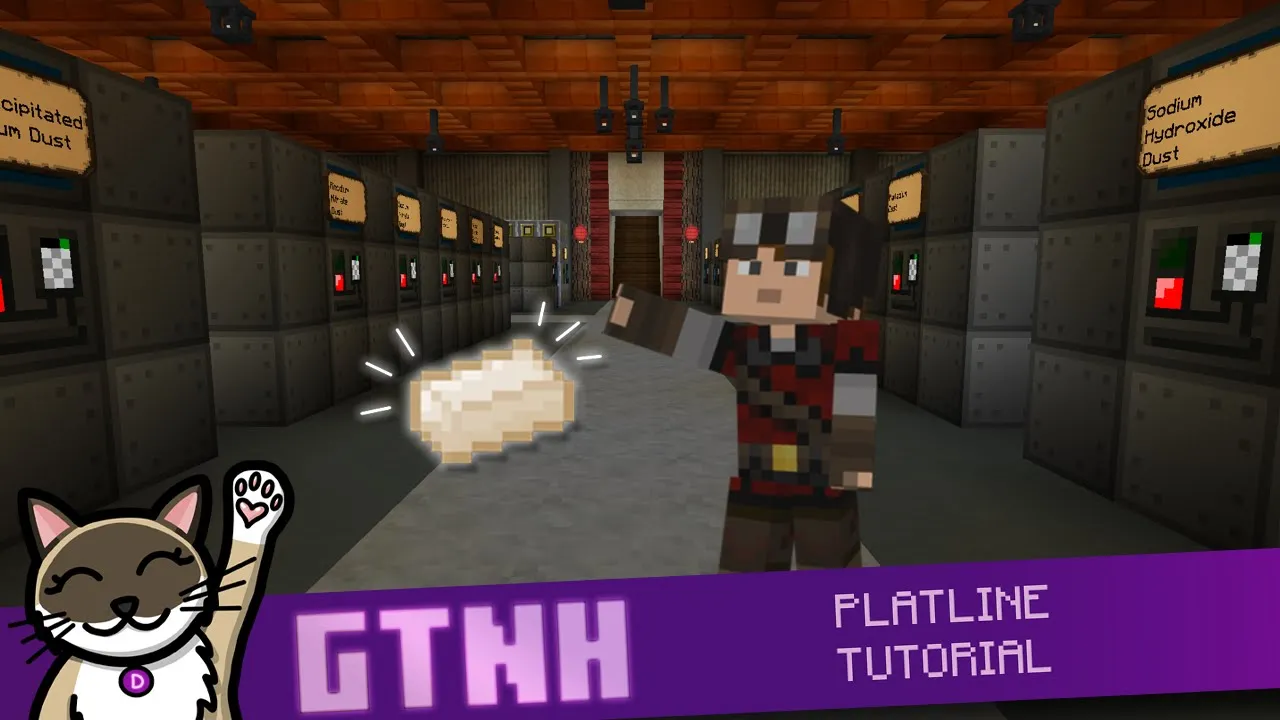
Cat's Cozy Games · @CatsCozyGames
Words
9,379
Runtime
46:50
Speaking pace
200wpm
Reading time
39min
200 words per minute, between the 181 median and the 201 75th percentile of 349 measured videos. That distribution comes from the 349-video hook study.
Opening (first 30 seconds)
What's up everybody? My name is Vindre from Cats Cozy Games. In this comprehensive tutorial, we'll go over everything you need to get your initial platinum portion of the platline up and running. You find the length of this video daunting, I provided timestamps so you can get to exactly what you need. So, without further ado, let's get straight into it. All right, so this is the area that we're going to work with originally. Um, and I'm going to show you how to use a subnet to do this because as you expand your platline further, when you
100 words, the words spoken in the first 30 seconds at 200 words per minute.
Free, no signup. See how the first 30 seconds hold attention, with rewrites.
Sentence shape
| Measure | This transcript |
|---|---|
| Sentences | 786 |
| Average words per sentence | 11.9 |
| Longest sentence | 124 words |
| Questions asked | 32 |
| Sentences containing a number | 47 |
Most used terms
Filler phrases
427 in total: um 151 · uh 92 · like 58 · you know 35 · actually 32 · kind of 25 · right? 21 · basically 8 · sort of 4 · literally 1.
A literal whole-word count of the same phrase list the Prepublish browser extension uses, so a phrase inside another word is not counted and a phrase used in its ordinary sense still is. It is a count and not a judgement.
Free, no account. See where attention is likely to drop, with a rewrite for each weak line. The free check shows the scores and the one issue costing the most. Or run it on the words above first.
Free · No login · See a sample audit first if you prefer.
What this transcript is
Every word below is the caption track YouTube publishes for this video, pulled from the video itself and reproduced unchanged. It is not Prepublish's writing, not a summary, and not a re-transcription: it is the video's own published captions. English captions, generated automatically by YouTube, in the video’s original language. Source: the video on YouTube. A channel that would rather this page did not exist can ask for its removal through the contact page, and it is removed.
No Script X-ray for this video: YouTube shows a Most replayed graph only once a video has enough views.
What's up everybody? My name is Vindre from Cats Cozy Games. In this comprehensive tutorial, we'll go over everything you need to get your initial platinum portion of the platline up and running. You find the length of this video daunting, I provided timestamps so you can get to exactly what you need. So, without further ado, let's get straight into it. All right, so this is the area that we're going to work with originally.
Um, and I'm going to show you how to use a subnet to do this because as you expand your platline further, when you get to the IV age, for example, you really want this thing running off of subnet. And we could talk about why, but uh, it's kind of just good to set a good foundation for your baby platline when you're first doing this. Um, let me show you in the quest book where this is going to be. This is going to be in tier 4 EV age.
When you get here, I do recommend trying to go for the Eevee energy hatch before you get to the rest of this. Um because having EV energy hatch on your large chemical reactors is going to be especially helpful and just kind of set you up really good for the future. Um but you could do this all with HV energy technically speaking. We're going to focus on this part right here. And the thing that we're trying to get to, of course, is platinum dust, pure platinum dust, because you're going to need this for a lot of things moving forward.
We're going to start with this process. And by the way, if you are in 2.7, just a note, u we are getting GT&H version 2.8 very, very soon. Um the way that you make aquaria which is the first step in the process is going to be a little bit different. Instead of hydrochloric acid you use um diluted sulfuric acid I believe it is um but it's going to be the basic idea of you mix these two together then you get it back and then eventually you yeah you get um components back after processing this aquaria and you're able to turn it back into these two elements whether it's nitric acid and hydrochloric acid or nitric acid and diluted sulfuric acid. one way or the other.
The principle is exactly the same, but we're in 2.8 here, so we're going to show you how to do it this way. And uh let's talk a little bit about what you need in order to get this started. Um hopefully you've gotten in some applied argistics and hopefully you have gotten a fluid pattern terminal or you know, you're able to like move fluids around with like the fluid storage bus. Um which you do need an EV assembler in order to be able to make those basic components.
So, like if I look up uh fluid storage bus, actually you don't need that for that. But for uh like a dual interface, for example, which is able to move items and fluids around, uh you are going to need these right here. Fluid processor tier one. And that does require EV assembler. So, you need you should probably get into a little bit of EV be able to move fluids around with applyergistics. It's really going to help you out and set you up for success later on.
Um but let's talk about all the items and fluids that we're going to need for this. So, if you look at my um my pinned items over here, the main thing that we're after is platinum metallic powder dust. This stuff right here. And I can recommend to you two different ways at this stage of the game of getting it. There will be other ways like you will eventually get platinum ore itself from uh tier three planets and forward.
And then there there are other ways like the dobb if you're into bees. Um you can eventually do it that way. But the two ways that I'm going to recommend to you are one with purified nickel ore. You look at this recipe right here. This is a chemical bath recipe uh right here. Yeah. So, you take normal crushed uh nickel ore and it's this one right here. You're going to put it in with mercury. Now, mercury you get from um from centrifuging redstone where you centrifuge glowstone, you get gold dust and redstone dust.
And you can also just centrifuse this passively. I hopefully you've done this by this point in the game. Um, and hopefully you've got a bunch of mercury because yeah, this is definitely one of the best ways to do this. Um, and then you can further process this and you can masserate it and then centrifuge it and then you have even more chances at platinum metallic powder dust. But this is sort of the main ingredient for doing the baby pline and the rest of the platine moving forward.
The other way is with yellow stone liies. So with it's an IC2 crop, especially if you want to stat these up to be more efficient like you know have better gains and better growth. um that is going to take you know it's a whole other can of worms but you can use Yellowstone liies and you can put in stone uh underneath them and then you will get instone dust as the byproduct and what you can do with the endstone dust if I uh look at the centrifuge usage of it you get a lot of really really good stuff with this I highly recommend setting this up if you set up any IC2 crop it's got to be one this one yeah this one and like one or two others you get tungstate dust which is nice for uh tungsten line and then you get the platinum metallic powder to us, which we talked about.
Sand is always nice. And then helium. This is actually the best way to passively get helium at this point in the game, in my opinion. And then there's a couple other fluids that you need. One is hydrogen. And hydrogen you can get from electrolying a bunch of different fluids. Butane, um, ethane, propane. Um, so that's from all from oil processing. Or, um, taluine. You can do phenol. You can electrolyze uh one two dimethylbenzene as well.
All of those will give you carbon dust and hel um sorry hydrogen. That's a really good source of it. Oxygen. You're also going to need electrolying sugar. It's kind of a go-to. Um so sugar beats, another IC2 crop is highly highly recommended for this. Um another thing you're going to need is nitrogen. So you're going to take air and you're going to centrifuge it. You get a little bit of oxygen as well. Um, but I recommend the liquid air point at uh liquid air centusion at this point because you do get some of these extra gases which will come in handy later on.
Um, unfortunately you still have to use the old compression method. You can use the steam squasher to uh make compressed air cells. So you do have to transfer the air out of the air cells. You do have to do some cell swapping around but um you could definitely do that. And then the last thing we need is hydrochloric acid which is hydrogen again you know which we already talked about. And then chlorine as well. and chlorine.
The go-to way of getting this is electrolying rock salt and salt. And so, you're going to get that a couple different ways. You're either going to get it from um the salt bee. I believe it is the salt bee, right? Yeah. I definitely recommend salt comb from salt bee. And borax really comes in handy for making boricilic glass, which is a thing that you encounter a lot in like ivy and later on. Very, very good. You can also make salty root, which is an IC2 crop.
And then of course you could just get rock salt and salt from um or veins as well, right? The salt vein. So always something you can fall back on, but you are going to need a lot of chlorine going forward in the game. So I do recommend a passive way of getting it, whether that's the crop or whether that's the bee. By the way, if you're enjoying the video, please give it a like and subscribe to the channel and come watch Cat and I stream every Monday through Thursday at 1:00 p.m.
Eastern. We're on all the streaming sites, YouTube, Twitch, and Kick. We hope to see you there. All right. So, the first thing that we're going to work on for the line is the aquaria. Now, this is the part that does get recycled. So, you don't need an infinite amount of nitric acid and hydrochloric acid. You don't have to constantly provide this to this process. It will come back eventually to you. We're going to take an EV mixer.
Um cuz unfortunately, the multiblock mixer you don't get until IV. So, we're going to have to work with a single block for now. And what we're going to do is we're going to use two tanks. Uh it doesn't have to be super tanks. You could use a smaller tank. Um, but you need to prime the system with a certain amount of nitric acid and hydrochloric acid. Uh, nitric acid is just oxygen. Like there's several different recipes you can look at in LCR.
You can batch up some of this. Um, and then the same with hydrochloric acid, just, you know, hydrogen and chlorine. So, you know, use an LCR that you already have for general purposes to get yourself some of this. And I'm going to throw the nitric acid in there. And then I'm going to throw the hydrochloric acid in like so. There we go. Um, you probably don't even need this much. You probably just need, you know, just whatever you can make in a reasonable amount.
This should be plenty. 64 nitric acid, like a three. And it's a 3 to1 ratio. All right. And so what we're going to do is we have to do a little bit of cell swapping with this. So we all also are going to need all these empty cells. Um, probably two stacks of them. Should be more than enough. And what you're going to do is you're going to put conveyors on um both of these. You're going to put it on the side of the super tank that is closest to the mixer on both.
Right. There we go. We got our conveyor. And then conveyor there as well. By the way, in 2.8, you do have to hold shift whenever you're doing this. Now, takes a little bit of getting used to. Um, and then we're going to do conveyors on both sides of the mixer as well, so that these cells can just kind of go back and forth. We're going to put both of those there. Then, with an empty hand, you're going to shift rightclick and you're going to allow input on all of these.
Now, all these can be set to export by default, and that's fine. But yeah, you're going to have to allow input on both sides. Otherwise, it doesn't allow input from output. So, make sure that you have that on all four of these conveyors. And then what we're going to do is we're going to put empty cells in both of these super tanks. And then we should see both of those go into the mixer like that. Yeah, perfect. Now, make sure you don't set this to circuit one.
I actually have circuit one up here. But what you want is circuit two because you don't want the fluid cell with the aqua regia. You want the output hatch here or the output uh fluid portion to be aqua region. You want empty cells back because we want to send those empty cells back to the super tanks. So going to set this to we're going to shift left click here and then we're going to set circuit two. And there we go.
There's our aquaria filling up. Very very nice. Now the big question comes how what are we going to do with this fluid? Right. Um what we want to do is we want to use P2Ps. We're going to use P2Ps quite a bit here. And if that sounds like a bit of a daunting thing to use, don't worry. It's actually not that bad at all. Um, I think a lot of people get intimidated by P2Ps because they think of like a subnet P2P where you try to send channels from your main network through a subnet.
Um, by the way, we do have a good tutorial about that that I did make if you are interested in that concept. But here we're going to use them just to move fluids around. It's going to be a very like onetoone kind of situation. Um, and we're going to use something called the advanced memory card to configure these. So, what we're going to do is I'm actually going to place several here because we're also going to provide the fluids back to these super tanks.
You know what? Actually, I'm probably going to not have those two right there initially. Um, if you put too many of these on the network, then you can get confused about like where they're located, etc. So, it's actually kind of a good practice to place these as you need them. Um, and we are going to need this one right here. And so, we're going to rightclick this and we're going to change the type to fluid. And we're going to rightclick the name here and we're going to say uh aqua regia.
And I like to say closed loop so that we know that this is something that is sort of like self-contained that we're not providing this to any other process other than the loop where it gets recycled. And by the way, another nice part of having this on a subnet is that the subnet uh like the when you when you're messing with P2Ps on the mainet, you're actually not going to see any of these P2Ps. So it kind of cleans up your advanced memory card list of P2Ps a little bit um by having them in like the whole platline in this like subcontained subnet.
So that part's very nice. So we're going to have this set as input and then when we make an like the destination of the Aquaria, we're going to set that to output and then it's actually going to as long as we set this to fluid auto output, it's going to send that wherever we link this up to um to the destination. So, let's go ahead and take a look at the next thing that we need to do. Um, we're going to take our Aquaria, then we're going to take our platinum metallic powder dust, what we mentioned earlier, and there are a couple different ways that you can do this.
Um, but what we really want to do here is we want to do um, yeah, we want to do circuit 9 right here. And we want to take just platinum talagard powder dust and aquaria and just turn it into platinum concentrate. Platinum residue dust we won't deal with. That's for later in the flatline when you deal with it with in ivy. But mainly what we're after is this platinum concentrate. So, we're going to build an LCR. Let me get a couple things going here.
But yeah, now this is incomplete because we do need to add some other things. We need to add a maintenance hatch up here. And then um let's see anything else. Actually, I think it does complete like that. No, no, it doesn't. What are we missing here? I think it uh doesn't work until we do an energy hatch. Let's get that going. I always like to put the energy hatch on the center uh vertical slice of the LCR because if you end up wall sharing these, I'll show you how to wall share these.
Um if you end up wall sharing these LCRs with each other, um you don't want the energy hatch wall shared. And so there we go. Now it just has problems. We do a little maintenance. And there we go. Perfect. You probably made an LCR by now. Um it's fairly straightforward. Um but what we're going to do is we're going to do this recipe right here for the platinum concentrate. So, we're going to have circuit 9, and we're going to provide the platinum metallic powder.
And so, what we're going to do is we're going to do a stocking input bus. Let me just go ahead and do that. Again, you know, I like to utilize the um the center slice whenever possible. It just kind of makes wall sharing easier. And we're going to do that. Um now, question. How are you going to get your fluids that you need and like the platinum metallic powder dust to the subnet? Because right now the subnet just has some empty storage cells in here like it's not able to see any of that stuff.
We're going to get an Emmy interface and then we're going to get a storage bus and this will just be dedicated to items and we're going to uh tell these two networks how to communicate with each other. So we got the cyan network which is the subnet and then we got the purple line which is the uh mainet. And so what we're going to do is we're going to give the subnet access to certain items on the mainet where we take an ME interface and we put it on the mainet side, right?
And we take a storage bus and we put it on the subnet side and we set that to extract only. That allows it to take items from the mainet into the subnet or allows the subnet to see mainet items. And you can actually see everything at the moment. We don't want to see everything. What we want to do is we want to just see certain items so we don't over complicate the system. So we're going to take platinum metallic powder dust.
We're going to ghost drag it over from any. And now because I have a item whitelisted, we can only see platinum metallic powder dust. This is the way you want to have subnets communicate with mainets generally speaking. Uh there might be some exceptions, but for something like this where we only need specific items, this is definitely how you want to do it. And you could do the same thing for fluids as well. uh which we will do in just a moment.
But yeah, now we can see that platinum metallic power dust which means we can come to the stocking input bus and we can actually drag this over and then boom, there it is. Very nice. And we're going to put circuit 9 there as well. And then yeah, the one other thing that we needed to do for this process is we needed to give it aquaria. So we're just going to do a normal input hatch because there is no stocking input fluid bus available uh at this particular stage of the game. the stock at uh stocking input hatch.
It's what it's called. And uh this is way way later as you can see. UV uh which is wild, right? So you kind of have to do things differently. So that's why we're using P2Ps here for example. So input hatch, we're going to put a P2P right there. And then we're going to hook this up. So we're take our advanced memory card. Right click this. We can't see any other uh we can't see the other fluid because it's the type is not fluid yet.
So once we rightclick this and select fluid, now we can see the P2P that we put previously. And we're on bind to input. So I like to use this mode more than anything else just as sort of like a default. So if I ever show you P2P stuff here, then assume I'm on bind to input, but I'll try to clarify that. Um, and we're going to bind to this one right here. Right? So that makes this one that we just connect or we were just interacting with the output.
And as you can see, look at that. We got the Aquario flowing now, which is fantastic. Um, if we ever wanted this to be faster because P2Ps have basically an infinite speed, um, we could put a um, pump on here. Look up pump. And let's get like an EV pump. And if I put this right here, shift, right click. Yeah, it's extracting much much faster. So, you are um, by default in the single blocks. I don't know what the speed is exactly if it's like an LV.
Now it depending on the order that you put these LCRs and I am going to wall share them but that depending on the order that you do these LCRs you might be able to have an output hatch let's say uh right here for example and then you could put an input hatch right here which is available to the next slice of LCR the next process and they can both just point toward each other and feed into each other which is very nice.
It means that you don't have to worry about like doing extra PDP or whatever. Um, unfortunately then the next one that we're going to do is going to be a different process. So I can't really do that at the moment. Um, but what we are going to do is we're going to have an output hatch. And the nice thing about output hatches is that you can assign the particular fluid to them. If you didn't know this, basically you can um you can safely wall share an output hatch without having to fear that it's going to be used for the wrong thing.
Um, because you can just drag this uh platinum concentrate, which is the thing that we're after. You can just drag that right there and then only platinum concentrate will ever try to go into this output edge. So what we can do is we can put a P2P here as well. Now this is going to be a fluid P2P by default. Just just know that you can always rightclick and select the type fluid. Um we're going to call this uh platinum concentrate.
Perfect. Okay. So let's go ahead and get this turned on. Oh, right. Not enough out item output space. Yeah, we do have one other thing that we do need to do. And usually you can wall share this safely unless you're trying to do something specific with the items. But, uh, output bus. And we're going for output bus me, which is toward the end right here. And we can put that right there. And hook that up. And then there we go.
And look at that. And now you get like a little like visualization of the dust and the liquid. That wasn't in the previous version of GTH. I appreciate that. That's nice. Tells you how much uh per second. It actually breaks it down like per day, per hour. That also was not previously the case. That is really, really nice. Uh lots of neat quality of life in 2.8 coming very soon. All right, so we got our platinum concentrate.
We got that step done. Uh another really big step is going to be ammonium chloride. Um which is probably this is usually going to be one of your big biggest bottlenecks. Not so much making the ammonium chloride itself, but making the ammonia. Ammonia is notoriously very slow. You usually want to give this as much power as you possibly can. And the recipe that you're usually going for is this circuit 24 right here. Uh 10,000 nitrogen, 30,000 hydrogen into 10,000 ammonia.
And as you can see, 160 seconds. Uh it it's pretty brutal. Now, starting out, you could use circuit one. Um, this is just better for like later tiers where you have much more power and things are going much quicker and you want to do larger batches of stuff. Um, and we could, but you know, you might want to start out with circuit one possibly. Um, so we might do that. And so you do need ammonia for a couple different things.
So you might actually already have that being pro uh made in your base in your mainet. But if you don't um sometimes I'll I I think in our current world that Cat and I are playing in, we are actually making ammonia specifically for Platline. It can just kind of be nice to have a separate place where you're just making it just for Platline. Um so let's do that. All right. So we're going to have two input hatches. Uh it's two inputs and then one output, right?
Uh and then we're going to have ammonium chloride next. So actually what I'm going to do is I'm going to have the output be right there. And then I'm going to have the input for the next process. Yeah, we were talking about this earlier, right? So, can actually do this, which is nice. Um, so they're both facing each other, north and south, right? And then we're going to go ahead and set this to ammonia. Just drag that in.
Very easy. Uh, let's see what else. Yeah, we're also going to need an energy hatch. Again, the more energy you can give this, the better. So, if you're able to actually give it dual EV energy to IV, which what you know, I'll overclock to IV. That would be really, really good. Um, in this case, we'll just do BV for now. But remember that LCRs, large chemical reactors, they do perfectly overclock, which means that you're not getting double the speed by overclocking.
You're getting quadruple the speed. So, it's very energy efficient. Um, so whenever possible, whenever you can afford to do it, it's generally a good idea. Um and then the other thing for ammonia um so we are doing hydrogen and nitrogen. Uh we also need yeah we need a circuit. So we need circuit circuit one should be good. And because we don't have an input bus you do need to put the program circuit actually in the controller block like so.
Uh the way that we're going to do this is we're going to do this number again only we're going to do a um storage bus uh the fluid storage bus and then we're going to use an uh dual interface. This is why I told you that um kind of getting into fluid stuff with um applied before attempting this is probably a good idea. Um and again we want this system to be able to see those fluids. So we're going to do um em dual interface right there.
And then we're going to set the storage bus on the cyan side, the subnet side. And then we're going to have extract only. And then we're going to drag some of our fluids over. So in this case, it's going to be nitrogen and uh hydrogen. Both of those right there. And then if I look at our fluid terminal on our subnet, there we go. There's our hydrogen and nitrogen. Perfect. All right. So which means that we need to get these over here somehow.
So, what we're going to do is we're going to do pumps. Um, I think this is better on TPS than um export buses. The nice thing about this as well is that uh you don't have to add acceleration cars to the export buses. Um, and we're going to shift rightclick here. Shift right click again. Make sure that this is set to import for both of these. There we go. Uh, by the way, you could also use a, if you wanted to save on channels, you could also use a quadruple input hatch.
You're able to make this at this point with an EV assembler. Um, in fact, I'll demonstrate that for you. We'll do that. Why not? And we're going to put the pump there. Shift right click. Then shift right click again. We're going to set this to import. Then we're going to put our dual interface right there. Connect that up to main network. By the way, devices come online all immediately now in the new 2.8, which is really, really good.
Then we're going to drag nitrogen and uh hydrogen over here. Uh although the only problem with this unfortunately is yeah it's only detecting one face of this dual interface. This is the problem with using quadruple input ad. So if we if you do want to use the quadruple input attach you do have to use a different method. You have to use the uh fluid I don't know why my inventory keeps doing that. Uh you need the fluid export bus.
So that way you're able to get multiple fluids in at the same time, which means you're also going to need a capacity card. Right. Put that in there. Now you have multiple things that you can put in here. And then we can put um nitrogen and hydrogen both. And then that'll work. Uh the other way that we were doing it is we were just providing one fluid per dual interface and then a pump into individual input hatches. Uh but this works as well. you probably will eventually.
The problem with this is eventually you do want like acceleration cards um because this can be a little too slow, especially when you start beefing up the power because you will come back to this line eventually and you will give it, you know, better tier power, um etc. You will want to upgrade that. So, just something to keep in mind with the fluid export bus, but you absolutely can use this. So, you got those two different methods going for you.
All right. And so, if we turn this on, boom, we're getting ammonia. Nice. 250 per second. Yeah, it is uh is is quite slow, which is why you want to provide this IV instead of EV as soon as possible. So, I do recommend dual EV energy hatch ASAP on that. Um, and so the next thing that we need to do is ammonia chloride. And this is, you know, way more straightforward. Um, here I'm going to go ahead and see PTFE pipe casing.
We're going to go ahead and just assemble this. I don't know why that Cooper nickel co it's like it glows whenever the machine is on. I don't think that used to happen. We're finding out so many little tiny things as we do this tutorial. Um because I have not played a lot of 2.8 so far. So uh that is really cool. So the next thing that we're doing is ammonia chloride. And you know hopefully you're kind of um you know getting getting the idea with this at this point of how to you know have one thing from one LCR go into the next thing for the next LCR.
This is very very standard. uh behavior with future chemical lines in GT&H. So the plow line is really going to be a lot more of this. That's why I'm hoping this is like a good onboarding session for you. You know, if you know how to do this, then you're going to know how to do um a lot of other things moving forward. So ammonia chloride, it's just going to be hydrochloric acid and ammonia. Hydrochloric acid is another one of those things that you probably should be making offsite at this point in the mainet.
If not, you could have an extra LCR here that does hydrogen chlorine. I do recommend having hydrochloric acid in your mainet at this particular point though. Um, and so what we're going to do is we're going to do another input hatch and we're going to do a dual interface. This is the method I was telling you about previously. Um, need to put the pump on first. Shift right click and then set that to import dual interface.
And then we connect that. And then uh I do need to add hydrochloric acid to this right here. There we go. So double check that we can see that. Yep, it's on the network now. Fantastic. And then we come over here and then we click this button and then we whitelist hydrochloric acid. And there we go. And it's moving in there very quickly as well, which is really nice. Um and we do want circuit 9 for this generally speaking.
Now I do need an output hatch. Um, this does have somewhere to go yet again. And we'll set this to ammonium chloride, right? And then this is still saying incomplete structure, right? We do need energy. Get that done real quick. And yeah, I am going through these motions. Just, you know, if this is your first time, I I do find it important for you to be able to see this, but um, you know, feel free to skip ahead if you need to because it definitely is more of the same.
Um, we do need a circuit here. Uh, this is going to require again circuit 9. I do re recommend the circuit 9. It doesn't take that long. It just takes HP power at least, which you probably should be, you know, giving it anyway. And we'll put that in the controller. Now, we can start to make some very interesting things happen. We got all the basics now. So, we've got ammonium chloride that can go into our next step, which is going to be another input hatch.
Like so. There we go. And now we can actually make the rep precipitated platinum dust. I think I'm saying that correctly. And that is what you ultimately want to get the platinum dust. So we're on one basically this is the second step from the final step. There we go. Uh we are going to want circuit three. There's several different circuits that you can do. Circuit one gives you tiny piles which is very very annoying to have to deal with because then you have to combine them into normal uh full piles and it's just a big pain.
You want this right here. You do want circuit 3 100%. So, I'm going to go ahead and put actually we might not even need a circuit 3 to go in there, but I'm going to put it in there anyway. Actually, we will because we don't have an input bus. So, you will need a circuit 3 inside of your controller block. And then we have the ammonium chloride. And then the other part of this equation is the platinum concentrate. So, this is where the PDP is going to come in handy.
So, impatch that right there. A little bit of cabling. And then we're going to put our EDP. Let me grab that. Take our advanced memory card. And there's our platinum concentrate. And we're going to bind to input because that is the source. That is the input. Um, by the way, if you haven't if you're not that familiar with the P2P, I explained this in a video about P2P subnetting, but the input and output is kind of misleading.
Um, where input does not necessarily mean like the throughput direction, right? Input basically means primary and then output means secondary and you can have multiple outputs to an input multiple secondaries to a primary uh master slave whatever kind of terminology helps you kind of think it through. And so when you see input output don't be too if it was reversed this would actually still work funnily enough but hopefully that makes sense.
Um now what we also need is we need an output bus uh which we can just put right here. We can we can wall shape this. I think the next thing that we're going to do is we're going to take the nitrogen dioxide which we get as a byproduct. This is part of the aquaria loop. So we need to convert this back into nitric acid. So I think that's going to be our next step. So I'm going to do an output hatch. So if we take a look at this we get palladium enriched ammonia which you're going to save for later.
This is part of later in the plat line when you do it in ivy. Uh nitrogen dioxide which is part of aqua regia and then hydrochloric acid which is also part of aqua regia. Um but we need to do something with the nitrogen dioxide in the next LCR. So again I'm going to do an output hatch that is locked to nitrogen dioxide and then we're going to again have that facing towards an input hatch. You can see the value in wall sharing these, right?
Because you can avoid having to use a PDP in some instances. Use a channel. Even though this is a subnet, we're not as worried about channels. We got plenty of space for channels in the ME controller. Um, but yeah, so that takes care of one of the three fluids. Again, the items are getting taken care of with the output bus. We have two more fluids to deal with. It's probably the most complex part of the entire baby plat line.
Um, another one is palladium enriched ammonia. And so what I'm going to do, um, you know, you may want to make this look nicer than me. Um, you know, it doesn't really bother me that much. So, um, what I'm going to do is put an output dash right here. We're going to lock that to palladium enriched ammonia. And then we're going to take a super tank. Look that up real quick. And I'm just going to have it go into a super tank.
And we are going to let this void overflow. Ideally, you don't waste any of this, but um there's nothing that you can do with it at this point in the game, and you don't want this to ever stop you from making more platinum dust, especially if you need it. So, what we're going to do is that, and we can put a fluid storage bus, and we could, you know, monitor how much this has in our system if we want to. um you know set that to extract only you know lock this to a platement formonia make sure no other weird fluid goes in there.
Um so we can do that and then the other thing that we need to do is we need to deal with the hydrochloric acid which needs to go back over here to the mixer. Remember our mixer recipe is nitric acid and hydrochloric acid into aquaria. We need to get that back over here. This is where PDPs really, really shine is uh we're going to do another alphatatch right here. Again, make sure you lock your fluid. We're going to lock it to hydrochloric acid.
And then you're going to take a PDP tunnel, pop that right there. There we go. And then um you there's a question of which one you want to be the input, which one you want to be the output. It honestly does not matter in this particular instance. Uh we'll just have this be the input. So, hydrochloric acid closed loop. Again, this is, you know, a very specific purpose. So, we're going to place that right there. And then over here, uh, I believe it was this super tank right here.
We're going to put a P2P right there. And then we're going to bind to input on hydrochloric acid. Right? So, that's how we get our hydrochloric acid back over here so we can make more awkward. So, and we're going to see all this work out pretty soon. It's going to be beautiful. So, let's go ahead and turn it on. And there we go. All the things. We have five different outputs. Oh, just fantastic though. And so, we should see everything go into its proper place in just a second.
Yeah, it already did one instance of the recipe. There's our palladium enriched ammonia. Perfect. Uh, which we should see on the subnet. Yep, there it is. Um, our hydrochloric acid is coming back here and then going back into the mixer. That is perfect. Perfect. Exactly what we want. And then we're getting nitrogen dioxide. So, we need to turn this into nitric acid. This is the final LCR that we should need to make. So, let's go ahead and do that real quick.
Make sure I get everything that we need here. And by the way, if you want to use signs, I do recommend putting signs on these so you can come back later and kind of know what's going on. Uh you you make so many of these as you go through GT&H that it's very very difficult to remember everything that you've done. Um, so and what I recommend for this for the nitric acid, um, as far as I can tell, um, yeah, I I think you do want to use, um, circuit 24, right?
So, we're going to add some water and then we're going to add some oxygen, right? So, here in this case, you can actually make this at this point. This is a reservoir hatch. This automatically provides. So, basically, you don't have to have a separate water reservoir and then pipe the fluid into the an input hatch. This kind of acts as like an all-in-one, uh, which is super nice. So, we're going to go ahead and put this here.
And, you know, since it can kind of go anywhere, I'm just going to stick it on top. Um, now we're going to need an input hatch for um, oxygen. So, let's go ahead and deal with that. We actually need to add oxygen over here. So, let's go ahead and do that. Provide it to the subnet. Just click that over. Confirm that we have oxygen. Yeah, perfect. Perfect. And then we come over here and I'm going to use the pump dual interface method.
So, we're going to shift right click, set that to import dual interface. Uh, connect this up. All right. Inventory is starting to get a mess, isn't it? Does that give anybody else anxiety or is it just me? And there we go. Now we're getting oxygen. Perfect. And so we have should have all three liquids in here, which is perfect. Um, so now we're going to have our output hatch, which we can put anywhere. Um, you know what?
Let's, uh, let's put it right here. And we're going to lock that to nitric acid. Let's see. We're going to P2P this because we want it to just go to one very, very specific place. We're going to put a P2P right there. And then we're going to some flux cable there. And then we're going to label this again. We'll just leave this the input. It's fine. Uh nitric acid closed loop once again. All right. And then we're going to come over here to our other super tank and we're going to label this one.
Uh well, not label it. We're actually going to bind it to the other one. And so as soon as we start that machine, we should get nitric acid going over there. Oh, we do need our um our circuit. I did forget about that. Um, it was circuit 24, right? Yeah. And there we go. Nitric acid. Perfect. And then we should see that coming through here. Perfect. Now we're making more Aquaria. The loop can go now. And as you can see, things are turning back on.
Things are happening. Um, now the one thing that we do need is we need the final product, the platinum metallic, uh, the platinum dust. And this is very, very straightforward. You just need a little bit of calcium to prime this, by the way. Um, so this isn't that big of a deal. Um, I'm just going to grab like a stack for now and maybe a couple stacks and because this will get recycled and we'll go over that in just a second.
Um, we got one more LCR and the one to rule them all because this is the best one. It makes the stuff that we actually want. Hook this stocking input bus up immediately comes online. That's so good. That's so good. Um, and then we're going to add the repercitated platinum dust, which we already have some of. And then the calcium dust. And then we just fill in the rest of this. Um, we do need an output bus. I'll just put it right here.
And there we go. And then fill out the rest of the multi. And then if I turn this on after doing maintenance, there we go. Very, very quick process. But, uh, there it is. Our very first platinum dust. We got 34. That is so good. Now, we're not done yet because we do have a couple of byproducts to recycle and kind of a repurpose, right? There's two of them. So, there's the platinum salt dust, which is going to require a sifter and an EBF both.
Sounds a bit excessive, but this is highly, highly worth it. Um, and then we also have calcium chloride dust. So, this is how we get our calcium back. All you want to do is you want to get an electrolyer, whatever tier you want. Um, let's see what what is the requirement on this MV at the very least, right? And I'm going to place this on the back here because this, you know, it's kind of a low profile process. Uh, this is an EV electrolyer.
Yep. And then we're going to have um a place for the chlorine byproduct. Um, actually, we'll probably need two Emmy interfaces. And I'll show you why. Um, we'll do one on the top and then one on the side, right? Going to come over here like this and on the side. There we go. I'm going to put the conveyor module on the top like so. And then we're going to have that set to import. And then we're going to provide the uh calcium chloride dust up here like so.
And that's electrolying it. Perfect. Um, and then we have two different outputs. So, I'm going to need we'll do a pump into the super tank, right? We're going to set this to void overflow because we never want we we want to prioritize getting the calcium dust back. Otherwise, we can't make more platinum dust. Um, but we want to make sure that this chlorine can also be used. So, what we're going to do, uh, well, first of all, let's get our calcium dust back.
All you're going to do is just take a um actually not even that. You can literally just point the machine toward this emmy interface and then set item auto output. The reason I'm not pointing it back up to the original ME interface is sometimes these can get mixed up and before the item gets received by applied logistics, your subnet, it can actually get imported via the conveyor belt back into the electrolyer. We don't want the calcium dust going back into the electrolyer.
Make sure you do due diligence and um have a separate Emmy interface just for that purpose. Um but yeah, what are we going to do with the chlorine? So what I recommend for the chlorine is that we put a fluid storage bus on it set to extract only. Um no need to since it's extract only, no real need to filter there. And there we can see the chlorine. Perfect. Now what I recommend is that you have a separate um me dual interface setup.
And unlike this where the storage bus is on the cyan side, we're going to have the storage bus on the purple side, which is our main network. And we're going to filter this to chlorine. And we're going to set that to extract only. And then we're also going to put a priority on this of some negative number. So I don't know what your fluid priorities normally are in your system, so you know, keep this in mind, but you probably want it to be a lower priority than most other fluids in your system.
In other words, we want this chlorine to get used up first before we make more chlorine in our main network with salt, for example, salt electrolying. And the reason for that is because we we want to make sure that we utilize this chlorine before we have to start avoid overflowing. If you end up overflowing, it's not the end of the world. You know, it's going to happen in GTH sometimes, but um you wherever possible. And that's when the priorities really come in handy.
And um you know a priorities can be a little bit confusing to a lot of people myself included. Uh but basically what this means is when you set the the lower the priority for something that gets extracted the higher its priority to get extracted. So it's kind of the inverse, right? Um and that is a little bit confusing. I I can totally understand. Um I keep I keep having to like double check myself and tell myself that.
Basically, it just means that that chlorine is going to get used up before, let's say, priority zero where you're making it from salt, etc. And so, there we go. That takes care of that. The one other byproduct that we do have to take care of is this stuff right here. It's going to be a two-step process. So, it's going to be platinum salt, which we need sifted. Now, you may be tempted to use a single block sifter. I do highly highly recommend that you just go ahead and you make this.
Um, and actually I'm gonna get rid of a bunch of stuff. Clean up that inventory. Yeah, I highly highly recommend that you just go ahead and you make the sifter. Um, you will thank yourself later because with when you full when you do the full plat line, you will end up making or you will end up having to process multiple items and the multi-sifter is just so much faster. Um, to the point that yeah, you you definitely want this.
Um, now I don't remember if the sifter is kind of like finicky about where hatches are, what it needs, etc. So, we'll have to have to play this by ear, kind of check it out. But I'm just going to put muffler hatch, random place, maintenance hatch, and right there. Uh, where can we put energy? Maybe we can put energy right here. See if this works out. All right, there we go. And it formed. Perfect. Now we've got that.
Uh, we do need an output bus as well. So, let me grab one of those real quick. So, yep. And then this should be good to go. Uh, we just need to provide the item. So, it's going to be platinum salt dust. This should start any moment. There it goes. Yep. And so, we're getting refined platinum salt back. Our refined platinum salt dust. And the final thing that we do with this is we put it in a blast furnace. So, this should be very straightforward.
Uh, let me come over here and grab all of this stuff right here. Uh, I'm kind of running out of space. I am just going to I am just going to kind of put this on the back here like so. A little awkward. Like so. We're going to put circuit one here. And then we're going to put the um refined platinum salt dust that we're getting from sifting. Already got 403 there. Fantastic. And then um we're going to have uh fluid actually come out of this as well.
So we got two separate things. We've got the output. We definitely want an output bus right there. But yeah, then we also have a fluid and this is chlorine. Probably no need to filter this, but I will anyway. So we're going to set that to chlorine. And then output bus. like so. And I'm going to do the same thing that we did for the electrolysis over here. Right. We're going to set up a super tank that's going to output right there.
And then we're going to use a fluid storage bus. And then again, make sure extract only set to chlorine. And then there. and make sure to void again because we don't want to we don't want this to prevent uh making platinum metallic powder dust. And if you didn't notice from this recipe, yeah, it's basically the platine's way of giving some platinum metallic powder dust, which you can then again, you know, send back into the the thing, make some more platinum concentrate, and you know, over and over.
It's like a it's not a full refund. It's just sort of a partial refund that it gives. Um and then if we do maintenance on this, let me get a maintenance hatch real quick. And then that should complete update structure. Yep. And then we turn this on. And boom. There's our chlorine. There's our platinum metallic powder dust. And yeah, look at those coils glow. That's crazy. Uh I do like that. That's very fun. Ladies and gentlemen, this is a full baby platline, as I call it.
This is all of these quests done right here. So you might have to go through some tedium to to get the cells to complete these quests. But that is everything that you will need. And because you're doing this on a subnet and you're doing all things all the proper way, you're really setting yourself up for success when you have to eventually come over here to IV and do the dreaded full platline. I say dreaded because I know this is a lot for a lot of people, but it's fun.
It's fun. Trust me. If you enjoyed putting this together at all, then I think that you will definitely enjoy uh doing the full platline. And so, best wishes. I might together put together a full um platline playthrough. I don't know. We'll see what happens. But hopefully this helped you out. And if you did enjoy the tutorial, please give it a like and please subscribe to the channel for more tutorials. And uh we will come to you with another tutorial very, very soon.
Until then, take care.
The words are the caption track's own and nothing is reworded or re-transcribed. Paragraph breaks are placed between sentences so the text reads as prose.
Free tools for your own script: paste a draft and see where it stands before you record it.
Paste your draft and see where viewers are likely to drop off, with a rewrite for each weak line.
Paste the first 30 seconds of your own draft for a hook score and rewrites.
Check your draft against YouTube's advertiser-friendly guidelines before you record it.
Read this channel's public videos and transcripts, and download a writing brief for it.