Getting the transcript
Reading the captions from YouTube. A video nobody has opened here before takes 10 to 30 seconds; this page fills in on its own.
Getting the transcript
Reading the captions from YouTube. A video nobody has opened here before takes 10 to 30 seconds; this page fills in on its own.
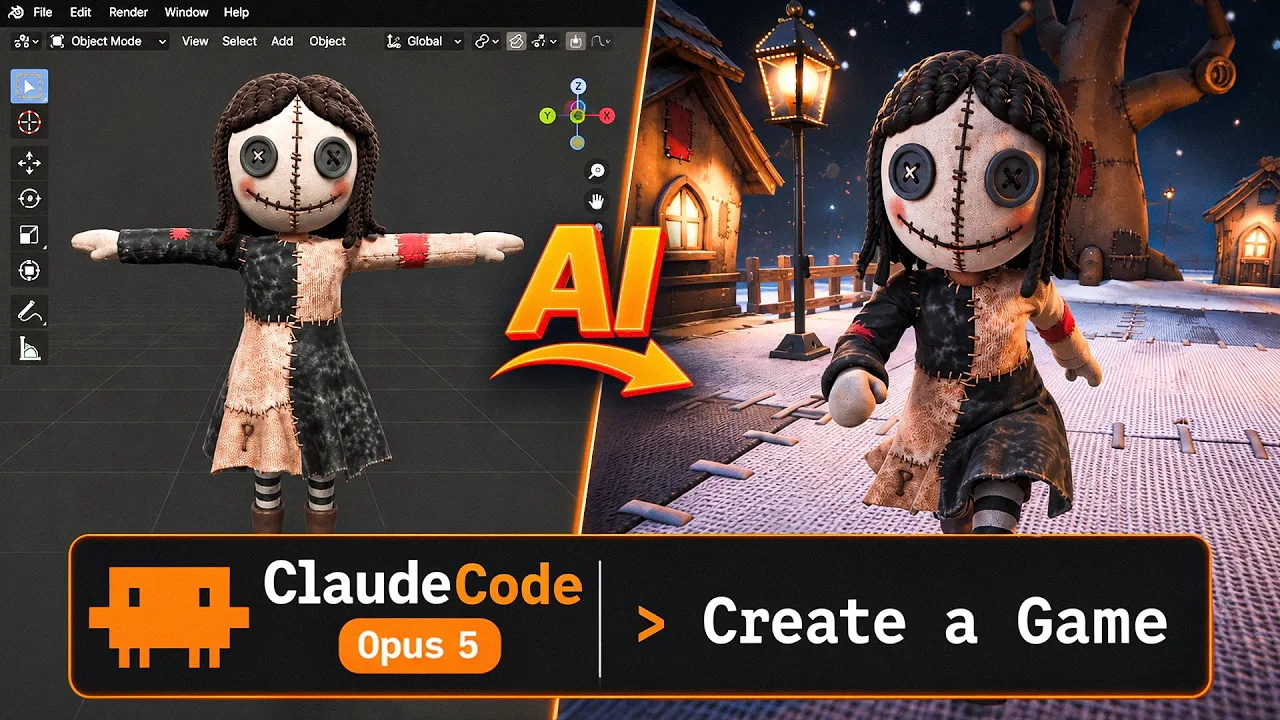
Stefan 3D AI · @stefan_3d_ai
This video has no Most replayed graph yet: YouTube shows one only once a video has enough views. These are the moments viewers replayed most in Stefan 3D AI's most watched videos.
Most replayed moment at 4:08
7.0x that video's typical replay level
and it will also have the access to full ai apis. Now let's do some serious tests. The first test will be to do an animation of a character that will be split in parts. The first test will be to create animation. Animation of a character that will be an
Said at 4:01
Most replayed moment at 9:39
5.7x that video's typical replay level
Overall I think this guy's made really amazing job, bring it it all together and I really had a lot of
Said at 9:41
Most replayed moment at 20:36
4.1x that video's typical replay level
Just also because I was playing that game when I was kid. Okay, let me see if I remember how to play that. Let's start with the road, right? Let's try to build a, oh, there are cars. There are cars. It generated nice cars and they're like, wow.
Said at 20:29
The graph counts replays. It does not show where viewers stopped watching.
Words
3,802
Runtime
22:12
Speaking pace
171wpm
Reading time
16min
171 words per minute, between the 160 25th percentile and the 181 median of 349 measured videos. That distribution comes from the 349-video hook study.
Opening (first 30 seconds)
1 in 3 releases in Steam carries AI disclosure by mid-2026. And almost more than half is AI-flagged, saying that there might be art, images or textures generated by AI. And from GDC 2026, we know that 36 % personally use Gen AI. While there's a lot of people who don't like that, don't accept that, the shift is very obvious and we are not going back. However, I still believe that good games require creativity, real passion and a lot of sleepless nights. And while
86 words, the words spoken in the first 30 seconds at 171 words per minute.
Free, no signup. See how the first 30 seconds hold attention, with rewrites.
Sentence shape
| Measure | This transcript |
|---|---|
| Sentences | 245 |
| Average words per sentence | 15.5 |
| Longest sentence | 78 words |
| Questions asked | 8 |
| Sentences containing a number | 38 |
Most used terms
Filler phrases
97 in total: like 59 · actually 14 · basically 9 · right? 6 · you know 6 · I mean 2 · sort of 1.
A literal whole-word count of the same phrase list the Prepublish browser extension uses, so a phrase inside another word is not counted and a phrase used in its ordinary sense still is. It is a count and not a judgement.
Run the check on the words above: where attention is likely to drop, with a rewrite for each weak line. The free check shows the scores and the one issue costing the most.
What this transcript is
Every word below is the caption track YouTube publishes for this video, pulled from the video itself and reproduced unchanged. It is not Prepublish's writing, not a summary, and not a re-transcription: it is the video's own published captions. English captions, published by the channel, in the video’s original language. Source: the video on YouTube. A channel that would rather this page did not exist can ask for its removal through the contact page, and it is removed.
1 in 3 releases in Steam carries AI disclosure by mid-2026. And almost more than half is AI-flagged, saying that there might be art, images or textures generated by AI. And from GDC 2026, we know that 36 % personally use Gen AI. While there's a lot of people who don't like that, don't accept that, the shift is very obvious and we are not going back. However, I still believe that good games require creativity, real passion and a lot of sleepless nights.
And while AI can generate cool images or 3D models or even animations, they're not making much sense until there is a creator behind who put ideas, values, stories behind that. But the landscape is evolving extremely fast, so I think it's time to make a guidebook for those who work with 3D specifically. We're going to talk about most of the aspects such as creating characters, creating game environments, what about game engines, MCP, VFXs, animations, all the things that usually involved in game development.
And along the way to prove that, I'm going to create some simple game demo in Unity, using my own AI workflows and advices to prove you that that is grounded as a small proof. So hit that like and subscribe button, take your snacks, let's dig into it. So as I said, we're going to focus on 3D games in first place and I would say I can split it in this way. Characters, environments and props, rigging, animations, actions basically, game logic when we're going to talk about agentic coding, MCP, what works or not.
Of course, VFXs, the particle systems, sound effects and maybe some extras. I just like characters a lot and let's start with characters. For some reasons, characters are most popular topic and everyone probably a little bit scared that that's like a very difficult part and I would say that was true, but before. Right now, it's 10 times easier at least. Let's break down the workflow and see what parts are AI automated and where you're going to need to pay attention.
So it all starts with concepts, creating images, inspiration and all the stuff. And obviously AI is very, very good at images, creating concepts, brainstorming, all that stuff, like never been easier. Well, I still believe again, without good idea, without good taste, no one's going to like whatever you're going to create. For me as a professional 3D artist, usually come up with nice concepts and like framing that details takes two, three times more than the actual building in 3D right now.
Well, we definitely agree all that research and stuff, AI helps a lot. I even have my agentic set up to do that for me, like researching, figure out some nice reference, next step about characters, usually to create 3D models. And here we have huge advancement. I mean, one of the coolest thing that happened in the beginning of this year was Chippa P1 with its smart mesh. And guys, that was crazy. I mean, it started to generate with heads, hairs, exceptionally great.
It's still not a hundred percent perfect. And if you can do some small refinements in blender, adjusting loops a little bit, et cetera, you can actually get it like perfect, but it's already reaching 80, 90%. And this week actually, or maybe it's already there, there will be triple P2, which goes on whole another level, adding quads, even better topology that looks exactly like artistic mesh that reaches professional artists level.
However, there are always some limitations. And it's true that some 3D AI works better for some stuff than another, let's say for realistic stuff, I still recommend to go and generate it high poly, then do topology also with AI. And that's how you get better and faster. So what's always true for this first two steps is to choose the right approach. If for example, you're going to try and generate it at once and say, Oh, but this is terrible.
We have blurry stuff here. Mesh is joined or whatever artifacts, you will be right about the results, but your approach was absolutely wrong. And still, I always teach that splitting into the parts, give you best possible results. You get more control later for whatever person animations, maybe do some game logic around that, you know, keeping accessories that you can take off, put on all that stuff. So for characters and for the environments, I recommend split it under the parts, generate it patch individually, combine them together and process.
However, as I said, 10, 20%, it will fail even with the newest triple P2. And here we come to one important advice from my side, knowing blender basics, or like 3D basics, not necessary blender, but blender is like amazing open source free software, just knowing 10% of that important 3D skills, how to adjust shapes, fix some loops, fix some polygons, do a little bit of texturing or weights will allow you to use this AI workflow at max and basically achieve 90% of anything that you can come up with.
And that is true for most of the next steps, such as UV rigging materials. Maybe you're going to benefit crazy. If you know a little bit or how to use blender, the most difficult part again, is done by AI generating that mesh. That's crazy difficult. If you're going to start from scratch, editing some polygons with retopoflow add-on, it's like one of the add -on that I really recommend to combine with AI generated mesh.
That's like five minutes and give you like absolutely game ready mesh for texture. However, we do have options. But if we talk about color texture, I would say triple or prism texturing is amazing. Someone like mesh texturing, Hoonion texturing I don't like at all. And there's also online texture painter tool. Also, there is a motive tool that I also use quite often. And by the way, guys, if you want to access all these different 3D AI tools for different purposes in one place, I definitely have to recommend 3D AI studio.
By the way, there is also AI UV unfold made by Hoonion, but it's experimental and I appreciate they say beta. You can try it, but doing that in blender, it's pretty much the same time and still can't give the better result. 3D AI studio is one of the first platform to offer all this variety of models in one place. They exist more than three years and are loved by many people. And they recently added flow studio that allows you to create comfy style workflows, which is pretty useful.
And thanks 3D AI studio for sponsoring this video and making it possible. And of course, by the link in the description, you get extra discount. So AI texturing works very, very nice for color texture. But when it comes to materials or so -called PBR, I would say there are some issues. You can generate 3D with PBR, but that's sort of weak. And again, like if you're going to retouch texture, like you can still rerun it.
But professionally right now with most of the 3D artists, we have consensus that adding on top a little bit of substance painter will definitely make it better. But for environments, the situation is a little bit better because we have some AI doing like seamless tile textures. And that's pretty much the character flow. There is also rigging parts, but there we have veteran solutions such as Acrylic, which I recommend a lot, or at last Mixamo.
They can create good base, but you're going to need to review that in blender and like fix some weights that's inevitable. I don't know any AI that will do like, for example, their hairs and you're going to need to add like additional bones to hair to add the physical bones. I don't know any AI that can do that. So as I said, that's a valuable skill to know. And also one limitation since we're talking about hair is hair cards.
If you need realistic hairs for metahumans or any other stuff, I'm afraid making that generating like 3D shape with AI is dead end. But luckily for us or microplaces such as fab, there's a lot of options and we can take them as a base and edit on top. In this case, AI can help with image alpha textures that you can apply on hair cards or something like that. This is at least what we tried and worked for us. We're going to talk about more about animations a bit later, but now when we cover the character, what about environments?
And for the environments, things are even better. Well, there is way less rigging in environments, right? Especially for those who do a stylized game. This is heaven. You can create most of the assets with AI. By the way, for characters and environments, I do have complete videos on my channel. Like for characters, I have like big, big video explaining everything else. I have the course for environments as well. There are two main things that you need to know to get over everything.
First of all, you still need to split parts. Absolutely must have. If you want to create something really cool, again, you're creating a tree, create a tree roots, base, branches, combine them all together. You need to create leaves, create a plane and texture of branch with leaves, alpha texture, put it all together. And in this video, you can see I do a stylized environment. And yes, that's definitely the easiest thing that you can do.
AI handles is amazingly nice, but realistic assets works same good. Exception is that last layer with PBR materials. And as I said, AI still doesn't handle like really, really nice way, like all this metal surfaces, reflective surfaces. It can do the job, but that will be just an average work. If you bring AI generated asset with AI generated color texture to substance painter and on top, set the right materials, all that stuff that will work really, really great.
Second thing is that you actually don't need to generate every geometry. For example, we're creating a big wall or stone floor, and you don't need to create plenty of geometries. If you can just create a tile texture, and there is an amazing model like parts in AI, which is also available in 3D AI studio here. It's called seamless texture AI. It's 100% best model to create seamless textures. And here is the results. We can preview the seamless pattern.
Amazing. You can basically add it as a brush in Unreal Engine or in Unity and paint the landscape, right? Can also preview on 3D. There is like different maps generated along the way, like base color, normal roughness, metalness and height. Height can be used as displacement, right? So we can do like that and can see, can add volume or not. Again, normal map is also good. We can see like this pretty, pretty amazing results.
Even for my case, I was able to generate the texture of this tileable patchwork, which is amazing. What's not going to work is probably dynamic assets, such as water. That's not like an environment, like it's not a prop, right? It's more like a game entity, which also involves logic or particle systems sometimes, et cetera. Well, for majority of assets, AI can solve that. And that's basically why AI is spotted everywhere, like some textures, some objects, all that stuff.
And the use here is pretty obvious. If you want to learn more, again, take a look on my videos. I explain and show exactly how it's done. And also again, knowing a little bit of blender, how to place things around, how to combine them, how to basically again, like change a little bit, the shape of the objects will give you ability to create any environments, any objects and incorporate any logic, like doors opening windows, opening all that things and scripted later in game engine with AI help.
Anyway, let's move to the animations. So usually when we talk about animations is like, we think about characters, right? Like they jump around, they do some stuff, but actually there are like more than that. So for characters animations, there is a solution. For example, recent Kimodo or motion breaks, or there is also art most useful for baked animation. I would say still is Kimodo. And I found some plugin for blender where you can just install it in blender and do the animation right away.
So what Kimodo allows you to do is that to, you know, write the prompts and do the action also combining with some constraints. So you can basically set the initial position of the armature like slash skeleton and the end position, and it will do the transition. Then that animation can be exported in unity, on religion, et cetera. We're confidently moving into AI motion systems, such as motion break that will predict all the movements right inside engine.
And again, and video already also confirms that, but if you dig into it, that's still very early. Again, they are very limited. Even motion break, they were promising interaction with some primitives and stuff. They still haven't released that. So we're still waiting. And that still consumes a lot of memory because it's meant to do all that calculations on user device. If we talk about any other dynamic assets, such as cars or animals and stuff, it starts to become more complicated.
It requires most likely some custom rigs, but we still see some effort in that direction. Let's say one of the recent papers called skin tokens, which already can be found in some platforms offering you again, like this rigging of any type of animals. And it is actually open source, very interesting one, but also still raw or paid solutions such as Cascadeur. I actually made a video about Cascadeur. It's like more professional kimono version, but one of the most impressive thing related to animation.
So for character animation is Unreal Engine 5 .8 markerless motion capture. And I did a video. There's also like update to metahumans that you can create any custom characters and basically drop any video and it will track the animation from it and put it on your character. And it's free and it works better than paid alternatives, such as quick magic. Quick magic was known for that AI mocap animation before that. And then we have Unreal Engine and I don't know what quick magic is going to do because well, maybe quick magic is general purpose and Unreal Engine animations, a little bit difficult to export outside, but that's still a crazy tool.
Anyway, to summarize the state of animation, I would say with character animations, we do have impressive tools, such as kimono. We can rig it with Accurate Mixamo. It's still very valuable to know how to fix some weights and address some animation issues that will help you significantly, but we have quite a good progress. If we talk about animals, any other props that must be animated here, unfortunately, there's almost no solutions.
And I'm not taking into account this experiments with float opus 5 that it will rig and do the animation. That's very, very raw and most likely not going to work in production the way you expect. However, that float opus 5 can help you a lot with your game logic if you do the right setup. And now we're stepping into the next chapter, such as game logic, engines, MCP, and I have quite a lot of good news here. I recently did quite a lot of tests and I can say the progress here is crazy, especially with code -first engines and the right setup.
My honest opinion and my experience is that working with Unity or Godot is much more pleasure than Unreal Engine when it comes to agentic AI. Well, almost all of them released quite strong tools, like Unreal Engine released native MCP with version 5.8. Unity just recently released CLI, allowing direct access to code execution for agents, runtime, that's crazy. And Godot again is very, very friendly for agentic AI. On my channel, you can find video pretty much about any engine, how I tested it, what's the results, what's the bottlenecks, all that covered there.
For this video, I actually used Unity. Again, I recently started to like Unity more because this code and stuff works much better. And despite recent release of CLI, which is amazing, I tested new MCP, new for myself, that is developed by one of my community members. It's called Ankle Breaker Studio Unity MCP. And these guys did something really crazy. I was asked to check it for a while and now I checked it and I can confirm that works very well.
It's open source, you can connect it with any of your AI. They offer more than 300 tools, plenty of things and very good optimization. I would say this item actually saves you money, which is absolutely amazing. So installing MCP is very simple thing. And just in 30 minutes, I was able to set perfect, nice environments and create a cinematic, right? So Claude basically directed the whole in-game cinematic. It reminds me a little bit of Resident Evil, the shots, how the camera follows for the character.
But again, guys, all that was made just by AI. The link to this open source MCP will be in the description. And to summarize my thoughts on game engines, I would say first, research on the setup. If you're gonna try shitty MCP or some paid solution, it most likely will work very bad and limiting you. From my tests, working with your own agent, like a raw Claude code or GPT image together with some open source MCP gives best results.
And together with code -first engines such as Unity or Godot. I'm not saying working in Unreal Engine is impossible. It's more than possible. You can also switch to codes in Unreal Engine. I would say for the beginners, Unity gonna be definitely easier. While if you're an experienced game developer, you can choose any engine. Game development experience multiply the efficiency of AI agents. I truly believe in that. Same things goes for 3D.
Like professional 3D artists benefit way more from this 3D because he can move so much faster. Same goes for game development part. If you know the right question to ask, if you know how to guide it, you're gonna get there faster with less troubles. Models become extremely capable and even open source Kimi K3 shows crazy results. I made a video about it. I was super surprised how good it can handle Unity. I actually tested it with a recent Unity CLI.
And one more additional chapter here will be to talk about VFXs, sound effects, and things like particle system. And I would say that falls more into agentic coding than anything 3D related. Of course, we can think about Houdini and doing some difficult animation making and stuff. That's true if we're going to some depths in creating like triple A games. For smaller games, all that's more VFXs can be done by code. I did one small cool game where I asked Claude to do all the effects, like a freezing, fire and stuff.
I did that in Godot and surprisingly, Fable 5 did everything amazingly. I do not need any more VFXs or particle stuff. But even handling particles is not that big of a deal. With newest Unreal Engine MCP, actually, Claude can access Niagara in Unreal Engine. And I did also the tests and I saw other tests. It actually works. It can create a solid base for you. Then you can go into that notes and tackle some parameters until you actually get it perfect.
So I would say addressing VFXs code base in engines like Unity and Godot is super straightforward. And you can actually do a lot. Provide your agent with image generation capability so you can generate some sprites, give it right MCP, and you're gonna get this VFXs done. Same goes for sound effects. I tested that with that Godot game. An important thing, I didn't ask Fable 5 to actually do the music. I gave it API with access to different AI music or AI sound effect generators.
Basically, full AI that has all the variety of the API. I just provided it with a key and it figured out what is the best model. And it generated me plenty of sound effects, not from first try, but from second try, I got something really, really fitting. Specifically, I was surprised about background music, how well it was fitting my game. So plugging your AI agent with your game, with different APIs, 100 % makes sense.
Also, it can help you with variety of tasks. And most importantly, I find value in keeping all the context in one place. Every next iteration is easier. Keep all images, all context in one folder where the project is, like a text information, image information. Cloud and GPT, they also create memory files right now automatically, and that will insanely speed you up. Well, I think now I covered all the basics that you need to know about developing your own 3D game.
If it's not, let me know in the comments what else you want to know. I really enjoy reading your comments, guys. This is where I gain inspiration for my next videos. And I hope this video will help you navigate in this rapidly changing landscape of game development, where AI really works, where it's not working. And there are indeed some areas where I really recommend you to dig into basic knowledge, such as, again, foundational 3D knowledges, like a little bit of Blender, so you can easily process any AI generated result.
Same goes for game developments. If you know how some specific game engine works, you will iterate faster. And isn't that fun to learn something new? And that's way easier than before. Try not only tell your AI what you want to do, but ask questions, how it's usually done, what is the best practice here, how to address this challenge, etc. If you already do like that, you're a pure legend. That was Stef, like and subscribe, and see you in the next videos.
The words are the caption track's own and nothing is reworded or re-transcribed. Paragraph breaks are placed between sentences so the text reads as prose.
Free tools for your own script: paste a draft and see where it stands before you record it.
Paste your draft and see where viewers are likely to drop off, with a rewrite for each weak line.
Paste the first 30 seconds of your own draft for a hook score and rewrites.
Check your draft against YouTube's advertiser-friendly guidelines before you record it.
Read this channel's public videos and transcripts, and download a writing brief for it.