Getting the transcript
Reading the captions from YouTube. A video nobody has opened here before takes 10 to 30 seconds; this page fills in on its own.
Getting the transcript
Reading the captions from YouTube. A video nobody has opened here before takes 10 to 30 seconds; this page fills in on its own.
Chris Raroque · @raroque
This video has no Most replayed graph yet: YouTube shows one only once a video has enough views. These are the moments viewers replayed most in Chris Raroque's most watched videos.
Most replayed moment at 8:39
3.2x that video's typical replay level
plugin for Claude Code. It's a plugin that you install by using a slash command. And when you have it installed, I've just noticed that it's about like 20 or 30% better at design. If I have this installed and I give it a screenshot, it follows the screenshot a little bit better. Or if I'm just oneshotting a design, 20
Said at 8:33
Most replayed moment at 9:45
5.6x that video's typical replay level
database or how much bandwidth you're consuming with Superbase. So, you want to add these limits because someone could in theory hit up these services and then just rack up a huge bill that way. And there are a lot of cases of this happening where people woke up to a $50,000 bill. So, please add these type of limits
Said at 9:38
Most replayed moment at 3:33
3.5x that video's typical replay level
can I do this better? How can I make sure that my illustration stand out among other apps?" Let me show you what I mean. This is the onboarding for my calorie tracking app Amy. People keep messaging me about this onboarding saying this is one of the best onboarding that they've seen. I think someone actually signed up
Said at 3:25
The graph counts replays. It does not show where viewers stopped watching.
Words
3,658
Runtime
15:50
Speaking pace
231wpm
Reading time
15min
231 words per minute, above the 201 75th percentile of 349 measured videos. That distribution comes from the 349-video hook study.
Opening (first 30 seconds)
5 months ago I launched my calorie tracking app, Amy, and for the longest time the most important metric to me, week one retention, was slowly trending up. In simple terms, week one retention is how many people after signing up are still using the app 1 week later. And we're at a 13% week one retention, so for every 100 users that are signing up, about 13 are sticking around 1 week later. And this is incredibly important because it tells me if my app is actually providing value. In my last update video, something crazy happened. Week one retention jumped up from 12% to 20%. That is an insane jump and I was really
116 words, the words spoken in the first 30 seconds at 231 words per minute.
Free, no signup. See how the first 30 seconds hold attention, with rewrites.
Sentence shape
| Measure | This transcript |
|---|---|
| Sentences | 203 |
| Average words per sentence | 18.0 |
| Longest sentence | 50 words |
| Questions asked | 8 |
| Sentences containing a number | 30 |
Most used terms
Filler phrases
55 in total: actually 23 · like 21 · kind of 7 · basically 3 · right? 1.
A literal whole-word count of the same phrase list the Prepublish browser extension uses, so a phrase inside another word is not counted and a phrase used in its ordinary sense still is. It is a count and not a judgement.
What this transcript is
Every word below is the caption track YouTube publishes for this video, pulled from the video itself and reproduced unchanged. It is not Prepublish's writing, not a summary, and not a re-transcription: it is the video's own published captions. English captions, generated automatically by YouTube, in the video’s original language. Source: the video on YouTube. A channel that would rather this page did not exist can ask for its removal through the contact page, and it is removed.
5 months ago I launched my calorie tracking app, Amy, and for the longest time the most important metric to me, week one retention, was slowly trending up. In simple terms, week one retention is how many people after signing up are still using the app 1 week later. And we're at a 13% week one retention, so for every 100 users that are signing up, about 13 are sticking around 1 week later. And this is incredibly important because it tells me if my app is actually providing value.
In my last update video, something crazy happened. Week one retention jumped up from 12% to 20%. That is an insane jump and I was really hyped up, made a whole video about it. I am so embarrassed to admit this, but it turns out I actually calculated the number wrong last month. That month it was not 20%, it was actually closer to 14%. And even worse, for this month it's down to 13%. So now we are trending in the wrong direction for week one retention.
I really want to make up for it, so this month I had one goal and it's to push this number as high as possible. I ended up shipping two major features and I learned a ton of things that I wanted to share with you guys. If you're new here, welcome to the video. My name is Chris and I build productivity apps. I usually focus on one productivity app per video and today we're focusing on Amy. Quick context, Amy is a calorie tracking app in the style of Apple Notes.
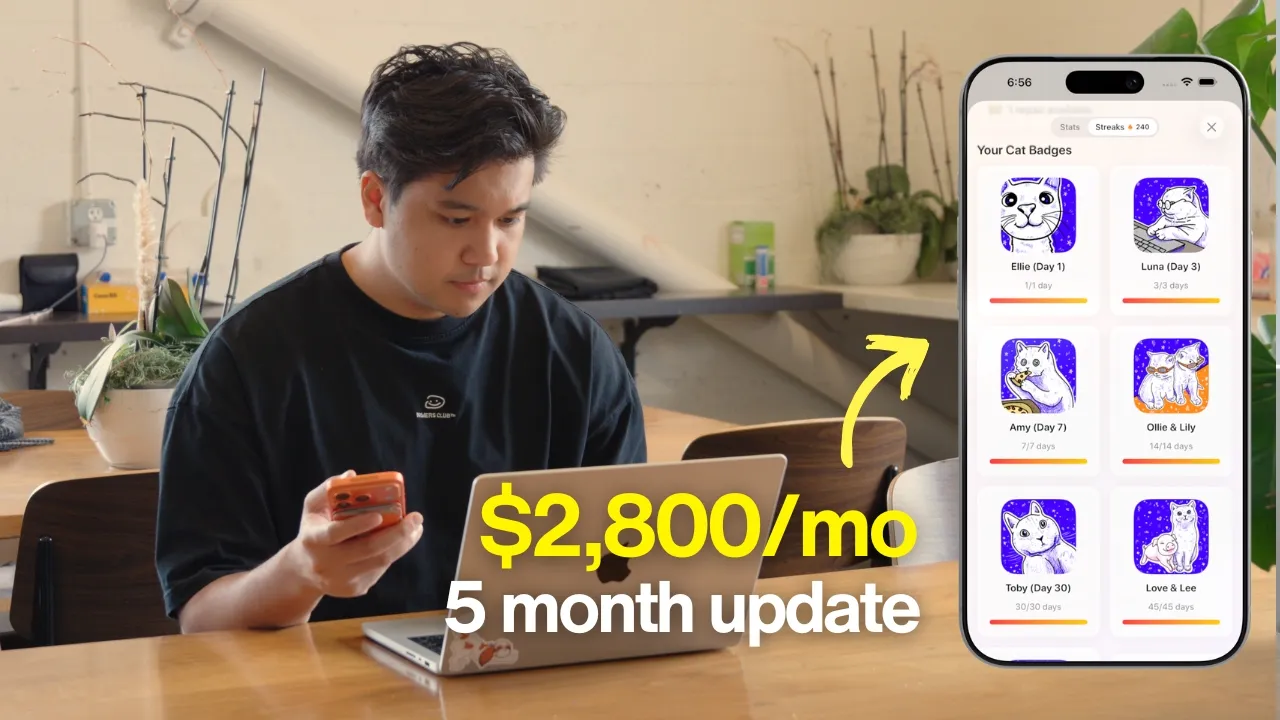
You type the food that you ate on the left and the calories will magically appear on the right. The most frictionless calorie tracking app out there. Now before we jump into what I did to improve retention, let's talk about the other numbers really fast because I know you guys are interested in that. We're sitting at about $2,800 in monthly recurring revenue and we made about $3,000 in total revenue in the last 30 days.
[music] Total costs are sitting at about $400, the bulk of which is obviously the AI costs. This is a really healthy profit margin at about 85%. And the good news is in my last update we had just crossed $2,000 in monthly recurring revenue, so we are trending up for that number. And we're at a 13% week one retention, so let's talk about what I did to improve this number. The best way to improve week one retention is to reduce friction.
Make the app so effortless that they end up building a habit. In my case, that meant a lot of bug fixes, improving the accuracy of the AI, and shipping two major features I wanted to go over. Amy started very simple. It was basically Apple Notes with calorie tracking. After a ton of user feedback, I ended up adding photo tracking, which I was a bit hesitant to do, but I'm really glad I did because it's now one of the most used features.
And in a lot of cases, it really did reduce the friction of logging your food. And then eventually, I shipped menu scanning. So, that's where you can take a picture of the menu and then pull items directly off of it. I have not seen another calorie tracking app do this. Really proud of that one. But the next most requested input method by far, with over 100 upvotes on the feedback board, is barcode scanning. This is very common among calorie tracking apps, where you can just take a package, like a bag of chips, scan the barcode, and we'll automatically calculate the calories.
I'll be honest, my first thought was, "How do you even do something like this? Is there an API?" Like, I genuinely did not know where to start. So, before writing any code, what I typically do in this case, where I'm not familiar with the APIs available, is to use Claude Deep Research. I gave it the situation and asked it, "What should I use to power the barcode scanning?" I do this all the time because the last thing I want to do is start building something out and then realize there's a better API I could have been using.
So, Claude scanned hundreds of pages. It did a ton of research, found a bunch of great APIs, and it gave me a short list of what I should try. And that's when I realized barcode scanning is made up of two different problems. The first is actually scanning the barcode, basically extracting the identifier from the barcode image. And then the second part is using that identifier to look up what product it corresponds to.
So, turning the product ID into the bag of chips. Part one was actually very easy. Apple's Vision Kit comes with this out of the box, and it's been implemented a million times. So, Claude code was able to one-shot this really quickly. Part two, actually taking the ID and finding the product, this is where things got a bit more challenging. There are a ton of different providers to choose from, and the first one I tried is something called Open Food Facts.
This is a really cool service. It's basically a free database. There's like 4 million products that it has in its database, and that's across 150 countries, which becomes important later, all curated by volunteers. I hooked this up really quickly and scanned a protein powder brand to try it out, and it got it in one shot. It even returned an image for the product, which I was not expecting. But, there was one issue. It kept defaulting to 100 g as the default serving size.
For the protein powder, the actual serving size was two scoops or 35 g. So, Open Food Facts returning it as 100 g is kind of annoying with because I don't want the user to have to go do all the math to calculate the actual serving size. So, then I tried database provider number two, which is called FatSecret. They do have a free tier, and in the same example, FatSecret did get it correct, and it actually got the default serving size, too.
Two scoops, 35 g, exactly what's on the label. Great. So, FatSecret works, problem solved, right? Now, the next thing I realized is FatSecret's free tier, which while very generous, it only supports US barcodes. And about half of Amy's users are outside of the US, which is going to be a huge problem. I tested it on some international products. I tried scanning some seaweed I had, and then FatSecret did not do a good job at that.
But, surprisingly, Open Food Facts did get it correctly, and it got the serving size and a more detailed description of [music] the product. I ran a bunch of other experiments, and here's the weird trade-off that I found. Open Food Facts had a much better international database and product descriptions, but sometimes it defaulted to the wrong serving size. And FatSecret did have better default serving sizes for US products, but it struggled with international brands, and it would sometimes hallucinate brand names, polar pomegranate seltzer.
I have no idea where it got that. It became clear to me that neither was a clear winner, so instead of picking, I decided to use a combination of both. Here's the pipeline I ended up with. When a user scans the barcode, the app is going to query both Open Food Facts and the FatSecret API. Then, it's going to make a tiny call to Gemini 2.5 flashlight, which is a very cheap model, to look at both results and pick the better default option.
Might seem overkill, but since I'm sitting at like an 85% profit margin, I don't mind decreasing it if it means a higher quality result for the users. So, that's the pipeline I landed on and I thought, "Cool, we can go ahead and ship this." But, then I actually started using it in real life, and that's where some of the edge cases started showing. Edge case number one is you're not always going to eat just one serving of something.
Sometimes you eat two, sometimes you eat a half. I needed a way to edit the portion sizing on the fly, and that actually was a little bit tricky from the UX perspective. I spent a long time on Mobbin studying how other calorie tracking apps do this, [music] and then finally landed on this solution, which was good enough. Edge case number two is, what if a package has no barcode, like it was torn off or something, or we can't find [music] any results when we scan the barcode?
I ended up coming up with a solution I'm very proud of that I have not seen any other app do. If we can't find the barcode, you can tap a button and take a package of the nutrition label itself, and Amy will use AI to extract the nutrition info from the label and all the macros and everything. I thought, if you already have the package in your hand, you already have the nutrition label most likely, so this should work in most cases.
This solution did introduce edge case number three, which is kind of interesting. I was trying to scan this hot sauce, and the nutrition label wrapped around the bottle. So, I couldn't capture it cleanly in one photo. This was a little bit tricky, but the solution I came up with was if Gemini cannot correctly identify the nutrition from the label because it looks like it's cut off. A new UI pops up asking if you want to take additional photos until the label is fully captured.
And then it just stitches everything together and runs the calculation. This was also a solution I have not seen any other calorie tracking app do, so again, really proud of that one. Overall, this whole feature took a lot longer than I expected. I thought I could ship this thing in like a day. It ended up being a multi-day rabbit hole with a ton of edge cases. But, the lesson here and why I wanted to bring it up is the importance of actually using the product versus testing.
When I was testing the product, I was just grabbing random products and testing barcodes, and then seeing if everything worked. But, when I took the app and tried actually using it in real life with real groceries, barcodes that were semi-ripped off or barely visible. That's where the edge cases came out. And I'm really glad I caught these before launching because these would have been friction points for users, and they definitely would have stopped using and probably lost trust in this feature if the bugs were there.
And the data's already rolling in, and I see people are using the feature already. By the way, you probably noticed in a few of my videos, I've been dictating everything into Claude and Claude Code, and that's actually my recommendation when working with Claude Code or any other AI coding tool. It's to dictate everything because you get way more detailed prompts. And the tool I use for this is WhisperFlow, and a huge shout-out to them for sponsoring this video.
WhisperFlow is smart voice-to-text that works in every app. The reason it's perfect for developers is it understands technical terminology. So, when I say something like AWS, DynamoDB, Gemini 2.5 Flashlight, Supabase, [music] it gets it right every time. And if you're using Cursor or Windsurf, WhisperFlow works with these IDEs where it can actually tag files for you. Like if I say, >> [music] >> "Please enhance the styles from subscription-overview.tsx." >> [music] >> It'll actually tag the file without me having to type anything.
It's available on desktop, so if you're using Cursor, Claude Code, or ChatGPT like I do, it's there. But you can also use it on iOS and Android. I use it all the time when I'm responding to messages or YouTube comments. I'll leave a link in the description, and I also have a code that gives you 1 month free, and that's on top of the existing 14-day trial of WhisperFlow Pro. They did not have to do that. I'm the one that asked for that code, so a huge thank you to them for providing that.
After the barcode rabbit hole I went down, I was a little burnt out and wanted to work on something more fun. So, I built a feature that almost no one asked for, which is water tracking. I have been traveling a ton recently, and I'm constantly forgetting to drink enough water, and I kept thinking to myself, "Man, I really wish Amy had this feature." And then I remembered, "Wait a minute, this is my app. I can kind of do whatever I want here." So, I decided to add it to solve my own problem.
The UX was going to be pretty clear to me from the start. I wanted to type what I drank, and I wanted the amount of water to appear on the right, similar to the calories when you type food. And I wanted a little water indicator at the bottom to show how much water I drank for the day. So, I implemented this really quickly, and I also added the ability when you tap the little water indicators on the right, you can see all of the water you drank for the day.
Since it was so easy, I decided, "Okay, let me try to push myself on the UI/UX side to maybe make this feature stand out a little [music] bit more." Because, if I'm being honest, it is a little bit boring. Like, it does fit and it does work, but I knew I could do better, so I spent a lot more time on the UI for this. I actually played with a bunch of different concepts, like, what if the log view actually looked like a water bottle?
So, we have this little water line, and it's actually moving, and I even put a little rubber duck at the top that floats there. And then I played with a few more variations of this, but it honestly did not feel like it belonged in Amy. It felt kind of like a completely separate app. And then eventually, I landed on a slightly more dialed-back version where the water line and the duck are just kind of at the footer. I took a quick break from the UI because I did realize there was an issue with how this actually [music] worked behind the scenes.
So, let me explain a little bit about that. First, let me also show you what happens when a user types anything into Amy, because I had Claude code draw it out, and it's actually pretty insane. Here's the full pipeline of what happens in those 2 to 3 seconds when someone types something into Amy. It's kind of funny to see how much complexity is being hidden in such a simple interface. But now, in terms of the water tracking portion itself, this is how the implementation went.
Claude code made a recommendation, "What if in the pipeline I just scanned for specific words, like water, H2O, oz, fluid ounces?" And then anytime this was mentioned, we could just use regex or something similar to extract the amount, and then put it into the app. The big problem with this is over half of Amy's users are international, and what they're typing into Amy is usually not actually English. And so, this keyword matching system that Claude code was recommending would not work and would break if someone typed in non-English words.
And I wasn't about to make a ton of different keywords just for every single language. So, I had to make sure that this water detection layer was language agnostic. So, instead, I decided to use a very lightweight LLM call using Gemini 2.5 Flashlight to figure out is this a water entry or a food entry? And if it is water, we go down a separate pipeline which uses another 2.5 Flashlight call to then extract it out. Now, the trickiest edge case is what if someone types in a combination of food and water at the same time.
So, they said two eggs and a glass of water. I had to build the pipeline to also handle that. Which actually is not that hard because I'm using an LLM as the detection layer and it was able to handle that. So, there's a lot of LLM calls that are now happening in the pipeline whenever anyone types something into Amy. Once I had that working, tested it a bunch of times, and knew everything was stable, I hopped back into the UI/UX of things and I started to polish it a little bit more.
A few things I did were I added a calendar at the top because as I was using it in real life, sometimes I thought, "Man, I really [clears throat] wish I could go back a few days to see how much water I was drinking this week." I got kind of annoyed typing 32 oz Stanley cup over and over again. So, I also added the ability to do custom bottles. And there's a quick add action. So, when you click the plus button, the sheet will appear and you can choose from your selected custom bottles and it logs it instantly.
And then to go along with this, I added a custom widget on the home screen as well and a button to open the quick capture functionality. I added a custom goals page where you can set your target and change the units. And then finally, I roped in Cecilia to help build these beautiful custom illustrations for the widget, for the goals page. And also, I swapped out the rubber duck with a custom illustration of Amy in a floaty.
And my absolute favorite detail is I added a custom tilt animation. I don't know if you can see this. So, now when you rotate your phone, the water and Amy go in the direction >> [music] >> of your phone. I was so excited when I implemented that. You guys have absolutely no idea. And then the last thing I did was I made the feature completely optional. So when you sign up, you can turn water tracking on and off, and if it's off, you will have no idea that the feature exists.
There's no indicators, you're not going to see the quick add menu. And when it's off, when you type in water, my back end's not going to try to extract it, so that actually saves me some cost, too. My philosophy with Amy and all my apps is to try to keep it as simple as possible. A lot of users have asked me for things like sugar tracking, caffeine tracking, alcohol tracking, and these are things I actually do want to explore, but I got to be really careful about accidentally bloating the UX and making the app too complicated.
The way I'm going about this is making certain features completely optional and off by default. Honestly, the two features, barcode scanning and water tracking, were the fun ones I worked on, but arguably the bigger things I did for retention are the least exciting things to talk about. The first one is accuracy. Accuracy is so important because if you type in chicken burrito and it doesn't show you the right calories, you just completely lose trust in Amy's ability to do its job, and then you'll churn.
But I spent a huge amount of time trying to improve Amy's accuracy. Honestly, I could do a whole separate video on that, so leave a comment if you want me to do that. And the second thing I did were a bunch of small UX improvements and changes. There are a lot of little bugs and small UI annoyances that don't look like they would be a big deal, but when you add them all up, it does add friction to the users and it causes them to churn.
The best example is one user reported a bug that I've been struggling to reproduce for weeks, which is the left side that has the written text and the right that has the calories, sometimes they would get out of sync, so the left would scroll and the right wouldn't. Super annoying, and if that happened to me multiple times, I would probably also stop using the app, too. All of the things that I did in the last 2 weeks, all the annoyances that I fixed, the accuracy, and then implementing barcode scanning as a new input method, should hopefully increase week one retention.
Sadly, I won't know for a few weeks, but once I do, I will report back to you guys. So that's where Amy's at, 5 months in. We're at about $2,800 in monthly recurring revenue, $3,000 in 30-day revenue. Week one retention is at a 13%, which is super depressing because I thought it was 20% one month ago. But on the right side, that means a lot of room for improvement. If you like this content, check out my Instagram and TikTok.
I post almost every other day about building productivity apps. And obviously, if you like this content, don't forget [music] to subscribe. But thank you guys so much for watching, and I will see you guys in the next video. >> [music]
The words are the caption track's own and nothing is reworded or re-transcribed. Paragraph breaks are placed between sentences so the text reads as prose.
Free tools for your own script. No signup, no login.
Paste your draft and see where viewers are likely to drop off, with a rewrite for each weak line.
Paste the first 30 seconds of your own draft for a hook score and rewrites.
Check your draft against YouTube's advertiser-friendly guidelines before you record it.
Read this channel's public videos and transcripts, and download a writing brief for it.