Getting the transcript
Reading the captions from YouTube. A video nobody has opened here before takes 10 to 30 seconds; this page fills in on its own.
Getting the transcript
Reading the captions from YouTube. A video nobody has opened here before takes 10 to 30 seconds; this page fills in on its own.
Dan Kieft · @Dankieft
Words
3,785
Runtime
20:18
Speaking pace
186wpm
Reading time
16min
186 words per minute, between the 181 median and the 201 75th percentile of 349 measured videos. That distribution comes from the 349-video hook study.
Opening (first 30 seconds)
What the hell are we doing here? >> Shh. >> Oh, man. >> Be careful, dude, or we're about to get caught. Now, plug this wire and we're in. And now we wait until they crack the code. >> Look at these guys. All they do is type. Once they crack the code, AGI will be ours. >> But dude, what can we even do with it? >> Well, nobody knows, but it sounds cool. All right, let's go back so we can try it out in the lab. >> They've been talking
93 words, the words spoken in the first 30 seconds at 186 words per minute.
Free, no signup. See how the first 30 seconds hold attention, with rewrites.
Sentence shape
| Measure | This transcript |
|---|---|
| Sentences | 288 |
| Average words per sentence | 13.1 |
| Longest sentence | 58 words |
| Questions asked | 14 |
| Sentences containing a number | 26 |
Most used terms
Filler phrases
88 in total: like 60 · actually 9 · kind of 7 · basically 5 · literally 5 · sort of 1 · um 1.
A literal whole-word count of the same phrase list the Prepublish browser extension uses, so a phrase inside another word is not counted and a phrase used in its ordinary sense still is. It is a count and not a judgement.
Free, no account. See where attention is likely to drop, with a rewrite for each weak line. The free check shows the scores and the one issue costing the most. Or run it on the words above first.
Free · No login · See a sample audit first if you prefer.
What this transcript is
Every word below is the caption track YouTube publishes for this video, pulled from the video itself and reproduced unchanged. It is not Prepublish's writing, not a summary, and not a re-transcription: it is the video's own published captions. English captions, generated automatically by YouTube, in the video’s original language. Source: the video on YouTube. A channel that would rather this page did not exist can ask for its removal through the contact page, and it is removed.
No Script X-ray for this video: YouTube shows a Most replayed graph only once a video has enough views.
What the hell are we doing here? >> Shh. >> Oh, man. >> Be careful, dude, or we're about to get caught. Now, plug this wire and we're in. And now we wait until they crack the code. >> Look at these guys. All they do is type. Once they crack the code, AGI will be ours. >> But dude, what can we even do with it? >> Well, nobody knows, but it sounds cool. All right, let's go back so we can try it out in the lab. >> They've been talking at full volume since they walked in.
I don't have the heart to tell them it's public. >> That's it. Now, just make the video. >> Thanks, dude. >> We need to talk about Astra 6 because over the last few weeks I've seen so many great things out there, but there's also so much noise, fluff, and out there that I had to emerge myself into this tool to see what's actually useful and what is not. So, in this video, we're going to explore three different concepts that I have defined as this could actually be useful.
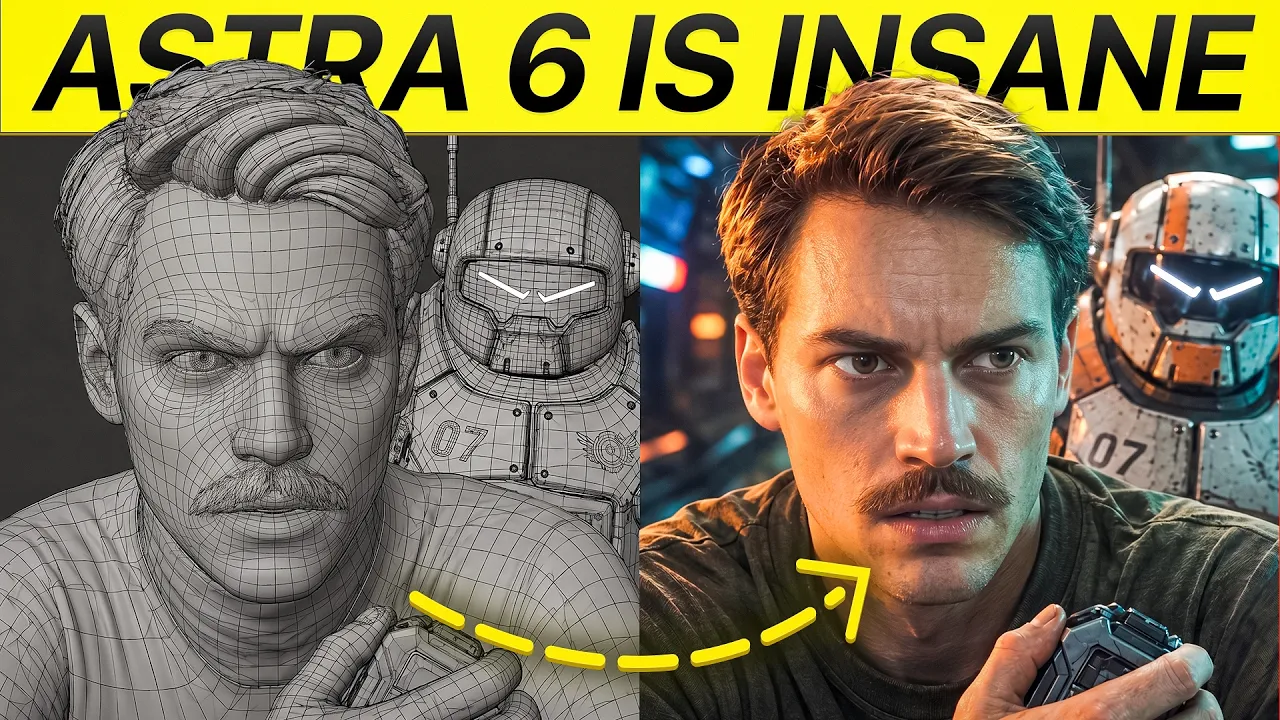
We're going to stress test Astra 6 and hopefully by the end of this you've learned a few new things. The first use case that I actually found it useful is 3D world building that you can now do with Astra 6. Like, I've done this before with Fable 5 and Blender, but this time it's even more crazy and I'm not exaggerating here. Here you can see a 3D location that I built inside of Blender using Astra 6. Why would you need this?
Why do you want something like this? For me, it is because you can achieve perfect consistency of the scale and of the features of your location. In this case, let's say I'm making a movie and a large part plays out in this [music] bar. Because I'm generating this location in the bar, I can make all kind of different shots. So, here are just a few examples of the shots that I can make. All kind of different locations.
And I can all prompt this by using Astra 6. The other thing that I've done with this is I've asked Astra 6 to use the Blender render, that rhymes, to make me some kind of website of the set. So, this case, also my teammates that don't know how to use Blender can access this. And you can orbit around this. So, we can just orbit like this. We can even walk around it. For example, if we walk now, we can use the keys. And we can literally just walk around this map.
And we can define, let's say if I sit on this couch right here, we can create new shots from different locations. I can tweak the colors, the brightness, and I can just do a few things. For example, this parcel, I can toggle it on or off. And that's all based on these renders that came from Blender. Now, creating a set like that in Blender is actually quite easy. All you need to do is you need to go over to ChatGPT and you need to make sure that it connects the Blender MCP.
You can simply ask ChatGPT itself to connect the Blender MCP and download Blender for me. You can download Blender yourself, or you can also go over on the left. You can go over to settings, then you can click on plugins. And here you can download all the plugins that you need and the MCP. So, here I have downloaded the Blender MCP. While you're at it, I would also download the Higgsfield MCP. They were kind enough to sponsor this video, but also their plugins have been some of the best in all of the tools that I've used so far with ChatGPT because I'm using the Higxfield MCP in ChatGPT directly.
But I've also installed in Blender the Higxfield MCP. So right now in Blender, I can also use this. If you don't have ChatGPT yourself, you could also go to Higxfield Supercomputer and there you can use Astra 6 right here. And you can also connect it with Blender right here or even with Adobe and also DaVinci. So that is kind of like the setup that you need. After that, you can go over to ChatGPT and you can say "Using Blender, create a bar with all of the details that you can imagine." And you can do this in this In this case for me, it's a bar, but you can do this with any type of project that you have in mind.
You can even add in references and it will start generating everything for you inside of Blender. After you've done that, it will give you this 3D version of the thing that you have built. What you can then do is you can create different camera angles. So for example, I've done this camera angle, I've done this one, I've done this one, and this one. And if I play with these camera angles, then you can see that this is how the camera will position your shot.
And this is super powerful because if you have that location built, you can make infinite type of camera angles, shot types, and make your own custom camera movements. You have full control because you can use this later as a reference inside of C Dance or any other AI video model that you use. I will be honest, with Blender, DaVinci, After Effects, and all of the other MCPs or plugins that you have seen, everyone makes it seem like you just need to install this into ChatGPT and you're done.
In my opinion, this is not the case. I've been using Blender for only a couple months and I would say you definitely need to learn the basics of this tool to get around, to know how to move your camera angles, to actually understand what the AI is doing before you just hand it off as if it is some kind of like magical tool. So that's one big lie that you see online that it's just insane that you can do this right out of the box.
You need to have some sort of experience. If you want me to do a complete beginner guide on how to get started with Blender and AI, please let me know in the comments down below. The beauty of what you can do with Blender is you can give it a scene. So, for example, I gave it this scene right here. And this is like a reference that Blender rendered. Then we ask it to use GPT image 2.5 to make this more photorealistic.
And then we got this result. The inspiration of that shot came from this camera angle. And you can do the same for all of the camera angles that you have. And then you can have Astra render it out with GPT 2.5 in a better version than the Blender version. The other thing that you can do with this is supposedly save credits. I'm saying supposedly because it still might require some Astra 6 credits to use Blender. But what you can do is you can make references like this.
So, here I had the idea of this man sitting behind the bar. He gets delivered a drink he never ordered. Then he has a bit of an interaction with the bartender. He hands him over the drink. Then he is confused, and he turns around and looks at the person who handed him the drink. The camera moves to that person. Then we have a close-up, and then we have a different shot from the man. So, all of this can be directed by you through Astra 6 in Blender and then used to realize this in Cidence 2.5.
And you never have to leave the ChatGPT chat. Because like I am using Blender right here, you can also add in the Higgs field MCP, and now you can have it generate all of these scenes directly in Cidence 2.5 on ChatGPT or supercomputer, whatever you use. So, that's what I did. I gave it all of the assets that I wanted it to use, and then it made me this video. >> Dude, are you okay? >> Yeah. I've just been up all night.
I didn't order anything. >> Yeah, but she did. Now, of course, you could have probably also made this using C in a 2.5, but it would have been a lot more back and forth to exactly describe the shot that you want to see in here. By doing it this way, you get a lot more control. The only thing I would recommend is do a bit of research in Blender, like how you can move around the camera, because that way you can tweak it more than just having to constantly go back and forth with ChatGPT.
But, at least build your scenes with ChatGPT inside of Blender. The other thing I did with this is I tried to recreate my current studio. So, here's a bit of a studio review. I uploaded these images into ChatGPT and I asked to recreate my studio inside of Blender. And it did quite a good job. Like, it's pretty decent. This is also particularly useful if you're designing your house. For example, I'm in the middle of moving into my new apartment and this is the current state the room is in.
And I have no idea, like this needs to become my next studio. So, I had no idea where to place like my desk, if I had to put my desk like this, if I had to put my desk like that. I am no interior designer. I have no clue. I I just want to see what looks good on camera. So, I made this first variation and once I've locked that in, I decided like, "Okay, I want to go with this direction, putting the camera right here." And then I basically asked it to see like if we can fill in a few more details and this was a process of going back and forth, back and forth.
And eventually, with this map that I gave it, I asked it to use Blender. Like, literally said, "Use Blender." Then, it made me this variation. And what do you guys think of this? Like, um would you guys like this as a new desk? Still not sure about like the the thing behind me. Need to fill out the details, but this might be my next studio home office. And I'm still keeping this office, but I I want to also record more videos for you guys.
So, let me know what you think of this. This next segment quite surprised me, because I tried to see how good GPT Astra 6 together with GPT image 2.5 is in designing thumbnails. You can apply this to social media post, to anything. Like I've seen posters, I've seen artwork, I've seen all kind of things. I'm a YouTuber, so I need thumbnails. And the thumbnail process is a is a hard one, because you got to be so much creative.
You want to try and do it in your style, but you also want to try and create unique-looking thumbnails that don't look like the average GPT garbage. So, this is what I did with ChatGPT. I added in some references of things that I liked, my own portrait reference, also what my channel looks like. And then I asked it to make a thumbnail for my next video about AI music videos. And it came up with this, made this one, which I quite like.
This one it repurposed my old one, changed the text in there. Yeah, that gave me just a few concepts. And by giving it more references and more inputs, I got like all of these different concepts. It was actually quite easy to create. So, these ones are also quite cool. This one especially I like a lot. And overall this concept I like a lot. Using this method together with my thumbnail designer that also is using ChatGPT, like I'm not replacing him.
We're both using it for more ideation. I put in like one of another concept that I have, and I just asked it for advice what he thinks of it. Just going to fast forward through this, so you can see a bit of my process. I uploaded two reference images of what my channel looks like. I added in a few people of inspiration that I liked a lot. And then it came up with this. And this is related to the app that I have. Quite like the concept, but I was thinking this might be too vague.
So, I asked it if it could make different variations of that. And here it made a bunch of different designs which could be used as a raw concept, which I can then further ideate with my thumbnail designer. The main thing here again is to add in a lot of your own concept. Really think about the idea that you have in mind. Try and import like the assets that you have. Like I literally uploaded my entire YouTube video and see if it could make a good AI film this from that.
If you like certain different styles of others, you can add them in as a style reference, but don't blatantly copy. Don't just replace yourself with someone else. That's not the goal. Like my goal is to explain to you how to use AI to create original work with your own input. Like it's a tool that can be used to feed your creative mind and that's how I want you to use this. Don't just rip it off blatantly. The next thing is quite exciting.
It is using Astra 6 for AI video editing. I have a full tutorial on this coming out soon, but I'm exploring this like so much and it's super interesting to me how this could save up a lot of time of independent YouTubers that don't have an editor, but also for editors. And again, not the goal is to replace editors. The goal is to make the workflow better, faster, and hopefully a bit more affordable. But basically, you can do this three different ways.
You can use Astra 6 to control your computer to use After Effects and to use Premiere Pro. You can also use DaVinci Resolve MCP, which in my opinion works a lot better than Premiere Pro and that way it just does everything a lot faster for you. I tried exploring something different and I tried having GPT Astra 6 do a match cut effect in DaVinci. So basically, what I did is I asked it to source different letter photographs and build the Gift, that's my last name, to match cut in Resolve using this Hanover clip to use that as a reference of how I would like to have the match cut.
And I also gave some music that it could use. I asked it to source 100 different images and I wanted it to show 10 per second. And then it started building it and it also gave me the exact project file. And again, like I'm more of a Premiere Pro user. I'm not experienced with DaVinci at all, but using Astra, but also using Fable and Claude and all of that, it allows you to learn these tools faster. So now I am inspired to learn more of Blender, to learn more DaVinci because I already know the people that know these tools that combine that with Astra, they benefit the most.
So, that's what I would recommend you. Don't see it as a replacement if you are good at this skill. [music] See it as an add-on. Like you just became level up. Everything will now go faster. So, now I have a completely editable timeline. And if I play this, we have a good-looking match cut. Now, the cool thing is to my understanding is that these images have been sourced through like the search method of the AI itself.
It's not made with AI. And that can give for some cool unique effects like this match cut. I haven't seen anyone else do this. So, that made me wonder like how can an editor push this to achieve even better results. We can also edit using After Effects. I've tried something really simple because again, I'm not an After Effects user. And I'm not claiming that this will be better than an editor you're using After Effects.
I have this image right here. It's called break the box. And I just basically wanted to break out of the box. I'm asking it to animate this break the box artwork in After Effects. Build up the pressure, break the frame, and let the letters settle back into place. Keep the original art style and make the animation editable. Then it started doing this and it gave me the After Effects package. And here you can see all of the layers in After Effects.
So, you can go ahead and tweak them on your own. Again, this is cool for editors trying to save time. And then further tweak it to give it their own style. But you can make even more crazier stuff with this. So, this is the video that I got from that. It's quite simple and it's better than having like a C dance 2.5 video that you cannot really edit in After Effects because this actually has the layers that you need. The cool thing with Astra is you can literally watch it to work for you.
Like I'm not an editor, like I I use the basics of Premiere, and that's all I know. But, DaVinci is a whole different game to me. And right now, as you see, it's color grading this footage for me. Like, you have seen these trends. I basically asked it if it can show me to do like a live color grading thing. And now it has added this grading. Like, you can see the mouse cursor right here. It's working. And it can give you like the different versions.
Look, we can even see what Codex is doing like right here. Look, we can now see that it has made like this before and after style of these different grades. And it's that easy. And I would say like with tools that have an MCP or that have a plugin, it's even better. The thing is with the editing is right now DaVinci has an MCP, so it's a lot easier to do all of these things on DaVinci. But, if you're using Adobe Premiere or After Effects, it can break, especially if you're doing things simultaneously.
And that's the thing, you just got to like hand off and let it do its work. The last thing that I want to show you, and kind of like debunk, is that Astra 6 is amazing at everything. Like, I asked it to direct a short movie for me, and I tested it against myself. So, I gave Astra 6 a script, I gave it the assets that I wanted to use when generating the videos, and I gave it some instructions. Then I did exactly the same, but it was directed and generated by me.
And now it has finished the video for me. So, this is the first time I'm seeing it, and let's have a look. And then after it, compare it to mine. So, this is Astra 6. >> I haven't seen you in weeks. Are you finished? >> No. I'm out of credits. >> Perfect. You're taking me to dinner. See? This is nice. >> Yeah. It actually is. I have to go. >> Go. >> That was really nice. >> Two desserts, both for me. >> Okay, so that was decent in terms of it following the script, but it was still quite rough in terms of the generations, the shots, the continuity of it.
For comparison, this is the version that I made. >> I haven't seen you in weeks. Are you finished? >> No. I'm out of credits. >> Perfect. You're taking me to dinner. See? This is nice. >> Yeah. It actually is. >> The Codex limits have been reset. >> I have to go. >> Go. >> I love you. >> Two desserts. Both for me. >> If I may be biased, I think my video is better, although like still not perfect, and cost me a lot more time than Codex did.
But the point that I'm trying to make here is don't think that this tool will magically solve all of your problems. The people that use this best still are the creative brain behind all of what they generate. And that's exactly how I want you to view these tools. It is a tool, not a thing that takes over your brain. Because if everyone can make the same type of videos using CodeX, then where's the fun of it? And where's the creativity of it?
And why would you do it? But also keep in mind like this is the worst it has ever been. And we're only going to improve from now on. So probably at some point it may be even better than me at making a movie. But then again, it's not making a movie through my lens, through my experience, through my knowledge, I would say. So the human element in AI filmmaking will be necessary in my opinion. Up until the point that we can literally plug in our brains and it will make the movie right from your imagination.
Wait, that will be sick. But also scary at the same time. If you want to try this out yourself, I would recommend using GPT Astra 6. I would also recommend getting Higgsfield to use their MCP. I will leave a link to it in the description down below. And also download all the necessary plugins and start playing around with it. If you have any questions, leave them in the comments down below. And make sure to click the video that's on the screen right now if you want to learn more about AI video editing and see Dentsu 2.5.
The words are the caption track's own and nothing is reworded or re-transcribed. Paragraph breaks are placed between sentences so the text reads as prose.
Free tools for your own script: paste a draft and see where it stands before you record it.
Paste your draft and see where viewers are likely to drop off, with a rewrite for each weak line.
Paste the first 30 seconds of your own draft for a hook score and rewrites.
Check your draft against YouTube's advertiser-friendly guidelines before you record it.
Read this channel's public videos and transcripts, and download a writing brief for it.